


Many users believe that a higher-power walkie-talkie must be a better walkie-talkie. In open outdoor areas, this idea may seem reasonable because stronger transmission power can help a radio signal travel farther. However, real communication projects are more complex than a simple “more power means better performance” rule.
In industrial sites, emergency command rooms, workshops, laboratories, control centers, and project commissioning environments, excessive radio power can create unexpected electromagnetic interference. It may affect computers, cameras, sensors, audio devices, wireless peripherals, test instruments, and even other communication equipment nearby. A good radio system should balance coverage, safety, compliance, battery life, equipment protection, and communication stability.
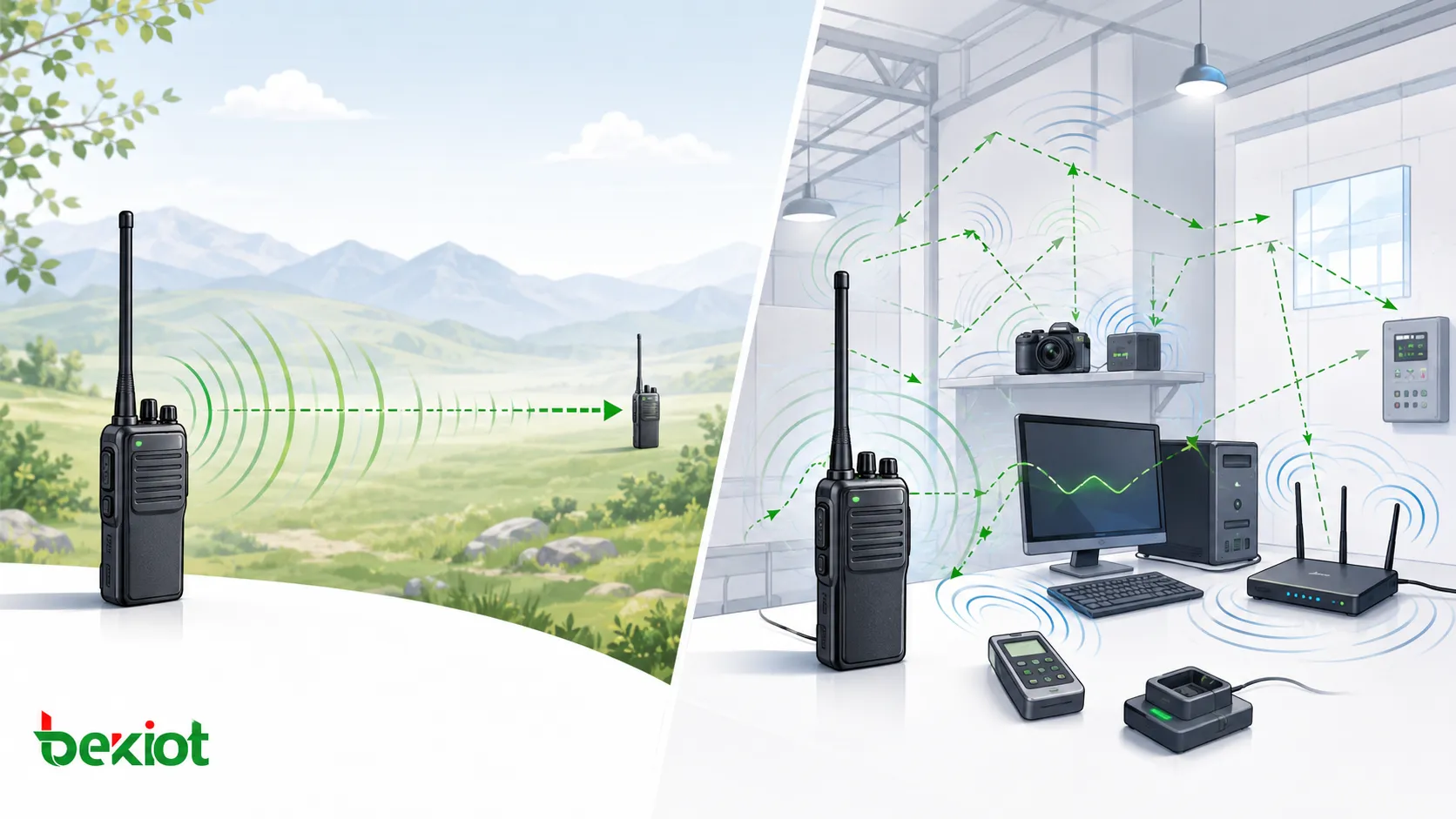
Why More Output Power Is Not Always the Right Answer
From a radio transmission perspective, increasing output power can improve signal strength and extend communication distance under certain conditions. This is why many users prefer high-power handheld radios when they need communication across construction sites, forest areas, large factories, or outdoor emergency scenes.
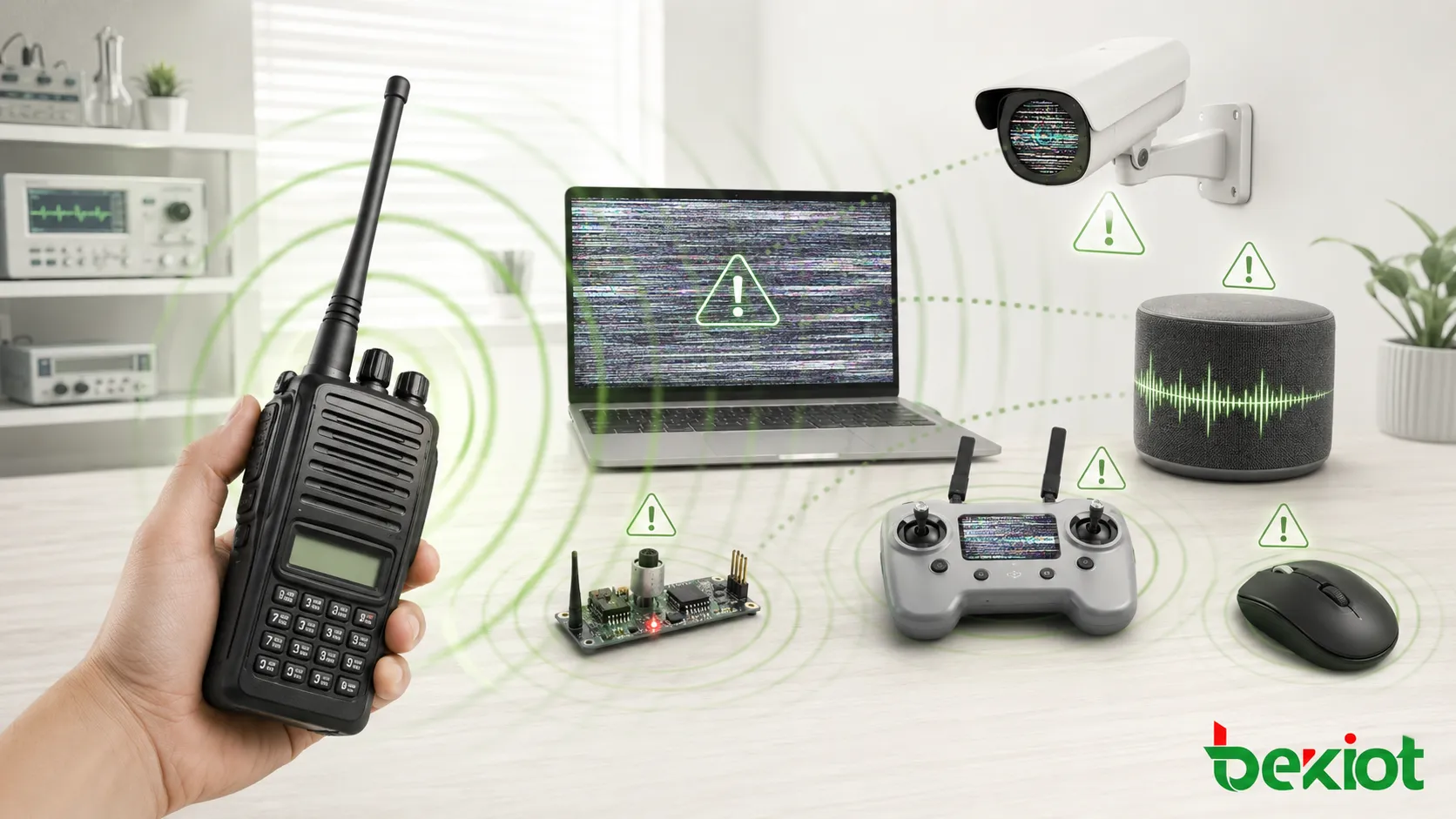
The problem appears when transmission power exceeds what the site actually needs. A handheld radio does not only send useful voice signals to another radio. It also creates a strong radio frequency field around the antenna. When the radio is too close to sensitive equipment, this field can couple into cables, circuits, sensors, audio lines, USB ports, power lines, or unprotected input stages.
This is why some project sites experience strange failures. A computer mouse may stop responding, a keyboard may fail to type, a camera may lose video, or a workstation may suddenly freeze. After the equipment is returned for inspection, technicians may find no hardware fault. The device works normally outside the original electromagnetic environment because the interference source is no longer nearby.
How Strong Radio Signals Affect Nearby Electronics
Most electronic devices pass electromagnetic compatibility testing before leaving the factory. This means they can usually tolerate normal electromagnetic environments. However, EMC design is not unlimited protection. If a high-power walkie-talkie transmits very close to an exposed circuit, unshielded cable, low-voltage signal input, or sensitive receiver, the interference level may exceed the protection capability of the device.
The impact may appear as temporary malfunction, abnormal readings, audio noise, communication dropouts, system reset, or permanent component damage. This is especially common in project development rooms, temporary command posts, test benches, equipment cabinets, control rooms, and sites where many electronic systems are installed close together.
| Affected Equipment | Possible Risk | Typical Cause |
|---|---|---|
| Computers and USB devices | Mouse failure, keyboard input loss, black screen, system freeze | RF energy coupled through USB cables, power lines, or poorly shielded interfaces |
| Cameras and video devices | Video loss, abnormal image, device reset | Interference entering video circuits, power inputs, or network interfaces |
| Other radios and receivers | Desensitization, blocking, distorted reception | Strong nearby signal overloads the receiver front end |
| Audio systems | Clicking noise, buzzing, amplifier damage | RF energy enters audio cables and is demodulated by amplifier circuits |
| Sensors and development boards | False readings, logic crash, GPIO damage | Low-voltage signal pins and exposed circuits have limited RF protection |
Where Excessive Power Creates the Biggest Problems
High-power radio operation is most risky near precision instruments, open development boards, measurement equipment, wireless devices, audio systems, and unprotected low-voltage electronics. These devices are not always designed for strong near-field radio exposure.
Wireless Receivers and Communication Devices
Other walkie-talkies, broadcast receivers, aviation-band receivers, and radio modules may be affected by a strong nearby signal. Even if the frequency is not exactly the same, a powerful transmitter can overload the receiver front end and reduce its ability to receive normal signals.
This effect is not only about frequency conflict. It is also about signal strength at close distance. A nearby high-power radio may be strong enough to cause blocking, intermodulation, or temporary receiver failure.
Drone, Remote Control, and IoT Equipment
Many drones and remote-control devices operate on 2.4GHz or 5.8GHz links, while many handheld radios work in VHF or UHF bands. Even though the frequency bands are different, a strong nearby VHF or UHF signal can still couple into antennas, cables, or receiver circuits and affect the front end of a drone receiver or remote-control module.
For field operations that combine two-way radios, drones, mobile video, and temporary command equipment, power planning becomes important. Operators should avoid transmitting at unnecessary high power next to drone controllers, video receivers, wireless bridges, or portable command terminals.
Development Boards and Sensor Modules
Arduino, Raspberry Pi, ESP32 boards, GPIO modules, breadboards, and sensor kits are convenient for development, but they often have exposed pins and limited shielding. Strong RF energy may enter signal lines and cause overvoltage, logic failure, or component damage.
Sensors that rely on weak electrical signals are more vulnerable. Temperature and humidity modules such as DHT11 or DHT22, ultrasonic modules, pressure sensors, and other low-level signal devices may show abnormal readings or crash when exposed to a strong radio field.
Bluetooth Devices, Wireless Mice, and Wearables
Bluetooth headsets, wireless mice, smart bands, and small wireless modules usually contain microcontrollers and RF chips that operate at low voltage. Many internal circuits work around 1.8V to 3.3V. When strong radio energy enters the circuit, latch-up, abnormal discharge, device freezing, or permanent damage may occur in severe cases.
This risk is higher when the radio antenna is extremely close to the device, the device has weak shielding, or the work area contains many cables acting as unintended antennas.
Indoor and Enclosed Areas Need Different Planning
In open outdoor environments, higher power can sometimes bring better communication performance. In enclosed or semi-enclosed spaces, the result may be different. Buildings, tunnels, metal structures, equipment racks, vehicles, and walls can reflect, scatter, or absorb radio waves.
When the signal reflects repeatedly, users may experience multipath distortion, dead zones, echo-like reception, or unstable audio. In such environments, simply increasing power may not solve the problem. It may even make interference worse by increasing the strength of reflected signals.
A better approach is to evaluate antenna placement, repeater planning, radio frequency coordination, site layout, shielding conditions, and the distance between radio transmitters and sensitive devices. For many indoor projects, moderate output power with proper system design provides better results than uncontrolled high-power transmission.
Practical Deployment Recommendations
A reliable radio communication plan should match output power to the real application scenario. During project testing, commissioning, or equipment development, radios should usually be set to low-power mode first. Higher power should only be used when coverage testing proves that it is necessary.
Keep Distance from Sensitive Equipment
Do not transmit at high power directly beside computers, cameras, testing instruments, control panels, exposed circuit boards, wireless receivers, audio amplifiers, or sensor modules. Distance is one of the simplest ways to reduce near-field interference.
When radios must be used in a control room, laboratory, temporary command vehicle, or equipment cabinet area, define clear operating positions. Operators should avoid placing the radio antenna close to data cables, USB hubs, microphones, cameras, and low-voltage signal wiring.
Use Low-Power Mode When Possible
Many professional handheld radios support adjustable power levels. Low-power mode can reduce interference, improve battery life, reduce heat, and still provide enough communication range in many indoor or short-distance scenarios.
For temporary project teams, maintenance staff, testing engineers, and site supervisors, low-power operation is often more stable than full-power transmission. The goal is not to use the maximum power available, but to use the minimum power that can maintain reliable communication.
Add Protection for Vulnerable Systems
For equipment that must work near radio transmitters, additional protection may be required. Ferrite cores can help reduce RF energy entering equipment through power lines and data cables. Shielded cables, proper grounding, filtered interfaces, and metal enclosures may also improve resistance to interference.
Sensitive instruments should be physically separated from handheld radio operation areas. When spectrum analyzers, network analyzers, RF power meters, or precision measurement devices are used, proper attenuation, input protection, and operating procedures should be followed.
System-Level Design for Professional Communication Projects
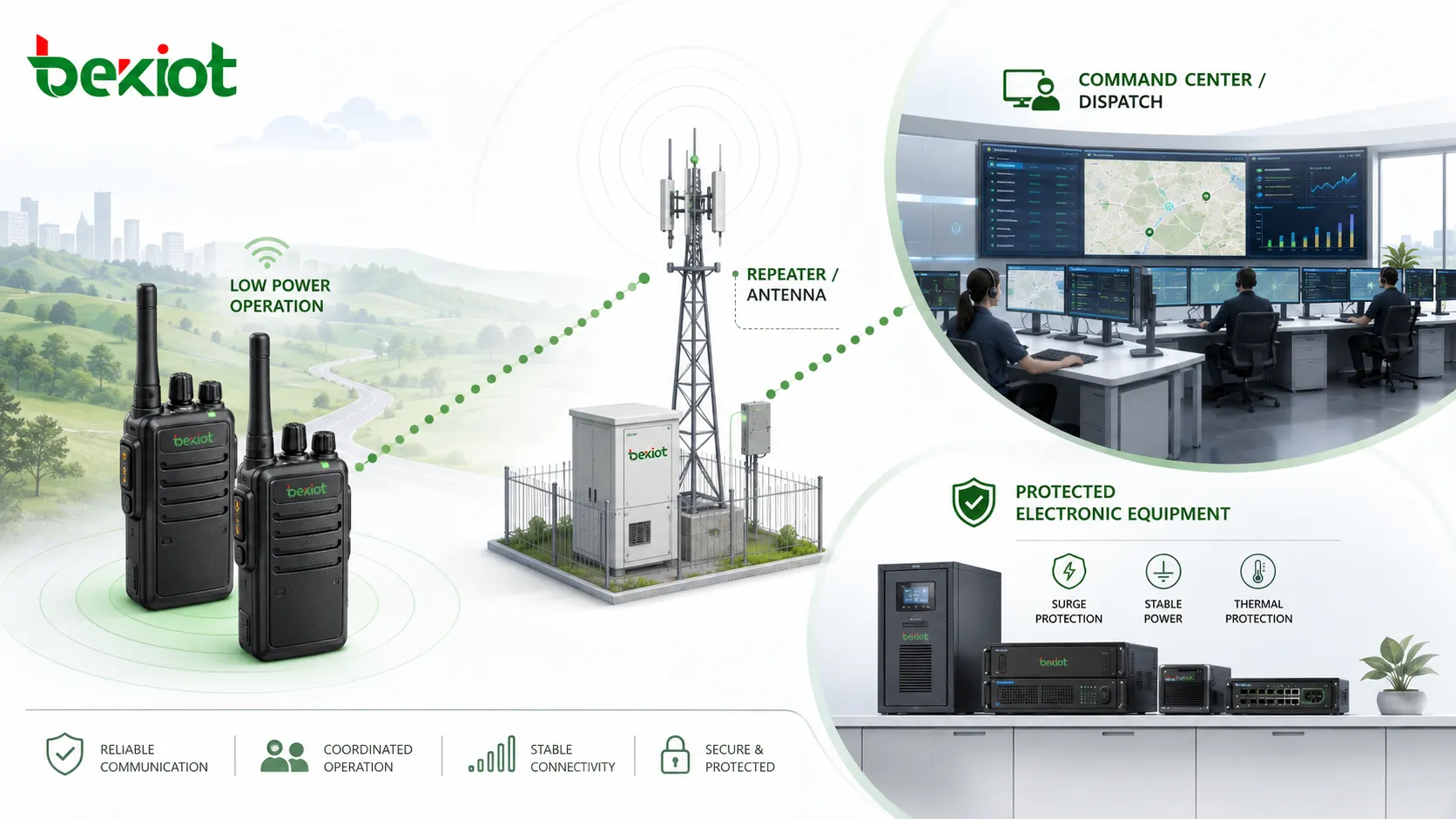
In larger projects, walkie-talkies are rarely used alone. They may work with dispatch platforms, radio gateways, IP communication systems, video monitoring, paging systems, emergency alarms, and command center applications. In this type of system, radio power management becomes part of the whole communication design.
The system should define radio coverage areas, transmission levels, repeater positions, antenna locations, communication groups, emergency call workflows, and integration with dispatch operations. For sites that require radio-to-IP integration, unified voice dispatch, or cross-network communication, Becke Telcom can be considered as a practical solution partner for building a controlled and interoperable communication environment.
Selection Guide: How to Choose the Right Power Level
The right radio power level depends on site conditions, distance, building structure, equipment density, and the importance of electromagnetic compatibility. A radio used in an open forest area has different requirements from a radio used inside a control room filled with computers and monitoring devices.
| Scenario | Recommended Approach | Reason |
|---|---|---|
| Short-distance indoor communication | Start with low power | Reduces interference and usually provides enough range |
| Outdoor open-area patrol | Use moderate or higher power when needed | Improves coverage where obstacles are limited |
| Laboratory or development environment | Avoid high-power transmission near boards and instruments | Protects exposed circuits and precision devices |
| Command center or control room | Use fixed antennas, controlled positions, and low-power handheld use | Prevents disruption to computers, audio, video, and network systems |
| Industrial site with many metal structures | Test coverage before increasing power | Reflection and scattering may affect audio quality |
Conclusion
Walkie-talkie power is important, but it should not be treated as the only measure of radio performance. Higher power may help in open environments, but it can also increase electromagnetic interference, disturb nearby electronic equipment, reduce battery efficiency, and create unstable communication in enclosed spaces.
A better communication design starts with real site conditions. Choose proper power levels, keep transmitters away from sensitive equipment, use low-power mode during testing, protect cables and interfaces, and plan the radio system together with antennas, repeaters, dispatch platforms, and operating procedures. The best walkie-talkie setup is not the one with the highest output power. It is the one that provides stable, safe, and predictable communication in the actual working environment.
FAQ
Can a walkie-talkie damage electronic equipment permanently?
Yes, it can happen in severe cases. If a high-power radio transmits very close to exposed circuits, weak input stages, audio chips, sensor modules, or unprotected RF receivers, the induced energy may cause permanent component failure instead of only temporary interference.
Does a longer antenna always improve communication quality?
Not always. Antenna length must match the operating frequency and radio design. A poorly matched antenna can reduce efficiency, increase reflected power, shorten battery life, or make the radio perform worse than a correctly matched standard antenna.
Why does a radio work well outdoors but poorly inside a building?
Indoor structures can block, reflect, and scatter radio waves. Metal frames, reinforced concrete, elevators, equipment cabinets, and underground spaces may create dead zones or multipath effects. In these cases, antenna placement or repeater planning is often more useful than simply increasing power.
Should project teams test radios before full deployment?
Yes. Site testing should check coverage, audio clarity, interference risk, battery endurance, emergency call behavior, and coexistence with nearby electronic systems. Testing helps avoid communication blind spots and unexpected equipment faults after installation.
What is the safest habit when using handheld radios near equipment?
Keep the antenna away from sensitive devices, use the lowest reliable power setting, avoid transmitting beside exposed boards or measurement instruments, and separate radio operation areas from equipment racks, computers, cameras, and control panels.







