


Walkie-talkies are widely used in security teams, factories, warehouses, construction sites, transport operations, emergency response, and many other workplaces that rely on stable and fast voice communication. Because they are frequently carried, pressed, dropped, and used in demanding environments, faults can gradually appear over time. Some problems are easy to identify, while others may affect communication quality long before users realize the device needs inspection or repair.
This article explains several common walkie-talkie failures, their likely causes, and practical troubleshooting methods. It is written from a technical and application-oriented perspective so that maintenance teams, system integrators, and operational users can better understand how to keep radio communication stable. For organizations that also use dispatch systems, RoIP gateways, IP telephony, or integrated emergency communication platforms, early fault detection is especially important because even a small handheld radio issue can affect the wider communication workflow.
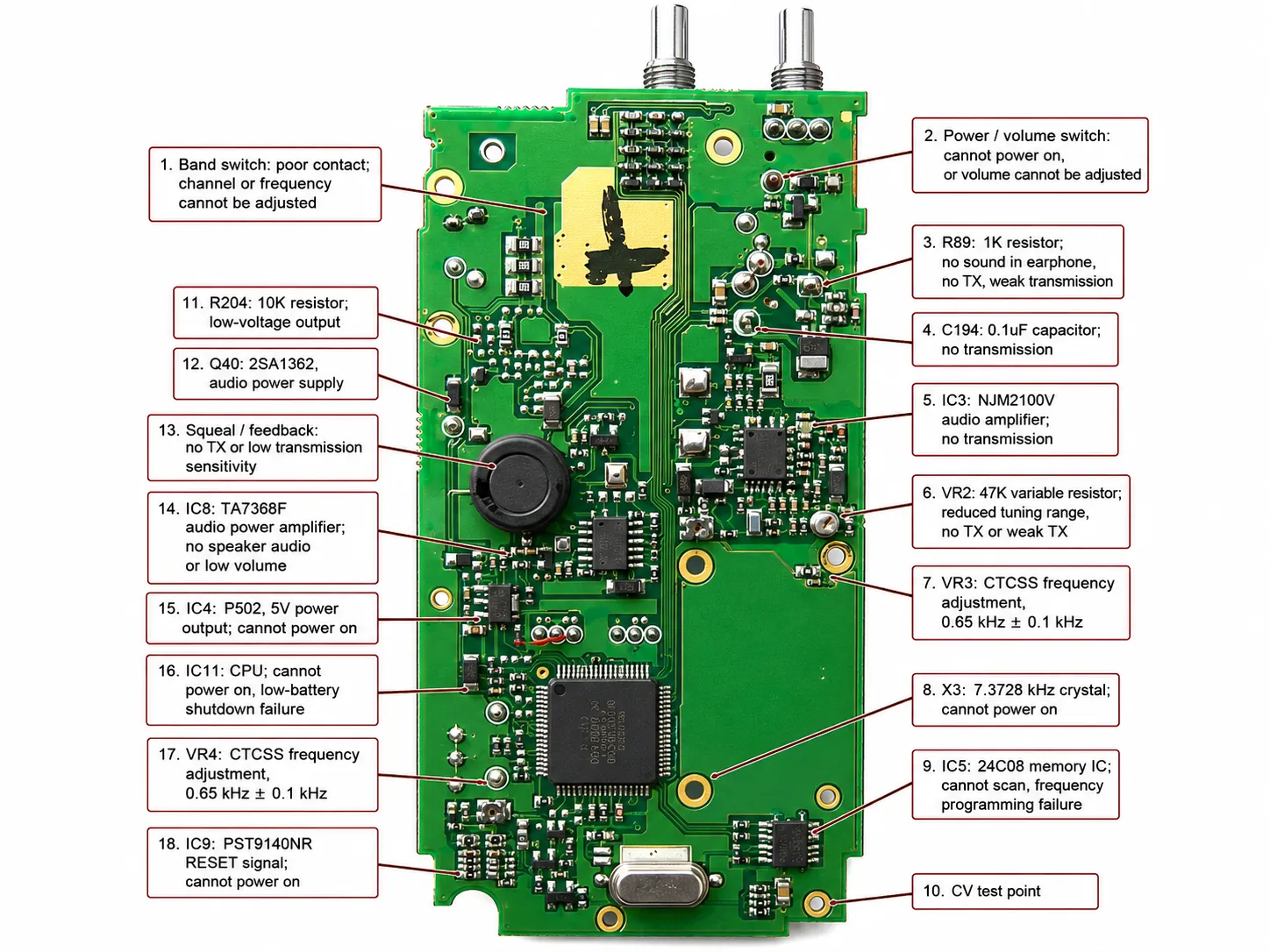
Why Walkie-Talkie Fault Diagnosis Matters
Communication Reliability Affects Daily Operations
In many industries, a walkie-talkie is not just a convenience tool. It is part of the operational communication chain. When a device cannot receive correctly, cannot transmit clearly, or produces unstable audio, team coordination slows down and response efficiency drops. This is especially serious in safety-related environments where voice communication is needed for dispatching, coordination, alarms, or emergency response.
For this reason, common radio failures should not be treated only as small hardware inconveniences. They should be understood as communication risks. A failing antenna, damaged PTT button, or faulty audio output stage may appear minor at first, but over time it can reduce communication distance, clarity, and reliability.
Basic Maintenance Reduces Long-Term Repair Costs
Many radio problems begin with physical wear, poor usage habits, or small component failures. If maintenance is delayed, these problems may expand into more expensive faults such as damaged power amplifiers, output stage failures, or severe PCB connection issues. Preventive inspection is therefore more cost-effective than waiting for a complete communication failure.
A walkie-talkie fault is often easier to solve in its early stage than after it has already affected transmission distance, audio quality, or field coordination.
Common Walkie-Talkie Failures and Solutions
1. Green Indicator Stays On After Power-Up but No Reception
This fault is commonly seen in traditional analog radios. After the device is powered on, the green indicator remains on continuously, but there is no noise and no valid reception from other radios. The device appears active, yet it does not receive signals properly.
One possible reason is that the squelch ratio or related threshold setting has been adjusted incorrectly, such as being set too low. External signal interference in the surrounding environment may also affect reception behavior. If those possibilities are excluded, hardware inspection is required. In some cases, the discriminator or demodulator on the back of the PCB may be faulty and should be replaced according to the correct band specification, such as 400 MHz or 450 MHz. This kind of fault may also be caused by physical impact, which can crack a contact point on the demodulator. In addition, nearby capacitors may have aged, cracked, or degraded.
The practical maintenance sequence is to first verify the configuration and nearby interference, then inspect the demodulator and associated components, and finally examine surrounding capacitors or damaged solder points. This fault should not be ignored because a radio that shows an active indicator but cannot receive can easily mislead users into assuming the device is functioning normally.
2. No Voice Output
Another common fault is the absence of voice output. The radio does not announce the channel number at startup, and when receiving signals, no voice is heard from the speaker. This usually indicates that the problem is in the audio path rather than in the basic power circuit.
Troubleshooting should begin with the volume switch, because if it is damaged, the radio may appear powered but still produce no usable audio. The headset jack should also be checked, as a faulty earphone socket may interrupt the speaker path. The speaker itself should then be tested, followed by the audio power amplifier stage. In many cases, checking these several parts can identify the cause quickly.
This kind of fault is important in operational environments because users may still be able to transmit, yet fail to hear replies. As a result, the problem may not be detected immediately, especially in noisy workplaces.
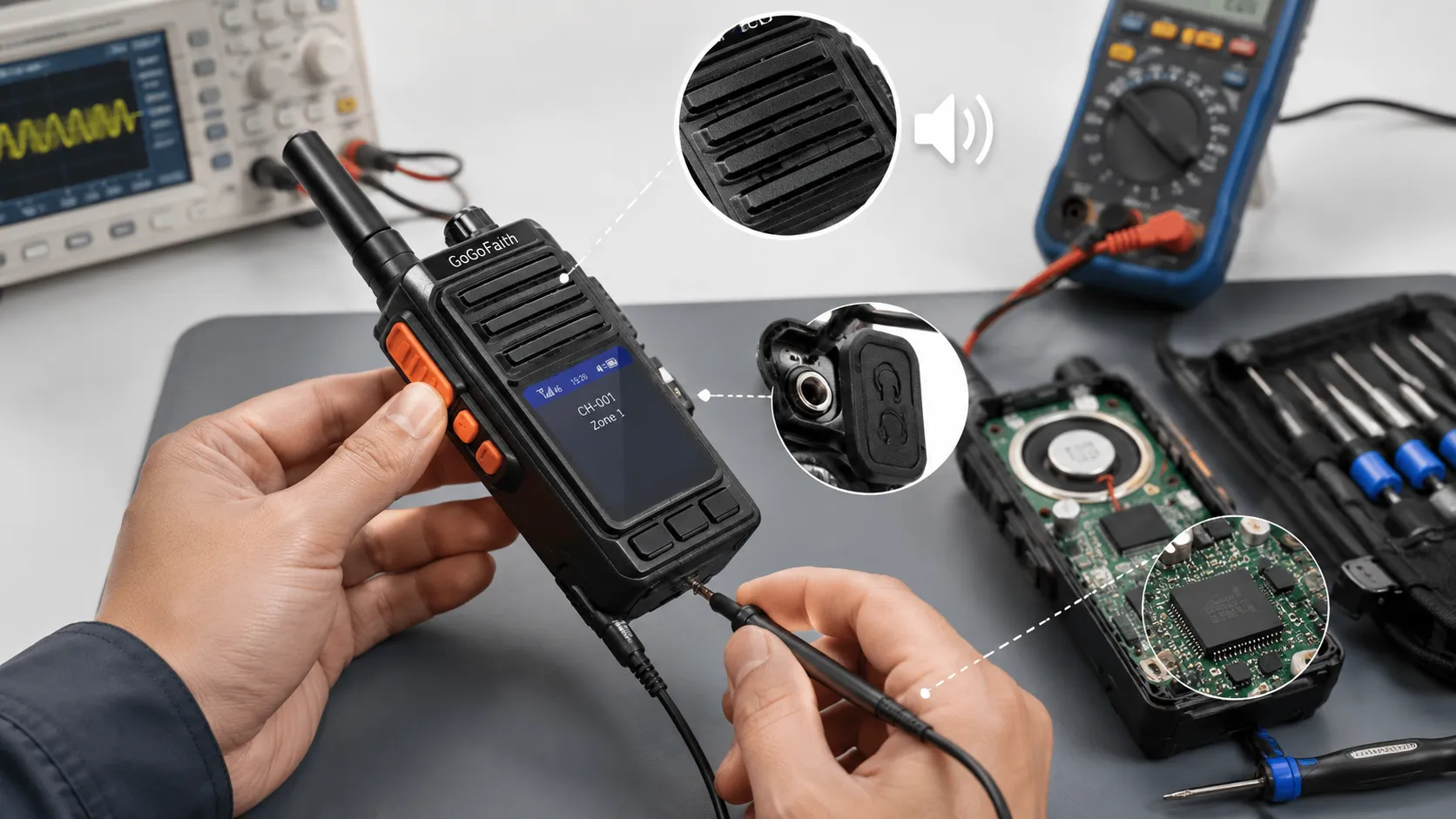
3. Band Switch Cannot Adjust Frequency Properly
If the band switch cannot adjust frequency normally, the most likely causes are physical or component-level issues around the switch assembly. The switch itself may be damaged, or nearby capacitors may have deteriorated, cracked, or fallen off.
Because this fault affects frequency or band selection, it can prevent the radio from working on the intended channel range. Maintenance should focus on the condition of the switch contacts and the surrounding circuit area. If parts have become loose after impact or long-term use, they should be replaced or resoldered.
4. Antenna Damage
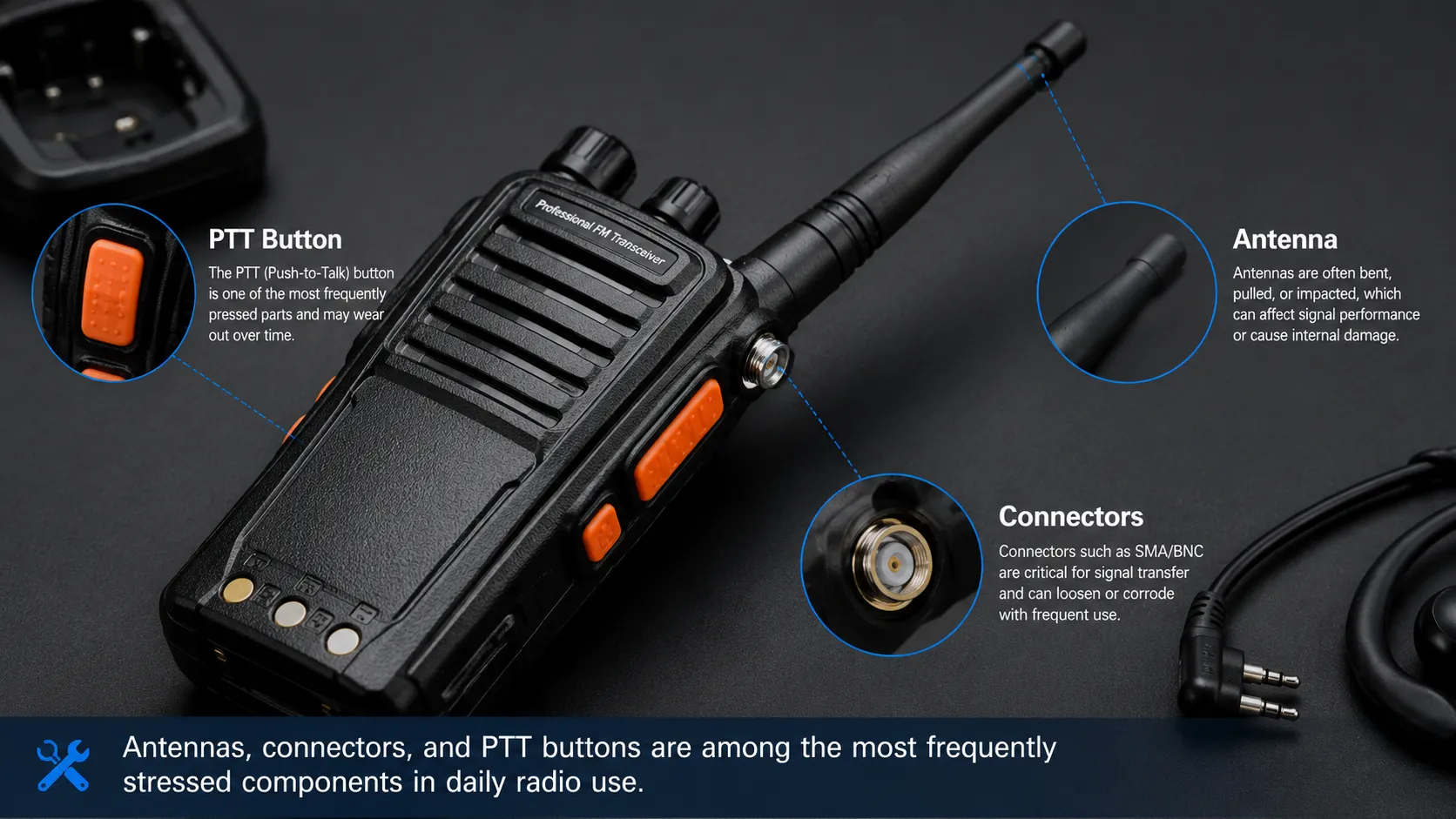
The antenna is one of the most critical components in a walkie-talkie because it directly affects both transmission and reception. Once the antenna is damaged or becomes ineffective, communication performance will definitely decline. If a damaged antenna is not replaced or repaired promptly, the radio’s output section may also be affected.
Improper usage habits are one of the main reasons antennas fail. Some users pick up the entire radio by the antenna, swing it by hand, or repeatedly apply force to the antenna connector. Since antenna interfaces such as TNC, BNC, and SMA are professional signal interfaces rather than mechanical carrying points, this kind of misuse can damage the structure over time. The antenna outer cover may crack, the connector pin may break, the contact surface may deform, or the connection point between the antenna pin and the main board may become desoldered.
Once desoldering occurs, the standing wave ratio of the transmission path can rise sharply. Under normal conditions, the VSWR value should typically be below 1.5. If transmission continues while the standing wave becomes too large, some devices with weaker protective design may suffer damage to the power transistor, RF power amplifier module, or output power resistor. These faults are difficult to detect in the early stage. Users often notice the problem only after they experience a clear reduction in communication distance.
For this reason, users should regularly inspect whether the connection between the antenna and the antenna base is firm, whether there is discoloration or dirt, and whether the antenna body has visible damage. If damage is found, the safest recommendation is to replace it with the same original antenna type and frequency specification.
5. PTT (Push-to-Talk) Button Failure
The PTT button is one of the most frequently used parts of a walkie-talkie. In many repaired units, the outer rubber of the PTT key has aged or become damaged, which affects normal use. In other cases, the failure reaches the key switch on the PCB itself, causing poor PTT performance or complete transmission failure.
Because the PTT button directly controls sending behavior, any instability in this part can make the radio seem unreliable during real operation. The best practice during repair is to use original spare parts whenever possible so that the button feel, sealing performance, and long-term reliability remain consistent with the original design.
Key Technical Fault Points to Watch
RF Components and Signal Path Stability
Reception and transmission quality depend heavily on RF components and stable signal paths. Problems involving the demodulator, antenna path, connector integrity, or output stage can all lead to weak communication performance. In analog radios, band-specific components must also match the device specification correctly, such as 400 MHz or 450 MHz configurations.
Audio Circuit Integrity
When startup prompts disappear or received voice cannot be heard, the audio chain should be checked carefully. That includes the volume control, headset socket, speaker, and audio amplifier section. Faults in this area may give the impression of a “dead” radio even when the RF side is still working.
Mechanical Wear from Daily Use
Many radio failures are caused not by manufacturing issues but by field handling habits. Repeated drops, pulling the antenna, pressing keys with excessive force, and exposure to dirt or moisture all accelerate wear. Regular inspection therefore matters as much as repair.
In many cases, the antenna and PTT key fail not because of communication design weakness, but because of long-term mechanical stress during everyday operation.
How These Problems Affect Modern Communication Systems
Impact on Dispatch and Team Coordination
In modern environments, walkie-talkies are often not isolated devices. They may be connected to dispatch consoles, recording systems, RoIP gateways, SIP platforms, or control room communication systems. When a radio develops a hardware fault, the problem does not only affect one user. It can also affect the wider coordination chain between field staff and centralized communication platforms.
For example, if a radio has a damaged antenna and weak transmission, calls routed through a radio-over-IP gateway may still appear normal on the dispatch side, but the field response may be incomplete or unclear. Likewise, a faulty PTT button may interrupt the user’s ability to talk into a cross-network communication system.
Why Preventive Maintenance Supports Integrated Solutions
Becke Telcom focuses on industrial communication, RoIP integration, SIP-based communication systems, and dispatch-oriented solutions. In practical deployments, stable terminal equipment is essential to the overall performance of the solution. Even when a site uses advanced dispatch software or integrated communication architecture, the quality of the endpoint still matters.
This is why maintenance guidance should be treated as part of communication system reliability. Radio inspection, antenna verification, PTT testing, and audio path checking are all basic but important steps in keeping an integrated communication network dependable.
Practical Maintenance Recommendations
Use Proper Operating Habits
Do not carry the radio by the antenna, pull on the connector, or swing the device during use. Use the housing or belt clip instead. Proper handling extends both the antenna life and the connector reliability.
Inspect High-Wear Components Regularly
Regularly inspect the antenna, antenna base, PTT key, earphone socket, and speaker opening. Look for cracking, looseness, contamination, discoloration, or unstable operation. These signs often appear before complete failure.
Replace with Correct Original Parts
When repairs are needed, choose original or specification-matched components. This is especially important for antennas, PTT assemblies, and band-related circuit parts, because mismatched replacements may reduce performance or create further faults.
Test Communication Range After Repair
Once a repair has been completed, test the radio under realistic conditions. Verify reception, transmission clarity, startup audio, channel operation, and communication distance. A device that powers on successfully is not necessarily fully restored until its communication range and stability are confirmed.
Conclusion
Common walkie-talkie failures often involve reception problems, missing audio, band switch issues, antenna damage, and PTT key faults. Although these problems may seem small at first, they can seriously affect communication performance and may even damage more critical internal components if ignored.
For organizations that depend on two-way radio communication, timely troubleshooting and proper maintenance are essential. In industrial and dispatch-based environments, these maintenance practices also support the larger communication architecture. With the right inspection process and good operating habits, users can extend device life, reduce repair costs, and maintain reliable voice communication.
As a provider of industrial communication and integrated dispatch solutions, Becke Telcom supports reliable voice communication across radios, RoIP gateways, SIP systems, and control room applications. Stable endpoints and sound maintenance practices are an important part of building a dependable communication solution.
FAQ
Why does a walkie-talkie show a green light but receive no signal?
This may be caused by incorrect squelch settings, surrounding signal interference, a faulty demodulator or discriminator, damaged contacts, or degraded nearby capacitors.
What should I check if the radio has no voice output?
You should check the volume switch, headset socket, speaker, and audio power amplifier. These are the main parts involved when startup prompts and received voice cannot be heard.
Why is the antenna so important in a walkie-talkie?
The antenna is essential for both transmission and reception. If it is damaged, communication distance and signal quality will drop. In severe cases, it can also affect the output stage and RF components.
What is a normal standing wave ratio for a walkie-talkie antenna?
A normal VSWR value is typically below 1.5. If it becomes too high, continuous transmission may damage the power amplifier or related output components.
How can I prevent common walkie-talkie failures?
Use the radio correctly, avoid pulling or carrying it by the antenna, inspect high-wear components regularly, keep connectors clean, and replace damaged parts with correct original components.







