


Night Service Mode is a telephony and communication system feature that changes how incoming calls are handled outside normal working hours. When an office, service desk, branch, department, control room, reception desk, or support team is no longer operating in its normal daytime mode, Night Service Mode can redirect calls to voicemail, an auto attendant, an on-call extension, an emergency contact, a security desk, a mobile number, or a recorded announcement.
The purpose of Night Service Mode is to make after-hours call handling predictable and controlled. Instead of allowing calls to ring unanswered, reach empty desks, or depend on manual forwarding by staff, the phone system applies a predefined night routing plan. This helps organizations maintain a professional caller experience, avoid missed urgent calls, and separate routine calls from critical after-hours communication.
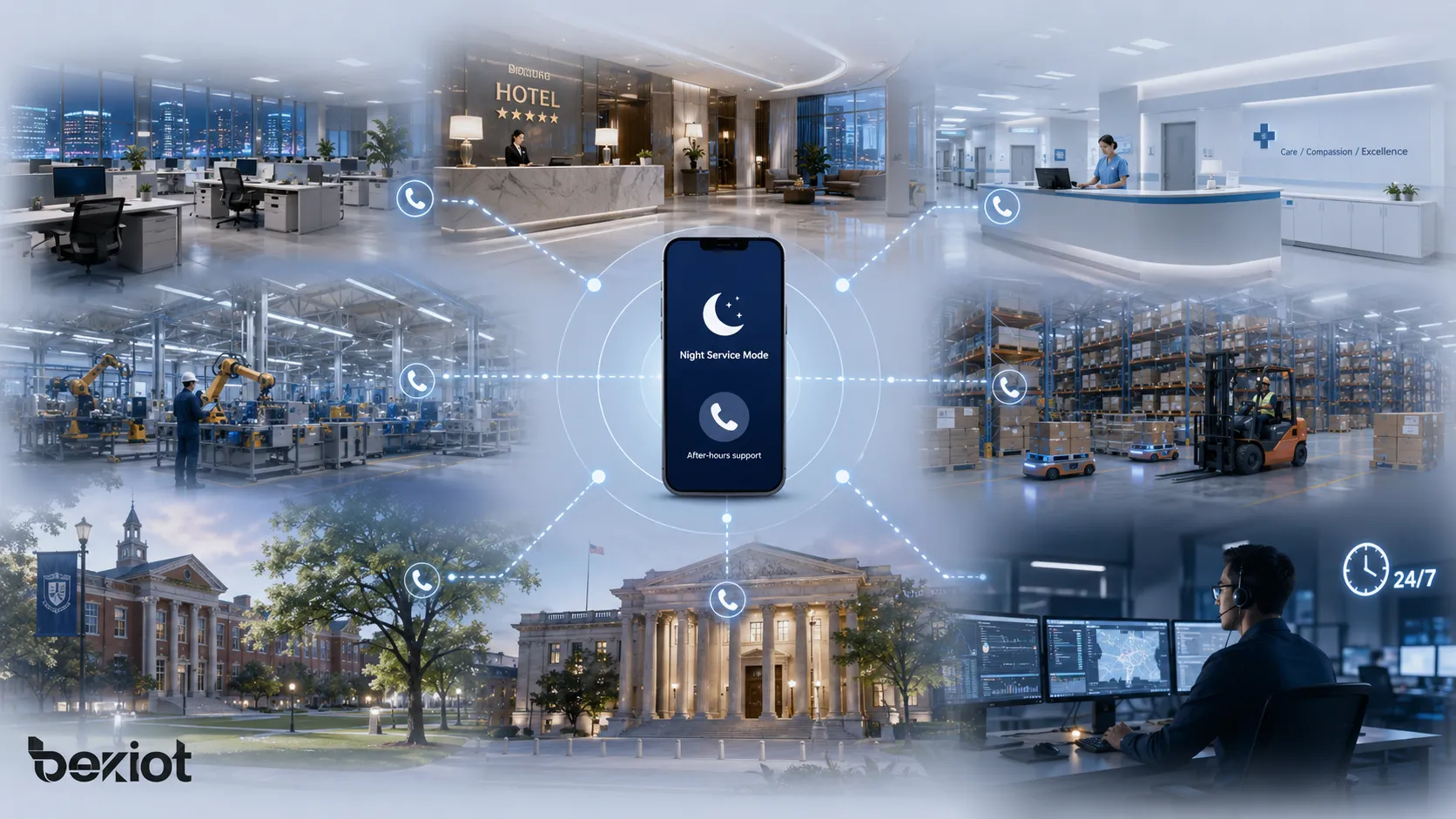
Night Service Mode is commonly used in offices, hotels, hospitals, schools, factories, warehouses, public facilities, emergency service desks, property management centers, retail stores, customer support teams, transportation sites, and multi-branch organizations. It is especially useful where call handling needs to change automatically according to time, shift, holiday, department status, or emergency duty arrangements.
What Is Night Service Mode?
Definition and Core Meaning
Night Service Mode is a call management mode that changes incoming call behavior during non-business hours or low-staffing periods. It can be activated manually by an operator or automatically by a schedule. Once enabled, the system follows night routing rules instead of daytime call routing rules.
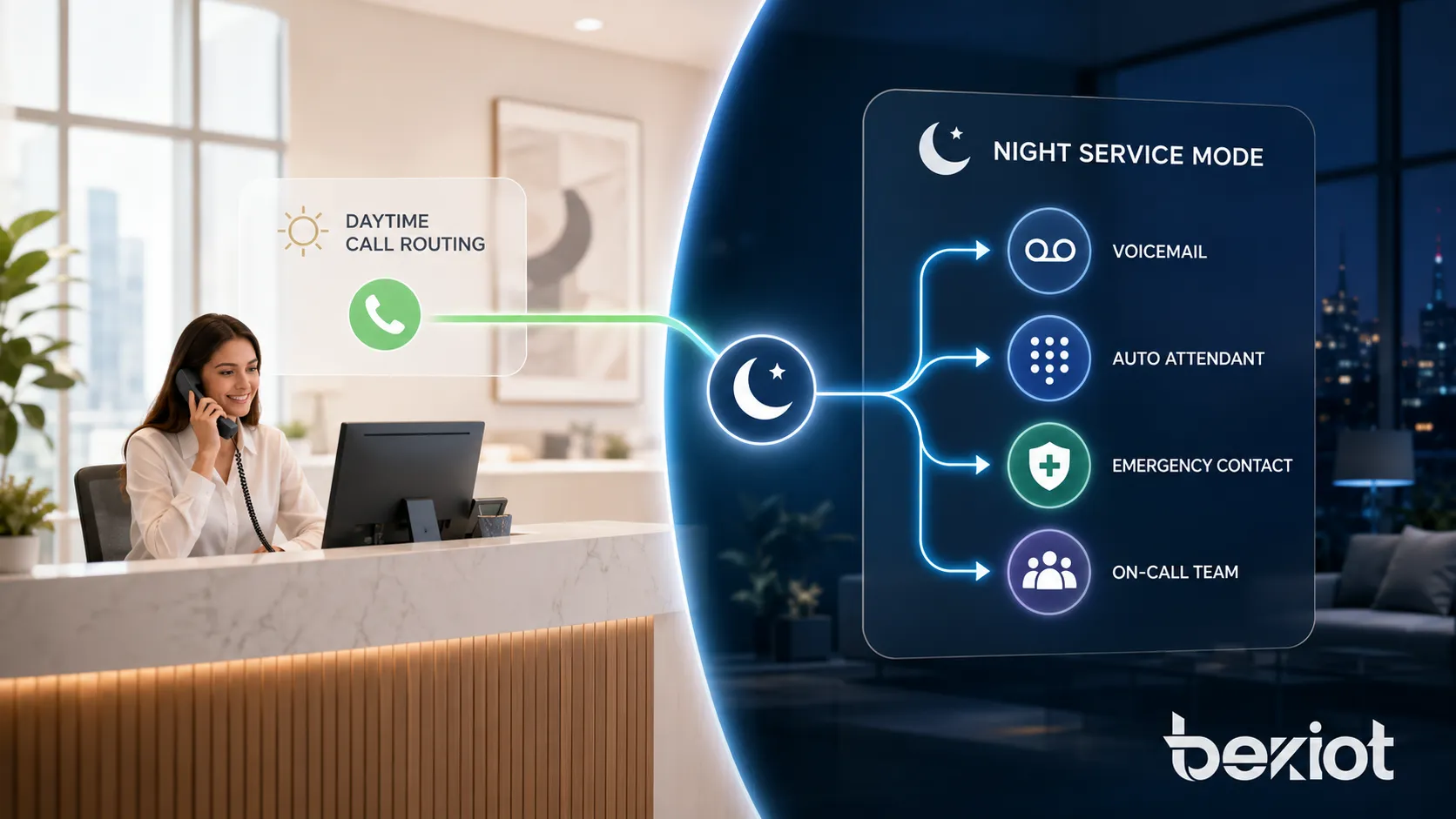
During normal business hours, calls may ring a receptionist, a sales team, a support queue, a department extension, or an operator console. During Night Service Mode, those same calls may be redirected to voicemail, an announcement, an emergency line, an on-call group, a mobile phone, a security office, or an after-hours answering service.
In simple terms, Night Service Mode tells the phone system that the normal team is not available now, so incoming calls should follow the after-hours plan. This makes call routing more reliable and reduces the chance that important calls are missed because staff forgot to forward lines manually.
Night Service Mode is an after-hours call routing feature that helps phone systems handle calls differently when normal staff are unavailable.
Why Night Service Mode Matters
Night Service Mode matters because organizations do not operate in the same way all day. A reception desk may close in the evening, a support team may change shifts, a hotel may transfer calls to the night manager, a factory may route calls to a duty room, and a healthcare facility may direct urgent calls to on-call staff.
A well-configured Night Service Mode improves caller experience. Callers can hear a clear message, select the right option, leave a voicemail, reach an emergency contact, or connect to an available staff member. It also improves internal operations because staff do not need to remember complex forwarding steps every day.
How Night Service Mode Works
Day Mode and Night Mode Switching
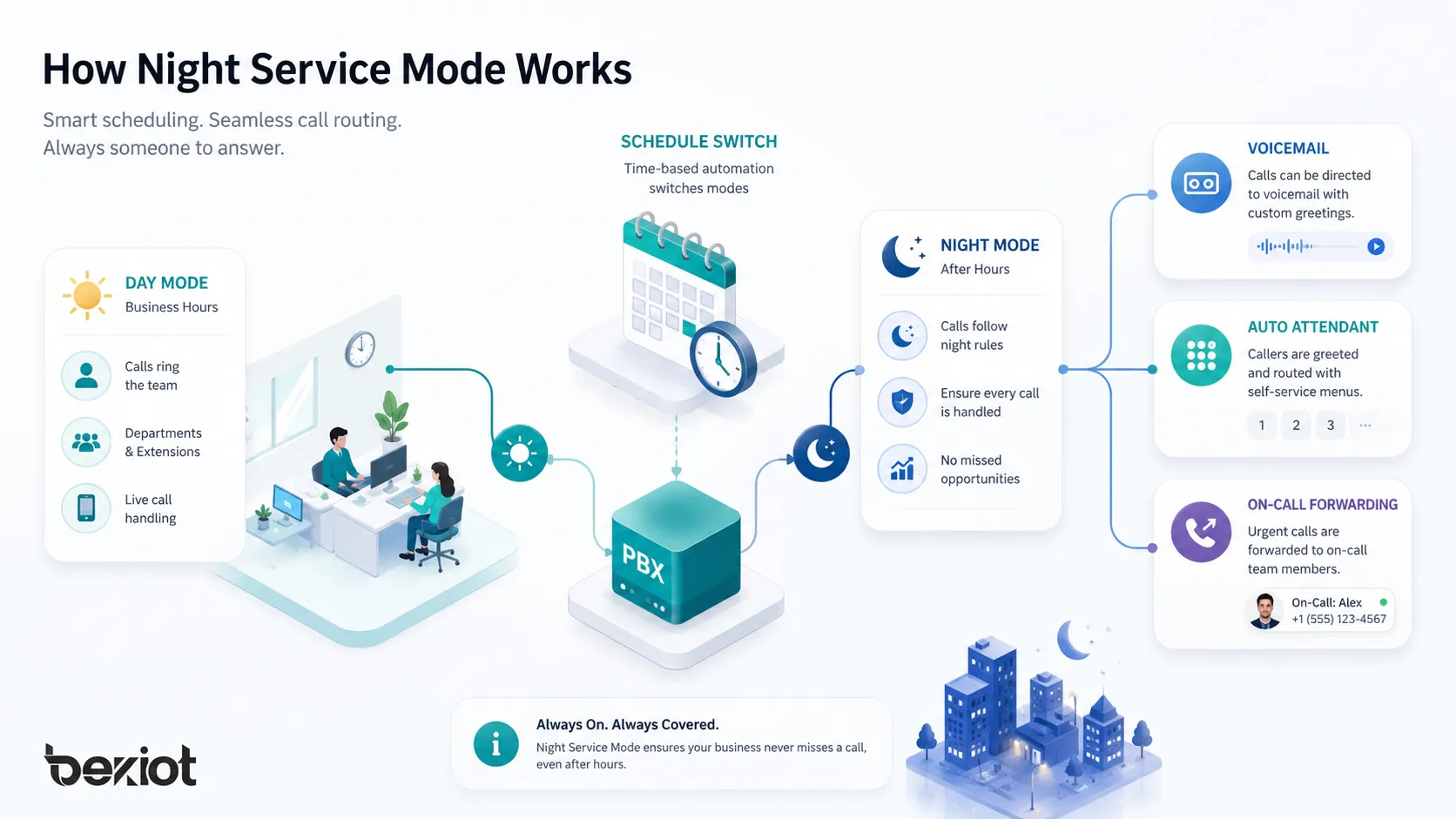
Most systems separate call handling into day mode and night mode. Day mode represents normal business operation, while night mode represents after-hours operation. Some systems also support lunch mode, holiday mode, weekend mode, emergency mode, or custom schedules.
Switching can be manual or automatic. Manual switching may use a feature code, a phone button, an operator console, or a setting in the phone system interface. Automatic switching uses a schedule, such as business hours during the day and night mode outside that window.
Call Routing Rules
Night Service Mode depends on routing rules. These rules define whether calls go to voicemail, a recorded announcement, an auto attendant, a mobile number, an on-call group, a security desk, or another approved destination.
Routing rules can be simple or complex. A small office may send all calls to voicemail after hours, while a hospital, hotel, factory, or service center may separate routine calls from urgent calls and use different destinations for each type.
Schedules, Holidays, and Exceptions
Advanced configurations include weekly schedules, holiday calendars, temporary exceptions, early-closing rules, seasonal hours, and department-specific operating times. These settings prevent calls from being routed incorrectly during weekends, holidays, or temporary schedule changes.
Night Service Mode is most effective when schedules, exceptions, and emergency routing are planned before after-hours calls begin.
Main Features of Night Service Mode
After-Hours Call Forwarding
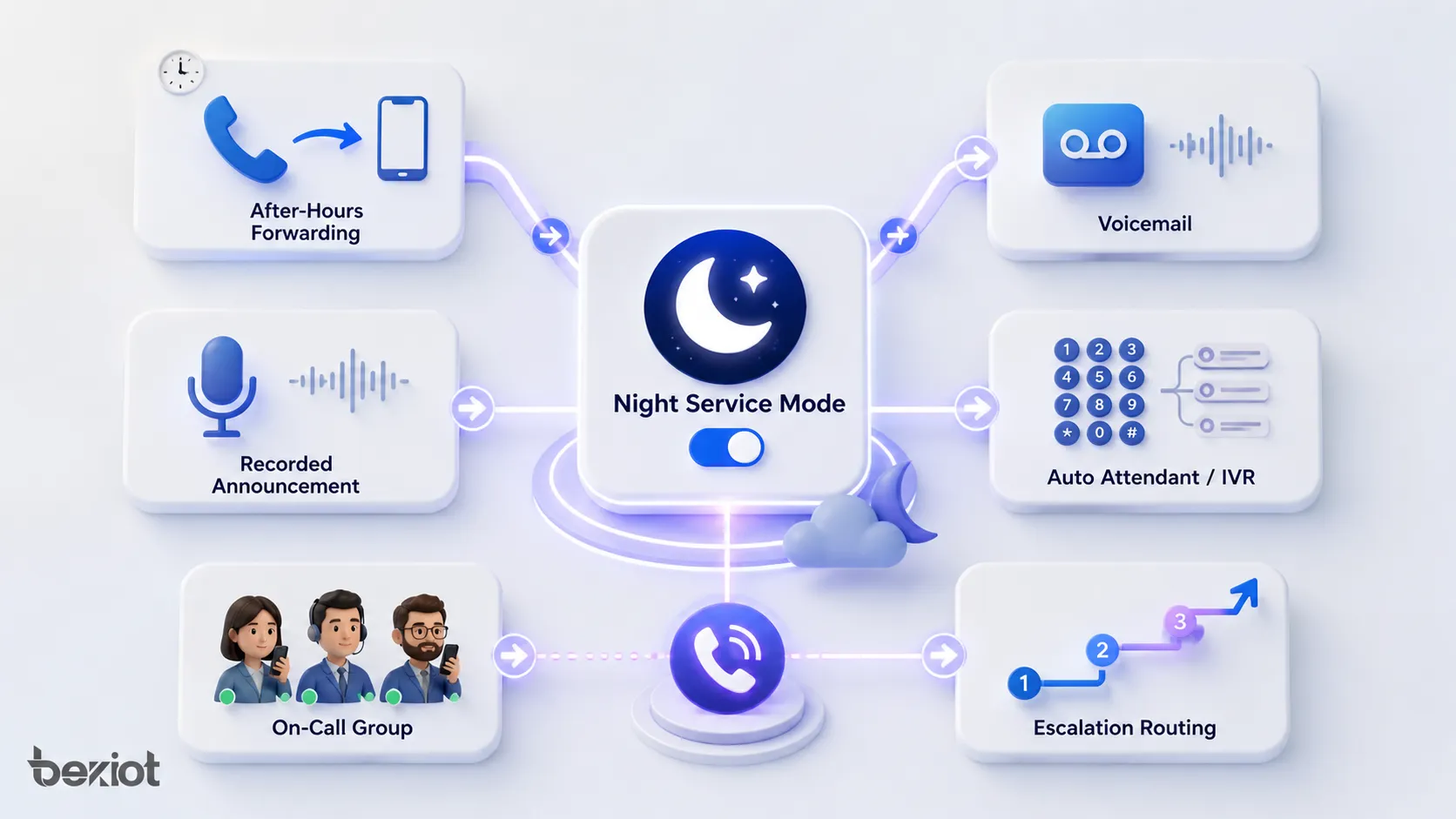
After-hours call forwarding redirects incoming calls when normal staff are not available. Destinations may include a mobile phone, remote extension, answering service, duty room, security desk, emergency hotline, supervisor, or on-call technician.
Voicemail and Recorded Announcements
Night Service Mode can route callers to voicemail or recorded announcements. A greeting can explain that the office is closed, provide opening hours, offer website information, give emergency instructions, or invite the caller to leave a message.
Auto Attendant and IVR Routing
An auto attendant or IVR menu can help callers choose the right after-hours path. Routine calls can go to voicemail, while urgent calls can reach an on-call person. The menu should be short, clear, and easy to use.
On-Call Group Routing
On-call group routing sends calls to people responsible for after-hours response. The system may ring them in sequence, ring them simultaneously, rotate calls by schedule, or escalate the call if no one answers.
Benefits of Night Service Mode
Fewer Missed Calls
Night Service Mode reduces missed calls by ensuring every incoming call has a defined destination after normal hours. Calls can reach voicemail, an emergency contact, an on-call user, or an auto attendant instead of ringing an empty desk.
Better Caller Experience
Callers receive clear guidance when they call outside business hours. They can understand whether the organization is closed, when it will reopen, how to leave a message, and what to do for urgent help.
Improved Staff Workflow
Staff do not need to manually forward lines every evening or undo forwarding every morning when reliable schedules are used. Routine calls can wait, while urgent calls are directed to the correct on-call person.
Stronger Emergency Readiness
Night Service Mode supports continuity planning by routing urgent calls to security teams, facility engineers, emergency maintenance staff, supervisors, duty rooms, external answering services, or backup contacts.
Applications of Night Service Mode
Offices and Business Reception
Offices use Night Service Mode for reception lines, department numbers, and general business numbers. After hours, calls can go to voicemail, announcements, or answering services while the business maintains a professional caller experience.
Hotels and Hospitality
Hotels may route front desk, restaurant, housekeeping, guest service, or emergency calls differently at night. This helps reduced night staff keep guest communication organized and responsive.
Healthcare and Medical Facilities
Clinics, hospitals, laboratories, nursing stations, and medical departments use after-hours routing to separate routine administrative calls from urgent clinical or emergency calls.
Factories, Warehouses, and Industrial Sites
Industrial sites often operate by shift. Night Service Mode can send office calls to voicemail while routing operational issues, safety incidents, machine faults, or access problems to a duty room or shift supervisor.
Schools, Campuses, and Public Facilities
Schools, campuses, libraries, government offices, and public buildings use night routing to connect urgent calls to security or campus police while routine calls receive an announcement or voicemail option.
Night Service Mode in Phone System Architecture
PBX and IP PBX Systems
PBX and IP PBX systems often provide Night Service Mode through inbound routes, extensions, queues, voicemail, IVR menus, time conditions, feature codes, and operator controls.
Hosted Voice and Cloud Communication Platforms
Hosted voice and cloud communication platforms usually manage Night Service Mode through business-hour settings, auto attendants, call flows, user groups, and web portals that can be changed remotely.
Contact Centers and Service Desks
Contact centers and service desks use night routing to align incoming calls with staffed hours, service-level agreements, voicemail handling, after-hours support, and self-service IVR menus.
Deployment Considerations
Define Business Hours Clearly
Administrators should define when normal call routing starts and ends, which days are included, and whether departments, branches, service teams, or maintenance groups have different schedules.
Design After-Hours Call Flows
Each incoming number or department should have a defined after-hours destination. Routine calls may go to voicemail, urgent calls may go to an on-call group, and information calls may receive a short recorded announcement.
Prepare Announcements and Voicemail Greetings
Announcements should state that the office or department is closed, explain how to leave a message, provide opening hours when useful, and give emergency instructions if applicable.
Test Before Going Live
Testing should include business hours, after-hours mode, manual activation, automatic schedules, holidays, voicemail, IVR options, external forwarding, on-call routing, and failover behavior.
Night Service Mode should never be treated as a simple switch only; it should be tested as a complete after-hours caller journey.
Common Challenges
Outdated Schedules
Working hours, holidays, weekend service, and temporary closures can change. If schedules are not updated, calls may be routed to the wrong place or callers may receive incorrect information.
Unclear Emergency Options
Emergency instructions should be simple and direct. If the organization provides urgent support, callers should know exactly which option to choose. If it does not, the message should avoid false expectations.
Forwarding to Unavailable Staff
Night routing fails when calls are sent to people who are not available, numbers that are outdated, or devices that are turned off. On-call lists and escalation paths must be reviewed regularly.
Voicemail Without Follow-Up
Voicemail is only useful when messages are checked and followed up. Night Service Mode mailboxes should have owners, notifications, and clear response procedures.
Maintenance and Operation Tips
Review Call Flows Regularly
Inbound numbers, routing destinations, announcements, voicemail owners, on-call groups, and holiday schedules should be reviewed regularly so the system stays aligned with current operations.
Monitor After-Hours Call Reports
Call reports show after-hours call volume, answer rates, voicemail usage, abandoned calls, urgent call handling, and routing performance. These reports help administrators improve the process.
Keep Backup Routing Ready
Backup routing may include secondary mobile numbers, alternate offices, answering services, emergency hotlines, or disaster recovery routes. These options should be documented and tested.
Night Service Mode Versus Similar Features
Night Service Mode Versus Call Forwarding
Call forwarding sends calls from one destination to another. Night Service Mode is broader because it can include schedules, announcements, voicemail, IVR menus, on-call groups, holidays, and escalation rules.
Night Service Mode Versus Do Not Disturb
Do Not Disturb is usually a user-level feature for one phone or extension. Night Service Mode is usually a system-level or department-level feature for after-hours call handling.
Night Service Mode Versus Holiday Mode
Holiday mode handles special closures that may override normal business-hour and night schedules. A well-designed phone system should include both normal night routing and holiday exceptions.
Conclusion
Night Service Mode is an after-hours call management feature that changes how incoming calls are handled when normal staff, reception desks, departments, or service teams are unavailable.
Its main features include scheduled mode switching, manual activation, after-hours forwarding, voicemail, IVR menus, on-call routing, escalation rules, holiday exceptions, and department-specific call flows.
When configured with accurate schedules, clear announcements, reliable on-call contacts, backup routes, and regular testing, Night Service Mode becomes a practical tool for professional and dependable after-hours communication.
FAQ
What is Night Service Mode in simple terms?
Night Service Mode is a phone system feature that changes call routing after business hours. It can send calls to voicemail, an announcement, an auto attendant, an on-call person, or an emergency contact.
How is Night Service Mode activated?
It can be activated manually through a feature code, phone button, operator console, or web setting, or automatically through schedules based on business hours, weekends, and holidays.
What is the difference between Night Service Mode and call forwarding?
Call forwarding is one routing action. Night Service Mode is a complete after-hours call handling plan that may include forwarding, voicemail, announcements, IVR menus, on-call groups, escalation, and schedules.
Where is Night Service Mode commonly used?
It is commonly used in offices, hotels, hospitals, schools, factories, warehouses, contact centers, service desks, public facilities, and industrial sites.







