


Emergency command boxes are often deployed in difficult field conditions where communication infrastructure is unstable or partially unavailable. In disaster response, rescue coordination, remote inspection, temporary command posts, and field emergency operations, teams may face network interruption, blocked roads, power failure, limited backhaul, or satellite-only transmission. Under these conditions, video transmission becomes one of the most challenging parts of command communication.
The key to improving video performance is not simply adding more cameras or higher-resolution equipment. A practical emergency command box should be able to process video intelligently before transmission. Through video transcoding, adaptive bitrate adjustment, multi-screen fusion, and support for multiple streaming protocols, it can make on‑site video easier to transmit over weak networks while still supporting command visibility, remote collaboration, and decision‑making.
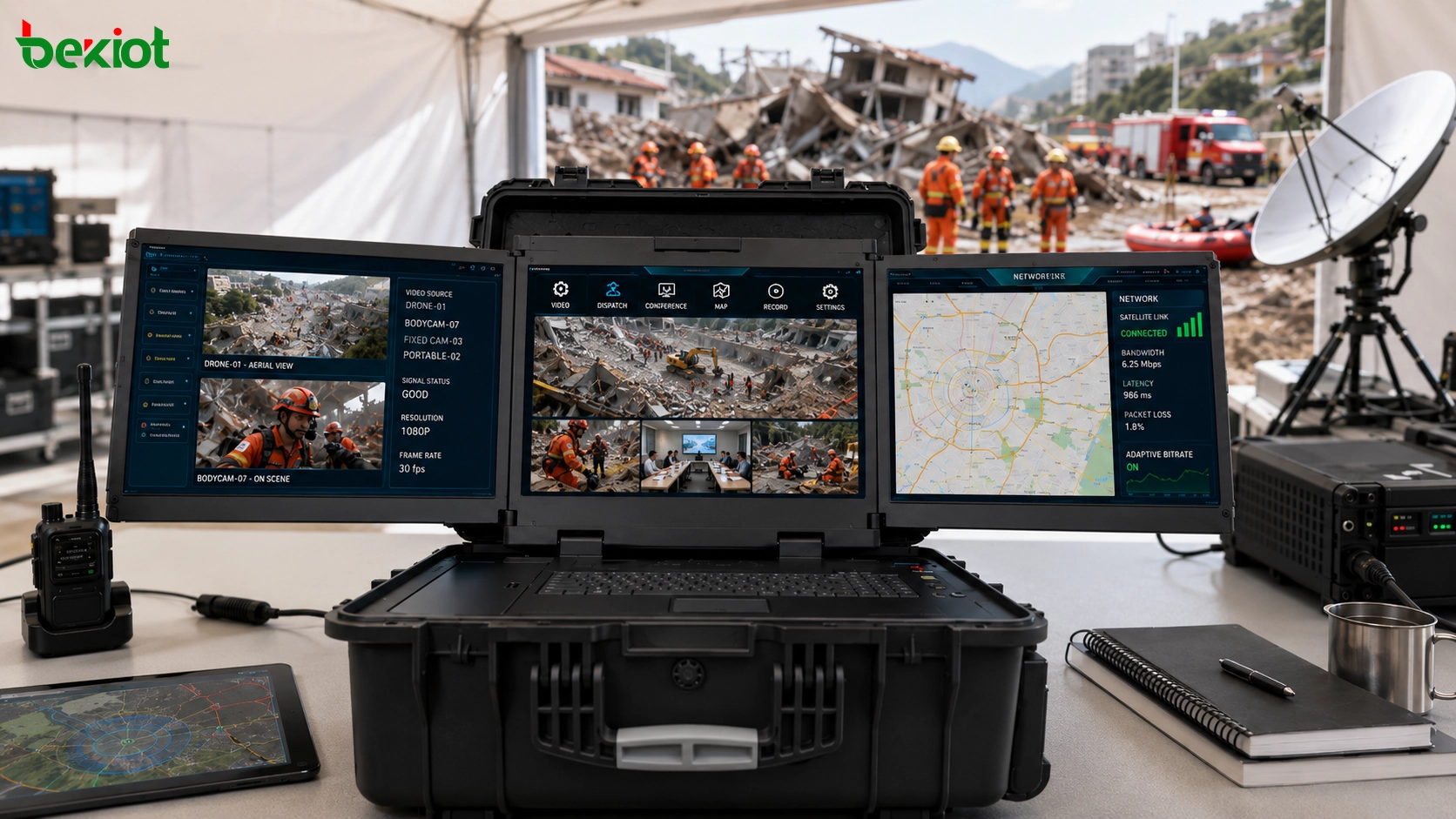
Field Command Scenarios With Limited Network Conditions
Emergency command operations often happen outside normal office or data center environments. The site may have no stable broadband access, no reliable power supply, no fixed network line, or no convenient road access for rapid infrastructure deployment. In many cases, the command box must rely on temporary wireless links, satellite communication, mobile networks, or other limited transmission resources.
Satellite links are especially useful for remote emergency response, but they usually have limited bandwidth, higher latency, and more variable network performance than fixed fiber or private broadband networks. If raw high-definition video streams are sent directly through the satellite link, bandwidth consumption can rise quickly and cause delay, frame loss, image freezing, or unstable viewing at the rear command center.
This is why the video processing capability of the command box is so important. The system needs to make the video stream lighter, more adaptive, and easier to transmit before it leaves the field site. The goal is to preserve usable visual information while reducing unnecessary bandwidth pressure.
Video Transcoding as the Main Optimization Method
One of the most effective ways to improve weak-network video transmission is local video transcoding. Many field video sources still output H.264 streams. A command box with built-in transcoding capability can convert H.264 video into H.265 before sending it through satellite or other narrowband links.
Under the same resolution, H.265 can usually transmit video with about half the bandwidth required by H.264. This makes it highly suitable for emergency scenarios where the available uplink is limited and expensive. Instead of reducing the number of video sources immediately, the system first improves compression efficiency so that more useful information can pass through the same network pipe.
For emergency command, this difference matters. A lower bandwidth stream can reduce transmission pressure, improve continuity, and make it easier for rear command centers to view live images from the field. The improvement is especially valuable when multiple video sources need to be transmitted at the same time.
Adaptive Control for Resolution, Frame Rate, and Bitrate
Weak networks are not always weak in the same way. Bandwidth may rise and fall, latency may increase, packet loss may appear, and jitter may change during the operation. A practical emergency command box should therefore support real-time adjustment of video resolution, frame rate, and bitrate.
When the network condition is good, the command box can transmit higher-resolution or higher-frame-rate video. When the network becomes unstable, the system can reduce bitrate, lower frame rate, or adjust resolution to maintain continuity. This adaptive strategy is more useful than using one fixed video setting for all situations.
For field command, smoothness may be more important than perfect image quality. A slightly lower-resolution video that continues to play is often more valuable than a high-definition stream that freezes repeatedly. Adaptive video control helps the command center keep situational awareness even when the network condition changes.
Multi-Screen Fusion for More Information With Less Bandwidth
Emergency sites often involve many video sources at the same time. These may include video conference terminals, body-worn recorders, drones, fixed cameras, portable surveillance balls, vehicle-mounted cameras, and temporary monitoring devices. Sending every video source as a separate stream can quickly exceed the available bandwidth.
Multi-screen fusion provides another way to reduce transmission pressure. Instead of transmitting every video feed individually, the command box can combine several video images into one fused screen and then transcode the combined output for transmission. This allows the rear command center to view multiple sources through one lightweight stream.
This approach is useful when the command center needs an overview rather than full-quality detail from every single camera. For example, a four-screen or multi-window layout can show key field perspectives, drone footage, rescue team video, and temporary camera feeds together. The result is better visual coverage under limited bandwidth conditions.
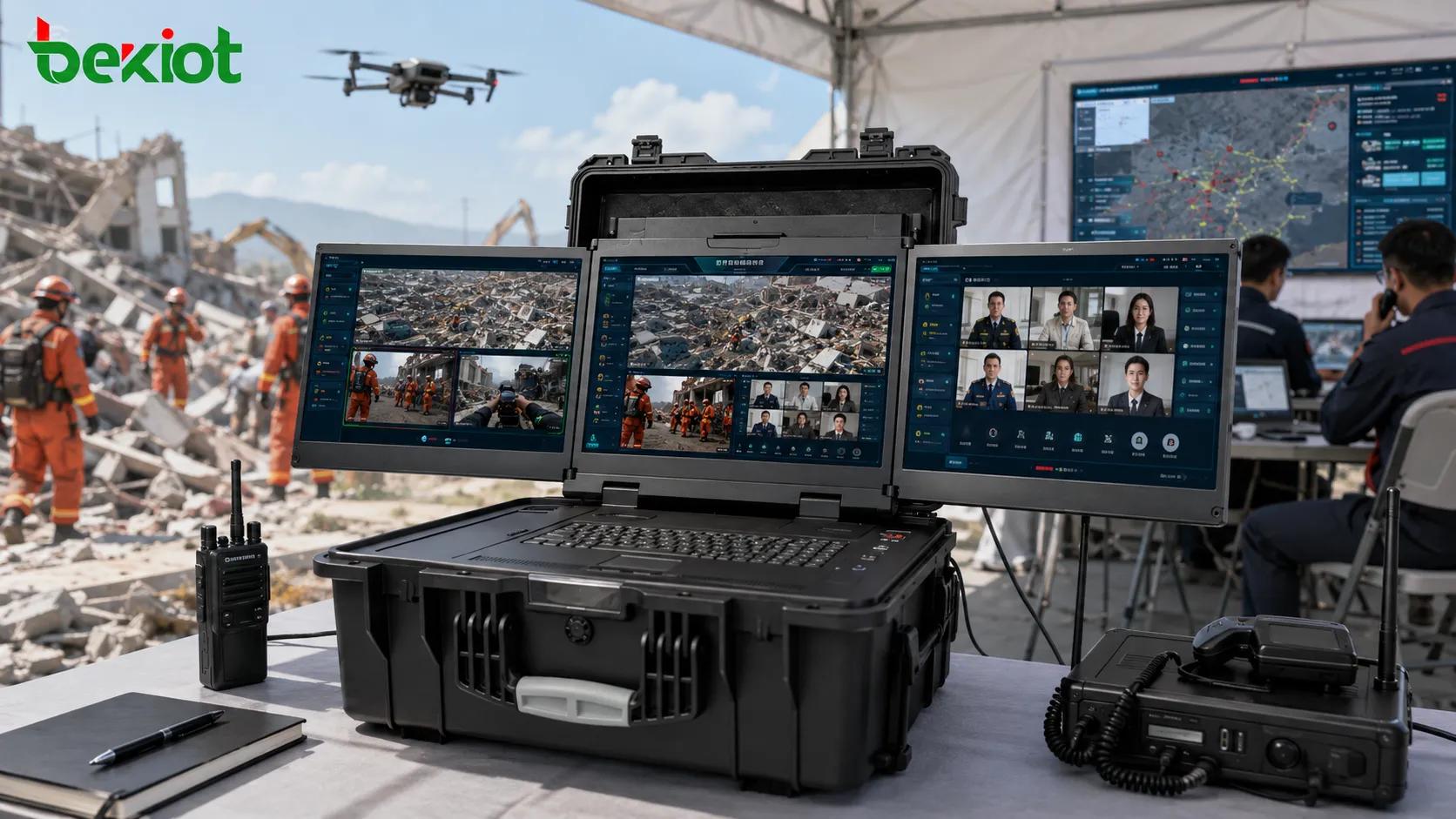
High-Performance Processing for Multiple Video Sources
Video optimization requires strong processing capability. A command box used for serious emergency scenarios should not only receive video. It should also decode, transcode, resize, combine, and output video streams according to field communication requirements.
A professional video processing module can support simultaneous conversion of up to 16 channels of 1080P video or 8 channels of 4K video, with H.264 and H.265 conversion in both directions. This processing capacity allows the command box to handle several types of field video at the same time without relying entirely on the rear platform to perform the conversion.
Local processing is important because the weak link is often the connection between the field site and the rear command center. If heavy video processing is delayed until after transmission, the network may already be overloaded. Processing video locally before uplink transmission makes the whole emergency communication chain more efficient.
Protocol Compatibility for Different Field Devices
Emergency response environments rarely use only one type of video device. Different teams may bring different terminals, cameras, recorders, drones, video conference systems, or monitoring devices. Each device may use a different streaming or communication protocol. Without protocol compatibility, the command box may not be able to access all necessary video sources.
A flexible emergency command box should support common streaming and communication protocols such as WebRTC, SIP, GB28181, RTSP, RTMP, RTP, FLV, and HLS. These protocols make it easier to connect video conference terminals, surveillance cameras, mobile video devices, drones, recording devices, and existing command platforms.
Multi-protocol support also reduces integration difficulty. When the command box can accept and output different video formats and protocols, it can connect with existing converged communication platforms, video meeting systems, monitoring platforms, and rear command centers with little or no custom development.
Smoother Connection With Rear Command Platforms
The command box is not an isolated device. It usually works as the front-end node of a larger command system. Field video must eventually be viewed, distributed, recorded, or coordinated by the rear command center. Therefore, the output format and protocol of the command box must match the platform used by the command organization.
After video sources are transcoded, fused, or adjusted, the command box can output streams to the rear platform in different formats. One stream may be used for real-time command viewing, another for remote consultation, another for recording, and another for sharing with authorized departments. This improves the flexibility of emergency collaboration.
When integrated with a converged communication or video meeting system, the command box can support voice, video, conferencing, remote viewing, and multi-party collaboration at the same time. This makes it more suitable for emergency rescue, disaster response, public safety events, field inspection, temporary command centers, and mobile command vehicles.
Practical Architecture for Weak-Network Video Transmission
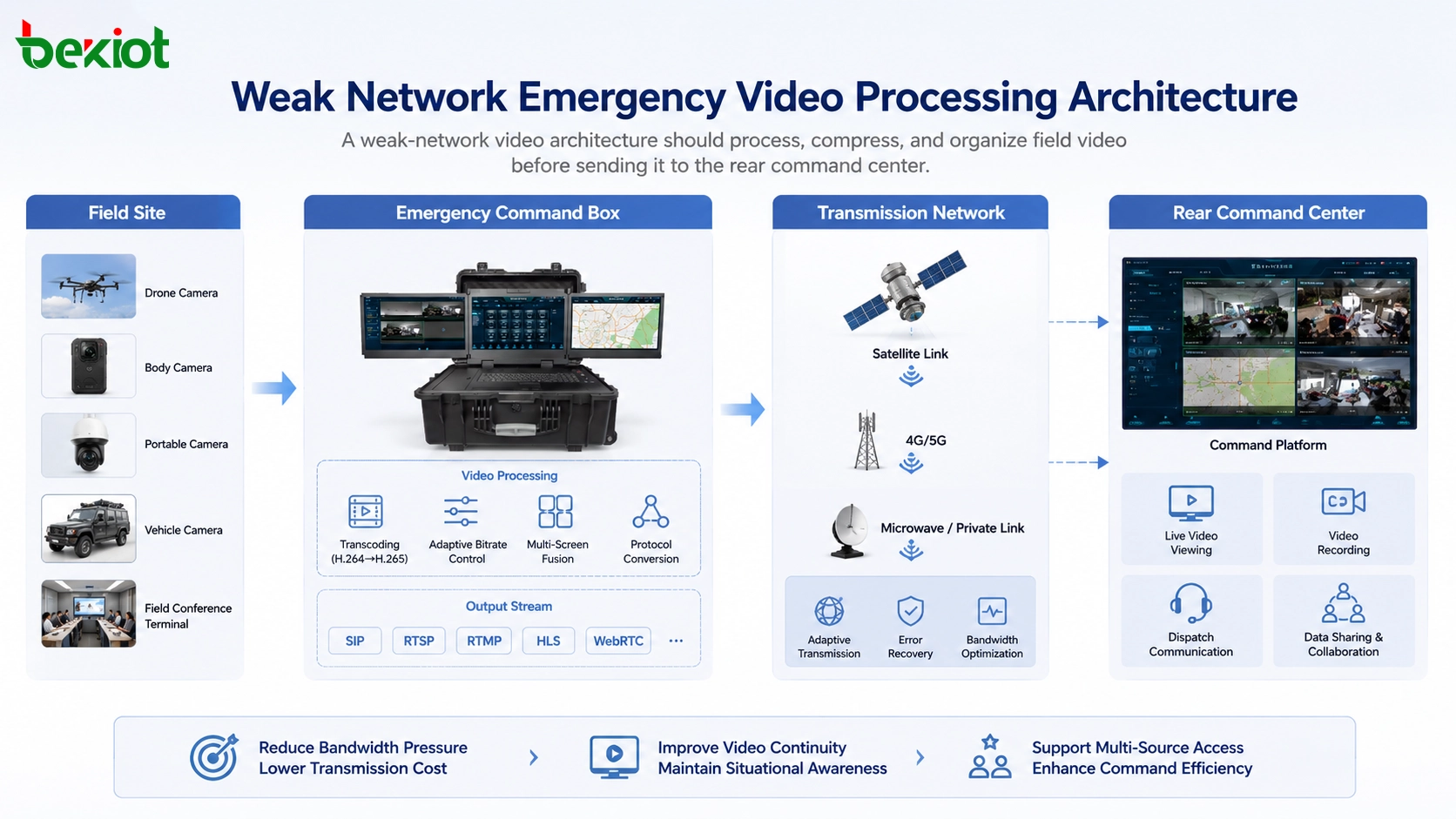
A typical architecture includes field video sources, emergency command box, video processing module, transmission link, and rear command platform. The field side may include drones, body cameras, portable cameras, vehicle cameras, video conference terminals, or surveillance devices. These sources are connected to the command box through wired, wireless, HDMI, IP, Wi-Fi, or other access methods.
The command box then performs protocol access, decoding, transcoding, bitrate adjustment, resolution adjustment, frame rate control, multi-screen fusion, and stream output. After processing, the optimized video is transmitted through satellite, mobile network, private wireless link, or other available backhaul to the rear command platform.
At the rear side, operators can view live video, join video meetings, record streams, distribute images to different departments, or combine video with voice dispatch and emergency coordination. This architecture turns the command box into an active video processing node rather than a simple transmission device.
Deployment Value for Emergency Operations
The first value is lower bandwidth pressure. By converting H.264 to H.265, adjusting bitrate dynamically, and using fused video layouts when needed, the command box can transmit more useful visual information through limited network resources.
The second value is better continuity. In emergency response, unstable video may reduce the command center’s ability to judge the field situation. Adaptive video control helps maintain smoother transmission even when bandwidth, delay, and jitter change during the operation.
The third value is stronger device compatibility. Multi-protocol access allows the command box to work with different video sources, including video conference terminals, recorders, drones, cameras, portable surveillance devices, and existing video platforms. This is essential because emergency scenes often involve mixed equipment from different teams.
The fourth value is faster system integration. When the command box supports WebRTC, SIP, GB28181, RTSP, RTMP, RTP, FLV, and HLS, it can connect with many existing communication and video platforms with less customization. This shortens project delivery and improves field adaptability.
Planning Considerations for Project Implementation
Before deployment, the project team should define the expected number of video channels, maximum resolution, typical uplink bandwidth, satellite or mobile network condition, protocol types, rear platform interface, recording needs, and viewing workflow. These factors determine the required processing capacity of the command box.
It is also important to decide when to transmit individual video streams and when to use multi-screen fusion. If a single camera is critical, it may need higher quality. If the command center only needs an overview, fused video can save bandwidth. Different emergency levels may require different video transmission policies.
Field testing is essential. The system should be tested under limited bandwidth, high latency, packet loss, jitter, and changing signal conditions. Test items should include video delay, image continuity, switching speed, fusion layout quality, transcoding performance, protocol compatibility, and rear platform display stability.
Long-Term Role in Emergency Communication Systems
As emergency communication systems become more video-driven, command boxes need stronger local processing capability. They can no longer function only as portable network access devices. They must become intelligent field media nodes that can adapt video to the network condition, device type, and command workflow.
Weak-network video transmission is not solved by one single technique. It requires compression efficiency, adaptive stream control, multi-screen organization, protocol compatibility, and enough local processing power. When these capabilities work together, emergency teams can transmit clearer, smoother, and more useful video from difficult field environments.
For organizations building mobile command, disaster response, rescue coordination, or field emergency systems, video processing capability should be considered a key requirement of the command box. A well-designed system helps the rear command center see more, respond faster, and coordinate more effectively even when network resources are limited.
FAQ
How should teams decide the best video resolution for weak-network transmission?
The best resolution should be selected according to the available uplink bandwidth, command viewing needs, scene detail requirements, and number of simultaneous channels. Critical camera feeds can keep higher resolution, while overview feeds can use lower resolution or fused layouts.
Does H.265 always provide better results than H.264?
H.265 is usually more bandwidth-efficient, but the final result depends on encoding settings, device capability, decoding support, latency requirements, and platform compatibility. The system should be tested with the actual command platform before deployment.
When should multi-screen fusion be used?
Multi-screen fusion is useful when the command center needs to view several sources at the same time but does not have enough bandwidth to transmit every source independently. It is especially helpful for overview monitoring, temporary command posts, and satellite transmission scenarios.
What network conditions should be simulated during acceptance testing?
Testing should include low bandwidth, high latency, packet loss, jitter, temporary disconnection, recovery after reconnection, and bandwidth fluctuation. These tests help verify whether video remains usable in real emergency environments.
Why is protocol support important for emergency video access?
Emergency scenes often include mixed equipment from different teams and manufacturers. Protocol support such as WebRTC, SIP, GB28181, RTSP, RTMP, RTP, FLV, and HLS makes it easier to connect cameras, drones, conference systems, recorders, and rear platforms without heavy customization.







