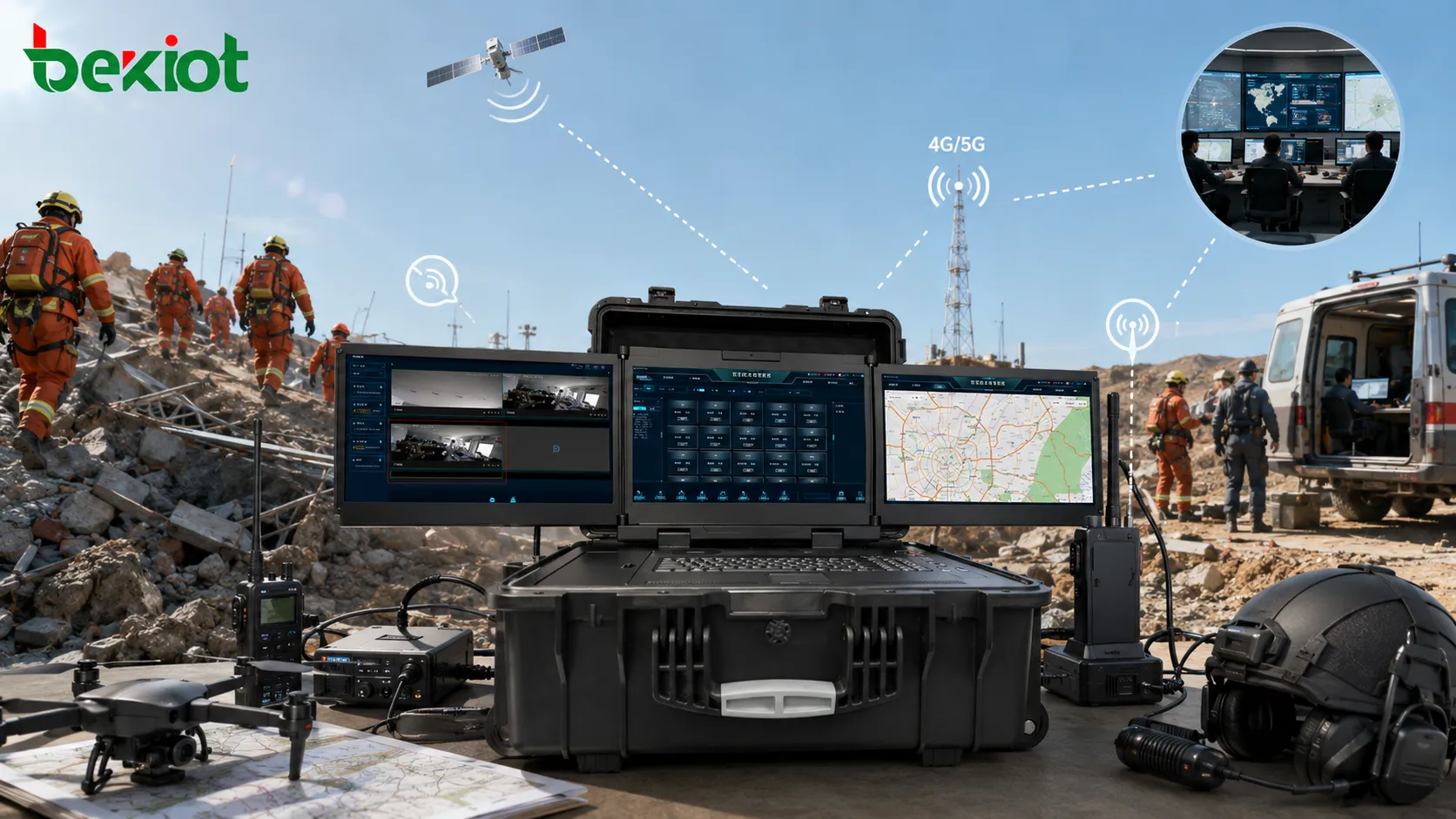
When a rescue team arrives at a disaster site, the first challenge is often not only the emergency itself. The bigger problem may be broken communication, unstable power, damaged roads, poor network coverage, and scattered information from different teams. A portable emergency command box is designed for this kind of field environment. It brings voice, video, data, radio, satellite, and dispatch control into a compact mobile command unit that can be carried, deployed, and connected quickly.
Instead of relying only on fixed command centers or vehicle-mounted systems, a field command box creates a temporary communication hub close to the incident scene. It helps frontline teams hear, see, connect, and coordinate even when normal infrastructure is limited or unavailable.
Why Rescue Sites Need a Mobile Command Hub
Communication breaks before coordination begins
In fires, floods, earthquakes, tunnel accidents, underground incidents, forest emergencies, and large public safety operations, field communication is often fragmented. Firefighters may use one radio system, emergency managers may use another platform, drones may send video through a separate link, and the rear command center may depend on IP networks or satellite connections.
If these systems cannot talk to each other, commanders receive delayed or incomplete information. The result is slow decision-making, repeated instructions, unclear task assignment, and higher risk for frontline personnel.
The command box works as a temporary field brain
A portable command box solves this problem by acting as a small but powerful on-site command post. It can collect multiple communication resources, connect different terminals, and provide local dispatch functions even before a full command vehicle or fixed center is available.
For emergency teams, the value is not just portability. The real value is the ability to build a working communication environment within minutes, support local command, and maintain a link with the rear command center.
In field rescue, the command box is not only a device. It is a fast-deployable communication node that helps turn scattered field signals into coordinated action.
Core Capabilities That Matter in the Field
Multi-network access for unstable environments
Emergency scenes may have 4G/5G coverage, private radio coverage, satellite access, temporary MESH self-organizing networks, or no stable public network at all. A practical command box should support different access paths so the team can choose the best available link according to the site condition.
Typical network options may include 4G/5G, Wi-Fi, MESH, satellite communication, optical fiber extension, Ethernet, and private radio interfaces. This multi-network approach helps maintain communication in remote mountains, underground spaces, large industrial sites, transportation corridors, and disaster areas where normal infrastructure may be damaged.
Radio interoperability across different teams
Many rescue operations involve public safety, fire rescue, medical teams, utility repair crews, transportation departments, and local emergency units. These teams may use different radio standards, frequencies, or dispatch platforms. A command box can help bridge narrowband radio, public network intercom, analog radio, digital trunking, and SIP-based communication systems.
In many field communication designs, the system may support multiple radio access channels, flexible talk groups, and local monitoring. Some configurations support up to 14 dispatch channels and 4 talk groups, allowing commanders to separate teams by task while still enabling cross-group coordination when needed.
Local voice dispatch and public address
Voice is still the fastest way to coordinate rescue actions. A command box may include a hand microphone, speaker output, local audio interfaces, radio ports, and telephone or SIP access. Commanders can call a team, monitor a group, join multiple users into a conference, or broadcast urgent instructions directly from the field unit.
This is useful when rescue workers are moving, wearing gloves, operating equipment, or working in environments where text-based communication is too slow.
From Voice Dispatch to Audio-Video Command
Video changes situational awareness
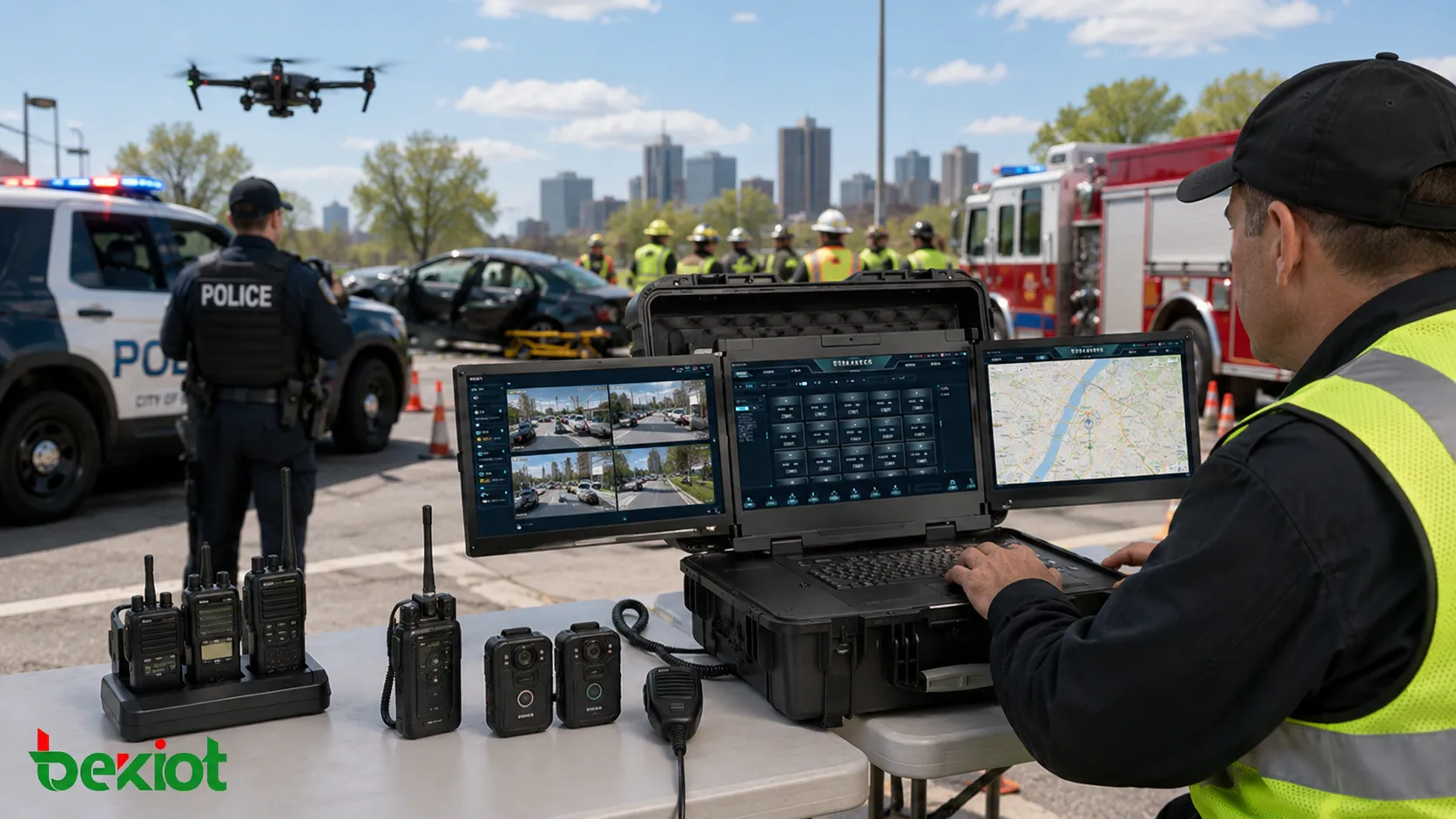
Modern rescue command is no longer limited to voice communication. A complete field command box can also receive and process video from drones, body-worn cameras, vehicle cameras, portable video terminals, fixed surveillance cameras, mobile phones, and video conferencing systems.
When commanders can view the site directly, they can understand fire direction, flood level, road blockage, trapped-person location, hazardous areas, and rescue team movement more accurately. This reduces dependence on verbal descriptions and helps the rear command center make decisions based on visual evidence.
Protocol conversion and video forwarding
Emergency video sources often use different transmission formats. A field command box may need to support RTMP, RTSP, GB/T 28181, SIP, WebRTC, SRT, FLV, HLS, and other video protocols. It may also need to process common codecs such as H.264, H.265, AV1, VP8, and VP9, depending on the system design.
This allows video streams to be previewed locally, transcoded, combined into multi-view layouts, watermarked, recorded, and forwarded to an upper-level command center. In a real operation, this means a drone video, a body camera feed, and a vehicle camera stream can be viewed together and shared upward for remote decision-making.
Hardware Design for Harsh Rescue Conditions
Rugged enclosure and fast deployment
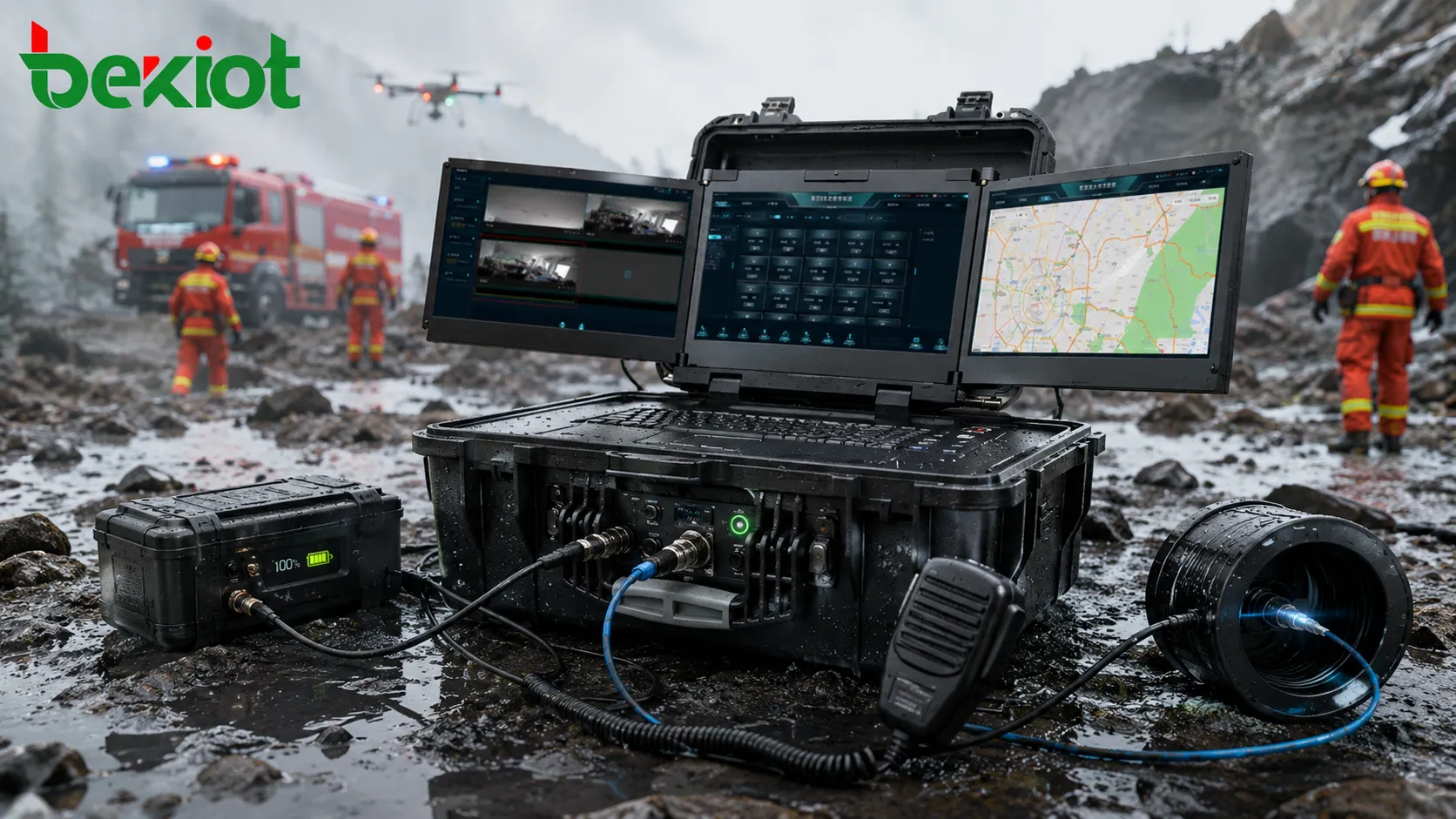
Field equipment must survive transportation, dust, rain, vibration, and quick movement between sites. Many portable command boxes use rugged protective cases with waterproof, dustproof, and shock-resistant structures. Depending on the design, an IP65-class protection level may be used for outdoor deployment and field rescue environments.
The goal is simple: the equipment should be ready when the team arrives. A good design should reduce wiring complexity, protect key modules, and allow the system to start quickly without complicated configuration.
Battery power and independent operation
Power interruption is common in disaster areas. A command box should support built-in battery power or external backup power so it can operate when grid power is unavailable. Some field configurations can work for around 8 hours in video-intensive command applications, while voice-focused or lower-power configurations may support up to 12 hours of operation.
Battery life depends on screen size, radio modules, video processing load, network modules, temperature, and usage mode. For mission-critical projects, battery replacement, charging strategy, vehicle power input, and backup power planning should be considered during deployment.
Interfaces that match real equipment
A field command box may include Ethernet, radio access ports, audio input and output, telephone interfaces, fiber ports, HDMI or SDI video input, USB ports, Wi-Fi, Bluetooth, 4G/5G modules, satellite access, and local control buttons. Some systems also include high-resolution touch screens, multi-screen displays, or integrated keyboards for visual command applications.
Optical fiber extension can be useful when the command post must be located away from dangerous areas. In some configurations, fiber links may extend communication distance up to 20 km, helping teams keep the operator position safer while still connecting to field devices.
Typical System Architecture
Field layer
The field layer includes two-way radios, public network intercom terminals, body cameras, drones, portable cameras, satellite phones, mobile phones, emergency telephones, vehicle-mounted systems, and temporary MESH nodes. These devices collect voice, video, positioning, and status information from the rescue site.
The field layer is where information first appears. If this layer is disconnected, commanders lose visibility and teams work with incomplete instructions.
Command box layer
The command box receives and processes field information. It provides local voice dispatch, video preview, group communication, recording, protocol adaptation, local control, and network backhaul. It can also work as a bridge between narrowband voice, broadband video, public networks, satellite links, and IP-based dispatch systems.
In smaller operations, the command box may serve as the main command terminal. In larger incidents, it works as a forward node that connects the field to a city, county, enterprise, or provincial command center.
Rear command layer
The rear command center may include GIS maps, video walls, emergency dispatch platforms, recording systems, conference systems, resource databases, and multi-agency coordination tools. The command box sends selected voice, video, and data streams back to this layer, allowing remote leaders and experts to participate in decision-making.
This front-rear linkage is important because many emergencies require both field judgment and higher-level coordination.
Where It Can Be Used
Public safety and fire rescue
In fire rescue, explosion response, urban search and rescue, and hazardous incident management, a portable command box can support team communication, video backhaul, radio grouping, and remote command collaboration. It helps commanders understand what is happening inside and around the incident area.
When combined with drones and body cameras, the system can provide a more complete picture of dangerous zones and rescue routes.
Transportation, tunnels, and underground spaces
Tunnels, mines, underground pipe galleries, subways, and basements often have weak or unstable public network coverage. A field command box can connect radio systems, MESH networks, fiber extensions, and satellite or 4G/5G links to build a temporary communication path.
This is useful for accident handling, inspection support, emergency evacuation, and rescue coordination in confined or signal-blocked spaces.
Energy, forestry, and industrial sites
Oil and gas fields, power facilities, chemical plants, forests, reservoirs, ports, and large construction areas often require mobile command during incidents or planned emergency drills. The command box can help integrate radio communication, video monitoring, field teams, emergency phones, and dispatch platforms.
For industrial and energy users, the system can also be connected with alarms, surveillance, access control, and public address systems to support a wider emergency response workflow.
Deployment Considerations
Start from the emergency workflow
The first step is not choosing the largest screen or the most interfaces. The first step is defining the rescue workflow. The project team should identify who uses the system, which teams need to communicate, what networks are available, what video sources must be connected, and how information should be sent to the rear command center.
This helps avoid overbuilding and ensures the command box fits real operations instead of becoming a complicated device that is difficult to use during emergencies.
Plan network redundancy
A reliable system should not depend on a single communication path. Public 4G/5G, private radio, MESH, satellite, optical fiber, and Ethernet each have strengths and weaknesses. A practical deployment should define primary, backup, and emergency fallback links.
When public networks are congested, MESH or satellite may be needed. When satellite bandwidth is limited, voice and low-bitrate video may need priority. When the command post is far from danger, fiber extension or relay nodes may be more suitable.
Keep operation simple
Emergency equipment must be easy to use under pressure. One-key startup, preset communication groups, clear interface labels, simple dispatch controls, and preconfigured network profiles can reduce training difficulty and response time.
The best system is not the one with the most functions on paper. It is the one that rescue teams can operate correctly when time is limited, weather is poor, and the situation is changing quickly.
Integration Options for Emergency Communication Projects
For projects that require SIP dispatch, radio-over-IP integration, emergency telephones, industrial endpoints, voice gateways, or field-to-center communication platform connectivity, Becke Telcom can be considered as a supporting integration option. These components can help connect on-site communication resources with dispatch centers, SIP systems, radio gateways, and emergency response workflows.
Conclusion
A portable emergency command box brings the essential parts of a command center to the rescue site. It can integrate multi-network access, radio communication, voice dispatch, video backhaul, battery power, rugged protection, and front-rear command collaboration in one mobile system.
Its value is clearest in difficult environments: public network failure, power interruption, remote locations, underground spaces, damaged infrastructure, and multi-agency operations. By connecting field teams, video sources, radio systems, and the rear command center, the command box helps rescue operations become faster, clearer, and more coordinated.
For modern emergency response, the question is no longer whether field teams need communication equipment. The real question is whether that equipment can connect different systems quickly enough to support real-time command decisions.
FAQ
How often should a portable emergency command box be tested?
It should be tested before major duty periods, emergency drills, seasonal risk periods, and critical public events. Battery health, radio ports, SIM cards, satellite access, software login, video input, and dispatch groups should all be checked regularly.
Is a multi-screen command box always better than a single-screen system?
Not always. Multi-screen systems are useful when operators need to view maps, video, and dispatch controls at the same time. A single-screen system may be better for lightweight mobile teams that need faster transport, lower power consumption, and simpler operation.
What should be prioritized when bandwidth is limited?
Voice command, emergency alerts, location data, and key video streams should be prioritized. Non-essential video sources, high-resolution previews, or large file transfers can be reduced or delayed to keep mission-critical communication stable.
Can a command box work without public network coverage?
Yes, if it is equipped with suitable alternatives such as private radio, satellite communication, MESH self-organizing network, local standalone dispatch, or fiber-connected relay equipment. The exact capability depends on the selected configuration.
What training do operators need before using it in real rescue work?
Operators should know startup steps, group calling, radio bridging, video source selection, battery replacement, network switching, emergency fallback modes, and how to send information to the rear command center. Scenario-based drills are more useful than simple classroom training.