


In a standard VoIP system, SIP phones usually register to a SIP server before users can dial extensions, make internal calls, access outside lines, or connect to gateways. This is the most common architecture for enterprise voice communication. However, in some small or special scenarios, users may only need two or several SIP phones to communicate with each other. In that case, a full SIP server may not always be necessary.
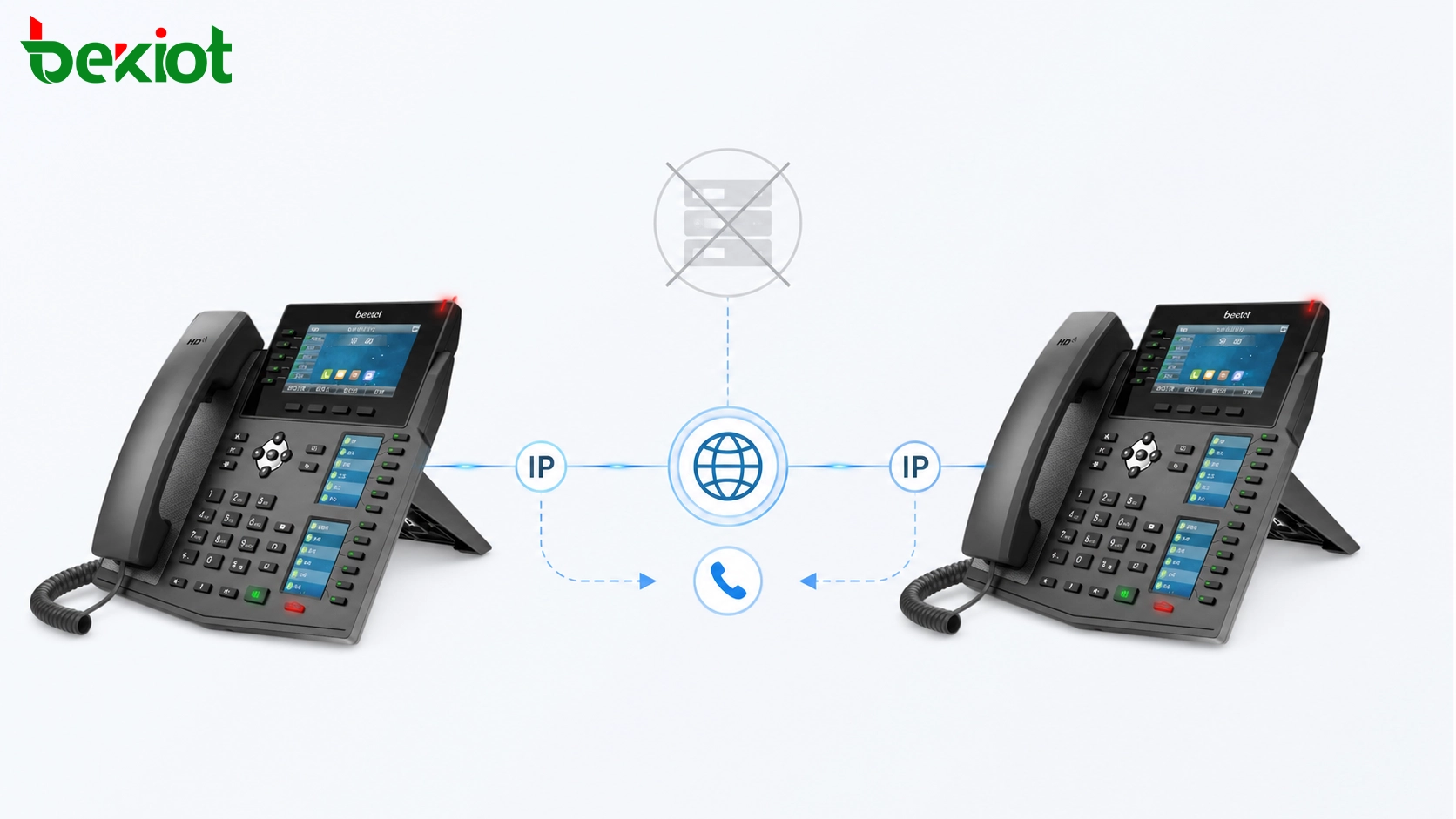
The practical answer is yes: many SIP phones can communicate without registering to a SIP server. This is often called direct IP calling, peer-to-peer SIP calling, or unregistered SIP calling. It allows one SIP terminal to call another SIP terminal by IP address or SIP URL, as long as both devices are reachable on the same network or through a properly routed IP path.
Understanding the Normal VoIP Architecture
SIP is one of the most widely used signaling protocols in IP telephone systems. Many enterprise communication systems, intercom platforms, dispatch systems, and unified communication solutions are built on SIP because it supports flexible call setup, session control, media negotiation, and device interoperability over IP networks.
A complete SIP-based voice system usually includes three core parts: a SIP server, SIP terminals, and SIP gateways. These components work together to provide audio calls, video calls, extension dialing, trunk access, interconnection with third-party systems, and centralized communication management.
The SIP server is responsible for user registration, session establishment, session control, user location, call routing, call forwarding, media negotiation, security management, and call termination. It acts as the central control point of the communication system. In most enterprise deployments, SIP phones first register to the server, and then users call each other by extension number.
What the Server Usually Provides
The main value of a SIP server is centralized management. When many users, departments, locations, and call rules are involved, the server makes the system easier to operate. Administrators can assign extension numbers, manage device registration, define call permissions, configure ring groups, set call forwarding rules, connect trunks, and monitor call status from one platform.
For example, in a typical enterprise phone system, each SIP phone receives an extension number after registration. A user dials another extension, and the SIP server decides where the call should go. If the call needs to reach an outside line, the server routes it to a trunk gateway. If the call needs to reach another subsystem, the server may route it through a SIP gateway or media gateway.
SIP gateways are also important in larger systems. They are often used to connect SIP platforms with third-party systems. Their functions may include signaling conversion, media control, audio and video codec conversion, address resolution, PSTN access, analog phone integration, radio system access, or intercom system integration.
When Direct Calling Makes Sense
Direct SIP calling is useful when the requirement is simple. If only two SIP phones need to communicate, and both devices are located in the same LAN, a SIP server may be unnecessary. The caller can dial the IP address of the other phone, or use a SIP URL format such as a user name combined with an IP address.
This method can also be practical for small sites with only a few communication points. Examples include unmanned parking lots, equipment rooms, gatehouses, duty rooms, small warehouses, temporary construction sites, maintenance areas, and isolated service points. In these environments, users may only need basic point-to-point voice or video communication.
Direct calling avoids the need to deploy, configure, and maintain a server for a very small communication network. It reduces system complexity and allows the project to start quickly. For simple applications, this can be an efficient and cost-conscious design.
Related Product: Becke SIP phone
Becke SIP phone for direct IP calling, SIP registration, and small-site voice communication deployment.
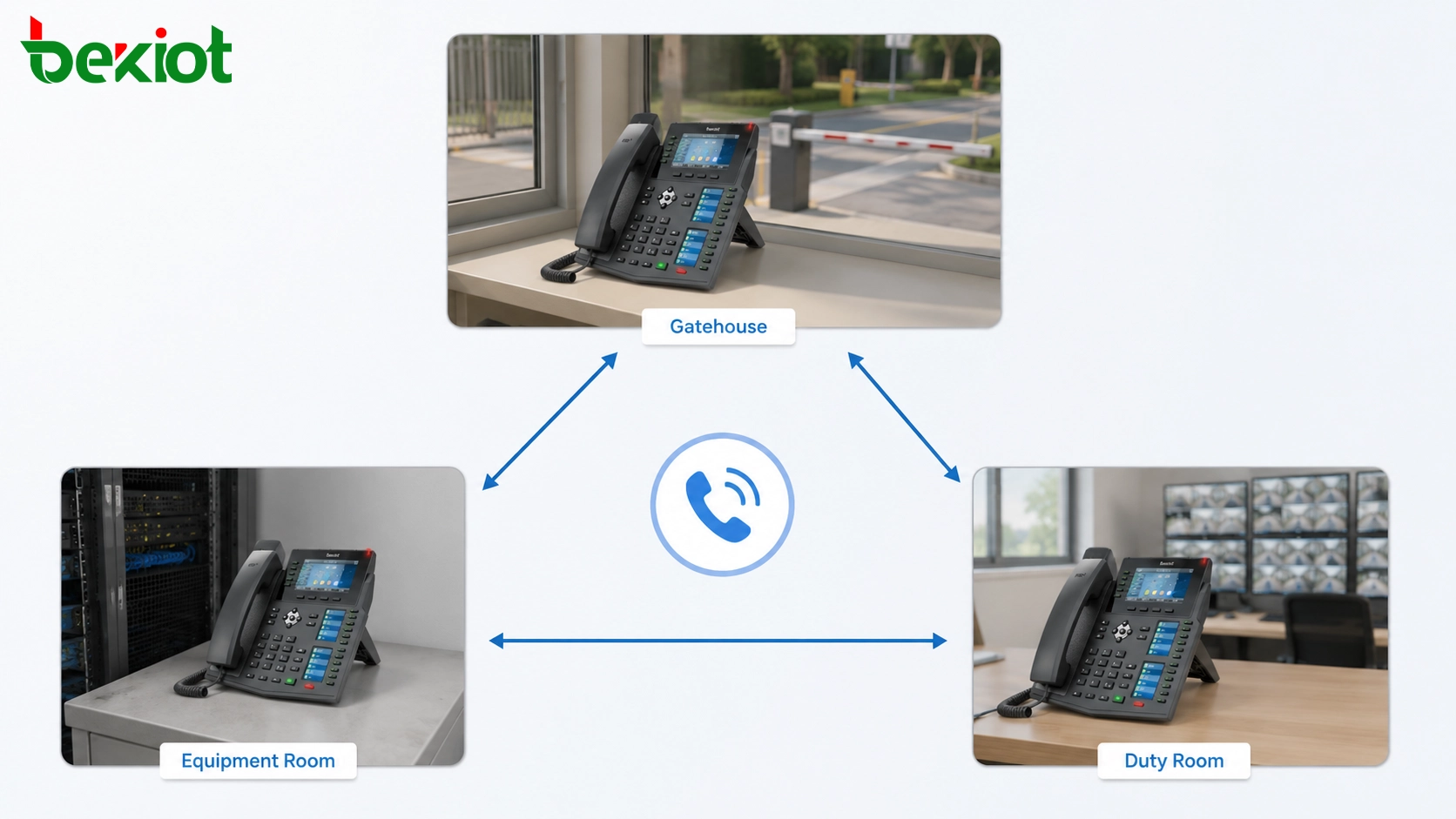
How Peer-to-Peer Calling Works
In a peer-to-peer SIP call, the SIP phone does not rely on a central registrar to locate the other endpoint. Instead, the calling device sends a SIP request directly to the IP address or SIP URL of the target device. If the target phone accepts the request, the two devices negotiate media parameters and establish the call.
The process is still based on SIP signaling. The difference is that the server is not used for registration or call routing. The SIP phones communicate directly with each other, and the media stream is also usually exchanged directly between the two endpoints.
This is why network reachability is critical. If both phones are on the same subnet, direct calling is usually easier. If the phones are separated by routers, firewalls, VLANs, or NAT devices, the network must allow SIP signaling and RTP media traffic to pass correctly. Otherwise, the call may fail or connect without audio.
Typical Dialing Methods
Dialing by IP Address
The most common method is direct IP dialing. For example, one SIP phone may call another phone by entering its IP address. The exact dialing format depends on the phone interface and firmware design. Some devices allow direct input of the IP address from the keypad, while others require configuration through a web management page or speed dial key.
This method is simple, but it requires stable IP addressing. If the target phone uses DHCP and its IP address changes, the calling rule may stop working. For this reason, direct calling deployments often use static IP addresses or DHCP reservations.
Dialing by SIP URL
Another method is SIP URL dialing. A SIP URL may contain a user name and IP address, allowing the caller to reach a specific endpoint directly. This format is useful when the phone supports SIP URI dialing and when users need a more structured address than a raw IP number.
SIP URL dialing can be flexible, but the devices must support the format correctly. Before deployment, the project team should test the target phone model, dialing format, and user interface behavior.
Calling Through Preconfigured Keys
For non-technical users, direct IP addresses are not convenient. A better method is to configure a DSS key, speed dial key, hotline key, or emergency call key. The user only presses one button, and the phone automatically calls the target SIP address.
This is especially useful in gatehouses, parking lots, duty rooms, service counters, and unattended facilities. The user does not need to remember an IP address or SIP URL. The endpoint behaves like a simple intercom or fixed-position communication terminal.
Benefits of a Serverless Design
The first advantage is fast deployment. Without a SIP server, the project can be completed with fewer devices and fewer configuration steps. This is useful when the communication requirement is limited to a few fixed points.
The second advantage is lower cost. A full SIP server, trunk gateway, license package, and management platform may be unnecessary for a two-phone or three-phone application. Direct calling reduces equipment cost and maintenance cost.
The third advantage is local independence. If the phones are designed to communicate directly inside a local network, the call does not depend on an external platform. For some local service points, this can improve basic communication availability.
The fourth advantage is simpler operation. Users can press a fixed key to call another endpoint. For small applications, this is often easier than managing extensions, registration accounts, and server-side call rules.
Limitations That Should Not Be Ignored
Although direct SIP calling is useful, it is not a replacement for a complete SIP server in larger systems. Once the number of endpoints increases, manual address management becomes difficult. Every phone may need fixed addressing, speed dial configuration, and individual maintenance.
Direct calling also lacks many centralized functions. Features such as extension numbering, user registration, call forwarding, ring groups, call queues, voicemail, recording, outbound trunk routing, centralized logs, permission control, and system monitoring usually require a SIP server or unified communication platform.
Security should also be considered. Direct SIP devices exposed to an uncontrolled network may face scanning, unauthorized calls, or media access risks. For this reason, direct calling should be used in controlled networks, such as internal LANs, dedicated VLANs, private industrial networks, or isolated service networks.
Where This Design Fits Best
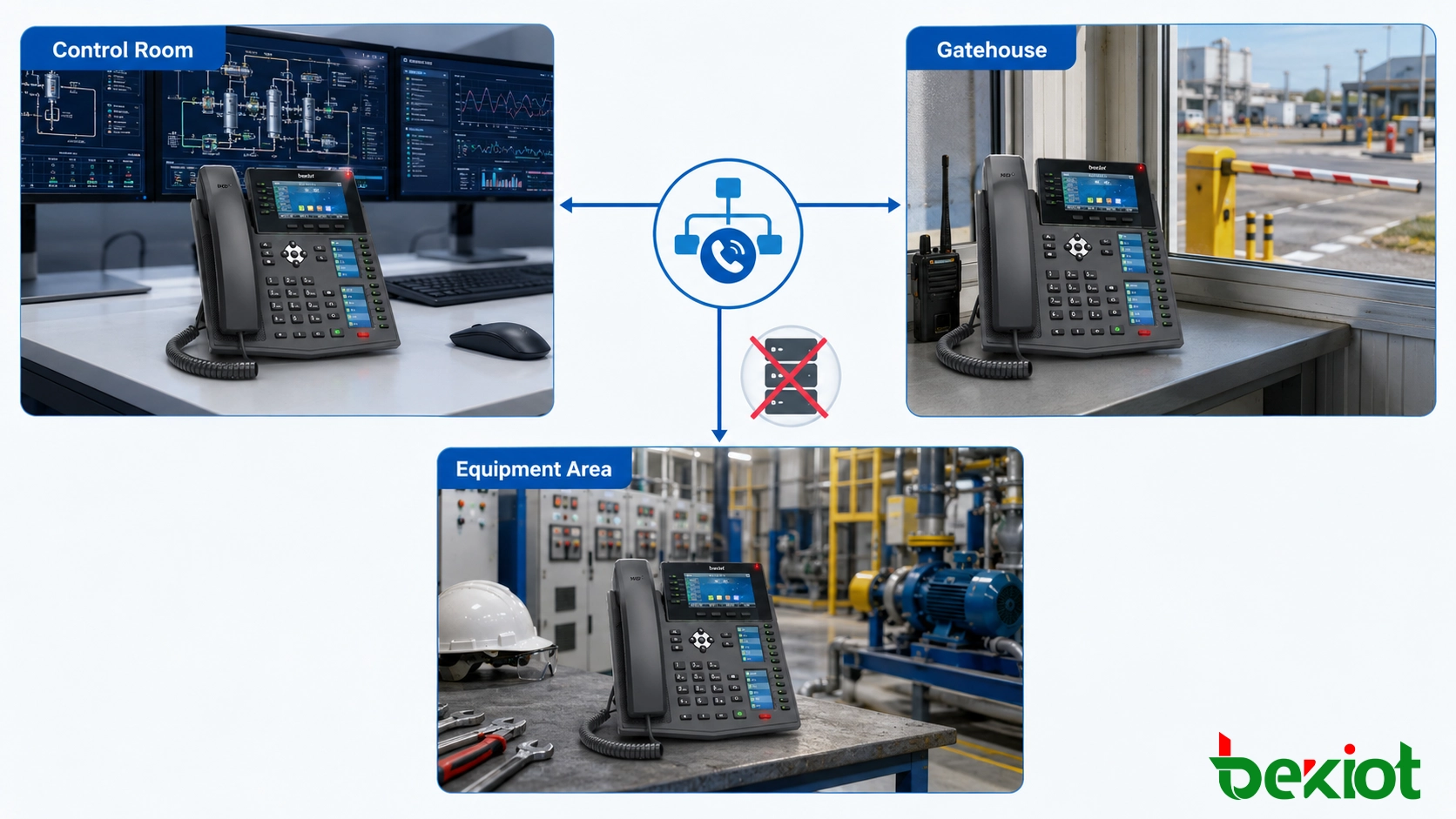
Direct SIP calling is most suitable for small and fixed communication scenarios. A typical project may include two SIP phones installed at a guard booth and a control room, or several SIP terminals installed across an unmanned parking lot, equipment area, or maintenance site.
It is also useful for temporary communication. During construction, testing, exhibition setup, field maintenance, or emergency repair work, a simple point-to-point SIP phone connection can provide quick voice access without building a full communication platform.
In industrial and facility management projects, direct calling can support basic contact between machine rooms, duty stations, security desks, service counters, and local operation points. When the requirement expands later, the same SIP phones may be registered to a SIP server or integrated into a larger communication system.
When a SIP Server Becomes Necessary
A SIP server should be considered when the project needs more than basic point-to-point communication. If the site has many users, multiple departments, mobile extensions, outside lines, recording requirements, call transfer, access control, dispatch integration, or multi-site networking, centralized SIP management becomes much more practical.
A server is also recommended when the system needs to connect to analog phones, PSTN trunks, radio systems, intercom systems, video platforms, paging systems, or emergency communication platforms. In these cases, gateways and routing rules must be coordinated, and direct IP calling is usually not enough.
For growing projects, a staged approach can work well. The first stage may use direct SIP calling for a few fixed points. The second stage may add a SIP server when more endpoints, more rules, and more system integration are required. This allows the project to start simply while keeping an upgrade path open.
Network and Configuration Checklist
Before using two SIP phones without a server, the project team should confirm several details. Both phones should support direct IP calling or SIP URL dialing. Their IP addresses should be stable. The network should allow SIP signaling and RTP media transmission. The codec settings should be compatible. The audio path should be tested in both directions.
If users need one-touch operation, speed dial or DSS keys should be configured. If the site uses VLANs or firewalls, routing rules should be checked before installation. If the phones are in outdoor or unattended areas, power supply, PoE availability, device protection, and physical mounting should also be reviewed.
The final test should include call setup, ringing, two-way audio, call release, reboot recovery, IP address persistence, and user operation. A simple system should still be tested carefully because small-site communication is often expected to work without technical support on site.
Practical Conclusion
Two SIP phones can communicate without a SIP server when the devices support direct IP calling or SIP URL dialing. This is a practical solution for small sites, fixed-position communication, temporary deployment, and simple point-to-point voice or video needs.
However, direct calling should be used with a clear understanding of its boundaries. It is easy to deploy, but it does not provide the centralized management and advanced call features of a full SIP server. When the system grows, a SIP server becomes the better foundation for extension management, routing, security, monitoring, recording, and third-party integration.
For project planning, the best approach is to match the architecture with the real requirement. If the need is only two or a few endpoints, direct SIP calling can be efficient. If the site requires broader communication control, the SIP phones should be integrated into a managed SIP platform.
FAQ
Do two SIP phones need the same brand to call each other directly?
No. They do not need to be the same brand, but both devices should support compatible SIP direct calling, codecs, and dialing formats. Testing is recommended before project delivery.
Can direct SIP calling work across the internet?
It may work with correct routing, NAT traversal, firewall rules, and security controls, but it is not recommended for unmanaged public network exposure. A VPN or managed SIP platform is usually safer.
What happens if the IP address of one phone changes?
The direct call rule may fail because the caller can no longer reach the correct endpoint. Static IP addresses or DHCP reservations are recommended for this type of deployment.
Can a direct SIP phone call include video?
Yes, if both endpoints support video calling, compatible codecs, and sufficient network bandwidth. The feature depends on the specific phone capability and configuration.
Is direct calling suitable for emergency communication?
It can be used for simple local emergency contact points, but larger emergency systems usually need centralized management, monitoring, recording, priority control, and backup design through a SIP server or command platform.







