


Handheld devices are portable computing and communication terminals designed for mobile work. They may include rugged handheld computers, enterprise mobile terminals, barcode scanners, mobile POS units, field service tablets, industrial PDAs, inspection devices, warehouse terminals, and specialized communication handsets.
Unlike ordinary consumer smartphones, many professional handheld devices are designed for repeated scanning, field data entry, wireless communication, workflow execution, equipment inspection, inventory control, dispatch coordination, identity verification, and operation in demanding environments. Their value comes from combining computing, sensing, connectivity, and task execution in one portable unit.
From Mobile Screen to Field Operation Tool
A handheld device is not simply a smaller computer. In professional use, it becomes the point where field workers receive instructions, capture data, verify tasks, communicate with teams, and update business systems in real time.
This changes the operating model. Instead of writing notes on paper, returning to an office, and entering data later, workers can complete the process on site. The result is faster feedback, fewer transcription errors, better traceability, and more accurate operational records.
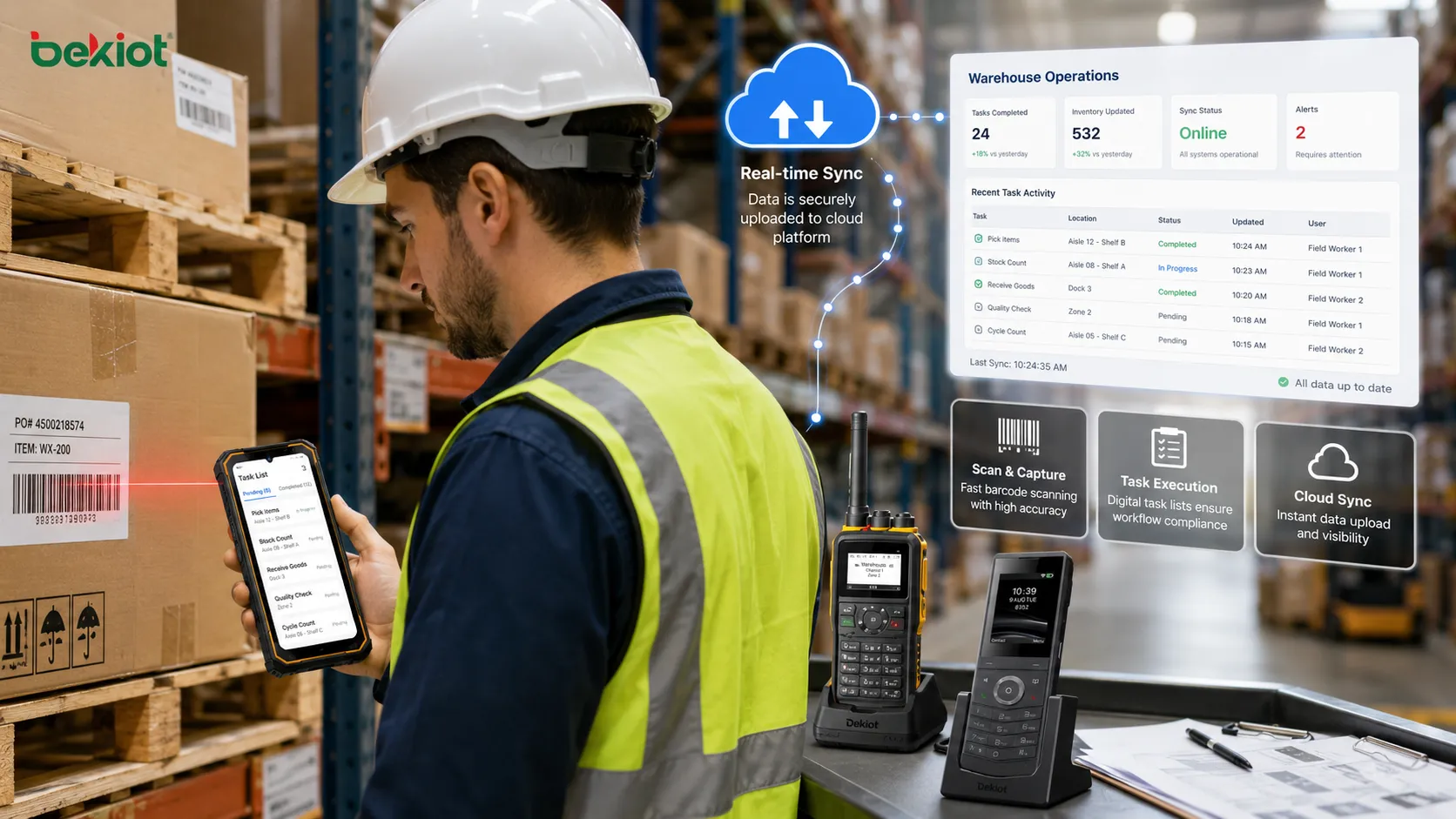
In logistics, a worker can scan goods and update inventory immediately. In healthcare, staff can verify patient information at the bedside. In manufacturing, technicians can record inspection results beside the machine. In public service, field teams can receive tasks and upload evidence without returning to a desk.
Hardware Design and Durability
Professional handheld devices usually place durability above visual style. They may be built with reinforced housings, shock-resistant structures, sealed ports, anti-slip surfaces, replaceable batteries, and strengthened screens.
Durability matters because field devices are frequently dropped, carried, cleaned, exposed to dust, used with gloves, placed in vehicles, and operated for long shifts. A fragile terminal may work well in an office but fail quickly in a warehouse, plant, hospital corridor, outdoor site, or maintenance area.
Rugged models may also support IP-rated protection against dust and water. Some devices are designed for operation under temperature variation, vibration, humidity, or frequent disinfection. The exact level of protection should be selected according to the environment instead of choosing the highest specification by default.
Display and Input Experience
The screen is the main interaction surface. A good display should be readable in the actual work environment. Indoor warehouse use, outdoor sunlight, night patrol, cold storage, and vehicle-mounted tasks may require different brightness, size, resolution, and touch sensitivity.
Input methods may include touchscreen, physical keypad, function keys, trigger buttons, stylus, voice input, fingerprint module, barcode scan button, or programmable shortcuts. Physical buttons remain valuable when users wear gloves, operate quickly, or need tactile control without looking at the screen.
The best design is not always the largest screen. A field worker who carries the device all day may prefer a balanced size, strong grip, clear interface, and quick one-hand operation.
Computing Platform and Operating System
A handheld terminal needs enough computing performance to run business applications smoothly. Processor capability, memory, storage, operating system version, graphics support, and application compatibility all affect user experience.
Many devices use Android, Windows, Linux-based systems, or proprietary embedded platforms. Android-based enterprise terminals are common because they support mobile apps, touch operation, device management, and broad developer ecosystems.
The operating system should support security updates, device management policies, application control, peripheral integration, and long-term lifecycle maintenance. In business deployment, OS support duration is often more important than short-term performance benchmarks.
Wireless Connectivity
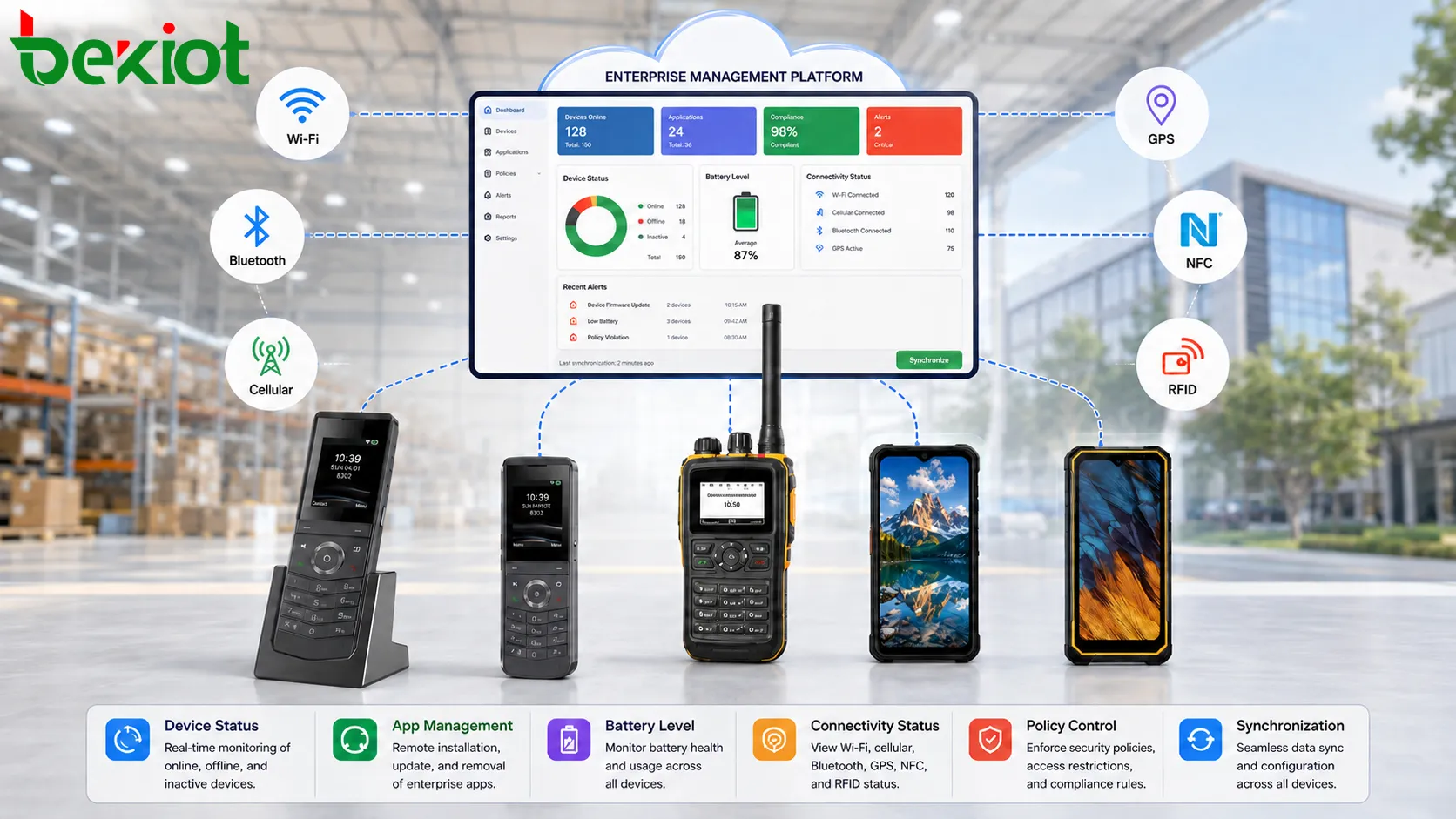
Wireless connectivity is one of the core technical features. Depending on application needs, handheld devices may support Wi-Fi, Bluetooth, cellular networks, NFC, GPS, RFID, private LTE, or other wireless modules.
Wi-Fi is common in warehouses, hospitals, retail stores, factories, and campuses. Cellular networks are useful for outdoor field service, transportation, public safety, and remote inspection. Bluetooth connects accessories such as printers, headsets, sensors, and payment peripherals. GPS supports location tracking, route records, field attendance, and dispatch management.
Connectivity should be evaluated based on coverage, roaming behavior, authentication, signal stability, bandwidth, latency, and power consumption. A device with many wireless modules still needs a well-designed network to work reliably.
Data Capture Capabilities
Many professional handheld devices are selected because they can capture data directly from the work environment. Common capture methods include barcode scanning, QR code scanning, RFID reading, NFC identification, camera capture, OCR recognition, signature input, GPS location, biometric verification, and sensor data collection.
Barcode and QR scanning are widely used in inventory, logistics, ticketing, manufacturing, retail, and healthcare. RFID can support faster bulk reading and non-contact identification. Cameras can capture photos for inspection, proof of delivery, damage reporting, or maintenance evidence.
The quality of data capture affects workflow efficiency. Scan speed, scan angle, low-light performance, decoding accuracy, RFID distance, camera clarity, and software integration should all be tested before large-scale deployment.
Battery Life and Power Strategy
Field devices often need to run for an entire shift. Battery capacity, power management, replaceable battery design, fast charging, charging cradle support, and low-power sleep mode all affect daily usability.
A weak battery strategy can disrupt work. If workers must stop repeatedly to charge devices, the deployment loses value. Long shifts, cold environments, continuous scanning, GPS tracking, video upload, and cellular communication can all increase power consumption.
Organizations should plan spare batteries, multi-slot chargers, vehicle chargers, charging stations, and battery replacement cycles. Battery management should be part of deployment planning, not an afterthought.
Security and Identity Protection
Handheld terminals often access business systems, customer data, medical records, inventory databases, payment information, or internal workflow platforms. Security is therefore a critical feature.
Common controls include screen lock, password policy, biometric login, certificate authentication, VPN, encrypted storage, secure boot, application whitelist, remote wipe, role-based access, and mobile device management.
Lost devices are a common risk. If a terminal is misplaced in a warehouse, vehicle, hospital, public site, or customer location, the organization must be able to lock it, locate it, remove data, or revoke credentials quickly.
Application Integration
A handheld device is valuable only when it connects smoothly with the business process. It may integrate with ERP, WMS, MES, CRM, EHR, ticketing systems, dispatch platforms, payment systems, access control, maintenance platforms, or cloud services.
Integration should support real-time data exchange where possible. Offline mode may also be needed when network coverage is unstable. In offline mode, the device stores task data locally and synchronizes later when connectivity returns.
Application design should match field reality. Buttons should be large enough, steps should be short, required fields should be clear, and error messages should be understandable. A powerful device cannot compensate for poor workflow design.
Device Management and Remote Maintenance
Large deployments need centralized management. Administrators should be able to enroll devices, push applications, configure Wi-Fi profiles, update software, enforce policies, monitor battery status, track location, view compliance, and remotely lock or wipe lost units.
Remote maintenance reduces site visits and improves consistency. It also helps keep devices updated with security patches and approved application versions.
Management platforms are especially important when devices are distributed across many warehouses, stores, clinics, factories, branches, vehicles, or field teams.
Deployment Advantages in Real Operations
The first deployment advantage is mobility. Workers can complete tasks where the work happens instead of returning to a fixed terminal. This improves response speed and reduces delays between action and record update.
The second advantage is accuracy. Scanning, structured forms, dropdown selections, and real-time validation reduce manual entry mistakes. This is useful for inventory, order picking, patient verification, production inspection, and service records.
The third advantage is visibility. Managers can see task progress, device status, user location, exception reports, and workflow completion more quickly. This improves decision-making.
The fourth advantage is traceability. Each scan, signature, photo, timestamp, location, and user action can become part of the business record. This supports audits, quality control, dispute handling, and accountability.
The fifth advantage is scalability. Once the device model, application, network, and management process are standardized, the same deployment approach can be expanded across more teams and sites.
Industry Applications
Logistics and Warehousing
Handheld devices are widely used for receiving, put-away, picking, packing, shipping, cycle counting, proof of delivery, and inventory transfer. Barcode scanning reduces manual errors and speeds up material flow.
In warehouse environments, rugged design, scan performance, Wi-Fi roaming, battery life, and integration with warehouse management systems are key factors.
Retail and Store Operations
Retail teams use mobile terminals for price checks, inventory lookup, shelf replenishment, mobile checkout, loyalty verification, product search, and order fulfillment.
For retail, lightweight design, fast scanning, clear screens, and easy application workflows improve staff efficiency on the sales floor.
Healthcare and Pharmacy
Hospitals and pharmacies use handheld devices for patient identification, medication verification, specimen tracking, asset management, inventory control, and staff communication.
Hygiene, disinfectant compatibility, secure login, data privacy, and reliable wireless coverage are important in healthcare deployment.
Manufacturing and Maintenance
Factories use handheld terminals for production reporting, quality inspection, equipment maintenance, spare part tracking, safety checklists, and process confirmation.
For manufacturing, devices may need rugged housings, glove-friendly operation, strong wireless roaming, and integration with MES or maintenance systems.
Public Safety and Field Service
Field workers use handheld devices for task dispatch, location reporting, inspection forms, photo evidence, incident reporting, route management, and communication.
Outdoor use may require cellular connectivity, GPS accuracy, long battery life, sunlight-readable screens, and strong device security.
Planning the Deployment
A successful rollout starts with workflow analysis. The organization should identify which tasks are mobile, which data must be captured, which systems must be connected, and which users will operate the device.
Next, the environment should be evaluated. Indoor coverage, outdoor signal, dust, humidity, drops, disinfection, temperature, gloves, lighting, and charging locations all affect device choice.
Then a pilot should be performed. A small group of users should test real tasks, scan performance, battery life, network roaming, application usability, and device comfort.
After the pilot, standardize the configuration. This includes device naming, user accounts, apps, Wi-Fi profiles, security policies, accessories, charging method, and support process.
Common Mistakes
One mistake is selecting devices only by price. A cheaper terminal may create higher long-term cost if it fails often, scans poorly, lacks updates, or does not support management tools.
Another mistake is ignoring network coverage. Even a high-performance device will frustrate users if Wi-Fi roaming is poor or cellular signal is unstable.
A third mistake is deploying without user testing. Managers may assume a workflow is simple, while field users may find it slow, unclear, or difficult with gloves or one-hand operation.
A fourth mistake is overlooking accessories. Holsters, charging cradles, spare batteries, protective cases, vehicle mounts, and Bluetooth printers may be necessary for practical use.
A fifth mistake is not planning support ownership. Devices need maintenance, replacement, account control, application updates, and user training throughout their lifecycle.
Maintenance and Lifecycle Management
Routine maintenance should include screen inspection, button testing, scan engine testing, battery health review, charging contact cleaning, software update, security policy check, and accessory inspection.
Devices should be cleaned according to material and workplace requirements. Harsh chemicals may damage screens, coatings, seals, or labels if the device is not designed for them.
Lifecycle planning should include warranty, spare devices, battery replacement, OS support, application compatibility, and eventual device retirement. A handheld deployment is not complete after the first purchase; it needs continuous management.
Selection Criteria
The right device should match the real work scenario. Key factors include ruggedness, size, weight, scan capability, wireless support, battery strategy, operating system, security features, application compatibility, accessory ecosystem, and management platform support.
For high-volume scanning, scan engine quality may be more important than screen size. For outdoor inspection, display brightness and battery life may matter more. For healthcare, cleaning compatibility and secure access may be the priority.
Selection should be based on task, environment, lifecycle, and support model rather than a single specification.
Summary
Handheld devices provide system value by bringing computing, communication, data capture, security, and workflow execution to mobile work locations. Their deployment advantages include faster task completion, higher data accuracy, better field visibility, stronger traceability, and scalable operation across many industries.
FAQ
Are handheld devices the same as smartphones?
Not always. Some devices look similar to smartphones, but professional handheld terminals usually add rugged design, scanning modules, enterprise management, stronger security, and workflow-specific accessories.
Why is barcode scan performance important?
Poor scanning slows workers, increases frustration, and may create data errors. Scan speed, angle, distance, light tolerance, and decoding accuracy should be tested with real labels.
Should every deployment require cellular connectivity?
No. Indoor sites with reliable Wi-Fi may not need cellular modules. Outdoor field service, transport, and remote inspection usually benefit from cellular support.
How can lost devices be protected?
Use screen lock, encryption, account control, remote lock, remote wipe, location tracking, application control, and credential revocation through a management platform.
What should be tested before bulk rollout?
Test network coverage, battery life, scan accuracy, application workflow, user comfort, charging process, security policy, accessories, and integration with backend systems.







