


A dispatch console is a command-side communication device used by operators, supervisors, and control center staff to manage calls, groups, alarms, broadcasts, emergency events, field terminals, and coordinated response actions. It is not only a phone placed on a desk. In modern command environments, it acts as the working interface between people, communication systems, field devices, and emergency workflows.
In industrial sites, transport systems, energy facilities, mining areas, public safety centers, smart city projects, utility operations, and enterprise command rooms, the console helps operators see user status, initiate communication, receive help calls, trigger broadcasts, handle alarms, record conversations, and link with maps or video systems. Its system value comes from turning scattered communication actions into a visible, controllable, and traceable command process.
A Command Seat, Not Just a Calling Device
Traditional telephones are designed mainly for one-to-one voice calls. A command center needs much more. Operators may need to call one person, contact a group, launch a broadcast, answer an emergency request, view terminal status, check recording, respond to alarms, and coordinate field teams at the same time.
A dispatch console provides this working surface. It gives operators buttons, touch controls, handset audio, microphone pickup, screen-based user status, and system actions in one position. This reduces the need to switch between many devices during urgent situations.
The main difference is control density. A normal phone answers and dials. A console organizes many communication resources and presents them in a way that supports fast decisions.
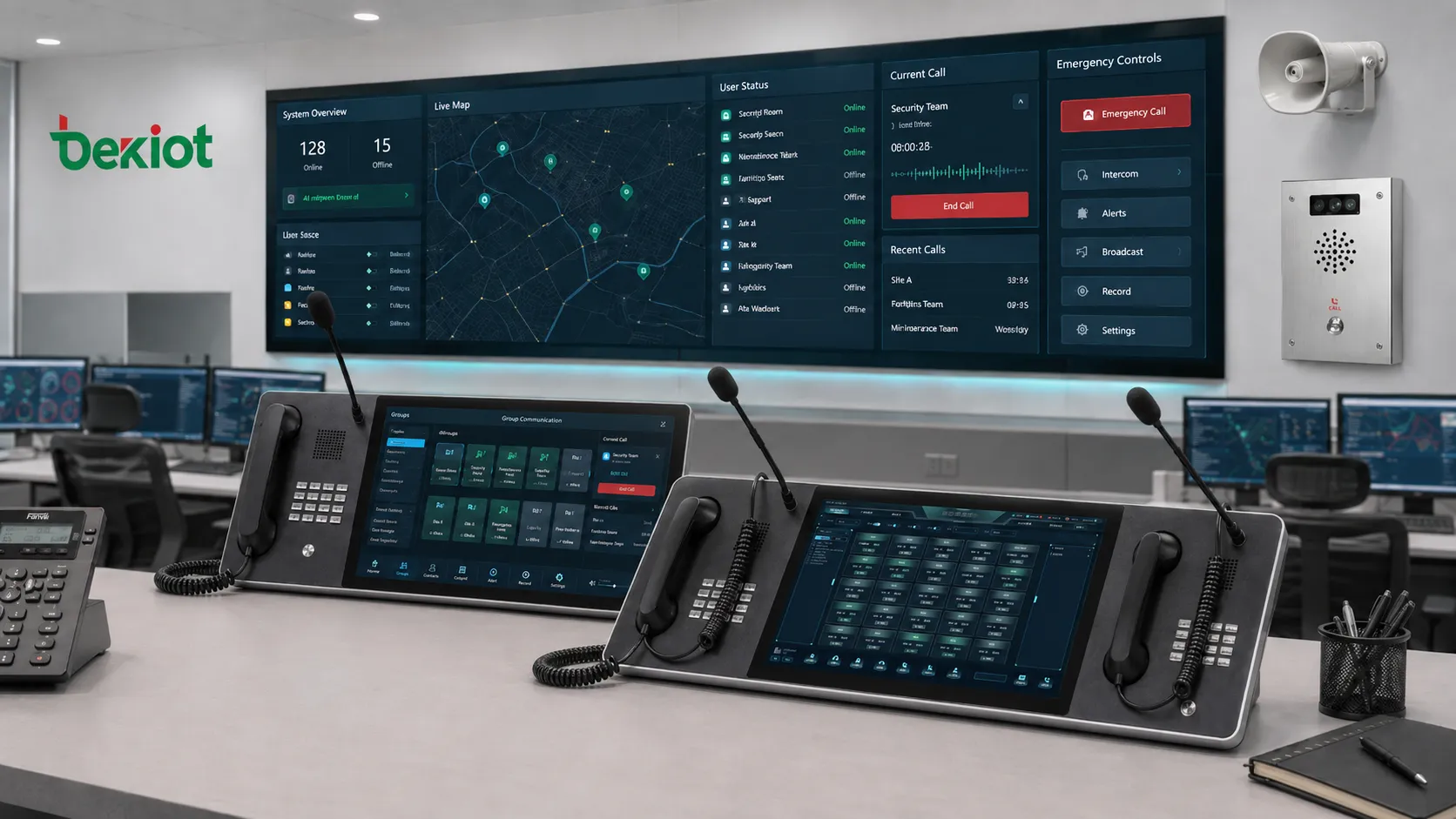
Operating Logic Inside the Control Desk
The control desk usually connects to a dispatch command platform, IP telephony system, SIP server, recording server, alarm platform, video system, electronic map, and field communication terminals. The operator uses the interface to perform real-time communication tasks.
When a call or alarm arrives, the system identifies the source, displays the event, shows the related terminal or group, and provides available actions. The operator may answer the call, start recording, open video linkage, locate the device on a map, broadcast to a zone, or escalate to another team.
This operating logic is important because command centers often face time pressure. The system should not ask operators to search through long lists or remember complicated extension numbers during emergencies. It should turn information into actions.
Core Functions
Visual User Status
Visual status display is one of the most important functions. Operators can see whether users, terminals, groups, or departments are idle, calling, busy, offline, ringing, or in an alarm state.
This reduces blind operation. Instead of calling a user without knowing whether the terminal is available, the operator can make decisions based on visible status.
For example, a maintenance group may be shown as available, a field phone may be offline, and an emergency help point may appear in alarm state. This helps the operator select the correct response path.
One-Touch Calling
The console often supports one-touch calling through screen buttons, physical keys, or preconfigured contacts. Operators can call key users, groups, departments, stations, emergency points, or broadcast zones quickly.
This is useful in control rooms where speed matters. A single touch can replace manual dialing, contact searching, or repeated menu operation.
Group Communication
Many command tasks involve groups rather than individuals. The console can support group call, conference call, broadcast, intercom group, department call, emergency group, or regional contact.
Group communication is valuable when the same instruction must reach multiple field units at once. It is also useful when operators need several departments to coordinate around the same event.
Emergency Call Handling
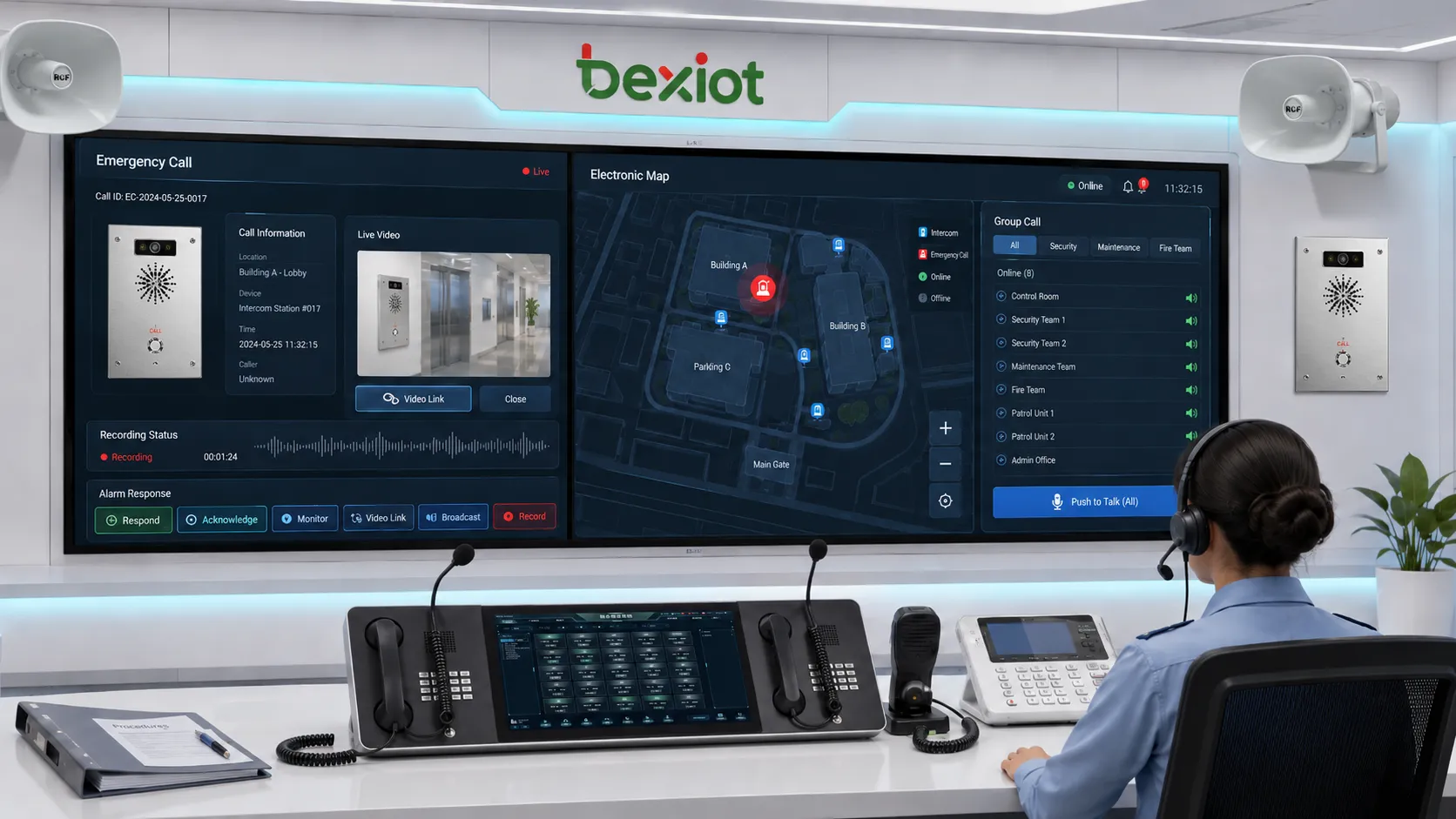
Emergency calls should be treated differently from routine calls. A command-side console can highlight urgent calls, display location, trigger recording, open a priority window, and provide escalation actions.
For industrial and public safety environments, this function helps ensure that emergency requests are not buried under ordinary communication traffic.
Broadcast and Public Address Control
Some systems allow operators to launch voice broadcast, zone broadcast, emergency announcement, or scheduled paging from the console interface. This is useful for evacuation, production notice, safety warning, traffic control, or plant-wide notification.
Broadcast control should include zone selection, permission control, audio priority, and clear status feedback.
Recording and Playback
Real-time recording helps preserve key communication records. Operators and supervisors can use recordings for incident review, training, dispute analysis, and compliance support.
Playback should be searchable by time, operator, caller, device, group, or event. A recording function is much more useful when it is easy to locate the correct record.
Video and Alarm Linkage
A modern command platform may link calls with video surveillance, alarm input, access control, or electronic maps. When a terminal sends an alarm, the console can display the related camera, location, and response options.
This turns the console from a voice tool into a situational awareness interface.
System Value for Command Operations
The first system value is faster response. Operators can see the situation, select contacts, and trigger actions without moving between separate systems.
The second value is reduced communication error. Preconfigured buttons, visual states, and organized groups reduce wrong dialing, missed calls, and unclear responsibility.
The third value is stronger command traceability. Calls, recordings, alarms, operator actions, and event handling records can be saved for later review.
The fourth value is multi-system integration. Voice, broadcast, intercom, emergency phone, wireless trunking, video, and alarm systems can be coordinated from one working interface.
The fifth value is better continuity. In long-running operations, shift handover, event review, and historical records help teams understand what has already happened and what still needs action.
Product-Oriented Analysis
Becke Telcom's BK-DSC156 and BK-DSC215 touch-screen dispatch consoles are designed for unified emergency command dispatch environments, while the BK-DSC dispatch command system supports integrated functions such as help intercom, emergency calling, emergency broadcast, visual dispatch, real-time recording, video linkage, wireless trunking, alarm linkage, electronic map, and multi-level architecture management.
The product value is not only the hardware screen size. It lies in combining operator audio, industrial key operation, visual interface, field terminal status, and command system linkage into one command-side workstation.
Related Solution: /command-and-dispatch/ip-telephony-dispatch-system-for-command-and-control-centers
Model Positioning and Hardware Difference
The BK-DSC156 is suitable for command desks that need a compact industrial touch-screen console. It uses a 15.6-inch capacitive touch screen and includes a built-in IP phone. This design is practical for control rooms where operators need visual dispatch functions but workspace is limited.
The BK-DSC215 is designed for larger command operations. It uses a 21.5-inch capacitive touch screen and has left and right embedded IP phone linkage design. This gives operators more screen space and more physical communication handling capacity.
Both models are positioned as multimedia dispatch consoles for unified emergency command systems. They support visual graphical dispatch interfaces, allowing operator user status to be displayed clearly. This helps operators make faster decisions and execute commands more accurately.
Specification-Based Comparison
| Item | BK-DSC156 | BK-DSC215 |
|---|---|---|
| Model Position | Compact multimedia dispatch console | Large-screen multimedia dispatch console |
| Touch Screen | 15.6-inch capacitive touch screen | 21.5-inch capacitive touch screen |
| Built-in Phone Design | One built-in IP phone | Left and right embedded IP phone linkage design |
| Operating System | WIN10 64-bit; Linux support described | WIN10 64-bit; Linux support described |
| Processor | Quad-core | Quad-core |
| Memory | 8G | 8G |
| Storage | 128G SSD | 128G SSD |
| USB Interface | 2 ports | 2 ports |
| Network Interface | 3 RJ45 ports | 3 RJ45 ports |
| Audio Operation | Industrial handset and gooseneck microphone | Industrial handsets and gooseneck microphones |
| Industrial Keys | 4x4 industrial keypad with 4 custom keys | Left and right phones each use 4x4 industrial keypad with 4 custom keys |
| HDMI | 1 port | 1 port |
| Headset Interface | 3.5 mm | 3.5 mm |
| Adjustable Stand | Anti-slip adjustable stand | Anti-slip adjustable stand |
| Main Body Size | 570 x 272 x 82 mm | 960 x 314 x 99 mm |
| Weight | 7 kg | 15.3 kg gross weight shown in the specification |
This comparison shows that BK-DSC156 is more suitable for compact dispatch seats, single-operator workstations, small control rooms, and branch command points. BK-DSC215 is more suitable for main command centers, dual-handset operation, larger touch interaction, and heavier communication workloads.
Audio Operation and Human Interaction
A command console must support clear audio operation because voice communication is still the core of dispatch work. Industrial handsets provide familiar call handling. A gooseneck microphone supports hands-free command, broadcast, and conference-style communication.
High-definition pickup is useful when the operator needs to speak clearly without holding the handset all the time. In busy control rooms, this improves convenience and reduces physical operation pressure.
Physical buttons still matter even when a touch screen is available. Industrial keys provide tactile feedback and can be configured for important functions. Custom keys are useful for emergency broadcast, priority call, group call, recording, alarm acknowledgment, or frequently used command actions.
Visual Interface and Decision Speed
A large touch screen allows operators to view users, groups, alarms, calls, and operation buttons more directly. This is especially important when many field terminals are connected to one command system.
Visual dispatch reduces memory dependence. Instead of remembering many extension numbers or terminal codes, the operator can select icons, names, groups, or status panels.
For emergency response, this improves decision speed. The operator can identify the event source, check the target group, start communication, and trigger follow-up actions from the same interface.
Multi-Terminal Fusion
Modern command systems usually contain many terminal types. These may include IP phones, emergency phones, intercom terminals, speakers, radio gateways, video endpoints, alarm inputs, and mobile users.
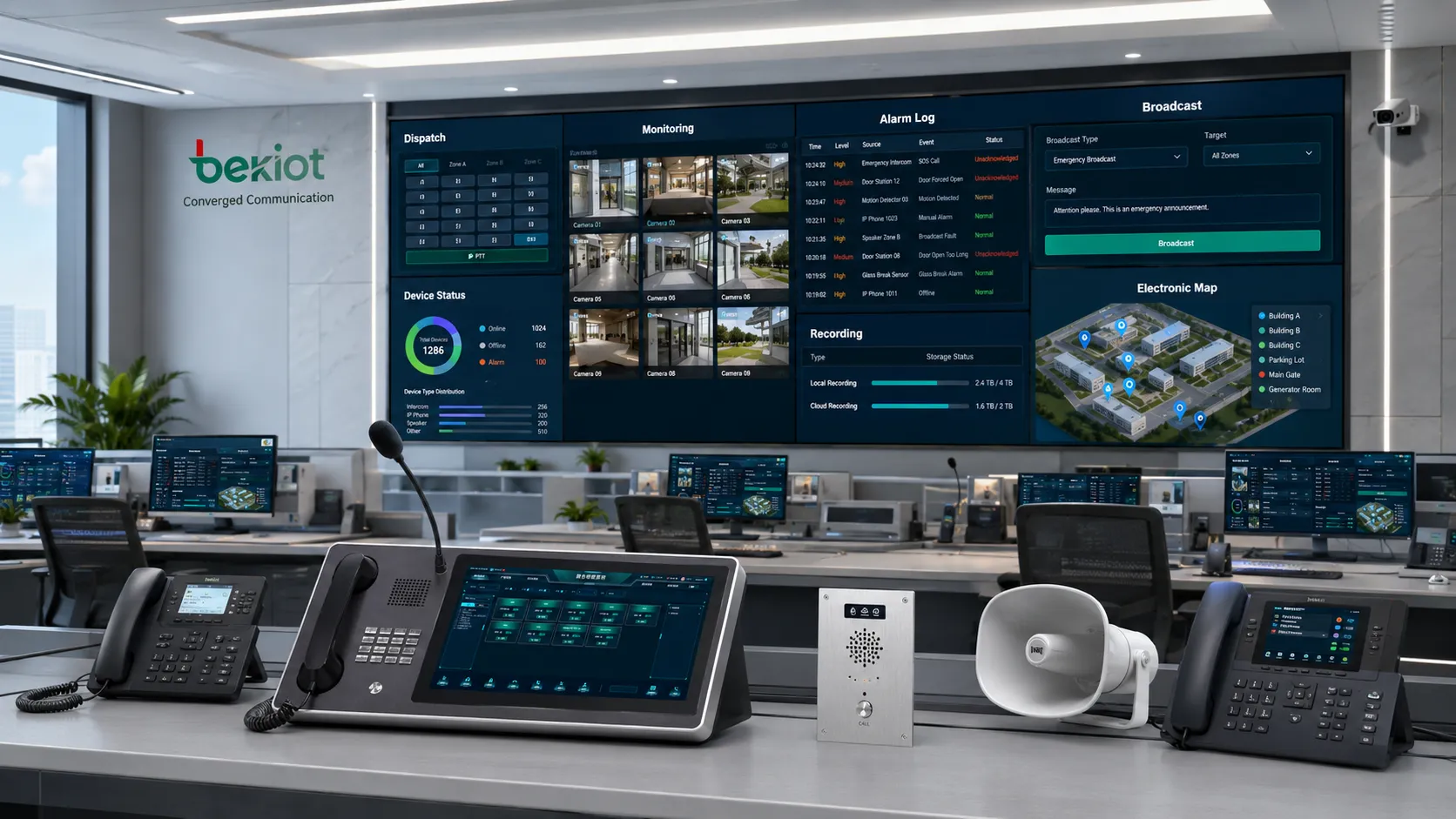
A dispatch console gains system value when it can coordinate these resources. The operator may answer a help call, speak to a field terminal, broadcast to a zone, contact a wireless group, view a linked camera, and record the whole process.
Multi-terminal fusion helps avoid fragmented command. Without it, operators may need different platforms for voice, broadcast, video, alarm, and reporting, which increases response time and error risk.
Emergency Response Value
Emergency response requires speed, clarity, and traceability. A command-side console can help achieve these goals through priority display, one-touch calling, group broadcast, emergency recording, alarm linkage, and map-based event location.
When a help call arrives, the operator should know where it came from, which device triggered it, whether the terminal is online, which group should respond, and whether the event has been recorded.
This kind of workflow is valuable in highways, rail transit, industrial enterprises, power facilities, metallurgy plants, oil and gas sites, coal and mining areas, unattended stations, and smart city command environments.
Multi-Level Management
Large organizations may have several command layers. A local station may handle daily events, while a regional command center handles cross-site coordination. A headquarters center may monitor multiple branches or projects.
Multi-level management allows communication resources to be organized by site, department, role, and authority. It also helps define who can call, listen, broadcast, intervene, or close events.
This is important when one system serves different departments or multiple geographic regions. Without management hierarchy, operators may see too much information or have too much control.
Integration with Recording and Review
A console is not only used during the event. It also supports review after the event. Real-time recording, call logs, operator actions, and alarm records help supervisors understand what happened.
This supports training and accountability. Teams can review whether the call was answered quickly, whether the right group was contacted, whether instructions were clear, and whether the response path was effective.
For critical industries, records can also support compliance, incident investigation, and continuous improvement.
Industrial Design Considerations
Industrial command environments need stable hardware. A dispatch console may run for long hours, handle frequent calls, and operate under high pressure. Therefore, screen durability, audio reliability, physical keys, adjustable stand, multiple network ports, and stable operating system support are important.
Multiple RJ45 network ports can support flexible network design. HDMI output can be useful for external display connection or command room expansion. USB ports support accessories or wireless network adapters. A 3.5 mm headset interface supports private audio operation.
The adjustable stand matters because operators may work for long shifts. Screen angle and operating posture affect comfort and efficiency.
Application Scenarios
Transportation Command Centers
Highways, rail transit, tunnels, airports, and ports need communication between operators, field staff, security teams, maintenance units, stations, and emergency points. The console helps organize voice dispatch, help calls, broadcast, and alarm response.
Industrial Enterprises
Factories, metallurgy plants, energy sites, oil and gas facilities, and chemical plants use command consoles to coordinate production communication, safety instructions, maintenance dispatch, and emergency broadcast.
Mining and Heavy Industry
Coal mines, metal mines, and large industrial zones require fast communication under harsh conditions. A visual command console helps control rooms track field status, receive urgent calls, and coordinate response teams.
Unattended and Remote Sites
Unattended stations, substations, pump stations, remote yards, and utility sites need central visibility. The console can help operators manage calls and alarms from a central point.
Smart City and Public Facility Operations
Smart city command centers, campuses, hospitals, commercial complexes, and municipal facilities need integrated communication for security, maintenance, public service, and emergency handling.
Deployment Planning
Before deployment, teams should define the operator role. A main command center may need a large-screen, dual-phone layout such as BK-DSC215. A branch control point may prefer a smaller footprint such as BK-DSC156.
Next, define the communication objects. These may include users, groups, terminals, zones, cameras, alarms, speakers, and radio channels. Each object should have clear naming and location information.
Then define authority. Not every operator should have permission for forced call, broadcast, recording export, or alarm closure. Role-based control helps prevent mistakes.
Finally, test real workflows. A system should be tested with emergency call, normal dispatch, group call, broadcast, recording playback, alarm linkage, video pop-up, and system failover scenarios.
Maintenance and Operation
A dispatch console should be included in routine maintenance. Daily checks may include screen operation, audio pickup, handset status, key response, system login, network connection, and call test.
Weekly checks may include recording playback, device status review, alarm records, operator account audit, and backup verification.
Monthly checks may include firmware or software update planning, dust cleaning, cable inspection, configuration backup, permission review, and spare part readiness.
A console used in emergency operations should not be tested only after a problem occurs. Scheduled checks protect long-term reliability.
Selection Criteria
When selecting a console and command system, the buyer should evaluate screen size, audio operation method, number of built-in phones, industrial key design, network interfaces, system compatibility, recording support, alarm linkage, video linkage, map integration, and multi-level management capability.
Product selection should follow the real operating environment. A small service desk does not need the same configuration as a regional emergency command center. A high-load control room should not rely on a simple phone-only device.
The best solution is the one that matches communication workload, operator habits, system integration needs, maintenance capacity, and future expansion.
Common Mistakes
One mistake is treating the console as a simple display terminal. If the system behind it is not connected to calls, alarms, recording, and field devices, the value will be limited.
Another mistake is ignoring user training. Operators must know how to answer priority calls, trigger broadcast, use group call, check recording, and close alarms.
A third mistake is overcomplicating the interface. Too many buttons and unclear labels may slow down emergency response. The interface should reflect actual workflows.
A fourth mistake is selecting hardware only by screen size. Audio design, key operation, network connectivity, reliability, and system integration are equally important.
Summary
A dispatch console provides system value by combining command-side voice operation, visual dispatch, group communication, emergency handling, recording, alarm linkage, video coordination, and multi-terminal control. Models such as BK-DSC156 and BK-DSC215 show how screen size, built-in IP phone design, industrial keys, and command system integration can support different levels of control room operation.
FAQ
How is a command console different from a standard IP phone?
A standard IP phone mainly handles personal voice calls. A command console is designed for operator control, group communication, visual status, emergency handling, recording, and system linkage.
Which model is better for a small control room?
A compact workstation may prefer a smaller screen and body size. A large central command room may benefit from a larger display and dual-phone operation.
Why are physical keys still useful when there is a touch screen?
Physical keys provide tactile operation and can be assigned to frequent or urgent functions. They are helpful when operators need fast action without searching through menus.
What should be checked during acceptance testing?
Test call handling, group communication, emergency pop-up, recording, playback, broadcast, alarm linkage, video linkage, permissions, network stability, and operator workflow.
Can the system be expanded after initial deployment?
Yes, if the command platform supports scalable users, terminals, groups, zones, and integration interfaces. Expansion planning should be considered during the initial design stage.







