


A voice prompt is a spoken audio message used by a device, software platform, telephone system, or communication application to guide users, confirm actions, deliver alerts, or explain system status. It can be a pre-recorded human voice, a text-to-speech message, or a dynamically generated announcement triggered by user behavior, system events, alarms, call flows, or device conditions.
Voice prompts are widely used in IVR systems, call centers, VoIP phones, intercom devices, public address systems, emergency notification platforms, access control terminals, elevators, ticket machines, smart devices, mobile apps, and industrial communication systems. They help users understand what to do next without relying only on screens, buttons, or written instructions.
What a Voice Prompt Means in Communication Systems
In communication systems, a voice prompt acts as an audio-based user interface. Instead of showing information only on a display, the system speaks instructions or status messages to the user. Common examples include “Please enter your extension,” “Your call is being transferred,” “The door is open,” “Network disconnected,” or “Emergency call activated.”
The value of a voice prompt is not only the audio file itself. A good prompt is connected with system logic. It appears at the right time, uses clear wording, matches the user’s language, and supports the purpose of the interaction. In a call flow, a voice prompt may help route callers. In an industrial device, it may warn workers about equipment status. In an emergency system, it may provide immediate instructions when visual information is not enough.
How Voice Prompts Work
Audio Message Creation
The first step is creating the prompt content. This may be done by recording a professional voice actor, recording an internal speaker, generating audio through text-to-speech, or using a hybrid method. For high-volume systems, text-to-speech can reduce production time, while human-recorded prompts may sound more natural and brand-consistent.
Prompt wording should be short, direct, and easy to understand. In voice communication, users cannot scan a paragraph the way they can on a screen. Long or unclear prompts increase waiting time, cause input errors, and make callers more likely to abandon the process.
Trigger and Playback Logic
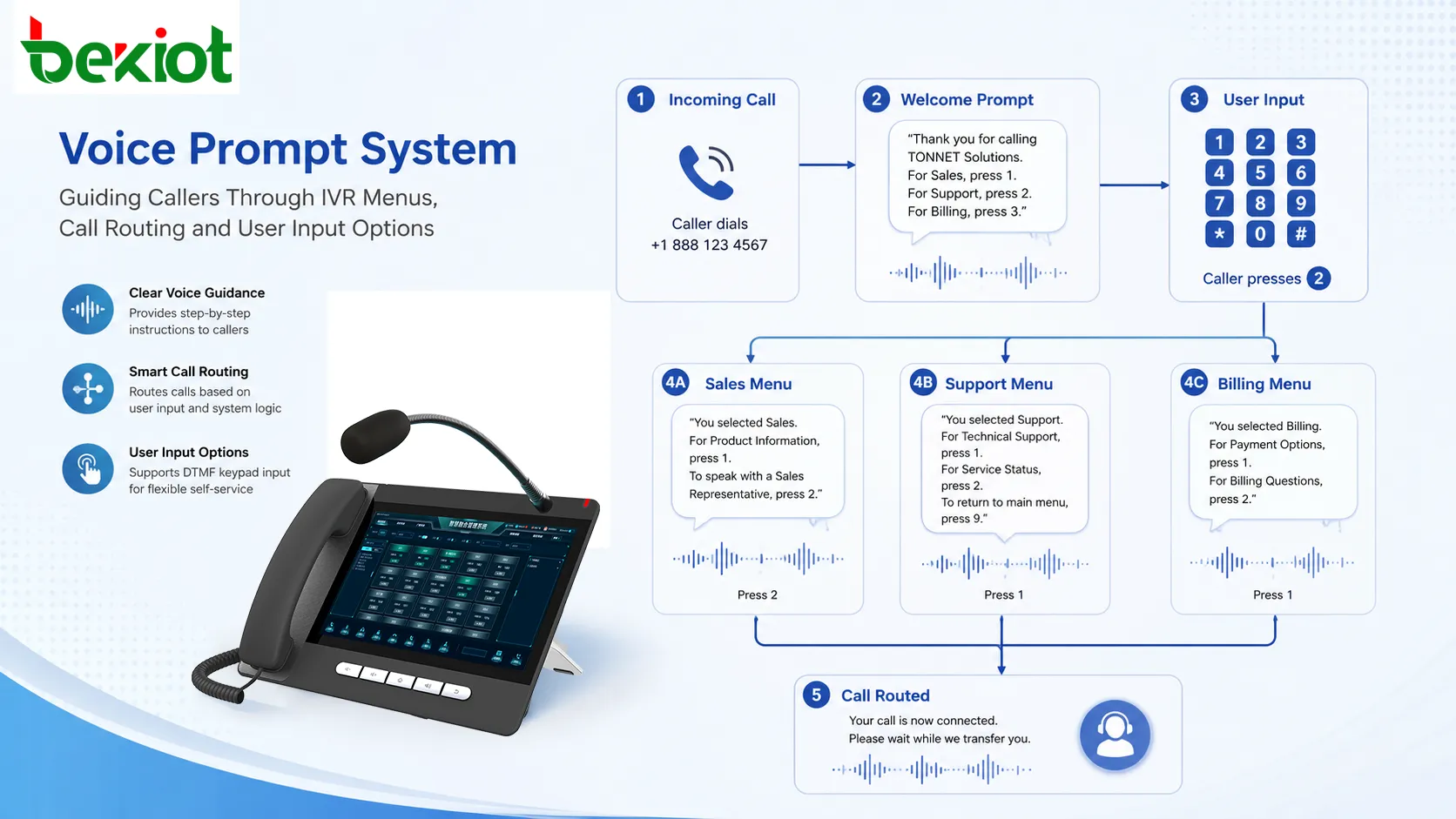
A voice prompt is usually played when a specific condition is met. In an IVR system, it may be triggered when a caller reaches a menu. In a device, it may play after a button press, login failure, alarm event, door status change, network fault, or successful configuration. In a public address system, it may be triggered by an emergency scenario or scheduled announcement.
The system must decide which prompt to play, when to play it, whether it can be interrupted, and what happens after playback. For example, a caller may be allowed to press a digit before the full prompt finishes, while a safety warning may need to play completely before the next action is allowed.
Audio Delivery to the User
After the system selects the correct prompt, it delivers the audio through a phone handset, speaker, headset, intercom terminal, mobile device, paging speaker, web application, or embedded device. The audio path must support suitable volume, clarity, format compatibility, and low latency.
In telephony systems, prompts are often stored in specific audio formats such as WAV with a supported sampling rate. In IP-based platforms, prompt files may be streamed or played from a server. In embedded devices, prompts may be stored locally to ensure fast playback even when the network connection is unstable.
Main Features of Voice Prompts
Clear User Guidance
The core function of a voice prompt is guidance. It tells users what the system expects from them and what will happen next. This is especially important when users cannot see a display, are using a phone keypad, are operating equipment in low-light environments, or are responding under pressure.
Clear guidance reduces confusion and prevents repeated operations. For example, a prompt that says “Press 1 for service, press 2 for support” is easier to act on than a long explanation of department structure. The best voice prompts are designed around the user’s immediate task.
Status Confirmation
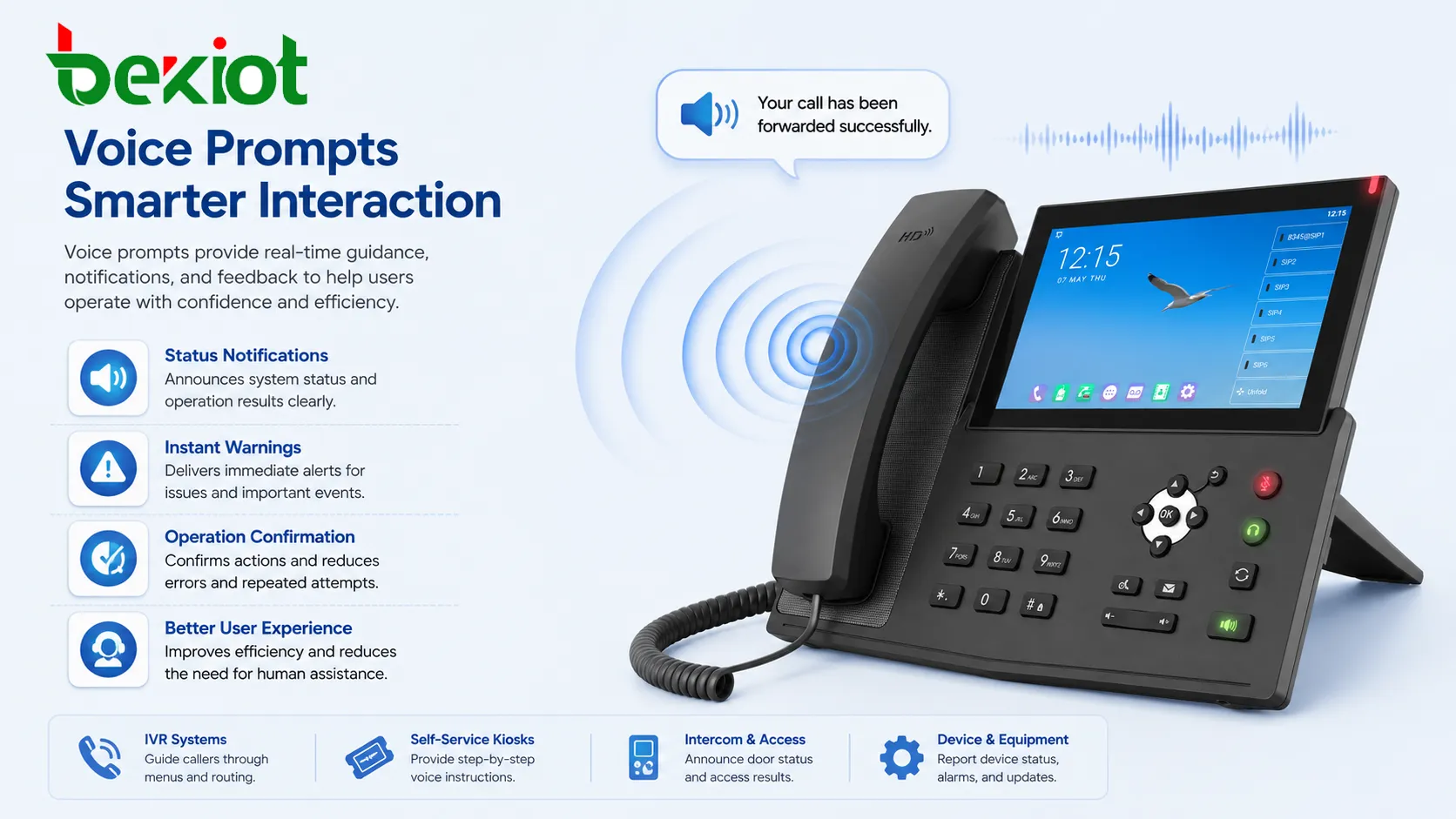
Voice prompts can confirm that an action has been completed. Examples include successful login, call forwarding enabled, alarm acknowledged, door unlocked, recording started, configuration saved, or network restored. These confirmations are useful when users need confidence that the system received the command.
Status confirmation is especially valuable for devices with limited display space. In industrial or emergency environments, workers may not have time to check a screen. A short spoken confirmation can make operation faster and safer.
Warning and Alert Notification
Voice prompts can also be used to deliver warnings. In this role, the prompt is not simply a guide but an immediate notification mechanism. It may announce equipment failure, access denial, emergency activation, fire alarm status, network disconnection, battery fault, or unsafe operating conditions.
Warning prompts should be highly concise and easy to understand. The wording should avoid technical ambiguity and should tell the listener what has happened or what action is expected. In safety-related systems, the same prompt may also be paired with tones, flashing lights, screen messages, or public address announcements.
Multilingual Support
Many systems need prompts in more than one language. International call centers, hotels, airports, transit stations, public service platforms, and global enterprises often provide language selection at the beginning of the interaction. Multilingual prompts help users receive instructions in a language they understand.
Good multilingual prompt design is not just direct translation. Different languages may require different sentence length, tone, word order, and cultural style. Audio duration must also be considered because one language may take longer to speak than another.
Dynamic Message Generation
Some prompts are fixed, while others are dynamic. A fixed prompt may say “Please wait.” A dynamic prompt may say a ticket number, balance amount, room number, device name, alarm zone, estimated waiting time, or caller position in queue. Dynamic prompts often combine recorded fragments or use text-to-speech.
Dynamic voice prompts are useful when the system needs to provide personalized or real-time information. However, the design must avoid robotic phrasing, unnatural pauses, or confusing sentence structure.
Why Voice Prompts Matter
Improved Accessibility
Voice prompts make systems easier to use for people who cannot rely on visual interfaces. This includes users with limited vision, workers wearing gloves, drivers, field technicians, elderly users, and people using devices in dark or busy environments. Audio guidance can make interaction more inclusive and practical.
In safety-related systems, voice prompts can also reach users who are not looking at a screen. A spoken warning may attract attention faster than a small visual indicator, especially in public spaces or industrial sites.
Faster Operation
When designed properly, voice prompts reduce the time users spend guessing what to do. They can guide callers to the correct department, confirm successful actions, or explain why an operation failed. This reduces repeated attempts and lowers the need for human assistance.
In automated service systems, prompts can handle routine interaction at scale. This is why IVR platforms, self-service hotlines, ticketing systems, and service desks rely heavily on prompt design.
Better Emergency Communication
In emergency situations, people may be stressed, distracted, or unfamiliar with the system. A clear voice prompt can provide immediate direction, such as where to go, what button to press, whether a call has been connected, or whether help has been notified.
Emergency prompts should be short, calm, and unambiguous. They should avoid complex wording and unnecessary details. The purpose is to support action, not to overload the listener with information.
Common Applications
IVR and Call Center Systems
Interactive Voice Response systems use voice prompts to guide callers through menus, collect keypad input, provide queue information, and route calls to the correct agent or department. Common prompt flows include language selection, service category selection, account verification, queue announcements, and after-hours messages.
In call centers, prompt quality affects caller experience directly. Poorly written prompts can increase call abandonment and transfer errors, while clear prompts can reduce agent workload and improve first-contact routing.
VoIP Phones and Communication Devices
IP phones, SIP intercoms, softphones, conferencing devices, and communication terminals may use voice prompts for setup, registration status, call forwarding, voicemail, transfer confirmation, headset connection, network failure, and factory reset guidance.
These prompts are especially useful when devices have small displays or no display at all. A spoken message can explain device status quickly without requiring users to search through menus.
Public Address and Notification Systems
Public address systems use voice prompts for scheduled announcements, emergency evacuation, safety reminders, access control messages, and facility notifications. In schools, hospitals, airports, factories, and transportation hubs, voice prompts may be combined with bells, tones, strobes, or display messages.
For public spaces, prompt clarity and speaker coverage are important. The message must be understandable in noisy environments, reverberant halls, corridors, platforms, workshops, or outdoor areas.
Smart Devices and Embedded Equipment
Smart appliances, vending machines, ticket kiosks, medical devices, access terminals, elevators, and industrial controllers often use voice prompts to explain status or operation results. These devices may not have enough screen space to display detailed instructions, so audio feedback improves usability.
Embedded equipment may store common prompts locally. This reduces network dependency and ensures that basic warnings or confirmations can still be played even when the device is offline.
Design Considerations
Prompt Wording
Voice prompt wording should be simple, natural, and action-oriented. Each prompt should focus on one task whenever possible. A prompt that tries to explain too much at once may confuse users or force them to wait longer before responding.
For menu prompts, the option and action should be close together. For example, “For technical support, press 2” is usually clearer than presenting a long description and only giving the key at the end. For warnings, the message should state the issue and the expected action quickly.
Voice Tone and Brand Experience
The voice used in prompts affects how users perceive the system. A calm and professional tone is suitable for service hotlines, hospitals, and emergency systems. A warmer tone may suit hospitality, retail, and consumer applications. A more direct tone may be better for industrial alarms or operational equipment.
Consistency matters. Mixing different voices, recording styles, volumes, or speaking speeds in the same system can make the experience feel unprofessional. Prompt libraries should be managed as part of the overall user interface.
A useful voice prompt should not sound like decoration. It should reduce uncertainty, shorten operation time, and help the user complete the next step with confidence.
Audio Quality and File Management
Prompt audio should be clean, properly normalized, and compatible with the playback system. Distortion, low volume, background noise, clipping, or inconsistent loudness can reduce understanding. For telephony systems, the audio format must match the codec and sampling requirements of the platform.
File management is also important. Prompt names, versions, languages, and usage locations should be clearly documented. Without organized management, updates can easily create mismatched prompts, old messages, or broken call flows.
Deployment and Testing
Scenario-Based Testing
Voice prompts should be tested in the real user journey, not only as isolated audio files. A prompt that sounds clear by itself may still fail if it appears too late, repeats too often, interrupts the user, or does not match the next menu step.
Testing should include normal paths, error paths, timeout handling, repeated input, invalid input, language switching, transfer failure, and emergency scenarios. These tests help ensure that the prompt logic works under real operating conditions.
Environmental Testing
In public or industrial environments, prompts must be tested with real background noise. A message that is clear in an office may be difficult to understand in a subway station, factory workshop, warehouse, parking area, or outdoor entrance.
Speaker placement, volume, echo, reverberation, and competing sound sources can all affect intelligibility. For critical prompts, organizations may need to adjust message length, speaker output, sound coverage, and repetition rules.
Update and Maintenance Process
Voice prompts should be reviewed whenever services, menu structures, contact numbers, operating hours, emergency procedures, or device functions change. Outdated prompts can mislead users even if the technical system is working correctly.
A controlled update process should include script approval, recording or generation, file naming, platform upload, playback testing, language verification, and rollback preparation. This prevents small prompt changes from causing service disruption.
Conclusion
Voice prompt is an important part of modern communication and device interaction. It provides spoken guidance, status confirmation, warnings, menu navigation, and emergency instructions across telephony systems, VoIP devices, public address platforms, embedded equipment, and service applications.
Effective voice prompt design requires more than recording a sentence. It must consider wording, timing, trigger logic, audio quality, language support, user environment, and maintenance workflow. When designed well, voice prompts make systems easier to use, faster to operate, more accessible, and more reliable in both daily service and critical communication scenarios.
FAQ
What audio format is commonly used for voice prompts?
The required format depends on the platform. Telephony systems often use WAV files with specific sampling rates and bit depth, while web or app platforms may support formats such as MP3, AAC, or Opus. The safest approach is to follow the playback system’s exact audio specification.
Should voice prompts be recorded by a human or generated by text-to-speech?
Both methods can work. Human recording is often preferred for brand-sensitive, customer-facing, or emergency prompts because it sounds more natural. Text-to-speech is useful for dynamic content, frequent updates, and large multilingual prompt libraries.
How can a system avoid annoying users with too many prompts?
Prompt frequency should be controlled by context. Repeating the same message too often can frustrate users, especially in queues or device operation. Systems should use shorter reminders, allow interruption where appropriate, and avoid playing unnecessary confirmations for every small action.
Can voice prompts be personalized for different users?
Yes. Some systems can play different prompts based on user language, account type, location, device status, caller history, or service priority. Personalization should be used carefully so that the message remains clear and privacy rules are respected.
What should be checked before publishing new voice prompts?
Before publishing, teams should check pronunciation, volume consistency, file format, language accuracy, playback timing, menu logic, fallback behavior, and whether the prompt matches the current service process. For critical systems, testing should include both normal and failure scenarios.







