


Evacuation is the organized movement of people away from a dangerous, threatened, or unsafe area toward a safer location. It may be required during fire, gas leakage, explosion risk, severe weather, chemical release, security incidents, structural damage, flood, power failure, equipment hazards, transportation accidents, or other emergencies that make continued occupancy unsafe.
In modern facilities, evacuation is not only a human instruction. It is a coordinated safety process involving alarm detection, public address, voice guidance, emergency lighting, route planning, access control, CCTV awareness, dispatch communication, mustering, accountability, and response team coordination. The goal is to help people move quickly, calmly, and correctly while reducing confusion, congestion, and secondary risk.
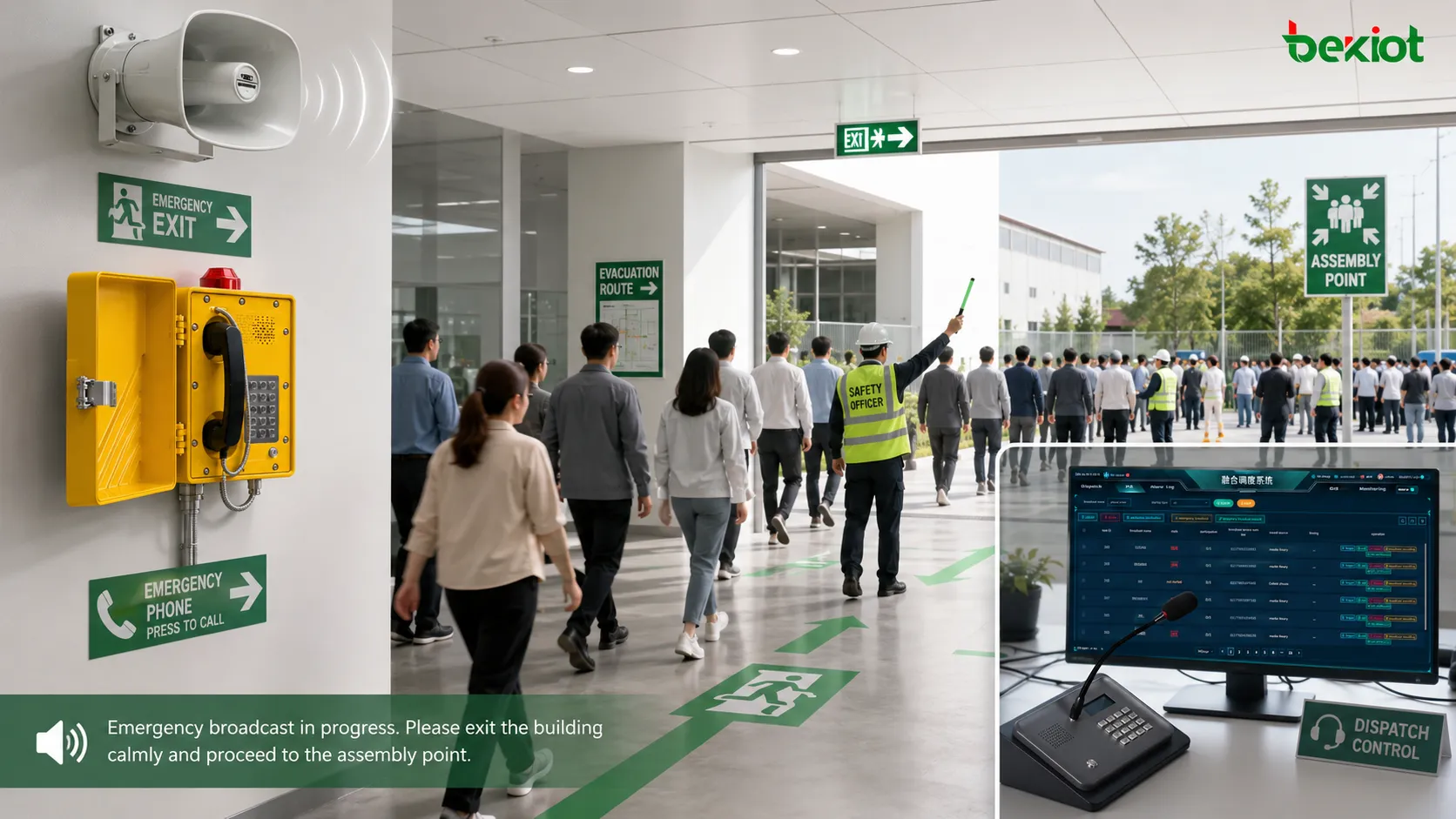
From Warning Signal to Safe Movement
An evacuation process usually begins when a hazard is detected or reported. The trigger may come from a fire alarm panel, gas detector, panic button, security control room, weather warning, industrial control system, manual emergency station, or authorized operator decision. Once the threat is confirmed or treated as serious, people must receive clear instructions without delay.
Simple sirens or bells can attract attention, but they may not explain what people should do. Voice instructions, zone-specific messages, visual indicators, and trained staff guidance help people understand whether they should leave immediately, avoid a certain route, move to a refuge area, or wait for further direction.
The effectiveness of the process depends on timing, clarity, route availability, crowd behavior, accessibility support, and communication reliability. A strong plan does not only tell people to leave; it tells them where to go, which route to use, what hazards to avoid, and how responders will verify that everyone is accounted for.
How the Response Flow Is Organized
Hazard Detection and Confirmation
The first stage is identifying that a dangerous condition exists. This may happen automatically through sensors or manually through staff reports. Fire detectors, smoke sensors, gas detection systems, emergency buttons, CCTV monitoring, access control events, and field personnel reports may all become part of the initial warning chain.
In high-risk sites, operators may need to verify the event quickly through control room displays, camera views, alarm panels, radio reports, or local supervisors. Verification should be fast, but it should not delay life-safety action when the threat is credible.
Alarm Activation
Once the emergency condition requires action, the alarm system activates. This may include sounders, strobes, beacons, voice messages, mobile alerts, control room notifications, and emergency broadcast commands.
Different zones may receive different messages. For example, the affected floor may receive an immediate exit instruction, while nearby floors may receive a standby warning. In industrial facilities, one workshop may evacuate while another area continues under controlled monitoring.
Voice Guidance and Public Address
Voice guidance helps reduce uncertainty. Instead of only hearing an alarm tone, occupants hear clear instructions such as which exit to use, which area to avoid, whether elevators are unavailable, and where to assemble.
Public address and general alarm systems are valuable because they can distribute live or pre-recorded messages across large spaces. For complex sites, integration with paging, intercom, and dispatch systems makes it easier for operators to update instructions as conditions change.
Route Management
Safe movement depends on usable routes. Exit paths, stairways, corridors, tunnels, ramps, refuge areas, doors, gates, and assembly points must be planned before an incident. If smoke, fire, floodwater, chemical vapor, or crowd congestion blocks one route, responders need an alternate plan.
Route management may also involve emergency lighting, illuminated signs, access control release, turnstile unlocking, elevator recall, traffic control, and staff direction. In large facilities, poor route planning can create bottlenecks even when the alarm system works correctly.
Assembly and Accountability
After people leave the affected area, they should move to a designated assembly point, muster station, refuge area, or safe zone. Supervisors, wardens, or response teams may check attendance, count personnel, identify missing persons, and report status to the control center.
Accountability is especially important in industrial plants, mines, campuses, hospitals, ports, and transport facilities where people may be spread across many buildings, outdoor zones, or restricted areas.
A successful emergency movement plan does not end when the alarm sounds. It ends when people reach a safer area and responders know who is safe, who needs help, and which zones remain at risk.
Core Elements of a Reliable Safety Workflow
Clear Emergency Messages
Messages should be short, direct, and action-oriented. People under stress may not process long explanations. A good message identifies the situation, the affected area, the required action, and the safe direction.
Pre-recorded messages are useful because they provide consistent wording and clear pronunciation. Live announcements are also important when conditions change or when operators need to give site-specific updates.
Zone-Based Alerting
Not every emergency requires the same message everywhere. Zone-based alerting allows the system to broadcast instructions to selected floors, workshops, tunnels, platforms, buildings, or outdoor areas.
This supports phased movement and reduces unnecessary disruption. It also helps prevent people from entering hazardous zones while allowing unaffected areas to receive appropriate standby or advisory messages.
Visual and Audible Signals
Audible alarms attract attention, while visual signals support noisy environments and people who may not hear voice announcements clearly. Strobes, beacons, LED signs, display panels, and wayfinding indicators can strengthen the message.
In industrial and transport environments, visual alerting is especially useful because machinery noise, crowd noise, vehicle movement, or hearing protection may reduce the effectiveness of sound alone.
Communication with Response Teams
Wardens, security teams, dispatchers, control room operators, medical teams, maintenance staff, and external responders need reliable communication during the process. Voice systems, radios, intercoms, emergency phones, paging platforms, and mobile dispatch tools may all be involved.
Becke Telcom’s BK-RCS emergency alarm system can be lightly considered in projects where emergency alarms, paging, intercom communication, dispatch coordination, and site-wide response workflows need to be integrated into one managed communication layer.
Backup Power and Redundancy
Emergency communication must continue during power instability, network disruption, or equipment failure. Backup power, redundant controllers, monitored speaker lines, secondary communication paths, and local fallback messages can improve system resilience.
For critical facilities, emergency audio and control functions should be tested under backup power conditions, not only during normal operation.
System Value for Organizations
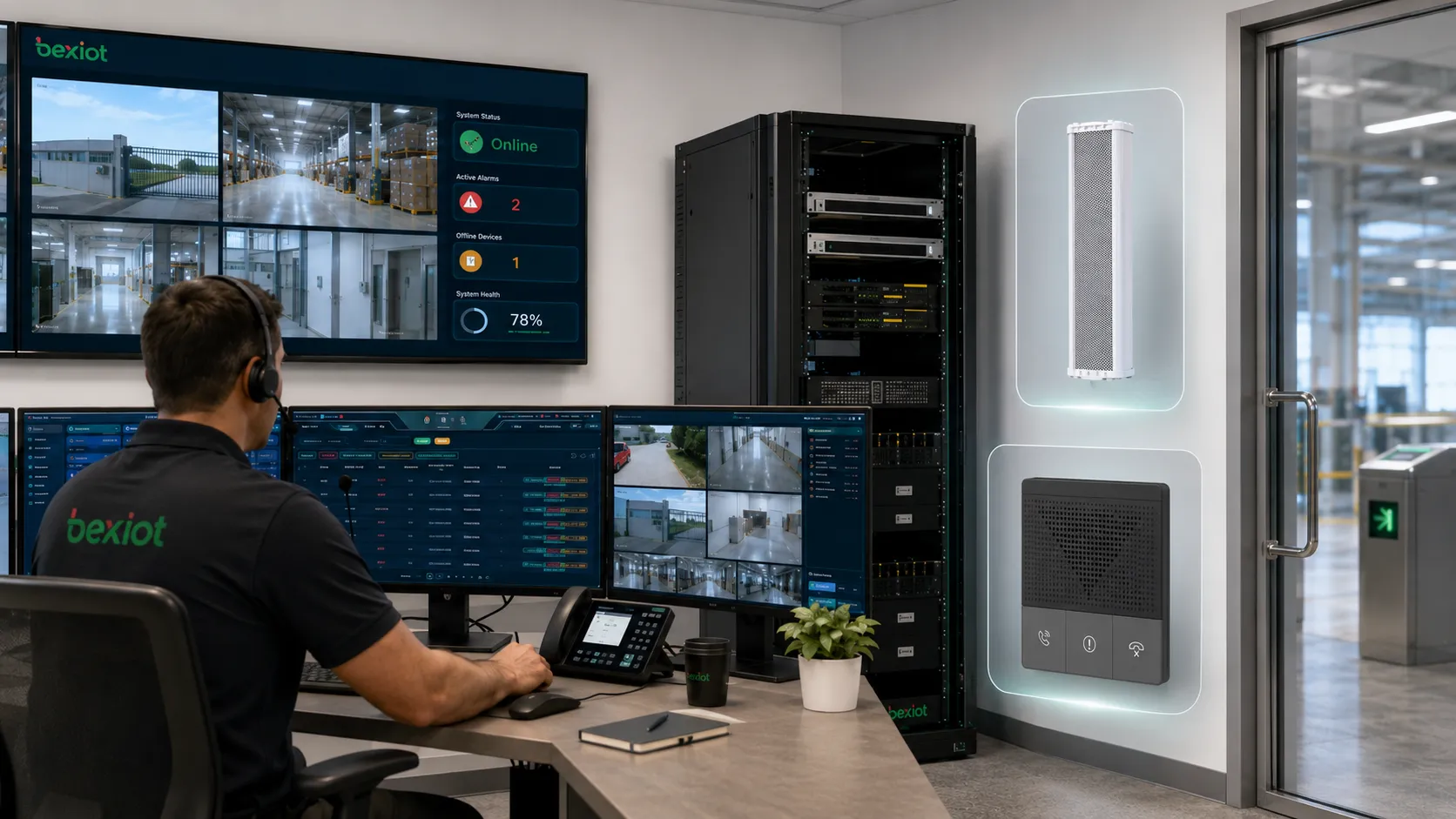
The main value is life safety. A well-planned process helps people leave dangerous areas before conditions worsen. It reduces uncertainty and gives responders a clearer way to manage people, routes, and incident information.
It also improves operational control. Instead of relying only on manual shouting, scattered phone calls, or local alarms, organizations can use centralized communication to deliver consistent instructions across buildings, floors, zones, and outdoor areas.
Another important value is accountability. When mustering, reporting, and communication channels are connected, managers can identify who has reached safety, who may still be inside, and which response teams need to act next.
Related solution: /paga-systems/paging-and-intercom-broadcasting-system
Common Facility and Industry Scenarios
Industrial Plants and Energy Sites
Factories, refineries, power plants, chemical facilities, mines, oil and gas sites, and warehouses may require emergency movement due to fire, gas leakage, machine failure, explosion risk, chemical release, or structural hazards.
These environments often need rugged communication devices, loudspeaker coverage, alarm beacons, control room dispatch, and integration with gas detection, fire alarm, CCTV, and access control systems. Voice instructions must be audible and understandable even in noisy production areas.
Commercial Buildings and Public Venues
Office towers, shopping centers, hotels, convention halls, stadiums, and public buildings use emergency procedures to guide occupants through exits, stairwells, lobbies, and assembly areas. The challenge is often crowd flow and visitor unfamiliarity with the building layout.
Clear signage, voice messages, trained floor wardens, and visible route indicators can reduce panic and help visitors follow the correct path.
Transportation Infrastructure
Airports, metro stations, railway platforms, tunnels, bus terminals, parking structures, bridges, and ports may need coordinated safety movement during fire, smoke, vehicle incidents, crowd control events, security alerts, or infrastructure failures.
Transport environments require special attention to multilingual announcements, passenger flow, CCTV coordination, platform isolation, and integration with operation control centers.
Healthcare Facilities
Hospitals, clinics, nursing homes, and assisted living facilities face special challenges because some occupants may not be able to move quickly without assistance. Evacuation may be horizontal, phased, or assisted rather than immediate full-building movement.
Staff communication, patient tracking, elevator restrictions, refuge areas, medical equipment movement, and department-level coordination are important in healthcare response planning.
Schools and Campuses
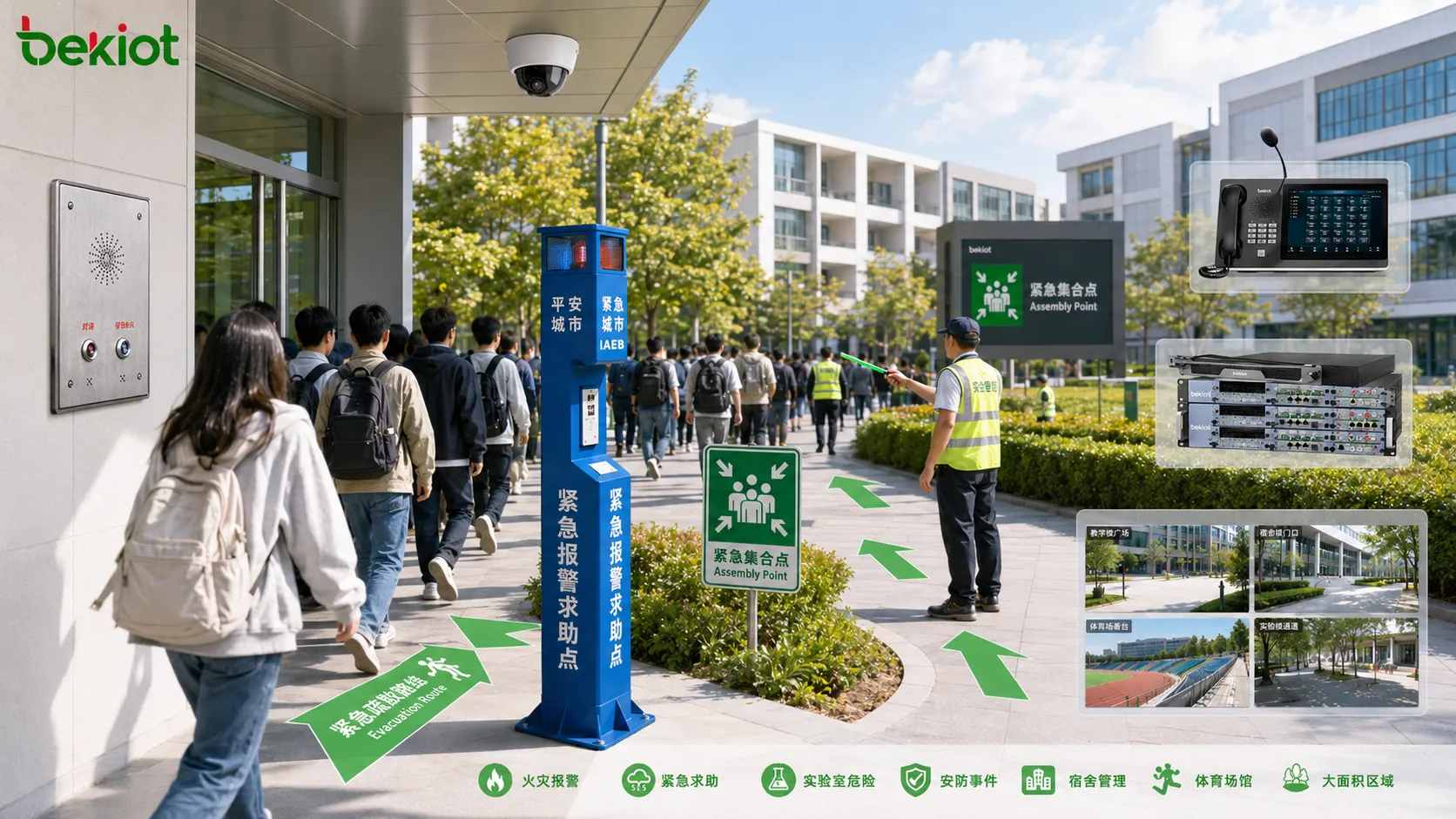
Schools and universities need procedures for fire alarms, severe weather, laboratory hazards, security incidents, dormitory emergencies, sports facilities, and large outdoor areas. Different zones may require different instructions.
Campuses benefit from integrated paging, mobile alerts, emergency call points, CCTV, security dispatch, and assembly point communication.
Planning Factors That Affect Performance
Risk Assessment
Planning should begin with site-specific risk assessment. A chemical plant, airport terminal, hospital, office tower, and underground tunnel do not face the same hazards or movement patterns.
The assessment should identify likely incidents, affected zones, vulnerable occupants, route limitations, communication needs, and response team responsibilities.
Route Capacity
Exit routes must handle the expected number of people. Narrow corridors, locked doors, unclear signage, blocked stairways, and poorly placed assembly points can delay movement.
Route capacity should be reviewed after renovations, tenant changes, equipment relocation, or changes in occupancy levels.
Message Intelligibility
Emergency voice messages must be understandable. Speaker placement, background noise, echo, reverberation, language choice, and message wording all affect intelligibility.
Testing should be done during real operating conditions. A message that sounds clear in an empty building may be hard to understand during production, peak passenger flow, or a crowded event.
Accessibility and Assistance
Some people may require assistance due to mobility limitations, injury, age, disability, medical condition, or unfamiliarity with the facility. Plans should include refuge areas, staff assistance roles, visual indicators, accessible routes, and communication methods for different needs.
Accessibility should not be added as an afterthought. It should be part of the route plan, training program, and communication design.
Training and Drills
People respond better when they have practiced. Drills help staff understand their roles, test routes, verify alarm audibility, identify bottlenecks, and improve coordination between departments.
Drills should be reviewed afterward. The goal is not only to complete the drill, but to identify what should be improved before a real event occurs.
Technology Components in Modern Deployments
| Component | Main Role | Practical Value |
|---|---|---|
| Fire and Gas Alarm Inputs | Detect hazardous conditions and trigger emergency workflows. | Starts response quickly when smoke, fire, gas, or other risks are detected. |
| Paging and Broadcast System | Delivers voice messages, alarm tones, and zone instructions. | Guides people with clear and consistent audio communication. |
| Intercom and Emergency Phones | Allows two-way communication between users and control rooms. | Supports help requests, incident reporting, and local confirmation. |
| CCTV and Video Integration | Provides visual awareness of affected areas and movement routes. | Helps operators verify hazards, congestion, and response progress. |
| Access Control Linkage | Releases doors, manages gates, or restricts unsafe zones. | Improves route control and prevents movement into dangerous areas. |
| Mustering and Reporting | Tracks personnel status at assembly points or safe zones. | Helps identify missing people and prioritize rescue action. |
Common Challenges and Mistakes
Unclear Instructions
Alarm tones without clear voice guidance may leave people uncertain. They may not know whether to leave, where to go, or which route is safe. Instructions should be specific and easy to understand.
Messages should also avoid unnecessary technical language. In an emergency, simple wording is more effective than complex explanations.
Outdated Route Plans
Buildings and sites change over time. New walls, equipment, tenants, fences, storage areas, and roadworks can affect safe routes. If the emergency plan is not updated, people may be directed toward blocked or unsuitable paths.
Route plans should be reviewed whenever the facility layout changes.
Poor Zone Logic
If all areas receive the same instruction during every incident, the response may be inefficient or confusing. Some events require full movement, while others require phased movement, shelter-in-place, or local isolation.
Zone logic should match the actual emergency response plan, not only the speaker wiring layout.
Weak Communication Between Teams
If security, facility, production, medical, and management teams cannot communicate clearly, the response may become fragmented. Each team may act on incomplete information.
Integrated dispatch, paging, intercom, radio, and alarm workflows can help teams coordinate more effectively.
No Post-Event Review
After a drill or real event, organizations should review what happened. Without review, repeated problems may remain hidden.
Useful review points include alarm timing, message clarity, route congestion, assembly point accuracy, staff actions, system logs, and communication failures.
The most common weakness is not the lack of an alarm. It is the lack of clear, tested, and coordinated instructions after the alarm begins.
Implementation Checklist
Start by identifying hazards and defining response scenarios. Fire, smoke, gas leakage, chemical release, explosion risk, medical emergency, security incident, severe weather, and infrastructure failure may each require different instructions.
Map zones and routes according to real movement patterns. Include stairs, exits, gates, tunnels, refuge areas, assembly points, restricted areas, and alternate paths. Do not rely only on a basic floor plan.
Prepare message templates. Short pre-recorded messages should be available for common scenarios, while authorized operators should also have a way to make live announcements when conditions change.
Integrate communication systems where possible. Alarm inputs, paging, intercom, dispatch, CCTV, access control, and mustering tools should support one coordinated response process.
Test the full workflow. A complete test should include alarm activation, message broadcast, route guidance, operator communication, assembly reporting, and system log review.
Maintenance and Continuous Improvement
Emergency communication systems should be checked regularly. Speakers, amplifiers, microphones, beacons, intercoms, alarm inputs, backup power, network links, and control software should be tested under defined maintenance procedures.
Staff training should also be refreshed. New employees, contractors, visitors, and shift workers may not know site-specific procedures. Clear signage and periodic drills help reduce uncertainty.
After every drill or event, update the plan if needed. If people moved too slowly, missed instructions, used the wrong exit, or gathered at the wrong location, the plan should be adjusted rather than simply marked as completed.
FAQ
What is the difference between evacuation and shelter-in-place?
Evacuation moves people away from a hazardous area, while shelter-in-place keeps people inside a protected area when going outside may be more dangerous. The correct action depends on the hazard type and site plan.
Can an alarm system automatically trigger voice messages?
Yes. Many modern systems can trigger pre-recorded messages based on fire alarm, gas detection, panic button, or operator commands. The message, priority, and target zones should be configured carefully.
How should visitors be guided during an emergency?
Visitors need clear signage, audible instructions, visual indicators, and staff guidance because they may not know the building layout. Reception and security teams should include visitors in the response plan.
Why are assembly points important?
Assembly points provide a known safe location for counting people, sharing instructions, and preventing re-entry into dangerous areas. They should be far enough from the hazard and clearly identified.
What should be checked after a drill?
Review message clarity, alarm coverage, route congestion, exit availability, staff response, assembly accuracy, accessibility support, system logs, and any communication delays between response teams.







