


A power distribution unit, commonly known as a PDU, is an important part of equipment room infrastructure. Unlike ordinary power strips, a PDU is designed to supply stable power to sensitive electronic equipment such as servers, switches, routers, storage systems, security devices, communication gateways, and network appliances. These devices often run continuously and have higher requirements for power quality, electrical safety, and maintenance reliability.
As information systems, remote work, cloud platforms, and IoT management become more common, power distribution is no longer only a passive electrical connection. A smart PDU can combine power distribution, remote switching, outlet-level control, electrical protection, energy monitoring, event logging, and environmental system integration. This makes it a practical solution for data rooms, small server rooms, branch offices, edge computing sites, monitoring stations, and unattended equipment cabinets.
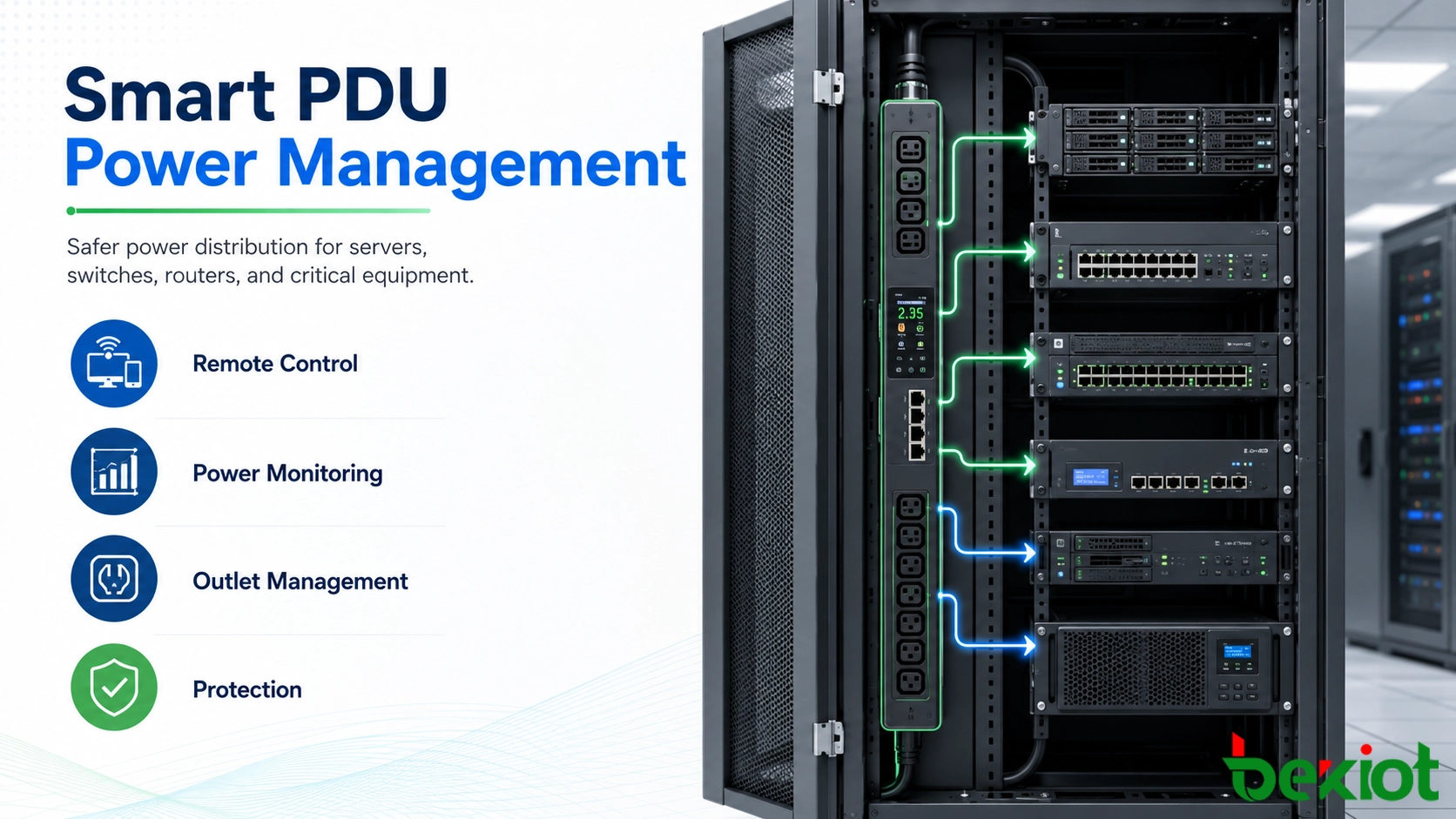
Ordinary Power Strips Are Not Built for Critical Equipment
Ordinary power strips are usually designed for general office or household use. They may be suitable for computers, chargers, lamps, or temporary appliances, but they are not ideal for a cabinet full of network and computing equipment. Contact quality, load capacity, surge protection, installation method, and long-term durability can become risks in a professional environment.
Equipment rooms require a more stable and controlled power distribution method. A PDU is generally designed for cabinet installation and continuous operation. It can provide better mechanical structure, safer wiring, stronger load management, and more reliable protection than a basic outlet strip.
Poor power distribution can cause unexpected shutdowns, device resets, damaged power supplies, overheated connections, or even fire hazards. For systems that support communication, security, data storage, monitoring, or business operations, these failures can interrupt services and create unnecessary maintenance pressure.
Protection Is the Foundation of the System
The first value of a PDU is electrical protection. In an equipment room, servers, switches, routers, recorders, gateways, and control devices are precision electronic products. They may be affected by leakage current, lightning surge, overload, electromagnetic interference, unstable voltage, or transient overvoltage.
A suitable PDU helps reduce these risks by providing power distribution with protection features such as leakage prevention, surge protection, overload protection, and power abnormality handling. This improves the safety of the whole cabinet and reduces the possibility of equipment damage caused by external electrical disturbances.
Smart PDUs further improve this protection by making electrical status visible. Instead of waiting for a fault to happen, administrators can monitor power conditions, identify abnormal loads, and apply protection strategies before small problems turn into system failures.
Remote Switching Reduces On-Site Maintenance
Remote power control is one of the most useful functions in smart power distribution. In many small and medium equipment rooms, the IT office may not be located near the equipment cabinet. Some cabinets may even be installed in branch sites, remote buildings, monitoring stations, unmanned facilities, or customer-side locations.
When a device becomes unresponsive, the traditional solution is to send a technician to the site for manual power cycling. This wastes time and increases maintenance cost. With a smart PDU, authorized staff can remotely turn the corresponding outlet off and on, allowing a controlled restart of the connected equipment.
A good remote switching design should also avoid sudden power interruption whenever possible. Countdown shutdown, delayed restart, sequential power-on, and permission control can help reduce the risk of damaging devices or interrupting dependent systems during maintenance.
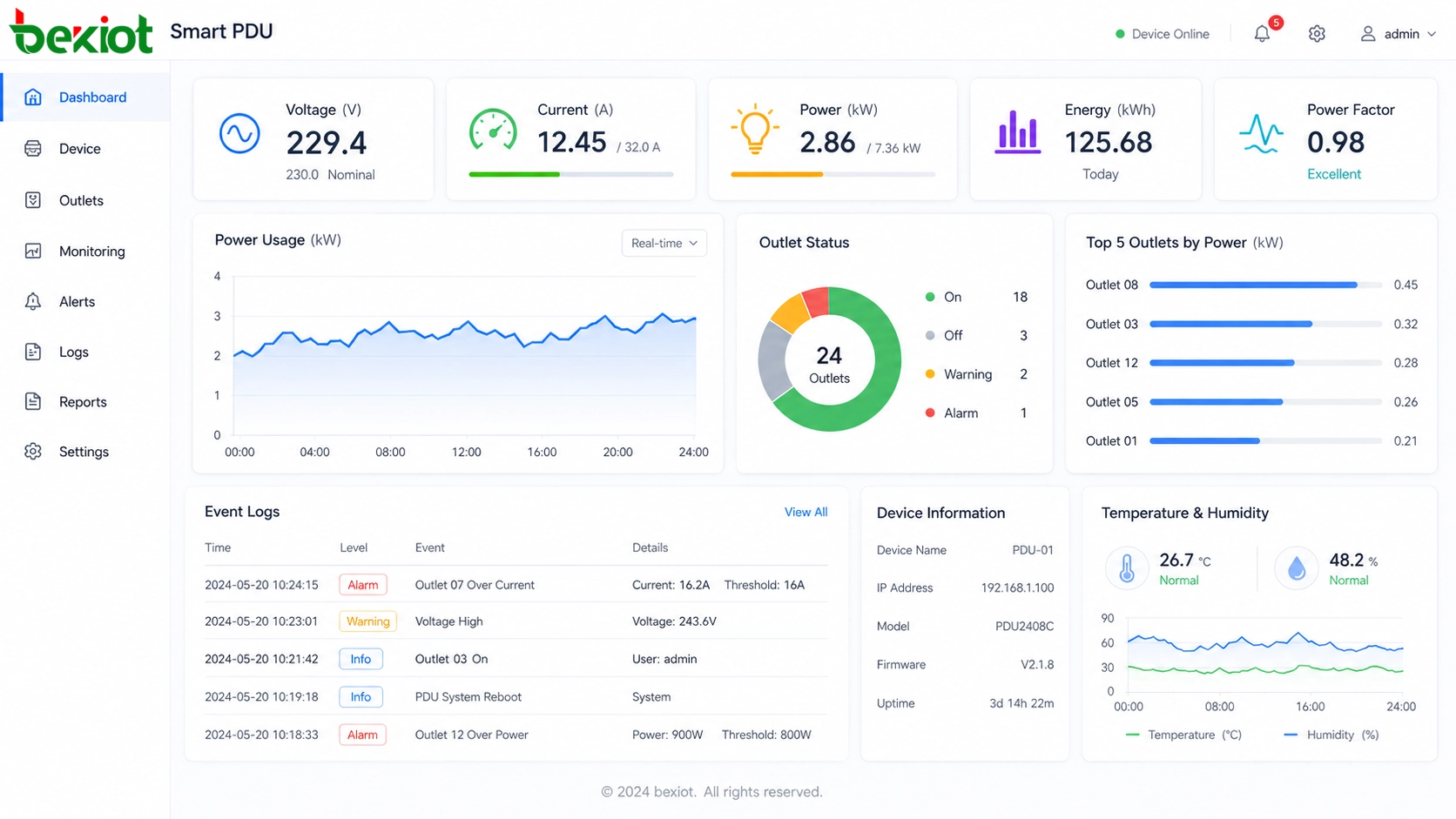
Outlet-Level Control Improves Cabinet Discipline
Traditional PDUs often provide only a total power switch. This is not convenient when multiple devices share the same power distribution unit. If one device needs to be restarted, turning off the whole PDU may affect every connected device. This is risky for mixed systems such as servers, switches, routers, firewalls, recorders, access control controllers, and monitoring equipment.
Smart PDUs solve this problem through outlet-level or channel-level management. Each outlet can be controlled independently according to the actual equipment connection. Administrators can manage one device without interrupting others, making maintenance safer and more accurate.
This also helps control unauthorized power usage. In many equipment rooms, random temporary power access can cause overload, cable confusion, and unstable operation. When outlets are managed individually, it becomes harder to take power from the cabinet without permission. This improves cabinet security and reduces disorderly installation or testing.
Power Monitoring Turns Electricity into Data
One major difference between a smart PDU and a traditional PDU is data visibility. A smart unit can monitor electrical information such as voltage, current, power consumption, outlet load, and power status. These values help administrators understand how much electricity each device or cabinet is using.
This data is useful for daily operation and capacity planning. If a cabinet is close to its power limit, the team can adjust the load before adding new equipment. If a device consumes more power than expected, it may indicate a hardware fault, abnormal workload, or configuration issue.
For growing equipment rooms, power monitoring also supports better planning. The team can estimate future power capacity, balance cabinet loads, evaluate backup power needs, and reduce the risk of overload caused by blind expansion.
Logs Help Trace Abnormal Events
Event logs are another important function. In traditional power distribution, when equipment unexpectedly shuts down or restarts, it can be difficult to determine whether the cause was power interruption, human operation, device failure, or network failure.
A smart PDU can record power events, switching operations, abnormal voltage, overload warnings, outlet status changes, and system actions. These logs give administrators a clearer basis for troubleshooting. They can review what happened, when it happened, and which outlet or device was involved.
For service providers, enterprise IT teams, and remote maintenance teams, these records are valuable. They support fault analysis, responsibility tracking, system optimization, and maintenance reporting.
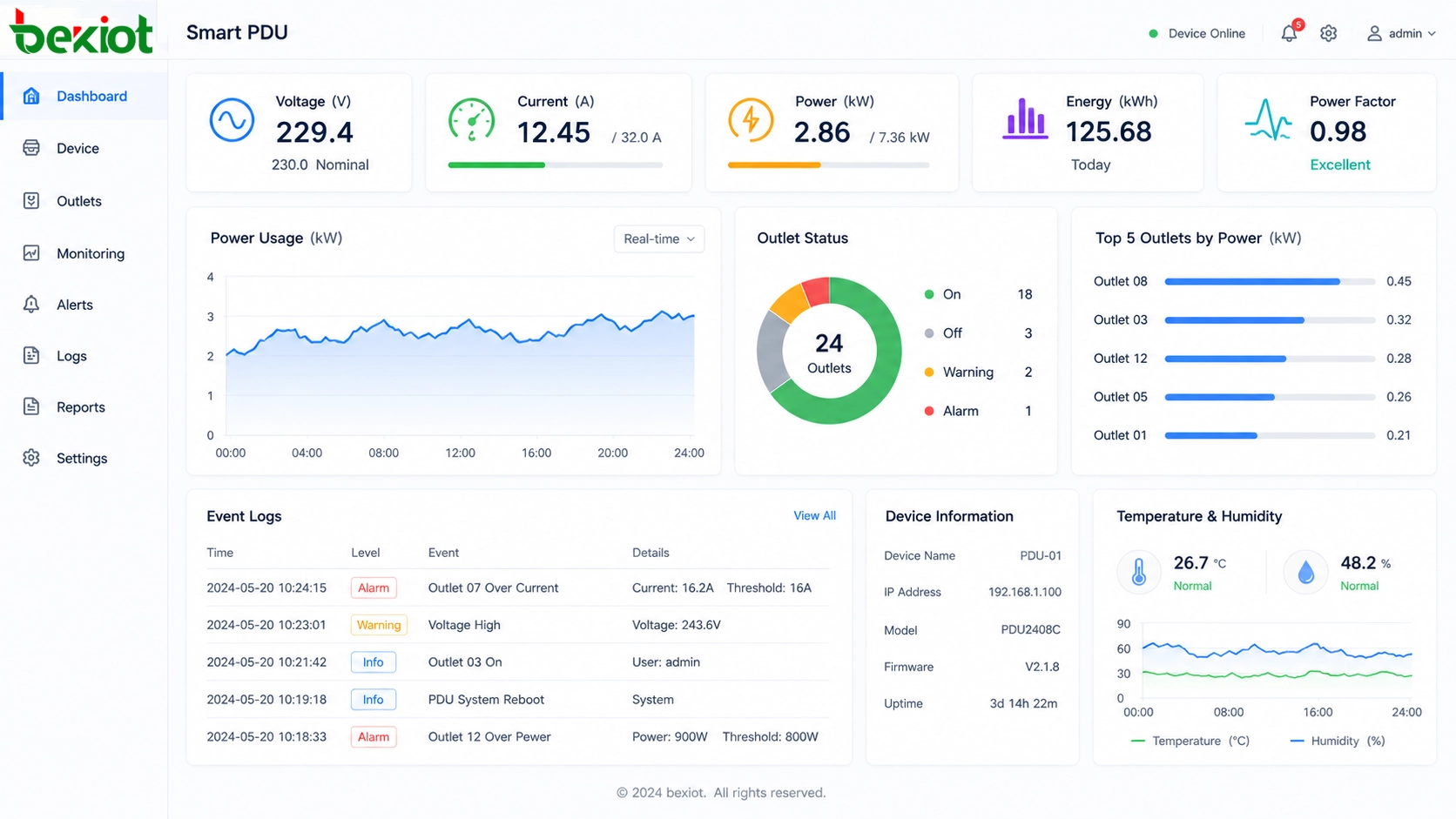
Network Access Makes Management More Flexible
A smart PDU usually needs network access for remote management. Depending on the site condition, it may connect through Ethernet, Wi-Fi, serial communication, or an environmental monitoring system. Wired Ethernet is often preferred in fixed equipment rooms because it is stable and easier to manage. Wireless access may be useful where cabling is difficult or where temporary deployment is required.
Some projects also require integration with environmental monitoring systems through interfaces such as RS-485. This allows the PDU to become part of a wider cabinet or room monitoring solution. Power status, temperature, humidity, access control, smoke detection, leakage detection, and other signals can be managed together through a centralized platform.
Network design should not be ignored. Remote access should be protected, management accounts should be controlled, and the system should avoid exposing power control functions to unauthorized users. A smart PDU improves management only when the management network is also designed safely.
Suitable Sites and Use Scenarios
Smart power distribution is useful for many environments, especially where equipment runs continuously and physical access is inconvenient. Typical sites include small server rooms, enterprise network cabinets, branch office equipment rooms, monitoring centers, communication rooms, industrial control cabinets, edge computing nodes, smart building systems, and unattended remote sites.
It is also suitable for organizations that need remote maintenance. When administrators can check power status, restart a device, review logs, and monitor load remotely, they can solve many routine issues without traveling to the site. This reduces downtime and improves maintenance response efficiency.
For small and medium businesses, a smart PDU can provide a relatively low-cost upgrade path. It improves power visibility and remote control without requiring a full rebuild of the existing equipment room.
Planning Before Deployment
Before selecting a smart PDU solution, the project team should review the cabinet layout, equipment quantity, rated power, outlet type, load distribution, installation method, cable route, network access, remote management method, and integration requirements.
The team should also decide which functions are essential. Some sites only need remote switching and basic monitoring. Others may need outlet-level metering, event logs, overvoltage protection, overcurrent protection, environmental monitoring integration, alert notifications, and centralized management across multiple locations.
Clear planning avoids two common problems: choosing a product that is too simple for future needs, or buying an overly complex system that users do not actually operate. The best solution should match the equipment room scale, maintenance process, and management capability.
Operation and Safety Management
A smart PDU should be included in the daily operation process after deployment. Administrators should label each outlet clearly, bind outlets to device names, set reasonable alert thresholds, review logs regularly, and test remote control functions under controlled conditions.
Permissions should be carefully assigned. Not every user should be allowed to switch outlets or change protection settings. For critical equipment, operation approval, confirmation prompts, delayed actions, or role-based access can help prevent accidental shutdowns.
Regular inspection is still necessary. Smart management does not replace basic electrical safety. Cable connections, cabinet ventilation, grounding condition, outlet load, and equipment power supplies should still be checked as part of routine maintenance.
Conclusion
A smart PDU is more than a power strip with network access. It is a practical power management layer for equipment rooms, cabinets, remote sites, and continuous-operation systems. By combining safe power distribution, remote switching, outlet-level control, power monitoring, protection strategies, logs, and system integration, it helps teams manage electrical infrastructure more intelligently.
For servers, switches, routers, monitoring systems, communication devices, and other critical equipment, stable power is the foundation of reliable operation. A smart PDU makes this foundation visible, controllable, and easier to maintain.
In modern IT and communication environments, choosing intelligent power distribution is not only about convenience. It is also about reducing maintenance cost, improving safety, preventing avoidable downtime, and supporting future digital management.
FAQ
Is a smart PDU necessary for a small equipment room?
It depends on the maintenance needs. If devices are important, difficult to access, or frequently require remote restart, a smart PDU can provide clear value even in a small room.
Can a smart PDU replace a UPS?
No. A UPS provides backup power during power failure, while a smart PDU distributes, monitors, and controls power. In many projects, both are used together.
What should be checked before connecting equipment?
Check the rated current, total load, outlet type, cable quality, grounding, cabinet layout, and whether the connected equipment matches the power capacity of the PDU.
Can remote power control damage equipment?
Improper forced power-off may affect some devices. It is better to use controlled shutdown, delayed restart, countdown operation, and clear maintenance procedures when managing critical equipment.
How does a smart PDU help with troubleshooting?
It provides power data and event records. Administrators can check whether an outlet was switched, whether voltage or current was abnormal, and whether a device lost power during a fault period.







