


MCX, short for Mission Critical X, is a mission-critical communication framework designed for users who need reliable, prioritized, and fast communication in high-pressure environments. It is mainly used in public safety, emergency response, utilities, transportation, industrial operations, security command, and other scenarios where communication failure may affect safety, coordination, or operational continuity.
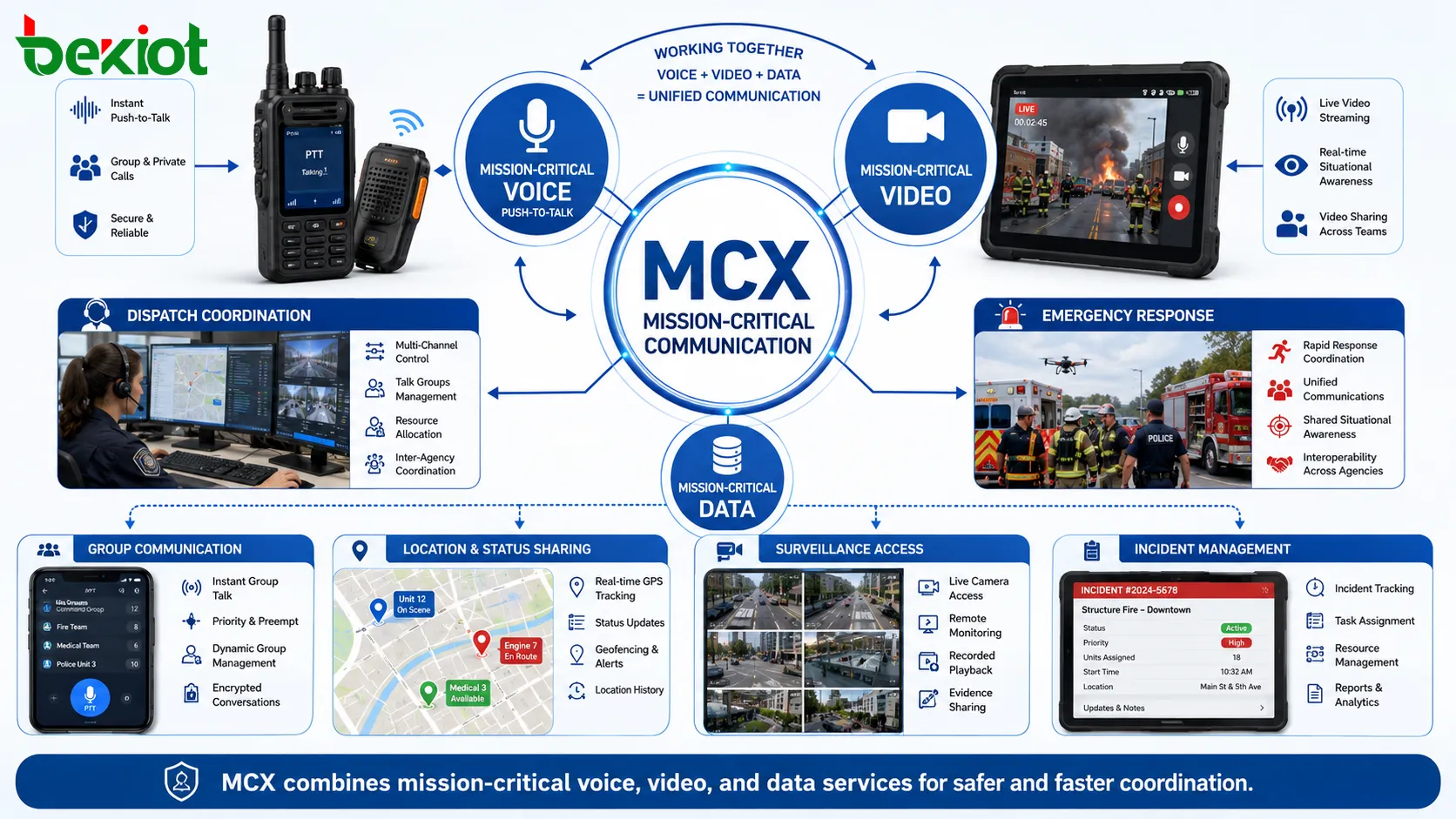
Unlike ordinary push-to-talk services, MCX is not limited to voice. It brings together mission-critical voice, video, and data services, allowing teams to communicate, see field conditions, share information, and coordinate actions through a broadband communication platform.
A Broader Direction for Critical Communication
Traditional critical communication systems have long relied on professional radio networks. These systems are reliable for group voice, push-to-talk operation, and command dispatch. However, modern field operations often require more than voice instructions.
Emergency teams, security staff, transport operators, utility workers, and industrial response teams may need live video, location information, multimedia messages, status reports, sensor data, and cross-department collaboration. These requirements are difficult to support through narrowband voice systems alone.
MCX is designed to extend critical communication from voice-centered dispatch to broadband-based coordination. It keeps the reliability and priority principles of professional communication while adding video, data, and platform integration capabilities.
Voice, Video, and Data in One Framework
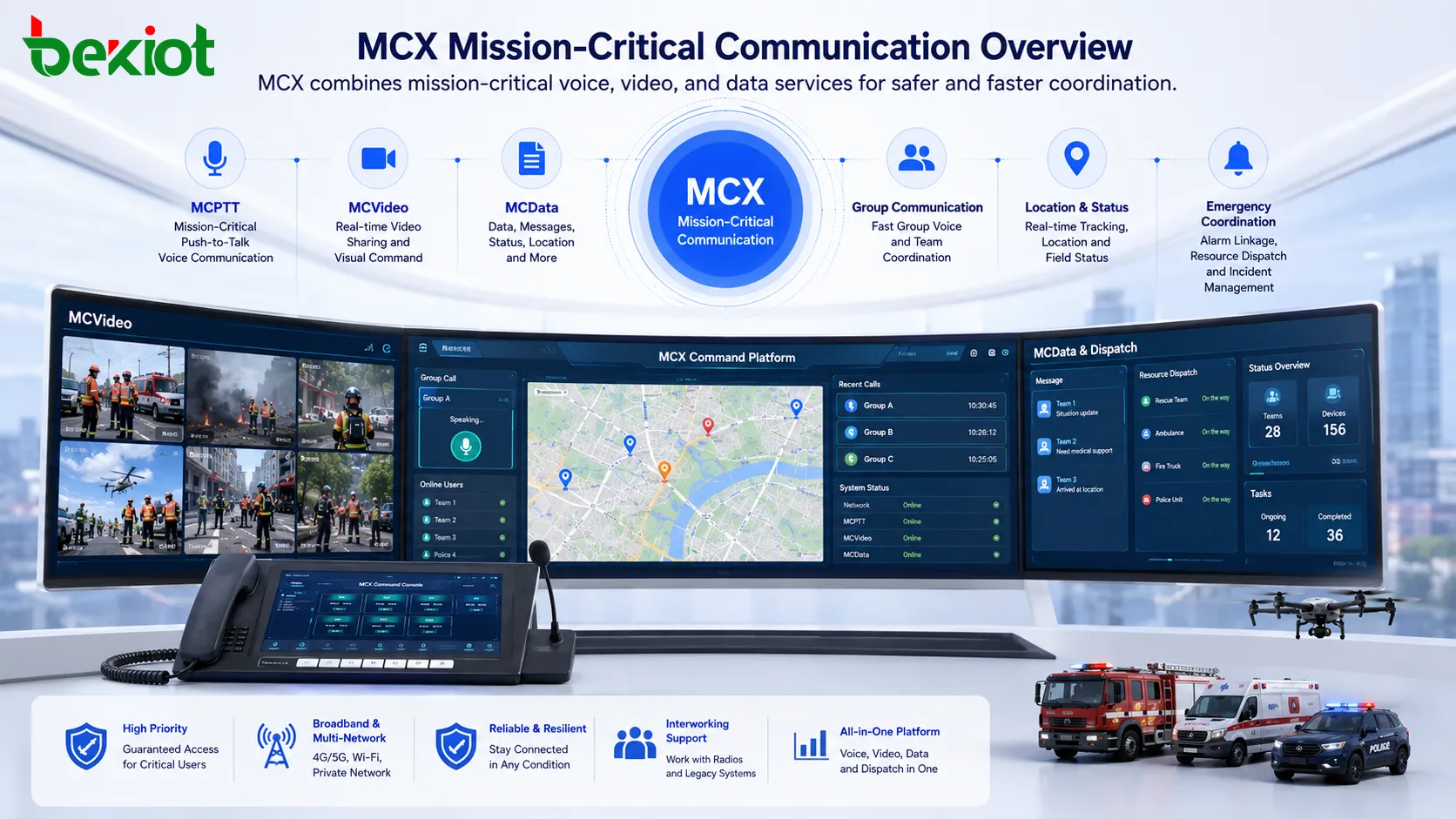
MCX is commonly understood through three major service areas: MCPTT, MCVideo, and MCData. MCPTT provides mission-critical push-to-talk voice communication. MCVideo supports real-time video sharing, field video access, and visual command. MCData supports messages, files, status, location, and other data services.
Together, these services make MCX more than a calling tool. It becomes a communication foundation for incident handling, field reporting, emergency coordination, resource dispatch, and command decision support.
For example, a dispatcher can talk to field personnel, view a live video feed, check the location of response teams, and receive status updates through the same mission-critical service environment.
Why Priority Matters in Emergency Scenarios
Ordinary communication networks are designed for general users. When the network is busy, users may experience delay, congestion, or connection failure. In mission-critical scenarios, this is unacceptable.
MCX focuses on priority communication. Important users, groups, calls, messages, and video sessions can be given higher priority so that command information can be delivered when it matters most.
This priority concept is especially important during emergencies, large events, public safety incidents, industrial accidents, natural disasters, and other situations where many users may be trying to communicate at the same time.
Keeping Communication Available When Conditions Change
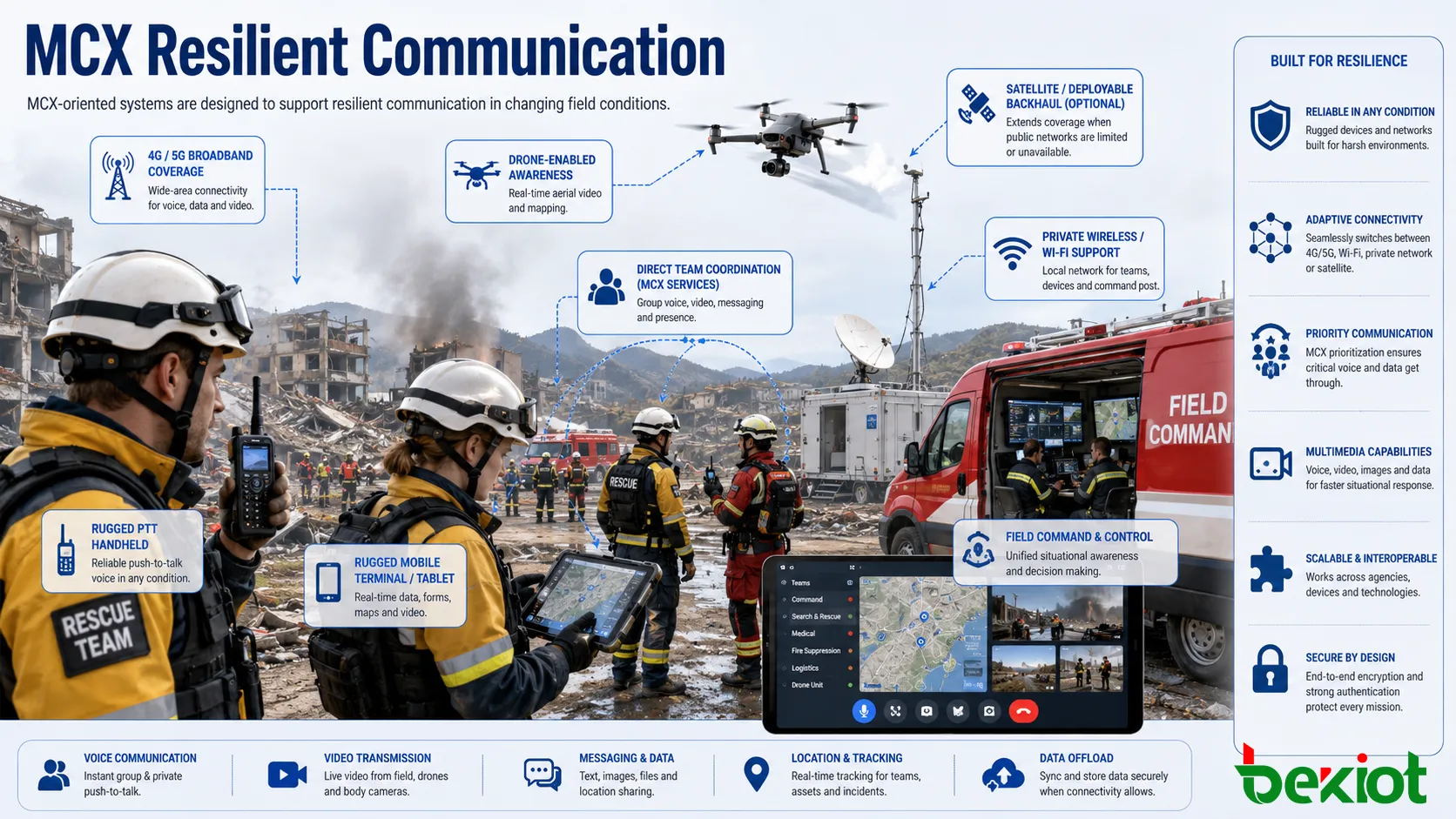
Mission-critical communication must remain available even when normal infrastructure is under pressure. Network coverage may become weak, power may be unstable, or fixed communication links may be damaged.
MCX-oriented systems can support different communication methods depending on the project design. These may include mobile broadband networks, private wireless networks, Wi-Fi, satellite-assisted coverage, direct device communication, and temporary deployable communication units.
The goal is to build a communication system that can continue supporting command, dispatch, and field coordination even when the operating environment becomes difficult.
Interworking With Existing Radio Systems
Many organizations already use professional radio systems, analog radios, digital trunked radio, or other legacy dispatch networks. These systems cannot usually be replaced immediately, because they are already part of daily operation and emergency workflows.
MCX does not need to replace all existing systems at once. A more practical solution is to use interworking technology to connect broadband MCX services with existing radio networks. This allows voice groups, dispatch users, and field teams from different systems to communicate through a unified architecture.
This gradual migration approach protects previous investment and gives organizations time to move from voice-only communication toward broadband voice, video, and data services.
How the Solution Architecture Works
A practical MCX solution usually includes several layers. The access layer connects users through mobile networks, private wireless systems, Wi-Fi, or other communication links. The service layer provides mission-critical voice, video, and data capabilities. The interworking layer connects existing radio systems, PBX systems, dispatch systems, or other legacy communication resources.
The command layer presents the information to dispatchers and supervisors. It may include a dispatch console, GIS map, event dashboard, video wall, recording system, alarm linkage, and resource management tools.
This layered structure allows MCX to become part of a complete command and communication solution instead of a single application.
| Layer | Main Function | Typical Components | Project Value |
|---|---|---|---|
| Access Layer | Connects users and devices | Mobile network, private wireless network, Wi-Fi, satellite-assisted link, field terminal | Provides communication coverage for command and field users |
| Service Layer | Provides mission-critical services | MCPTT, MCVideo, MCData, priority control, group communication | Supports voice, video, data, and prioritized collaboration |
| Interworking Layer | Connects existing systems | Radio gateway, IWF gateway, dispatch gateway, platform interface | Allows old and new communication systems to work together |
| Command Layer | Displays and manages operations | Dispatch console, GIS map, video platform, recording, alarm linkage | Improves command visibility, response speed, and coordination |
Video Makes Command More Visible
Voice is fast, but video can provide context. In many emergency and industrial scenarios, seeing the field situation is as important as hearing the field report.
MCVideo allows users to share live images, field video, surveillance feeds, drone video, or mobile camera streams with the command center. This helps dispatchers understand the real situation more quickly and make better decisions.
Visual communication is useful for emergency rescue, fire response, traffic management, site inspection, industrial safety, perimeter security, and temporary command operations.
Data Services Support Smarter Coordination
MCData adds structured information to the communication process. Field teams can share messages, location, status, files, forms, images, task updates, and incident information through the same mission-critical service environment.
This helps reduce repeated voice reporting and improves information accuracy. Dispatchers can see who is available, where resources are located, what status each team is in, and what information has already been submitted.
When data services are connected with GIS, alarm systems, video platforms, IoT sensors, and command software, the communication platform becomes a stronger situational awareness tool.
AI and Automation as Future Enhancements
AI can add more value to MCX-based communication systems. It can help analyze video, identify abnormal events, summarize communication records, recommend dispatch actions, classify alarms, and support decision-making.
In a command center, AI can reduce manual workload by filtering repeated information, highlighting urgent events, and helping operators focus on the most important tasks.
AI should not replace human command decisions, but it can support faster analysis, better situational awareness, and more efficient emergency coordination.
Where MCX Can Be Used
MCX is suitable for industries and organizations that require reliable communication, quick response, and coordinated field operation. Typical scenarios include emergency command, public safety, transportation, energy, utilities, industrial parks, airports, ports, campuses, tunnels, large facilities, and city-level security operations.
In these environments, users often need group voice, one-to-one calling, video sharing, location tracking, event reporting, dispatch control, and interworking with existing communication networks.
The value of MCX is not only technical upgrade. It helps organizations build a more connected, visible, and resilient communication system for daily operation and emergency response.
Planning a Practical Deployment
Before deploying an MCX-oriented solution, the project team should define the real communication needs. These include user roles, dispatch workflow, coverage areas, priority levels, video requirements, data services, existing radio systems, terminal types, and integration with other platforms.
Network design is also important. Voice, video, and data have different bandwidth and quality requirements. A project should consider coverage, redundancy, security, device compatibility, recording, management, and future expansion.
For many organizations, the best approach is gradual construction. Existing radio systems can continue to operate, while broadband services are added step by step. This reduces risk and allows users to adapt to new workflows more smoothly.
FAQ
Is MCX only used by public safety agencies?
No. Public safety is an important application area, but MCX can also be used in transportation, energy, utilities, industrial safety, large facilities, campuses, ports, and other critical operation environments.
Can MCX work with existing walkie-talkie or radio systems?
Yes. With suitable interworking gateways, MCX services can communicate with existing radio systems. This is useful when organizations want to keep old systems while adding broadband services.
Does MCX require special terminals?
It depends on the project. Some deployments may use rugged handheld terminals, smartphones, dispatch consoles, vehicle terminals, or desktop command devices. The terminal should support the required service, network, security, and operation needs.
Is video required in every MCX project?
No. Some projects may begin with mission-critical voice and data first. Video can be added when the organization needs visual command, remote inspection, surveillance linkage, or field image sharing.
How should an organization start planning an MCX solution?
The first step is to map the existing communication workflow, identify critical users and scenarios, review current radio or network resources, and define which voice, video, data, and dispatch functions are needed.







