


A microphone array is an audio capture system that uses two or more microphones working together instead of relying on a single pickup element. By comparing the sound received at different microphone positions, the system can estimate where sound comes from, focus on a target speaker, reduce background noise, suppress echo, and improve speech clarity.
This technology is widely used in conference systems, smart speakers, laptops, video bars, voice assistants, hearing devices, surveillance audio, automotive voice control, control rooms, robotics, telemedicine, classrooms, and industrial voice terminals. Its value comes from combining physical microphone placement with digital signal processing.
Why Multiple Pickup Points Change Audio Capture
A single microphone captures sound from its position. It may pick up the speaker, room noise, keyboard clicks, air conditioning, fan noise, traffic, echo, and other voices at the same time. It cannot easily tell which sound is important and which sound should be reduced.
When several microphones are placed at known distances from each other, the system gains spatial information. The same sound reaches each microphone at slightly different times and levels. These tiny differences allow the processor to infer direction and separate useful speech from unwanted sound.
This is the core reason an array can outperform a single microphone in complex environments. It does not only capture sound; it analyzes how sound arrives.
Sound Arrival Time as the First Clue
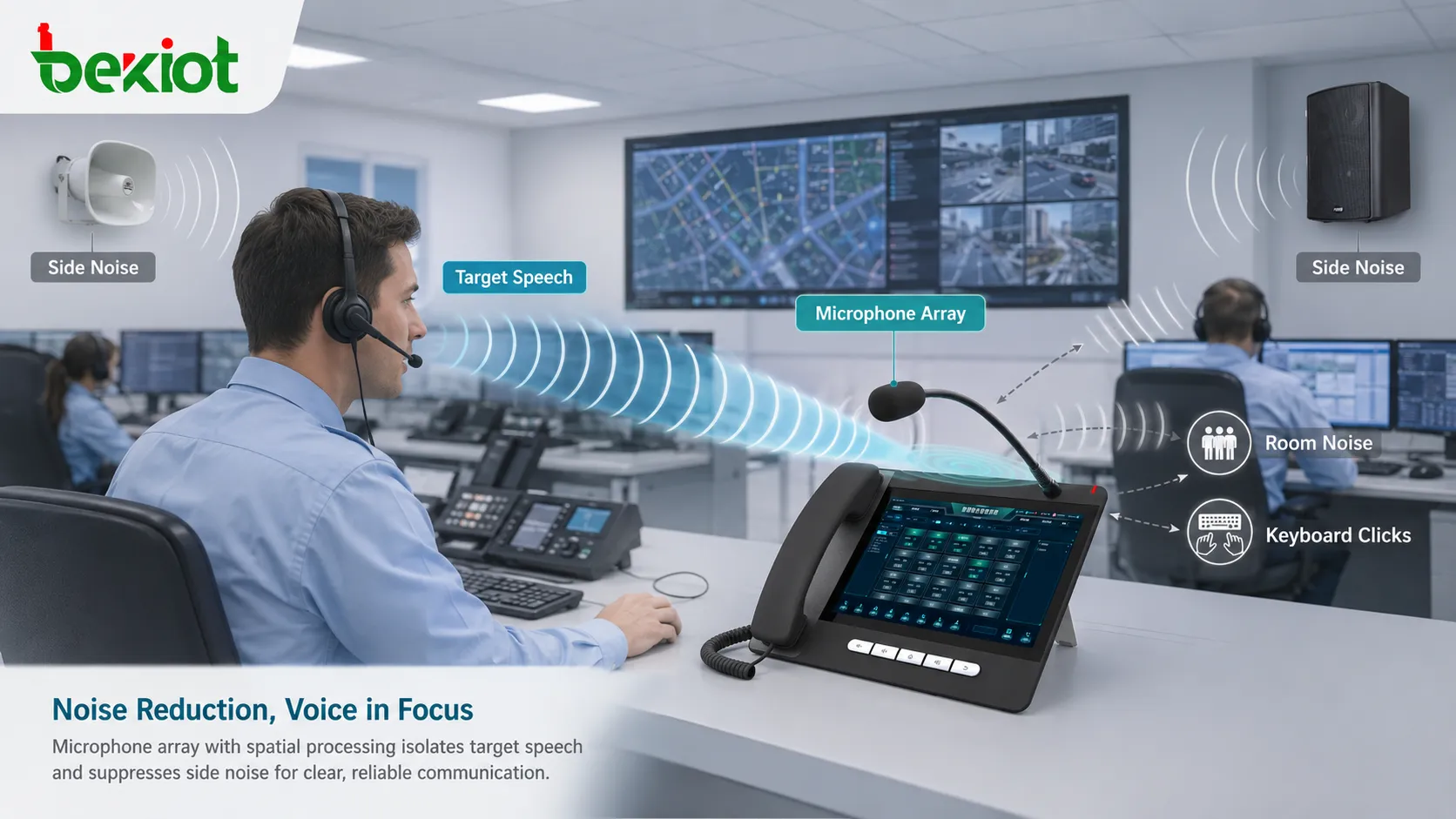
Sound travels through air at a finite speed. If a person speaks from one side of a device, the microphone closest to that person receives the sound slightly earlier than microphones farther away. The delay may be very small, but digital processing can measure it.
This delay is often called time difference of arrival. By comparing arrival time between microphone pairs, the system can estimate the direction of the sound source. The more microphones and the better the geometry, the more useful spatial information the system can obtain.
Distance between microphones matters. If microphones are too close, time differences are small and harder to measure. If they are too far apart, the system may face spatial aliasing or inconsistent pickup at higher frequencies. Practical design must balance size, frequency range, cost, and accuracy.
The Signal Processing Chain
Audio Sampling
Each microphone converts sound pressure into an electrical signal. These signals are then sampled by analog-to-digital converters. For the array to work properly, the channels must be synchronized so that timing differences are meaningful.
If channels drift or are not aligned, the system may estimate direction incorrectly or reduce speech quality. Synchronization is therefore a key technical foundation.
Channel Calibration
Different microphones may have slightly different sensitivity, phase response, noise level, and frequency response. Calibration compensates for these differences so that the processor can compare channels more accurately.
Without calibration, one microphone may appear louder or delayed for reasons unrelated to the real sound source. This can reduce beamforming and noise reduction performance.
Direction Estimation
The processor analyzes the incoming signals and estimates where dominant sound is coming from. It may use time delay, phase difference, correlation, energy distribution, or more advanced algorithms.
Direction estimation is useful for voice tracking, camera framing, speaker localization, automatic meeting systems, and directional pickup control.
Beamforming
Beamforming is the process of combining microphone signals so that sound from a desired direction is strengthened while sound from other directions is reduced. The system applies delays, weights, and filters to each microphone channel before combining them.
This creates a virtual listening direction. Instead of physically moving a microphone toward the speaker, the processor electronically steers the pickup focus.
Post-Processing
After directional processing, the system may apply echo cancellation, noise suppression, automatic gain control, dereverberation, equalization, voice activity detection, and speech enhancement.
These additional steps help make the final audio more useful for human listening, recording, transcription, voice recognition, or communication platforms.
Beam Steering and Focused Listening
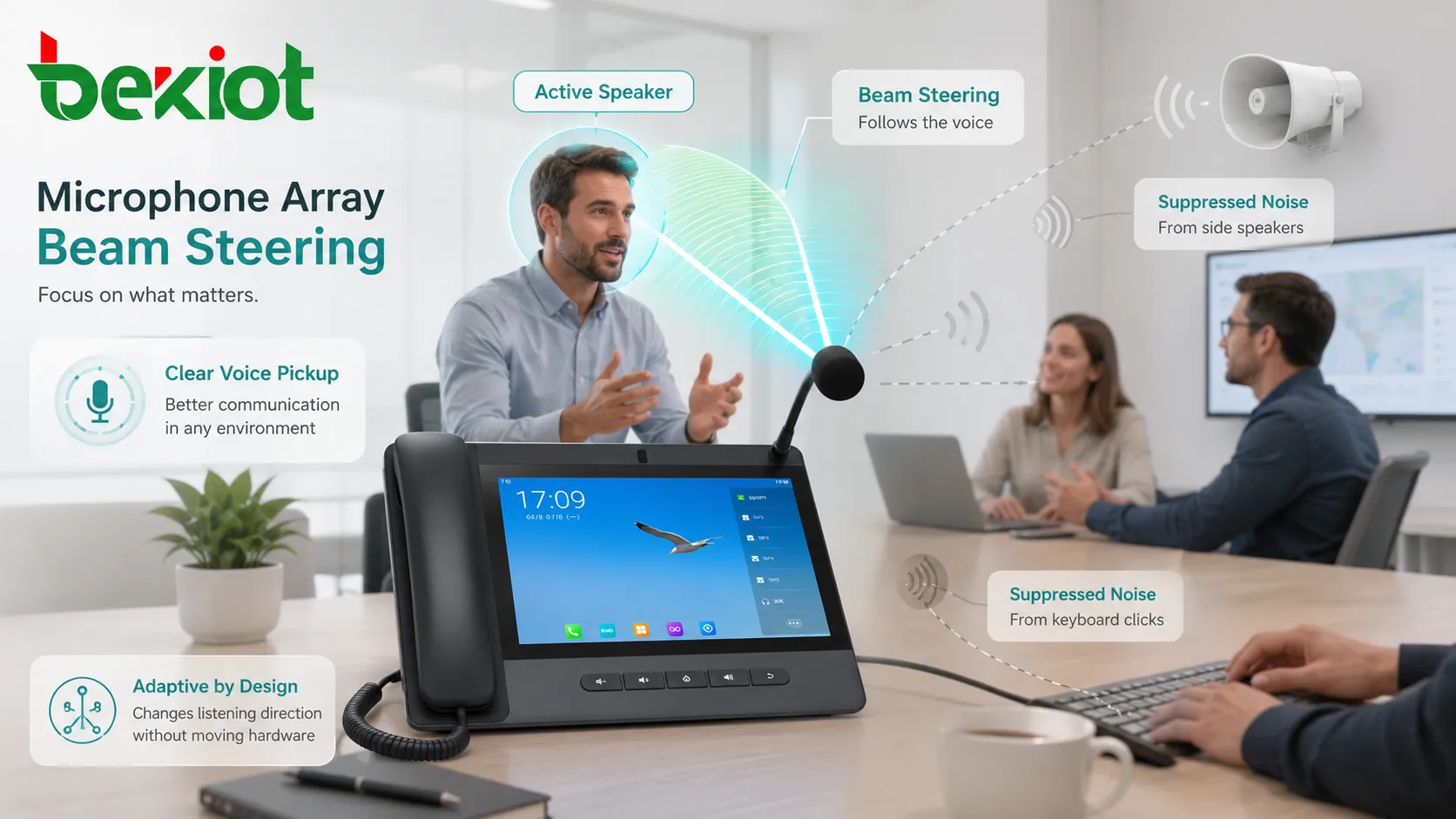
Beam steering allows the system to change its listening direction without moving hardware. If a speaker moves from the left side of a room to the front, the system can adjust the virtual beam to follow the speaker.
In a conference room, this can help remote participants hear the active speaker more clearly. In a smart speaker, it can help the device hear a wake word even when music or room noise is present. In a vehicle, it can focus on the driver or passenger depending on the command source.
Beam steering is not magic. It works best when microphone placement, room acoustics, processing power, and target distance are suitable. Very noisy rooms, strong echo, multiple simultaneous speakers, or poor hardware placement can still limit performance.
Noise Reduction in Real Spaces
Noise reduction is one of the main reasons arrays are used. Background sounds often come from different directions than the speaker. By identifying the target direction, the system can reduce side noise, rear noise, fan noise, keyboard noise, and some environmental sounds.
Some noise is directional, while some is diffuse. Directional noise may be reduced more effectively because the system can form a spatial null or lower sensitivity in that direction. Diffuse noise, such as room reverberation or crowd murmur, is harder to remove completely.
Noise reduction must be balanced carefully. If processing is too aggressive, speech may sound unnatural, metallic, or clipped. Good systems preserve speech quality while lowering unwanted sound.
Echo Control and Far-End Audio
In conferencing devices, the microphones may pick up sound from the device’s own speaker. This creates echo for the remote participant. Acoustic echo cancellation estimates the speaker playback signal and removes it from the microphone signal.
Arrays make this task more complex because each microphone receives the speaker sound differently. The processor must handle multiple channels, room reflections, speaker position, volume changes, and user speech at the same time.
Good echo control allows full-duplex conversation, meaning both sides can speak naturally without one side cutting out. Poor echo control causes feedback, repeated speech, or uncomfortable communication.
Different Layouts and Their Uses
Linear Layout
A linear layout places microphones in a straight line. It is common in soundbars, laptops, video conferencing devices, and narrow panels. It is useful for focusing pickup across a horizontal field.
The limitation is that direction estimation may be stronger in one dimension than another. Vertical or complex 3D localization may require other layouts.
Circular Layout
A circular layout places microphones around a device. It is common in smart speakers, tabletop conferencing units, and room audio devices. It can detect sound from many directions around the device.
This design is useful when speakers may sit around a table or move around a room.
Planar Layout
A planar layout uses microphones arranged across a surface. It can support more advanced directional processing and may be used in ceiling devices, panels, professional audio systems, or spatial sensing equipment.
The larger physical aperture can improve spatial selectivity, but installation and calibration become more important.
Distributed Layout
Some systems use microphones placed across a room or vehicle rather than inside one device. This can improve coverage, but it requires network synchronization, careful placement, and more complex processing.
Distributed systems are useful in larger meeting rooms, lecture halls, monitoring spaces, and specialized acoustic analysis environments.
Applications Across Devices and Systems
Conference Rooms
Meeting rooms use arrays to capture participants without requiring every person to hold a handheld microphone. The system can focus on the active speaker, reduce room noise, and improve remote meeting quality.
Placement matters. A tabletop unit, ceiling unit, video bar, or wall-mounted device will each capture the room differently.
Voice Assistants and Smart Speakers
Voice assistants rely on arrays to detect wake words and commands from across a room. They must separate user speech from music playback, TV noise, kitchen noise, or multiple speakers.
Far-field pickup is especially important because users may speak from several meters away.
Automotive Voice Control
Vehicles contain engine noise, road noise, air conditioning, passengers, and reflections from windows. Arrays help focus on the driver or selected passenger, improving hands-free calling and voice command accuracy.
Automotive systems may combine microphone processing with seat position, infotainment signals, and noise models.
Robotics and Smart Devices
Robots can use arrays to locate people, follow voice commands, orient toward sound sources, and improve interaction. Smart devices can use similar processing to detect alarms, commands, or environmental sounds.
Sound localization helps machines respond more naturally in human environments.
Security and Monitoring
Audio monitoring systems may use arrays to estimate sound direction, detect abnormal events, or focus on specific areas. This can support incident review, perimeter monitoring, or control room awareness.
Privacy and legal requirements should always be considered when audio capture is used in public or workplace environments.

Design Factors That Affect Performance
Microphone Spacing
Spacing determines how much timing difference the system can observe. It also affects the frequency range where directional processing works well. Designers must choose spacing according to device size and target use.
Number of Channels
More microphones can provide richer spatial information, but they also increase cost, processing load, power consumption, and calibration complexity. More channels do not automatically mean better audio if the algorithm and placement are poor.
Room Acoustics
Hard walls, glass surfaces, high ceilings, and reflective tables can create echo and reverberation. Soft materials, acoustic treatment, and good device placement can improve capture quality.
Speaker Distance
Far-field pickup is harder than near-field pickup. As the speaker moves farther away, the target speech becomes weaker compared with room noise and reflections.
Processing Latency
Signal processing takes time. Conferencing and real-time communication require low enough latency so conversation still feels natural.
Common Problems and Troubleshooting
Voice Sounds Distant
This may happen when the speaker is too far from the pickup zone, the device is placed incorrectly, microphone gain is low, or the room is too reverberant.
Noise Reduction Cuts Speech
Aggressive suppression can mistake quiet speech for noise. Adjusting sensitivity, gain control, beam settings, or device placement may help.
Echo During Calls
Echo may come from poor echo cancellation, speaker volume too high, reflective surfaces, incorrect audio routing, or using multiple devices in the same room.
Wrong Speaker Is Tracked
The system may focus on another talker, loud noise source, or reflected sound. This is common when several people speak at once or when a noise source is closer than the intended speaker.
Wake Word Detection Is Unstable
Unstable recognition may be caused by background playback, distance, accent variation, network delay, firmware issues, or microphone obstruction.
A microphone array works best when hardware geometry, room placement, audio processing, and the intended user behavior are designed together.
Deployment and Maintenance Guidance
Place the device where it has a clear acoustic path to expected speakers. Avoid hiding it behind monitors, placing it near loud fans, or mounting it where walls create strong reflections.
Keep microphone openings clean. Dust, cloth, tape, screen protectors, or accidental blockage can reduce pickup quality and disturb channel balance.
Update firmware when appropriate. Many systems improve beamforming, echo cancellation, and voice detection through software updates.
Test in the real environment. A device may perform well in a quiet test room but differently in a large meeting room, vehicle cabin, classroom, warehouse, or open office.
FAQ
Can a microphone array hear only one person?
It can focus on a direction or speaker, but it cannot perfectly isolate one voice in every situation, especially when multiple people speak at the same time.
Does more microphones always mean better performance?
No. Placement, synchronization, processing algorithms, room acoustics, and device design matter as much as microphone count.
Why does the same device perform differently in different rooms?
Room size, wall materials, ceiling height, table shape, background noise, and device placement all affect sound arrival and reflection.
Can it work without internet access?
The local audio capture and processing may work offline, but cloud voice recognition, remote meeting services, or AI features may require network access.
What should be checked if speech recognition accuracy is poor?
Check microphone blockage, placement, background noise, speaker distance, echo, firmware version, input gain, network service status, and whether the correct audio input is selected.







