


What Is an FXS Gateway?
An FXS gateway is a voice gateway used to connect traditional analog endpoints to an IP-based communication system. These endpoints may include analog telephones, fax machines, hotel room phones, elevator phones, paging interfaces, emergency call devices, analog intercoms, and other legacy telecom terminals that still need to operate in a modern VoIP environment.
FXS stands for Foreign Exchange Station. In practical terms, an FXS port is the line-providing side of an analog telephone connection. It supplies the conditions that an analog device expects, including line power, dial tone, ringing voltage, and hook-state supervision. The analog phone or fax machine connects to the FXS port, while the gateway connects to an IP network through Ethernet.
The role of an FXS gateway is not simply to pass audio from one side to another. It converts analog voice into digital IP packets, translates analog call events into SIP signaling, and allows legacy devices to register or operate through an IP PBX, SIP server, hosted VoIP platform, or softswitch. For organizations moving from traditional telephony to IP communication, it provides a practical way to preserve existing devices while modernizing the core communication system.
Related Product: Analog Gateway for VoIP and SIP PBX Integration
Why FXS Gateways Still Matter in VoIP Migration
Many business communication systems have already moved toward SIP trunks, IP PBX platforms, cloud telephony, softphones, and unified communication applications. However, analog devices have not disappeared. Hotels still use room phones, hospitals may keep fax machines and emergency phones, industrial sites may rely on rugged analog handsets, and public facilities may still use paging amplifiers or service call points.
Replacing all of these devices at once is not always practical. Existing analog cabling may already cover many rooms, floors, buildings, workshops, and service areas. Some analog phones are simple, reliable, inexpensive, and sufficient for the actual task. In these cases, a full endpoint replacement may increase cost without delivering proportional operational value.
An FXS gateway helps solve this migration challenge. It allows analog endpoints to continue working while call control, trunk access, routing, and system management move to an IP-based platform. This makes it useful for phased migration, renovation projects, hybrid telephony systems, and sites where analog infrastructure still has long-term value.
How an FXS Gateway Works
An FXS gateway operates between two communication domains. On the analog side, it behaves like a traditional telephone line for connected endpoints. On the IP side, it communicates with the VoIP system using SIP signaling and RTP media streams.
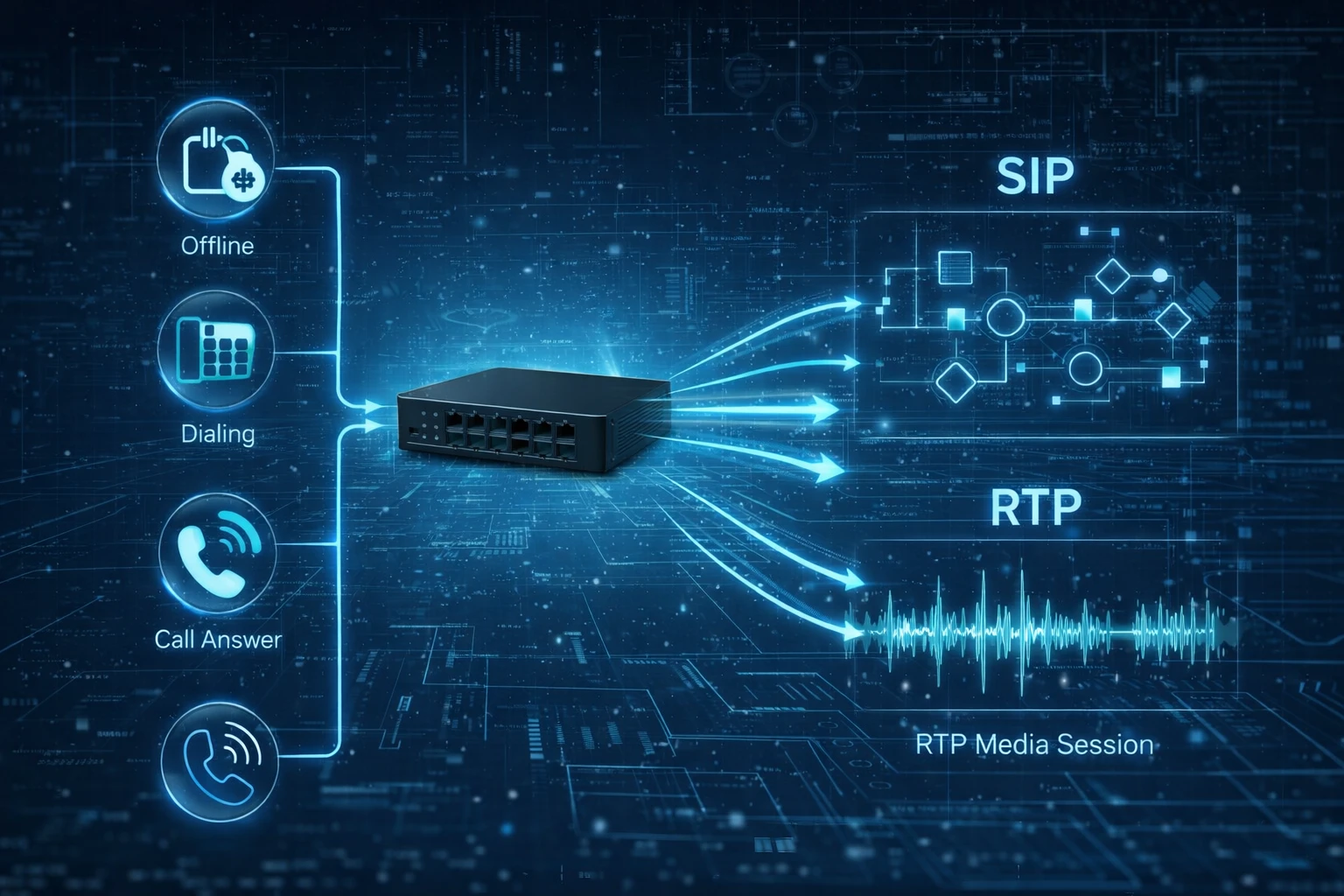
When a user lifts an analog handset, the gateway detects the off-hook condition and provides dial tone. After the user dials a number, the gateway collects the digits and converts the call attempt into a SIP request. The IP PBX or SIP server then decides how to route the call, whether to another extension, a SIP trunk, a dispatch console, a paging group, or an external number.
During the call, the gateway converts the analog voice waveform into digital audio packets. These packets are transmitted over the IP network using RTP. For incoming calls, the process works in reverse: the SIP platform sends a call request to the gateway, the gateway applies ringing voltage to the correct analog port, and the analog phone rings. When the user answers, the media path is established between the analog endpoint and the VoIP network.
What the FXS Port Provides
The FXS port is the defining part of an FXS gateway. It provides the electrical and signaling environment that allows analog devices to operate. This includes battery feed, dial tone, ringing voltage, caller ID delivery, hook-state detection, and sometimes regional tone patterns or impedance settings.
For a normal analog phone, this means the user can pick up the handset, hear a dial tone, dial digits, receive incoming ringing, and speak through the handset as usual. From the endpoint user’s perspective, the experience can feel almost the same as using a traditional telephone line.
For the system administrator, however, the analog phone is now part of an IP communication environment. The connected device can be assigned an extension number, routed by an IP PBX, linked with SIP trunks, included in call groups, monitored through gateway status pages, and managed as part of a larger VoIP deployment.
Core Functions of an FXS Gateway
Analog Endpoint Integration
The primary function of an FXS gateway is to connect analog endpoints to an IP voice system. These endpoints may include analog phones, fax terminals, hotline phones, door phones, paging interfaces, speakerphones, elevator phones, emergency devices, and analog intercom stations.
This function is valuable when existing analog endpoints are still useful or when replacing them would be expensive, disruptive, or unnecessary. Instead of removing working devices, the gateway allows them to become part of a SIP-based communication architecture.
SIP and IP PBX Interoperability
Most FXS gateways are designed for SIP-based systems. They may register to an IP PBX, SIP server, hosted PBX, softswitch, or cloud telephony platform. Each FXS port can often be configured as an extension, allowing the connected analog phone to communicate with SIP phones, softphones, operator consoles, paging systems, remote offices, and external trunks.
This interoperability is the reason FXS gateways are widely used during PBX upgrades. They help organizations keep selected analog devices while centralizing call control on a modern IP platform.
Analog-to-IP Voice Conversion
An FXS gateway converts analog audio into packet-based voice traffic. The gateway samples the analog voice signal, encodes it with a codec, packetizes it, and sends it through the IP network. In the reverse direction, it converts received IP voice packets back into analog audio for the connected device.
Common codecs may include G.711, G.729, G.722, and G.726, depending on the system design. G.711 is often selected for compatibility and voice clarity, while compressed codecs may be used to reduce bandwidth consumption across WAN or remote-site links.
Fax and Modem Support
Fax support is still important in some industries, including healthcare, logistics, finance, government, and legal services. A capable FXS gateway may support T.38 fax relay and G.711 pass-through. T.38 is commonly preferred for fax over IP because it is designed to carry fax signals more reliably across packet networks.
Fax reliability depends on more than the gateway alone. The fax machine, PBX, SIP trunk provider, codec policy, packet loss, jitter, and network path all affect the final result. For fax-heavy deployments, the complete communication path should be tested before full operation.
Traditional Telephony Features
Many FXS gateways support caller ID, call waiting, call transfer, call forwarding, hold, hotline dialing, speed dialing, flexible dial plans, message waiting indication, and flash-hook detection. These features help analog devices operate more naturally in a PBX environment.
DTMF handling is also important. Analog phones may need to interact with IVR menus, voicemail systems, access control functions, conference bridges, paging systems, or dispatch workflows. Common DTMF methods include RFC 2833, SIP INFO, and in-band transmission.
Voice Quality and DSP Processing
Because analog interfaces are sensitive to line conditions, an FXS gateway usually includes voice processing functions such as echo cancellation, jitter buffering, gain adjustment, packet loss handling, silence suppression, tone generation, and impedance tuning.
These functions help maintain stable call quality between analog endpoints and IP networks. In real deployments, echo cancellation, regional impedance settings, and network QoS design can make a significant difference to user experience.
Security, Provisioning, and Continuity
FXS gateways used in enterprise or multi-site projects should be deployed with proper security controls. Strong SIP passwords, restricted management access, HTTPS administration, firewall rules, IP access control, firmware updates, and secure provisioning can reduce unauthorized access risks.
Some projects may also require SIP over TLS, SRTP, VPN connectivity, redundant SIP servers, or survivability features. These functions are especially important for branch offices, industrial sites, public facilities, and emergency communication points where service continuity matters.
Analog Gateway Product Introduction
An analog gateway is designed for organizations that need to connect analog telephony resources with modern VoIP networks. Depending on the interface type, it can support FXS ports for analog endpoints, FXO ports for analog telephone lines, or mixed-port configurations for hybrid migration scenarios.
In an FXS-based application, the analog gateway allows analog phones, fax machines, hotel room phones, paging interfaces, elevator phones, and emergency call devices to communicate through SIP and IP PBX systems. This helps organizations keep existing analog devices while upgrading call routing, SIP trunking, management, and system integration to an IP-based architecture.
FXS Gateway vs FXO Gateway
FXS and FXO are closely related, but they are not interchangeable. An FXS gateway is used when analog endpoints need to connect to an IP voice system. It provides dial tone, ringing, and line power to analog devices. An FXO gateway is used when analog telephone lines or legacy trunks need to connect to an IP PBX.
A simple way to remember the difference is this: FXS provides telephone service to an endpoint, while FXO receives telephone service from a line. If the project needs to keep analog phones, fax machines, or paging devices, choose FXS. If the project needs to connect analog PSTN lines or analog trunks, choose FXO.
| Item | FXS Gateway | FXO Gateway |
|---|---|---|
| Main Purpose | Connect analog endpoint devices to an IP voice system | Connect analog telephone lines or trunks to an IP voice system |
| Port Behavior | Provides battery, dial tone, and ringing | Receives battery, dial tone, and ringing from the line side |
| Typical Connected Device | Analog phone, fax machine, intercom, modem, paging interface | PSTN line, analog PBX trunk, central office line |
| Common Use Case | Keep analog endpoints in a SIP or IP PBX deployment | Keep analog outside lines in a SIP or IP PBX deployment |
Common Applications of an FXS Gateway
Branch Office Analog Device Retention
Branch offices may still use analog phones, fax machines, lobby phones, service phones, or simple hotline devices. An FXS gateway allows these devices to stay in service while the organization centralizes call routing on an IP PBX or hosted VoIP system.
This is useful when a company wants consistent extension dialing and centralized management across multiple sites without immediately replacing every local analog endpoint.
Hotel, Campus, and Multi-Room Telephony
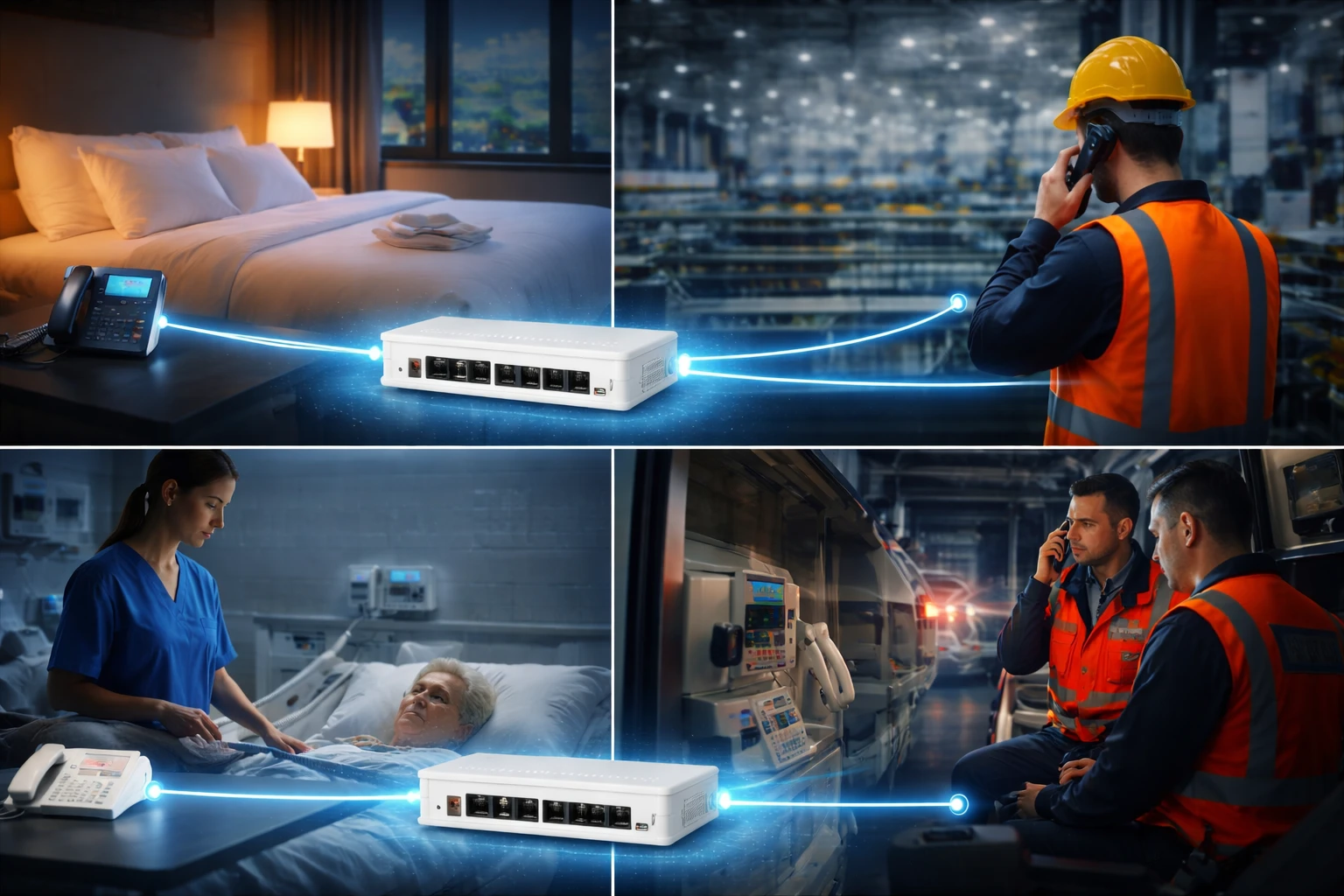
Hotels, dormitories, hospitals, apartment buildings, schools, and campus environments often have many analog room phones. These devices may not require advanced IP phone functions, but they still need reliable internal calling, front desk access, service communication, and emergency dialing.
FXS gateways can connect these room phones to a central SIP platform while preserving existing cabling. This approach helps reduce renovation cost and allows the communication system to move toward IP without a full endpoint replacement.
Industrial and Special-Purpose Analog Terminals
Industrial sites, warehouses, utility facilities, transport environments, and control rooms may use analog handsets, rugged wall phones, help points, or emergency call devices. These endpoints are often chosen because they are simple, durable, and suitable for harsh or public environments.
An FXS gateway can be installed in a protected telecom room or cabinet, while analog devices remain in the field. This design keeps endpoint hardware simple while connecting the site to IP PBX, dispatch, paging, and wider communication workflows.
Fax Migration Projects
Many organizations still use fax for formal records, procurement, medical communication, logistics confirmation, or regulated workflows. An FXS gateway can connect fax machines to an IP-based platform and support T.38 or pass-through methods when properly configured.
Fax migration should always be validated in the real environment. Even if the gateway supports fax, the SIP platform, trunk provider, codec settings, and network quality must also support stable transmission.
Paging and Door Entry Integration
Some paging amplifiers, door entry systems, analog intercoms, and legacy speaker interfaces use subscriber-style analog connections. An FXS gateway can connect these devices to a SIP environment so users can dial paging or door access extensions from IP phones or operator consoles.
This allows organizations to keep existing field infrastructure while bringing call control, routing, and event handling into the VoIP system.
PBX Integration Guide
Plan the Analog Endpoint List
Before deploying an FXS gateway, list all analog endpoints that need to remain in service. Separate them by type, such as ordinary phones, fax machines, emergency phones, elevator phones, paging interfaces, modems, or special-purpose terminals.
This step helps determine port quantity, wiring layout, extension numbering, call permissions, and compatibility requirements. It also prevents the gateway from being selected only by port count while ignoring endpoint behavior.
Design the Extension and Dial Plan
Each FXS port usually maps to one analog extension. The extension plan should match rooms, departments, buildings, floors, service points, or emergency locations. Clear numbering makes maintenance and troubleshooting much easier.
Dial rules should define which numbers each analog endpoint can call. For example, hotel room phones may call the front desk and emergency numbers, while industrial service phones may call dispatch, security, or maintenance teams.
Register the Gateway to the SIP Platform
In a typical IP PBX deployment, the gateway connects to the LAN and registers to the PBX using SIP credentials. Port-level registration is often preferred because each analog endpoint can have its own extension number, authentication details, permissions, voicemail settings, and routing policy.
Some systems also support peer-to-peer mode or gateway-level registration. The best method depends on the PBX, gateway model, security policy, and management preference.
Configure Codecs, DTMF, and Caller ID
Codec settings should match the network environment and endpoint type. G.711 is often suitable for local networks and fax-related use cases, while compressed codecs may be selected for bandwidth-limited links. DTMF settings should be tested with IVR, voicemail, access control, paging, and dispatch functions.
Caller ID format, regional tone plans, ring cadence, impedance settings, and disconnect supervision should also be configured according to local standards and endpoint requirements.
Test Voice, Fax, and Failover
After configuration, test both outbound and inbound calls. Confirm dial tone, dialing, caller ID, ringing, two-way audio, call release, transfer behavior, and voicemail access. If fax or alarm devices are connected, test them separately because they may be more sensitive than voice calls.
For critical sites, also test backup power, SIP server failover, emergency call routing, and monitoring behavior. A gateway may connect many important analog endpoints, so validation should be completed before full operation.
Deployment Considerations
Endpoint Type and Electrical Compatibility
Different analog endpoints may have different requirements. A simple desk phone, a hotel room phone, an elevator phone, a fax machine, a paging adapter, and an analog intercom may not behave the same way. Ring load, loop current, caller ID format, dial method, and disconnect signaling can all affect deployment success.
Before large-scale installation, representative endpoint types should be tested with the gateway model and PBX platform.
Port Density and Topology
FXS gateways are available in small, medium, and high-density models. Small offices may need only a few ports, while hotels, campuses, hospitals, and industrial facilities may require dozens of analog extensions.
The physical topology also matters. A centralized gateway may be suitable where analog cables return to one telecom room. Distributed gateways may be better for multi-building campuses, branch sites, or long-distance wiring environments.
Network Quality and QoS
Although the endpoint is analog, the media path after the gateway is IP-based. Packet loss, jitter, latency, firewall restrictions, and NAT issues can affect voice quality. QoS marking, proper VLAN design, and stable network routing are important for reliable operation.
For remote sites, VPN, SD-WAN, or secure SIP connectivity should be planned carefully to avoid one-way audio, registration loss, or inconsistent call quality.
Management and Monitoring
For larger deployments, management features can reduce maintenance workload. Useful functions may include web configuration, configuration backup, firmware upgrade, remote provisioning, TR-069, SNMP, log export, status monitoring, and batch configuration.
Clear port status and event logs are useful when troubleshooting registration failure, no dial tone, fax problems, caller ID errors, or poor audio quality.
How to Choose an FXS Gateway
Choosing an FXS gateway starts with counting the analog endpoints that actually need to remain in service. The next step is to classify them by function. Ordinary phones, fax devices, hotline phones, paging interfaces, modems, and emergency terminals may all need different settings.
After the endpoint list is clear, evaluate the SIP platform. Check whether the gateway must register to a local IP PBX, a centralized PBX, a cloud voice service, or a softswitch. Confirm compatibility with SIP registration, codecs, DTMF methods, caller ID, dial plans, and fax transport.
Finally, consider operational requirements. A small ATA-style device may be enough for one or two analog phones. A hotel, campus, hospital, or industrial project may need higher port density, rack installation, stronger management tools, secure provisioning, survivability features, and better analog tuning options.
Troubleshooting Common Issues
No Dial Tone
No dial tone may be caused by a disabled port, incorrect configuration, wiring failure, damaged analog phone, or gateway hardware issue. Start by testing the analog phone on another known-good port and checking whether the FXS port is enabled.
Registration Failure
Registration failure usually points to incorrect SIP credentials, wrong server address, DNS problems, firewall blocking, network loss, or mismatched transport settings. Check both the gateway status page and the PBX extension status.
One-Way Audio
One-way audio is often related to NAT, firewall rules, RTP port blocking, wrong SDP information, or SIP ALG behavior. Confirm that RTP media ports are allowed between the gateway and PBX and that the network path is correct in both directions.
Echo or Poor Voice Quality
Echo can be caused by impedance mismatch, poor echo cancellation settings, acoustic feedback, or analog line conditions. Poor voice quality may also result from packet loss, jitter, bandwidth congestion, or codec mismatch.
Fax Failure
Fax failure may happen when T.38 is not supported across the full path, when G.711 pass-through is unstable, or when the SIP trunk provider handles fax traffic differently. Fax should be tested through the actual end-to-end route before relying on it in production.
Conclusion
An FXS gateway connects analog telephony devices to modern VoIP and SIP PBX systems. It provides the line-side analog interface that traditional endpoints require, while converting signaling and voice media into IP-based communication. This makes it useful for analog phone migration, fax integration, paging access, hotel room phones, industrial handsets, branch offices, and legacy device preservation.
FAQ
Is an FXS gateway the same as an ATA?
Not always, but the terms overlap. An ATA usually refers to a small device with one or a few FXS ports, while an FXS gateway can include both small adapters and larger multiport gateway systems.
Can an FXS gateway connect to a cloud PBX?
Yes, if the cloud PBX supports SIP registration from the gateway and the network allows stable SIP and RTP communication. NAT traversal, security settings, and provider compatibility should be checked before deployment.
Can multiple analog phones share one FXS port?
In most business deployments, one analog endpoint should use one FXS port. Some analog circuits may support multiple ringers within REN limits, but this should be verified carefully to avoid weak ringing or unstable behavior.
What should be tested before using an FXS gateway for emergency phones?
Emergency phone deployments should test automatic dialing, call routing priority, backup power, monitoring, line status, failover behavior, and regular test procedures. The gateway connection is only one part of the overall safety design.
When should I choose native SIP phones instead of an FXS gateway?
Native SIP phones are usually better for new projects that need advanced endpoint features, display functions, network management, or direct IP connectivity. An FXS gateway is more suitable when existing analog devices or wiring need to remain in service.







