


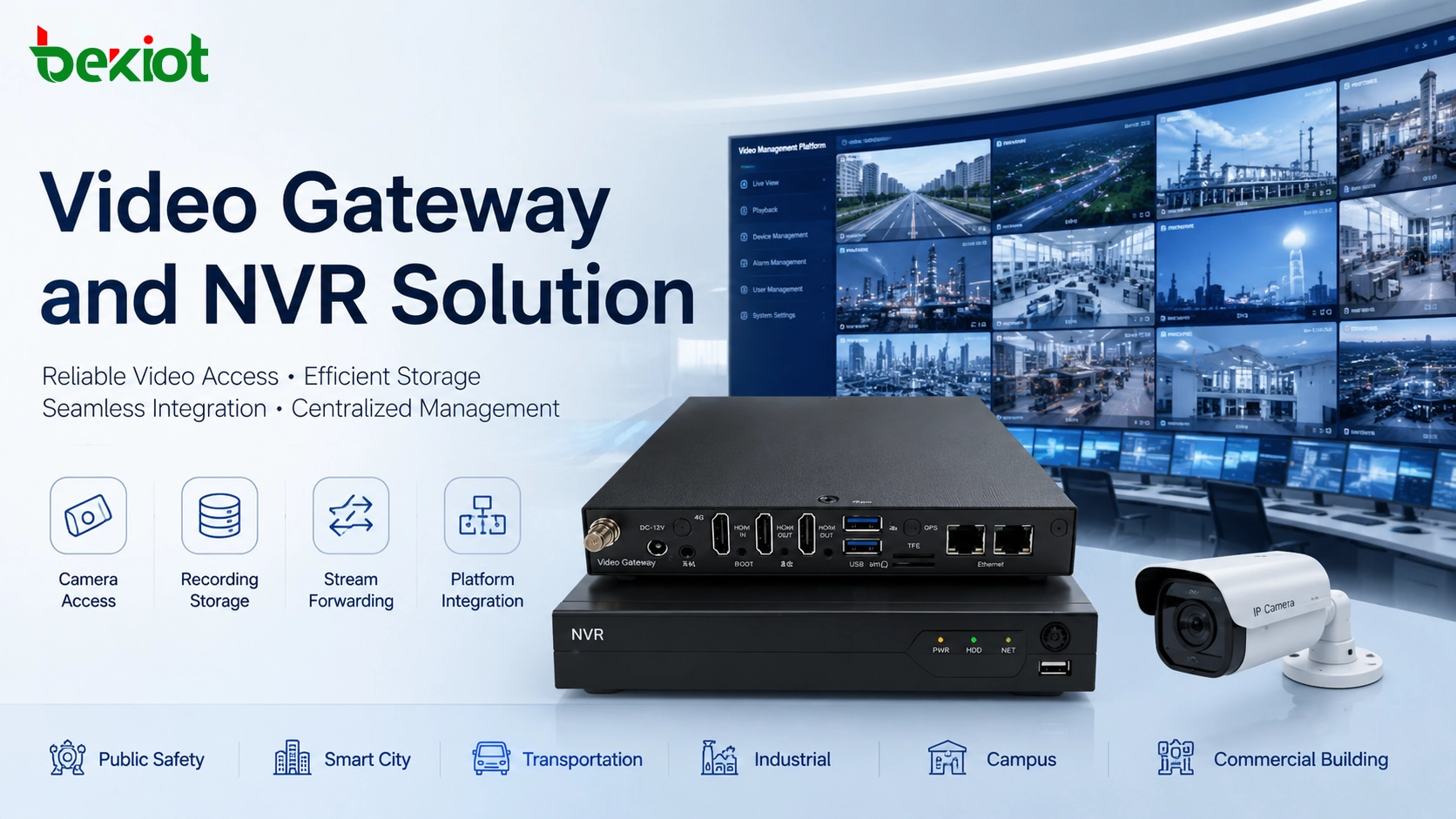
Video surveillance systems are no longer limited to camera preview and local recording. In many modern projects, video resources must be shared with command centers, dispatch platforms, alarm systems, smart buildings, industrial control rooms, campus management platforms, public safety systems, and web-based business applications. This change makes video architecture more important than a single device selection.
A Network Video Recorder, usually called an NVR, is mainly used for video recording, storage, playback, and local camera management. A video gateway is different. It is designed for video access, platform networking, protocol conversion, stream forwarding, media distribution, and integration with upper-level systems. In professional projects, these two devices are not direct replacements for each other. They often work together in a layered architecture.
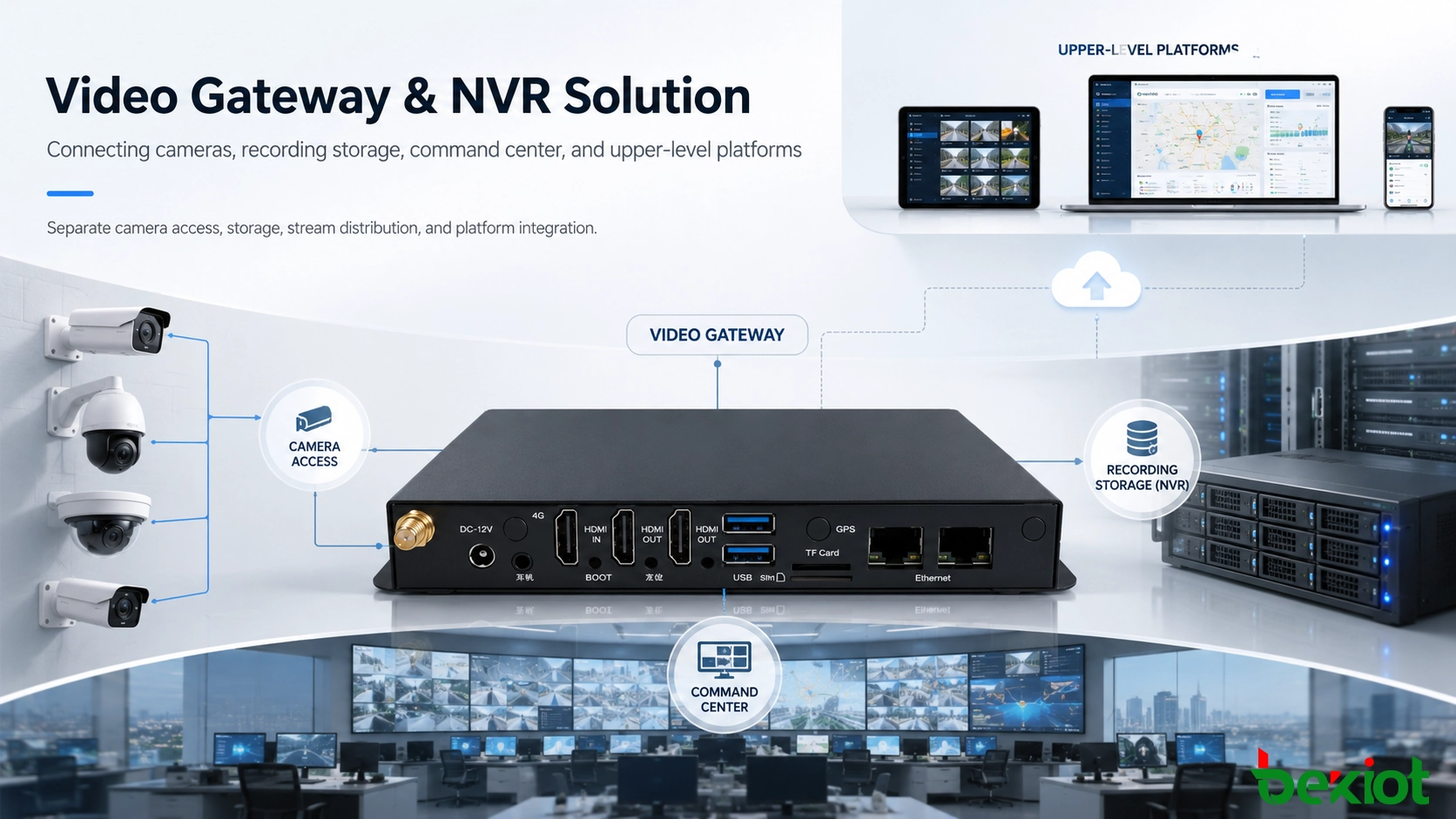
The Change from Local Monitoring to System Integration
In a traditional surveillance project, cameras are connected to an NVR, and users view live video or search recordings through the NVR client. This structure is simple and effective for small sites, such as shops, small offices, warehouses, or independent buildings. The system requirement is clear: record video, store footage, and provide playback when an event needs to be checked.
Larger projects are different. A factory may need video linkage with emergency phones, alarm inputs, and dispatch consoles. A smart campus may need to combine access control, visitor management, parking, patrol, and video resources into one platform. A transportation hub may need video from several buildings to be shared with a centralized control room. A public service project may need lower-level platforms to connect upward through a standard video networking protocol.
When video must be reused by several systems, the NVR alone is often not enough. The project needs a video gateway layer that can organize video resources, convert protocols, forward streams, and provide stable access for different platforms. This is the key architectural difference between a storage-centered system and an integration-centered system.
How a Video Gateway Works in the Architecture
A video gateway can be understood as a media access and conversion layer. It sits between front-end video resources and upper-level applications. The front-end side may include IP cameras, NVRs, video platforms, or lower-level surveillance systems. The upper-level side may include command centers, web applications, mobile clients, emergency platforms, smart city systems, dispatch systems, or third-party management platforms.
The gateway receives or requests video streams from the lower layer, then outputs them in a format that other systems can use. It may support camera registration, device directory management, live stream forwarding, playback stream access, protocol adaptation, media transcoding, stream relay, platform cascading, and permission control. In this role, the gateway makes video resources more open and reusable without forcing every business platform to connect directly to every camera or NVR.
In practice, this approach reduces integration complexity. Instead of repeatedly configuring cameras, firewalls, and NVR access for each application, the project can use the video gateway as a unified video service entrance. New applications can obtain video through the gateway, while the original storage layer remains stable.
What the NVR Is Mainly Responsible For
The NVR is still an important part of the system. Its strength is recording. It receives video streams from network cameras, stores footage on local disks or storage arrays, and provides search, playback, export, and event recording functions. For many security teams, the NVR is the primary evidence-retention device.
An NVR is usually easier to deploy than a full platform integration system. It works well when the project mainly needs local monitoring, scheduled recording, motion recording, alarm recording, and basic camera management. It also helps reduce pressure on upper-level systems because recorded footage can be stored locally at the site.
However, the NVR is not usually designed as a full video service hub for multiple business platforms. Even when it supports standard protocol access, its main logic is still storage and local management. In large projects, it is usually placed at the lower layer, while the video gateway or video platform handles unified access and distribution.
GB/T28181 in Multi-Level Video Networking
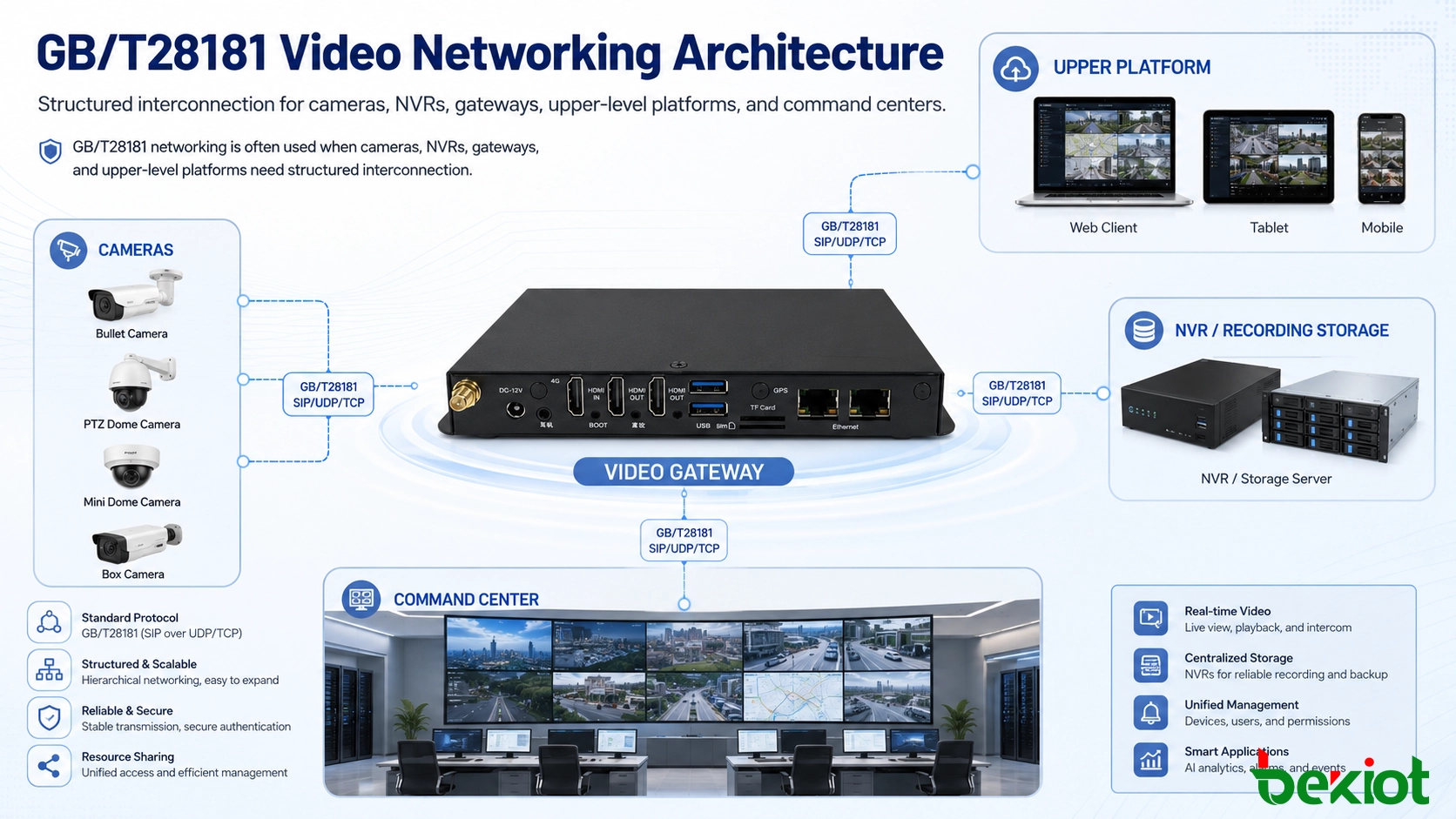
GB/T28181 is widely used in video surveillance networking and platform interconnection. It provides a structured method for cameras, NVRs, lower-level platforms, and upper-level platforms to connect with each other. In many projects, GB/T28181 is used to build hierarchical video access, especially when different sites, departments, or management levels need to share video resources.
A video gateway can often act as a GB/T28181 platform. Lower-level cameras, NVRs, or surveillance platforms can register to the gateway. At the same time, the gateway can register or cascade upward to a higher-level platform. This makes the gateway suitable for projects where video resources need to be collected, standardized, and distributed across different management layers.
An NVR may also support GB/T28181, but its position is usually different. In most cases, the NVR registers to an upper platform as a lower-level device. It provides camera resources and recorded video, but it is not normally used as the central integration point for multiple platforms and business systems.
Protocol Adaptation for Different Applications
Video systems use different protocols in different layers. Cameras often provide RTSP streams. Some streaming platforms use RTMP or FLV. Web applications may require HLS or WebRTC. Communication and dispatch systems may use SIP-based video access. Some platforms may also need RTP stream handling. A professional gateway should be planned around these protocol requirements instead of only checking whether the camera can be previewed locally.
RTSP is common in surveillance systems because many IP cameras and NVRs support it. RTMP and FLV are useful in live distribution and platform publishing scenarios. HLS is often used when compatibility with browsers or mobile clients is more important than ultra-low latency. WebRTC is suitable for low-latency browser-based video access. SIP can be useful when video needs to work with intercom, dispatch, emergency call, or communication systems.
The value of a video gateway is that it can convert or forward streams according to the needs of different applications. A command center may need real-time low-latency video. A web management platform may need browser-friendly playback. A mobile client may need adaptive stream access. An upper-level platform may need standardized video resource registration. The gateway makes these different requirements easier to manage from one video access layer.
Codec Conversion and Transcoding Planning
Codec compatibility is one of the most common hidden problems in video integration. Many modern cameras support H.265 because it can reduce bandwidth and storage usage compared with H.264 under similar image quality. However, not every browser, old platform, mobile client, or third-party application supports H.265 smoothly. Some systems still require H.264 streams for stable playback.
A video gateway with transcoding capability can convert between H.264 and H.265 when required. This is useful in mixed projects where old systems and new cameras must work together. It also helps avoid a situation where video can be displayed in the NVR client but cannot be opened inside a web platform, dispatch platform, or third-party application.
Transcoding should be designed carefully because it consumes computing resources. The project team should calculate the number of channels that require transcoding, the target resolution, frame rate, bit rate, codec type, and the number of concurrent users. In many projects, not all channels need continuous transcoding. Key cameras may need real-time transcoded streams, while ordinary cameras may only require native forwarding.
Storage and Stream Distribution Should Be Separated
One common design mistake is expecting the NVR to handle every video task. Recording, playback, stream distribution, protocol conversion, and third-party access are different workloads. If all tasks are placed on one device, the system may become difficult to expand and maintain.
A more stable architecture separates storage from distribution. The NVR focuses on recording and playback. The video gateway focuses on stream access, protocol adaptation, and platform interconnection. This separation improves system clarity. When a storage problem occurs, technicians can check the NVR layer. When a platform cannot open a stream, they can check the gateway layer. When a business system needs a new access method, it can be connected through the gateway without changing the storage design.
This layered approach is especially valuable in projects with many cameras, multiple sites, several user groups, or long-term expansion plans. It makes the system easier to upgrade in stages instead of replacing everything at once.
Typical Project Scenarios
Command center and emergency response
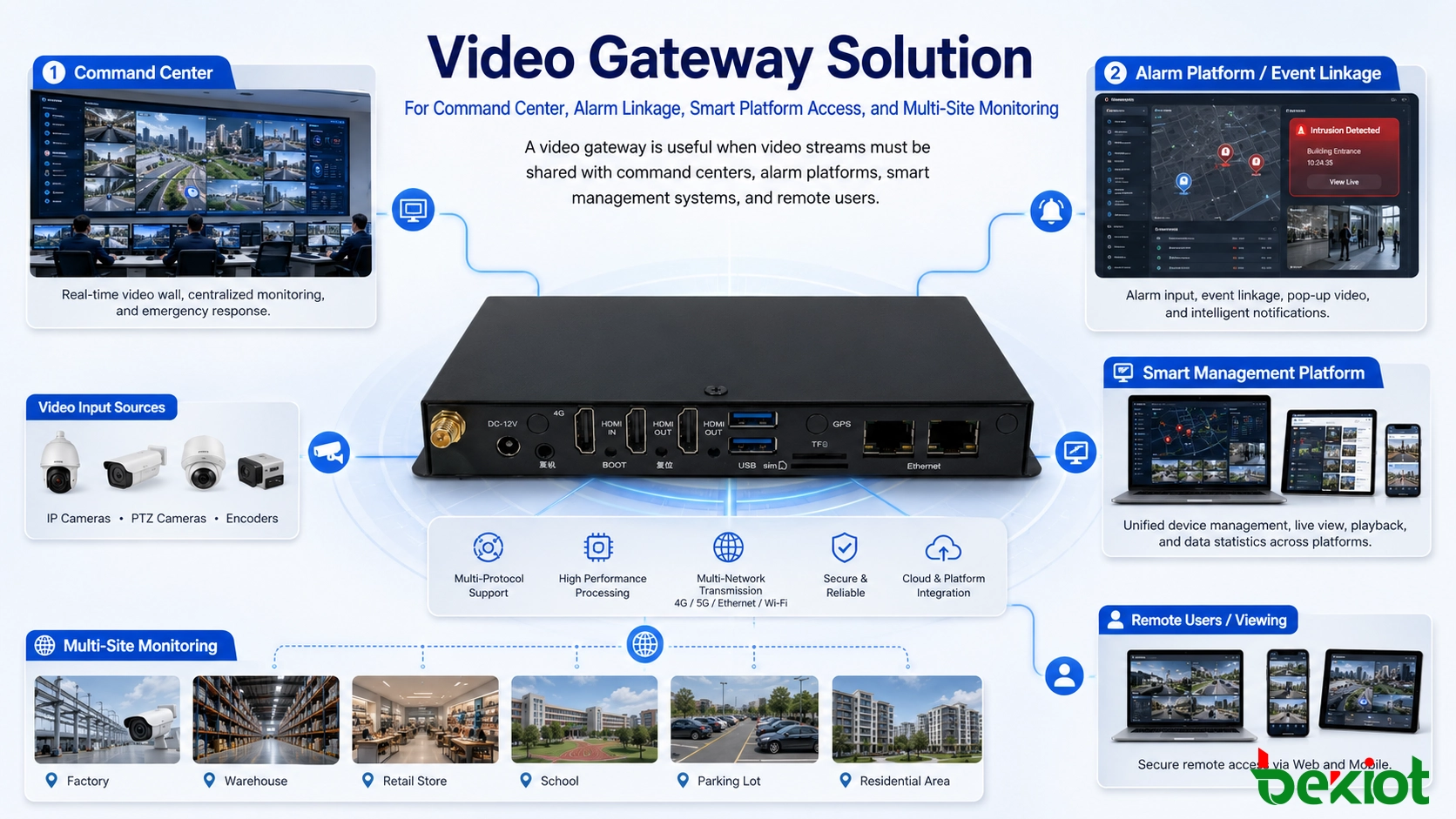
In a command center, video is usually not viewed independently. It may be linked with alarms, emergency calls, GIS maps, duty records, or dispatch instructions. When an alarm is triggered, the platform may need to open the related camera automatically. A video gateway can provide the stream access and protocol conversion needed for this type of linkage.
Smart campus and industrial park
Campus and park projects often include office buildings, gates, parking areas, warehouses, production areas, dormitories, and public spaces. Cameras may be managed by different NVRs or local subsystems. A gateway can collect these resources and provide unified video access to the central management platform.
Factory and energy facilities
Industrial sites may require video integration with safety alarms, intercom stations, patrol systems, control rooms, and emergency broadcasting. In these environments, video must support both daily monitoring and event response. A gateway helps connect surveillance video with operational workflows.
Multi-site property management
Property groups may manage several buildings or communities. Local NVRs can continue recording on site, while a central platform accesses key camera streams through a video gateway. This design reduces repeated remote configuration and makes centralized monitoring easier.
Key Differences in Solution Design
| Comparison Item | Video Gateway | NVR |
|---|---|---|
| Main function | Video access, protocol conversion, stream forwarding, media distribution, platform integration | Video recording, storage, playback, local preview, and camera management |
| System position | Usually works as an access and integration layer between lower devices and upper platforms | Usually works as a local recording and management device under the video access layer |
| Best suited for | Multi-platform access, command center linkage, web video access, GB/T28181 cascading, smart system integration | Local monitoring, scheduled recording, event recording, playback, and evidence storage |
| Protocol value | Supports stream output and conversion for RTSP, RTMP, RTP, SIP, WebRTC, FLV, HLS, and related integration needs | Mainly focuses on camera access, recording stream management, and platform registration |
| Expansion method | Expands by adding platform access, stream forwarding capacity, protocol support, and transcoding resources | Expands by adding disks, channels, storage capacity, and camera licenses where applicable |
Capacity Planning Before Deployment
Capacity planning should start with the number of cameras, site quantity, video resolution, bit rate, recording days, concurrent live viewing users, and upper-level platform access requirements. These factors affect both the NVR and the video gateway, but in different ways.
For the NVR layer, the main questions are storage-related. How many channels need continuous recording? How many days should footage be retained? What resolution and bit rate will be used? Is event recording enough for some cameras? Is RAID or external storage required? These questions decide disk capacity and recording reliability.
For the video gateway layer, the main questions are access and distribution related. How many streams will be forwarded at the same time? How many platforms will call video concurrently? Which protocols are required? How many channels require transcoding? Does the project need GB/T28181 platform cascading? Does the system need low-latency access for command and dispatch?
If these questions are not evaluated early, the project may work during testing but fail under real use. For example, one camera stream may be easy to open, but hundreds of concurrent streams may create bandwidth and processing pressure. A professional solution should calculate normal load, peak load, and future expansion demand.
Network and Security Considerations
Video traffic consumes more bandwidth than most business data. A single high-resolution stream can place continuous pressure on the network. When many users or platforms request video at the same time, the load increases quickly. The solution should consider uplink bandwidth, inter-site bandwidth, LAN switching capacity, firewall throughput, and whether multicast, stream relay, or edge access should be used.
Security is equally important. Video streams may include sensitive operational areas, production lines, public spaces, or emergency events. Access should be controlled by user roles, platform authorization, account management, and network segmentation. External access should be handled carefully, especially when video is provided to web applications or mobile users.
A video gateway can help centralize access control. Instead of opening direct camera access to many systems, the project can provide controlled stream access through the gateway. This reduces exposure and makes permission management easier.
Reliability and Maintenance Strategy
A video monitoring system must be maintainable throughout its lifecycle. The project should include device status monitoring, stream status checking, storage health monitoring, log review, abnormal disconnection alerts, firmware management, and clear troubleshooting procedures.
In large systems, a failure may occur at several layers: camera, network switch, NVR, gateway, storage disk, upper platform, firewall, or client application. A layered architecture makes troubleshooting more efficient because each layer has a clear responsibility. The NVR layer is checked for recording and playback. The gateway layer is checked for stream access and protocol conversion. The platform layer is checked for business linkage and user operation.
For critical projects, redundancy should also be considered. This may include backup recording, dual network links, redundant gateway deployment, storage protection, or failover design. The level of redundancy depends on how important video is to daily operation and emergency response.
Choosing the Right Architecture
The right architecture depends on the project goal. If the project only needs local recording and simple live view, an NVR-centered design may be enough. If video must be connected to a command platform, smart application, upper-level management system, web client, or dispatch workflow, a video gateway should be included.
For growing projects, the best design is often a layered solution. Cameras and NVRs remain responsible for local video acquisition and storage. The video gateway provides unified access, protocol conversion, stream distribution, and platform interconnection. The upper-level platform focuses on business logic, event handling, visualization, and user operation.
This design is more flexible because each layer can be expanded independently. Storage can be upgraded without changing the application platform. Stream forwarding capacity can be increased without replacing cameras. New business systems can access video through the gateway instead of rebuilding the entire surveillance network.
Final Notes
A video gateway and an NVR solve different problems. The NVR solves the problem of recording and local video management. The video gateway solves the problem of video access, protocol conversion, stream forwarding, platform cascading, and system integration.
In small closed monitoring systems, an NVR may be sufficient. In smart campuses, industrial parks, command centers, emergency response systems, public service buildings, transportation projects, and multi-site management platforms, a video gateway is often required to make video resources usable across systems.
A professional video solution should not be planned by device name alone. It should be designed around video source access, storage policy, protocol requirements, codec compatibility, bandwidth capacity, platform hierarchy, security rules, maintenance workflow, and long-term expansion.
FAQ
Can a video gateway record video like an NVR?
Some gateways may include basic recording or caching functions, but recording is not usually their main role. For long-term storage, evidence retention, and structured playback, an NVR or dedicated storage system is still more suitable.
Why does a web platform sometimes fail to play an NVR stream directly?
The stream format, codec, authentication method, browser compatibility, and network access rules may not match the web platform. A video gateway can convert the stream into a more suitable format such as WebRTC, HLS, FLV, or another supported protocol.
Should all camera streams be transcoded?
Not necessarily. Transcoding consumes computing resources. In many projects, only selected channels need transcoding for web access, mobile access, or third-party compatibility. Other channels can be forwarded in their original format.
Is GB/T28181 only used for government or public projects?
No. It is common in public safety and large platform networking projects, but it can also be useful in campuses, industrial parks, transportation systems, and multi-site projects that need standardized video platform interconnection.
What is the safest way to expose video to third-party systems?
A safer approach is to provide controlled access through a gateway or platform layer, rather than exposing cameras directly. The system should include authentication, permission control, network isolation where needed, and clear access logs.







