Emergency management depends on fast, reliable, and widely accessible communication. Natural disaster response, forest fire prevention, earthquake rescue, industrial safety incidents, public security coordination, and large-scale rescue operations often involve many departments, sudden events, complex field conditions, and urgent decision-making. In this environment, telephone conferencing is not a secondary meeting tool. It is a practical emergency communication channel that can organize people quickly, work across networks, and remain available when other collaboration systems are delayed or unavailable.
Many emergency organizations have already built video conferencing systems for formal coordination meetings. Video meetings are valuable, but relying on them for every discussion can create scheduling pressure, slower daily response, and unnecessary dependence on meeting rooms, cameras, terminals, bandwidth, and platform availability. A dedicated telephone conferencing solution gives emergency teams a faster and more universal communication layer for daily coordination, urgent notification, command consultation, and backup operation.
Why Emergency Communication Needs More Than Video Meetings
Video conferencing is suitable for formal meetings, visual reporting, cross-department discussions, and major event coordination. However, emergency management often requires communication before a formal video meeting can be arranged. Decision makers may need to reach dozens or hundreds of people quickly, confirm field information, notify response teams, or organize a temporary command discussion within minutes.
Telephone conferencing is better suited to these urgent moments because it has fewer access conditions. Participants do not need to enter a dedicated video meeting room, install the same application, prepare cameras, join through a specific platform account, or wait for a scheduled video resource. A phone number is usually enough to reach the person.
For emergency departments, the best communication system should not depend on one tool only. Video conferencing, dispatch telephony, mobile communication, broadcasting, instant messaging, and telephone conferencing should work together. Telephone conferencing fills the gap between simple one-to-one calling and formal video meetings, making it especially useful for time-sensitive coordination.
Rapid Group Calling for Urgent Response
Speed is one of the strongest advantages of telephone conferencing. With the continuous improvement of mobile voice networks such as VoLTE, telephone connection speed has become faster and more stable. Among many communication methods, calling a person directly by phone is still one of the fastest ways to reach them.
In emergency management, a one-click group calling function can quickly organize dozens or even hundreds of people into one conference within about one minute. This is highly valuable for sudden incidents where leaders, duty officers, rescue teams, government departments, technical experts, and external organizations must be connected immediately.
Compared with manual calling, separate notification groups, or app-based communication, telephone conferencing reduces the time required to gather participants. The system can automatically call predefined groups, connect participants as they answer, and allow the meeting host or operator to manage the call in real time.
Stable Voice Communication When Conditions Are Complex
Telephone technology is mature, widely tested, and operationally stable. In emergency scenarios, mature technology is often more dependable because the probability of unexpected failure is lower. Telephone terminals also have simple structures, strong compatibility, high availability, and easy operation, which makes them suitable for non-technical users, field workers, and temporary response teams.
A reliable telephone conferencing platform should support redundancy, backup access, and stable voice processing. When network conditions are unstable, video quality may drop or video sessions may fail, but voice communication can often continue with lower bandwidth requirements and simpler terminal conditions.
For emergency command, the key requirement is not only high audio quality during normal operation. The system must continue to support coordination when users are distributed across offices, command centers, vehicles, field sites, fixed lines, mobile networks, and different telecom operators.
Universal Access Across People, Networks, and Organizations
Telephone conferencing has a unique advantage: phone numbers are universal. Unlike social applications or video meeting platforms, telephone access does not require all participants to use the same app, register on the same platform, become contacts in the same account system, or install specific software in advance.
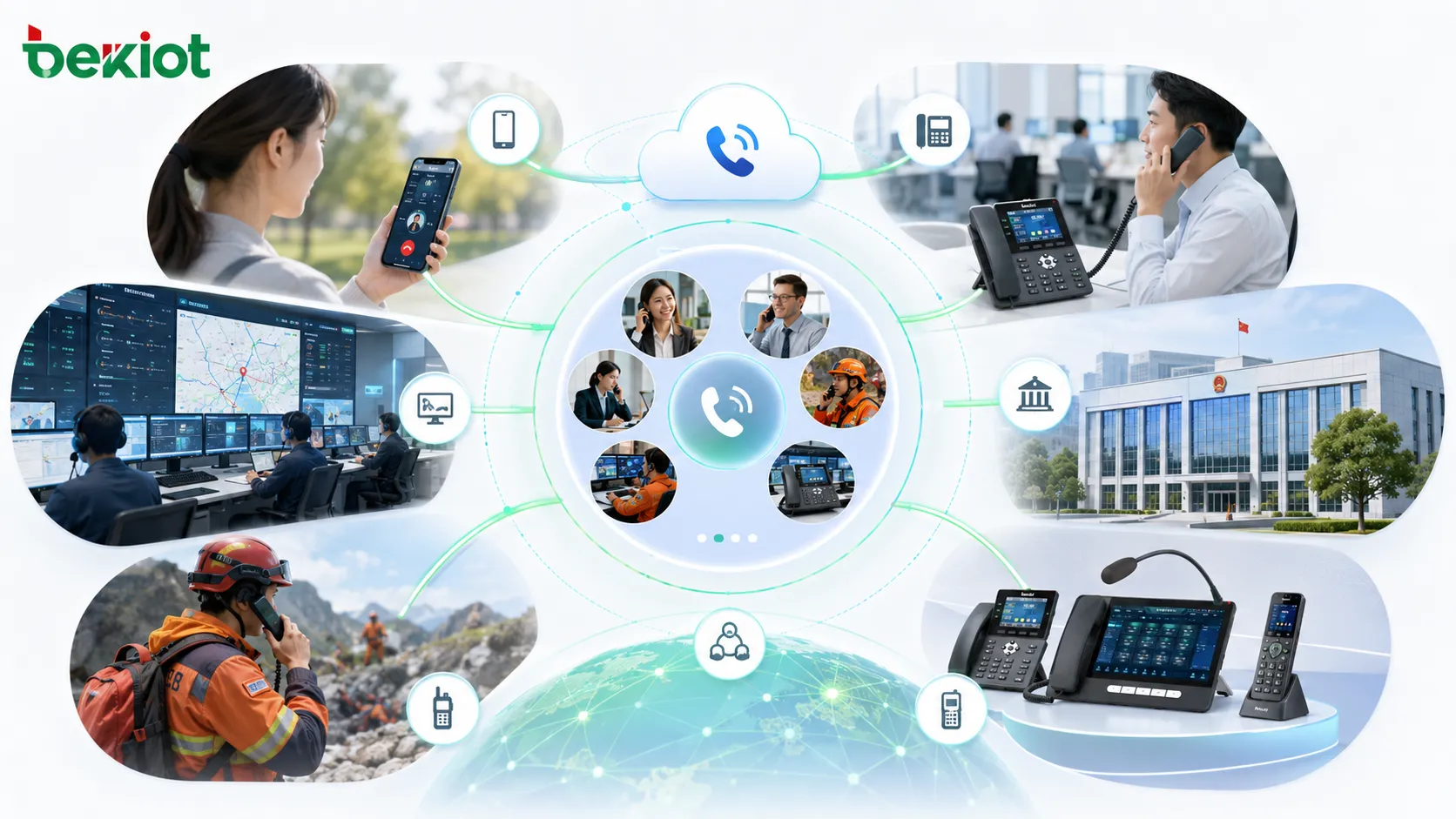
This matters in emergency work. Participants may come from government departments, emergency bureaus, fire and rescue teams, power utilities, medical organizations, transportation departments, industrial enterprises, external contractors, and local communities. They may not share one collaboration platform, but they usually have reachable phone numbers.
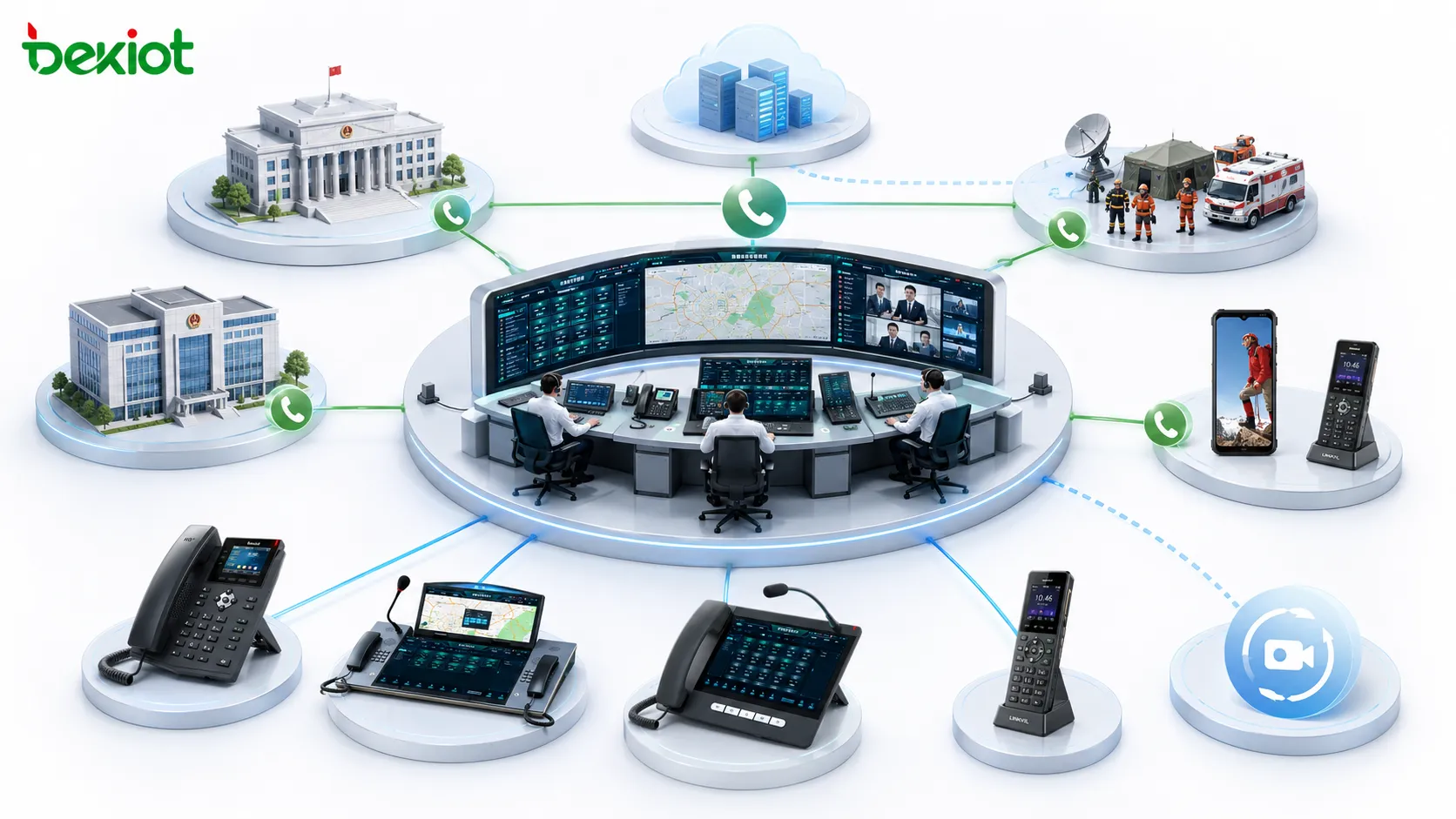
As long as the conferencing system supports proper network access, participants can join from mobile phones, fixed phones, VoIP extensions, office phones, command center terminals, and operator networks. This cross-platform nature makes telephone conferencing especially suitable for multi-organization emergency coordination.
Reducing Pressure on Video Conferencing Resources
Emergency management departments often use video conferencing for formal coordination, major event reporting, and multi-level meetings. However, if every discussion depends on video conferencing, meeting rooms and video resources can become congested. This may delay daily communication and reduce response speed during urgent situations.
Telephone conferencing helps release these limited video resources. Routine coordination, temporary consultations, rapid notification meetings, and follow-up discussions can be handled by audio conference, while video conferencing can be reserved for meetings that truly require visual interaction, screen sharing, or formal multi-site presentation.
This division improves the overall efficiency of emergency communication. Audio meetings can be launched quickly, require fewer terminal conditions, and support flexible participation. Video meetings can remain available for high-priority visual command scenarios.
Working Together with Video Conferencing
Telephone conferencing should not replace video conferencing. Instead, it should complement and back up video collaboration. When a participant cannot access a video terminal, has poor network conditions, is in the field, or only has a mobile phone available, telephone access can still allow that person to listen, speak, and participate in the meeting.
In an integrated design, telephone conferences can connect with video meeting systems. Voice participants can join video meetings by phone, and video conference rooms can be bridged into audio conferences. This ensures that communication continues even when some users cannot meet the conditions for video access.
Telephone conferencing also provides an effective backup when video systems are affected by network failure, equipment failure, bandwidth congestion, endpoint problems, or meeting room unavailability. Emergency teams can immediately switch to an audio conference and continue command coordination without waiting for video recovery.
Why Self-Built Conferencing Is Safer for Critical Departments
Some organizations may consider renting a public cloud telephone conferencing service. For normal business meetings, this may be acceptable. For emergency management, however, dependence on a public conferencing platform can create risk. During major incidents, shared public platforms may experience heavy traffic, limited capacity, access congestion, or uncertain service priority.
A self-built telephone conferencing system gives emergency departments stronger control over capacity, security, availability, number resources, backup planning, and integration with internal command platforms. The organization can size the system according to its own meeting scale, participant groups, emergency levels, and regional coverage requirements.
For mission-critical use, the system should support high reliability, high concurrency, stable voice quality, and independent operation. It should also allow emergency teams to define predefined groups, meeting permissions, operator controls, and urgent calling workflows without depending entirely on external public services.
Integration with Command and Dispatch Platforms
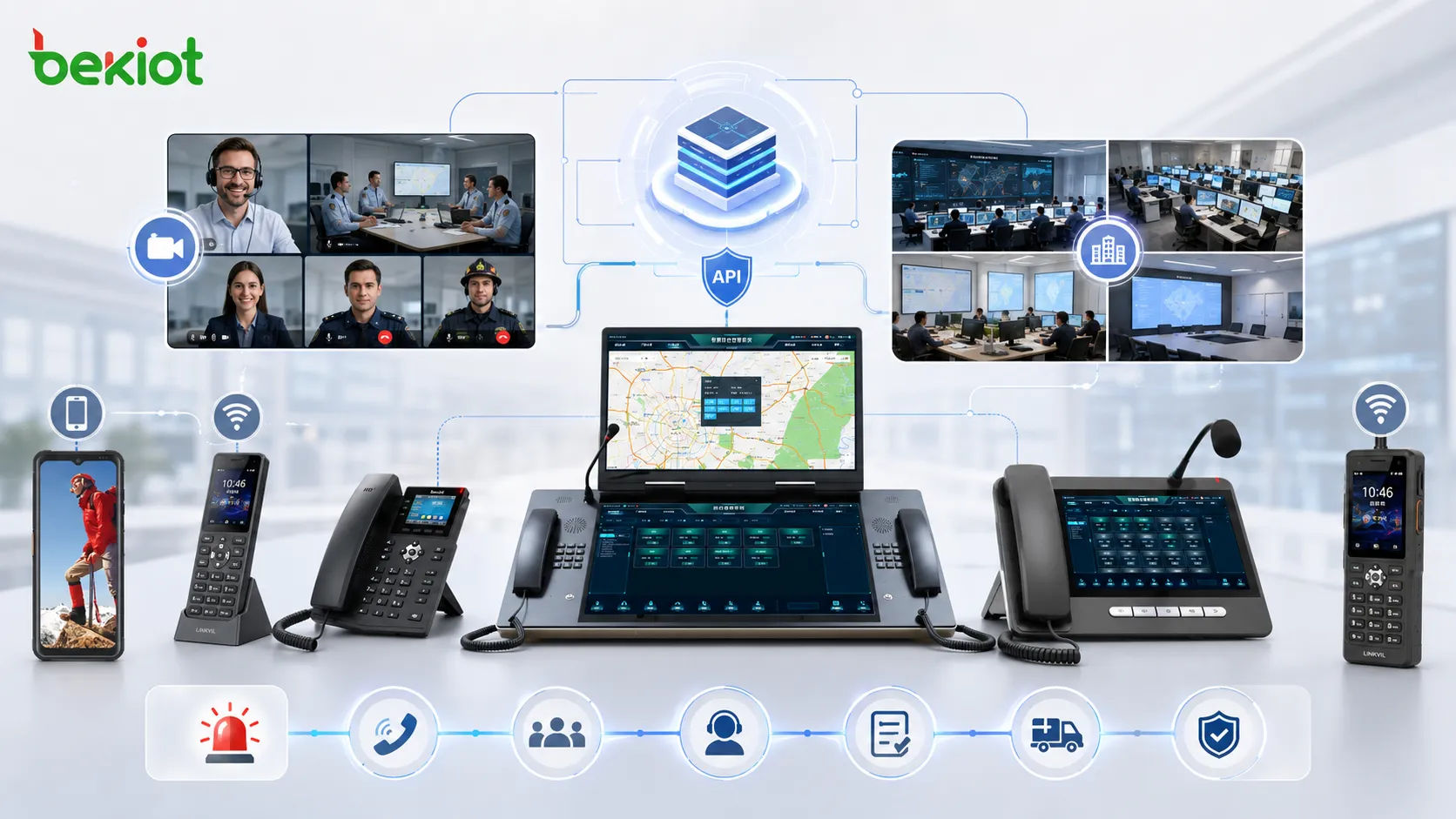
Telephone conferencing becomes more powerful when it is connected with an emergency command platform. Through API interfaces, the system can support automatic meeting creation, predefined participant calling, command center control, event-based conference initiation, meeting status monitoring, and communication record association.
For example, when an emergency event is created in a command platform, the system can automatically start a conference, call key personnel, connect duty rooms, notify field teams, and record the conference process for later review. This turns telephone conferencing from a standalone meeting function into part of the emergency response workflow.
Integrated conferencing also helps standardize command communication. Different incident types can have different participant groups, escalation paths, calling rules, and backup procedures. This improves response consistency and reduces manual operation during high-pressure situations.
Related System: BK-RCS Unified Communication System integrates voice, video, intercom, broadcasting, conferencing, alarms, radio, dispatch, and instant messaging into one platform, helping telephone conferencing become a stronger part of unified emergency command and multi-channel response.
Recommended Solution Architecture
| Layer | Recommended Capability | Emergency Value |
|---|---|---|
| Conference Core | High-concurrency telephone conferencing with group calling and host control | Organizes dozens or hundreds of participants quickly during urgent events |
| Access Network | VoIP, PSTN, mobile network, fixed phone, and IP extension access | Allows users from different networks and organizations to join without platform barriers |
| Video Integration | Audio bridge to video conferencing systems | Provides voice participation and backup when video resources are limited or unavailable |
| Command Integration | API connection with emergency command, dispatch, and incident management platforms | Supports automatic conference launch, participant calling, and communication workflow linkage |
| Reliability Design | Redundant deployment, backup routing, and controlled self-built platform | Improves availability for mission-critical communication |
Deployment Path for Emergency Organizations
Review Existing Communication Resources
The first step is to review current video conferencing systems, telephone lines, VoIP platforms, dispatch systems, mobile communication resources, command centers, duty rooms, and field communication methods. This helps identify where telephone conferencing should complement existing tools instead of duplicating them.
The review should also include participant groups, emergency levels, meeting frequency, response procedures, and inter-department coordination needs. This information determines the required conference capacity, access methods, and integration depth.
Build Predefined Emergency Groups
Emergency communication must be fast and predictable. The system should support predefined groups for natural disaster response, fire prevention, earthquake rescue, safety production incidents, public service coordination, technical expert consultation, regional command, and leadership notification.
When an incident occurs, operators should be able to launch a group conference without manually selecting every participant. This shortens response time and reduces the risk of missing key people.
Connect Telephone and Video Meeting Resources
The solution should allow telephone conferences and video meetings to work together. Voice users should be able to join video meetings when needed, while video conference rooms should be able to participate in audio conferences. This creates a flexible meeting environment for both formal and urgent communication.
Where existing video resources are limited, telephone conferencing can take over daily coordination and emergency backup tasks, leaving video systems available for meetings that require visual information.
Test Real Emergency Workflows
Before production use, the organization should test one-click group calling, mobile phone access, fixed-line access, IP extension access, video meeting interconnection, API-triggered conference creation, operator control, failed-call handling, participant recall, and backup meeting procedures.
Testing should simulate real emergency pressure rather than only normal office meetings. The goal is to confirm that the system works when many users, departments, and networks are involved at the same time.
Operational Benefits for Emergency Response
A well-designed telephone conferencing solution improves emergency communication in several ways. It shortens the time required to gather people, reduces dependence on meeting rooms and video equipment, supports users from different networks, and provides a dependable voice channel when visual collaboration is unavailable.
It also improves resource allocation. Not every emergency discussion needs video. By using telephone conferencing for rapid coordination and reserving video meetings for formal visual command, departments can improve communication efficiency and reduce scheduling pressure.
For emergency managers, the biggest value is communication continuity. When events are sudden, participants are dispersed, and network conditions are uncertain, telephone conferencing provides a practical way to keep people connected, decisions moving, and response actions coordinated.
FAQ
Can telephone conferencing be used for cross-region emergency drills?
Yes. It is suitable for cross-region drills because participants can join through different access networks without needing the same video terminal or application environment.
How should participant groups be organized before an emergency?
Groups should be prepared by incident type, responsibility area, department role, duty schedule, and escalation level. Each group should be reviewed regularly to keep contact information accurate.
What should be recorded during an emergency telephone conference?
Organizations may record meeting time, participant status, key decisions, command instructions, follow-up responsibilities, and conference recordings if regulations and internal policies allow it.
Can external experts join without being part of the internal system?
Yes. If external dialing and proper permission control are configured, experts, suppliers, field contractors, and partner organizations can join by phone when their participation is required.
What is the main risk of relying only on app-based communication?
App-based tools usually depend on accounts, installation status, contact relationships, network quality, and platform availability. In urgent multi-organization events, these conditions may delay communication.