


In emergency response, disaster rescue, field inspection, forest fire control, industrial safety, public security, and temporary command operations, an emergency command box is often expected to restore communication and support on-site coordination when normal infrastructure is unavailable. In “three-disconnection” scenarios, where power, network, and transportation access may be disrupted, the command team needs more than a portable case with screens. It needs a field-ready system that can connect people, video, data, networks, and upper-level platforms quickly and reliably.
Many emergency command boxes look similar from the outside. They may all use a rugged portable case, foldable screens, antennas, batteries, network ports, and a dispatch interface. Their product descriptions may also sound similar: video conferencing, voice dispatch, surveillance access, drone video return, recording, and command center connection. However, the internal technical routes can be completely different. This is why prices, performance, stability, and real field usability often vary greatly.
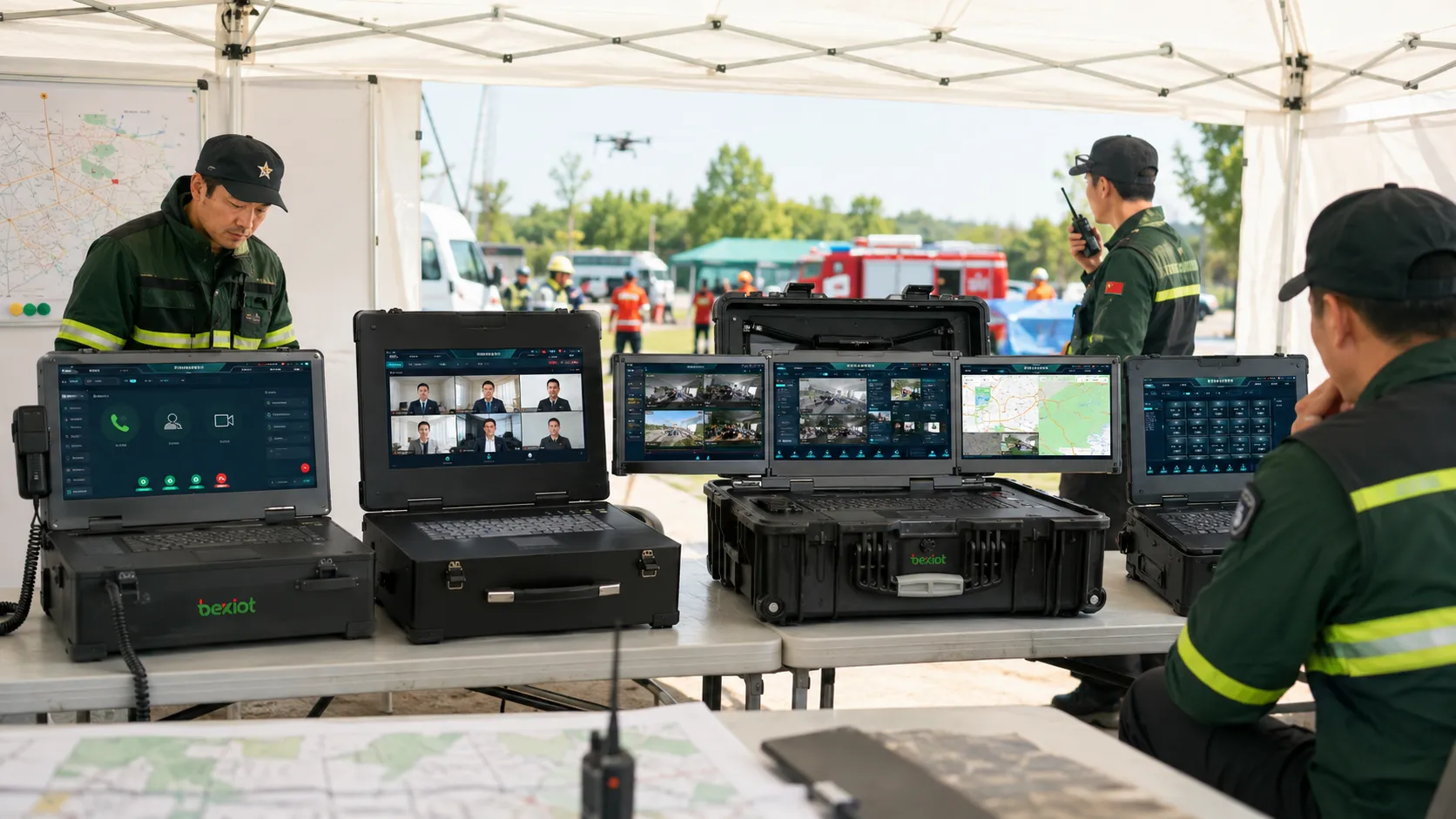
Why the Internal Architecture Matters
An emergency command box is not just a portable computer or a suitcase-shaped device. Its value depends on what it can actually do at the emergency site. A useful system should help the field team communicate with the command center, receive video from different front-end devices, organize audio and video dispatch, display important images locally, record key events, and share selected resources with upper-level platforms.
The problem is that different manufacturers may build command boxes based on very different ideas. Some products are built around unified communication software. Some are essentially portable video conference terminals. Some focus on audio-video processing and multi-protocol media access. Some are only rugged computers packaged to look like command boxes.
For buyers, the key is to avoid judging only by appearance. A real selection process should evaluate the technical architecture, protocol compatibility, video processing capability, power consumption, weak-network adaptability, field operation logic, platform integration, and whether non-specialist users can operate the system under pressure.
Type One: Unified Communication-Based Command Boxes
A unified communication command box is one of the most common product types. Its design idea is to place a unified communication system inside a portable case. The system normally relies on SIP-based voice and video communication, and it may connect additional field devices through gateways. Operators can use a dispatch console to manage on-site voice, video, and communication resources.
This type of system has a clear advantage: SIP is open, mature, and widely supported. IP phones, SIP intercoms, video phones, emergency call terminals, gateways, and dispatch systems can often be connected through standard SIP registration or trunking. For projects that mainly need voice dispatch and basic video communication, this architecture can be built relatively quickly.
For projects that need to connect more communication methods beyond a portable box, the Becke Telcom Converged Communication System can be considered as a unified platform layer. It is designed to integrate voice, video, intercom, broadcasting, conferencing, alarms, radio communication, dispatch, and instant messaging into one coordinated solution, helping field command devices connect with a broader emergency communication network.
Some unified communication command boxes are built around FreeSWITCH or similar open-source SIP platforms. FreeSWITCH is powerful for SIP communication, call routing, conferencing, and telephony-related functions. However, when the emergency site needs to connect many non-SIP media sources, such as drone streams, RTSP cameras, GB/T28181 surveillance devices, RTMP push streams, HDMI sources, and mixed video formats, a SIP-centered architecture can face pressure.
Strengths of This Architecture
The main strength is communication openness. SIP can connect many common voice endpoints and gateway devices. This makes the system useful for voice dispatch, internal communication, intercom access, and basic command center calling. It is also easier to integrate with existing IP PBX or dispatch communication systems when the project is already based on SIP.
Another advantage is fast product construction. A SIP platform plus a dispatch console can form a working command communication system quickly. If the project does not require complex video processing, this type of command box can be a practical option.
Limitations in Field Video Scenarios
The limitation appears when the site requires heavy audio-video integration. A SIP-centered system is not naturally designed for processing many stream formats. When multiple field video sources need to be converted into SIP before they can be managed, the project often requires additional gateways, encoders, protocol converters, or media servers.
This increases equipment stacking inside the command box. Some systems may separate the dispatch server and dispatch console into different boards or modules, often using an X86 architecture. This can increase power consumption, heat generation, weight, and failure points, which are all important concerns in emergency field deployment.
Unified communication systems are often designed for large command centers. Their operation logic may be too complex for temporary field use. In emergency scenarios, the operator may not be a professional dispatcher. If the system requires complicated configuration, multi-level SIP routing, or difficult upper-lower platform interconnection, it may not be ideal for rapid response.
Type Two: Portable Video Conference Terminal Boxes
Another type of emergency command box is built by putting the core board of a video conference terminal into a portable case. In simple terms, this type of product is a movable video meeting endpoint. It can be powered on at the emergency site and connect to the command center’s video conference system.
This approach is useful when the main requirement is remote video consultation. The field site becomes a meeting participant, and the command center can quickly organize a meeting with the on-site team. For some projects, this may be enough: the headquarters can see the field team, hear verbal reports, and provide instructions.
However, this type of product should not be mistaken for a complete command system. It is mainly a video conference node, not a field dispatch and media integration platform.
Where It Works
A portable video conference terminal is suitable for scenarios where the field team only needs to join a meeting. It can be used for remote reporting, expert consultation, command center briefing, and simple audio-video communication between the site and headquarters.
If the command center already has a stable video meeting platform and the field network is good enough, this type of box can be easy to deploy. The user experience may also be familiar because many operators already understand video conferencing.
Where It Falls Short
The biggest problem is the lack of real command capability. A video conference terminal can join a meeting, but it usually cannot manage field devices, route multiple video sources, perform protocol conversion, organize local dispatch, retrieve multiple field streams, or flexibly send selected images to different platforms.
Video conference systems also usually have higher network requirements. In weak-network emergency sites, dynamic video, unstable uplinks, mobile networks, satellite links, or temporary broadband may cause poor image quality. If the product cannot compress, transcode, or adapt media streams effectively, it may fail to deliver stable video at the most important moment.
Integration with field equipment can also be limited. For example, drone video may only be connected through HDMI, which restricts flexibility. If the emergency site includes many devices that output RTSP, RTMP, GB/T28181, WebRTC, or other stream types, a pure video conference terminal may not be able to manage them efficiently.
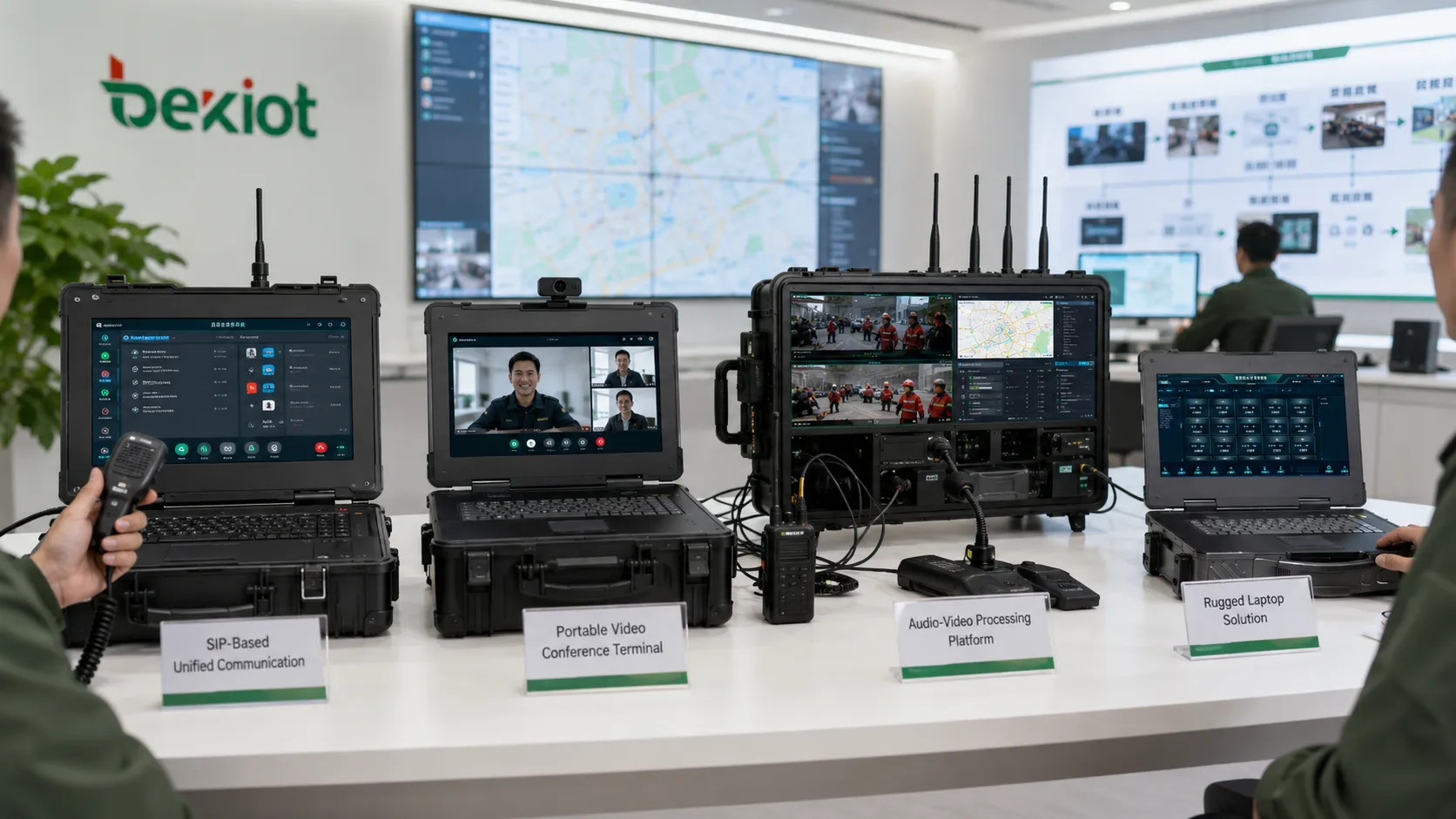
Type Three: Audio-Video Processing Command Boxes
An audio-video processing command box is a more advanced design concept. Instead of relying completely on SIP or video conferencing, this architecture places media processing at the center of the system. Its goal is to process, convert, route, display, compress, record, and distribute different types of audio and video resources in one portable system.
This type of command box is designed to solve many problems found in older architectures. It can share system resources across SIP, GB/T28181, RTMP, RTSP, WebRTC, HDMI, and other media access methods. In this model, the command box is not only a communication endpoint. It becomes a field media hub and local command node.
A strong audio-video processing system can combine unified communication, command dispatch, video matrix control, encoding and decoding, video conferencing, streaming media access, recording, local preview, and platform distribution into one device. With GPU acceleration, the system can process multiple audio and video resources in real time, reducing latency and giving operators a more direct “what you see is what you command” workflow.
Multi-Protocol Access and Platform Integration
One of the strongest capabilities of this architecture is platform connection. The command box can integrate with upper-level systems through SIP, GB/T28181, RTMP, WebRTC, and other protocols. It can share single video sources from the field or output a composed screen that combines multiple sources into one command view.
This is very useful when the emergency site has many different devices. A drone may provide HDMI or RTSP video. A portable camera may push RTMP. A surveillance camera may register through GB/T28181. A video phone may use SIP. A browser-based viewer may require WebRTC. A command box that can handle these protocols directly reduces the need for extra converters and makes the field system easier to deploy.
Weak-Network Video Optimization
Emergency sites often suffer from weak network conditions. Wireless links, 4G/5G routers, satellite communication, private broadband, and temporary ad hoc networks may not provide stable bandwidth. Without proper adaptation, field video may freeze, drop frames, become blurry, or disconnect completely.
A media-processing command box can compress and lighten video for weak-network operation. The source article highlights that multiple video streams can be transmitted with bandwidth as low as 100 Kbps after lightweight processing. This kind of capability is important for emergency response because the goal is not always cinematic image quality; the priority is to maintain usable visual information for command decisions.
Lower Power Design for Field Use
Another important point is system architecture. Some advanced command boxes use an ARM low-power architecture instead of an X86 architecture. Compared with a heavy server-style system, an ARM-based design can be lighter, more power-efficient, and better suited to battery-powered or field-deployed emergency environments.
Lower power consumption also means less heat and potentially longer operation time. For field teams working in vehicles, temporary tents, outdoor rescue sites, or remote locations, this can directly affect usability.
Field Equipment Compatibility
An audio-video processing command box can be paired with many on-site devices, including portable surveillance cameras, drones, robot dogs, broadband ad hoc network equipment, walkie-talkies, mobile encoders, video terminals, and field sensors. Instead of treating each device as an isolated system, the command box can organize them into one visible, controllable, and shareable media workflow.
The operation logic is also different. Many advanced systems use a director-style dispatch workflow, similar to live production switching. This can be more intuitive than traditional unified communication dispatch. Operators can select sources, switch scenes, preview video, push images, and compose command views in a more visual way.
Type Four: Rugged Computer-Style Command Boxes
Some products are called emergency command boxes but are essentially rugged computers. They may use a three-screen design and a suitcase-like structure, so they look similar to professional command boxes. In some projects, they may even be delivered as command box solutions.
Strictly speaking, this type of product should be understood as a rugged field terminal, not a complete command system. It can run software, display information, access network platforms, and serve as an operator workstation. However, it does not naturally provide command dispatch, protocol conversion, multi-source media processing, video routing, field device integration, or local communication control.
A rugged computer can still be useful in emergency projects. It can act as a special workstation, mapping terminal, platform client, document terminal, or field data entry device. But if the buyer expects it to replace a true command box, there will usually be a gap between appearance and real capability.
How to Select the Right System
The correct selection depends on the real field mission. If the project mainly needs SIP voice dispatch and basic communication integration, a unified communication command box may be enough. If the project mainly needs remote meeting participation, a video conference terminal box may be simple and cost-effective. If the project needs multi-source video access, weak-network video return, protocol conversion, local media processing, recording, and platform sharing, an audio-video processing command box is usually more suitable.
If the project only needs a durable portable computer to run software, then a rugged computer may be appropriate. However, it should not be purchased as a full command system unless an external platform, gateway, communication system, and media processing layer are already provided elsewhere.
For command centers that need to connect field command boxes with voice, video, intercom, broadcast, conference, alarm, radio, dispatch, and instant messaging services, the Becke Telcom Converged Communication System can serve as a practical platform option. It helps turn portable field devices into part of a larger emergency communication and dispatch network.
The selection should also consider who will operate the device. Emergency sites are often chaotic. The system should be easy to start, easy to connect, easy to preview, easy to share, and easy to recover after a network interruption. A product with many functions but difficult operation may not perform well in a real emergency.
| Product Type | Main Architecture | Best Fit | Key Limitation |
|---|---|---|---|
| Unified Communication Command Box | SIP platform, dispatch console, gateways, often based on unified communication software | Voice dispatch, SIP endpoint access, basic field communication | Limited native support for mixed video streams and complex media processing |
| Video Conference Terminal Box | Portable video meeting terminal placed inside a rugged case | Remote consultation, meeting participation, headquarters-to-field video connection | Limited field command, device control, protocol access, and weak-network adaptability |
| Audio-Video Processing Command Box | Multi-protocol media processing, GPU acceleration, SIP, GB/T28181, RTMP, RTSP, WebRTC, HDMI | Emergency command, multi-source video access, weak-network return, field media dispatch | Should be paired with a suitable platform for richer upper-level coordination |
| Rugged Computer Box | Rugged laptop or multi-screen portable computer | Field workstation, platform client, data entry, mapping terminal | No native command dispatch or media processing capability by itself |
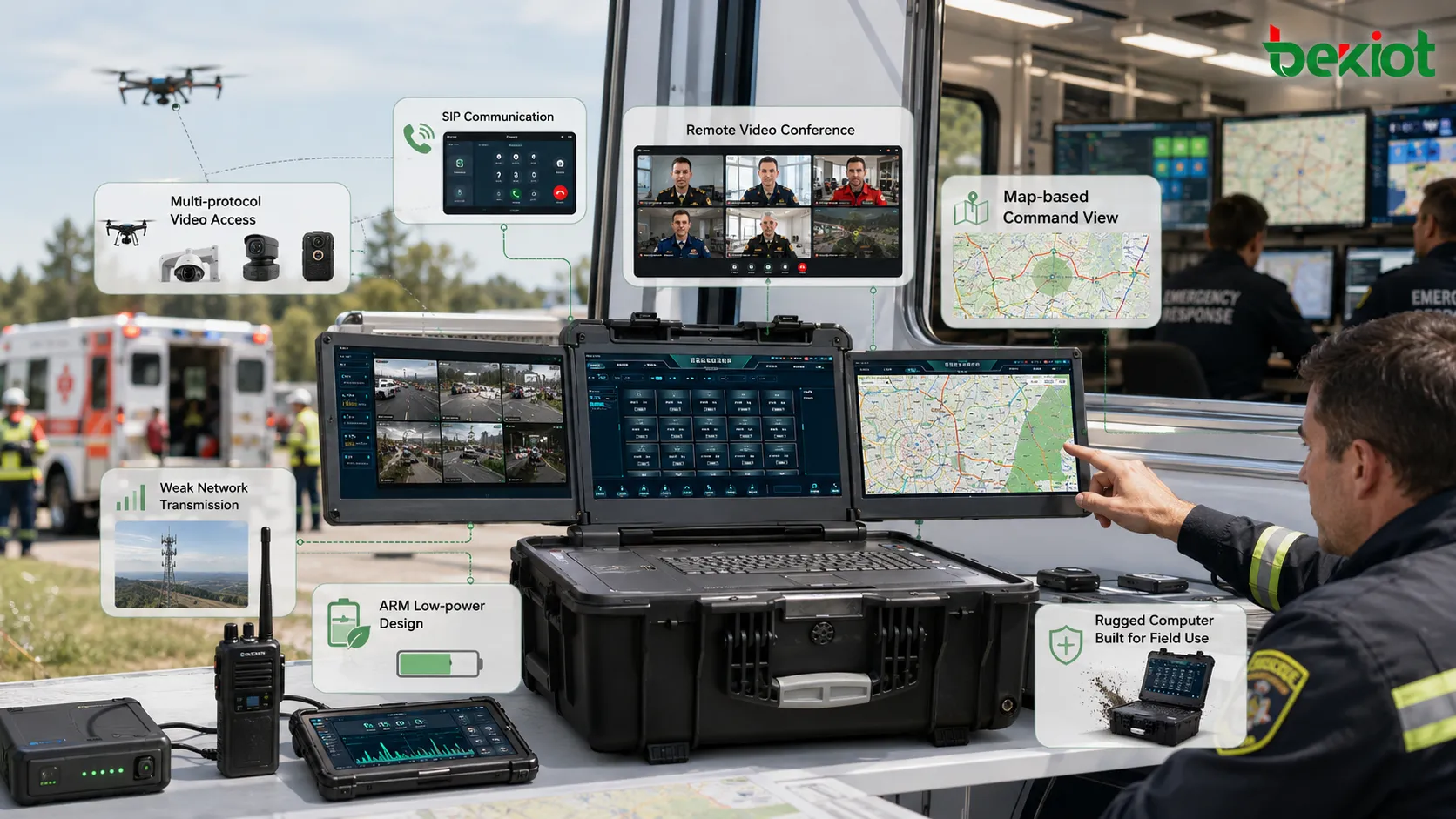
Key Technical Checks Before Purchase
Before purchasing an emergency command box, buyers should check whether the device is only a communication terminal, only a video meeting terminal, a real audio-video processing platform, or simply a rugged computer. The product name alone is not enough.
The system should be evaluated based on protocol access. A stronger command box should support multiple types of field sources, such as SIP endpoints, GB/T28181 devices, RTSP cameras, RTMP push streams, HDMI inputs, WebRTC viewing, and local video files. It should also support output to upper-level platforms rather than only local display.
Video processing capability is another critical point. Buyers should ask whether the system supports real-time encoding, decoding, transcoding, stream mixing, video composition, recording, preview, and weak-network lightweight transmission. If every video source must first be converted by another external device, the system may become too complex for emergency use.
Power architecture should also be considered. An emergency command box may need to work with batteries, vehicle power, generators, or temporary power supplies. A low-power ARM architecture can be more suitable for portable emergency deployment than a heavier X86 server-style structure, especially when long runtime, low heat, and mobility are important.
Where Advanced Command Boxes Create More Value
The highest value appears in scenarios where many field resources must be coordinated at once. A rescue team may need drone video, portable camera video, walkie-talkie communication, command center video meetings, field recording, and upper-level platform sharing. A forest fire team may need mobile cameras, broadband ad hoc networks, radio communication, terrain maps, and remote expert consultation. An industrial emergency team may need fixed cameras, temporary cameras, voice dispatch, mobile terminals, and video evidence archiving.
In these situations, the emergency command box should not only “connect to the headquarters.” It should also help the on-site team make decisions locally. Operators need to see what is happening, select the most important source, talk to the right team, send video to the right platform, record the process, and keep operating when the network is unstable.
This is why audio-video processing capability, protocol openness, weak-network adaptation, and simple operation are becoming more important than the number of screens or the appearance of the case. When these portable systems are connected with a unified platform such as Becke Telcom’s converged communication solution, the field site can become a more complete command node rather than a standalone temporary workstation.
FAQ
What should be tested before accepting an emergency command box?
Acceptance testing should include startup time, battery runtime, SIP calling, video input access, HDMI input, protocol conversion, local preview, recording, upper-platform sharing, weak-network transmission, audio pickup, speaker output, and recovery after network interruption.
Can one command box work without an upper-level platform?
Some systems can work independently for local command, video preview, recording, and communication. However, richer functions such as multi-site coordination, centralized user management, large-scale recording, and upper-level command sharing usually require a platform.
How can buyers avoid purchasing a rugged computer instead of a real command box?
Ask whether the product has native dispatch functions, built-in media processing, protocol access, video routing, local recording, communication control, and platform output. If all functions depend only on installed software and external systems, it is likely closer to a rugged computer.
Why is weak-network performance important?
Emergency sites often rely on mobile networks, satellite links, temporary broadband, or ad hoc networks. If the command box cannot compress, adapt, or prioritize video streams, the system may fail when bandwidth becomes unstable.
Should an emergency command box use X86 or ARM architecture?
Both can be used, but the selection should match the project. X86 may provide strong general computing capability, while ARM can offer lower power consumption, lighter deployment, and better suitability for portable emergency environments.
What information should be prepared before choosing a command box?
Prepare the field scenario, number of users, expected video sources, communication devices, network conditions, upper-level platform requirements, battery runtime expectations, recording needs, and whether non-professional operators must use the system.







