


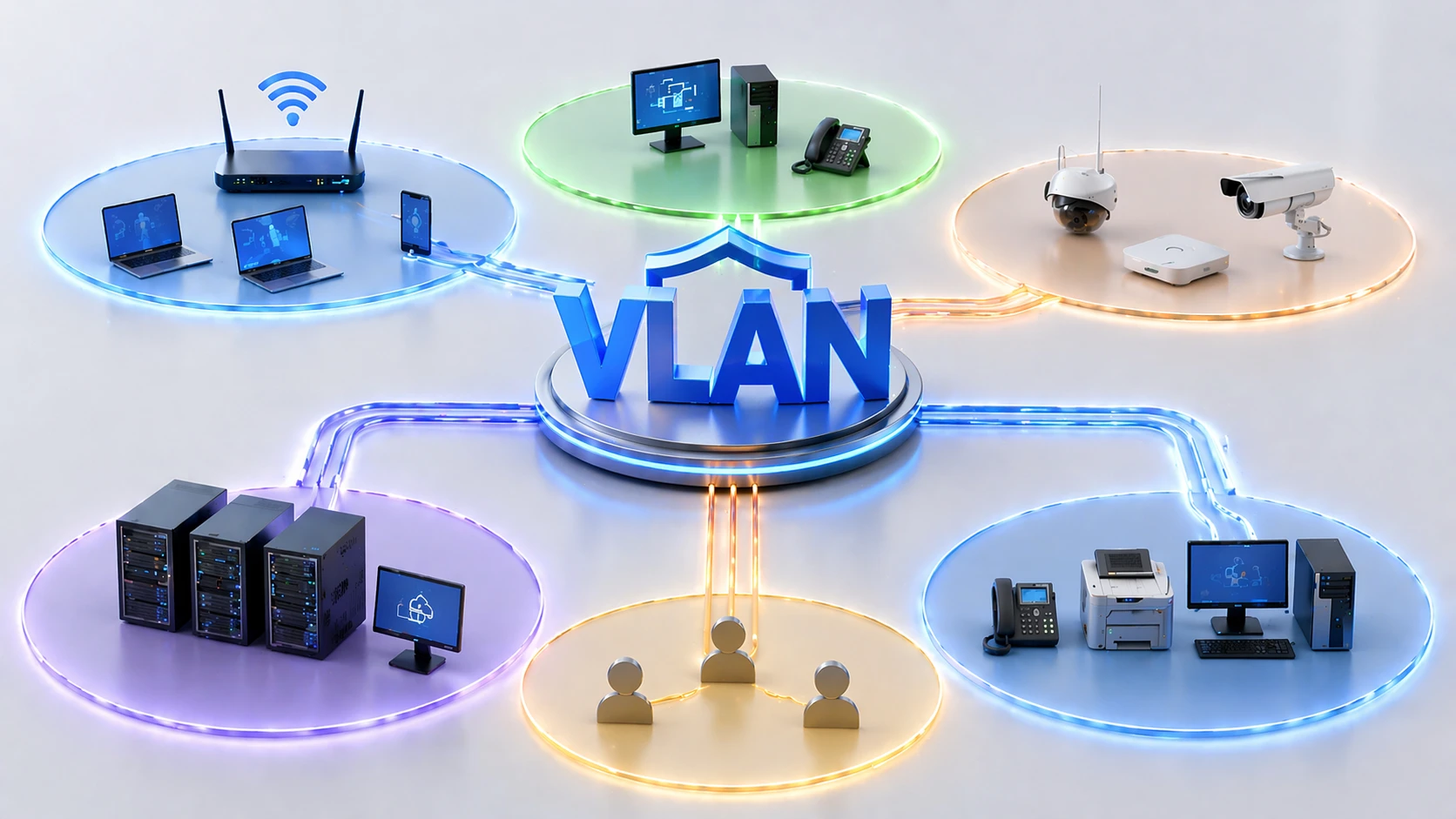
VLAN segmentation is a network design method that divides a physical switching infrastructure into multiple logical network segments. Instead of allowing every connected device to share the same broadcast domain, administrators can assign devices, ports, users, departments, systems, or traffic types to separate virtual LANs.
This approach is widely used in enterprise networks, industrial sites, campuses, hospitals, data centers, retail chains, smart buildings, and managed service environments. Its main purpose is to improve traffic organization, reduce unnecessary broadcast exposure, separate sensitive systems, support policy control, and make large networks easier to operate.
From One Large LAN to Controlled Logical Zones
In a flat network, many devices sit in the same Layer 2 domain. This may be simple at the beginning, but it becomes difficult to manage as the number of users, devices, applications, and security requirements grows. Broadcast traffic increases, troubleshooting becomes harder, and a problem in one area can affect unrelated systems.
Logical segmentation changes that structure. A switch can carry several separate virtual networks at the same time. Office users, IP phones, cameras, servers, guest Wi-Fi, industrial controllers, management interfaces, and security devices can all share the same physical infrastructure while remaining separated by design.
The industry trend is moving toward more controlled and policy-driven networks. Zero trust architecture, IoT growth, OT security, hybrid work, cloud access, and compliance pressure all make segmentation more important than simple connectivity.
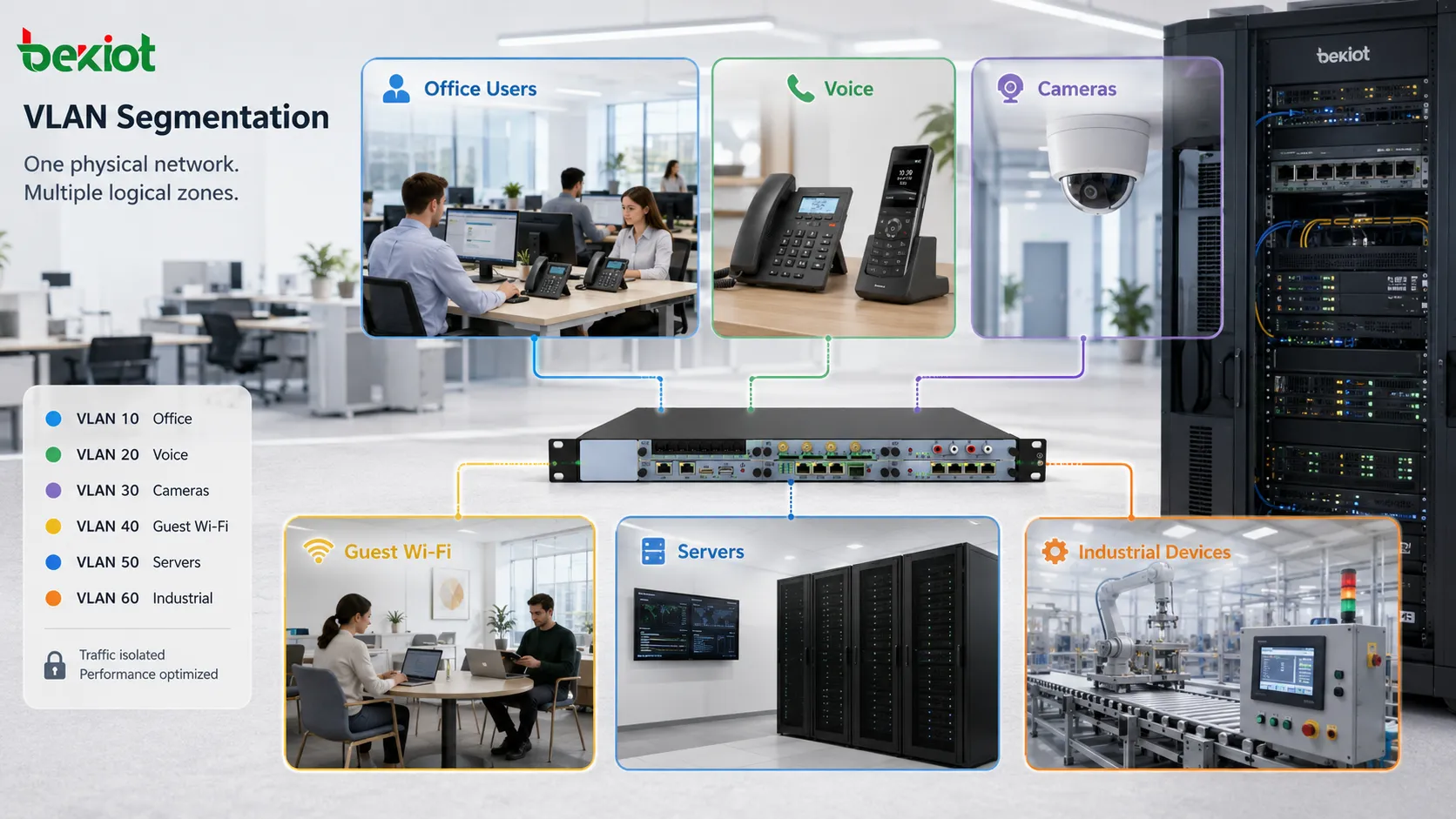
Basic Working Mechanism
Port-Based Assignment
The simplest design assigns switch ports to specific segments. A port connected to an office computer may belong to one logical network, while a port connected to a camera may belong to another. Devices on different segments cannot communicate directly at Layer 2 unless routing or policy allows it.
Port-based assignment is easy to understand and common in fixed environments. It works well for desks, cameras, printers, access points, industrial devices, and other endpoints that do not move frequently.
Tagged Traffic on Trunk Links
When traffic from several logical networks must travel between switches, trunk links are used. A trunk carries multiple segments over one physical connection by adding a tag to Ethernet frames. The tag identifies which logical network the frame belongs to.
This allows switches, routers, firewalls, wireless controllers, and servers to process traffic correctly without needing one cable for every segment.
Access Links for End Devices
Most ordinary endpoints connect through access ports. An access port usually belongs to one segment and sends untagged traffic to the endpoint. The switch internally associates that traffic with the configured segment.
This keeps endpoint configuration simple. Many computers, printers, cameras, and phones do not need to understand tagging when the switch handles classification at the access layer.
Inter-Segment Routing
Devices in different logical zones usually need a Layer 3 device to communicate. This may be a router, Layer 3 switch, firewall, SD-WAN device, or gateway. Routing controls whether traffic can pass between segments.
This is where security policy becomes important. Separating traffic at Layer 2 is only the first step. Administrators must also define which traffic is allowed between zones.
Key Features
Broadcast Domain Control
One important feature is broadcast containment. Broadcast packets stay within their assigned segment instead of spreading across the whole switching environment.
This improves efficiency in larger networks because unnecessary traffic does not reach unrelated devices. It also reduces the noise that administrators must analyze during troubleshooting.
Logical Isolation
Segmentation provides logical separation between different device groups or services. Guest users can be separated from internal systems. Cameras can be separated from office devices. Industrial controllers can be separated from corporate computers.
This does not replace firewalls or access control, but it creates a cleaner structure for enforcing policy.
Flexible Physical Design
Devices do not need to be separated by different physical switches. A single managed switch can support multiple logical networks. This saves cabling, rack space, and equipment cost while still supporting separation.
Flexibility is especially useful in campuses, multi-floor buildings, factories, warehouses, and mixed-use facilities.
Traffic Classification
Different traffic types can be classified into different zones. Voice, video, management, guest access, production systems, security devices, and user traffic can be handled separately.
This supports clearer QoS policies, easier monitoring, and more predictable network behavior.
Policy-Based Expansion
As an organization grows, new departments, tenants, production areas, or service types can be added with structured numbering and naming. This makes expansion more organized than simply adding devices to one shared network.
A good naming and numbering plan helps administrators understand the purpose of each segment quickly.
Security Value in Modern Networks
Security is one of the strongest reasons for segmentation. If all devices are placed in the same network, a compromised endpoint may have easier access to many other systems. Separating devices reduces the available attack surface.
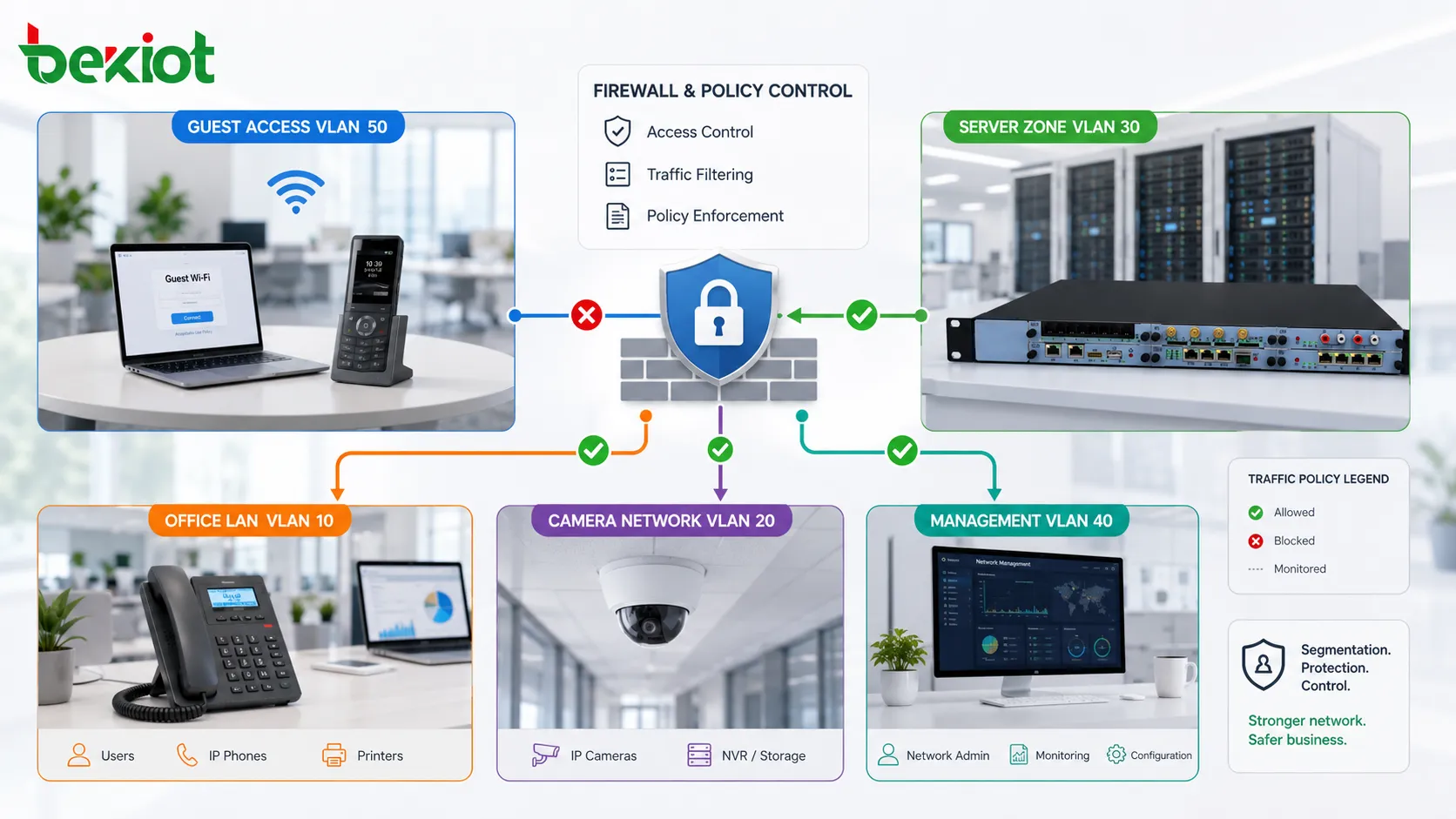
For example, guest Wi-Fi should not reach internal servers. IP cameras should not freely access finance systems. Building automation controllers should not share the same zone as ordinary office laptops. Management interfaces should be protected from general user traffic.
Segmentation also supports incident containment. If malware or suspicious traffic appears in one zone, administrators can isolate, monitor, or restrict that zone without immediately disrupting the entire network.
Performance and Traffic Management
Segmentation can improve performance by reducing broadcast spread and organizing traffic flows. It does not automatically make every application faster, but it creates a cleaner network structure where traffic can be controlled more effectively.
Voice traffic may be placed in a dedicated zone to support QoS and easier troubleshooting. Video surveillance traffic may be separated because camera streams can consume large bandwidth. Management traffic may be placed in a restricted zone to reduce unnecessary exposure.
By understanding where traffic belongs, administrators can design uplinks, routing paths, firewall rules, monitoring views, and capacity planning more accurately.
Applications in Enterprise Offices
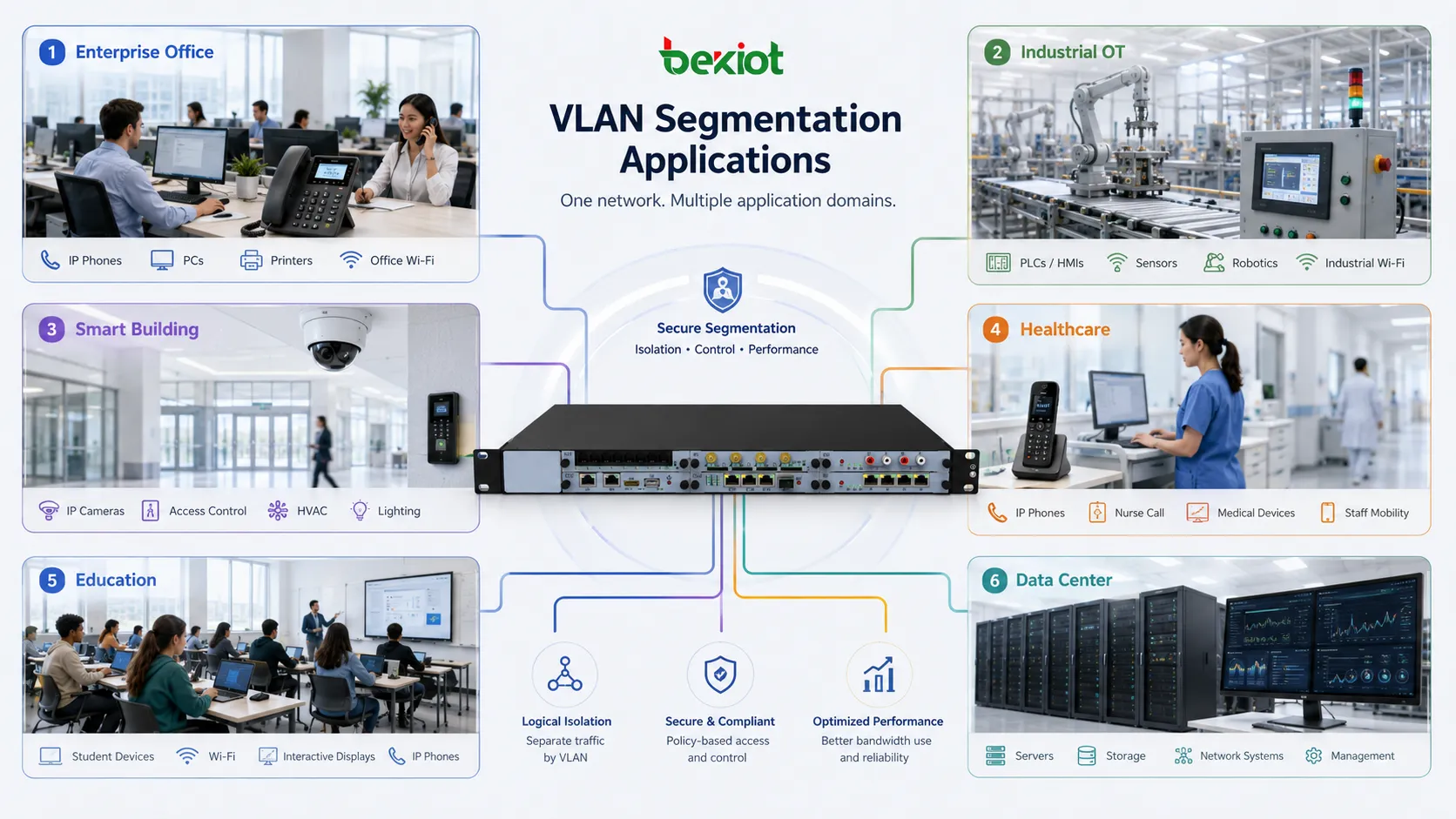
Enterprise offices often separate departments, guest Wi-Fi, voice devices, printers, management interfaces, security cameras, and server access. This helps keep the network organized and reduces unnecessary interaction between unrelated systems.
For hybrid work environments, segmentation also helps separate employee access, contractor access, meeting room devices, collaboration systems, and building services.
In larger companies, segmentation can support compliance and audit requirements by separating systems that handle sensitive business data from ordinary office traffic.
Applications in Industrial and OT Environments
Industrial networks may include PLCs, HMIs, sensors, gateways, engineering workstations, safety systems, production servers, CCTV, wireless devices, and maintenance terminals. Placing all of these in one flat network can create operational and security risks.
Logical segmentation helps separate production zones, control systems, monitoring devices, remote access paths, and corporate IT systems. This reduces the chance that a problem in the office network affects production equipment.
However, industrial environments require careful planning. Some legacy devices may not support modern security controls, and downtime may be unacceptable. Segmentation should be tested with real process communication before full rollout.
Applications in Smart Buildings
Smart buildings contain many connected systems, including access control, elevators, HVAC, lighting, energy meters, parking systems, visitor devices, surveillance cameras, Wi-Fi, tenant networks, and management platforms.
Logical separation helps prevent one subsystem from interfering with another. For example, guest internet access should not reach access control controllers. Cameras should be separated from tenant office devices. Building management traffic should be visible only to authorized maintenance platforms.
This makes the building network easier to operate and improves security posture as more facility devices become IP-based.
Applications in Healthcare and Education
Hospitals and educational institutions often have many device types and user groups. Clinical systems, administrative computers, guest Wi-Fi, medical devices, security systems, student devices, laboratory equipment, and staff networks should not all share one uncontrolled space.
In healthcare, segmentation helps protect sensitive systems and supports safer device management. In education, it helps separate students, staff, labs, public access, and administrative services.
Both environments require strong naming, documentation, and access policy because the number of users and devices can change frequently.
Applications in Data Centers and Cloud-Connected Systems
Data centers use segmentation to separate application tiers, storage traffic, management networks, backup systems, tenant workloads, and external service zones. This creates a structured foundation for routing, firewalling, monitoring, and compliance.
Cloud-connected architectures may also map logical on-premises zones to cloud security groups, virtual networks, or firewall policies. Consistent segmentation logic makes hybrid architecture easier to understand.
As workloads become more dynamic, many organizations combine traditional segmentation with software-defined networking, microsegmentation, and identity-based access control.
Design Principles
Define Business Zones First
Before configuring switches, administrators should define the purpose of each segment. The design should follow business function, risk level, device type, and traffic pattern rather than random numbering.
Examples include user zone, voice zone, camera zone, guest zone, server zone, management zone, OT zone, and restricted service zone.
Use Clear Naming and Documentation
Good documentation is essential. Each segment should have a name, ID, subnet, gateway, purpose, allowed traffic policy, owner, and location scope.
Without documentation, segmentation becomes difficult to maintain. Future engineers may not know why a segment exists or which systems depend on it.
Control Routing Between Zones
Segmentation is incomplete if every zone can freely communicate with every other zone. Inter-zone traffic should pass through controlled routing, firewall policy, or access lists.
The safest approach is to allow only required communication and deny unnecessary paths.
Plan for Growth
Numbering and IP addressing should allow future expansion. If every ID and subnet is assigned without structure, scaling becomes difficult.
A planned design helps add new departments, branches, device types, tenants, or security zones later without major redesign.
Common Configuration Problems
One common problem is incorrect trunk configuration. If a required segment is not allowed on a trunk, devices may lose connectivity. If too many segments are allowed everywhere, exposure increases and troubleshooting becomes harder.
Another problem is mismatched tagging. An endpoint may send tagged traffic while the switch expects untagged traffic, or a phone may require a voice segment that is not advertised correctly.
Gateway misconfiguration can also create issues. If the default gateway for a segment is wrong, devices may communicate locally but fail to reach other networks.
Security gaps appear when segmentation exists at the switch level but routing policy remains too open. In that case, the network looks separated but still allows excessive communication.
Operations and Monitoring
After deployment, monitoring should include port assignments, trunk status, interface errors, broadcast levels, IP address usage, DHCP scopes, inter-zone traffic, firewall logs, and unauthorized device events.
Change control is important. Moving a device to the wrong port or assigning the wrong profile can break service or bypass policy.
Network teams should also review unused segments, outdated rules, undocumented trunks, and inconsistent naming. Over time, poor maintenance can turn a clean design into a confusing system.
Industry Development Direction
The industry is moving beyond simple static separation. Many organizations are combining VLAN-based design with network access control, identity-aware policy, zero trust segmentation, SDN, cloud security groups, and automated provisioning.
IoT and OT growth are also pushing segmentation forward. More cameras, sensors, smart devices, controllers, and building systems are connecting to IP networks, and they cannot all be trusted equally.
Future designs will likely use a layered approach. Traditional logical segments will remain useful, while finer access control will be added through firewalls, NAC, endpoint posture checks, and application-aware policy.
Best Practices for Deployment
Start with an inventory of users, devices, applications, and traffic flows. Segmentation should be based on what needs to communicate, not on assumptions.
Create a standard naming and numbering plan. Use consistent labels across switches, routers, firewalls, IP address management systems, and documentation.
Separate high-risk or unmanaged devices from critical systems. Guest access, IoT devices, cameras, and building controllers should not be placed in the same zone as business servers or management interfaces.
Test inter-zone rules before production rollout. Applications may depend on DNS, authentication, database access, logging, update servers, or time synchronization, and these dependencies must be allowed intentionally.
Review the design regularly. Business changes, new devices, mergers, cloud migration, and security incidents may require policy updates.
VLAN segmentation is valuable because it turns a shared switching environment into organized logical zones that support security, performance, visibility, and scalable network operations.
FAQ
Can VLAN segmentation stop all cyberattacks?
No. It reduces exposure and limits unnecessary communication, but it must be combined with firewalls, authentication, monitoring, endpoint security, and access control.
Does every device type need its own segment?
Not always. Segments should be based on risk, function, traffic behavior, and management needs. Too many unnecessary segments can make operations difficult.
Why can two devices on different segments not communicate?
They usually need Layer 3 routing and an allowed policy between their networks. If routing, gateway, firewall, or ACL settings are missing, communication will fail.
Is segmentation useful for small networks?
Yes, but the design should remain simple. Even small offices often benefit from separating guest Wi-Fi, management interfaces, and internal user devices.
What should be documented after deployment?
Document segment ID, name, subnet, gateway, purpose, owner, allowed traffic, trunk paths, DHCP scope, firewall policy, and connected device types.







