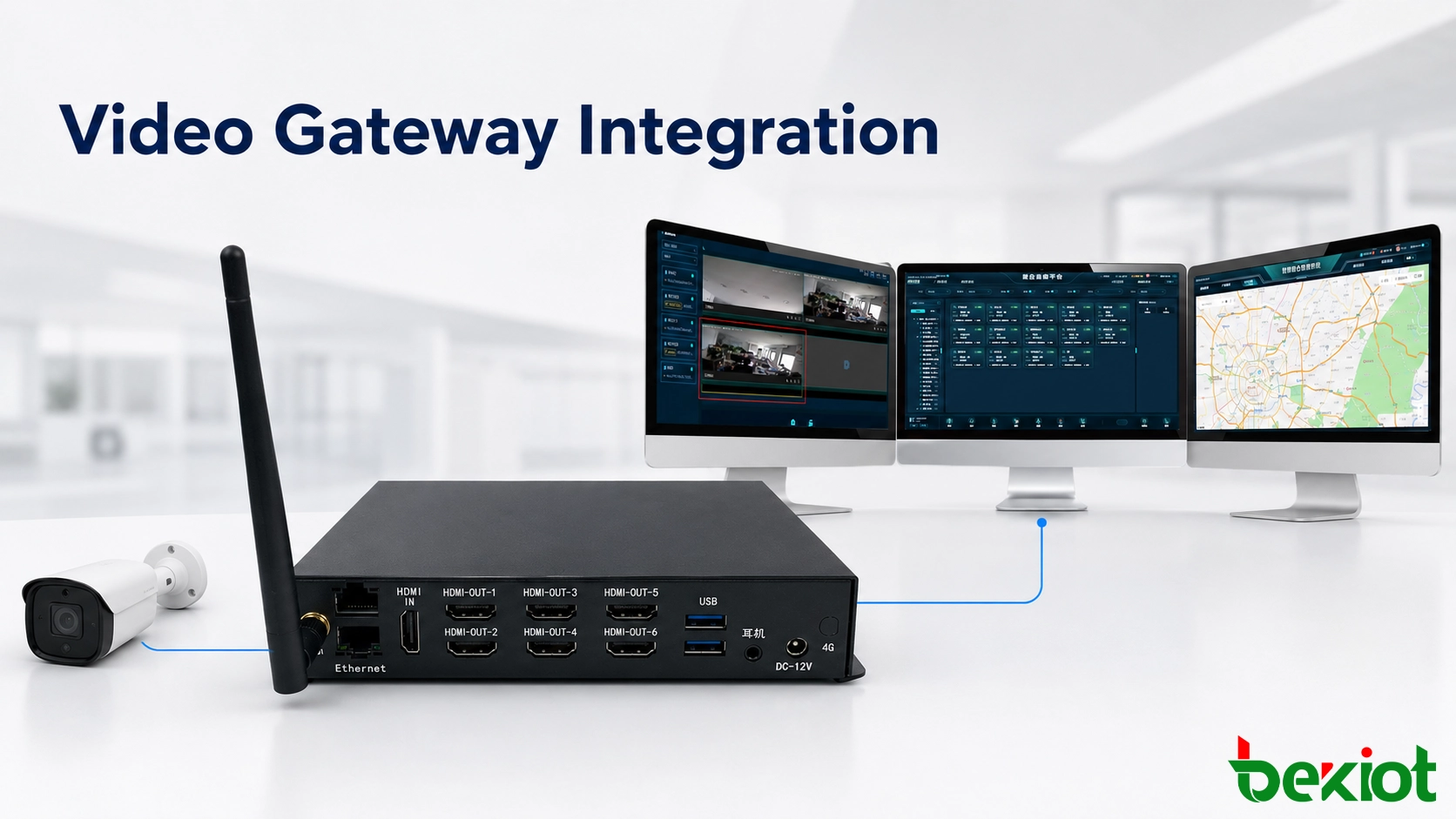
A surveillance system may work perfectly on its own and still be difficult to connect to a command platform, web application or third-party business system. Cameras, NVRs, video management platforms, drones and mobile terminals can use different protocols, codecs, stream formats, resolutions and authentication methods. A video gateway provides a controlled integration layer between these systems, allowing existing video resources to be reused without rewriting every platform or replacing every field device.
Why an integration layer is often necessary
Video projects are rarely built at the same time or supplied by one manufacturer. A site may have an older surveillance system using H.264, a newly deployed camera network using H.265, a command platform based on SIP and WebRTC, and a business application that expects browser-compatible video. Each system may perform its original function correctly, but direct communication between them is not guaranteed.
The differences normally appear in several areas:
Device registration and authentication
Video signaling and stream-control methods
H.264, H.265 and other codec compatibility
RTSP, RTMP, SIP, GB/T 28181 and vendor SDK access
FLV, HLS and WebRTC output requirements
Resolution, frame rate and bitrate limitations
Audio support and two-way communication
Browser, mobile terminal and large-screen playback
Modifying every camera, recorder and application to resolve these differences can create a large development workload. It may also introduce risk into systems that are already operating reliably. Placing a gateway between the source and destination creates a clearer boundary: the original systems keep their established workflows, while the gateway handles access, conversion and distribution.
This architecture is particularly useful when an organization wants to preserve existing surveillance investments while adding command dispatch, emergency response, IoT linkage, remote access or centralized management.
Bringing distributed camera systems into one operational view
Organizations with multiple branches, industrial sites, stations, campuses or remote facilities often operate separate surveillance systems. Cameras and NVRs remain under local control, while a regional or national center needs permission-based access to selected streams.
A video gateway can aggregate these resources and connect them to an upper-level platform. Depending on the systems involved, access may use GB/T 28181, RTSP, RTMP, an SDK or another supported interface. The gateway presents the required streams to the destination platform without forcing every remote site to replace its existing recorder or camera estate.
This arrangement can support several operating models:
Centralized viewing of cameras from multiple branches
Selective sharing of important streams with a command center
Video access across private networks, WAN links or VPN connections
Integration of existing surveillance with a new GIS or dispatch platform
Controlled distribution of one video resource to different authorized applications
The gateway should not be treated simply as a passive network bridge. A practical deployment also needs device mapping, stream status monitoring, access permissions, connection logs and clear naming. Operators should see operational names such as North Gate Camera, Production Line 2 or Tunnel Entrance instead of an unexplained IP address or channel number.
Centralization does not necessarily mean that every stream must be transmitted continuously. For remote sites with limited bandwidth, the platform can request video when an alarm occurs or when an operator selects a camera. Main and substreams may also be used for different purposes: a high-quality stream for evidence or large-screen viewing and a lower-bitrate stream for previews or mobile access.
Supporting cameras, drones and field video together
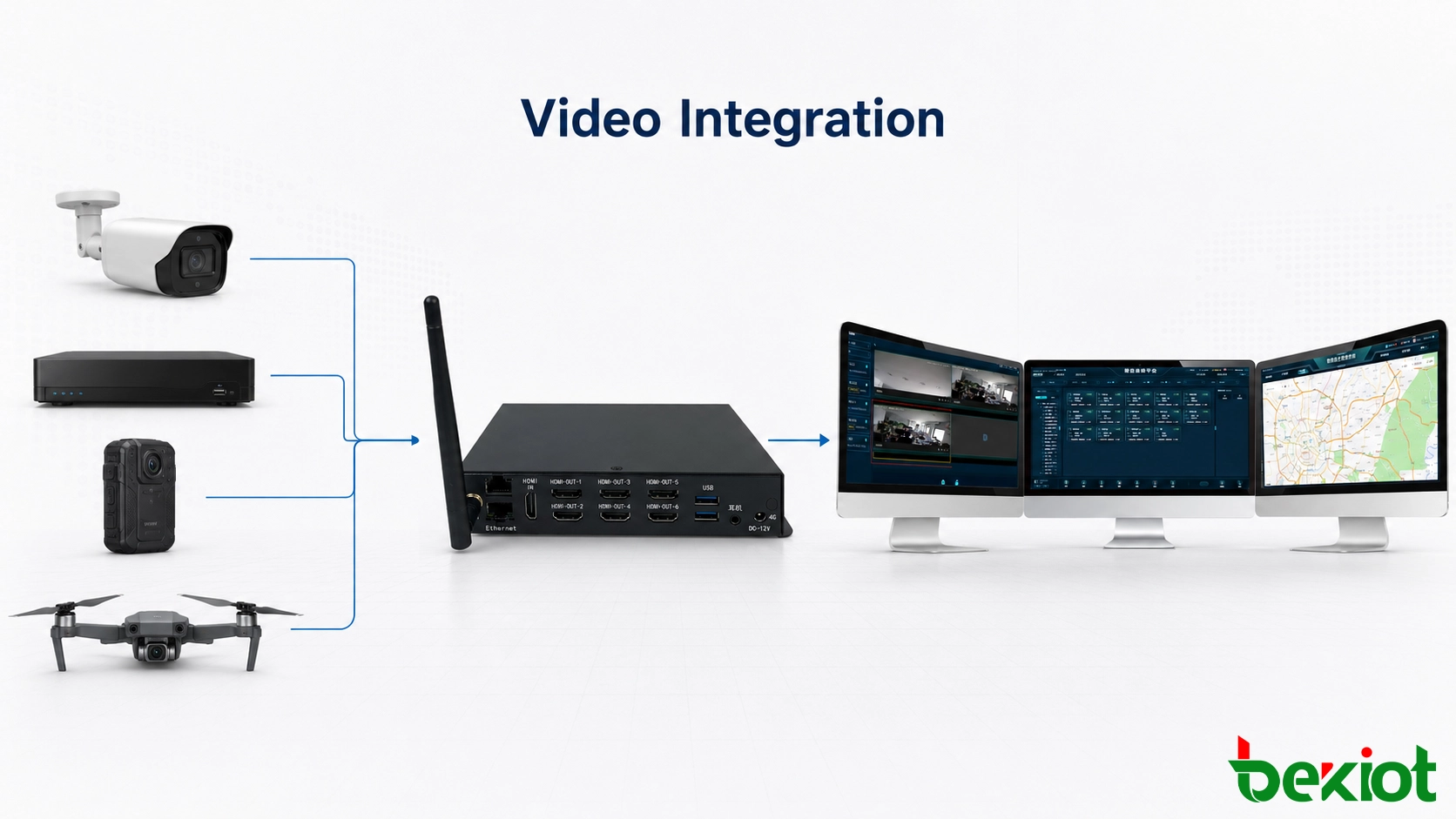
Modern command projects use more than fixed surveillance cameras. Video may come from PTZ cameras, NVRs, body-worn cameras, vehicle-mounted terminals, drones, smart helmets, portable recorders, video intercoms and SIP video phones. These devices differ not only in protocol but also in how they initiate, maintain and terminate a stream.
A video gateway can normalize these sources before passing them to the command environment. Fixed cameras may be registered through a surveillance protocol, while a drone or mobile terminal may push an RTMP stream. A dispatch console may request video through SIP, and a web application may require FLV, HLS or WebRTC output.
Common integration paths include:
Pulling live video from cameras and NVRs through RTSP
Receiving pushed video from drones or mobile devices through RTMP
Connecting surveillance resources through GB/T 28181
Associating video with SIP calls, intercom events or dispatch sessions
Delivering browser-compatible streams through WebRTC, HLS or FLV
Providing controlled interfaces for third-party application development
Audio capability must be confirmed separately. A device that supplies live video does not automatically support audio, talkback or SIP communication. If a project requires the operator to see a location and speak to field personnel from the same interface, the design must verify audio codecs, microphone and speaker paths, echo handling, permissions and call-control behavior.
This is important in command centers because video is usually part of a wider response process. An operator may open a nearby camera, call a field terminal, start a conference, issue a paging message and record the incident from one workstation. The gateway makes the video available, while the communication and dispatch platform controls the complete operational workflow.
Adapting each stream to its destination
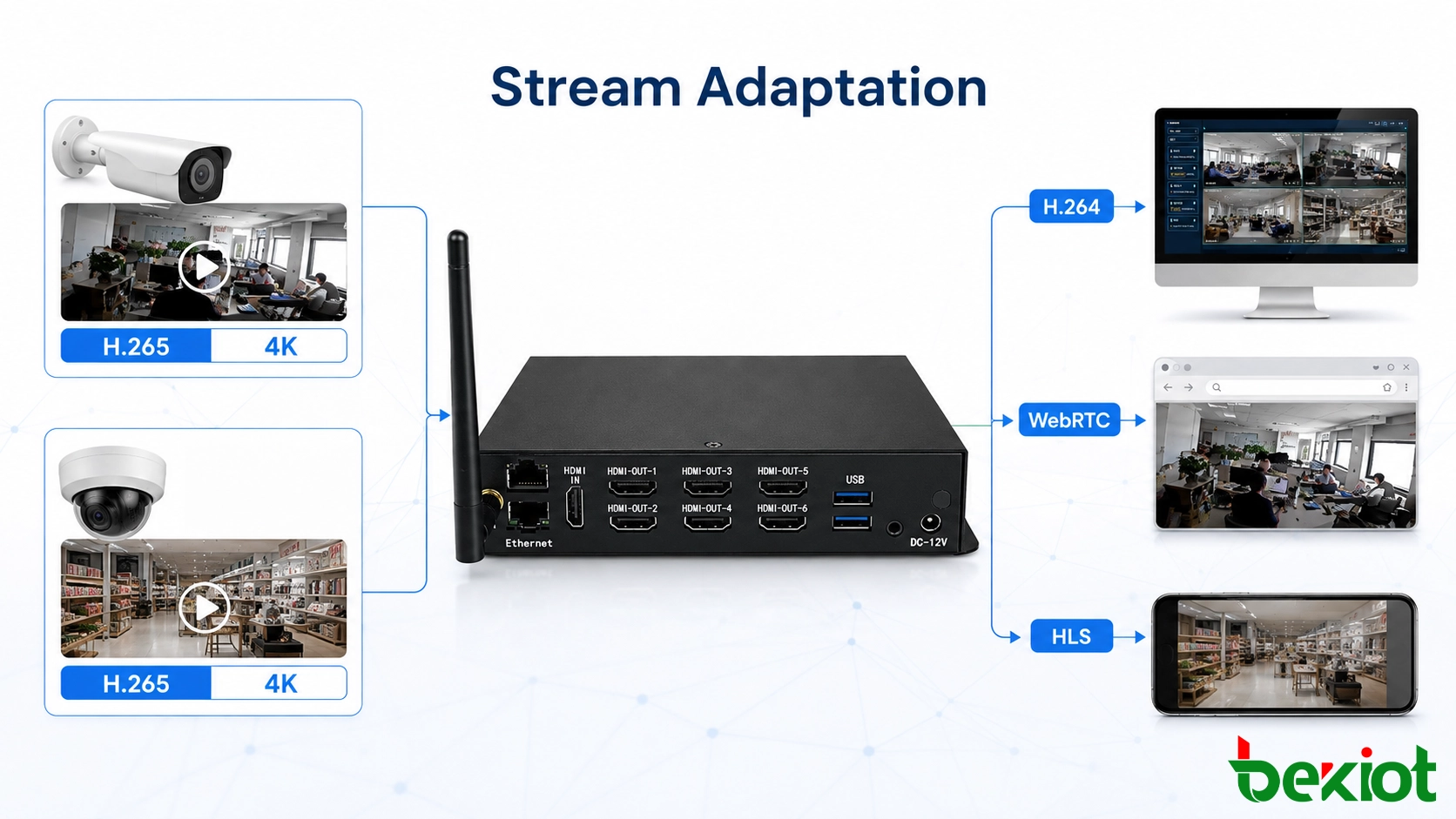
Protocol conversion and video transcoding solve different problems. Protocol conversion changes how a stream is accessed, transported or presented. Transcoding changes the media itself, such as the codec, resolution, frame rate or bitrate. Some projects need only stream forwarding, while others require both processes.
A common compatibility issue appears between H.264 and H.265. Many established monitoring or communication systems were designed around H.264, while newer surveillance deployments increasingly use H.265 to reduce storage and bandwidth consumption. If a destination cannot decode the source codec, the stream must be transcoded before it can be displayed.
Transcoding may also be required when:
A high-resolution camera must be displayed on a lower-resolution terminal
A high-bitrate stream must cross a limited WAN or mobile connection
A browser or mobile application does not support the original media format
Different frame rates are required for live monitoring and recording
A command platform needs H.264 while the source system outputs H.265
A stream requires overlays, timestamps, masking or watermark processing
Transcoding consumes considerably more processing resources than forwarding. Capacity should therefore be calculated from the number of simultaneous streams, source resolution, output resolution, codec conversion, frame rate and expected operating duration. A gateway that can forward many channels may support fewer channels when full transcoding is enabled.
Latency must also be considered. Every decoding, processing and re-encoding stage adds delay. Surveillance review may tolerate more latency than interactive dispatch, drone control or video intercom. For real-time operations, the architecture should minimize unnecessary conversion and select an output method appropriate to the application.
Connecting video with alarms and business workflows
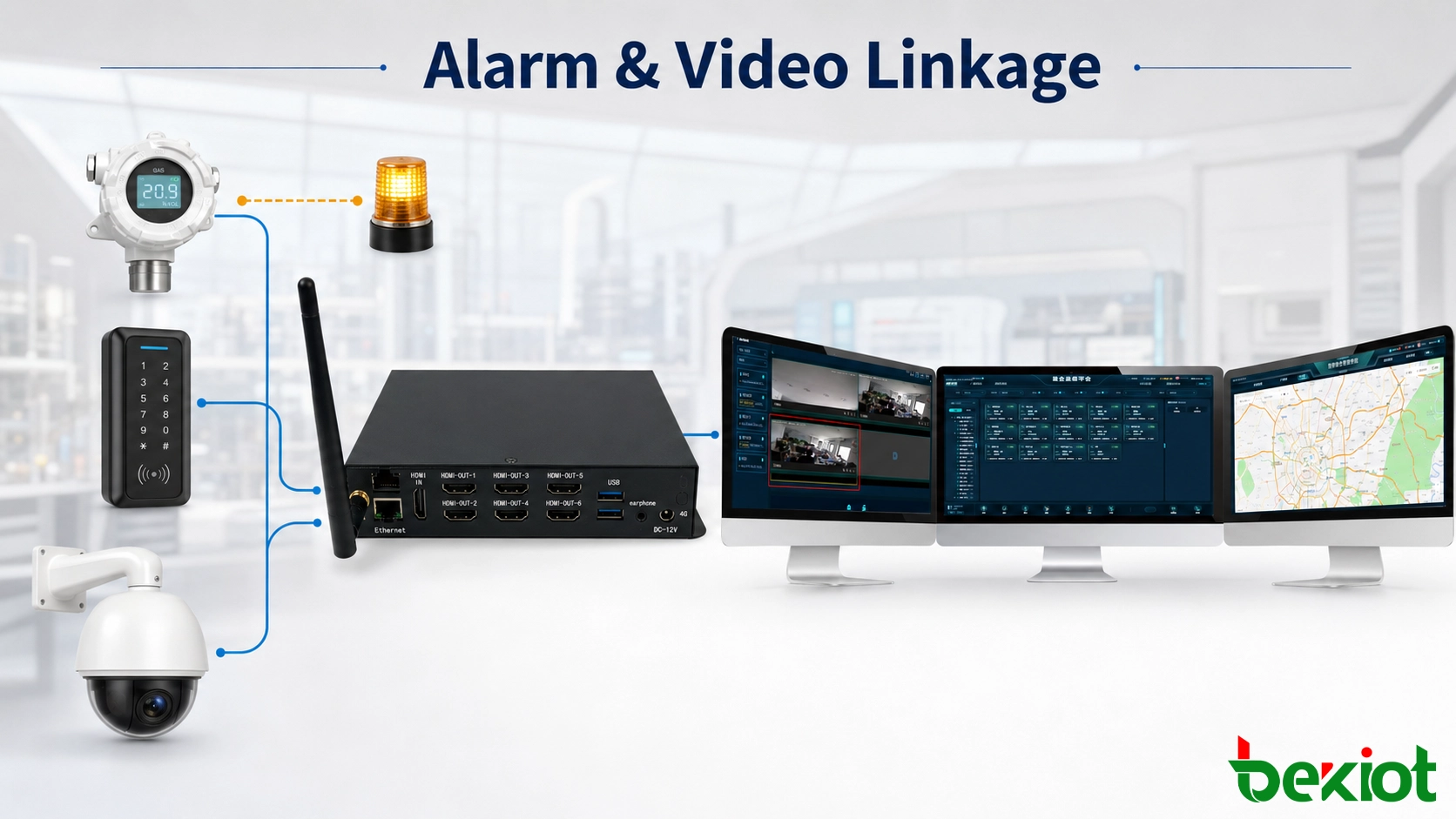
The value of integration increases when video becomes part of an operational event rather than an isolated monitoring screen. IoT, access control, perimeter protection, equipment monitoring and emergency communication platforms can use video to verify an alarm and guide the next action.
For example, a gas sensor may report an abnormal reading in an industrial area. The application identifies the sensor location, requests the associated camera through the gateway and displays the live stream to the duty operator. The operator can then call on-site personnel, activate a response procedure or send a warning through the communication platform.
Similar workflows can be designed for:
Access-control alarms linked with entrance cameras
Perimeter events linked with nearby PTZ cameras
Equipment faults linked with production-area monitoring
Emergency intercom calls linked with location-specific video
Traffic events linked with road and tunnel cameras
Mobile teams returning live video to a command map
Drone streams displayed during inspection or emergency response
A gateway can reduce the amount of video-specific development required inside the business application. Instead of building separate access modules for every camera brand, recorder and stream format, the application connects to a normalized media interface and concentrates on its own workflow, user permissions and event logic.
This approach is applicable to smart parks, industrial plants, mines, utilities, transport networks, campuses, commercial properties and multi-site organizations. The business platform remains responsible for alarms, maps, work orders and response procedures, while the gateway handles video access, media adaptation and stream delivery.
Designing a reliable deployment
A successful project begins with an inventory of the source and destination systems. Checking a list of protocol names is not sufficient. Two products may both claim RTSP or GB/T 28181 support and still differ in authentication, stream addressing, codec handling, device catalog structure or signaling behavior.
The design team should confirm:
The number and type of cameras, NVRs, platforms and mobile video sources
Required input and output protocols
Video and audio codec compatibility
Maximum concurrent live, forwarded and transcoded streams
Resolution, frame rate and bitrate of representative sources
Browser, mobile, workstation and video-wall playback requirements
Expected latency for monitoring and interactive applications
User authentication, permissions and encrypted transport requirements
WAN bandwidth, packet loss and network failover conditions
Monitoring, logs, time synchronization and maintenance responsibilities
A proof-of-concept test should use real equipment and representative streams. It should verify continuous playback, reconnection after network interruption, audio synchronization, PTZ control where required, browser compatibility and the behavior of every transcoding profile. Testing only one camera for a short period does not represent a multi-channel production environment.
High-availability requirements also need to be defined. Critical command projects may require redundant gateways, multiple network interfaces, platform failover and stream recovery after service interruption. Local surveillance should continue operating independently when the connection to the upper-level command platform is unavailable.
A video gateway is most effective when its role is clearly defined. It provides protocol adaptation, stream access, forwarding, transcoding and integration support, but it does not automatically replace all the recording, investigation, alarm management and evidence-retention functions of a complete video management system. In many projects, the two systems work together.
Frequently Asked Questions
Can one camera stream be shared with several applications?
Yes, if the gateway supports stream replication or media distribution. The gateway can obtain a source stream once and provide separate outputs to authorized applications, reducing the need for every application to establish its own connection to the camera. Actual capacity depends on output bandwidth and concurrent-session limits.
Does a video gateway require a public internet connection?
No. It can operate entirely within a LAN, private WAN or isolated network. Internet access is only required when remote users, cloud services or external platforms must receive video through an internet connection.
Why can a stream play in a desktop client but not in a browser?
Desktop clients may include proprietary codecs and protocol components that browsers do not support. Browser playback usually requires a compatible delivery method such as WebRTC, HLS or browser-supported fragmented video. The stream may need protocol conversion or transcoding before it can be displayed.
Should every incoming stream be transcoded?
No. If the source codec and parameters are already supported by the destination, direct forwarding is more efficient and introduces less latency. Transcoding should be enabled only where compatibility, bandwidth or display requirements make it necessary.
What should happen when a remote network connection fails?
The local surveillance system should continue recording and operating independently. The gateway and upper-level platform should detect the interruption, report the offline state and automatically restore stream access after the network recovers. Critical projects may also require a secondary transmission path.