In many voice communication, softswitch, IP PBX, and converged communication projects, users want mobile voice terminals that can work over Wi-Fi. The requirement is practical: within a campus, office building, venue, industrial site, hospital, transportation hub, or business park, staff need to move freely while still making internal extension calls, answering external calls, and staying connected to the communication system. For this type of project, there are two common implementation methods: a dedicated Wi-Fi phone, or a smart Android terminal running a SIP softphone application.
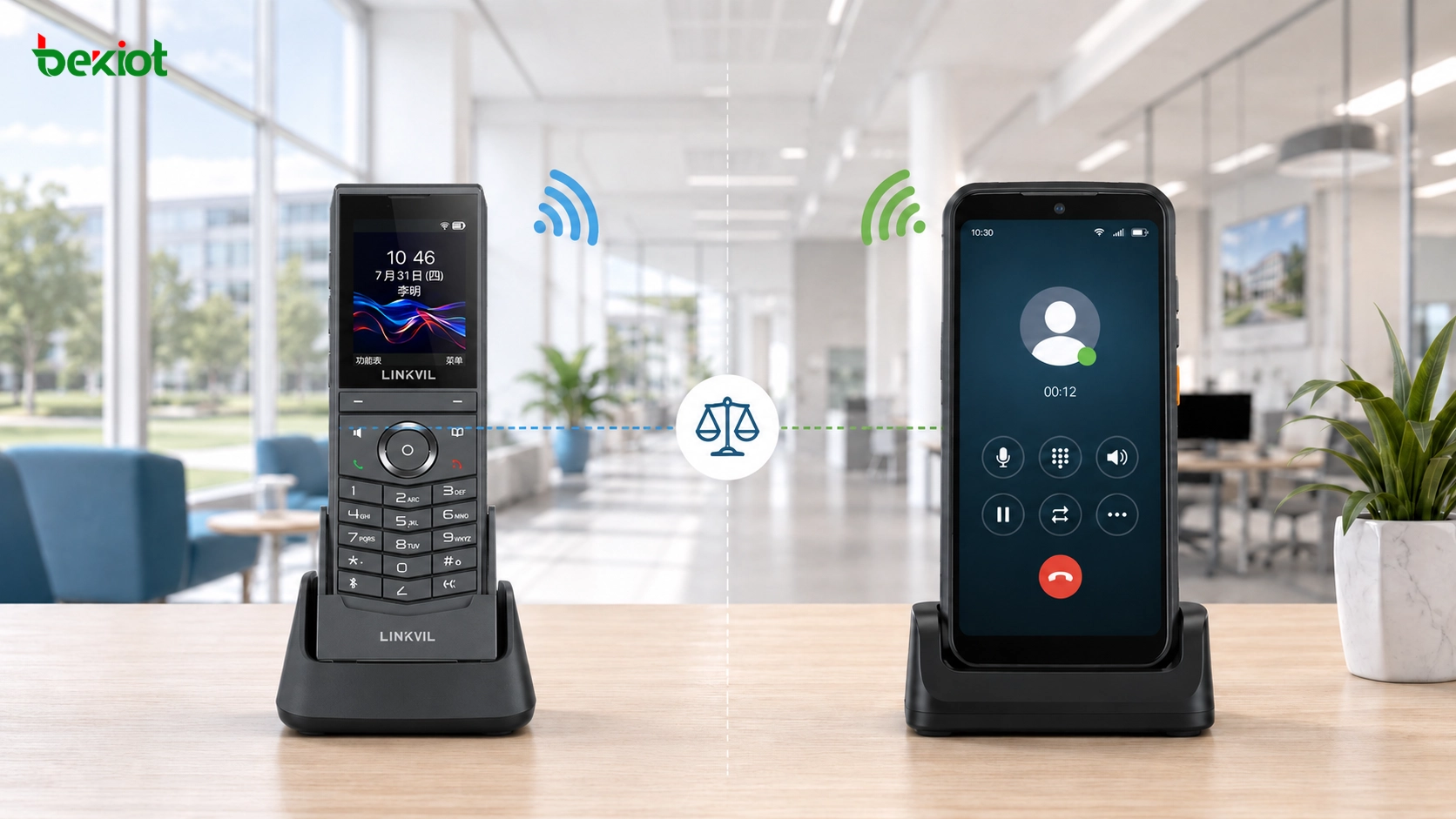
Both methods can deliver voice calls over a wireless network, but they are not designed for the same type of project. A dedicated Wi-Fi phone behaves more like a compact SIP desk phone with Wi-Fi access and battery power. A smart terminal with a SIP app behaves more like a mobile computing device that can add voice, video, positioning, messaging, and custom service functions through software. Choosing the right approach depends on cost, SIP compatibility, user habits, application complexity, management requirements, and whether the project only needs voice or needs a broader mobile communication workflow.
The Real Need Behind Wireless Voice Terminals
A traditional desk phone works well when the user stays at a fixed position. In many modern projects, this is no longer enough. Security guards move across a site. Maintenance teams walk between buildings. Medical staff move between rooms. Warehouse workers operate in different zones. Hotel service teams, event staff, and property managers may need to answer calls while moving through a limited indoor or campus area.
Wi-Fi voice terminals solve this problem by using the existing WLAN as the access network. Instead of connecting to an Ethernet port like a desktop SIP phone, the terminal registers to the IP PBX or SIP server through Wi-Fi. As long as the device remains within suitable Wi-Fi coverage and the network is designed for voice quality, users can make and receive calls without being tied to a desk.
In some international projects, DECT systems have traditionally been used for wireless voice. A DECT solution normally requires dedicated base stations and dedicated cordless handsets, and it can be connected to an existing IP PBX system. However, as Wi-Fi networks have become more common, many projects now prefer Wi-Fi-based terminals because the WLAN may already exist, and because Wi-Fi can support both voice and broader data services.
Method One: A Dedicated Wi-Fi Phone
A dedicated Wi-Fi phone can be understood as a SIP desk phone redesigned for mobile use. It has a handset-style body, a battery, Wi-Fi connectivity, and built-in SIP account configuration. Instead of depending on a separate mobile app, the device itself includes the SIP client, audio processing, call control, contact functions, and basic phone interface.
Technically, this type of phone is not difficult to understand. It uses Wi-Fi as the network access layer and SIP as the voice signaling protocol. After the device connects to the wireless network, it registers to the IP PBX, softswitch, or SIP server as an extension. Once registration is successful, the phone can call other extensions, answer internal calls, join group calling plans, and access external lines through the PBX routing policy.
The user experience is similar to a normal telephone. Users do not need to open an app, switch interfaces, or manage a smartphone-like operating system. They can dial, answer, hold, transfer, and use basic calling features in a familiar way. This makes dedicated Wi-Fi phones attractive for users who only need reliable voice communication and do not want the complexity of a smart device.
Why This Option Works Well for Simple Voice
The biggest advantage of a dedicated Wi-Fi phone is simplicity. The device is built for calling. It usually has a clear keypad or touch interface, direct call controls, integrated audio hardware, and a predictable user experience. For many enterprise and campus projects, this is exactly what is needed.
Dedicated Wi-Fi phones also provide strong SIP compatibility when designed properly. They can usually support standard SIP account parameters such as server address, authentication ID, password, proxy, registration interval, transport mode, codec selection, DTMF mode, and NAT traversal settings. This allows them to connect with many open SIP softswitch platforms, IP PBX systems, and converged communication platforms.
From a management perspective, the dedicated-phone model is easier to control. Administrators can assign extensions, manage calling permissions, configure dial plans, and treat the device as another endpoint in the voice system. If the goal is simply to give users mobile internal calling within Wi-Fi coverage, this approach is usually direct, economical, and easier to maintain.
Key Strengths of Dedicated Wi-Fi Phones
A dedicated Wi-Fi phone is usually the better choice when the project requires stable voice calling with low training requirements. Because the device works like a telephone, users can adapt quickly. This is important for hotels, hospitals, schools, offices, property management teams, logistics sites, and factory support teams where many users may not be technical.
Cost is another major advantage. If the project only requires SIP voice over Wi-Fi, a dedicated device is usually more economical than a full smart terminal. The hardware does not need to support many unrelated functions, and the software stack is focused on communication. This reduces procurement cost, configuration difficulty, and long-term support work.
The dedicated design also reduces operational distractions. A smart terminal may include many apps and functions that are not related to work. A dedicated Wi-Fi phone focuses on calls. For environments where communication discipline matters, such as service teams, patrol teams, facility management, and internal operations, this can be a practical advantage.
Method Two: Smart Terminal with SIP Softphone
The second approach is to use a smart terminal, often based on Android, and install a SIP softphone app. The terminal may look and behave like a smartphone or rugged mobile device. It can use Wi-Fi for local voice communication, and it may also support 4G or 5G mobile data for wider-area communication when the project requires it.
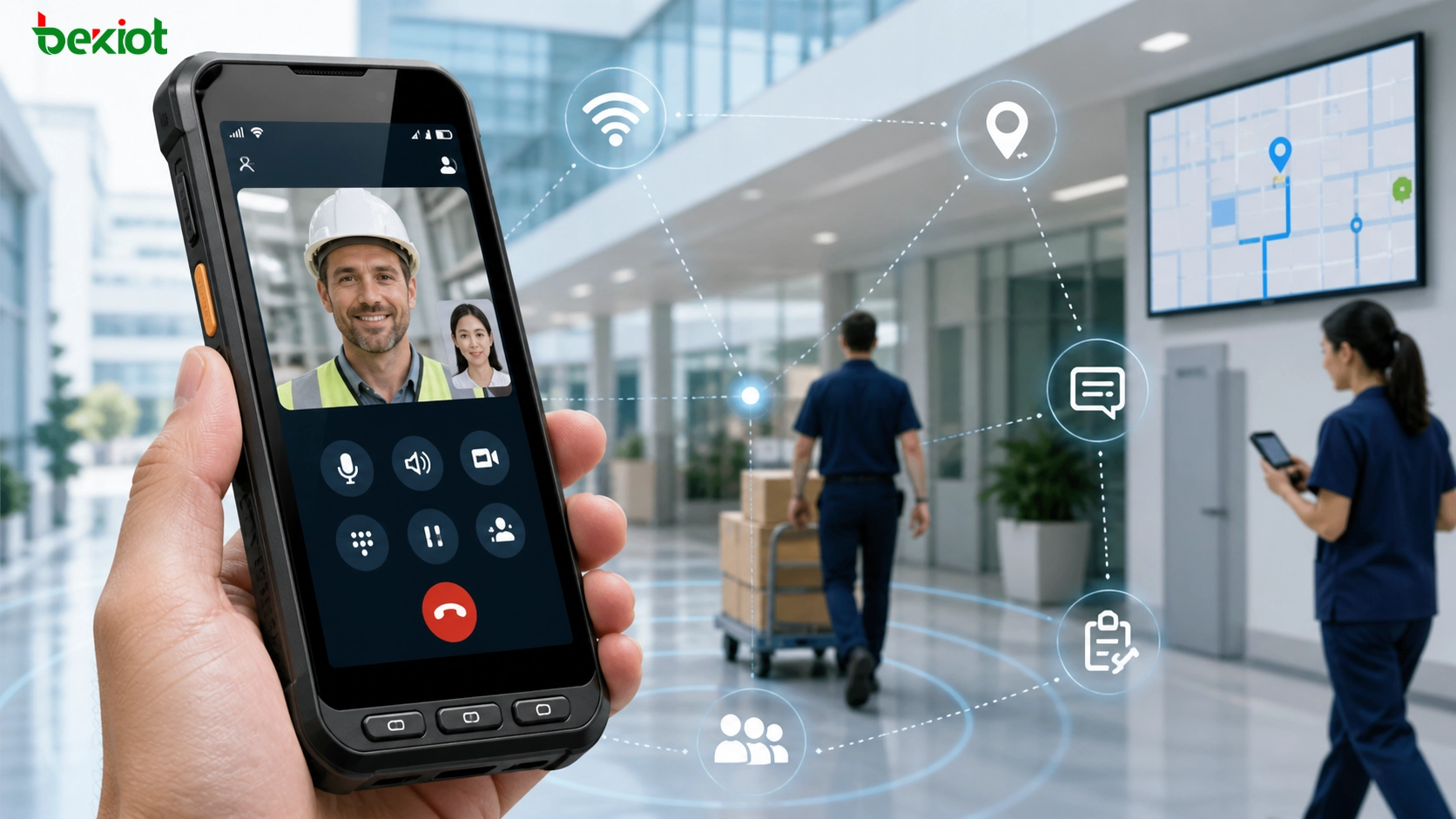
This method changes the nature of the terminal. The device is no longer only a phone. It becomes a mobile application platform. With the right software, it can support SIP voice, video calls, location reporting, messaging, task dispatch, incident reporting, QR scanning, work orders, push notifications, and integration with business systems.
The SIP calling function itself is not difficult. There are many SIP softphone applications in the market, including open-source options such as Linphone. After installing and configuring the app, the smart terminal can register to an IP PBX, SIP server, softswitch, or converged communication platform. For basic SIP voice and video, this can be implemented quickly.
Where the App-Based Model Becomes Valuable
The real value of the smart-terminal model appears when the project needs more than voice. If the user needs video calling, location services, mobile forms, messaging, camera access, workflow integration, platform notifications, or customized operation screens, a smart terminal is much more flexible than a dedicated Wi-Fi phone.
For example, a facility maintenance team may need to receive a work order, call the control room, upload a site photo, share location, and confirm task completion from the same terminal. A security team may need voice communication, emergency alerting, video verification, and patrol reporting. A transportation hub may need mobile staff to receive dispatch tasks, call supervisors, and report incidents through one application.
In these cases, the device is part of a broader mobile communication and business workflow. A SIP softphone can provide the voice layer, while a custom app can connect with the dispatch platform, management system, GIS module, alarm system, or enterprise database. This level of customization is difficult to achieve with a simple dedicated phone.
The Trade-Off: More Flexibility, More Complexity
The smart-terminal approach is powerful, but it also brings more complexity. The project team must consider the operating system, app compatibility, software updates, user permissions, battery management, security policy, mobile device management, network switching, and app stability. If the project needs a custom application, development cost and maintenance cost must also be considered.
Unlike a dedicated Wi-Fi phone, the calling function depends heavily on the app. The user must open the correct application, keep it running, grant permissions, and sometimes deal with background process limitations from the operating system. If the app is not optimized, users may experience missed calls, delayed notifications, poor audio routing, or inconsistent behavior after system updates.
Hardware cost is usually higher as well. A smart terminal includes a screen, processor, operating system, memory, storage, camera, sensors, and other functions. These features are useful when the project needs them. But if the only requirement is “make calls over Wi-Fi,” the extra cost may not be justified.
Comparing the Two Implementation Paths
The dedicated Wi-Fi phone path is best for projects that need simple, predictable SIP voice communication. It is closer to the traditional phone model, easier to manage as an extension, and usually more cost-effective. It suits users who need to call and answer while moving inside a Wi-Fi-covered area.
The smart-terminal path is best for projects that need a mobile application platform. It can support SIP voice, video, positioning, 4G/5G communication, workflow apps, custom UI, and richer data functions. It is more flexible, but the total project cost is higher and the software layer becomes more important.
The selection should not be based only on device appearance. A smart terminal may look more modern, but it may be excessive for simple internal voice. A dedicated Wi-Fi phone may look less advanced, but it may be exactly right for low-cost, stable, phone-like communication. The right choice depends on the actual workflow.
Network Design Is Still the Foundation
No matter which device type is selected, Wi-Fi voice quality depends on the wireless network. A Wi-Fi phone is not a magic solution if the WLAN is poorly designed. Voice requires stable roaming, low packet loss, predictable latency, and enough signal coverage in the areas where users move.
Project teams should evaluate access point density, roaming performance, channel planning, interference, QoS, VLAN design, DHCP behavior, SIP registration stability, and call handover experience. In many projects, the device is blamed for poor voice quality when the real problem is weak Wi-Fi coverage or poor roaming design.
A practical deployment should test real movement paths. Users should walk through corridors, warehouses, stairways, office zones, basements, equipment rooms, and outdoor transition areas while making calls. This helps verify whether the network can support mobile voice in the actual operating environment.
How SIP Integration Should Be Planned
Both implementation methods rely on SIP integration when the project connects to an IP PBX, softswitch, or converged communication platform. The device or app should be treated as a managed SIP endpoint. Administrators need to plan extension numbers, user roles, calling permissions, codec settings, DTMF mode, registration intervals, and external line access.
Codec selection also matters. Narrowband codecs may reduce bandwidth usage, while wideband codecs can improve voice clarity. In enterprise Wi-Fi environments, G.711, G.722, G.729, and Opus may appear depending on platform support and endpoint capability. The best codec choice depends on bandwidth, latency, compatibility, and expected voice quality.
Security should not be ignored. SIP account passwords, Wi-Fi authentication, network segmentation, TLS/SRTP support, device management, and remote wipe policies may be required in professional deployments. Smart terminals especially need stronger security because they may carry business apps and user data.
Application Scenarios and Best-Fit Choices
In office buildings and campus environments, dedicated Wi-Fi phones are suitable for mobile extension calling, front desk reception, facility operation and maintenance, logistics support, and property management staff. They meet the basic need for making and receiving calls while moving within a fixed Wi-Fi coverage area.
In transportation hubs and large venues, frontline personnel who only need basic voice communication may use dedicated Wi-Fi phones. Dispatch managers and security teams that require voice, video, work order dispatch, and location reporting should prioritize smart terminals. The two device types can be deployed together and connected to the same communication platform.
In industrial and emergency communication scenarios, endpoint selection should follow the operating environment. Some roles may require rugged voice terminals, while others may need large-screen applications, video dispatch, and location management. For projects integrating Wi-Fi voice, SIP dispatch, emergency intercom, public address, and IP PBX services, a standardized endpoint access and system integration architecture can be used for practical deployment.
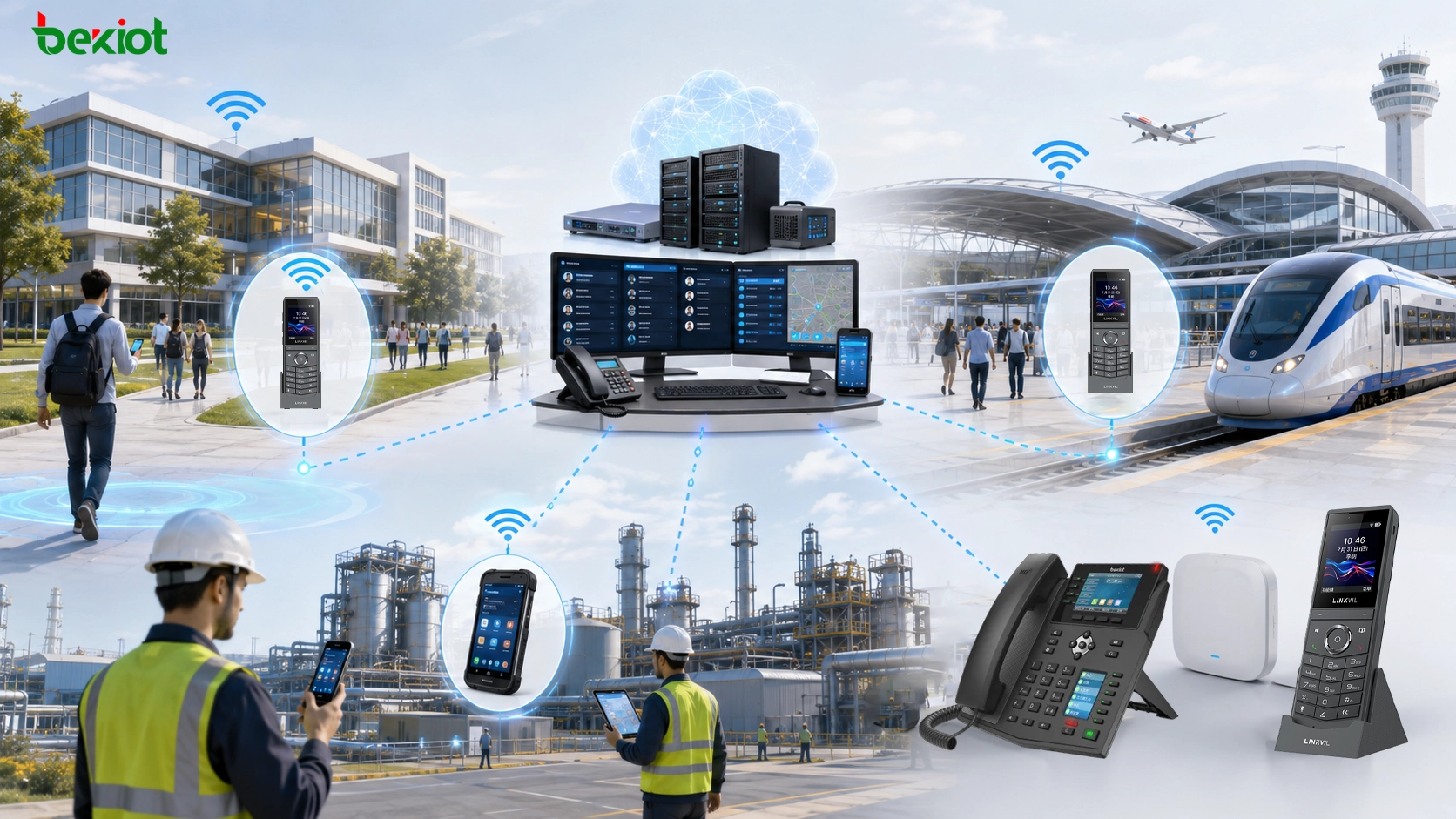
Campus environments, transportation hubs, and industrial sites can deploy dedicated Wi-Fi phones, smart terminals, SIP PBX dispatch systems, and emergency communication devices in a mixed way according to business workflows. As an industrial converged communication product and solution provider, Becke Telcom can provide core solutions for communication terminals and system integration.
Cost and Maintenance Considerations
Cost should be evaluated from the full lifecycle, not only the device purchase price. A dedicated Wi-Fi phone may have a lower unit cost and simpler operation, but it provides fewer advanced functions. A smart terminal may cost more, but it can replace multiple tools if the project truly needs mobile apps, video, location, and workflow integration.
Maintenance is also different. Dedicated Wi-Fi phones are usually easier to replace, configure, and support. Smart terminals require app maintenance, operating system updates, permission management, battery health monitoring, and possibly mobile device management. If a custom app is involved, software maintenance becomes part of the communication project.
Training cost should also be considered. Users who already understand normal phone behavior can quickly learn a dedicated Wi-Fi phone. Smart terminals may require training on apps, menus, permissions, login status, network switching, and notification behavior. In large deployments, this difference can affect daily operation.
Recommended Solution Framework
A practical Wi-Fi phone solution should begin with a clear definition of communication needs. If the requirement is mainly internal voice, extension calling, and simple external call access, a dedicated Wi-Fi phone is usually the more efficient choice. It is easier to manage, easier to train, and more aligned with traditional telephony behavior.
If the requirement includes video calls, GPS or indoor location, work orders, messaging, mobile data, business app integration, and custom workflows, a smart terminal with a SIP softphone is usually more suitable. In this case, the project should treat the app as a core system component rather than a minor accessory.
For larger projects, a mixed deployment may be the best approach. Dedicated Wi-Fi phones can serve general mobile voice users, while smart terminals can serve supervisors, security teams, maintenance leaders, and mobile users who need richer data functions. Both can register to the same SIP or converged communication platform if the system is planned correctly.
Common Mistakes to Avoid
One common mistake is choosing smart terminals only because they look more advanced. If the project only needs voice calling over Wi-Fi, the extra cost and software complexity may not create real value.
Another mistake is treating Wi-Fi voice like ordinary data access. Voice is sensitive to delay, packet loss, roaming, and interference. A network that works well for web browsing may still perform poorly for mobile SIP calls.
A third mistake is ignoring user habits. If users expect a simple phone-like device, a smart terminal with multiple apps may reduce efficiency. If users need task processing, location, and video, a dedicated phone may be too limited. Endpoint selection should follow the workflow, not only the technical specification.
Conclusion
There are two practical ways to implement Wi-Fi phones in SIP communication projects. The first is a dedicated Wi-Fi phone, which works like a mobile SIP extension with Wi-Fi access and battery power. It is suitable for simple voice calling, easy management, lower cost, and users who prefer a familiar phone experience.
The second is a smart Android terminal with a SIP softphone app. This method is more flexible and can support voice, video, 4G/5G access, positioning, messaging, and custom application workflows. It is better for projects that require more than basic calling, but it also brings higher cost and stronger software management requirements.
The best choice depends on the project. For campus communication, office mobility, facility service, and basic internal calling, dedicated Wi-Fi phones may be enough. For transportation hubs, venues, industrial sites, and dispatch-driven mobile workflows, smart terminals or a mixed deployment may be more suitable. A successful solution should combine the right endpoint, reliable Wi-Fi coverage, SIP platform compatibility, and a clear understanding of how users actually work.
FAQ
What are the two main ways to implement a Wi-Fi phone?
The two main methods are using a dedicated Wi-Fi SIP phone or using an Android smart terminal with a SIP softphone app. Both can support wireless calling over Wi-Fi, but they differ in cost, complexity, user experience, and application scope.
When is a dedicated Wi-Fi phone the better choice?
A dedicated Wi-Fi phone is better when the main requirement is simple SIP voice calling within Wi-Fi coverage. It is easier to manage as an extension, easier for users to operate, and usually more cost-effective than a full smart terminal.
When should a smart terminal with a SIP app be used?
A smart terminal is more suitable when the project needs video calls, location, messaging, workflow apps, mobile data, custom interfaces, or business system integration. It is more flexible but requires stronger software and device management.
Can both types of terminals connect to an IP PBX?
Yes. Both dedicated Wi-Fi phones and SIP softphone apps can register to an IP PBX, SIP server, softswitch, or converged communication platform as SIP endpoints, as long as the device or app supports the required SIP parameters and codecs.
What is the most important factor for Wi-Fi voice quality?
The most important factor is not only the phone itself, but the wireless network. Stable coverage, low packet loss, roaming performance, interference control, QoS, and proper SIP configuration all affect the final calling experience.