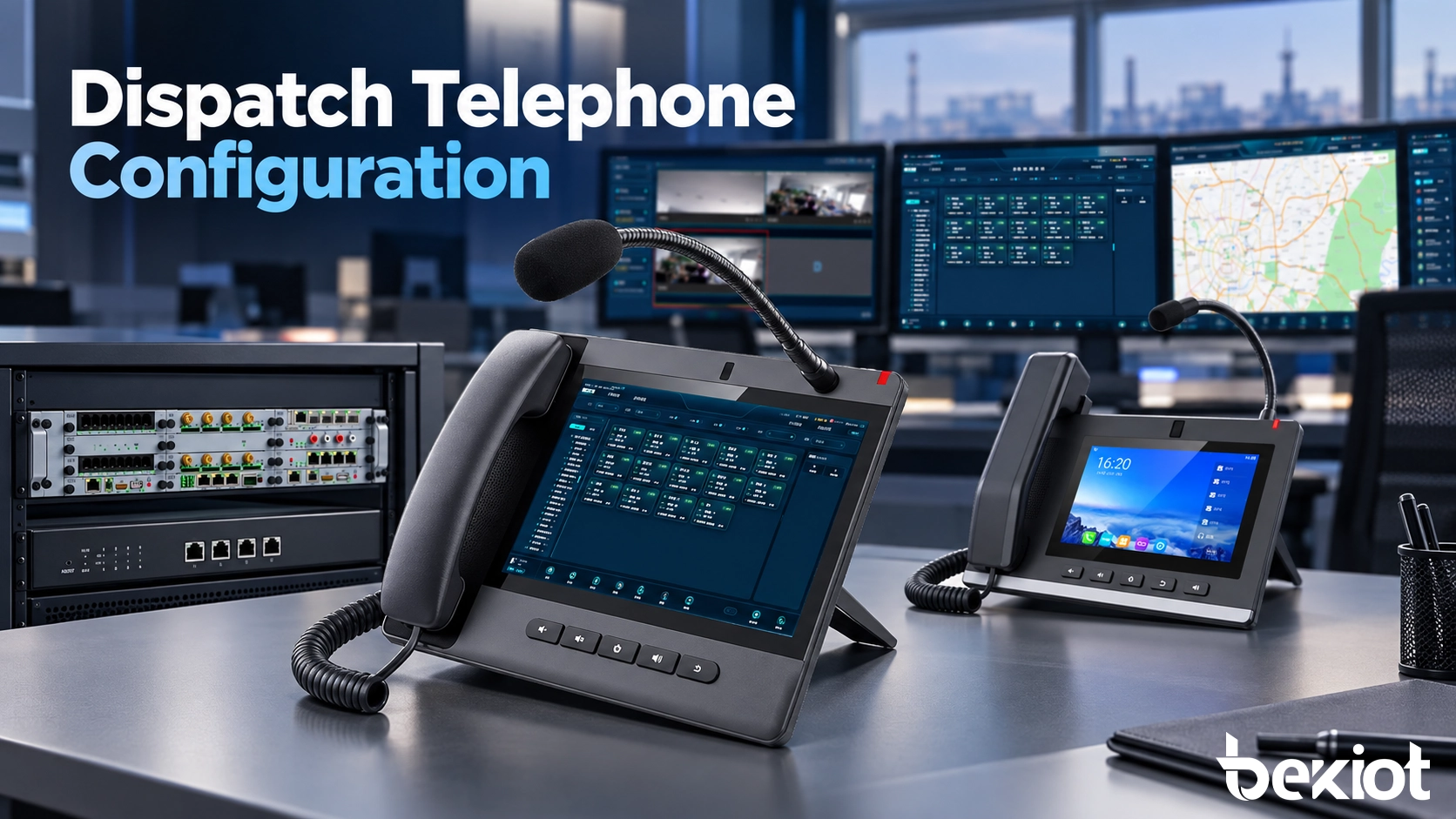
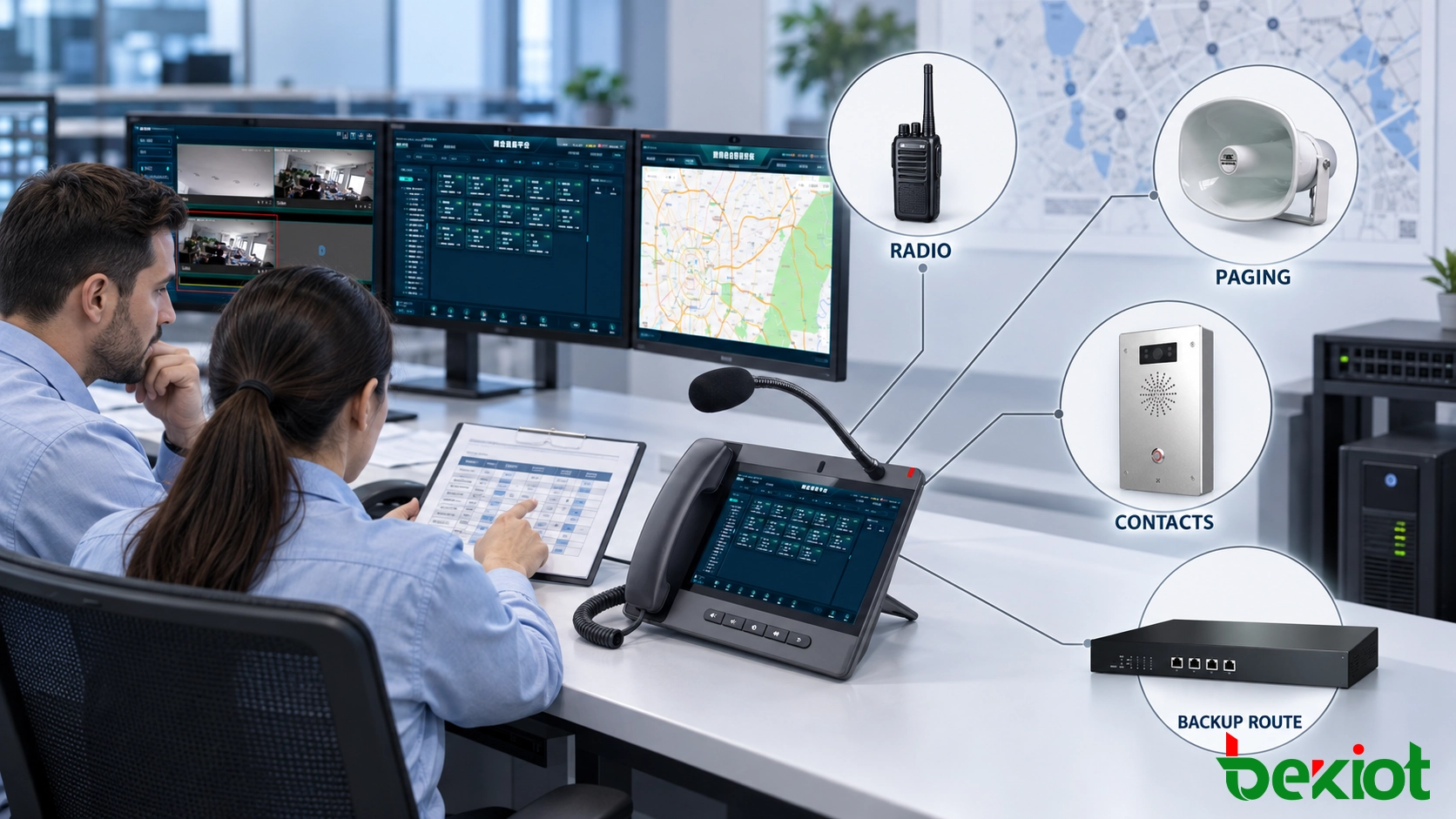
At the beginning of a shift, a control-room operator may need immediate access to emergency teams, field intercoms, radio channels, paging zones and external duty numbers. If these resources are hidden behind menus or assigned to unclear keys, even a technically functional telephone can slow the response process.
Configuration therefore needs to follow the operator’s actual workflow. SIP identities, programmable keys, call priorities, paging permissions, audio settings and fallback routes must be arranged so that routine communication remains efficient and urgent actions remain direct and predictable.
Workflow Planning
Configuration should begin before the telephone is connected to the network. The project team needs to document which communication resources each operator uses, how frequently they are contacted and what should happen when the primary destination is unavailable.
A communication resource matrix provides a practical starting point. It can list every department, extension, radio channel, intercom terminal, paging zone and external number that needs to be available from the dispatch position.
| Resource | Typical Action | Priority | Backup Route |
|---|---|---|---|
| Security team | One-touch group call | Operational | Duty supervisor |
| Maintenance team | Extension or group call | Routine | On-call mobile number |
| Emergency response team | Priority one-touch call | Emergency | Secondary command position |
| Production area | Zone paging | Operational | All-area paging |
| Private radio channel | SIP call with PTT control | Operational | Physical radio position |
Operator responsibilities should also be defined. A security position may need access to entrance intercoms, patrol radios and emergency call points, while a production dispatcher may work mainly with workshops, maintenance groups and paging zones. Giving every operator access to every resource makes the interface harder to use and increases the risk of selecting the wrong destination.
Shift arrangements also affect call routing. During daytime operation, different departments may have dedicated dispatchers. At night, the same calls may need to reach one central duty position. These changes are better handled through platform schedules and duty groups than by manually reconfiguring each telephone at every shift change.
SIP and Network Setup
The dispatch telephone should use a clearly documented SIP identity. The extension number, display name and device name need to identify the operating position rather than an individual employee. Names such as “Port Control 01” or “Plant Emergency Desk” remain meaningful when operators change shifts.
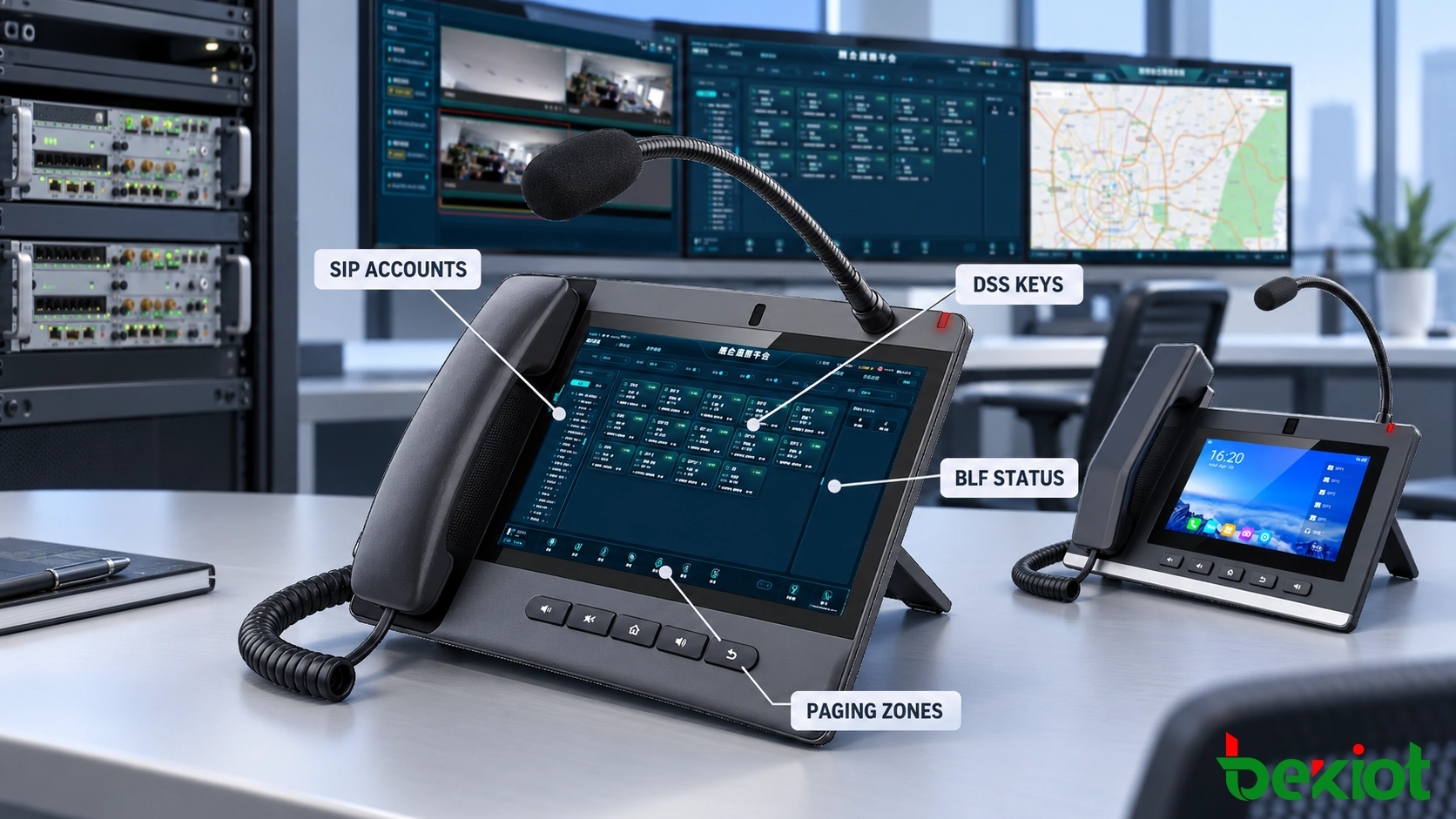
SIP Accounts
A dispatch position may use one SIP account for general calling and another for a specific operational service. Multiple accounts can separate internal communication, emergency hotlines, paging access or external trunks, but each additional account increases configuration and maintenance work.
The account plan should define:
Extension number and display name.
Primary and secondary SIP server addresses.
Registration interval and transport protocol.
Allowed internal, external and emergency destinations.
Calling-line identity presented to other terminals.
Recording, queue and dispatch-group membership.
SIP credentials should be unique to each device or account. Reusing one password across all dispatch positions makes fault isolation, credential replacement and access auditing more difficult.
Addressing and Services
Static addressing can make dispatch endpoints easier to locate and troubleshoot, while DHCP reservations provide centralized address management. The selected method should be consistent across the project and recorded in the network documentation.
DNS, gateway, subnet, VLAN and NTP settings must be verified rather than assumed. Accurate time synchronization is particularly important when calls, alarms, radio traffic and operator actions need to be correlated during incident review.
If the telephone supports primary and secondary SIP servers, both addresses need to be configured and tested. A secondary server entry has little value if network routing, authentication or dial-plan data is missing from the standby environment.
Voice Parameters
Codec configuration should match the SIP platform and available network capacity. G.711 is commonly used on managed local networks because it avoids heavy speech compression. Other codecs may reduce bandwidth across constrained WAN links, but compatibility, delay and voice quality must be tested before deployment.
The DTMF method must also match the platform. Incorrect DTMF configuration can prevent operators from selecting IVR options, controlling conferences or interacting with connected systems even though the voice call itself is working.
Voice traffic should be assigned to the correct VLAN and quality-of-service policy. Configuration on the telephone is only one part of this process; switches, routers and WAN services must recognize and preserve the required traffic priority.
Communication Security
Where supported by the telephone and platform, SIP signaling can use TLS and voice media can use SRTP. These measures help protect account credentials, call setup information and voice traffic from unauthorized interception.
Remote provisioning should use HTTPS with controlled credentials. Web administration can be limited to authorized management networks, while unused services and default accounts should be disabled before the telephone enters operation.
Certificate validity, time synchronization and server names must be checked when encrypted communication is enabled. A certificate-based connection may fail even when basic IP connectivity is available if the device clock or certificate chain is incorrect.
Key and Screen Layout
Programmable keys are useful only when operators can identify and use them without hesitation. The layout should follow operational priority and frequency rather than extension-number order.
DSS Assignment
Direct Station Selection keys may be assigned to speed dial, BLF monitoring, intercom calls, paging groups, multicast addresses, call pickup, transfer or other supported actions. The project team should assign one-touch access only to functions that operators need frequently or during urgent situations.
Emergency teams, common departments and primary paging zones should remain on the first screen or on physical keys that are always visible. Less frequently used resources can be placed on secondary pages, but urgent communication should not depend on navigating several menus.
Key labels need to describe the operational destination. “Fire Team” is clearer than “Ext. 8106,” and “Tunnel PA East” is safer than “Group 03.” Abbreviations should be standardized across the control room so that operators moving between positions see the same terminology.
After programming, every DSS key must be pressed and checked against its assigned destination. Verifying the configuration file alone may not reveal an incorrect label, extension or paging-group assignment.
BLF Status
BLF keys need to be configured only for resources whose status helps the operator make a decision. Monitoring every extension can fill the display with information that has little operational value.
Subscription settings on the telephone must match the SIP server. During commissioning, compare the displayed idle, ringing and busy states with the actual endpoint. An incorrect indication may cause an operator to avoid an available destination or transfer a call to an offline position.
The behavior after server failover also needs to be checked. BLF subscriptions may need to be re-established after the telephone registers with the standby platform.
Screen Organization
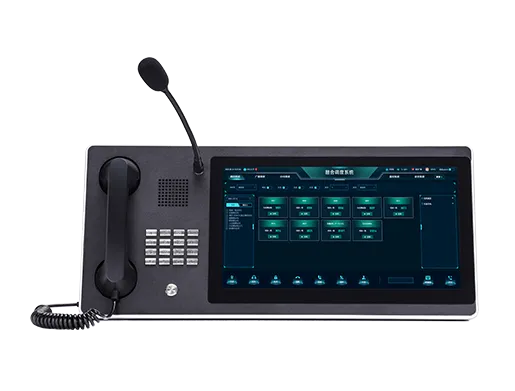
Touchscreen dispatch telephones can present contacts, paging zones, call history, video windows and platform applications. The first screen should show the actions needed for normal duty, while administrative settings remain protected from routine operators.
Colors and icons must be applied consistently. Red may be reserved for emergency actions, green can indicate an available resource and amber may show a warning or degraded state. The same color should not represent different conditions on the telephone and the main dispatch platform.
Screen pages should use the same order on equivalent operator positions. A dispatcher moving to a backup console should not need to relearn where emergency contacts and paging controls are located.
Calls and Paging
Call behavior needs to follow the control room’s duty rules. Incoming routes, queues, priorities and escalation settings determine whether the correct operator receives the communication at the right time.
Incoming Calls
Routine calls may enter a shared operator queue, while calls from emergency terminals can use a higher priority. The screen should present the source name, location and call type before the operator answers whenever the platform provides this information.
Unanswered calls need a defined route. After a specified interval, the call may move to another dispatch position, duty group, supervisor or external number. The configuration must avoid loops in which two destinations repeatedly forward the same call to each other.
Busy and offline conditions should have separate handling where necessary. A position that is actively processing an incident may require different call routing from a position that has lost network registration.
Transfer and Conference
Operators may require blind transfer, attended transfer, call hold, call park and multi-party conference functions. Only the methods included in the approved operating procedure need to be placed on prominent keys.
Attended transfer is useful when the dispatcher needs to brief another department before connecting the field caller. Blind transfer is faster but can leave the caller without assistance if the destination does not answer. The configured method should reflect the urgency and responsibility associated with the call.
Conference keys can provide direct access to predefined response groups. The platform must still control participant permissions, recording behavior and the maximum number of active conference members.
Paging Zones
Paging keys should correspond to approved operational areas such as workshops, platforms, loading zones, tunnels or office buildings. Zone names on the telephone, SIP platform and site drawings must match.
The system may provide server-managed paging, SIP group calls or multicast paging. These methods use different call-control and network behavior. Multicast can distribute audio efficiently to many endpoints, but it requires suitable switch configuration and controlled address allocation.
When multicast paging is used, verify IGMP snooping, multicast querier operation and VLAN boundaries. Incorrect multicast configuration may prevent some endpoints from receiving audio or distribute paging traffic to unrelated switch ports.
Emergency paging may need to override routine announcements or background audio. This priority must be controlled by the platform rather than relying only on key position. An operator without emergency authorization should not be able to activate an all-site priority broadcast.
Related Products: Becke IP Dispatch Telephones
Audio and Permissions
Audio Settings
Microphone sensitivity, speaker volume and echo control should be adjusted from the operator’s normal working position. Settings copied from another room may not perform correctly because background noise, nearby operators and room acoustics are different.
Position a gooseneck microphone close enough for clear pickup without obstructing the display or controls. During adjustment, another person should speak at the neighboring dispatch position so that the test can reveal excessive cross-pickup.
Maximum speaker volume is rarely the best default. Excessive output can create acoustic echo, disturb nearby operators and make simultaneous calls difficult to manage. The selected level should remain intelligible without dominating the room.
If headsets are used, test the connector, hook control, mute function and volume range. Wireless headsets also require a policy for charging, pairing and preventing connection to unauthorized devices.
Operator Permissions
Operators should have access to the contacts, paging zones and call functions required for their responsibilities. Configuration menus, network settings and account credentials need to remain restricted.
Permission profiles may differ between routine operators, supervisors and system administrators. A supervisor may be authorized to join an active call, launch an all-site page or take control of an incident group, while a standard operator has access only to assigned resources.
External dialing also requires control. Dispatch positions may need to call mobile teams, public emergency services or partner organizations, but unrestricted external calling is rarely necessary. Prefix rules and destination permissions can limit access without affecting approved communication.
Emergency Controls
Emergency keys must be visually distinct and protected against accidental activation. Depending on the workflow, pressing an emergency key may call a response group, start a conference, activate paging or open an incident interface.
The action needs to be predictable. One key should not produce different results because of an undocumented operating state. If confirmation is required before an all-site broadcast or another high-impact action, the confirmation process must remain fast and clear.
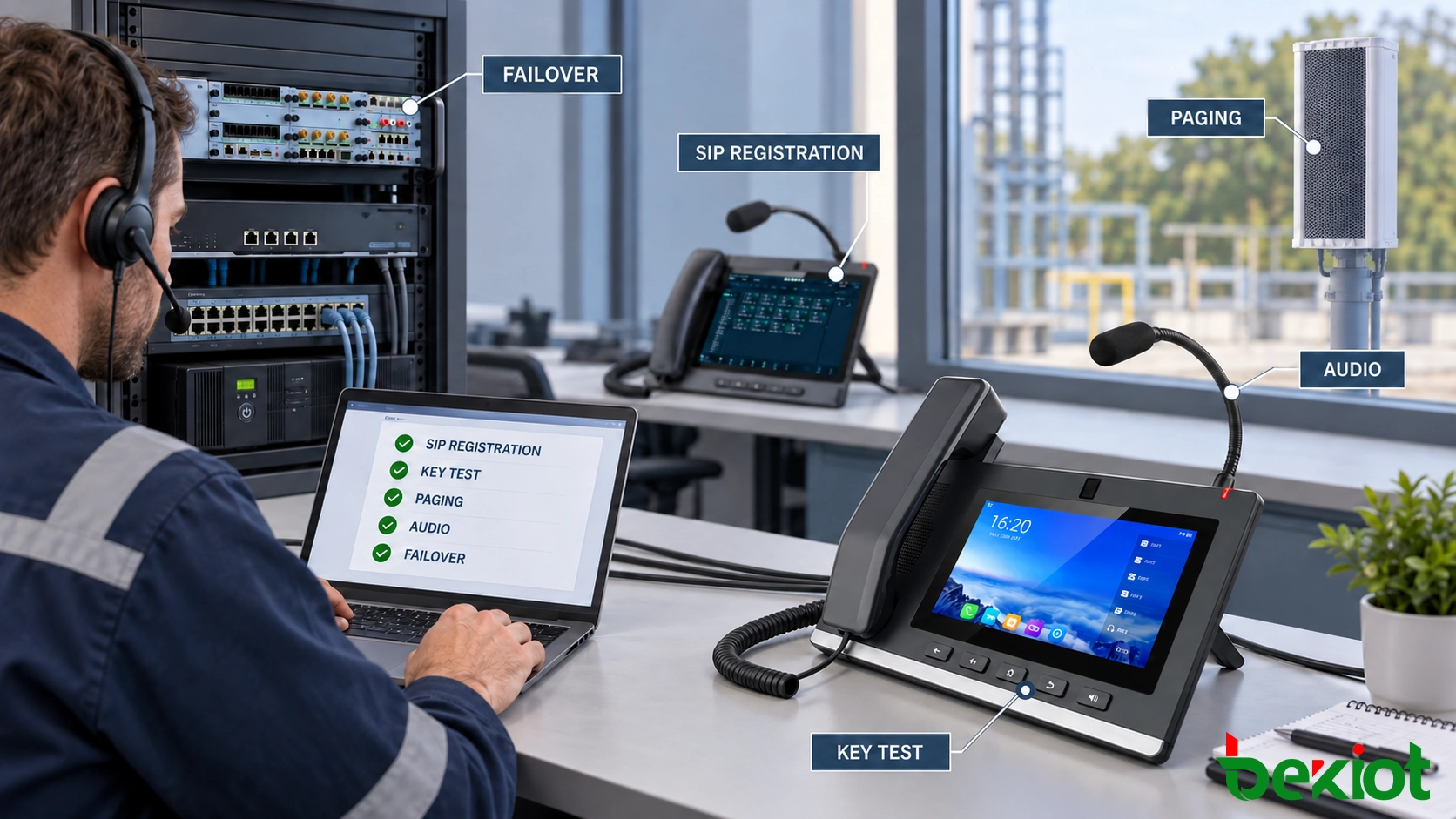
Testing and Configuration Control
Configuration is complete only after the dispatch telephone has been tested from the operator’s normal position. Registration status alone does not prove that call routing, audio, key assignments and backup services are working.
| Test Area | Verification |
|---|---|
| SIP registration | Confirm primary registration and recovery through the approved secondary server. |
| Incoming calls | Verify source name, location, priority, ringtone and unanswered-call routing. |
| DSS and BLF | Confirm every key destination, function label and monitored status. |
| Paging | Verify normal zones, emergency priority and prevention of unauthorized paging. |
| Audio | Test handset, hands-free, gooseneck microphone, speaker and headset where provided. |
| Call handling | Test hold, transfer, conference, pickup and release according to the operating procedure. |
| Network failure | Confirm alarm indication, backup registration and service recovery. |
| Permissions | Verify that operators can use approved resources but cannot access restricted functions. |
Test labels and destinations from the operator’s perspective. A key that reaches the correct SIP extension but carries the wrong department name is still a configuration defect.
After acceptance, export the final configuration and record the telephone model, firmware version, SIP account, IP address and installation position. The backup must correspond to the accepted state rather than an earlier commissioning version.
Configuration changes need controlled approval. Adding a contact, changing a paging zone or moving an emergency key may appear minor, but it can affect operator habits and response procedures. Each approved change should include a reason, responsible person, implementation time and test result.
Apply significant changes to one controlled test position before distributing them to every dispatch telephone. This provides an opportunity to identify display, compatibility or routing problems without affecting the complete control room.
A dispatch telephone is ready for service when its configuration matches the communication matrix, operating procedures and operator responsibilities. The accepted record should show which resources are available, how urgent calls are handled, which paging zones can be used and how the position operates after a network or server failure.
FAQ
Can two dispatch telephones use the same extension?
Some SIP platforms support parallel registration, shared line appearance or simultaneous ringing for several devices. The behavior of answered calls, call logs, recording and busy status must be verified before using one extension at multiple positions.
Can dispatch telephone configurations be deployed centrally?
Yes, if the terminal and management platform support remote provisioning. Central provisioning can distribute account settings, key layouts and firmware, but access to the provisioning server and configuration files must be protected.
Can an analog dispatch telephone connect to a SIP platform?
Yes. An analog dispatch telephone can connect through an FXS gateway or another compatible analog access interface. Hotline behavior, DTMF transmission, ringing voltage, caller identification and backup power should be verified before deployment.
How should temporary incident contacts be added?
Temporary contacts can be placed in a dedicated screen page, incident group or centrally managed directory. They should have a defined expiration time so that outdated destinations do not remain on the operator interface after the incident ends.
Should a spare dispatch telephone remain registered?
A spare unit may remain offline with an approved configuration backup, or it may operate as a supervised standby position. The selected method depends on recovery-time requirements, available SIP licenses and the risk of duplicate ringing or unintended operator activity.