


A DSS key is a programmable key commonly found on business IP phones, attendant consoles, and expansion modules. In telephony, DSS usually stands for Direct Station Selection. The basic idea is simple: instead of dialing an extension manually, a user can press one key to call a person, monitor that person’s line status, transfer a call, pick up a ringing extension, or trigger another predefined phone action. In modern VoIP systems, the term is often used more broadly to describe flexible line keys, programmable keys, or extension keys that can be assigned different call-control functions.
This is why DSS keys are especially common in reception desks, operator positions, dispatch rooms, front-office teams, executive assistant setups, customer service desks, and other environments where users handle many calls every day. A properly configured DSS key can reduce keystrokes, shorten response time, and make extension-based communication more visual and efficient. It is one of the small interface features that can make a business phone system easier to use in practice.
DSS keys give business phone users one-touch access to extensions and call-control functions, making daily communication faster and easier to manage.
What Is a DSS Key?
A DSS key is a key on a desk phone or sidecar module that can be programmed for direct access to extensions or phone functions. In the narrow, classic sense, a DSS key lets a user reach another extension at the touch of a button. In broader modern phone documentation, the same key area may also support speed dial, BLF, intercom, call park, call pickup, presence indication, voicemail access, DND, paging, and other customizable actions depending on the PBX and phone model.
That wider usage is important. In real deployments, vendors do not always use the term in exactly the same way. Some treat DSS as a general category of programmable keys. Others describe DSS more specifically as direct extension keys with LED line status. As a result, when someone asks whether a phone supports DSS keys, they are usually asking whether the phone has configurable keys for extension access and related call handling, not whether it supports only one single feature.
Why the term matters in business telephony
DSS keys are useful because they bridge two needs at the same time: operational speed and visual awareness. A user can see whether a monitored extension is idle, ringing, or busy, and can often act on that status immediately. This is much more efficient than searching directories, remembering extension numbers, or navigating multiple on-screen menus during a live call.
For small offices, DSS keys improve convenience. For larger organizations, they can become part of daily call workflow. Receptionists use them to see who is available before transferring a call. Team members use them to reach frequently contacted coworkers. Dispatch and control operators use them to access predefined stations, groups, or actions quickly. In all of these cases, DSS keys improve workflow by reducing manual steps.
How a DSS Key Works
At a functional level, a DSS key links a physical or virtual phone key to a programmed target or event. That target may be a SIP account, a monitored extension, a stored number, a feature code, or a phone function such as DND or call park. When the user presses the key, the phone sends the associated signaling request to the PBX, SIP server, or call control platform. Depending on the configuration, the result may be a direct call, a supervised transfer, a pickup action, or another feature execution.
Many DSS keys also use LED indicators or on-screen labels. This turns the key into both an action control and a status monitor. If the key is configured for BLF or direct extension monitoring, the lamp state may show whether the extension is idle, busy, ringing, offline, or in do-not-disturb mode, depending on server support. This visual feedback is one of the biggest differences between a DSS key and a plain dial shortcut.
Typical signaling behavior
- Idle key state: pressing the key places a call to the configured extension or number.
- Busy or monitored state: the key LED indicates that the target line is in use or unavailable.
- Ringing monitored extension: the same key may support directed call pickup if the PBX allows it.
- During an active call: pressing the key may initiate blind transfer, attended transfer, conference invitation, or another configured action.
- Feature mode: the key may execute a local or server-side function such as call park, paging, DND, voicemail, or XML applications.
In practice, the exact behavior depends on three layers: the phone, the PBX or SIP platform, and the feature policy configured by the administrator. A phone may expose dozens of configurable DSS key types, but only some of them will work fully unless the server supports the required signaling and subscriptions.
Common DSS Key Functions
Although the name suggests direct station selection, modern DSS key implementations usually support multiple feature modes. The exact labels differ by vendor, but the underlying ideas are similar across many enterprise IP phone families.
Direct Station Selection
This is the classic meaning. The key is assigned to a specific extension, so the user can call that extension directly with one press. In team environments, this is useful for contacting managers, assistants, supervisors, departments, or frequently called internal users without manually dialing extension numbers.
BLF monitoring
BLF, or Busy Lamp Field, is one of the most common functions associated with DSS keys. A BLF-configured key monitors the line state of a subscribed extension and uses its LED to show whether the line is idle, ringing, or in use. In many systems, the same key can also be pressed to call the monitored user, pick up their ringing call, or transfer a connected call to that extension.
Speed dial
A DSS key can also be configured as a speed-dial key for internal extensions, external numbers, emergency contacts, help desks, or predefined service numbers. This is especially useful when visual status monitoring is not needed and the main goal is fast dialing with minimal user input.
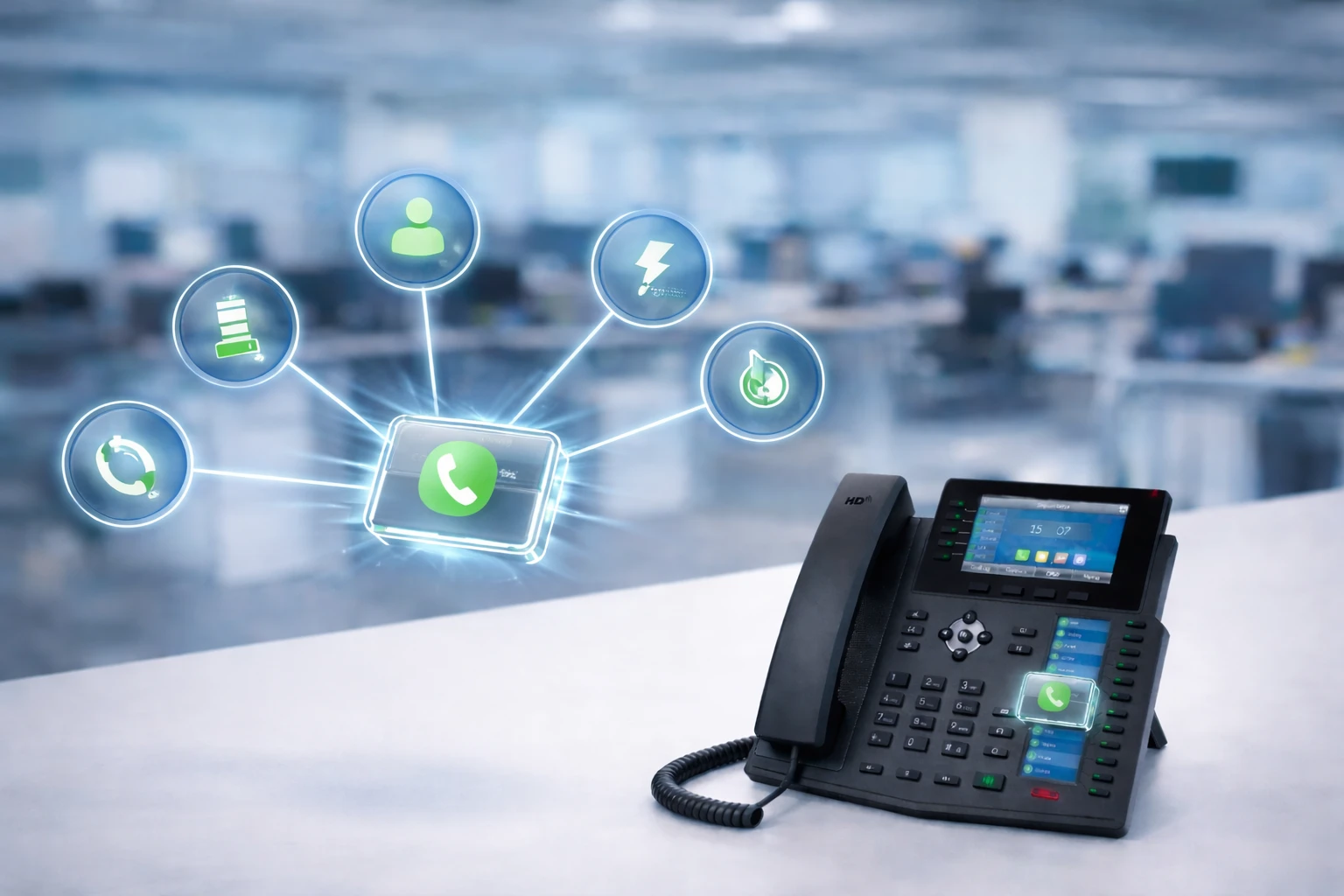
A single DSS key area can support multiple functions, including direct extension access, BLF, speed dial, intercom, transfer, and pickup, depending on the phone and PBX configuration.
Intercom or auto-answer call
Some systems allow a DSS key to initiate intercom-style communication. Instead of making a normal alerting call, pressing the key opens a direct talk path to the destination endpoint if intercom and auto-answer permissions are enabled. This is often used in controlled office teams, nurse stations, service counters, and operational positions that need rapid internal voice coordination.
Call park and retrieval
In environments where calls are moved between desks, teams, or work zones, DSS keys may be programmed for call park or park retrieval. A user can park a call to a known slot or parking orbit, then retrieve it from another position using another programmed key. This is common in front-desk, support, and dispatch workflows.
Transfer and pickup actions
Many organizations use DSS keys specifically to simplify call transfer. Instead of pressing transfer and manually entering an extension, the user can press a labeled key assigned to the destination person or department. If the phone system supports it, the same key may also allow directed pickup when the monitored extension is ringing.
Other programmable feature roles
Depending on the vendor, DSS keys may also be used for:
- Do not disturb
- Voicemail or message waiting access
- Paging and multicast actions
- Presence indication
- Call forward toggles
- Conference invitations
- XML applications or browser functions
- Custom feature codes or service triggers
Key Features of DSS Keys
DSS keys are not important because they are buttons. They are important because they combine visibility, speed, and role-based customization in one interface element. Their value becomes clearer in real office and operations workflows where users need to manage many calls, extensions, or service actions under time pressure.
One-touch operation
The most obvious benefit is one-touch access. Instead of searching a directory or typing digits, the user presses a labeled key and acts immediately. This shortens task time and reduces dialing errors, especially when a call must be handled quickly.
Visual line status
When the DSS key is associated with BLF or monitored-line logic, the user gains instant awareness of target extension status. This helps receptionists and assistants decide whether to transfer a call, announce a caller first, use voicemail, or route the call somewhere else.
Customizable workflow design
DSS keys can be customized per user role. A receptionist may dedicate keys to executives, departments, and parking orbits. A warehouse office may assign keys to dispatch, supervisors, security, and service maintenance. A healthcare desk may use them for nurse stations, triage, intercom, and emergency contacts. This makes the same phone hardware adaptable to many business environments.
Support for expansion modules
Many mid-range and high-end IP phones can be connected to DSS or expansion modules that add dozens of extra programmable keys. This is especially valuable for attendants, operators, hotel front desks, call-intensive teams, and control-room users who need more monitored lines or direct access targets than the main phone body can provide.
Better transfer efficiency
Call transfer is one of the most common uses of DSS-enabled workflows. With properly configured keys, users can transfer callers quickly and with fewer mistakes. In some systems, a single press on a DSS-related speed-dial or monitor-line button can fast-transfer a connected call; in others, the key is used after pressing transfer. Either way, the workflow is faster than entering the destination manually.
DSS Key vs BLF vs Speed Dial
These terms are often mixed together, but they are not exactly the same thing.
- DSS key: the general programmable key used for direct extension access or related call-control functions.
- BLF key: a DSS key mode that monitors extension status and usually shows it by LED.
- Speed dial key: a DSS key mode that stores a number for fast dialing, usually without busy-state monitoring.
In other words, BLF and speed dial are usually functions assigned to a DSS-capable key area. That is why one phone model may advertise DSS keys, another may advertise programmable keys, and a third may advertise BLF or fast-dial keys, even though the user experience overlaps significantly. The hardware surface is the key area; the assigned role defines how that key behaves.
Why this distinction matters
If a user expects line status indication but the key is configured only as speed dial, the LED behavior may not appear. If a receptionist expects directed pickup but the PBX does not support BLF pickup for that extension, the key may show status but not answer the call. Clear distinction between hardware key, configured mode, and PBX capability prevents confusion during deployment.
How to Configure and Use a DSS Key
Most business IP phones allow DSS key configuration either from the phone interface, the web administration page, or centralized provisioning tools. In managed enterprise environments, administrators often assign key layouts automatically through templates or provisioning systems so users receive a consistent interface across many devices.
Basic configuration steps
- Select the key position. Choose the physical or virtual programmable key you want to use.
- Choose the key type. Set it as DSS, BLF, speed dial, intercom, line, call park, or another supported function.
- Assign the target. Enter the extension number, external number, feature code, monitored identity, or parking slot.
- Choose the SIP account or line. If the phone has multiple registered accounts, assign the correct one.
- Add a label. Use a clear display name such as Reception, Sales, Warehouse, or John Smith.
- Save and apply. Confirm the settings and reboot or resubscribe if required by the device or PBX.
- Test the function. Verify calling, transfer behavior, LED indication, and pickup or intercom logic before putting the phone into daily use.
For BLF-related DSS keys, subscription support must normally be enabled at the PBX or SIP server side. Without that support, the user may still be able to dial the target, but the status lamp or pickup function may not work as expected. This is why DSS key deployment should always be validated end to end, not only at the phone interface.
Daily usage examples
Once configured, DSS keys are designed for quick routine use. A receptionist can press a key to call an executive assistant, see whether the manager is busy, and transfer a caller to the correct extension. A support desk can use labeled keys for engineering, finance, operations, and warehouse teams. A supervisor can monitor staff availability without repeatedly dialing extensions one by one.
Because these workflows are repetitive, a clear DSS layout often saves more time than adding complex menu features. Good key labeling, sensible grouping, and role-specific provisioning are often more valuable than simply maximizing the number of functions available on paper.
Best Practices for DSS Key Deployment
Use consistent labels
Labels should match real department names, roles, or people the user actually contacts often. Avoid cryptic abbreviations unless all users already understand them.
Separate monitoring keys from utility keys
When possible, group BLF-monitored extensions together and place utility functions such as voicemail, DND, parking, or paging in another block. This makes the phone easier to read under pressure.
Design by user role
Different users should not all receive the same DSS layout. A receptionist, dispatcher, warehouse clerk, and executive assistant usually need different key priorities. Role-based templates are more effective than generic one-size-fits-all layouts.
Validate PBX compatibility
Before large deployment, confirm which DSS behaviors are actually supported by the phone system. Some PBX platforms support BLF status and pickup, some support only status, and some require feature codes or specific server-side options for transfer and park logic.
Use expansion modules when needed
If a user needs to monitor many extensions, do not overload the main phone screen with too many small labels. Sidecar expansion modules often provide a cleaner operator experience.
Common Use Cases for DSS Keys
DSS keys are especially valuable in environments where users frequently contact the same internal people or manage calls on behalf of others.
- Reception desks: direct access to departments, managers, assistants, and parking slots.
- Executive assistant positions: monitored access to leadership and support staff.
- Customer service counters: quick reach to billing, logistics, technical support, and supervisors.
- Hotels and hospitality: room services, front desk transfer, housekeeping, and internal coordination.
- Healthcare desks: nurse stations, paging, intercom, and high-priority contacts.
- Warehouses and industrial offices: dispatch, maintenance, gate security, and service teams.
- Dispatch and control rooms: one-touch station access, group handling, and fast operator response.
Common Problems and Misunderstandings
- DSS key does not always mean BLF. Some keys dial only, while others monitor status and support pickup.
- The phone alone is not enough. Server-side subscription and feature support are often required.
- LED behavior may vary by vendor. Busy, ringing, offline, and DND indications are not identical across all platforms.
- Too many keys can reduce usability. A cluttered layout is often slower than a smaller, better-organized one.
- Template design matters. Poorly planned key assignments create confusion, especially in shared or front-desk environments.
FAQ
What does DSS stand for on a phone?
In most business telephony contexts, DSS stands for Direct Station Selection. It refers to a programmable key used to call an extension directly and, in many systems, to support related monitoring or call-control functions.
Is a DSS key the same as a BLF key?
Not exactly. A DSS-capable key can be assigned different functions. BLF is one of the most common assignments because it adds line-status monitoring to the key.
Can a DSS key be used for speed dial?
Yes. Many IP phones allow DSS keys to be configured as speed-dial keys for internal or external numbers. In that mode, the key may not provide line status monitoring unless it is configured differently.
Do DSS keys work on all VoIP phones?
No. Support depends on the device model, firmware, and PBX platform. Entry-level phones may have fewer programmable keys, while operator-oriented models may support many more through expansion modules.
Why is my DSS key not showing busy status?
This usually means the key is configured as speed dial rather than BLF, or the PBX and SIP subscription settings needed for status monitoring are not enabled or not compatible with the phone configuration.
Who benefits most from DSS keys?
Receptionists, executive assistants, dispatch operators, front-desk staff, and teams that transfer or monitor calls frequently usually benefit the most because DSS keys reduce manual dialing and improve visibility.
Conclusion
A DSS key is a practical but highly valuable part of business phone usability. At its core, it gives the user one-touch access to extensions and frequently used call actions. In more advanced VoIP systems, it can also provide line status awareness, transfer support, directed pickup, intercom, and other programmable functions that streamline daily communication.
Understanding DSS keys correctly means understanding both the hardware and the configuration model behind them. The key itself is only the interface surface. Its real value comes from how it is assigned, how the PBX supports it, and how well the layout matches the user’s role. When planned properly, DSS keys can make an ordinary desk phone significantly more efficient for office, service, and operational communication.







