Real-time notification is a communication mechanism that delivers alerts, messages, reminders, warnings, or status updates to users or systems as soon as an event occurs. Instead of waiting for someone to manually refresh a page, check a dashboard, open a report, or poll a system for changes, real-time notification pushes the information out at the moment it becomes relevant. In simple terms, it helps people and connected platforms know what happened right away rather than later.
This concept is widely used in business software, customer apps, industrial systems, security platforms, healthcare workflows, communication systems, e-commerce services, and cloud environments. A user may receive a real-time notification when a payment is completed, a support ticket is updated, a shipment changes status, a server goes down, a door station is called, or an emergency alert is triggered. In each case, the notification exists to shorten the time between the event itself and the response to that event.
Because speed of awareness often influences speed of action, real-time notification has become a core part of modern digital operations. It helps teams stay informed, helps systems react faster, and helps organizations reduce the delay between detection and decision-making. For that reason, real-time notification is no longer just a convenience feature. In many environments, it is part of the operational infrastructure.
What Is Real-Time Notification?
Definition and Core Meaning
Real-time notification is the delivery of information immediately or near-immediately after an event, condition, or status change occurs. The information may appear as a pop-up, banner, push message, email trigger, sound alert, SMS message, in-app message, dashboard update, or machine-to-machine signal depending on the design of the system. What makes it “real-time” is not the appearance style, but the fact that the notification is generated and delivered without unnecessary delay once the trigger occurs.
The core meaning of the term is event-driven awareness. Instead of requiring users to search for changes manually, the system actively informs them when something important happens. This is useful because many modern processes depend on timing. If the alert arrives too late, the value of the information may already be reduced. If it arrives promptly, the user or system can take action while the event is still relevant.
This is why real-time notification is closely tied to responsiveness. It does not just inform. It helps shorten the gap between an event and a meaningful reaction.
Real-time notification turns system events into immediate awareness, and immediate awareness into faster action.
Why It Matters in Modern Systems
Modern digital environments generate constant changes. Orders are placed, devices go offline, calls are missed, workflows advance, alarms are triggered, users log in, payments clear, and assets change state. If all of this information stayed hidden until someone checked for it manually, operations would slow down and important events could be missed.
Real-time notification matters because it reduces that delay. It helps users see what needs attention without continuous monitoring, and it helps systems coordinate responses automatically when human attention is not enough by itself. In business and technical environments, this can improve customer experience, service reliability, operational continuity, and safety response.
In many cases, the value of the notification is not the message alone. The value is the timing. The same information delivered ten minutes later may be far less useful than when delivered immediately.
How Real-Time Notification Works
Event Detection, Triggering, and Delivery
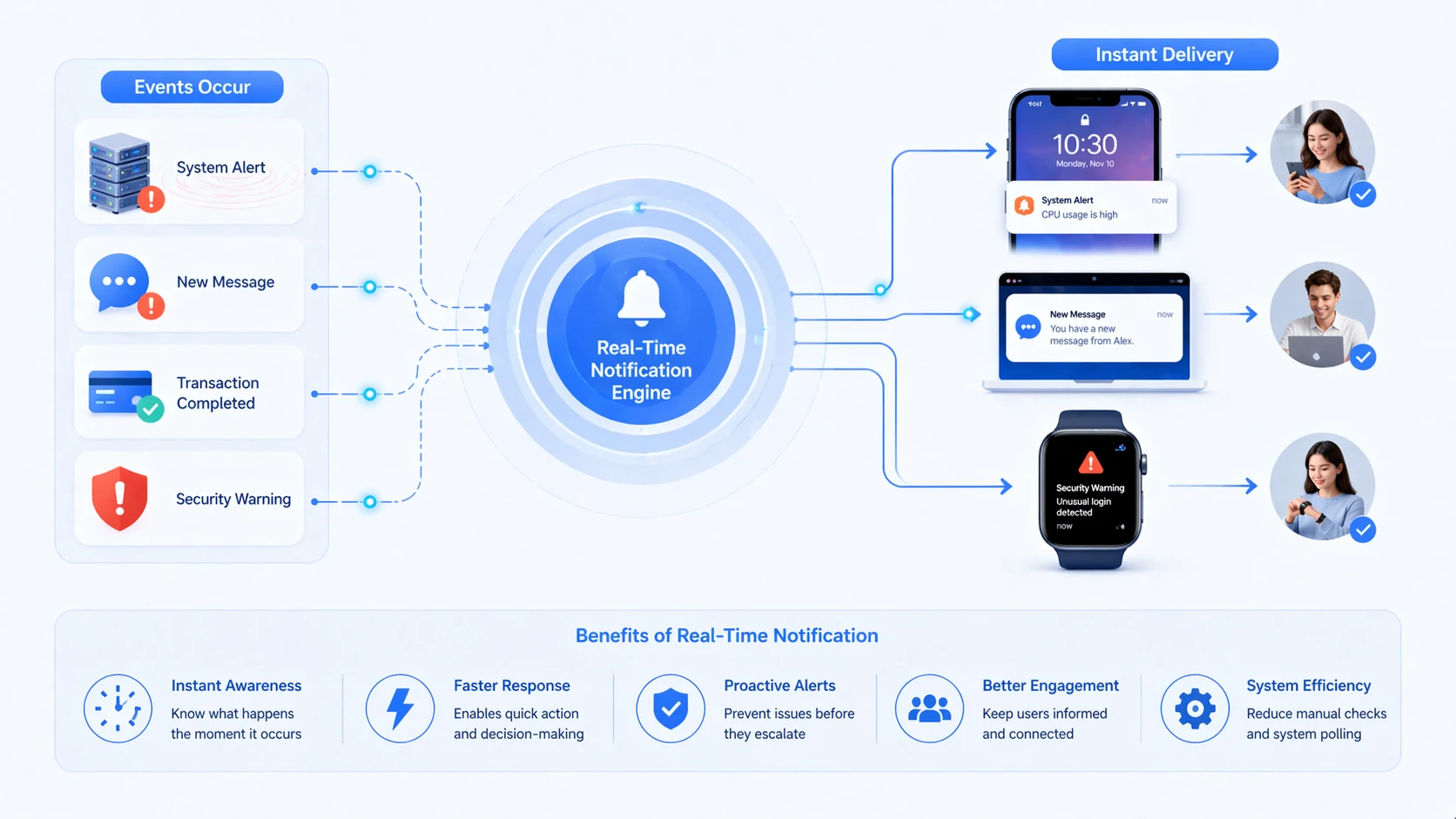
Real-time notification usually begins with event detection. A system observes a condition or receives an input that matches a defined rule. That event could be a completed transaction, a changed workflow state, an alarm condition, a missed response, a sensor reading, a new message, or a device registration update. Once the event is recognized, the system evaluates whether a notification should be generated.
If the rule is satisfied, the platform creates a notification and routes it through one or more delivery channels. This may include in-app alerts, desktop pop-ups, push messages to mobile devices, email, SMS, voice prompts, API-based system updates, or dashboard changes. The specific method depends on the urgency of the event, the architecture of the service, and the intended recipient.
In well-designed systems, the notification is not only fast but also relevant. The message should be tied to a meaningful trigger and sent to the right target so that speed does not create noise instead of value.
Push Models, Subscriptions, and Response Paths
Many real-time notification systems use a push model. Instead of the user constantly checking for updates, the service pushes the event outward when it happens. This may rely on persistent application connections, web sockets, message brokers, mobile push services, SIP signaling, or other event-delivery mechanisms depending on the environment.
Some platforms also rely on subscription logic. A user, application, or endpoint receives notifications because it has been assigned to a role, subscribed to an event class, or authorized for a specific workflow. This helps keep notifications relevant and prevents unrelated parties from being flooded with unnecessary information.
The final step is the response path. In advanced systems, the notification is not only a message. It is an invitation to act. The recipient may acknowledge it, open the linked workflow, join the call, answer the intercom, review the ticket, or escalate the alarm. This is where notification design becomes directly connected to operational outcome.
A strong real-time notification system does not only send alerts quickly. It connects those alerts to meaningful next actions.
Main Features of Real-Time Notification
Immediate Delivery and Event Awareness
The most important feature of real-time notification is immediate or near-immediate delivery. The purpose of the system is to reflect an event while it is still current, not long after the fact. This helps users maintain awareness without needing to watch every system continuously.
Event awareness is equally important. Notifications should correspond to actual events that matter, such as a changed order status, a system alarm, a new message, a call request, or a workflow approval need. The feature is valuable only when the notification accurately reflects something the recipient should know about now.
This creates a more active digital environment. The system does not wait passively to be checked. It participates in operational communication by announcing meaningful change.
Multi-Channel Delivery and Prioritization
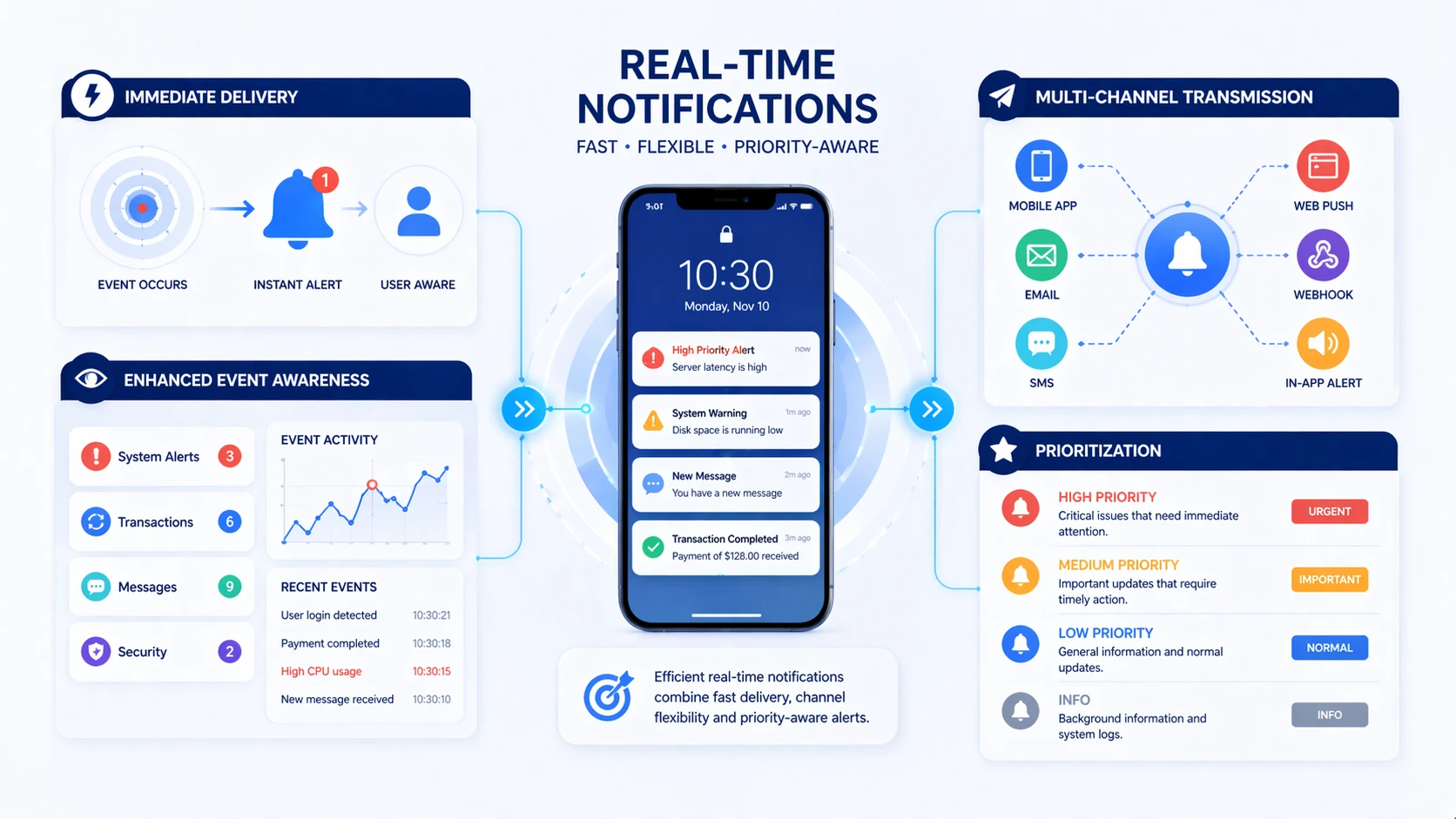
Another major feature is multi-channel delivery. Real-time notifications can be delivered through different endpoints depending on user role and urgency. A casual update may appear as an in-app message. A service-impacting alarm may appear on a dashboard and trigger an email. A critical safety event may generate a voice alert, push message, and escalation path at the same time.
Prioritization also matters. Not every notification deserves the same level of urgency. Strong systems distinguish between informational messages, warnings, action-required alerts, and emergency conditions. This helps users understand which events can wait and which demand immediate attention.
Without prioritization, real-time delivery can become overwhelming. With prioritization, it becomes a practical tool for attention management and response coordination.
Benefits of Real-Time Notification
Faster Response and Better Visibility
One of the biggest benefits of real-time notification is faster response. When users or systems are informed immediately, they can act sooner. This may mean answering a service request quickly, reacting to an outage before customers complain, or responding to an alarm before conditions worsen. In many environments, reduced awareness delay directly improves operational performance.
Better visibility is closely related. Real-time notification makes system activity easier to see as it happens. Instead of reviewing changes after the fact, teams can track important events in a more active way. This can improve coordination between departments, reduce blind spots, and help leaders understand what is happening across workflows or infrastructure.
In this sense, real-time notification is not only a message-delivery feature. It is also an operational visibility tool.
Improved User Experience and Workflow Efficiency
Real-time notification can also improve user experience. Customers appreciate knowing immediately when an order is confirmed, a password is changed, a delivery is delayed, or a support case is updated. Staff appreciate seeing when a task has been assigned, a colleague has responded, or a device requires action. Timely feedback reduces uncertainty and makes digital systems feel more responsive and useful.
Workflow efficiency improves because people spend less time checking manually for updates that may not exist. The system tells them when something requires attention, which reduces wasted monitoring effort and helps them focus on actual tasks. This is especially valuable in environments with many moving parts, such as service desks, logistics operations, healthcare coordination, and industrial control.
The result is often better flow, not simply more messaging. When real-time notification is designed well, it removes waiting and guesswork from routine operations.
Applications of Real-Time Notification
Business Software, Customer Apps, and E-Commerce
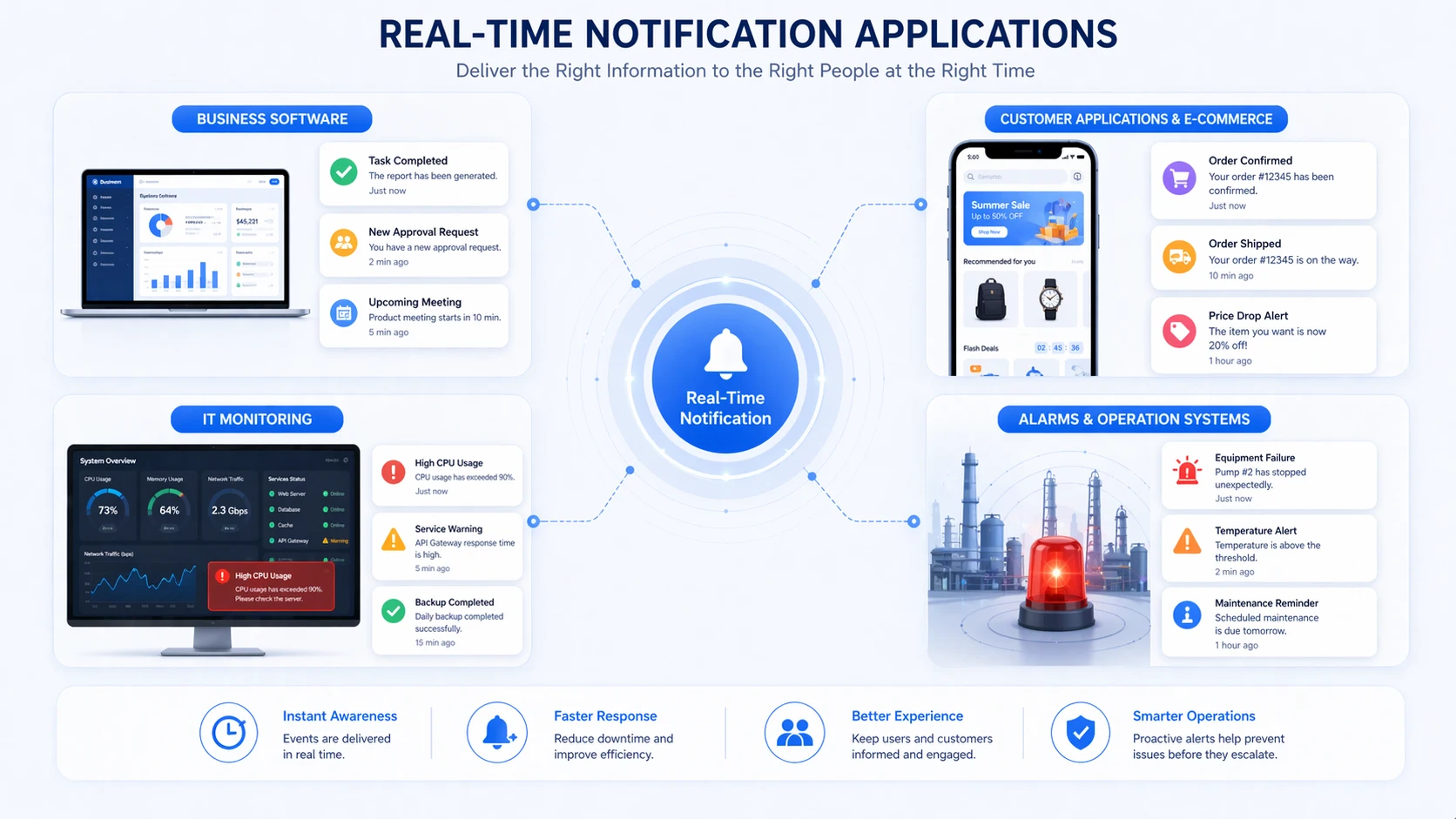
Real-time notification is widely used in business applications and customer-facing services. Collaboration tools use it for new messages, mentions, task updates, and status changes. CRM and help desk platforms use it for ticket events, assignment changes, and response deadlines. E-commerce systems use it for order confirmations, shipment updates, payment events, and account activity.
Customer apps benefit especially because real-time notification creates a stronger feeling of continuity. Instead of wondering whether an action succeeded, the user sees immediate confirmation. Instead of checking repeatedly for progress, the user is informed when progress happens.
In these environments, real-time notification supports both service transparency and operational speed. It helps businesses communicate more actively without requiring constant manual outreach.
IT Monitoring, Alarms, and Operational Systems
In IT and infrastructure environments, real-time notification is essential for monitoring and incident response. When a server becomes unreachable, a service threshold is crossed, a network path fails, or a security event is detected, the system must notify the right people quickly. Delay reduces the chance of rapid containment or recovery.
Operational systems also use real-time notification for alarms, equipment faults, maintenance warnings, access events, and process changes. In industrial environments, the value of immediate awareness is often even higher because late response may affect equipment, production continuity, safety, or compliance.
This is why real-time notification is often built into NMS platforms, industrial control systems, alarm consoles, facility monitoring software, and incident management workflows.
Real-Time Notification in Communication Systems
Calls, Intercom, Messaging, and Alerting
Real-time notification also plays an important role in communication systems. An incoming SIP call, intercom request, missed call, paging event, emergency help point trigger, or operator alert may all depend on immediate notification behavior. In these environments, the system is not simply reporting activity after it happens. It is enabling the communication itself by bringing the event to attention immediately.
For example, a nurse station may need real-time notice of a room call, a control room may need instant notification of a help point request, or a duty desk may need to see and hear a missed escalation event without delay. Messaging platforms also rely on real-time notification so users know when new conversations or important replies arrive.
In such systems, delayed notification is often nearly equivalent to missed communication. That is why real-time behavior is central rather than optional.
Role in SIP, Paging, and Integrated Response Platforms
In SIP and IP-based communication environments, real-time notification can be tied to signaling events, paging triggers, dispatch rules, intercom requests, and alarm-linked call flows. A device can register a status change, trigger an alert, and route that event immediately to the correct endpoint or user group. This is especially useful in environments where communications and operations are closely connected.
Campuses, hospitals, factories, utilities, transport sites, and security operations often need real-time notification not only on screens, but across phones, intercoms, voice terminals, and supervisory platforms. This makes event handling more responsive and easier to coordinate.
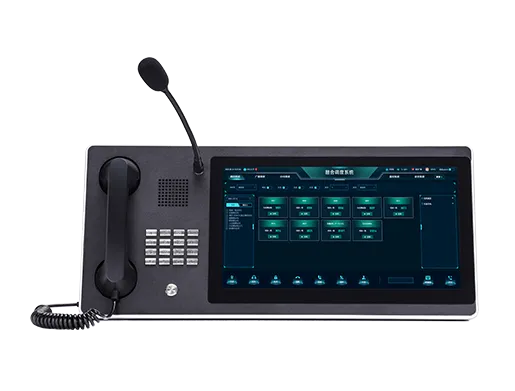
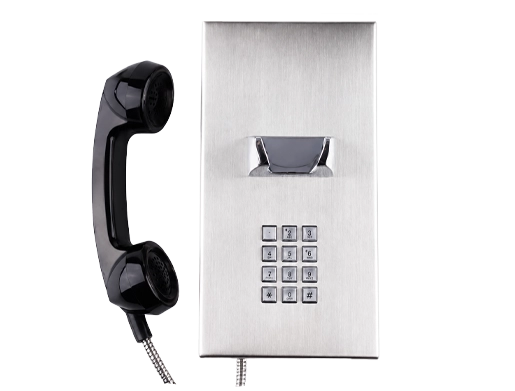
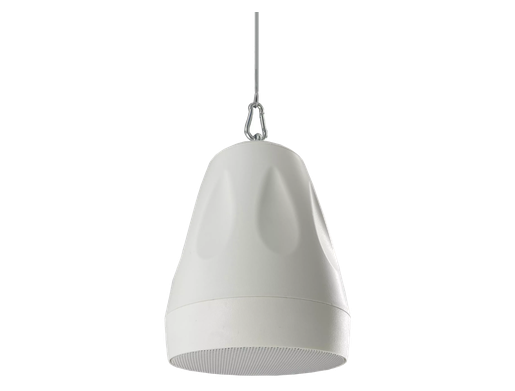
In communication projects involving Becke Telcom SIP devices, intercoms, IP phones, paging terminals, and integrated communication platforms, real-time notification is naturally relevant because these systems often depend on immediate event awareness for call handling, help-point response, paging triggers, and operational coordination.
In communication systems, real-time notification is often the bridge between an event occurring and a person actually responding.
Challenges and Design Considerations
Alert Fatigue and Notification Quality
One major challenge is alert fatigue. If a system sends too many notifications, users may start ignoring them, dismissing them automatically, or losing the ability to distinguish critical alerts from routine updates. In that case, the value of real-time delivery is reduced because speed without relevance becomes noise.
This is why notification quality matters just as much as notification speed. The message should be meaningful, well targeted, and proportionate to the importance of the event. Systems need rules for urgency, filtering, deduplication, and escalation so that the user sees what matters most without being overwhelmed.
A poor real-time notification system can create distraction. A good one creates clarity.
Channel Choice, Reliability, and Escalation Logic
Another design consideration is channel choice. The same event may require different delivery methods depending on severity and recipient role. A dashboard banner may be enough for an informational update, but a critical infrastructure alert may need push notification, email, voice escalation, and acknowledgement tracking.
Reliability also matters. If the notification layer fails, the organization may lose visibility even though the underlying event occurred correctly. This is why high-value environments often include fallback channels, escalation logic, or confirmation workflows to ensure important alerts are not silently missed.
In more advanced systems, real-time notification is therefore tied closely to event routing strategy rather than treated as a simple pop-up feature.
How to Use Real-Time Notification Effectively
Match Urgency to Delivery Method
The most effective use of real-time notification begins with urgency mapping. Informational events, workflow reminders, warnings, and critical alarms should not all be delivered in the same way. The delivery method should match the importance of the event so users understand what requires action now and what can be reviewed later.
This may mean using quiet in-app alerts for routine updates, while reserving sound, push delivery, or escalation paths for urgent conditions. By aligning urgency and delivery style, organizations reduce noise while keeping responsiveness high.
The goal is not maximum interruption. The goal is timely awareness at the right intensity.
Connect Notifications to Actionable Workflows
Real-time notification is most valuable when it leads directly to action. A user should be able to open the linked record, answer the call, acknowledge the alarm, review the event, or join the workflow with minimal delay. Notifications that simply announce information without offering a clear next step are often less effective.
This is especially true in business and operational environments. The notification should help move the work forward, not just create another message to manage. Strong design therefore connects real-time notification with dashboards, task flows, response buttons, call controls, escalation paths, or ticket-handling interfaces.
In practical terms, the best notification systems are not just fast. They are actionable.
Conclusion
Real-time notification is a mechanism for delivering alerts, messages, and event updates immediately or near-immediately after a meaningful change occurs. Its value lies in timing, because timely awareness often leads to faster action, better coordination, and more reliable operations.
It is widely used across business software, customer apps, IT monitoring, industrial alerting, communication platforms, and integrated operational systems. Whether the purpose is informing a customer, warning an engineer, alerting a nurse station, or triggering a duty response, the role of real-time notification is the same: reduce the delay between event and response.
When designed well, real-time notification improves visibility, efficiency, and service quality. When combined with prioritization, multi-channel delivery, and actionable workflows, it becomes a powerful part of modern communication and operations design.
FAQ
What is real-time notification in simple terms?
In simple terms, real-time notification means a system sends an alert or update as soon as something happens instead of waiting for the user to check manually. It helps users or systems become aware of events immediately.
This is commonly seen in apps, alarms, dashboards, messaging platforms, and communication systems.
What is the difference between real-time notification and normal notification?
The main difference is timing. Real-time notification is delivered immediately or near-immediately after an event occurs, while ordinary notification may be delayed, bundled, or only seen when the user opens the system later.
Real-time notification is designed for situations where faster awareness creates more value.
Where is real-time notification commonly used?
Real-time notification is commonly used in business applications, customer apps, IT monitoring, order tracking, messaging systems, SIP communication platforms, intercom systems, paging environments, alarm systems, and industrial operations.
It is especially useful wherever timing affects response quality, service continuity, or operational coordination.