


Imagine a fall in the bathroom, a sudden chest pain, or an intruder at the door – in any of these critical moments, every second counts. Emergency call buttons are small but life‑saving devices that connect you to help instantly, 24 hours a day, 7 days a week. Whether you are a senior aging in place, a person with a chronic medical condition, or someone who works alone, an emergency button can mean the difference between a swift response and a tragic outcome.
In this comprehensive guide, we will explain exactly what emergency call buttons are, how they work, the different types available (medical alert systems, mobile buttons, wall‑mounted help points), who needs them, and how to choose the best one for your situation. By the end, you will understand why these devices have become an essential part of home safety and personal security worldwide.
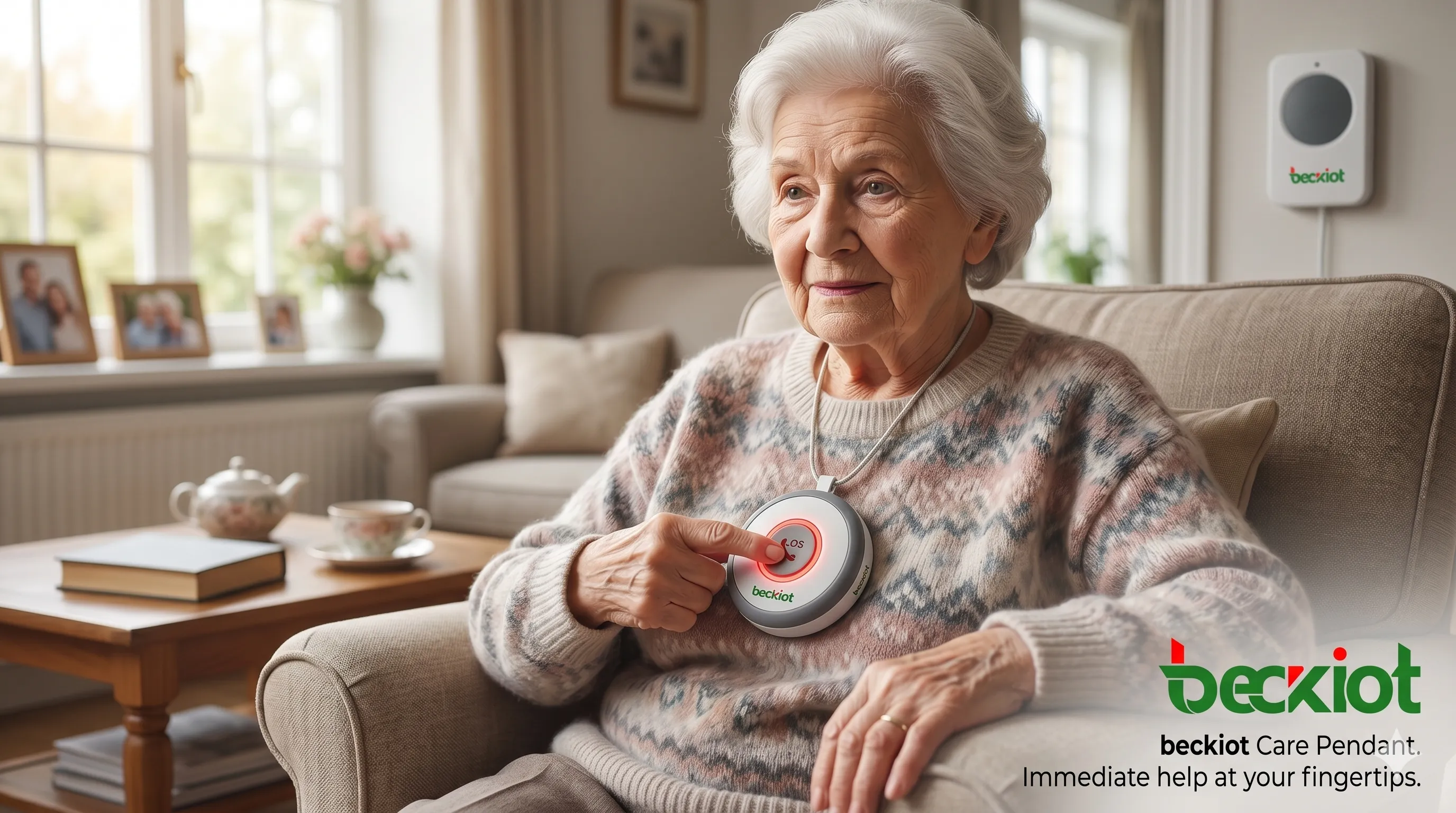
Image: A senior wearing a wearable emergency call button – help is just one press away, 24/7.
What Are Emergency Call Buttons?
An emergency call button is a device that, when activated, sends an alert to a monitoring center, a designated caregiver, or directly to emergency services (such as 911). Most systems consist of a small button – which can be worn as a pendant, bracelet, clipped to a belt, or mounted on a wall – and a base unit connected to a telephone line or cellular network. Advanced models use GPS, Wi‑Fi, and two‑way voice communication so the user can speak to a trained operator without needing to reach a phone.
Related Product Introduction:BCC501系列SIP对讲机
Key components of a typical emergency call button system:
-
Help button – wearable or fixed, waterproof for shower use.
-
Base station / hub – connects to a landline, cellular network, or internet.
-
Monitoring center – staffed 24/7 by trained emergency dispatchers.
-
Two‑way speaker – allows communication between the user and the operator.
-
Fall detection (optional) – automatically triggers a call if a fall is detected.
How Do Emergency Call Buttons Work? (Step‑by‑Step)
-
Activation: The user presses the button (or the device automatically detects a fall).
-
Signal transmission: The button sends a radio frequency (RF) or Bluetooth signal to the base unit, which then dials a 24/7 monitoring center via landline, cellular, or VoIP.
-
Two‑way voice: The base unit’s speaker and microphone activate, allowing the operator to speak with the user. If the user is unable to respond (e.g., unconscious), the operator immediately dispatches help.
-
Emergency dispatch: The operator contacts family members, neighbors, or emergency services (ambulance, police, fire) based on the user’s emergency profile.
-
Follow‑up: Many systems continue monitoring until help arrives and the situation is resolved.
Modern mobile emergency buttons (with cellular and GPS) work similarly but do not require a home base station. They are portable and work anywhere with cellular coverage – perfect for active seniors or outdoor workers.
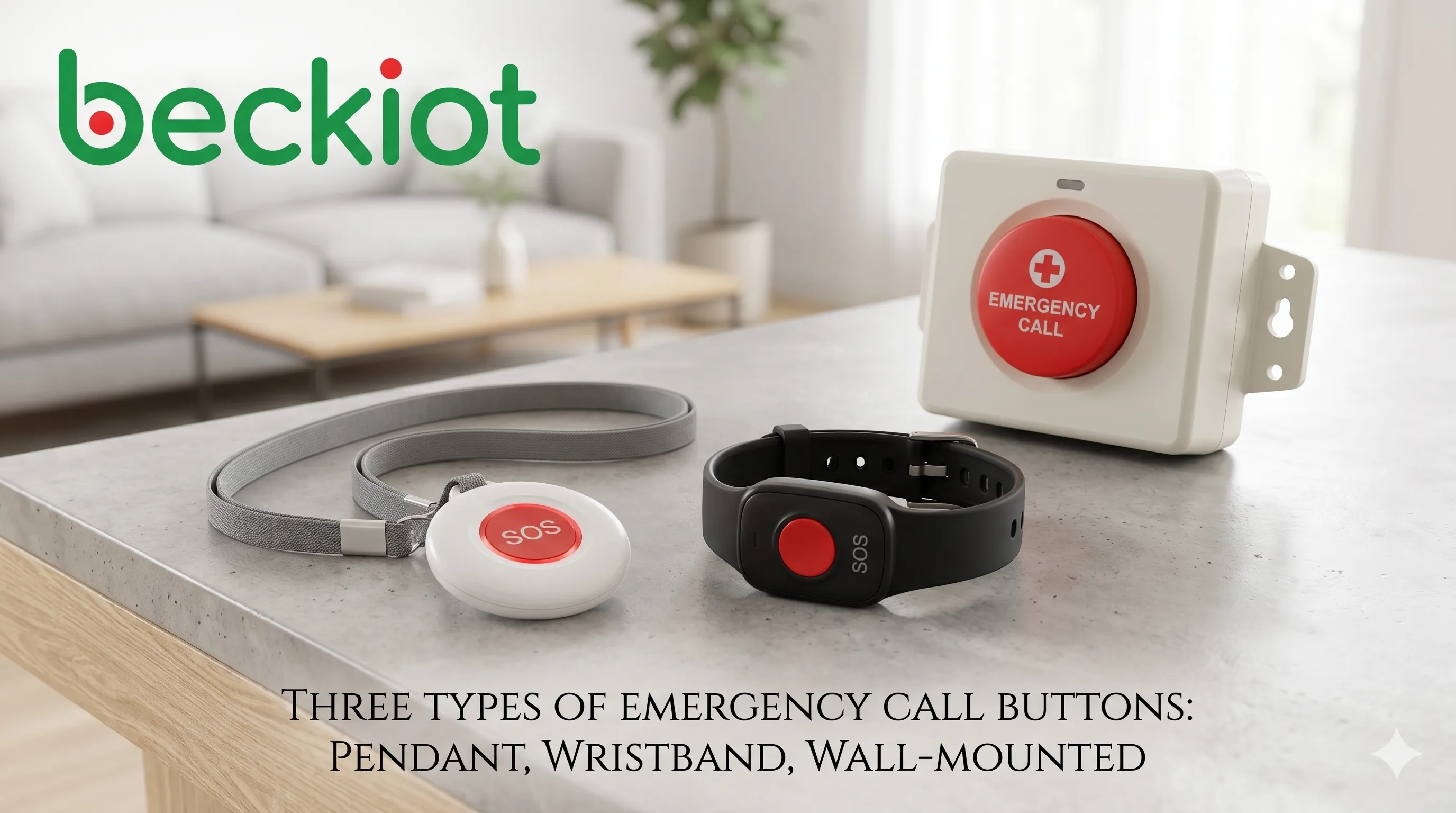
Image: Popular designs – wearable pendant (left), waterproof wristband (center), and wall‑mounted button for bathrooms.
Who Needs Emergency Call Buttons?
Although often associated with elderly care, emergency call buttons are useful for many individuals and settings:
-
Seniors living alone: Falls are the leading cause of injury among adults over 65. A pendant button can summon help even if they cannot reach a phone.
-
People with medical conditions: Epilepsy, diabetes, heart disease, severe allergies – a button provides reassurance during a seizure, hypoglycemia, or anaphylaxis.
-
Post‑surgery or rehab patients: While recovering at home, mobility may be limited. A button ensures help is never far.
-
Individuals with disabilities: Physical or cognitive impairments can make using a regular phone difficult – a simple push button is far easier.
-
Alone workers: Real estate agents, home health aides, delivery drivers, or janitors working late hours can use mobile emergency buttons for personal safety.
-
Workplaces and public buildings: Elevators, restrooms, parking lots, and school campuses often install fixed emergency call buttons for anyone in distress.
Types of Emergency Call Buttons – Which One Is Right for You?
Choosing the correct type depends on lifestyle, budget, and medical needs. Here are the main categories:
1. Landline‑Based Medical Alert Systems
These are the most traditional and reliable if you have a home phone line. The base unit plugs into a telephone jack and electrical outlet. The wearable button communicates wirelessly with the base (range typically 300‑600 feet). Pros: No monthly cellular fees (only monitoring costs), stable connection. Cons: Doesn’t work during power outages unless it has a backup battery, and landlines are becoming less common.
2. Cellular and Mobile Emergency Buttons
No landline needed. The base unit contains a built‑in cellular modem (4G/5G). Some systems are completely portable – they look like a small puck and include GPS. Pros: Works anywhere with cell coverage, often includes fall detection and two‑way talk. Cons: Slightly higher monthly fees, requires charging.
3. Smart Watch / Wearable Hybrids
Devices like the Apple Watch (with fall detection and emergency SOS) or dedicated medical alert watches combine fitness tracking with emergency calling. They can automatically contact emergency services and share your location. Pros: Stylish, discreet, multi‑function. Cons: Higher upfront cost, shorter battery life (usually 1‑2 days).
4. Wall‑Mounted Emergency Buttons
Often installed in bathrooms, showers, or next to beds. They are hardwired or battery‑powered and typically connect to a building’s intercom or alarm system. Common in nursing homes, hotels, and accessible restrooms. Pros: No wearable to lose, very durable. Cons: Not portable; only useful in specific locations.
Relevant Solution Introduction:Emergency Communication System
Features to Look For in an Emergency Call Button
Not all buttons are created equal. For maximum safety and peace of mind, consider these critical features:
-
24/7 US‑based monitoring: Ensure the monitoring center is staffed by trained professionals, not an automated system.
-
Waterproof button: Most falls happen in the bathroom. The button should be shower‑safe (IP67 or IP68 rating).
-
Long battery life: Wearable batteries should last 6–12 months; base units should have a backup battery for power outages.
-
Two‑way voice communication: Being able to speak to the operator without reaching a phone is crucial.
-
Fall detection technology: Accelerometers and algorithms detect sudden falls and automatically trigger a call – even if the user is unconscious.
-
GPS location tracking: Essential for mobile buttons – lets dispatchers find you if you cannot speak.
-
No long‑term contract: Many reputable providers offer month‑to‑month plans with no cancellation fees.
-
Range extender (for landline systems): Larger homes may need an extra antenna or repeater.
Cost of Emergency Call Buttons (Equipment + Monitoring)
Prices vary widely depending on features and provider. Here is a realistic breakdown (based on US market in 2026):
-
Basic landline system: Equipment $50–$100 (one‑time), monitoring $25–$35/month.
-
Mobile cellular system (GPS): Equipment $100–$250, monitoring $35–$50/month.
-
Fall detection add‑on: Usually +$10/month or included in premium plans.
-
Smart watch with emergency features: $200–$500 upfront, plus optional cellular plan (~$10/month).
-
Wall‑mounted commercial buttons: $50–$150 each, plus installation and central alarm monitoring.
Most medical alert companies do not require long‑term contracts. Many also offer discounts for annual prepayment or for low‑income seniors through Medicaid waivers or local programs.
How to Install and Set Up Your Emergency Call Button
Setting up a typical home system takes less than 10 minutes:
-
Plug the base unit into a power outlet and (for landline) into a phone jack.
-
If cellular, insert the pre‑activated SIM card (already done by the provider).
-
Turn on the wearable button (usually a battery pull‑tab).
-
Test the button by pressing it – the operator should answer within 30‑60 seconds. Tell them it’s a test.
-
Program emergency contacts (family, neighbor, etc.) into the monitoring center’s database.
-
Place wall‑mounted buttons at key locations: next to the toilet, shower seat, and bedside.
Common Myths About Emergency Call Buttons – Debunked
-
Myth: “I have a cellphone, I don’t need a button.” – A cellphone requires you to unlock it, dial, and speak. After a fall or stroke, you might not be able to do that. A button is one‑press and works even if you’re on the floor.
-
Myth: “They only work for old people.” – As explained, anyone with a medical condition or who works alone can benefit. Also young adults with epilepsy or severe allergies.
-
Myth: “Monitoring centers are just automated recordings.” – Reputable providers (like Life Alert, Medical Guardian, Bay Alarm Medical) have live, trained operators 24/7.
-
Myth: “They are too expensive.” – For about $1 a day, you get round‑the‑clock professional monitoring. That’s far cheaper than a single ambulance ride or a move to assisted living.
Top Providers (Examples for Reference)
While we do not endorse specific brands, here are well‑known companies that offer emergency call buttons (to help your own research): Medical Guardian, Life Alert, Bay Alarm Medical, MobileHelp, Alert1, and GreatCall (now part of Best Buy Health). Always compare fall detection accuracy, contract terms, and cancellation policies.
Frequently Asked Questions (FAQs)
Does an emergency call button work without a landline?
Yes. Many systems now run on 4G/5G cellular networks or Wi‑Fi. Make sure you have good cellular reception where the button will be used.
Can I use an emergency button outside my home?
Yes – if you choose a mobile GPS‑enabled button. At‑home systems typically have a range of only 300‑600 feet from the base unit.
What happens if I press the button by accident?
Just tell the operator it was a false alarm. They will not dispatch anyone, and there is no penalty. Many systems have a “cancel” button or ask for a verbal confirmation.
Do emergency call buttons work during a power outage?
Most base units include a backup battery (8‑32 hours). However, if your landline phone relies on electricity (cordless phones) or your internet is down, a cellular‑based system is more reliable during blackouts.
How do I know if fall detection is worth it?
Fall detection reduces the risk of “long lie” – being unable to press the button. It is highly recommended for seniors with balance issues or previous falls. However, no fall detector is 100% accurate; it may miss some falls or sometimes false‑alert. Still, the added safety usually justifies the extra cost.
Conclusion: Peace of Mind Starts with a Button
An emergency call button is not just a gadget – it is a lifeline. For seniors living independently, for people managing chronic illnesses, and for anyone who wants to feel safe at home or on the go, these affordable devices provide 24/7 access to skilled help. The technology has matured: buttons are waterproof, lightweight, long‑lasting, and can even detect falls automatically. Monitoring centers have redundant power and telecom lines, ensuring you are never alone in an emergency.
If you or a loved one lives alone or has a medical condition, do not wait for an accident to happen. Compare the features listed above, choose a reputable provider with a free trial, and install an emergency call button today. You can’t put a price on a life saved – and the cost of peace of mind is surprisingly low.
© 2026 – Comprehensive SEO guide on Emergency Call Buttons. Always consult a medical professional for personal safety needs.







