Introduction OverviewIf you do not want the phone to store call history, you can
If you do not want the phone to store call history, you can change the settings to disable call log saving.
All of our phone models support this feature (X5U is used in this article as an example).
① One phone, connected to the switch and able to obtain an IP address.
② One computer for configuration, connected to the same switch as the phone to ensure network communication between the computer and the phone.
On the phone’s LCD screen, tap “Menu” — “Status” to view the phone’s IP address.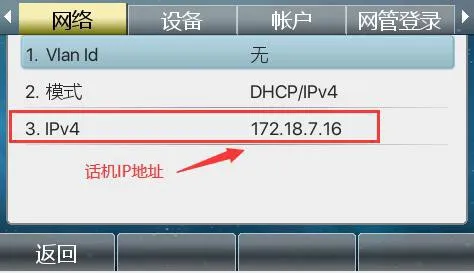
To log in to the phone’s web interface, open a browser on the computer and enter the phone’s IP address in the address bar.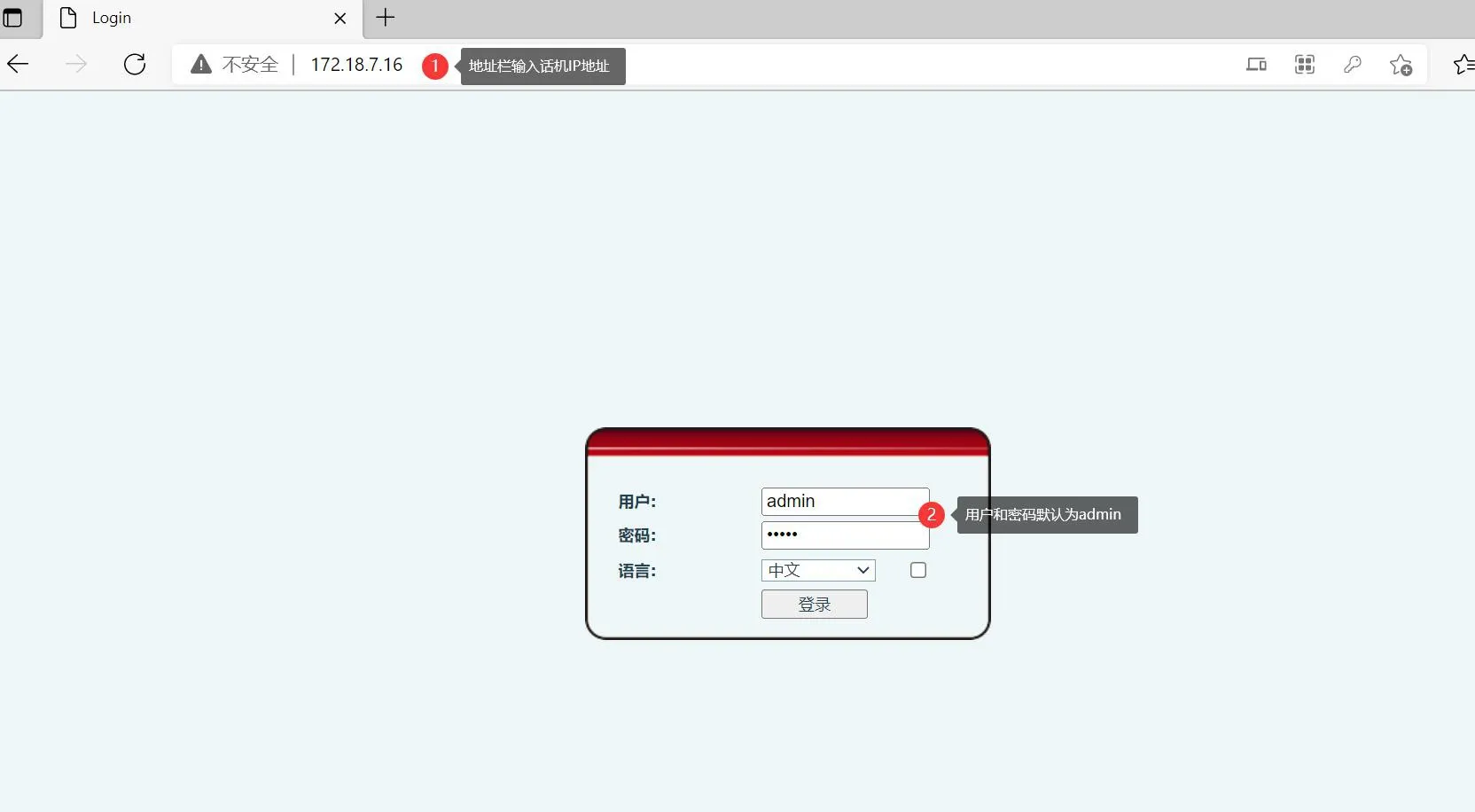
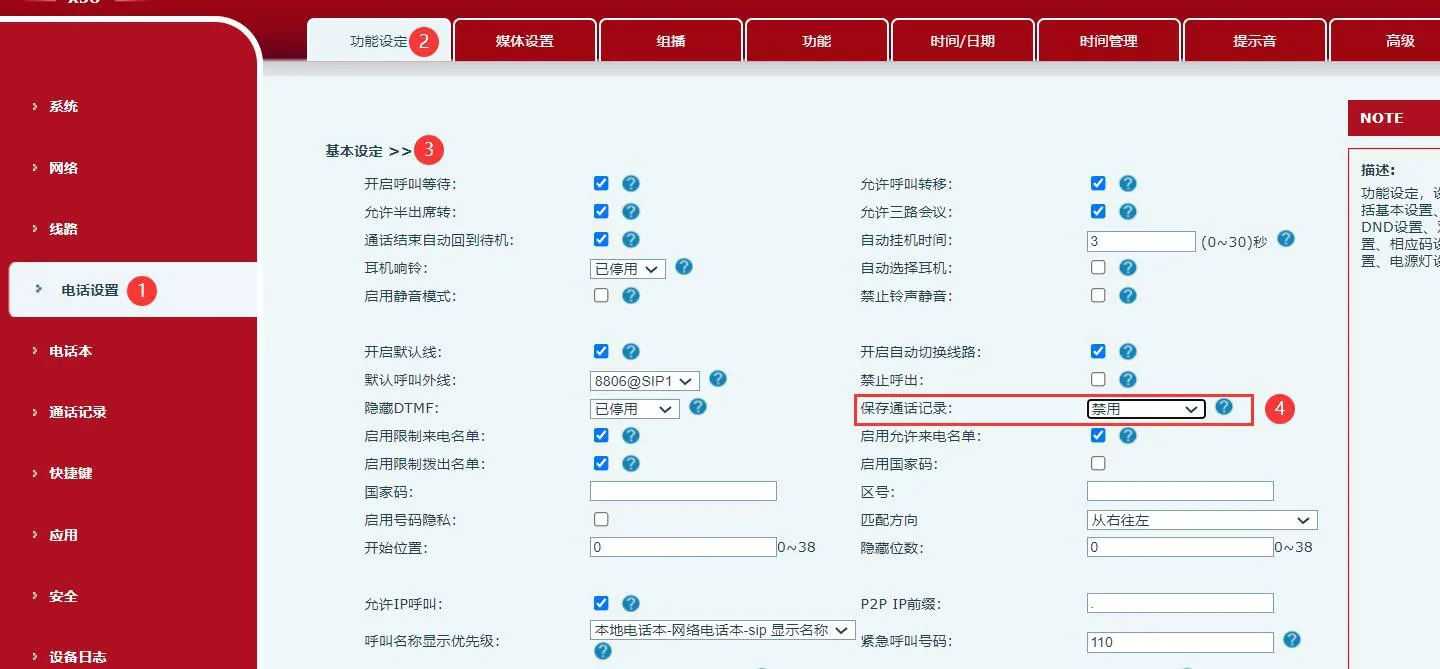
After logging in to the phone’s web interface, go to “Line” - “Phone Settings” - “Function Settings” - “Basic Settings”. Find “Save Call History”, set it to Disable, and then click “Submit”. After the setting is applied, the phone will no longer save any call records.