
This guide explains how SIP phones use the Alert-Info header to identify incoming call types, assign different ringtones, configure Bellcore-drX or custom values, and test the feature on X and Android phone series.
The SIP alert-info field carries call type information. The phone can identify the incoming call category from this field and play different ringtones for different calls.
The Alert-info field is supported. Current products support two common Alert-info formats. The custom ringtone type is a feature added in the first quarter. More details are provided below. Dynamic downloading and playback of a wav file from a URL is not supported.
This format is already supported in existing versions. The PBX only needs to deliver the corresponding alert-info value.
When a SIP Invite contains the Alert-Info field and the value is Bellcore-dr1, the phone plays its first internal ringtone for ringing. If the value is Bellcore-dr2, the second ringtone is played. Figure 2-1 shows a case where the third ringtone should be played.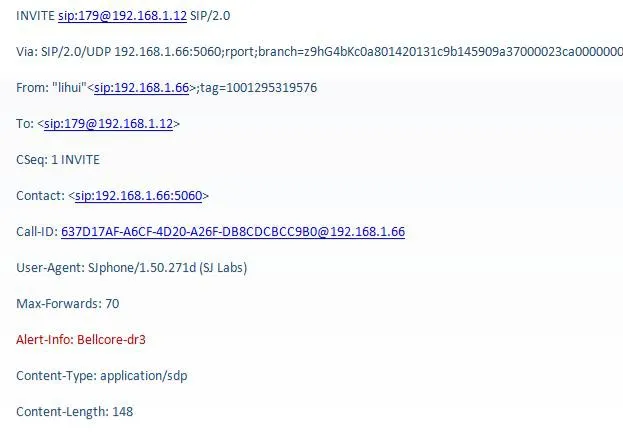
Figure 2-1 SIP message reference field
Note: Bellcore-drX format, where x ranges from 1 to 5.
Although the Bellcore-drX format can implement distinctive ringing, it is not very flexible. Users cannot choose the ringtone because it must be set uniformly by the PBX administrator. By comparison, the custom ringtone type is more flexible. The alert-info field sent by the server contains the call type information, but the system does not bind that information to a fixed ringtone. Users can choose the ringtone type by themselves.
As shown in Figure 2-2, when the alert-info value delivered by the server is queue, the user can configure the ringtone type in the configuration interface.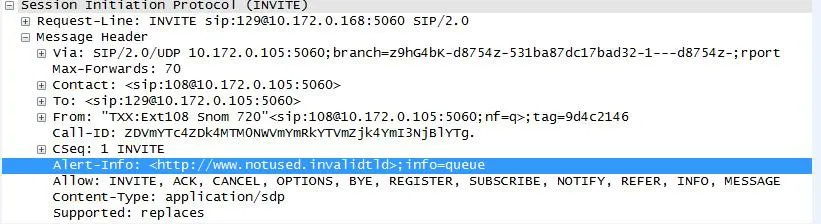
Figure 2-2
In the configuration interface shown in Figure 2-3, the user can view which ringtone type is configured for queue.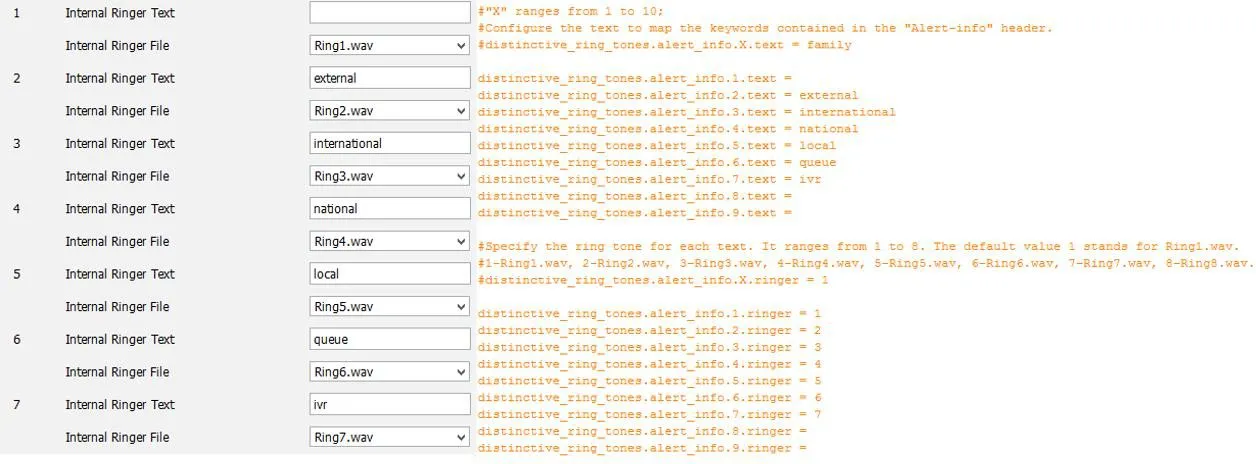
Figure 2-3
1. The phone can be used normally.
2. The phone can log in to the web page.
3. A packet capture tool is available.
4. script path: 172.16.1.9\test_group\using document\SIPP
1. Log in to the WEB page of the test phone at http://xxx.xxx.xxx.xxx/. Go to phone settings->audio for X3/4. For X5/6 phones, go to phone settings->Media Settings, set the Alert-info property, and set the ringtone type. The Alert-info value can be music1-music10 in sequence, or it can be a number.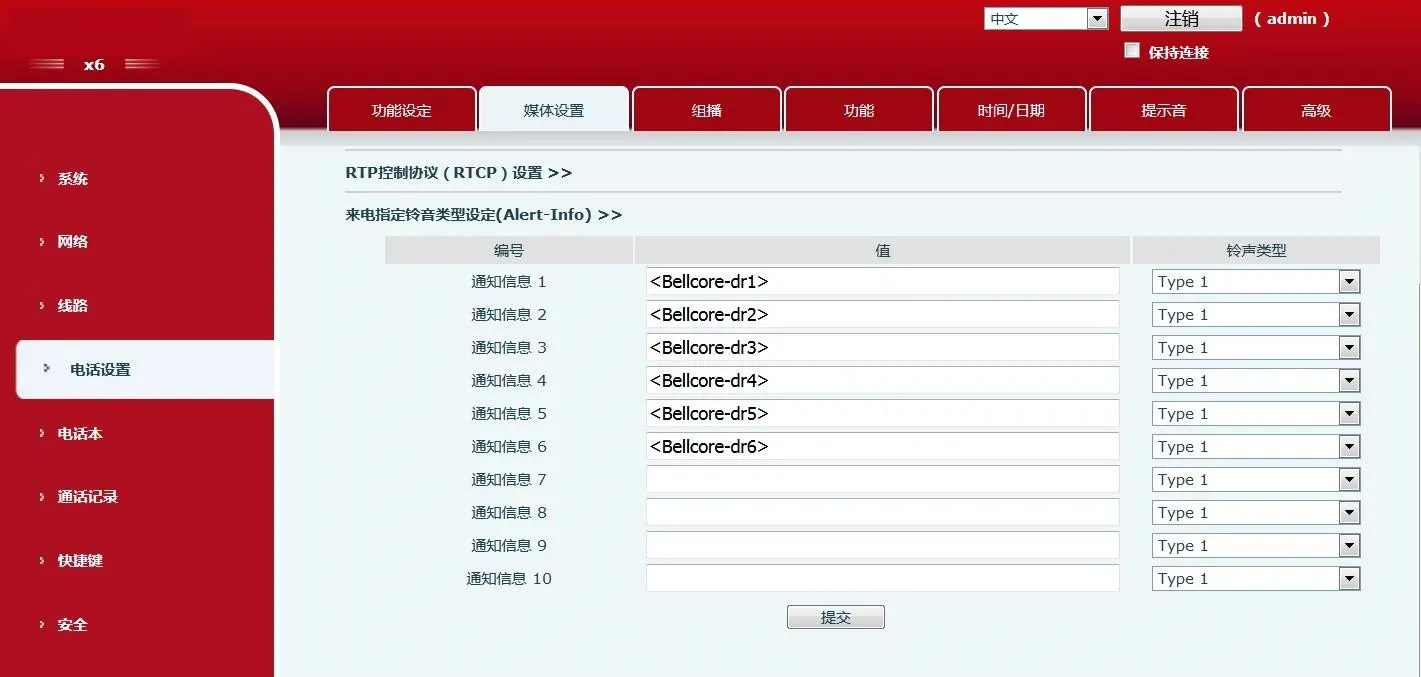 X6 phone configuration interface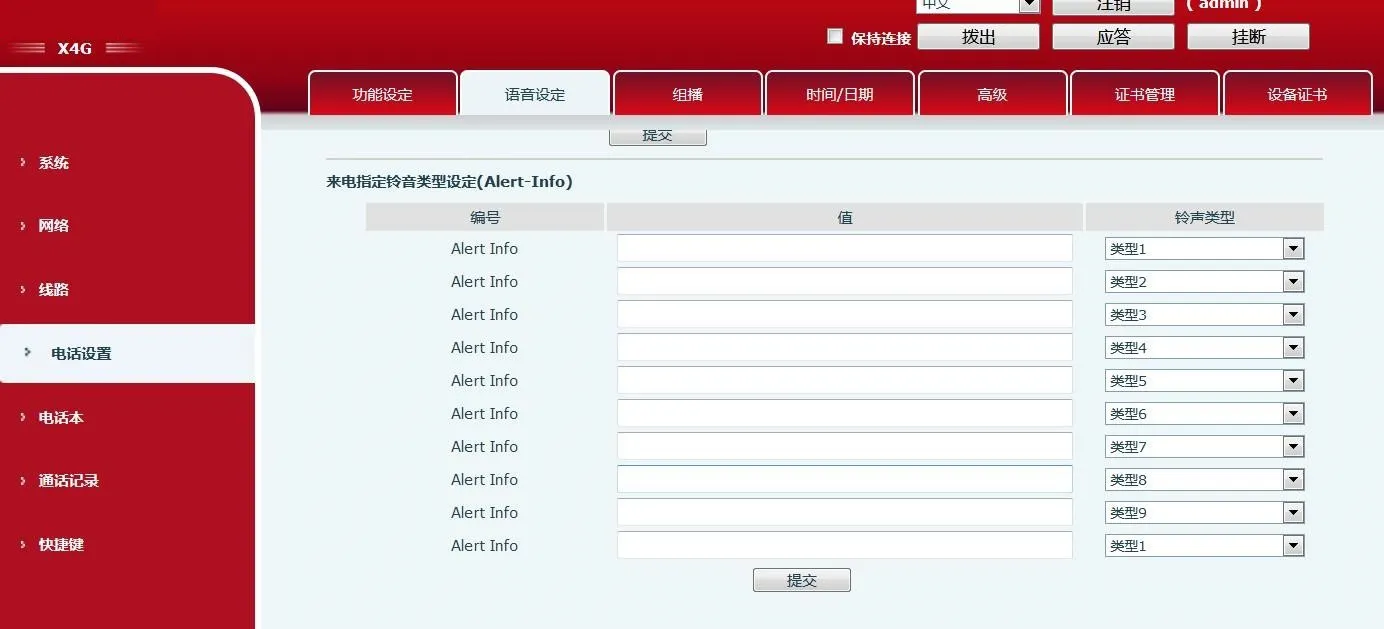
X4G phone configuration interface
2. Use SIPP simulation. Command: run sipp -sf uac_invite_alert_info.xml -i pc phone -m 1 -l 1 to generate an incoming call and capture packets.
Note: The info value in the script must be consistent with the value configured on the web page.
3. Replace Alert-Info:music1;info=[field1] in the script with Alert-Info:http://127.0.0.1/Bellcore-dr1.
4. Set the Alert-info value to bellcore-drX(X=1-5) on the web page and run the script.
1. On the LCD of the test phone, go from setting to phone settings->Tone, set the Alert-info property, and set the ringtone type. The ringtone is the ringtone of the Android system. The Alert-info value can be music1-music10 in sequence, or it can be a number.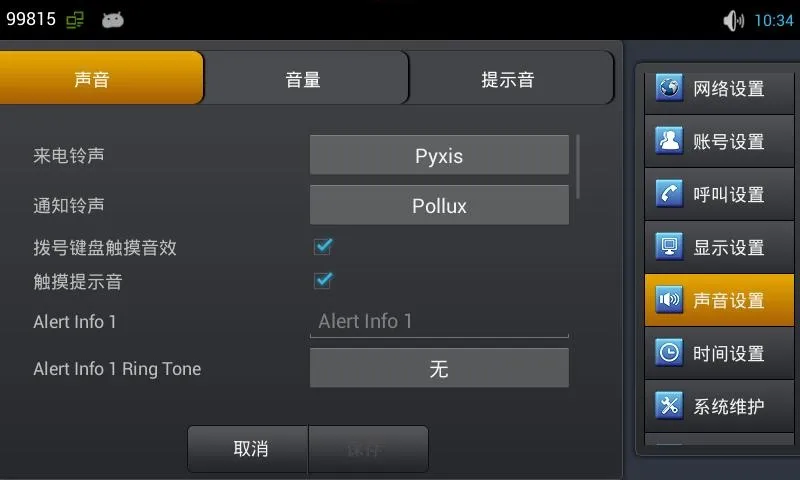
C400 phone configuration interface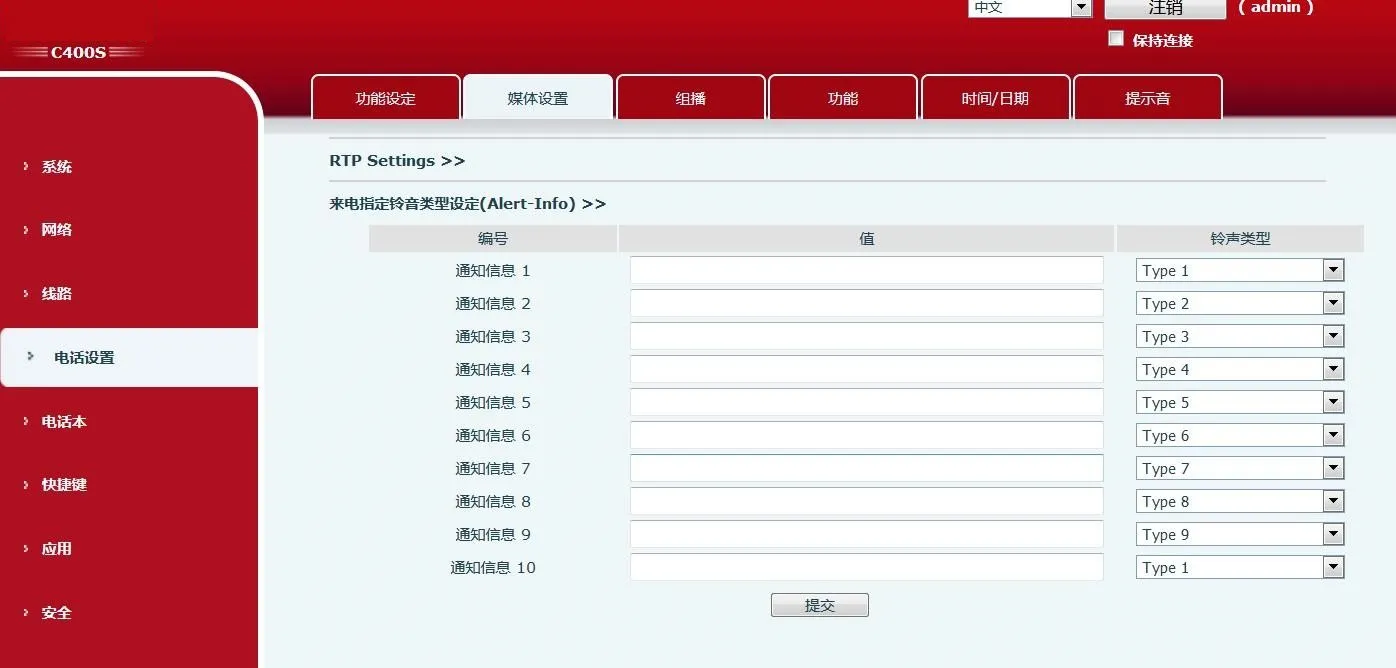 C400S phone configuration interface
Note: C400S uses the platform web page, the same as X6.
2. Use SIPP simulation. Command: run sipp -sf uac_invite_alert_info.xml -i pc phone -m 1 -l 1 to generate an incoming call and capture packets.
Note: The info value in the script must be consistent with the value configured on the LCD.
3. Replace Alert-Info:music1;info=[field1] in the script with Alert-Info:http://127.0.0.1/Bellcore-dr1.
4. Set the Alert-info value to bellcore-drX(X=1-5) on the LCD and run the script.
