
SIP Phone Call Recording Configuration & User Guide. Supports local USB recording & server recording (TCP/UDP, SIP INFO), compatible with BX3S/BX4/BX5S/BX6/BX7/GP210/BXU series.
The phone supports recording during active calls. Two recording methods are available:
Save RTP stream as a formatted file to local storage (USB).
Send RTP stream to a recording server for storage and management.
This document applies to BX3S, BX4, BX5S, BX6, BX7, BX7C, GP210, GP210i, and BXU series IP phones.
This document is intended for internal R&D and test engineers who need to understand the implementation and improvement of the phone’s call recording feature.
A local receive-only stream is created and mixed with the call stream. The phone binds to a local port to receive mixed RTP data, which is then written to a local file or sent to a remote server.
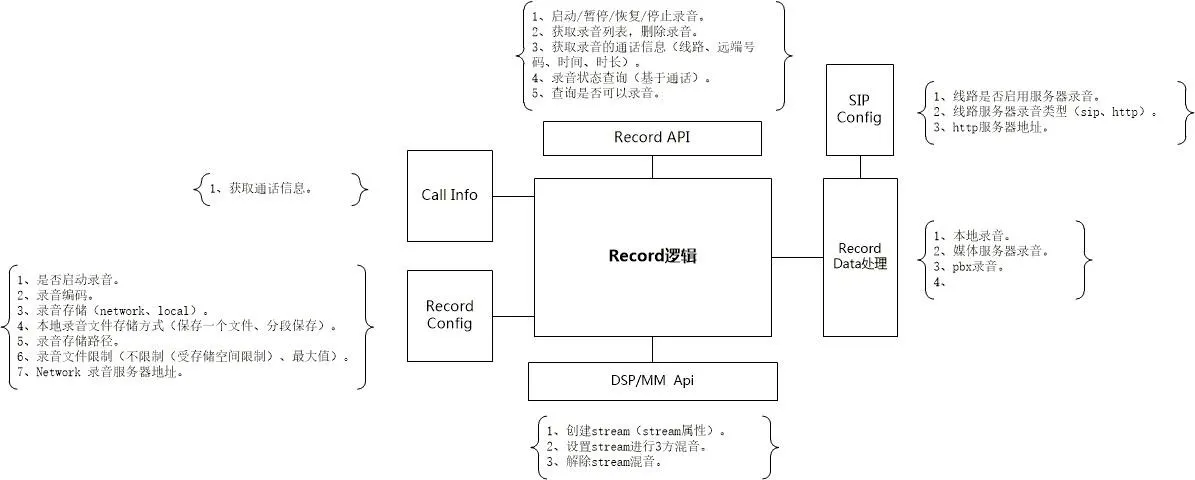
Local recording requires a USB flash drive. The phone checks USB storage capacity, creates a file named Record_[SystemTime], and saves RTP data.
If the file size limit is reached and space remains, a new file is created automatically. Pause/resume is supported during recording.
Local Recording File Format (.wav):
| char codec[64] | int32_t rtpLen | int32_t increment | uint32_t dataSize | rtp data | rtp data | ... |
codec: Recording audio codec
rtpLen: Length of RTP data
increment: Timestamp increment
dataSize: Total RTP data length
Server recording requires configuring serverAddr and serverPort. Communication includes control commands (TCP) and RTP media (UDP).
The phone initiates a recording session. The server allocates a dedicated UDP port for RTP streaming.
Record Start Command Format
Request: cmd=RecordStartRequest&id=xxx&device=xxx&remote_number=xxx&remote_name=xxx&local_number=xxx&local_name=xxx&dir=in|out&codec=xxx
Response: cmd=RecordStartResponse&id=xxx&result=success|failed&reason=xxx&server=xxx&port=xxx
id: Unique session ID (random, fixed during recording)
device: Phone MAC address
dir: Call direction (inbound/outbound)
codec: RTP codec (PCMA|PCMU)
server/port: UDP address for RTP streaming
Note: If the server responds "failed", the phone will display a recording failure prompt.
Record Stop Command Format
Request: cmd=RecordStopRequest&id=xxx&remote_number=xxx&remote_name=xxx&local_number=xxx&local_name=xxx&reason=xxx
Response: cmd=RecordStopResponse&id=xxx&result=success
On socket error, both sides terminate the session and clear states.
The phone sends RTP packets to the server via UDP until a Stop command is received or the connection drops.
The phone parses file headers (codec, timestamp, length) to calculate playback duration and control playback.
Local recording requires a USB drive. Supported on BX5S/BX6; NOT supported on BX3S/BX4.
Enable recording via Apps > Recording Management, set mode to Local.
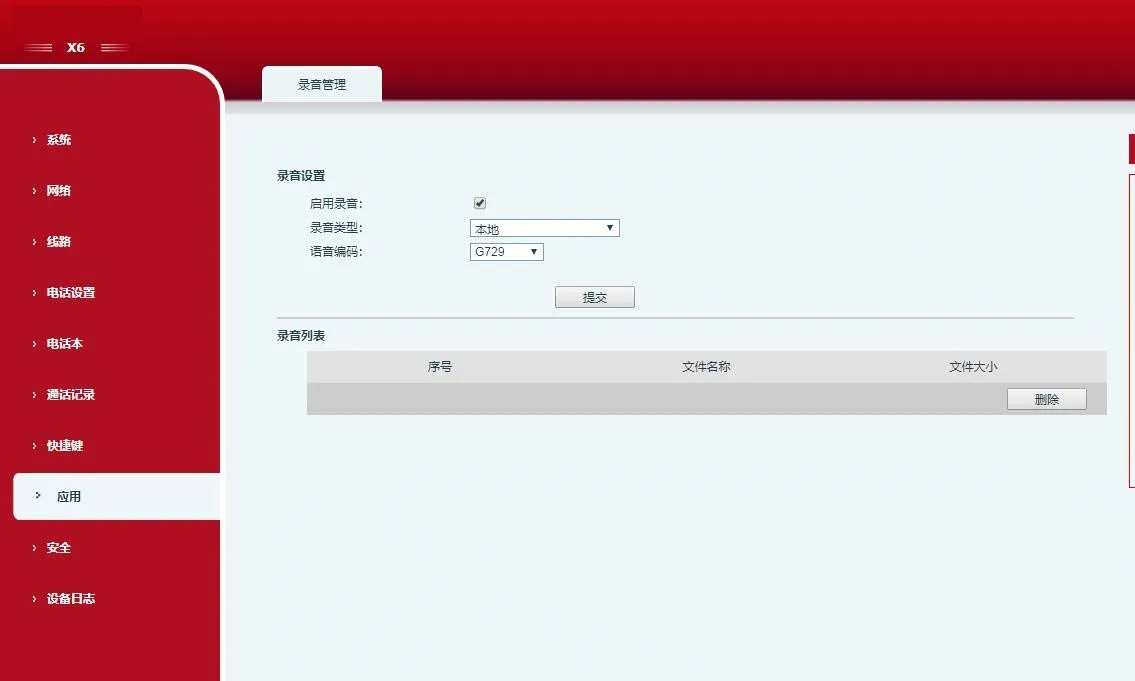
Configure a DSS Key/Function Key as Record.
Insert USB drive, make a call, press the Record key to start.
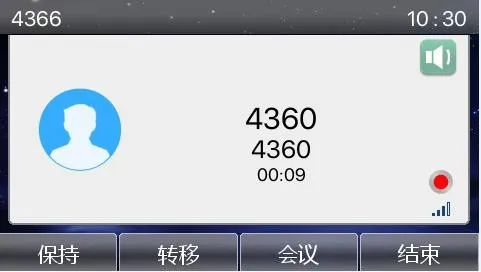
Press again to stop recording.
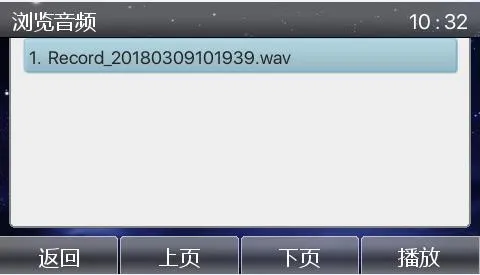
View/play recordings via Apps > USB.
Install the RecordServer software (supports PCMA/PCMU/G722).
Server Path: \\172.16.1.8\firmware\Applications\RecordServer
Run RecordServer.exe to start the service.
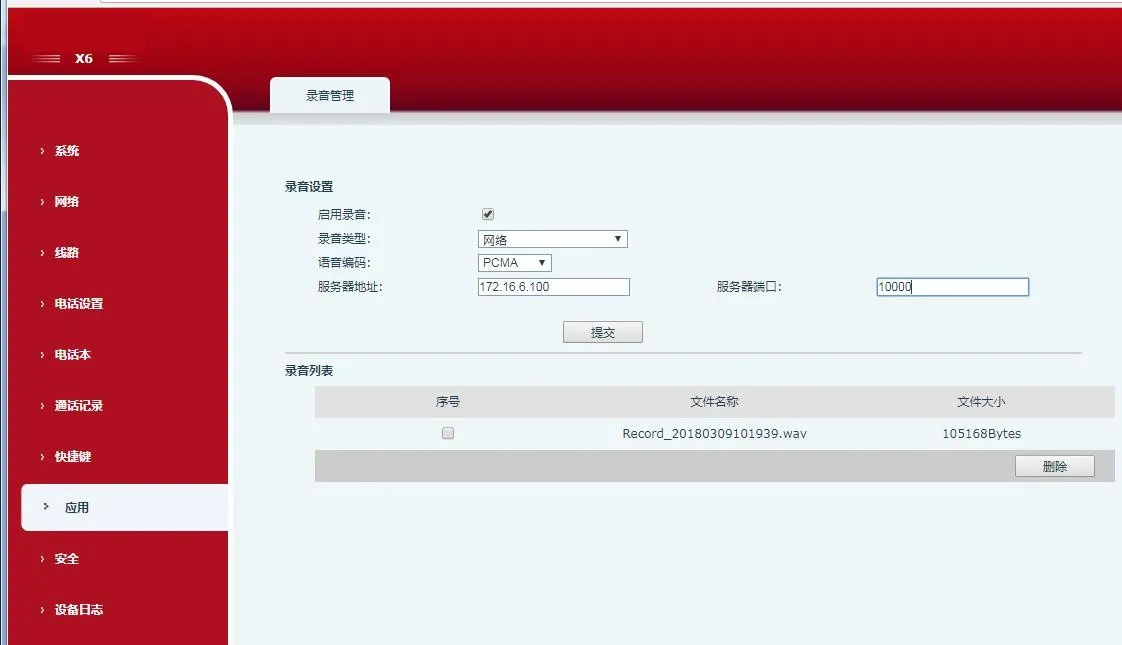
On the phone web interface, enable recording, set type to Network, enter server IP/port, select codec.
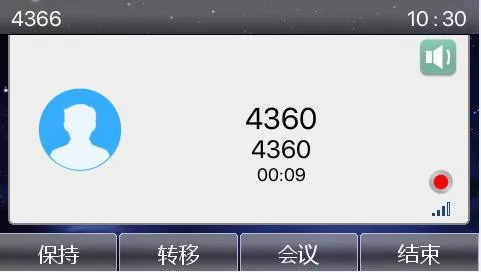
Make a call, press the Record DSS key.
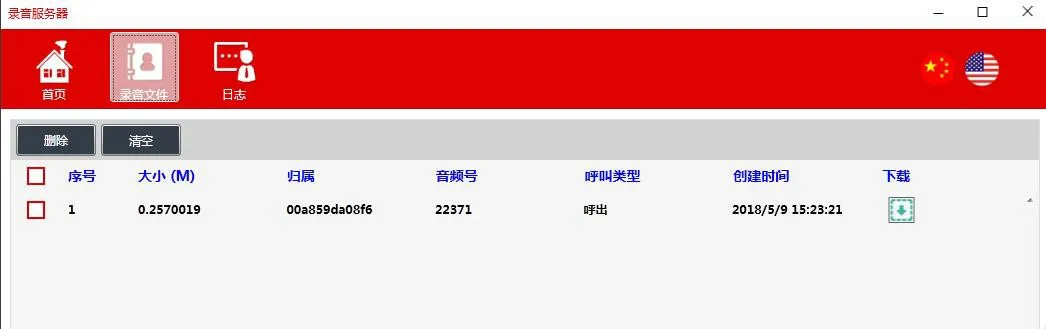
Stop recording and download files from the server.
Register the phone to a SIP INFO-compatible server (e.g., 3CX).
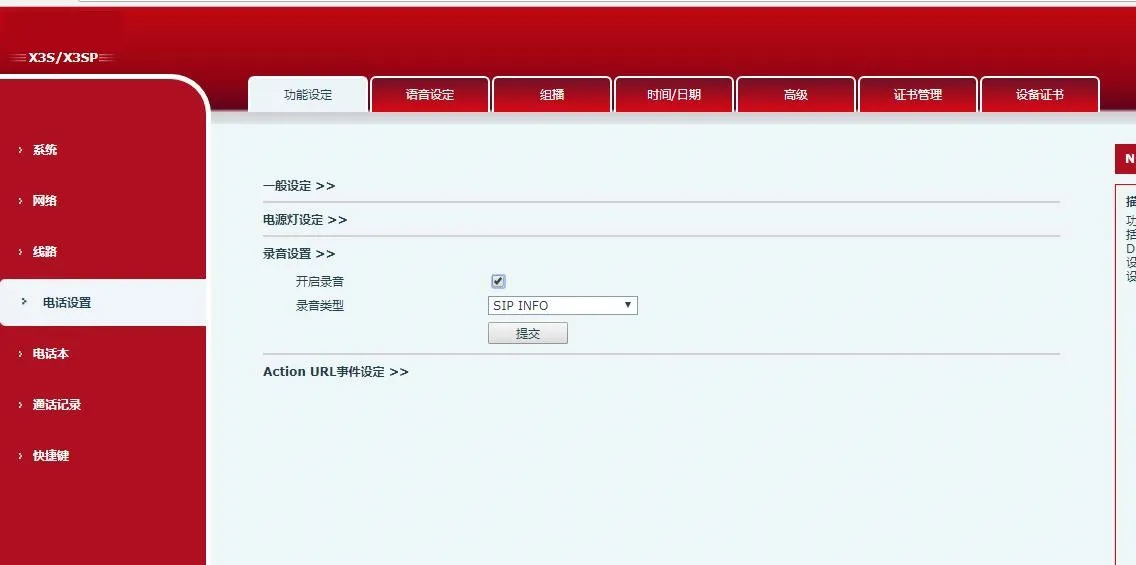
On the web UI, enable recording and set type to SIP INFO.
Configure a Record DSS key, start/stop recording during calls.
View recordings on the SIP server (3CX) management portal.
