Configuration Guide for SIP Phones & Door Intercom. Covers Bi31s & BF600S setup, SIP registration, DTMF, H.264 video, remote door unlock, and two-way audio/one-way video intercom.
The door intercom system is a two-way communication system that allows users to control door lock/unlock and monitor the surrounding environment via a built-in camera. It consists of two parts: indoor intercom (IP Phone) and outdoor intercom (Door Station).
The Intercom series serves as the outdoor station, while the Phone series acts as the indoor station. Both support IP/SIP audio and video calls, working together to achieve door control and monitoring. Within the same LAN, one device can communicate with multiple devices (one-to-many or many-to-many) via IP or SIP.
This document uses the Bi31s (Intercom Series) and BF600S (Android Indoor Phone) as examples.
This document applies to Indoor IP Phone Series and Intercom Door Station Series.
This guide is for users who want to learn the basic settings and applications of SIP phones working with door intercom systems.
SIP: A server for real-time communication using registered SIP accounts.
DTMF: Signaling used to send command codes to control remote devices.
Audio Codec: Audio encoding format that ensures stable voice transmission.
Video Codec: Video encoding format that ensures normal video image transmission.
The BF600S is an Android video phone with a clear UI and simple operation. It can communicate with the door station by registering to the same SIP server. Even without a SIP server, peer-to-peer audio/video calls are available via IP in the same LAN.
Configure the following items correctly to enable communication and door control:
| Setting Item | Status | Description |
| SIP Registration | Registered | Registered to the same SIP server as the door station |
| DTMF | Inband | Cannot unlock the door (invalid for relay control) |
| RFC2833 | Valid for door unlock | |
| Info | Valid for door unlock | |
| Auto | Negotiates DTMF mode with peer device | |
| Audio Codec | Enable All | Avoid compatibility issues |
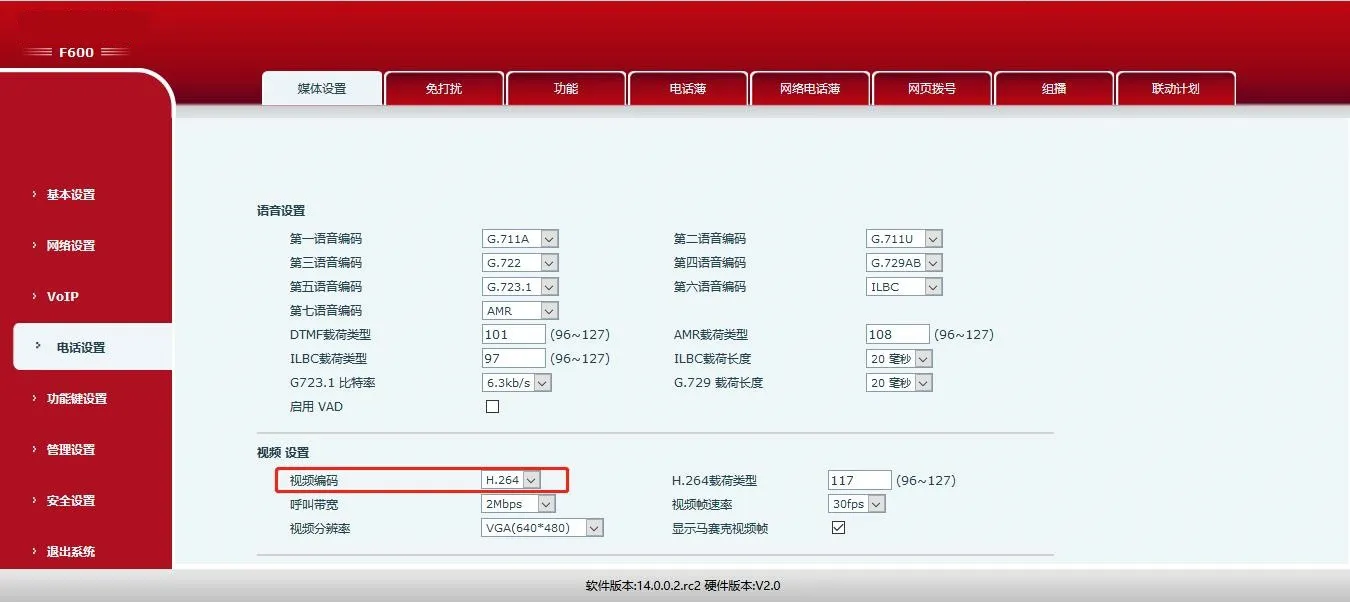
| Video Codec | H.264 | Must match the door station's codec |
| Contacts | Add door station numbers | Identify incoming calls from specific door stations |
Notes:
1. The SIP server must support DTMF passthrough for correct command transmission.
2. The video server must support H.264 for media transmission.
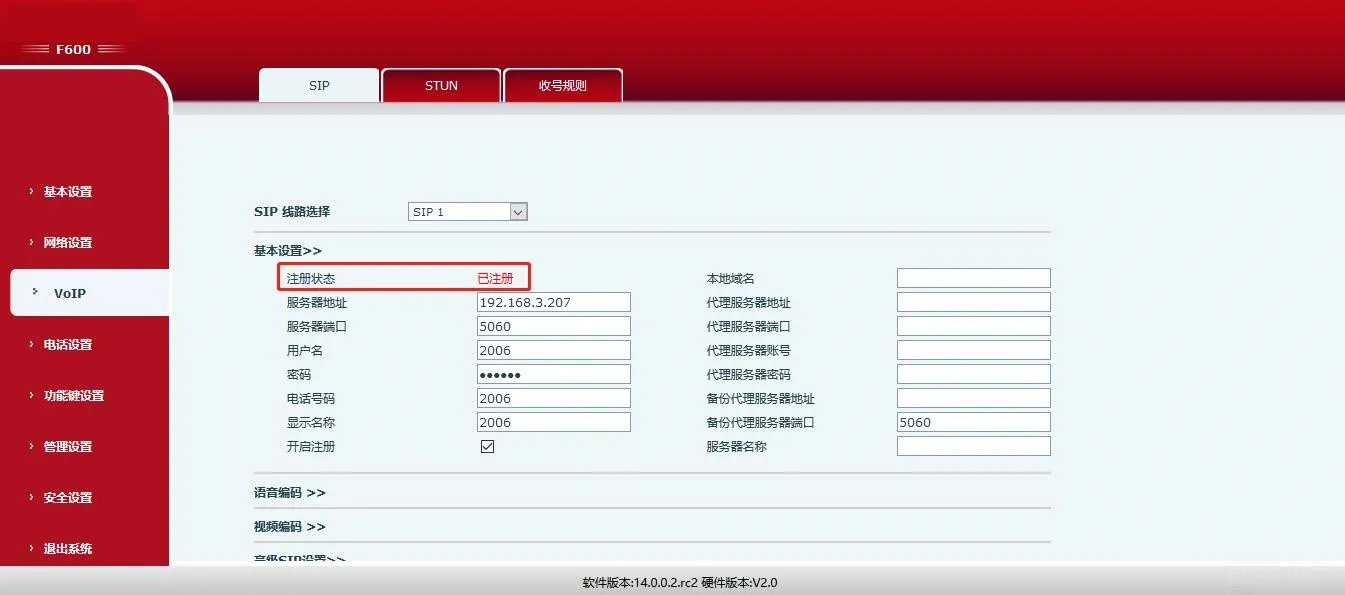
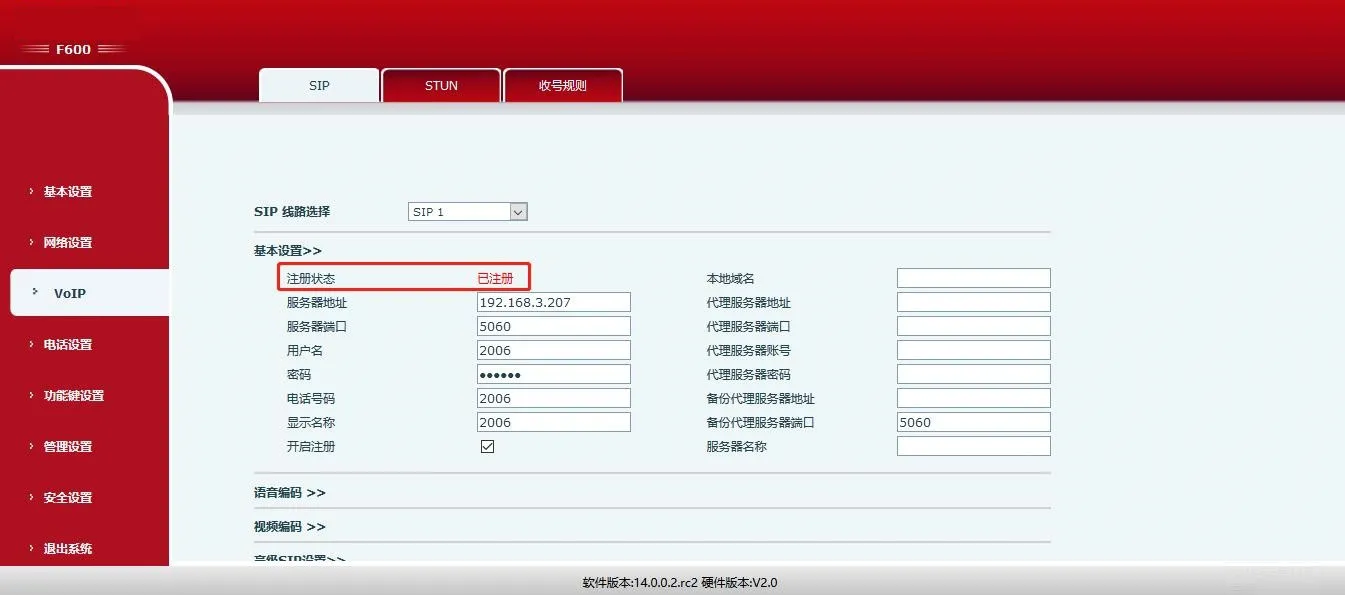
Enter SIP account details and enable registration. Ensure the phone and door station register to the same SIP server.
Web Path: VOIP -> SIP -> Basic Settings
Example:
Server: 192.168.3.207, Port: 5060
User Name: 2006, Password: ******, Phone: 2006
Display Name: 2006
Check Enable and click Save.
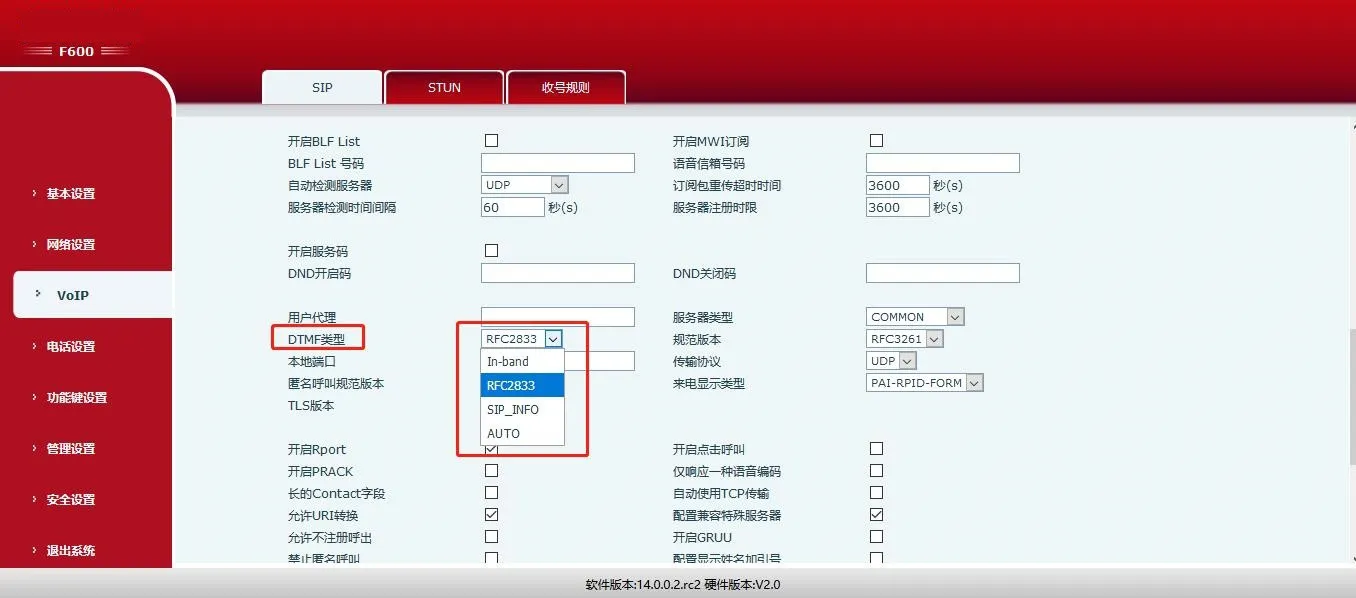
Set DTMF to RFC2833 or Info (INBAND is not supported for door unlock).
Web Path: VOIP -> SIP -> Advanced SIP Settings
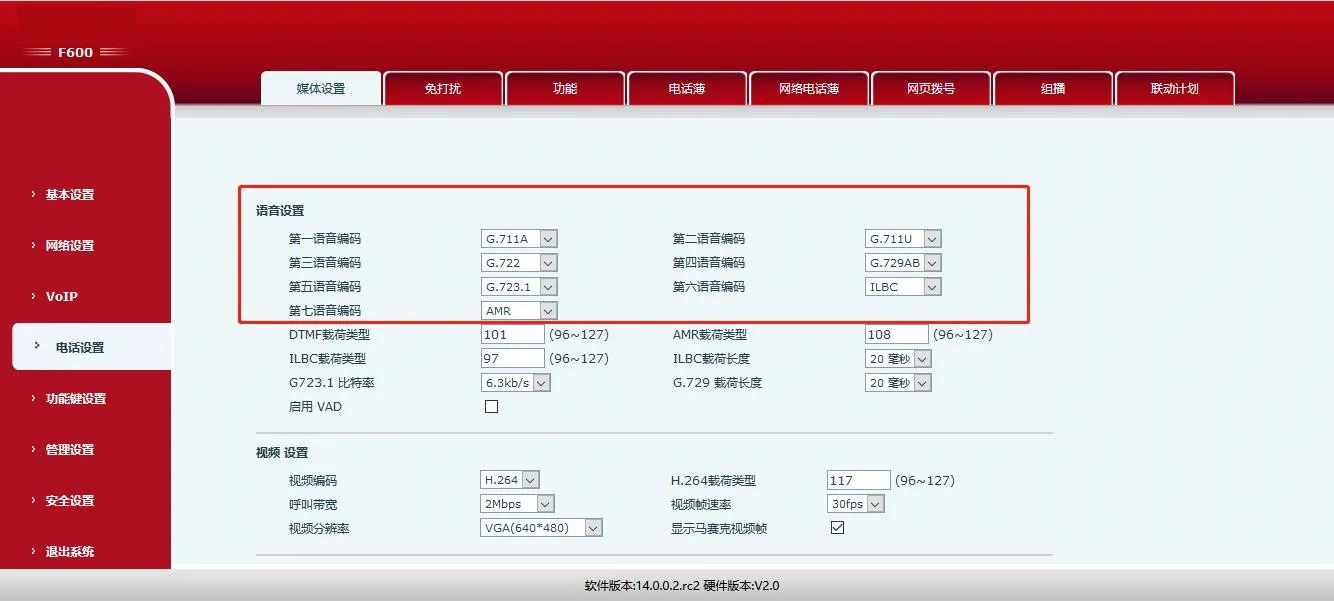
Enable all audio codecs to ensure compatibility with all door stations in the LAN.
Web Path: Phone Settings -> Media -> Audio Settings
The door station only supports H.264. Set the phone’s video codec to H.264.
Web Path: Phone Settings -> Media -> Video Settings
Note: The BF600S also supports intercom and multicast modes. Refer to its official guide for details.
The Bi31s supports two-way audio and one-way video. When a visitor presses the doorbell, the indoor phone rings. The user can talk, view video, and unlock the door remotely via DTMF codes.
Key configuration items for the Bi31s:
| Setting Item | Status | Description |
| SIP Registration | Registered | Registered to the same SIP server as the phone |
| Remote Unlock Code | Custom | Digits or * only |
| APP Unlock | Custom (Default Off) | Enable to unlock via phone call |
| Remote Access List | Enabled | Only listed numbers can unlock the door |
| Auth Code Length | Custom | Reduce waiting time for unlock |
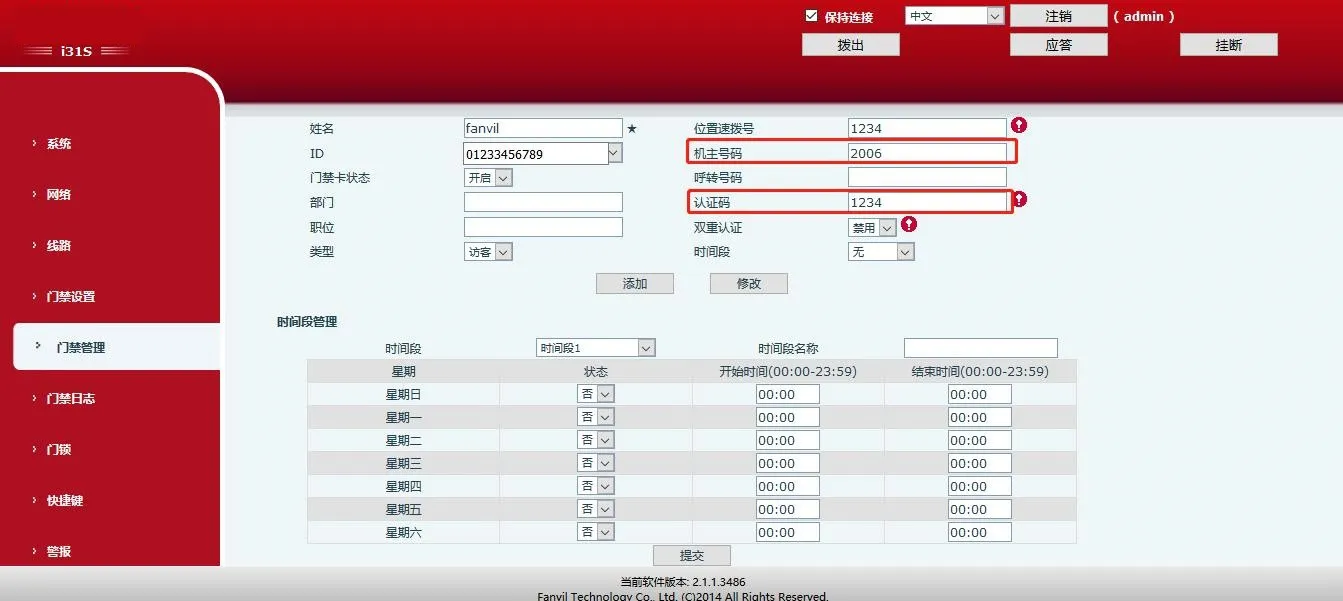
| Master Number | Indoor phone SIP number | SIP account of the indoor phone |
| Auth Code | Custom | Code to unlock the door |
| Auto Answer | Custom (Default On) | Auto answer incoming calls after timeout |
Register the door station to the same SIP server as the indoor phone.
Web Path: VOIP -> SIP -> Basic Settings
Example:
Server: 192.168.3.207, Port: 5060
User Name: 2008, Password: ******, Phone: 2008
Check Enable and click Save.
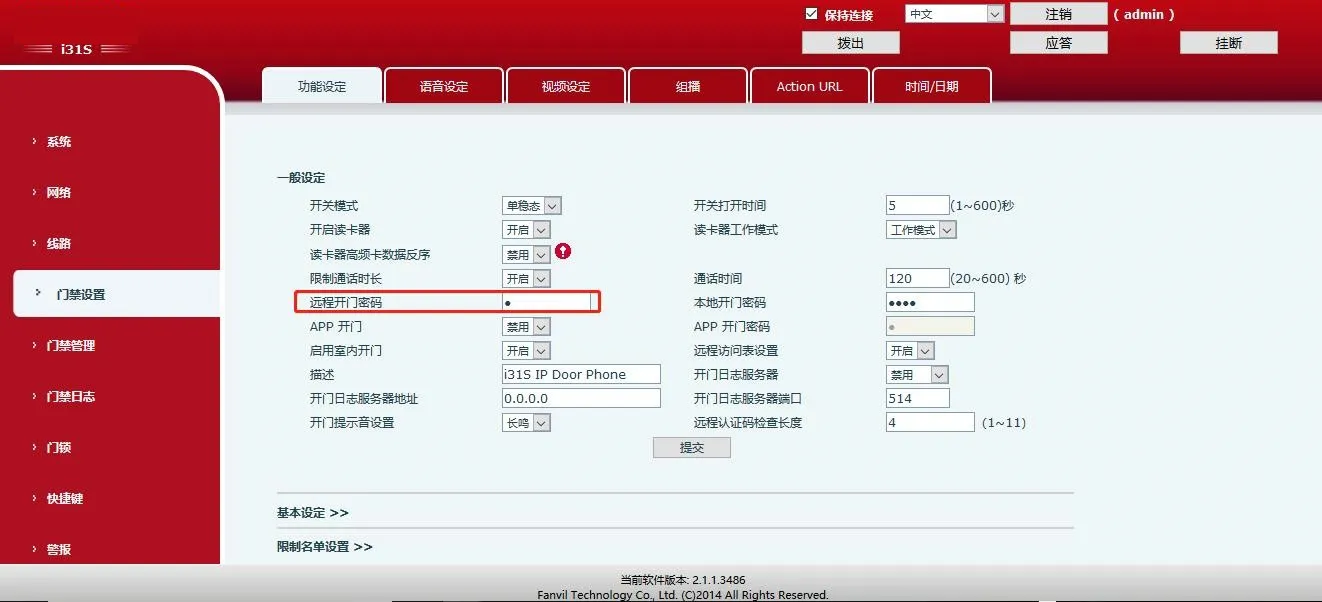
Set a code (default: *). After answering a call from the door station, enter this code to unlock.
Web Path: Door Settings -> Features -> General Settings
Note: Only digits or * are allowed.
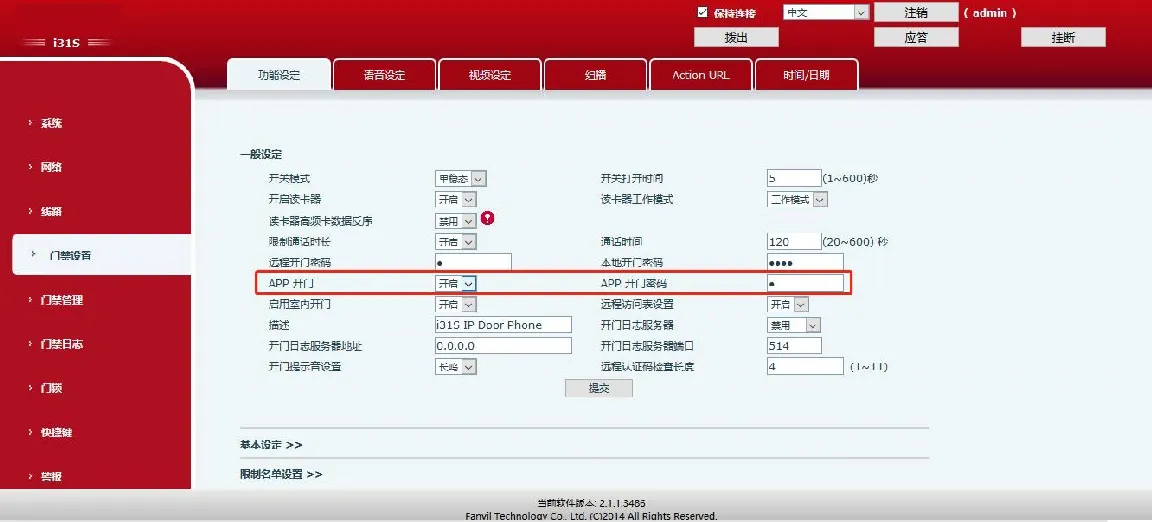
Enable APP Unlock to unlock when the phone calls the door station.
Web Path: Door Settings -> Features -> General Settings
Note: Password supports digits or * only.
Enable the access list (default: on). Only numbers in the list can unlock the door.
Web Path: Door Settings -> Features -> General Settings
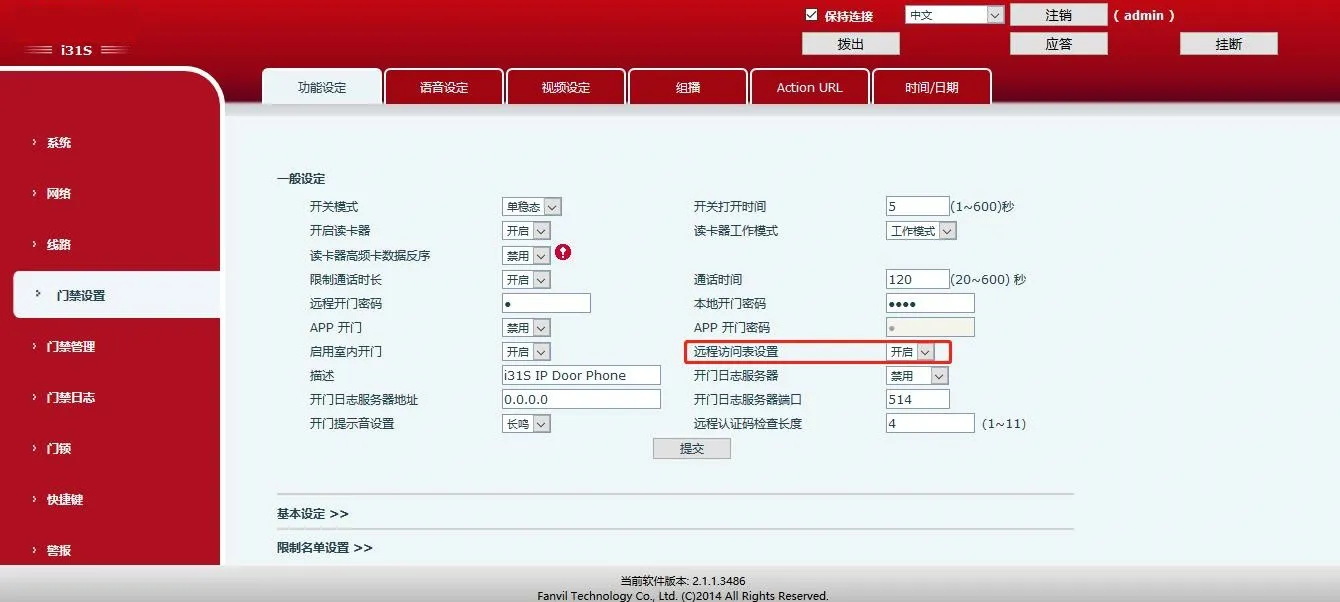
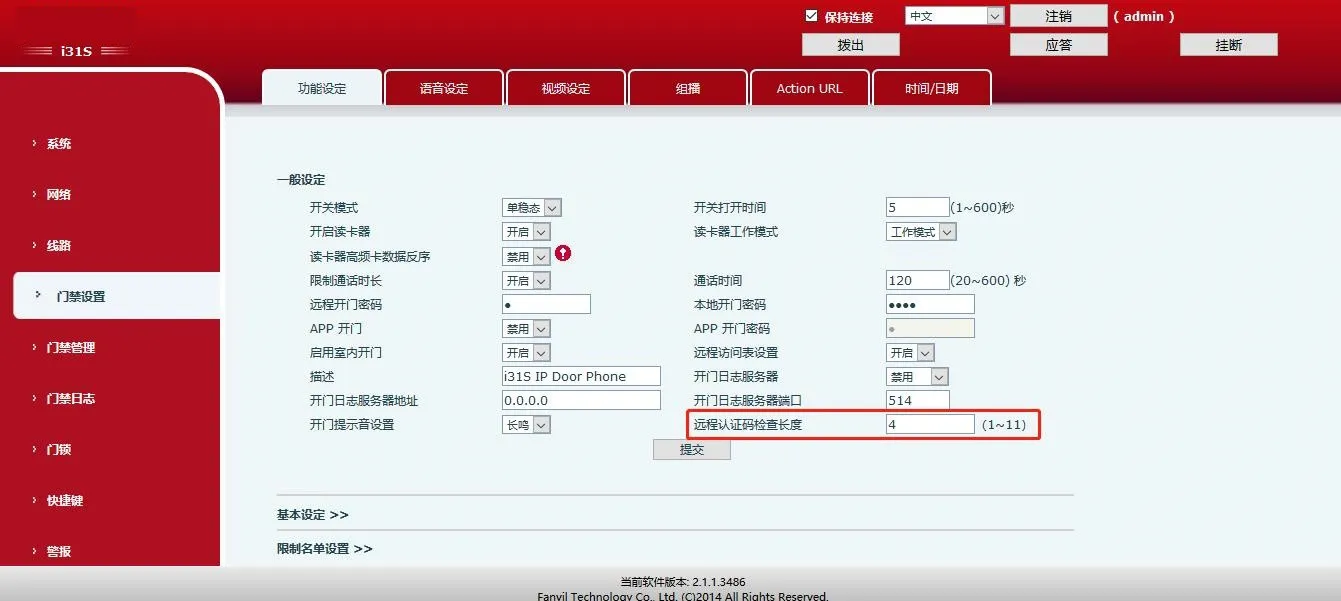
Set length (1~11 digits, default: 4). The system sends the code immediately once the length is matched.
Web Path: Door Settings -> Features -> General Settings
Set the indoor phone’s SIP number as the Master Number and assign an unlock code.
Web Path: Door Management -> Add Access Rule
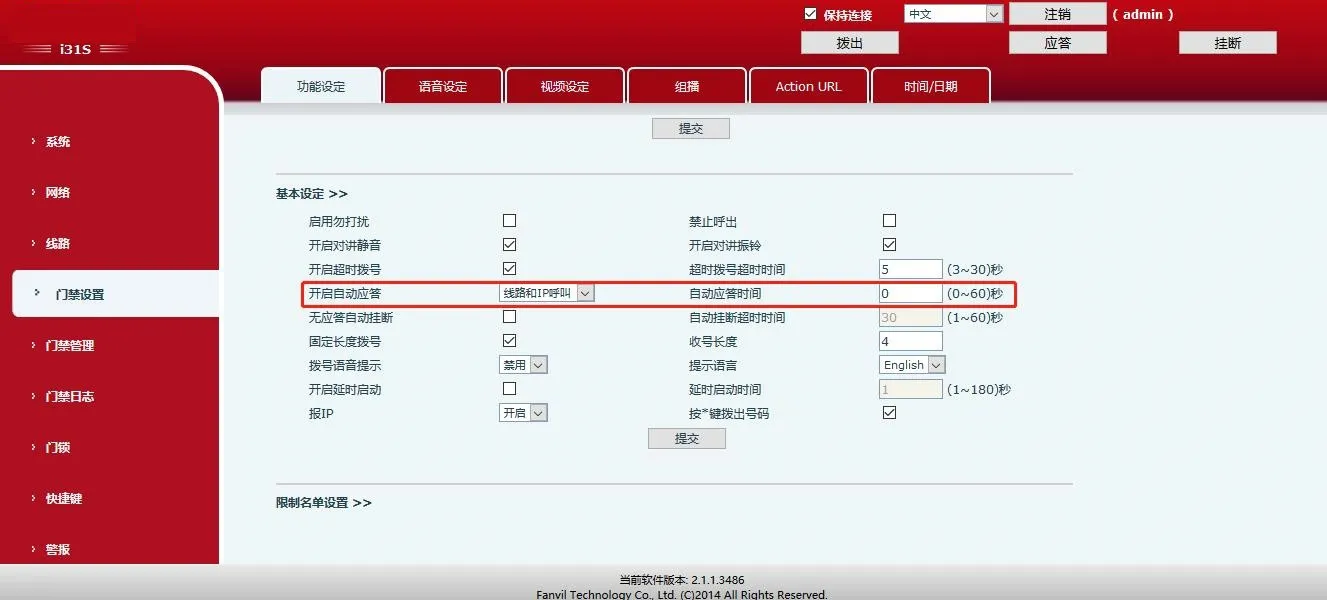
Enable auto answer with a timeout. The door station will automatically answer calls from the indoor phone.
Web Path: Door Settings -> Features -> Basic Settings