
IntroductionOverviewCall Waiting means that when an extension user is already on
Call Waiting means that when an extension user is already on a call, another incoming call is received. In this case, the new caller is placed in a waiting state, and the user can either answer the new call immediately or continue the current conversation and connect the new call after the original call ends.
This function applies to all models of our phones. (This article uses the X5U as an example.)
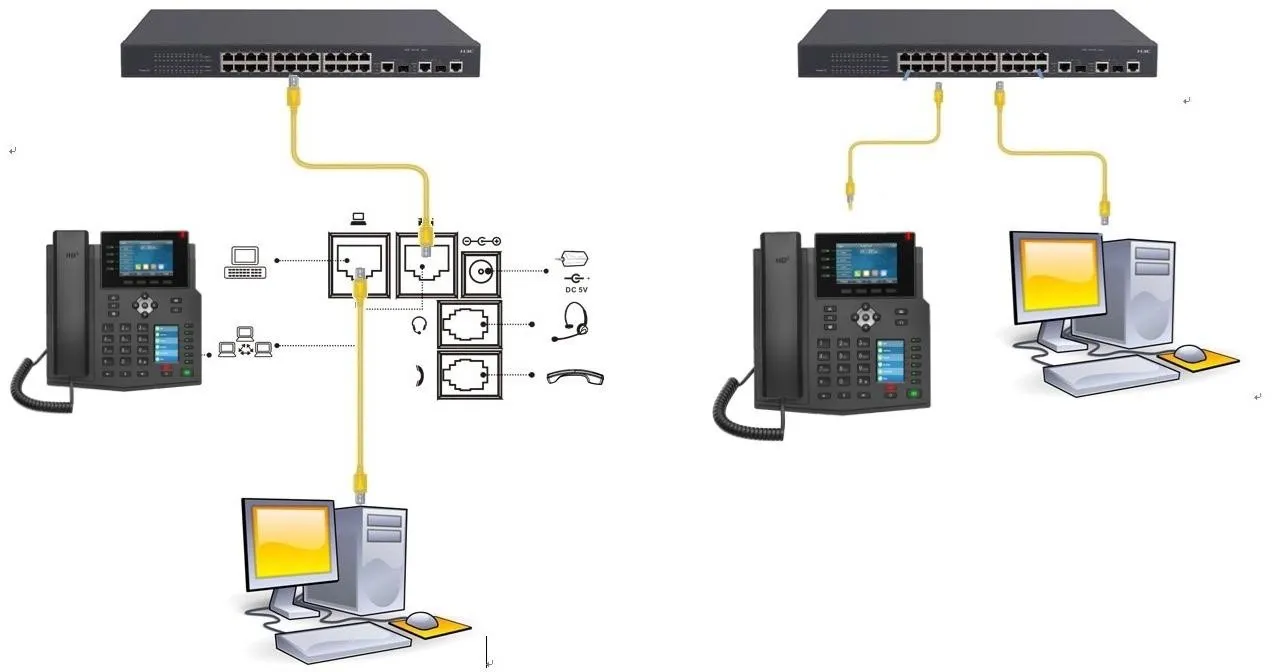
① One phone, connected to a switch and able to obtain an IP address.
② One configuration PC, also connected to the switch, with network connectivity to the phone.
On the LCD screen of the phone, tap “Menu” — “Status” to view the phone’s IP address.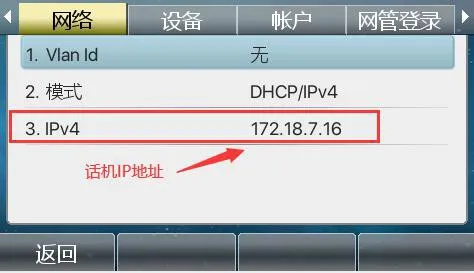
Log in to the phone’s web interface. Open a browser on the PC and enter the phone IP address in the address bar.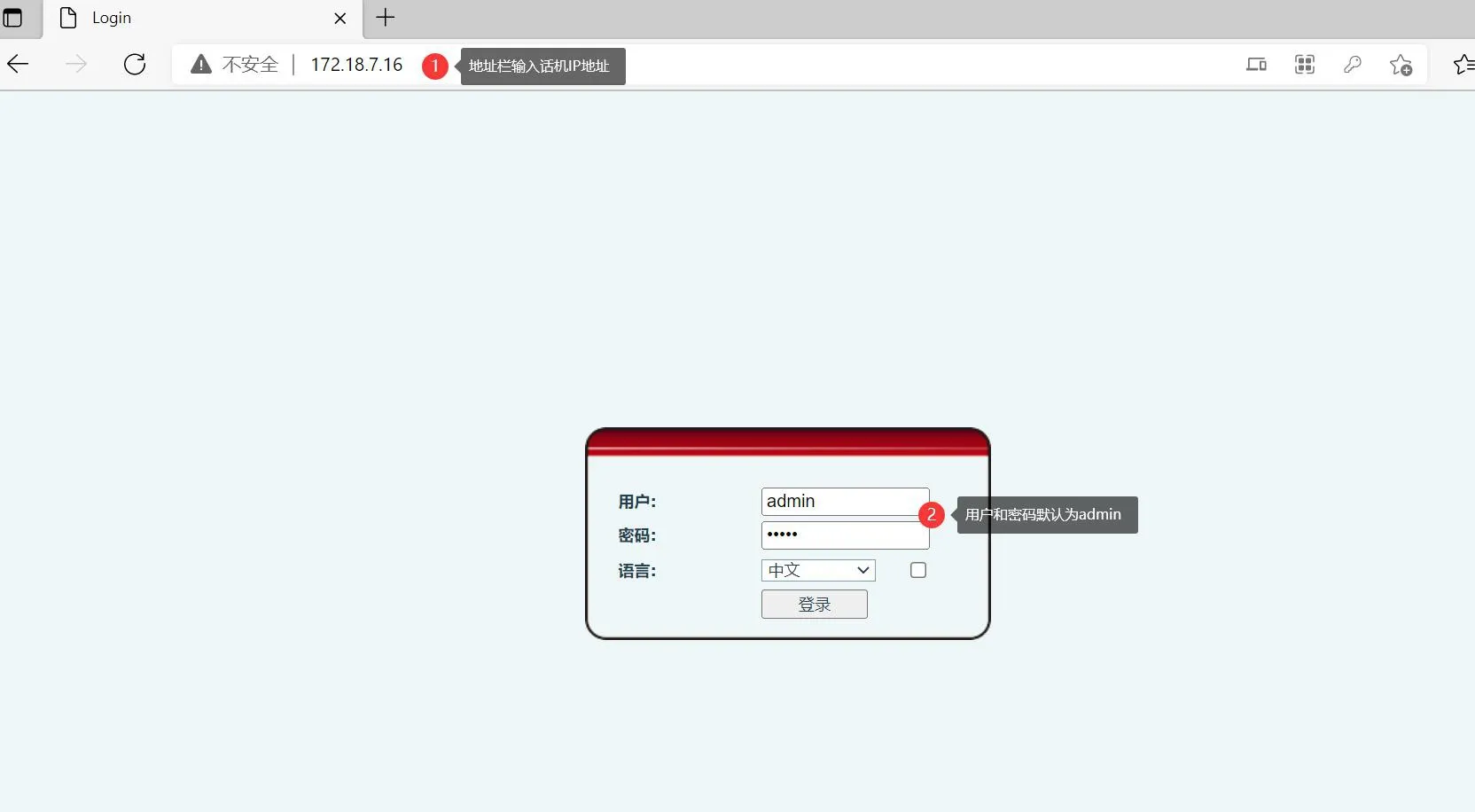
After logging in to the phone web interface, go to “Phone Settings” - “Function Settings” - “Basic Settings” - check “Enable Call Waiting”, then click “Submit”.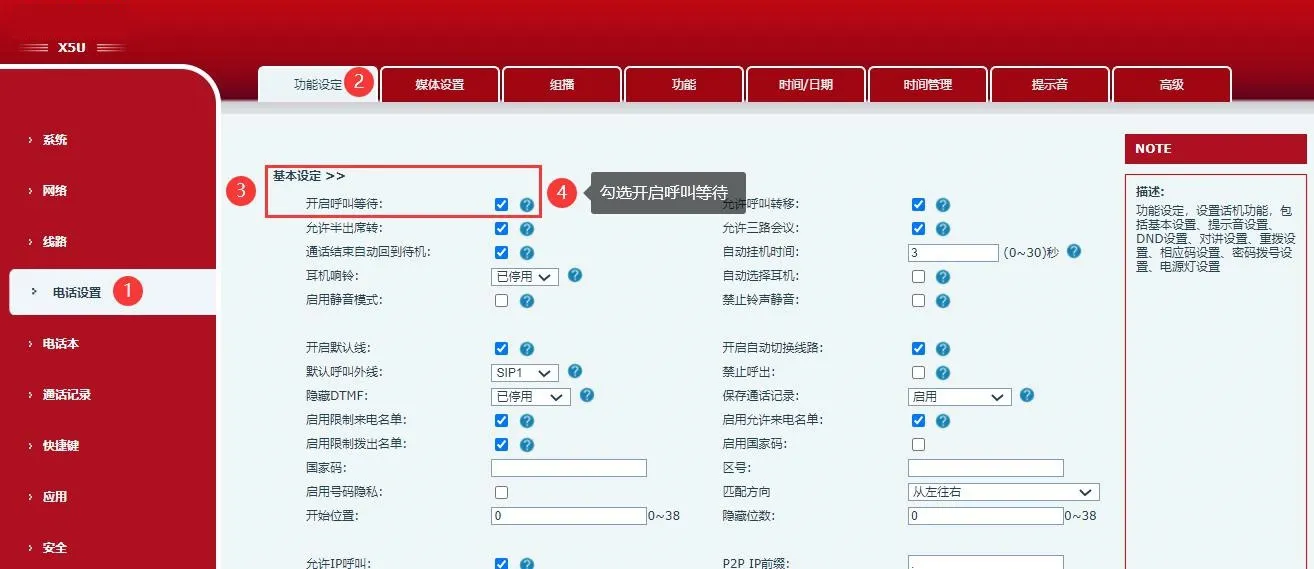
When phone A (5015) is talking with phone B (8806), and phone C (0002) calls phone A, phone C will enter the call waiting state. Phone A can either answer the new incoming call or continue the conversation with phone B. The effect is shown in Figure 1 below.
Note: This function requires server support for call waiting.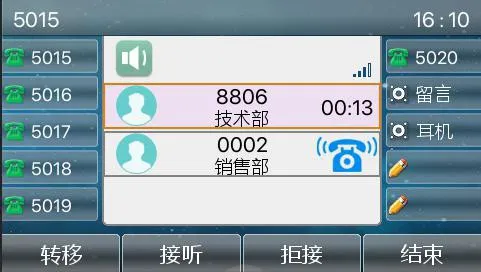
Figure 1
