
touchpoint

In addition to terminal devices, all personnel, places, and things connected to the network should also be considered.

View Details

resource

Understand best practices, explore innovative solutions, and establish connections with other partners throughout the Baker community.

×

touchpoint

touchpoint

In addition to terminal devices, all personnel, places, and things connected to the network should also be considered.

Learn more

resource

resource

Understand best practices, explore innovative solutions, and establish connections with other partners throughout the Baker community.

Contact Us
Introduction to the Auto Answer Function

Introduction

Overview

Users can enable the auto answer function on the phone. After this feature is enabled, the phone can automatically answer incoming calls (when the call waiting function is not enabled). Auto answer can be enabled separately for different lines.

Applicable Models

This applies to all models of our phones. (This article uses the X210 as an example.)

Required Devices and Tools

① Two phones, connected to a switch and able to obtain IP addresses.
② One configuration PC, also connected to the switch, with network connectivity to the phones.
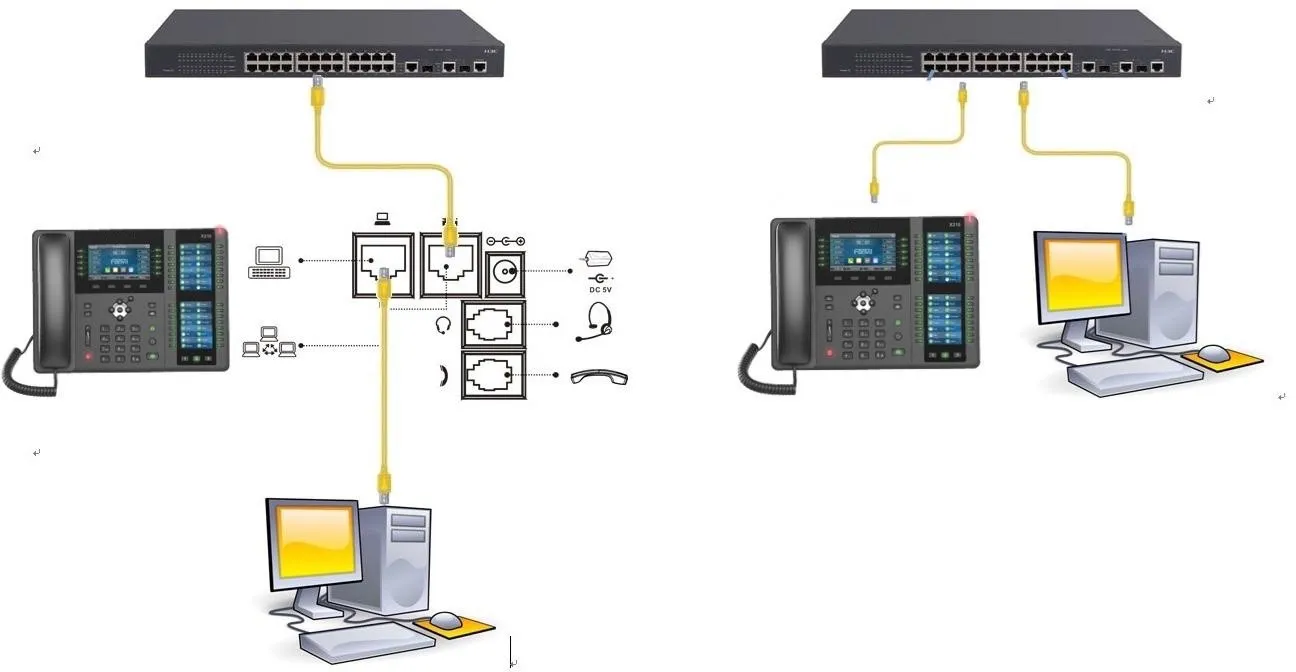
Phone and PC Connection Diagram

Phone and PC connection

Operation Steps

Method 1: Configure Through the Phone Web Interface

On the LCD screen of the phone, tap “Menu” — “Status” to view the phone’s IP address.
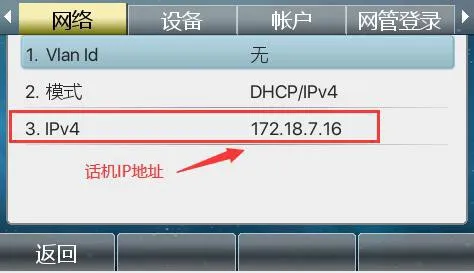
View phone IP address

Log in to the phone’s web interface. Open a browser on the PC and enter the phone’s IP address in the “address bar”.
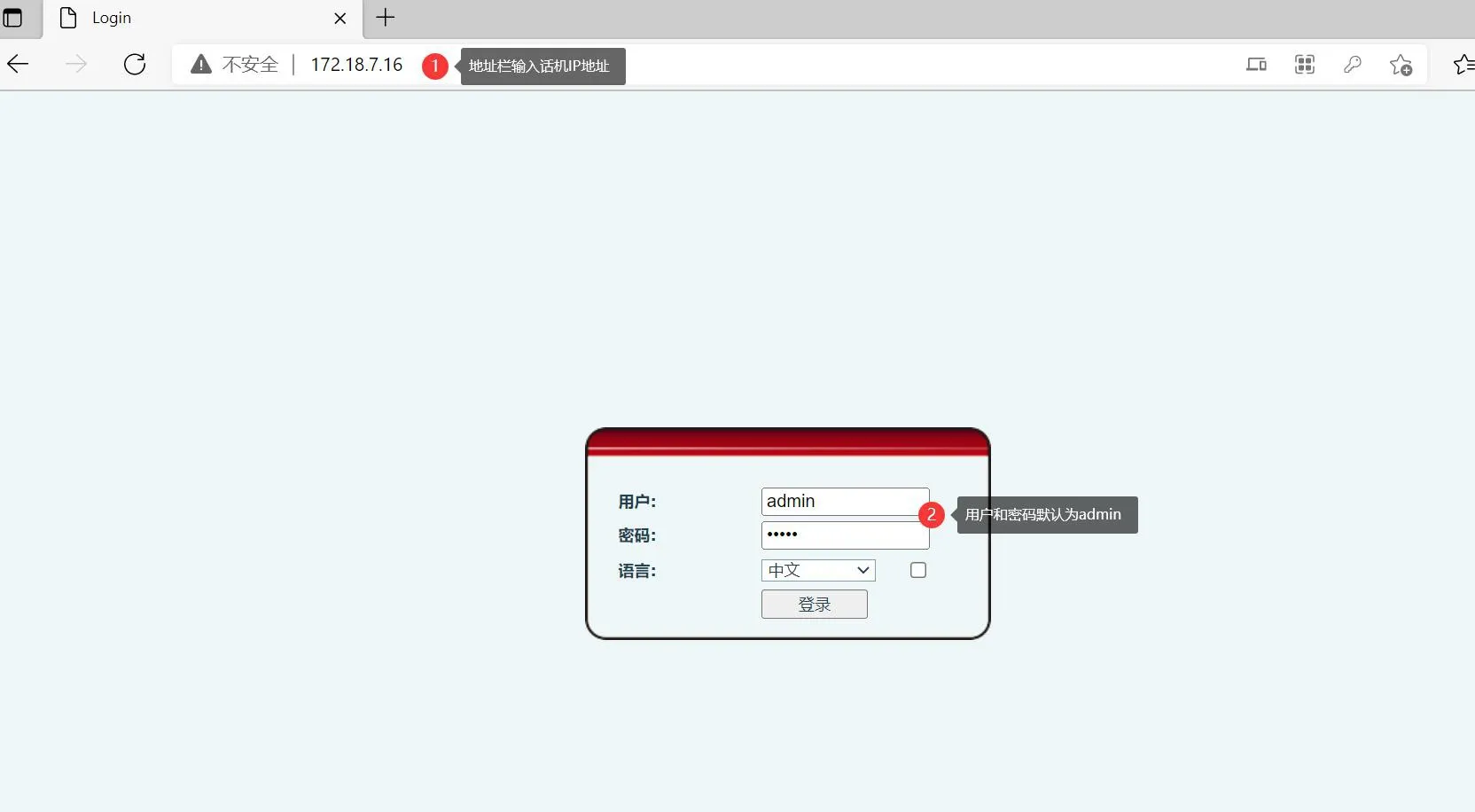
Phone web interface

After logging in to the web interface, go to “Line” - “SIP” - “Basic Settings”, then configure the settings according to the labels shown in Figure 1 below. After the configuration is completed, click “Submit”.
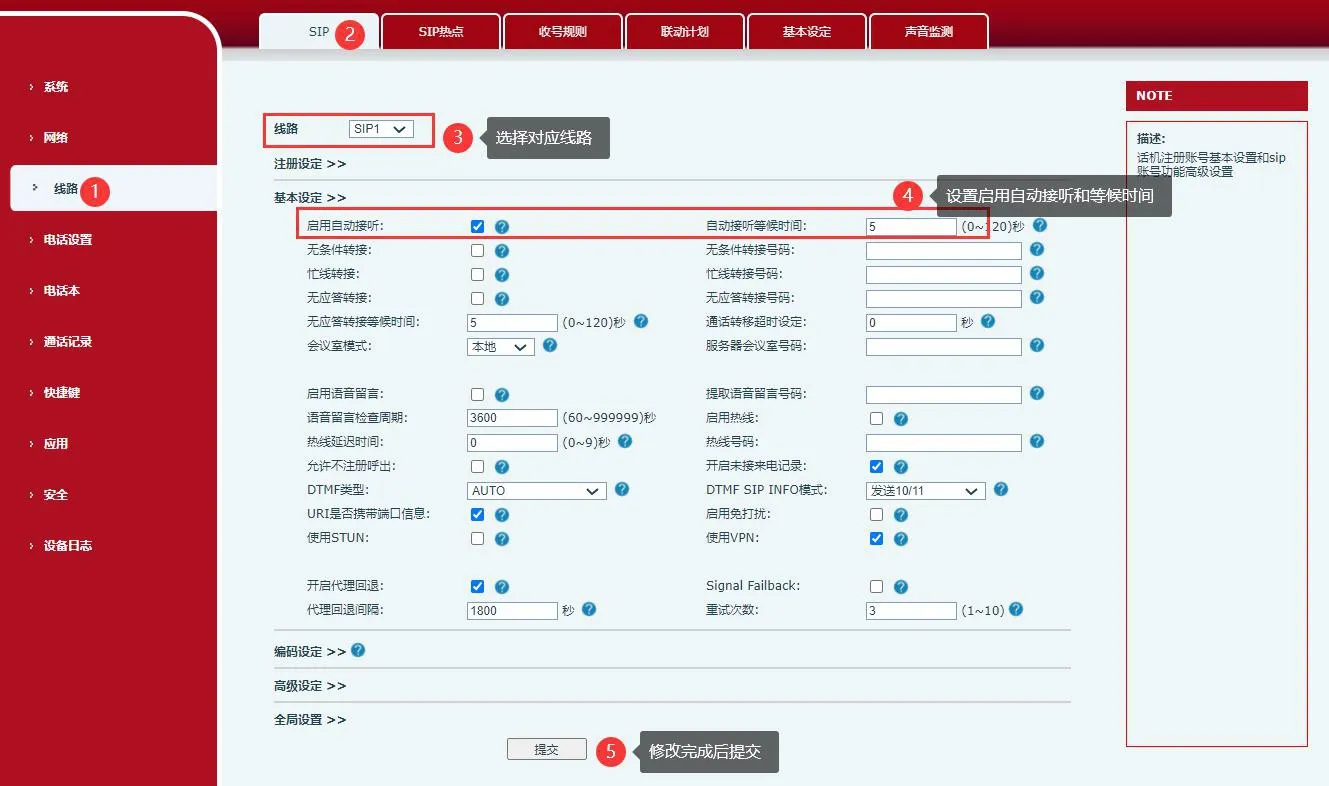
SIP basic settings
                                                                                                                      Figure 1

Method 2: Configure Directly on the Phone

When the phone is in standby mode, press “Menu” - “Features” - “Auto Answer”.
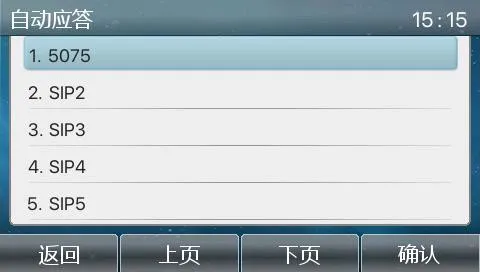
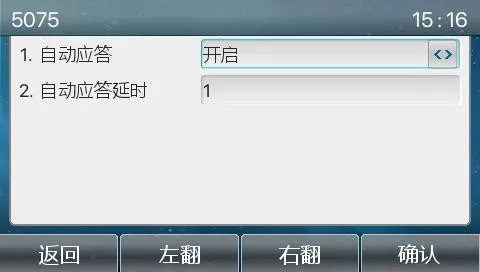
Configure auto answer  Configure auto answer

catalogue
Professional industrial communication manufacturer, providing high reliability communication guarantee!
Cooperation Consultation
customer service Phone