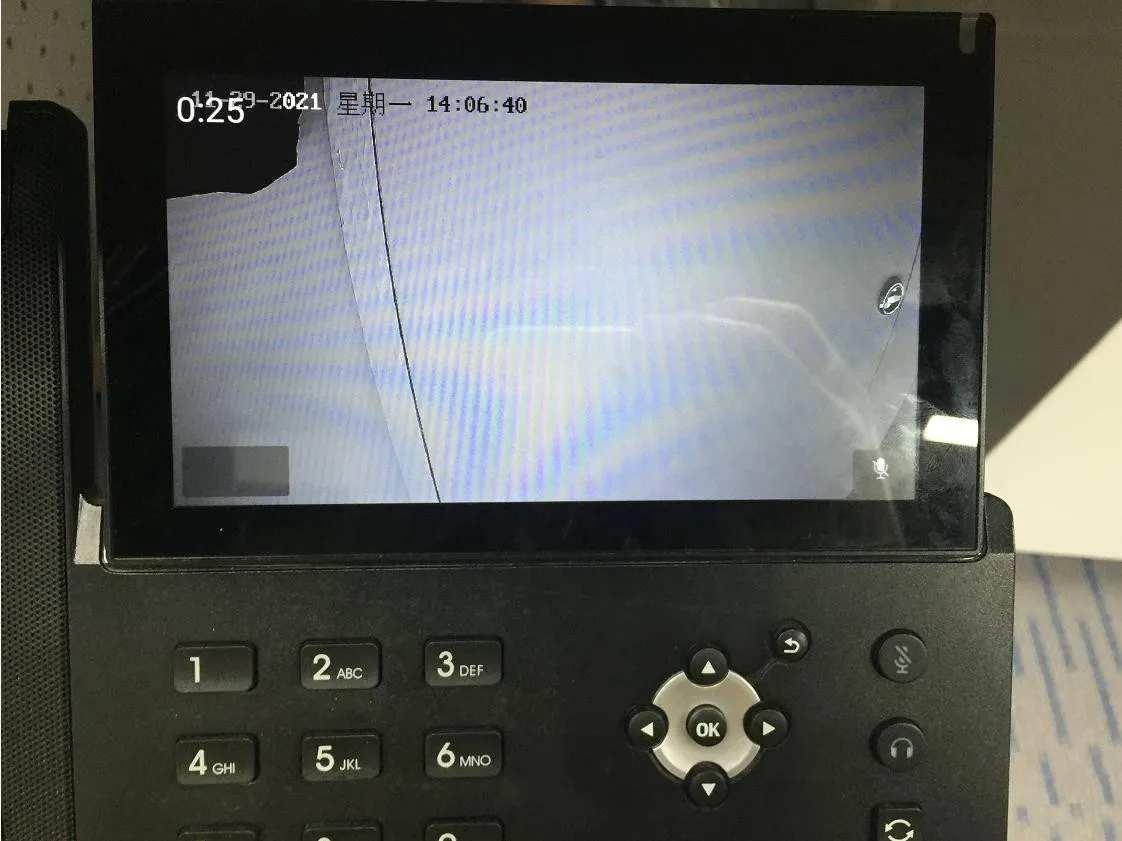
IntroductionOverviewMid-range and high-end video phones can access the RTSP URL
Mid-range and high-end video phones can access the RTSP URL of certain IP cameras, allowing live video to be displayed directly on the phone screen.
This document is intended for users who need to integrate and view RTSP video streams on compatible phones.
Applicable products: video phones applicable firmware versions: all versions supported by the corresponding models
① Two BX6U phones connected to a switch and able to obtain IP addresses automatically.
② One configuration PC connected to the same switch, with network access to the phones.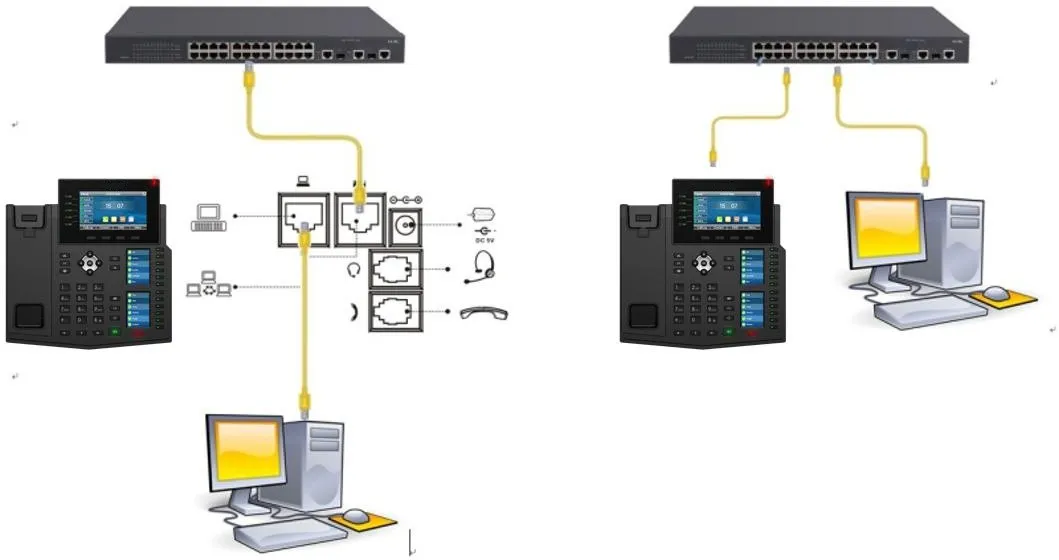
This example uses a Hikvision IP camera.
First, log in to the camera backend and check the available stream information. In most cases, both the main stream and the sub stream are enabled at the same time. Select the proper stream according to the video resolution supported by the phone.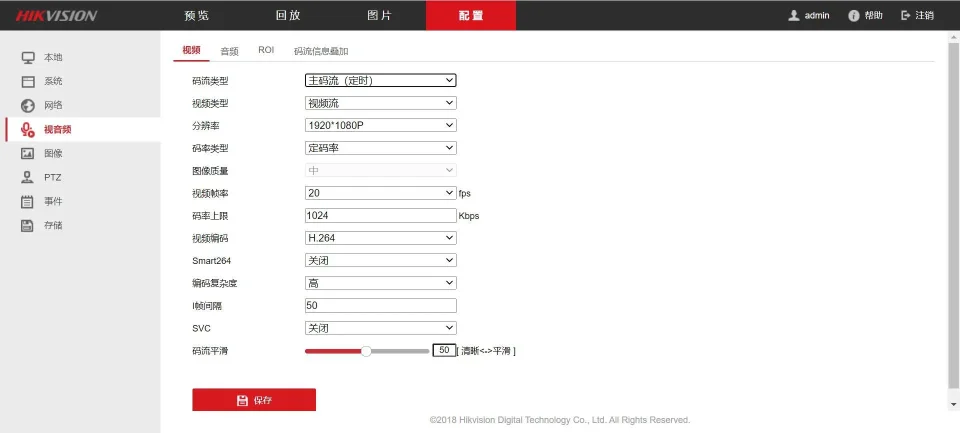
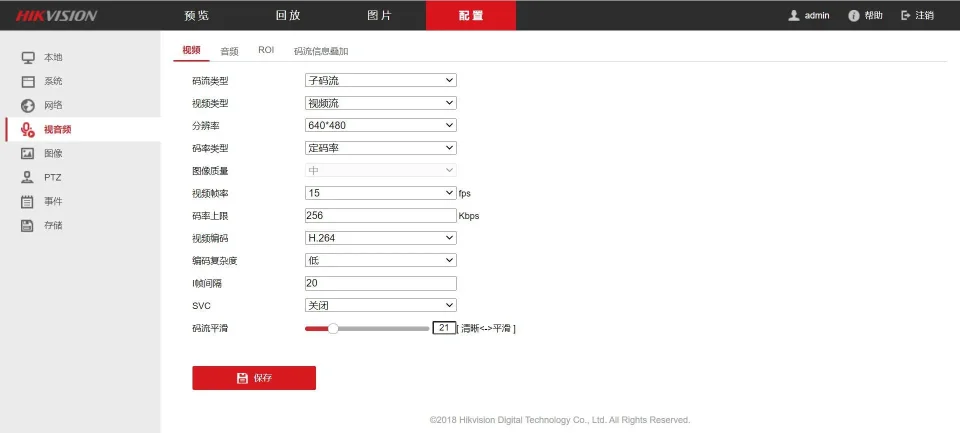
Main stream URL: rtsp://admin:Fangwei123@172.18.8.200/h264/ch1/main/av_stream
Sub stream URL: rtsp://admin:Fangwei123@172.18.8.200/h264/ch1/sub/av_stream
Click “Open Network Stream”, enter the network URL, which is the RTSP address, and then click “Play” to verify that the video stream can be displayed normally.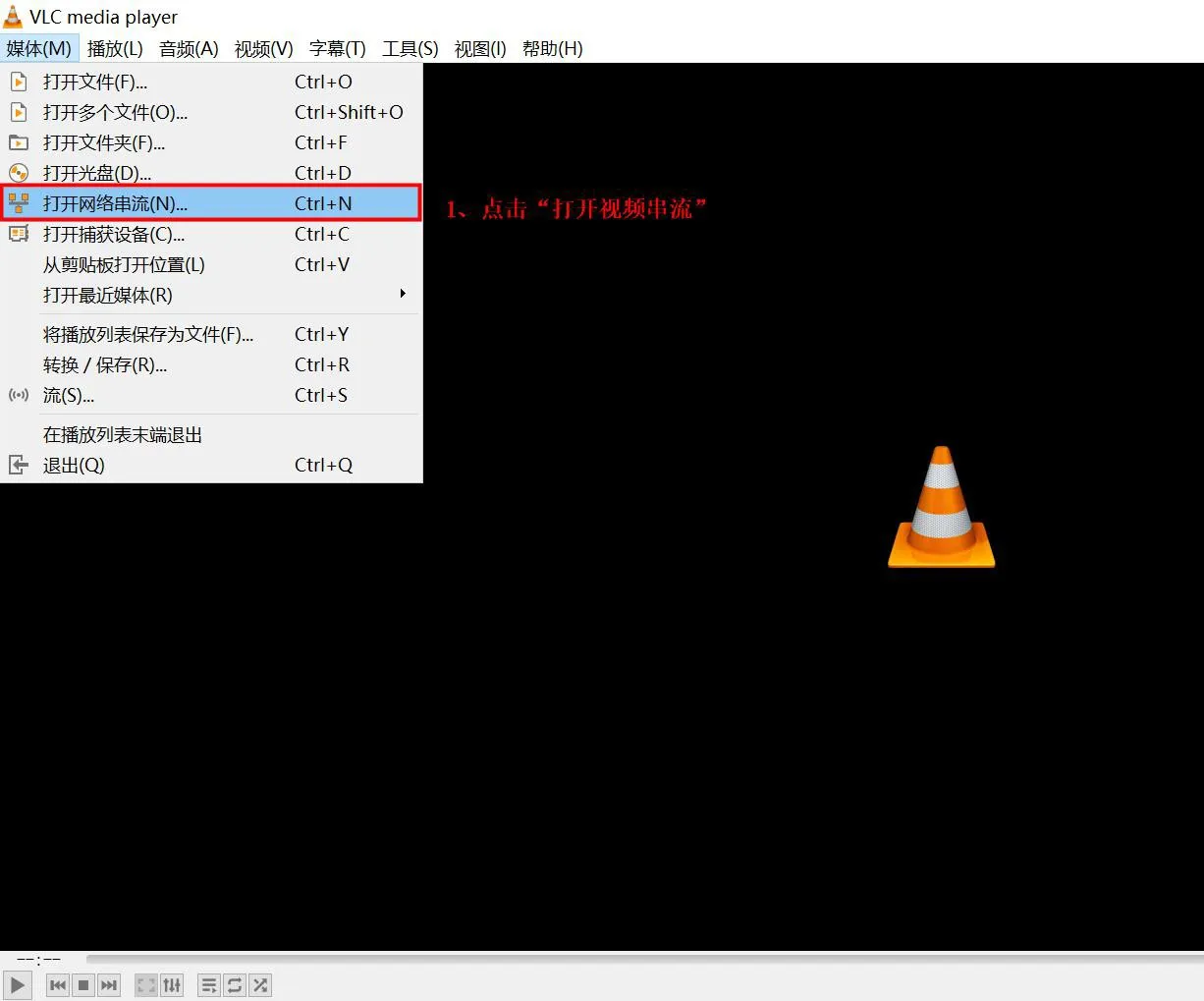
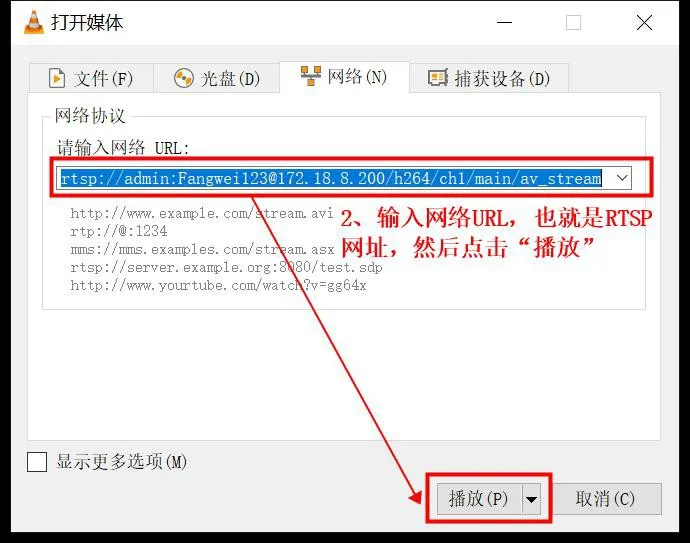
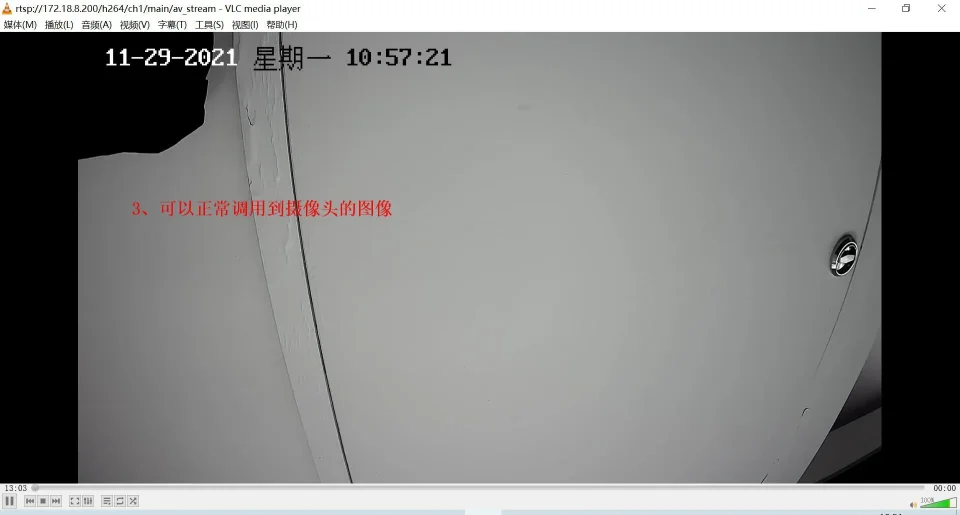
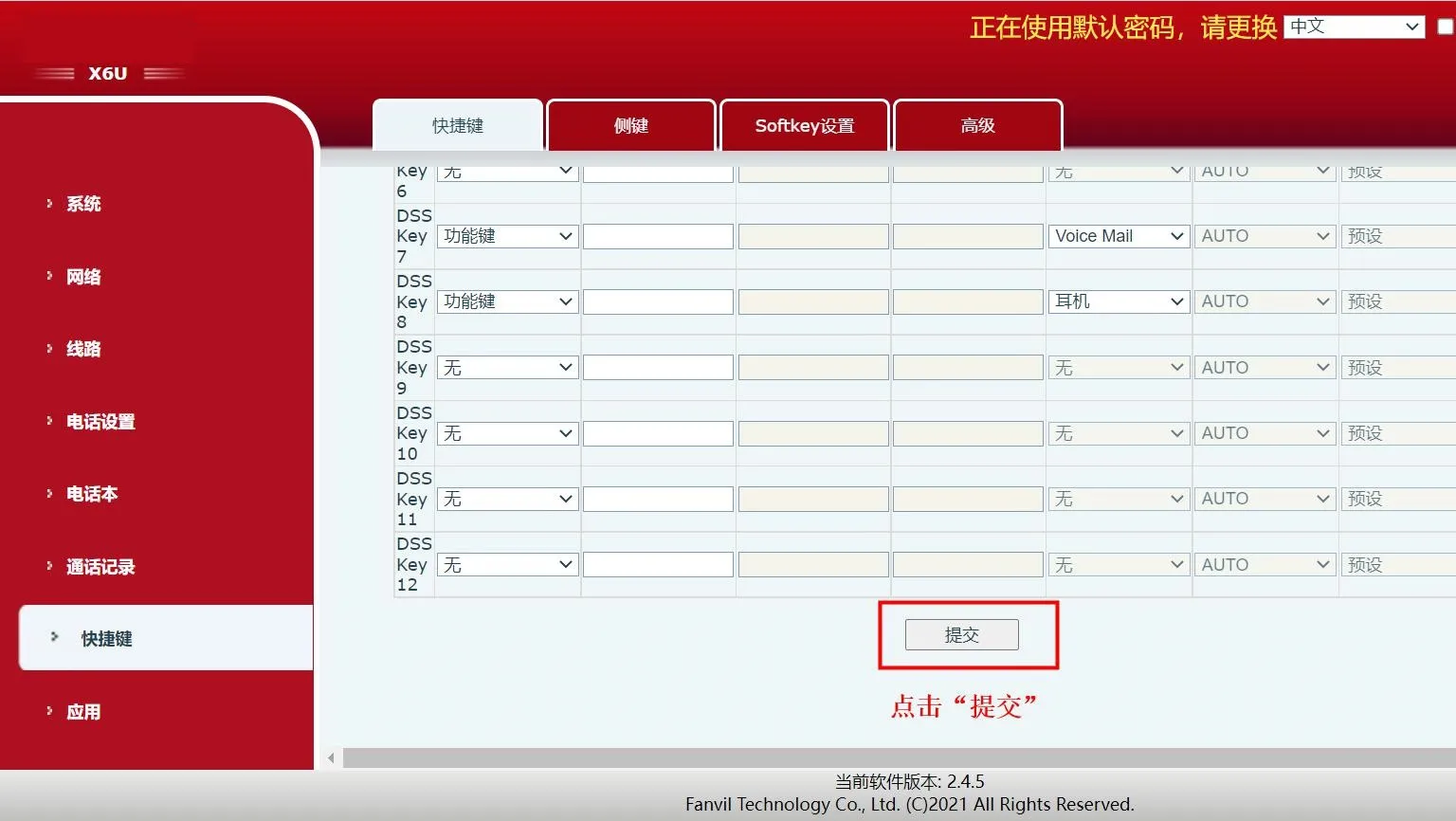
Configure a DSS key and set the key type to “URL”. Enter the corresponding RTSP URL in the value field, then click ”Submit”. After that, the camera stream can be opened directly by pressing the DSS key. Because the URL contains the stream path, phones with higher supported resolution should use the main stream, while phones with lower supported resolution should use the sub stream. Choosing the wrong stream may affect video playback performance.
BX6U/BX7/BX7C/BX210/BX210i support up to 480P resolution, so they should use the IP camera sub stream, namely: rtsp://admin:Fangwei123@172.18.8.200/h264/ch1/sub/av_stream
For BX6U, refer to the following steps:
1、Configure a DSS key, set the key type to “URL”, enter the corresponding RTSP URL in the value field, and click ” Submit”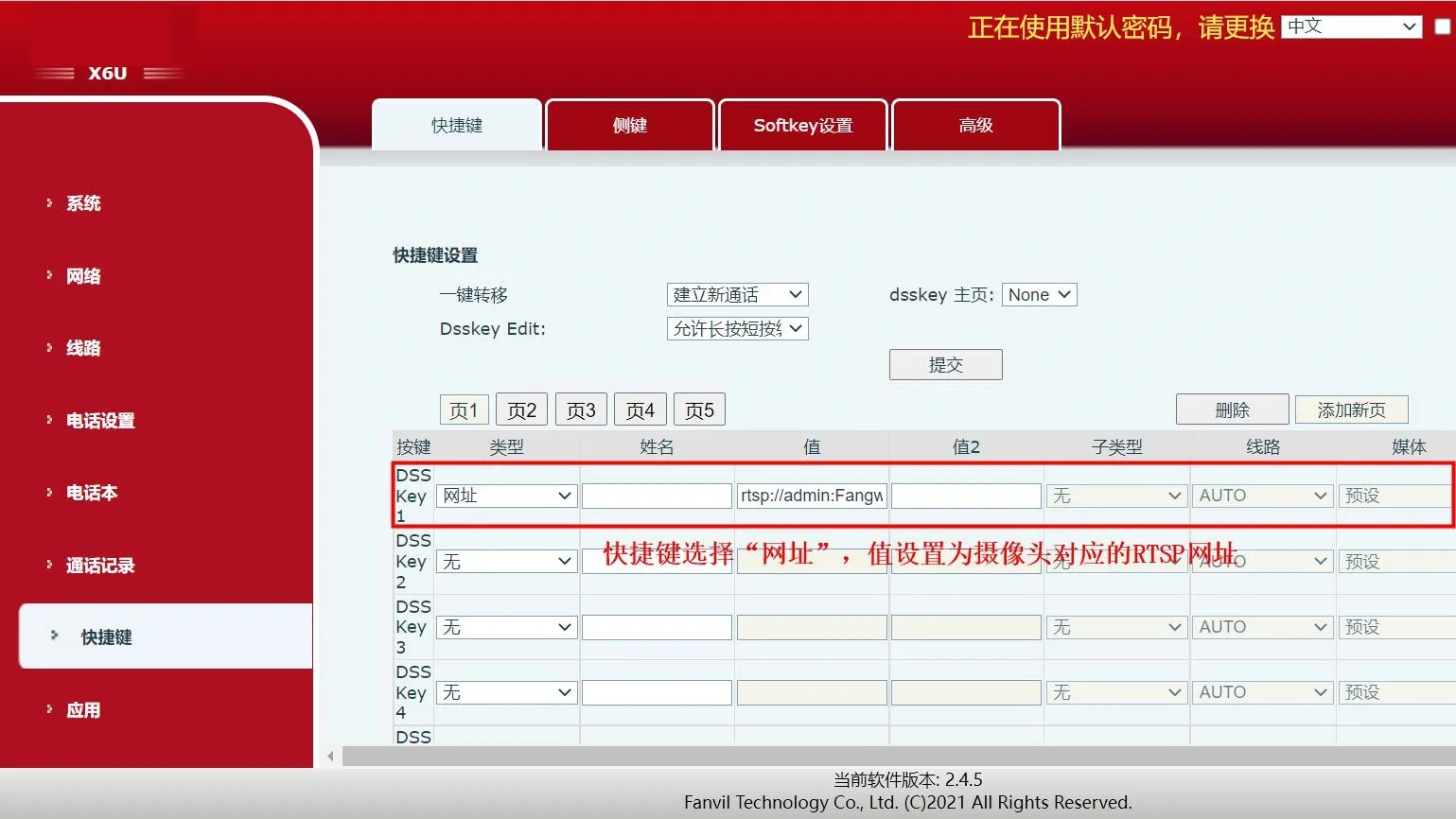
2、Press the DSS key on the phone to open the camera stream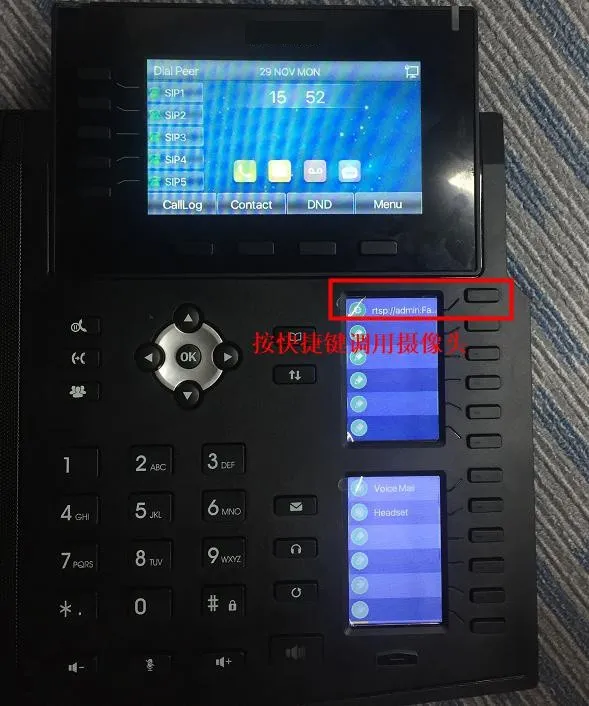
3、The camera stream is displayed successfully on the phone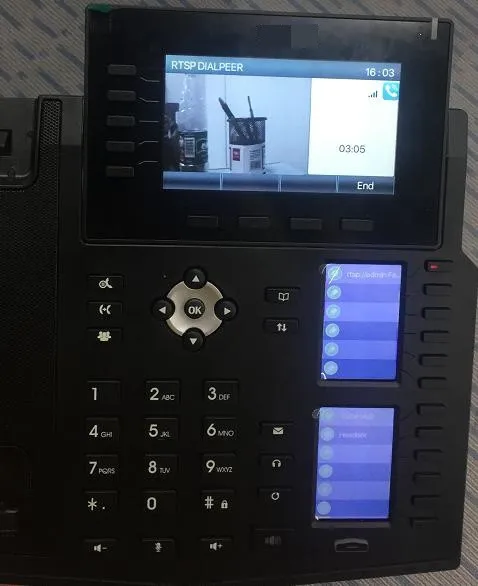
BX3V/BX7A/BF600S support up to 1080P resolution, so they should use the IP camera main stream, namely: rtsp://admin:Fangwei123@172.18.8.200/h264/ch1/main/av_stream
For BX3V, refer to the following steps:
1、Configure a DSS key, set the key type to “URL”, enter the corresponding RTSP URL in the value field, and click ” Submit”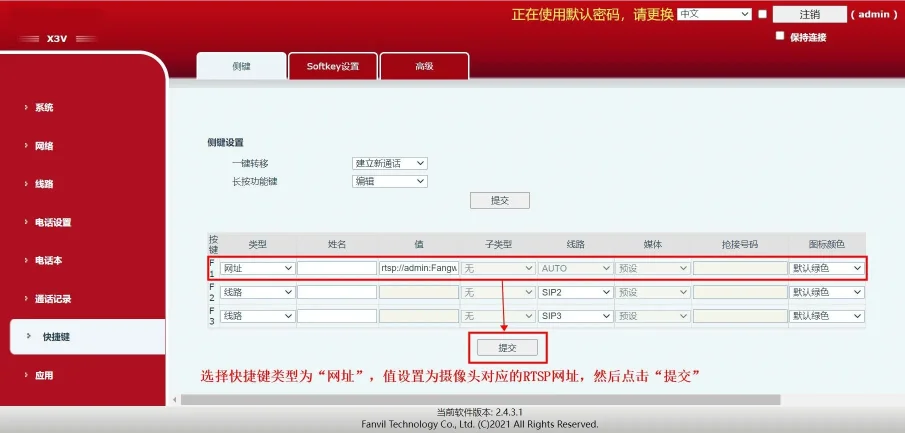
2、Press the DSS key on the phone to open the camera stream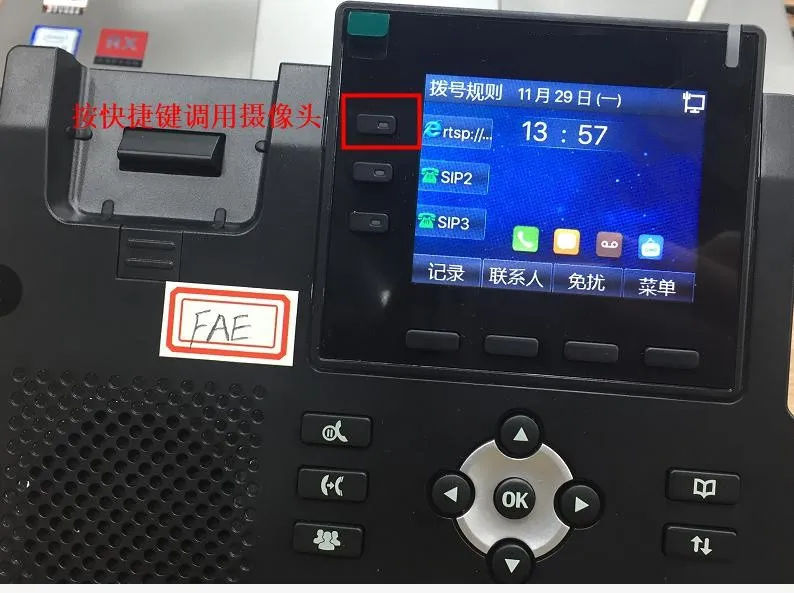
3、The camera stream is displayed successfully on the phone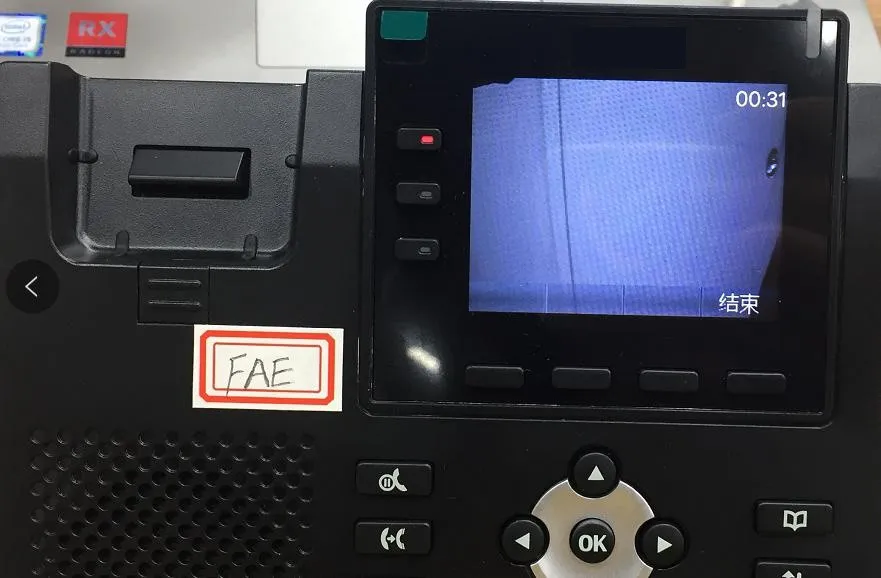
For BX7A, refer to the following steps:
1、Configure a DSS key, set the key type to “URL”, enter the corresponding RTSP URL in the value field, and click “Submit”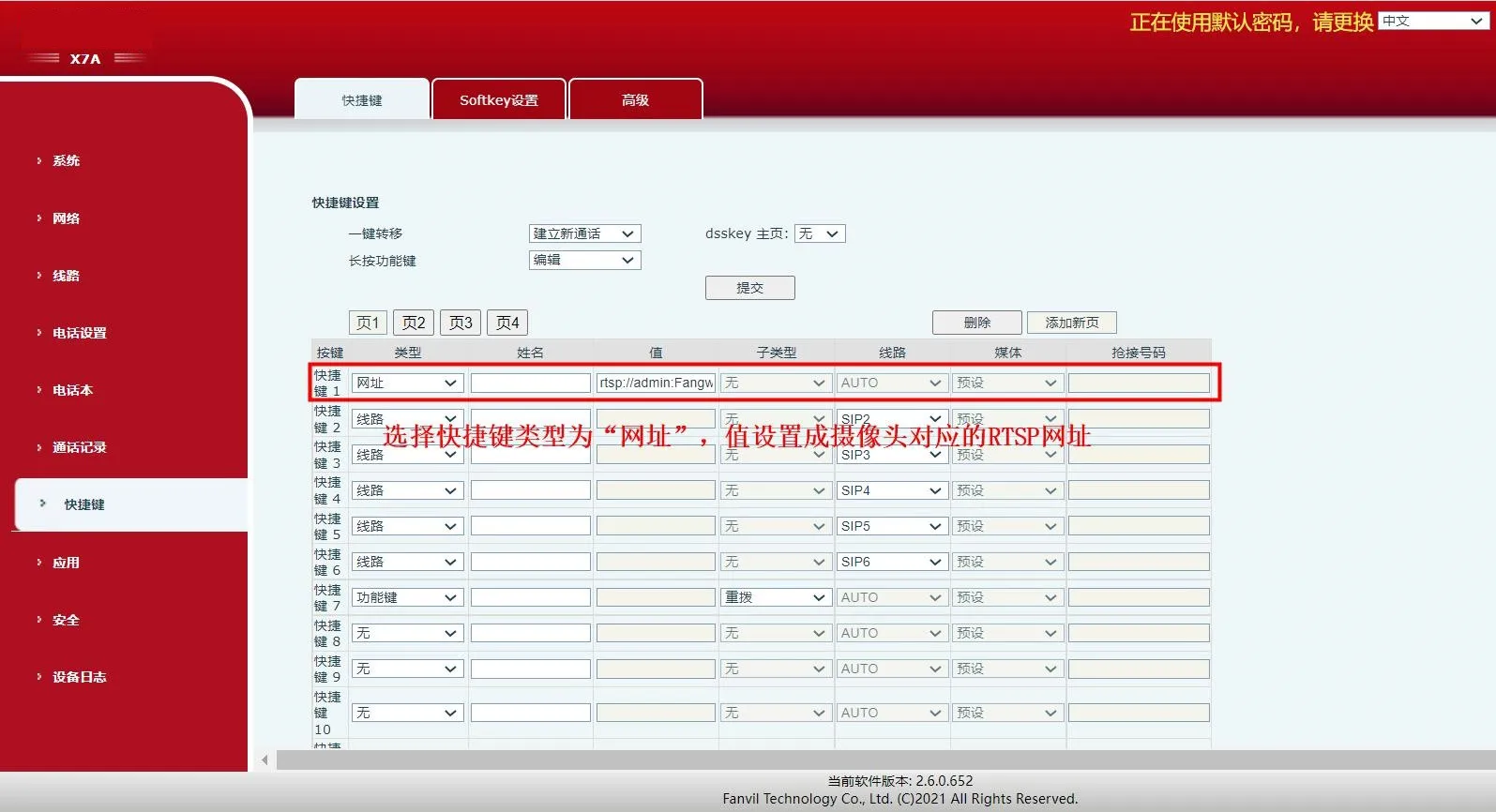
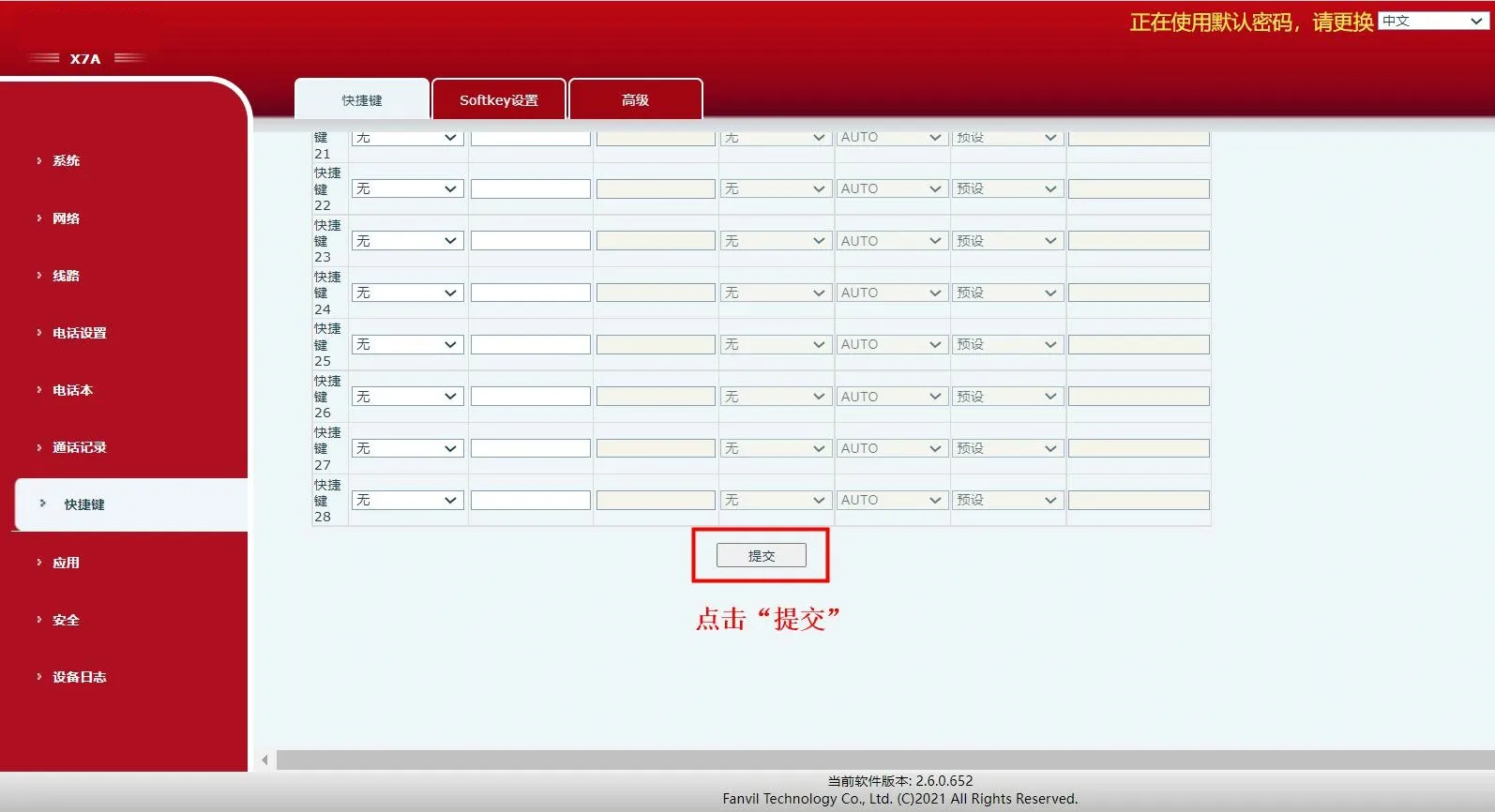
2、Press the DSS key on the phone to open the camera stream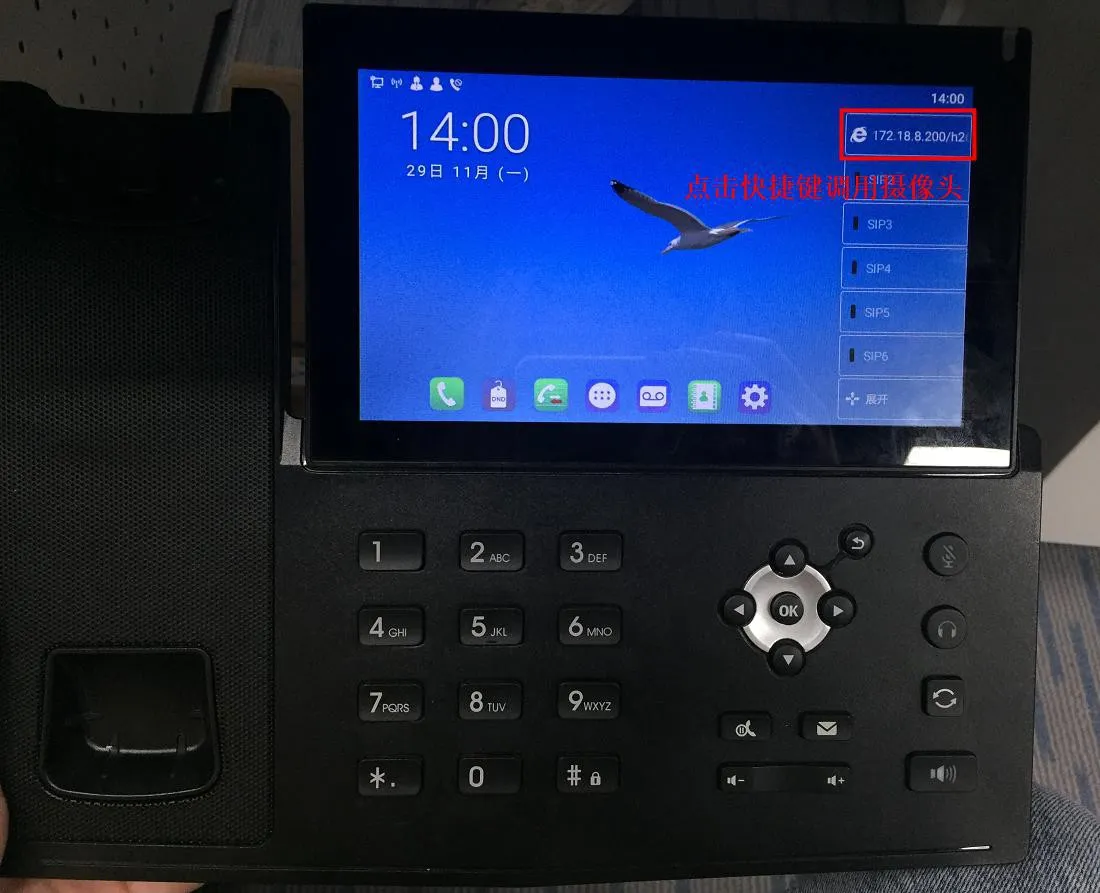
3、The camera stream is displayed successfully on the phone