
PrerequisitesConfigure Directory Entries on the LDAP ServerLog In to the LDAP Se
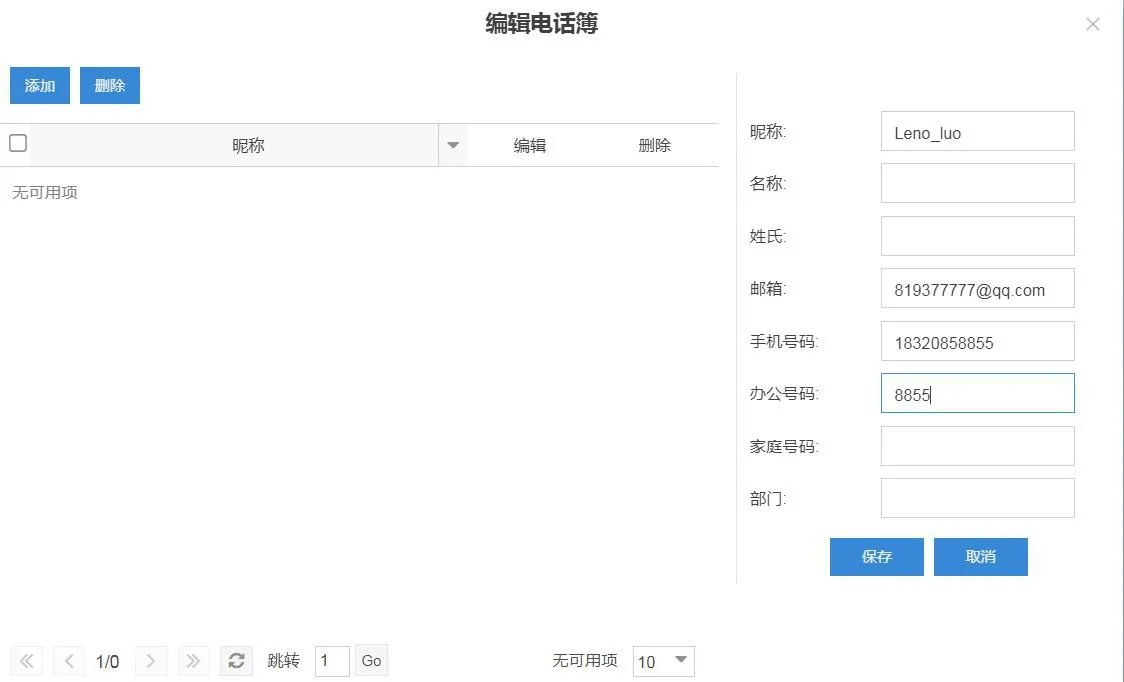
① Up to 4 LDAP directories can be configured.
② Supports access to the entire directory.
③ Supports number lookup during a call and updates the caller name on the screen.
④ Supports custom directory attribute fields, including name, office number, mobile number, and other numbers.
⑤ Supports multiple authentication methods, including no authentication, simple authentication, CRAM-Digest authentication, and CRAM-Digest authentication.
LDAP is configured through the web interface. The configuration page is located at “Phone Book”-“Cloud Phonebook”-“LDAP Settings”. The configuration items are shown below: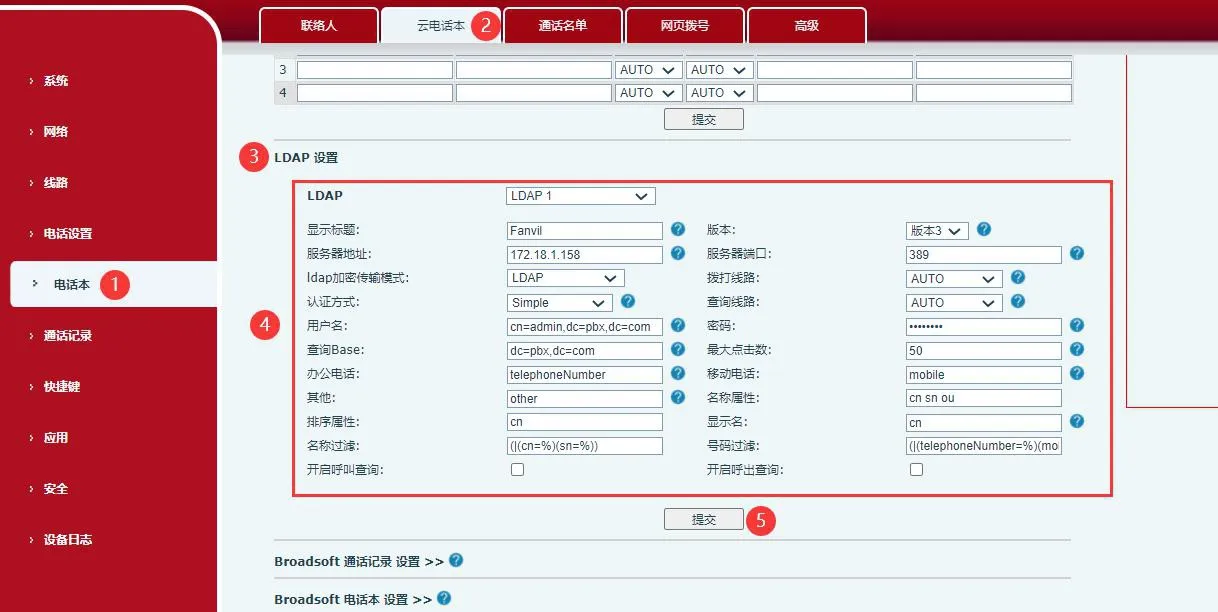
① Select which LDAP directory to configure.
② Configure the LDAP title to be displayed on the screen.
③ Select the LDAP server version. The default is Version 3.
④ Configure the server domain name or IP address and port. The default port is 389.
⑤ Select the authentication method, including None, Simple, Digest-MD5, and CRAM-MD5.
⑥ Select the SIP line to use when dialing from the LDAP directory.
⑦ Configure the username and password used to access the LDAP server. If the authentication method is NONE, these fields can be left empty.
⑧ Configure the base search path on the server.
⑨ Enable call lookup so that the phone can search and update the remote party's name during a call.
⑩ Configure the contact attribute names, including name, number, mobile number, and other numbers.
The following figure shows a completed example: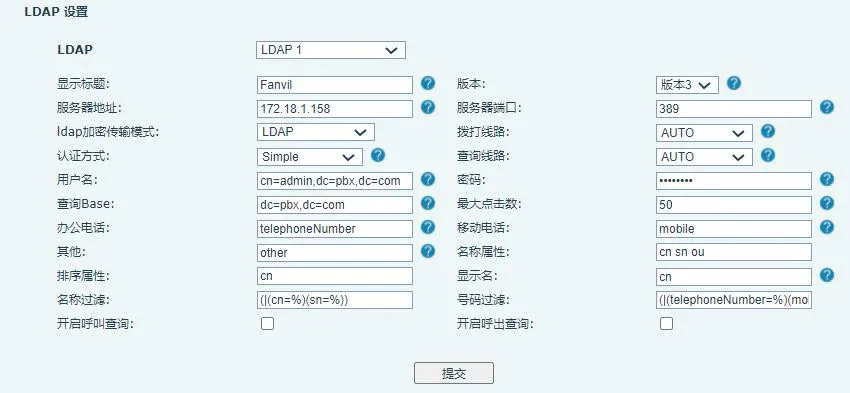
After the above query conditions are configured and submitted, the phone can download matching data from the LDAP server through Menu — Phonebook — LDAP. The downloaded directory entries will then be displayed on the phone, and users can perform actions such as direct calling, sending messages, searching contacts, adding contacts to the local phonebook, and adding contacts to the blacklist as needed.
