
This guide explains how to upgrade Bi5XW series indoor stations in POST mode, including applicable models, required tools, device and PC connection, entering POST mode, firmware upgrade steps, restart, and version verification.
This article provides a detailed introduction to upgrading Bi5XW series indoor stations in POST mode.
Bi5XW series indoor stations: B i51W/Bi52W/Bi53W
① One Bi5XW series indoor station (Bi52W is used as an example here), one PoE switch (or DC power supply), and connect the device to the switch;
② One debugging computer, and connect the computer to the switch to ensure that the computer and the indoor station can communicate over the network;
POE Switch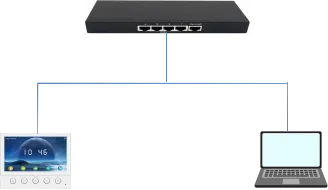
B i52W Computer
① After powering on the i52W, press and hold the answer key when the startup logo appears, as shown in Figure 1 below: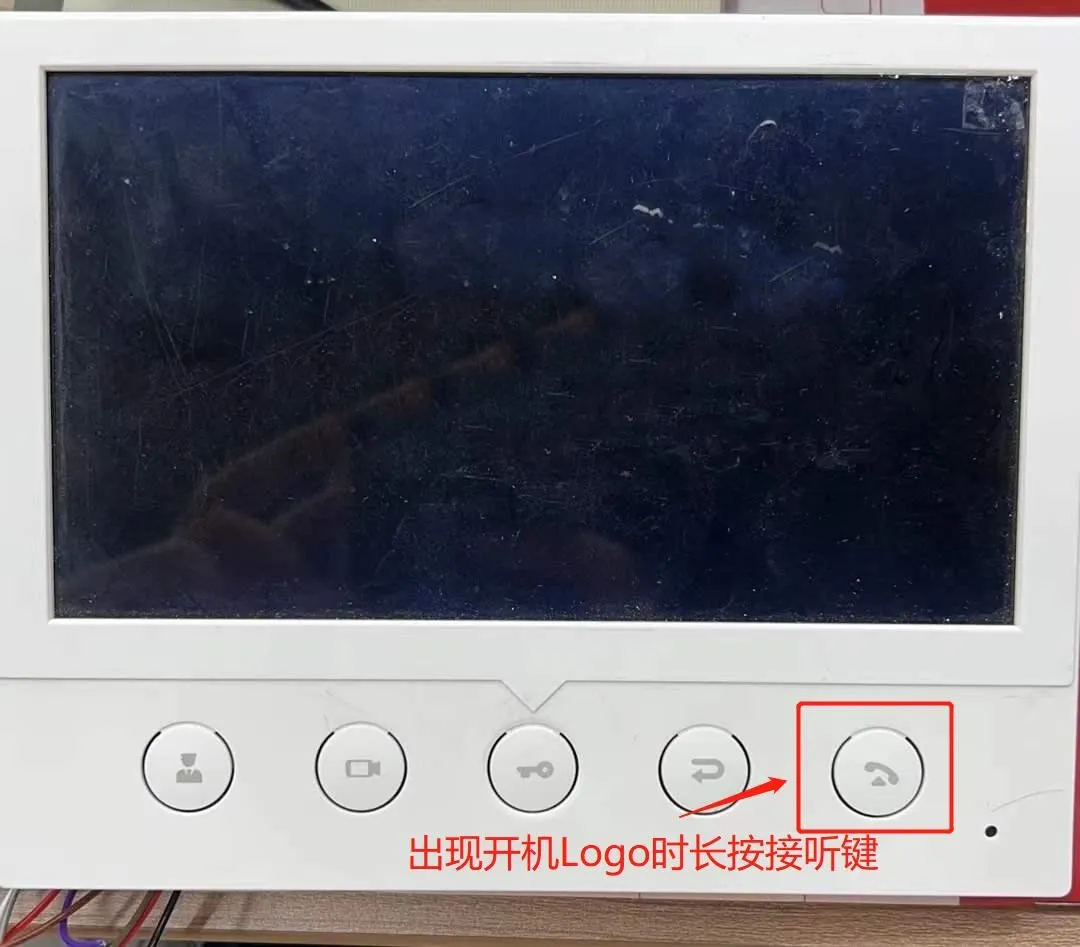
Figure 1
② When the PostMode interface appears, it indicates that the Bi52W has entered Post mode, as shown in Figure 2 below: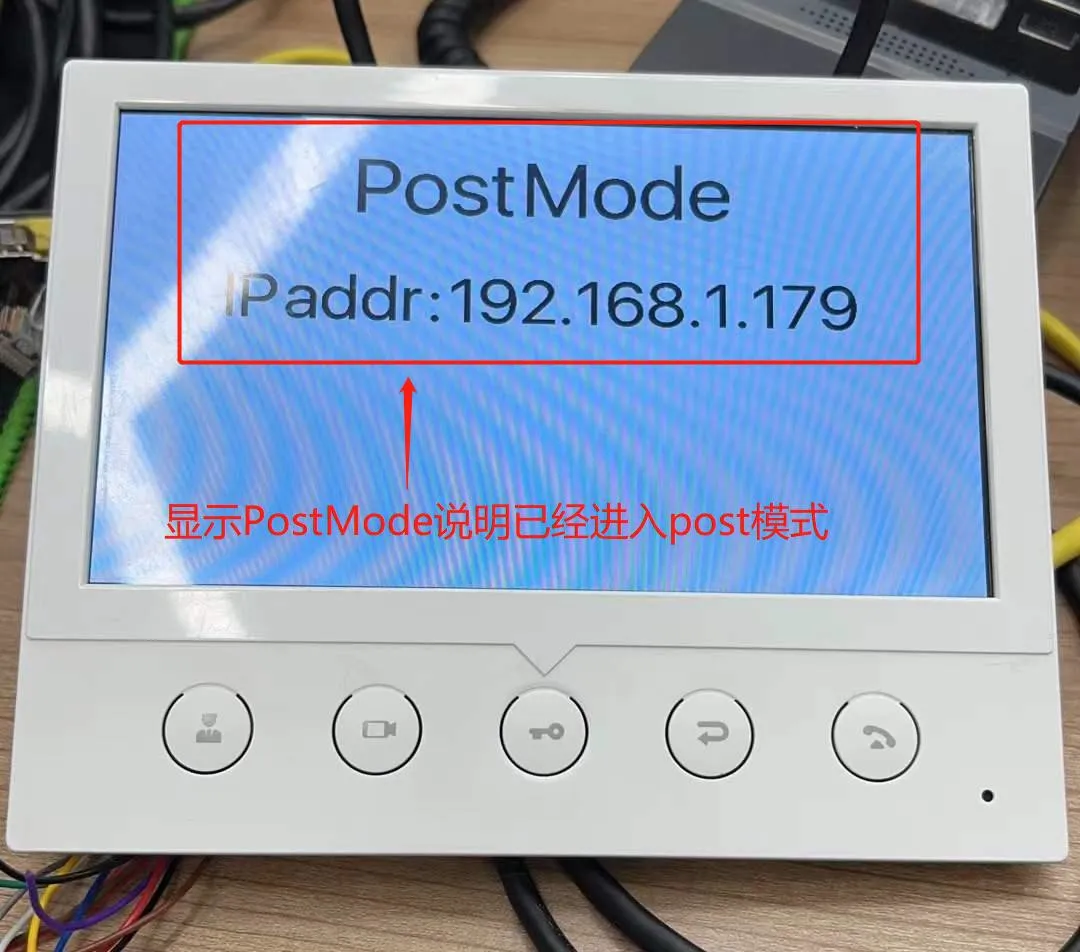
Figure 2
After the device enters Post mode, the computer must be on the same network segment as the phone IP. Then configure the upgrade on the post web interface. The following section explains the configuration steps in detail.
① Enter the post web interface: enter http://192.168.1.179:8080 in the browser to access the post web interface
② Perform the upgrade: select Upgrade Software on the web interface, choose the corresponding upgrade firmware, and click Upgrade to start the upgrade, as shown in Figure 3 below: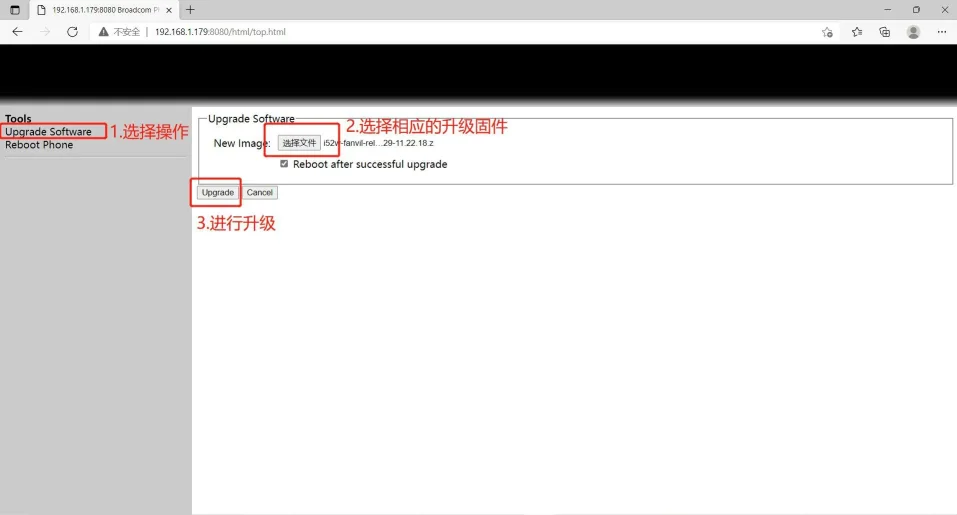
Figure 3
③ Wait until the upgrade is complete. The device will restart automatically
④ Check whether the device software version has been upgraded to the corresponding version. If not, upgrade again; if yes, the upgrade is successful.
