IntroductionOverviewThe Feature Sync function is mainly used to keep the phone s
The Feature Sync function is mainly used to keep the phone status synchronized with the server status. There are two main synchronization methods: one is based on the Subscribe/Notify mechanism, and the other is implemented through INVITE calls using Feature Codes.
This applies to all models of our phones.
This document is intended for routine maintenance personnel who troubleshoot phone-related issues.
First, you need to enable the Feature Sync function on the phone. By default, it is disabled and features are executed locally.
Web configuration item: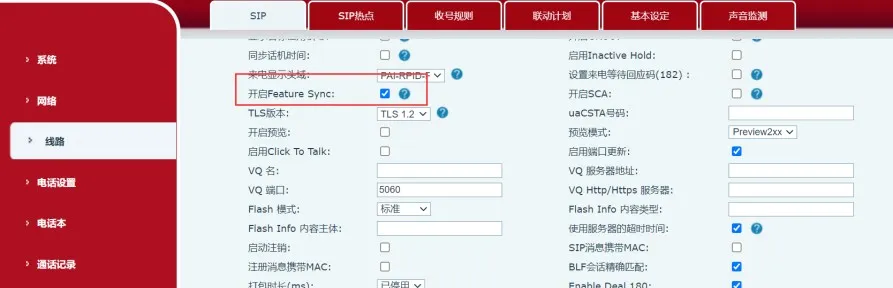
--SIP Line List-- :
SIP1 Feature Sync :0
BroadSoft and Metaswitch both implement synchronization through the Subscribe/Notify mechanism. After Feature Sync is enabled, the phone sends a SUBSCRIBE message with Event: as-feature-event to the server during registration. If the server supports this feature, it replies with 200 OK and then synchronizes the current status, as shown below: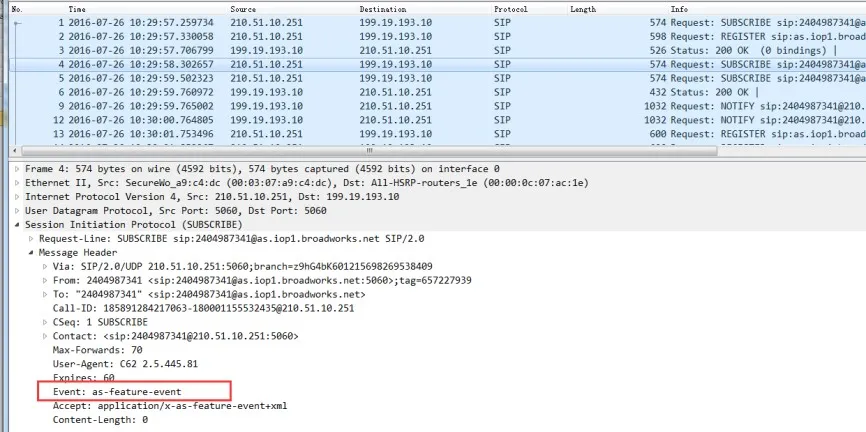
Fortinet also supports feature synchronization through Feature Codes. Although it also relies on the Subscribe/Notify mechanism, it is not related to the Feature Sync configuration itself.
3CX, Yeastar, and most other PBX systems (including tested Huawei and ZTE IMS servers) implement this function by sending INVITE requests to call Feature Codes. This method is relatively simple for terminal phones to support.
① When DND is enabled or disabled on the server, the server sends a SIP NOTIFY message to the phone with the DND status (true/false). After receiving it, the phone replies with 200 OK and enables or disables DND accordingly. The packet capture is shown below: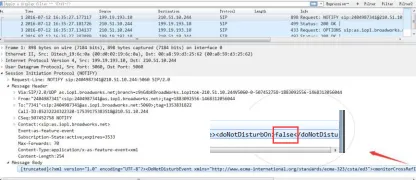
② When DND is enabled or disabled on the phone, the phone first sends a SUBSCRIBE message with the DND status (true/false) to the server. After the server replies with 200 OK, and once DND is enabled or disabled, the server sends a SIP NOTIFY confirmation message carrying the DND status (true/false) back to the phone. The phone then replies with 200 OK. The packet capture is shown below: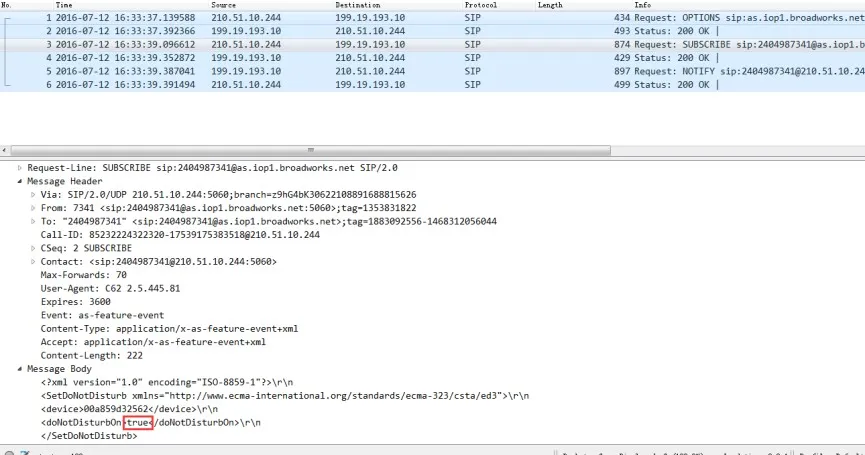
1. Unconditional Forwarding
The phone and the BroadSoft server can synchronize the enable/disable status of unconditional forwarding as well as the forwarding number.
① When unconditional forwarding is enabled or disabled on the server and a forwarding number is configured, the server sends a SIP NOTIFY message to the phone carrying the unconditional forwarding status (true/false) and the forwarding number. After receiving it, the phone replies with 200 OK, enables or disables unconditional forwarding accordingly, and synchronizes the forwarding number.
② When unconditional forwarding is enabled or disabled on the phone, the phone first sends a SUBSCRIBE message with the unconditional forwarding status (true/false) to the server. After the server replies with 200 OK, and after unconditional forwarding is enabled or disabled, the server sends a SIP NOTIFY confirmation message with the unconditional forwarding status (true/false) back to the phone. The phone then replies with 200 OK. The packet capture is shown below: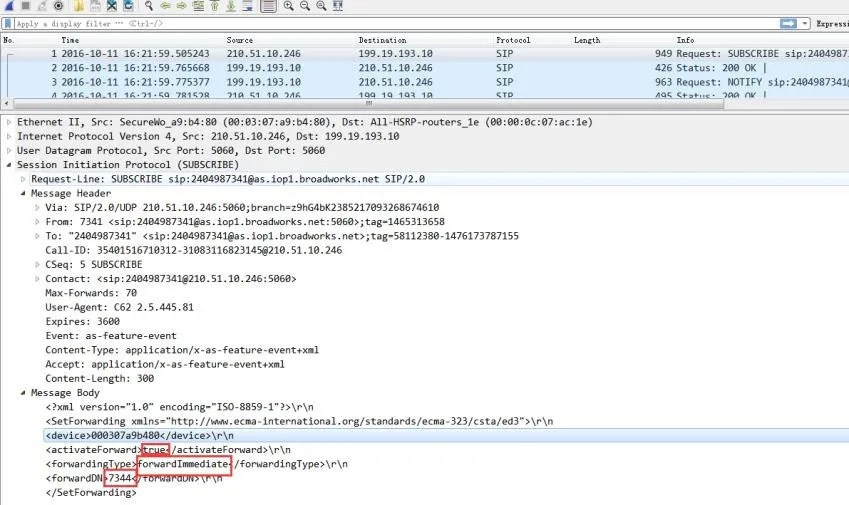
2. Busy Forwarding
The phone and the BroadSoft server can synchronize the busy forwarding function as well as the busy forwarding number.
① When busy forwarding is enabled or disabled on the server and a forwarding number is configured, the server sends a SIP NOTIFY message to the phone carrying the busy forwarding status (true/false) and the forwarding number. After receiving it, the phone replies with 200 OK, enables or disables busy forwarding accordingly, and synchronizes the forwarding number.
② When busy forwarding is enabled or disabled on the phone, the phone first sends a SUBSCRIBE message with the busy forwarding status (true/false) to the server. After the server replies with 200 OK, and after busy forwarding is enabled or disabled, the server sends a SIP NOTIFY confirmation message with the busy forwarding status (true/false) back to the phone. The phone then replies with 200 OK. The packet capture is shown below: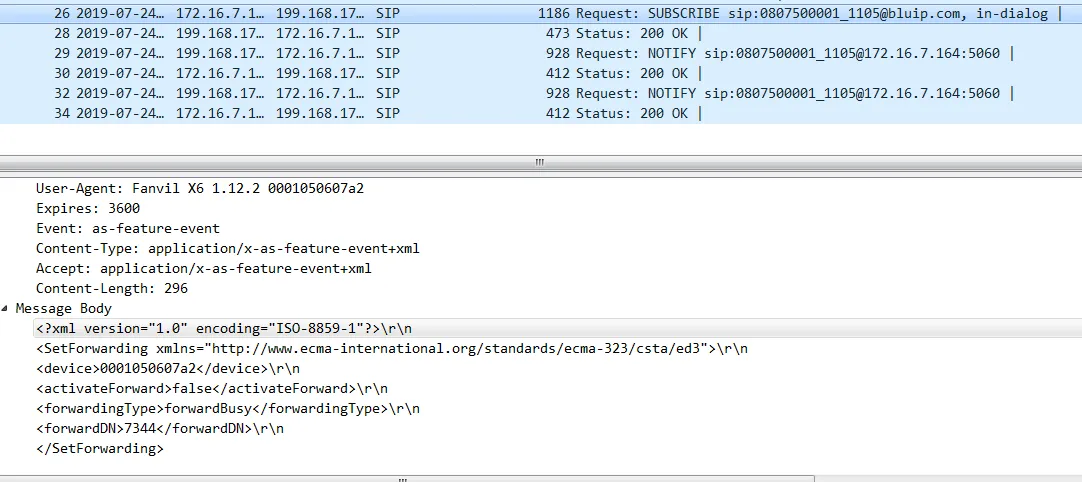
3. No-Answer Forwarding
The phone and the BroadSoft server can synchronize the enable/disable status of no-answer forwarding as well as the forwarding number.
① When no-answer forwarding is enabled or disabled on the server and a forwarding number is configured, the server sends a SIP NOTIFY message to the phone carrying the no-answer forwarding status (true/false) and the forwarding number. After receiving it, the phone replies with 200 OK, enables or disables no-answer forwarding accordingly, and synchronizes the forwarding number. The packet capture is shown below: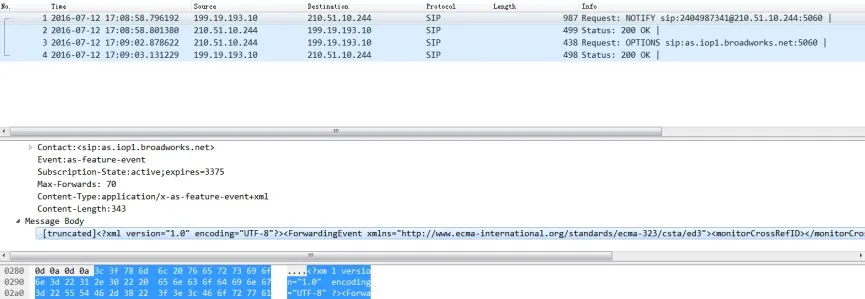
② When no-answer forwarding is enabled or disabled on the phone, the phone first sends a SUBSCRIBE message with the no-answer forwarding status (true/false) to the server. After the server replies with 200 OK, and after no-answer forwarding is enabled or disabled, the server sends a SIP NOTIFY confirmation message with the no-answer forwarding status (true/false) back to the phone. The phone then replies with 200 OK. The packet capture is shown below: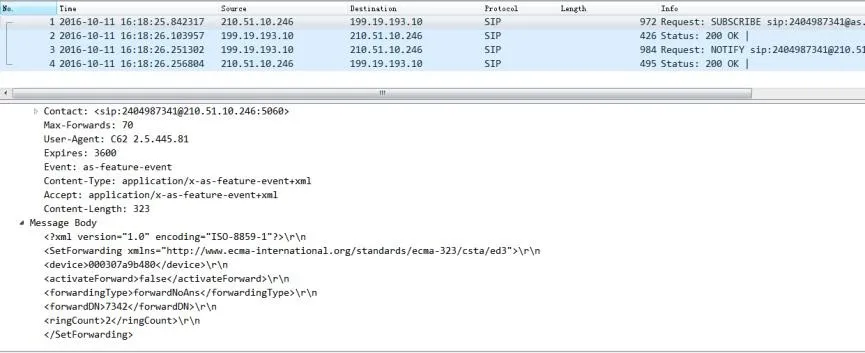
① Server-side DND enable/disable (same packet flow as BroadSoft)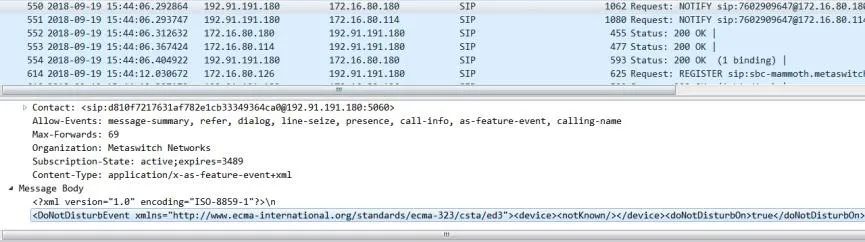
② Phone-side DND enable/disable (same packet flow as BroadSoft)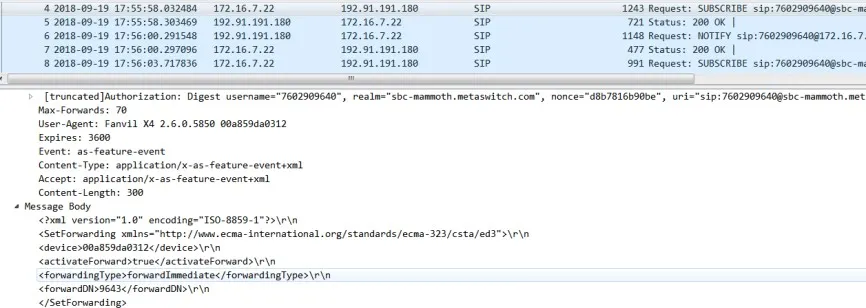
1. Unconditional Forwarding (same packet flow as BroadSoft)
① Server enables or disables unconditional forwarding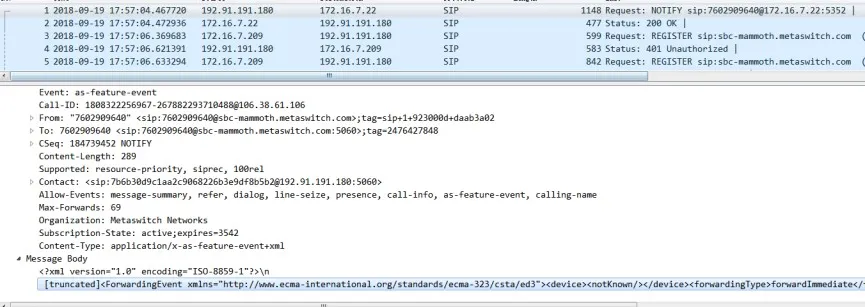
② Phone enables or disables unconditional forwarding
2. No-Answer Forwarding (same packet flow as BroadSoft)
① Server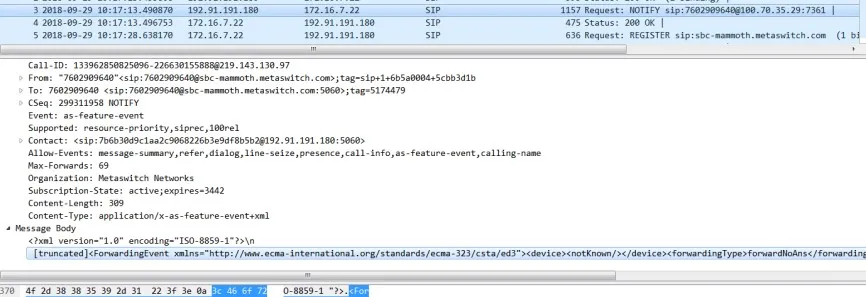
② Phone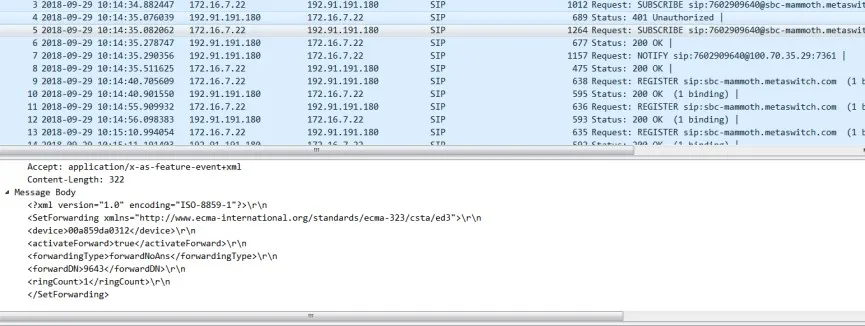
3. Busy Forwarding (same packet flow as BroadSoft)
① Server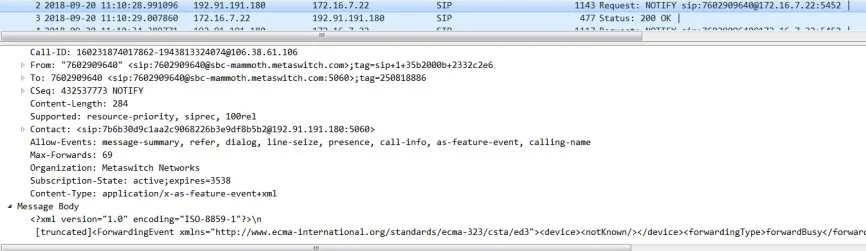
② Phone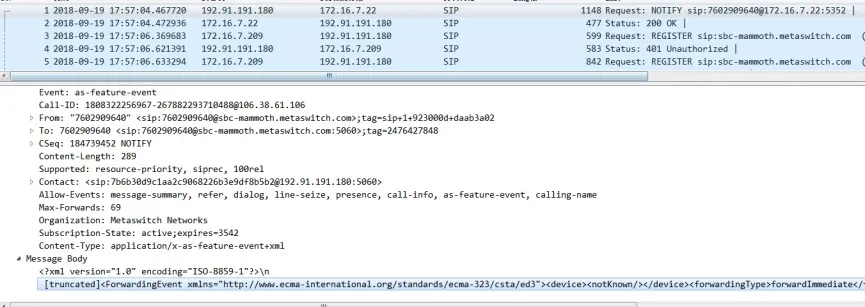
Fortinet servers synchronize status with the phone through Feature Codes.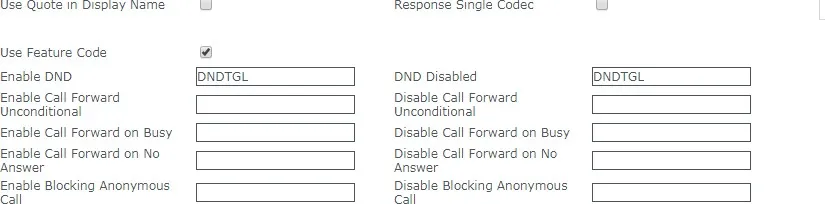
When the server changes the status, it sends a NOTIFY message to the phone carrying the DND status.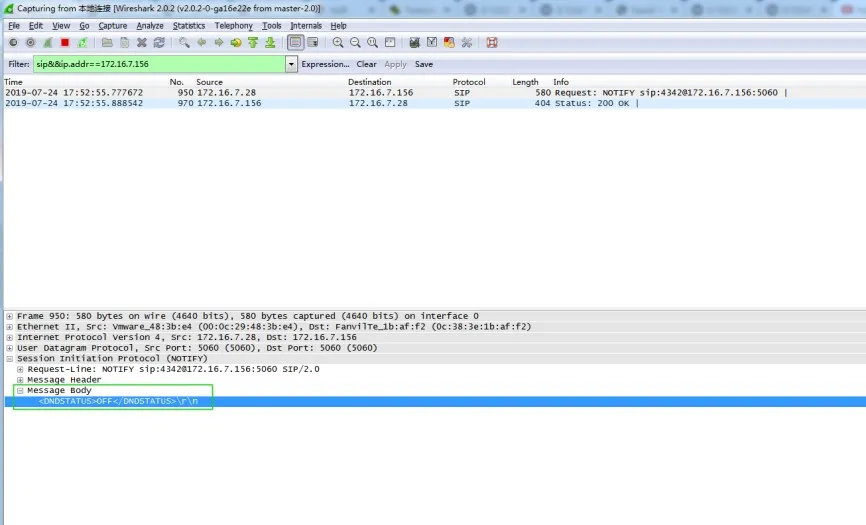
When the phone changes the status, it sends a SUBSCRIBE message to the server carrying the DND status.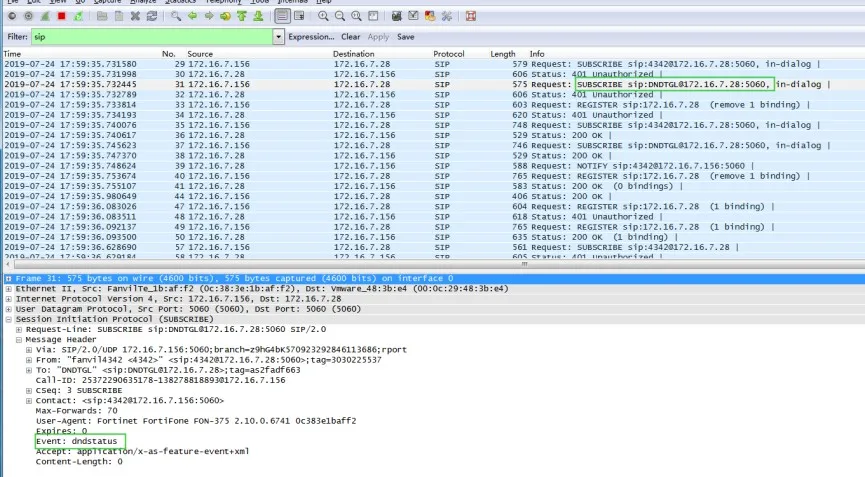
The same logic applies to call forwarding settings.
After Feature Sync is enabled on servers such as 3CX and Yeastar, only the phone can synchronize its status to the server. The server cannot push status changes back to the phone. Although this has certain limitations, the implementation is simple and still meets normal usage requirements.
After enabling Feature Sync, you also need to configure the Feature Code for the corresponding function, as shown below: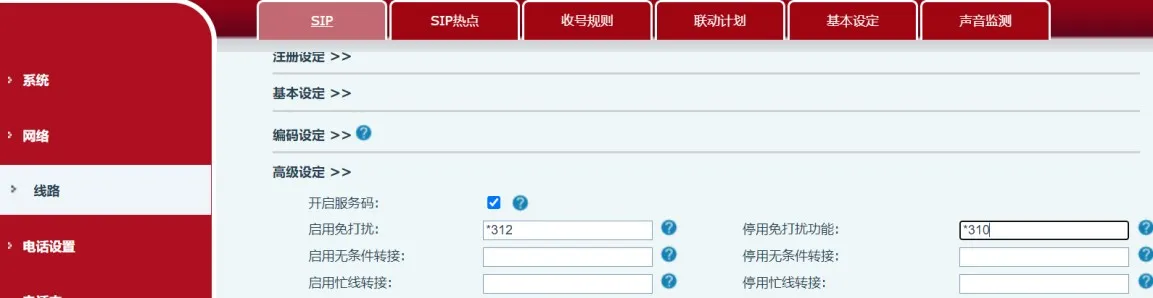
When DND is enabled or disabled on the phone, the phone sends an INVITE message to the server to notify it to synchronize the status.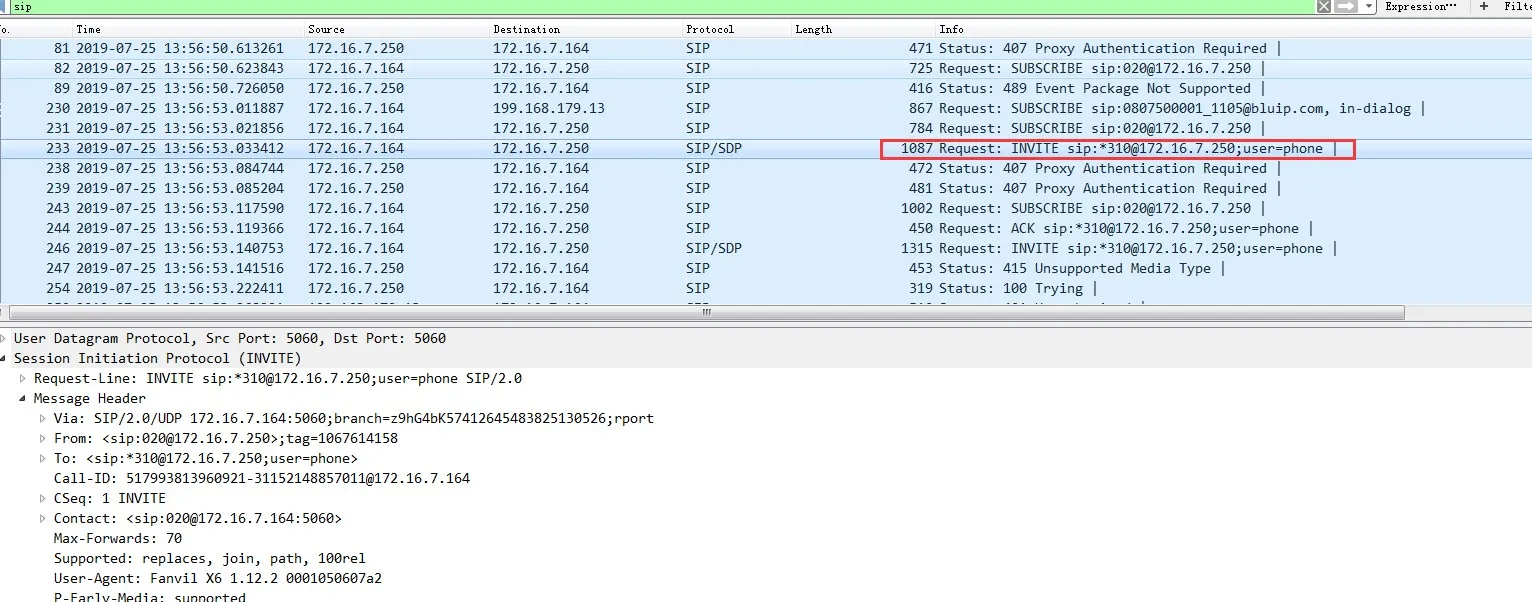
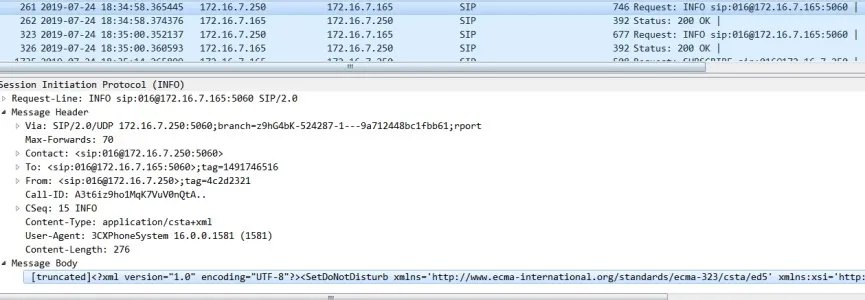
Note:
Because the 3CX server later added support for the uaCSTA function, when DND is enabled on the server side, the server can use uaCSTA Info messages to notify the phone of the status. However, we currently do not use this message to refresh the phone status.