
SIP indoor phone shortcut key guide covering Memory Key, Line, Event Key, DTMF, URL, BLF List, multicast paging and Action URL settings for i51W, i52W, i53W and i56A devices.
This document describes in detail the definition and use of configurable shortcut keys on i-series indoor phones.
All i-series indoor phones are applicable, including i51W, i52W, i53W and i56A.
① One i-series indoor phone, with a PoE switch or DC power supply providing network access and power to the device;
② One debugging computer connected to the same switch, ensuring that the computer and the indoor phone can communicate over the network.
PoE Switch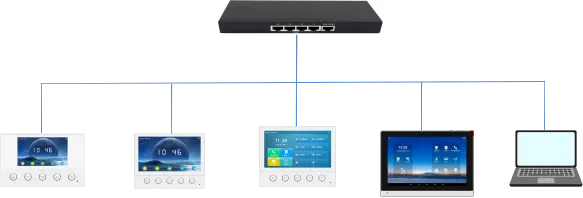
i51W i52W i53W i56A Computer
According to functions, shortcut keys can be divided into the following major categories:
Memory Key
Line
Event Key
DTMF
URL
BLF List Key
MCAST Paging/MCAST Listening
Action URL
XML Browser
Application
Note: Because indoor phone models have different product positioning and system solutions, shortcut key categories may vary by model. For example, i51W/i52W/i53W do not include XML Browser and Application, while i51W/i52W do not include MCAST Listening and BLF List Key.
According to specific functions, Memory Key can be divided into the following subtypes:
1. None
2. BLF related configuration
3. Presence
4. Voice Mail
5. Speed Dial
6. Intercom
7. Call Park
8. Call Forward
Because i51W and i52W do not have touch screens, the available Memory Key subtypes and Event Key subtypes are different from i53W and i56A. On i51W and i52W, Memory Key can only be Speed Dial or Intercom, while Event Key can only be Do-not-disturb, Handfree, OK, End and Intercom.
3.1.1. BLF related configuration
Function description: BLF can indicate the status of a subscribed extension and can pick up the call when that extension is ringing. It supports NEW CALL, BXFER, AXFER, Conference and DTMF operations.
Configuration items: Type: Memory Key
Value: BLF related configuration / DSS value
Line: SIP account used for outgoing calls or subscription
Subtype: BLF related configuration
Pickup number: optional server pickup code
How to use: Press the configured key in standby, ringing or call status to execute the assigned shortcut operation.
3.1.2. Presence
Function description: Presence shows line status through the indicator and can also show whether the other party is online.
Configuration items: Type: Memory Key
Value: Presence / DSS value
Line: SIP account used for outgoing calls or subscription
Subtype: Presence
Pickup number: optional server pickup code
How to use: Press the configured key in standby, ringing or call status to execute the assigned shortcut operation.
3.1.3. Voice Mail
Function description: Voice Mail is used to listen to messages. When a new message exists, the indicator can remain on after the line is configured.
Configuration items: Type: Memory Key
Value: Voice Mail / DSS value
Line: SIP account used for outgoing calls or subscription
Subtype: Voice Mail
How to use: Press the configured key in standby, ringing or call status to execute the assigned shortcut operation.
3.1.4. Speed Dial
Function description: Speed Dial is used for frequently dialed or hard-to-remember numbers.
Configuration items: Type: Memory Key
Value: Speed Dial / DSS value
Line: SIP account used for outgoing calls or subscription
Subtype: Speed Dial
How to use: Press the configured key in standby, ringing or call status to execute the assigned shortcut operation.
3.1.5. Intercom
Function description: Intercom enables automatic answering and direct conversation with the configured number.
Configuration items: Type: Memory Key
Value: Intercom / DSS value
Line: SIP account used for outgoing calls or subscription
Subtype: Intercom
How to use: Press the configured key in standby, ringing or call status to execute the assigned shortcut operation.
3.1.6. Call Park
Function description: Call Park temporarily parks a call on the server, so the user can retrieve the call from another location by dialing the announced Call Park number.
Configuration items: Type: Memory Key
Value: Call Park / DSS value
Line: SIP account used for outgoing calls or subscription
Subtype: Call Park
How to use: Press the configured key in standby, ringing or call status to execute the assigned shortcut operation.
3.1.7. Call Forward
Function description: Call Forward transfers an incoming call to the configured destination number with one key.
Configuration items: Type: Memory Key
Value: Call Forward / DSS value
Line: SIP account used for outgoing calls or subscription
Subtype: Call Forward
How to use: Press the configured key in standby, ringing or call status to execute the assigned shortcut operation.
Press the Line key. If the line has not been registered, the phone enters line setting mode. If the line has been registered, the phone enters dialing mode and the user can enter a number to make a call.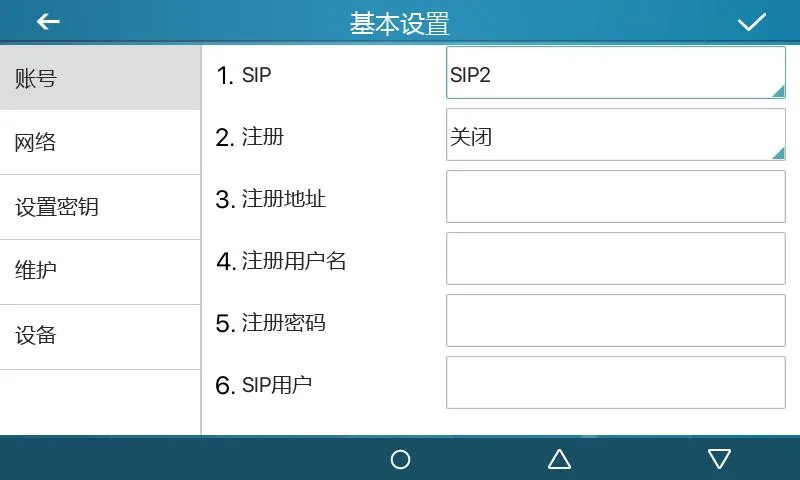
Figure 1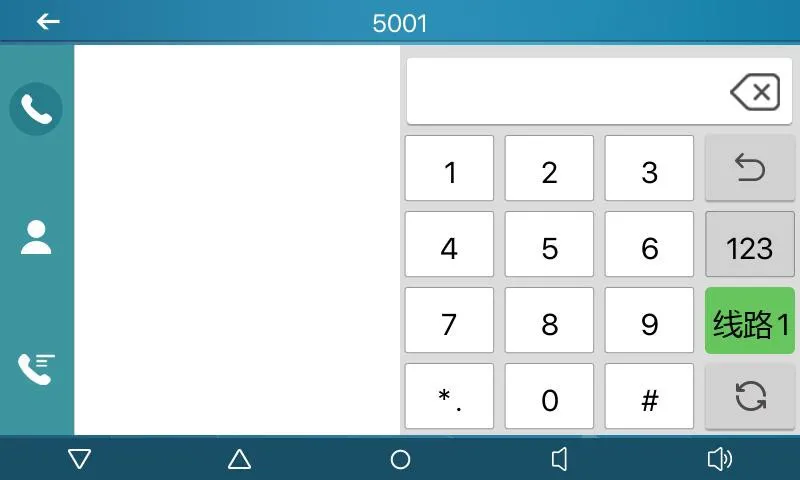
Figure 2
Function description: The key is configured as a dedicated function key through its subtype. Different subtypes provide different functions and operation methods.
Configuration items: Type: Event Key
Subtype: selected function type
How to use:
3.3.1 None:
No function.
3.3.2 Voice Mail:
Checks voice mail information for all SIP lines and can call the mailbox of the current line when MWI Number is configured.
3.3.3 Do-not-disturb:
Enables do-not-disturb for the whole device or for a selected SIP line.
3.3.4 Call Hold:
Places the current call on hold like a physical Hold key.
3.3.5 Transfer:
Transfers the current call like a Transfer key or Xfer softkey.
3.3.6 Phonebook:
Opens the contact directory.
3.3.7 Redial:
Redials the last outgoing number using the previous line.
3.3.8 Pick up:
Answers an incoming call that is ringing on another phone after the ringing phone number is entered.
3.3.9 Join:
Allows the test phone to join an existing call after entering the target phone number and pressing DSS.
3.3.10 Call Forward:
Opens call forwarding settings in standby mode.
3.3.11 Call Logs:
Opens call history and call record information.
3.3.12 Flash:
Holds the current call and opens a new dialing state with dial tone.
3.3.13 Memo:
Opens the memo application for note management.
3.3.14 Headset:
Works like the physical headset key for answering and hanging up calls.
3.3.15 Release:
Exits the LCD menu or hangs up all calls and returns to standby.
3.3.16 Lock phone:
Locks the phone from standby mode.
3.3.17 SMS:
Opens the SMS interface for sending, receiving and browsing messages.
3.3.18 Call Back:
Calls back the last incoming number after off-hook.
3.3.19 Hide DTMF:
Opens the setting mode for DTMF hidden display.
3.3.20 Intercom:
Enables Intercom mode and automatic answering when no other call is active.
3.3.21 Group Listening:
Enables group listening during handset or headset calls; audio is played, while the microphone does not collect audio.
3.3.22 Prefix:
Adds the configured outside-line prefix after off-hook, so users do not need to remember it.
3.3.23 Hot Desking:
Clears all SIP configurations after the configured DSS key is pressed and OK is confirmed.
3.3.24 Agent:
Opens the Agent interface.
3.3.25 End:
Performs the End function on the call interface.
3.3.26 Disposition:
Broadsoft Call Center function that sends Disposition Code Info during and after calls.
3.3.27 Escalate:
Broadsoft Call Center function that sends SIP Info and selects a Supervisor automatically or by configured number.
3.3.28 Trace:
Broadsoft function similar to Disposition, supporting information sending during and after calls.
3.3.29 Handfree:
Enters hands-free mode.
3.3.30 Answer Key:
Answers the incoming call.
3.3.31 Private Hold:
Broadsoft function that prevents other users from retrieving the held call.
3.3.32 Local Contacts:
Opens the local contacts interface.
3.3.33 LDAP Group:
Accesses the LDAP network phonebook when LDAP phonebook is enabled.
3.3.34 XML Group:
Accesses the selected XML network phonebook when XML phonebook is enabled.
3.3.35 Broadsoft Group:
Accesses the Broadsoft network phonebook when it is enabled.
3.3.36 Record:
Starts call recording when the phone has been configured for recording.
3.3.37 Auto Headset:
Enables or disables headset answering; the DSS key stays steady green.
Function description: Used for quick secondary dialing, so users do not need to remember the secondary dialing sequence. During a call, press this key to send the configured number sequence to the remote side in order.
Configuration items: Type: DTMF
Value: DTMF secondary dialing key sequence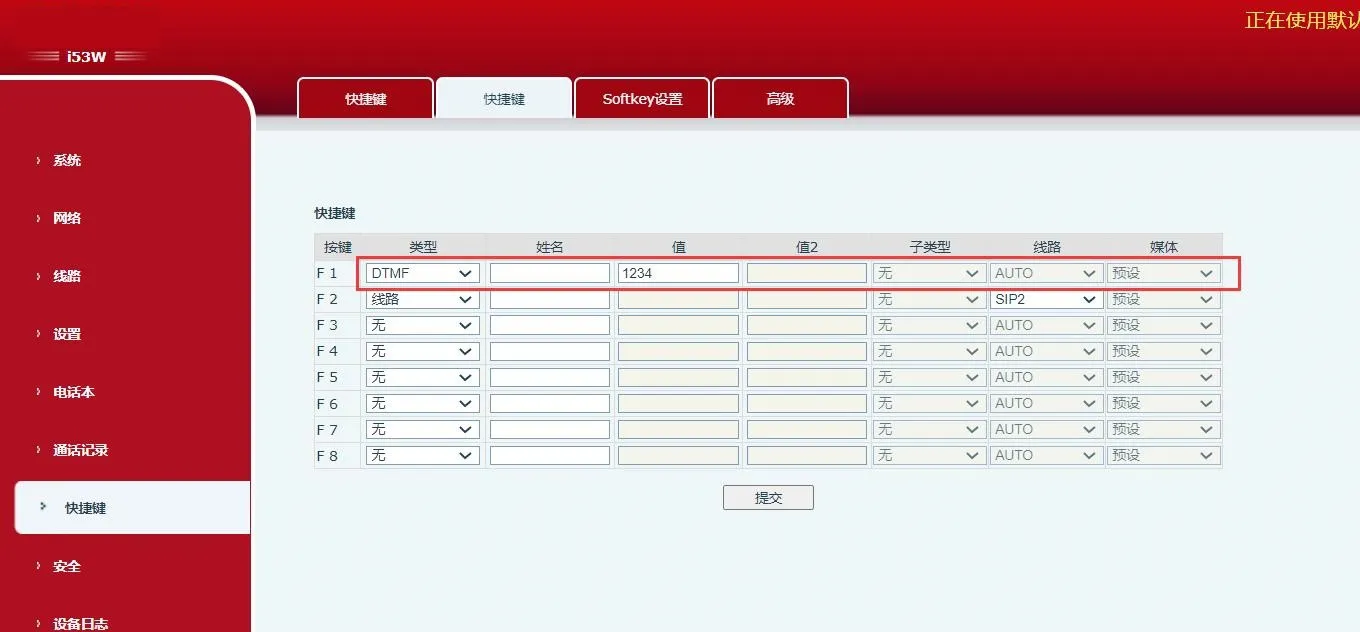 Figure 3
Function description: Press this key to access the configured remote URL directly when the URL is valid.
Configuration items: Type: URL
Value: complete remote URL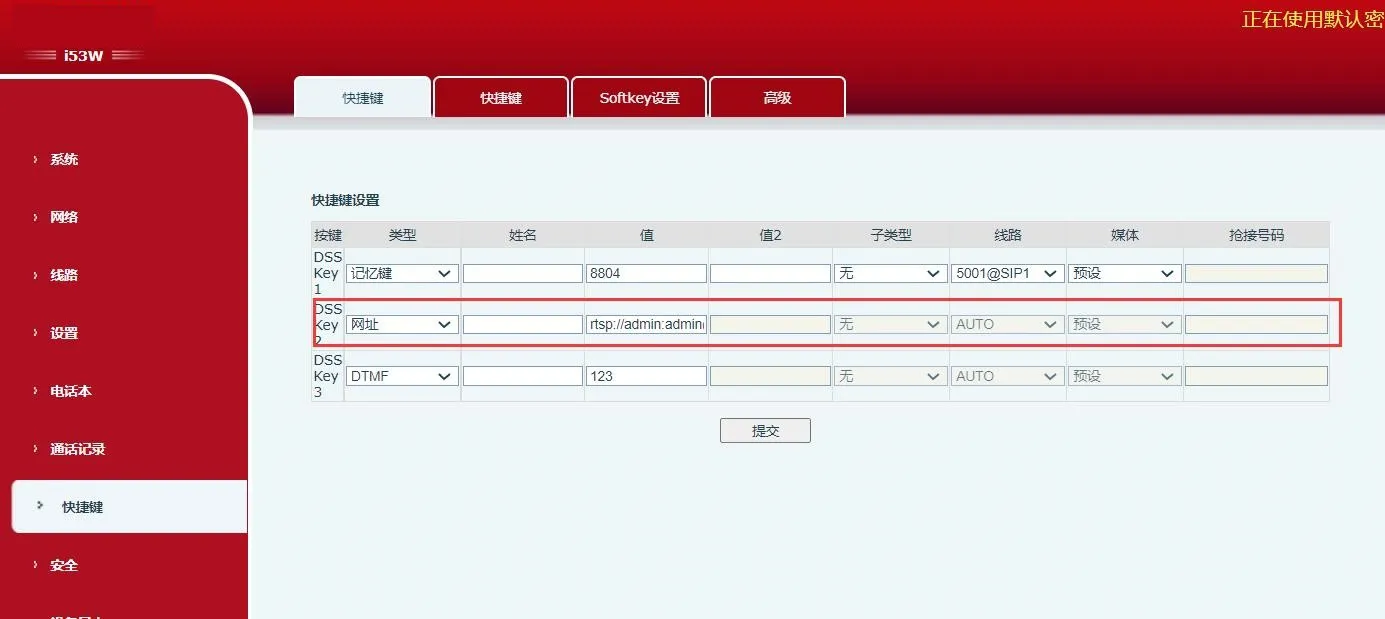 Figure 4
Function description: This function must work with the server. Traditional BLF uses one Subscribe request for each number. BLF List Key places numbers into a server-side group, subscribes by group URL, parses Notify messages and displays number status on the key LED.
Configuration items: Type: BLF List Key
How to use: server automatically delivers subscribed number list to DSS keys.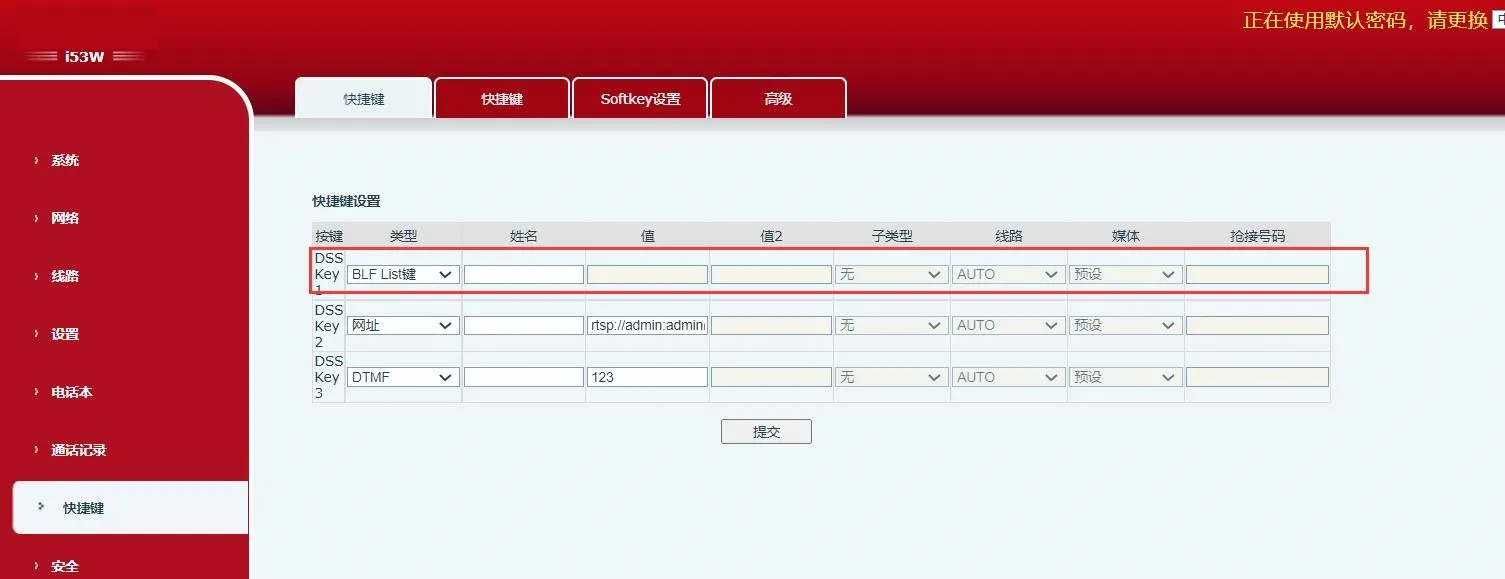 Figure 5
Function description: After setting the multicast address and audio codec, press this key to send a multicast RTP stream. Press it again to end multicast and hang up.
Configuration items: Type: MCAST Paging / MCAST Listening
Value: multicast listening address and port
Subtype: RTP audio codec used by sender and receiver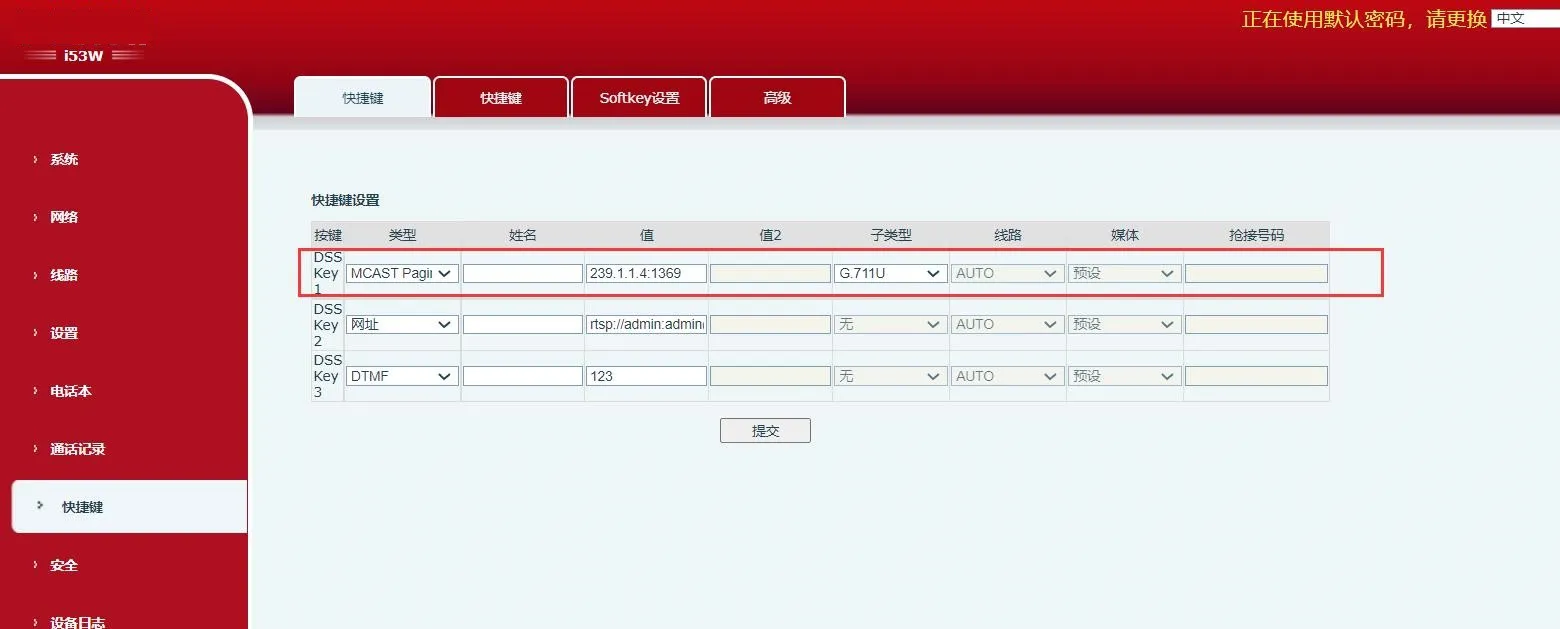
Figure 6
Function description: The configured URL supports variables in the ¥ format. When the user presses the DSS key, the system initiates an HTTP GET or POST request.
Configuration items: Type: Action URL
Value: valid URL
Subtype: POST or GET
