IntroductionOverviewThis article explains, with text and images, how to customiz
This article explains, with text and images, how to customize the web interface password, menu password, and keypad password.
This applies to all models of our phones. (This article uses the X210 as an example.)
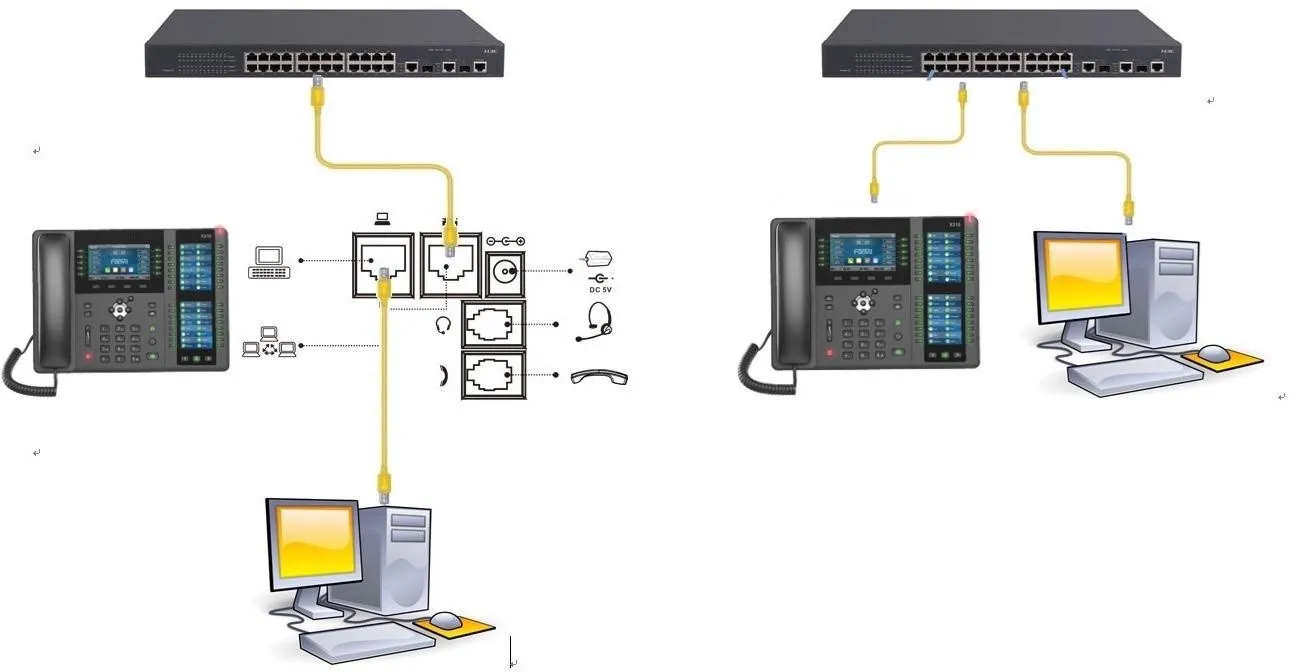
① One phone, connected to a switch and able to obtain an IP address.
② One configuration PC, also connected to the switch, with network connectivity to the phone.
On the LCD screen of the phone, tap “Menu” — “Status” to view the phone’s IP address.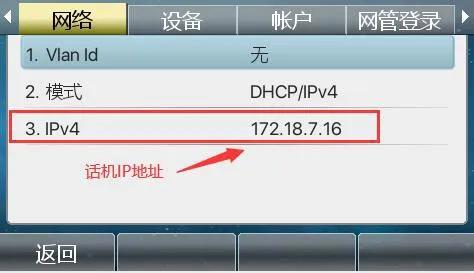
Log in to the phone’s web interface. Open a browser on the PC and enter the phone’s IP address in the “address bar”.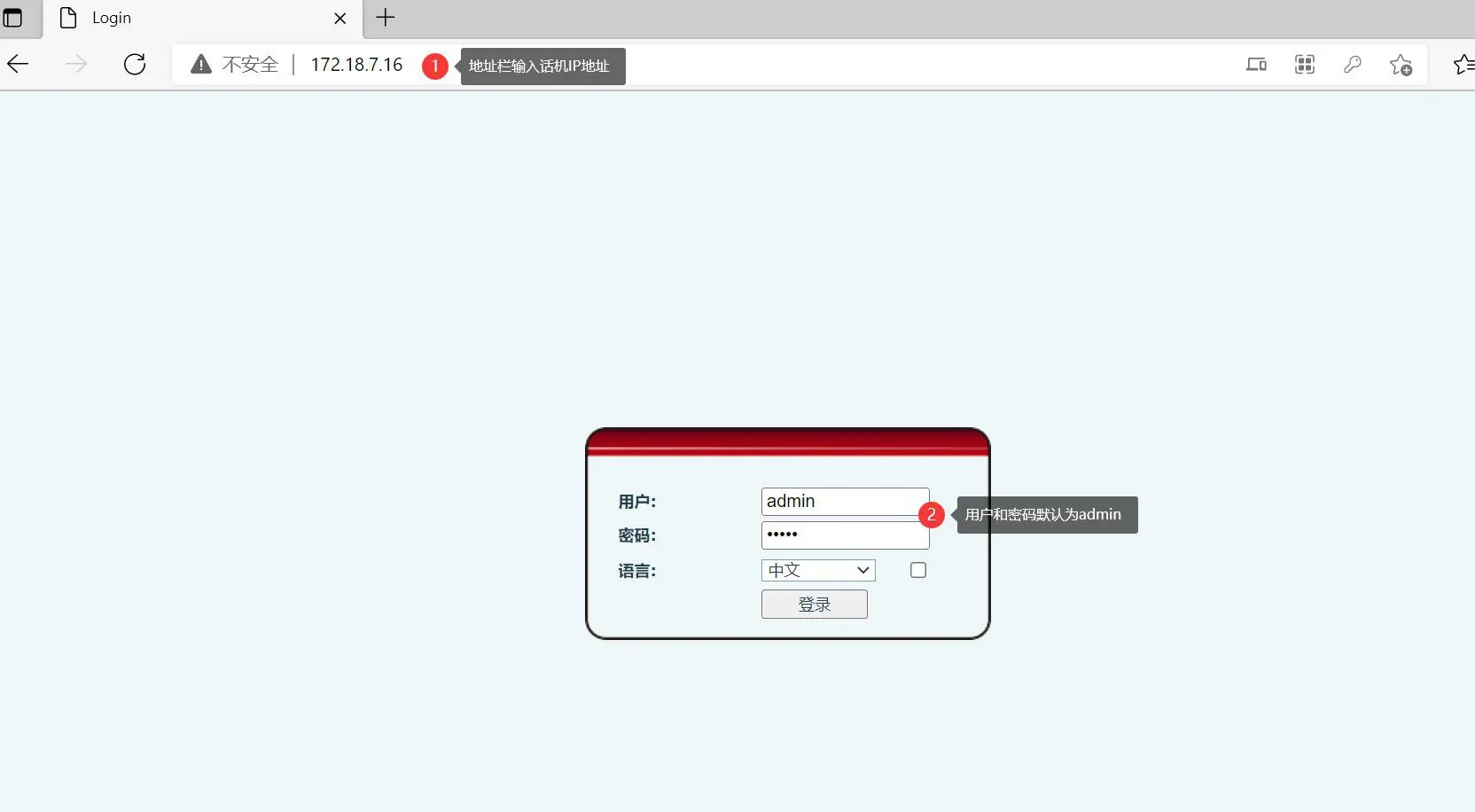
After entering the web interface, click “System” - “User Configuration”, select the corresponding user, and then click “Edit”.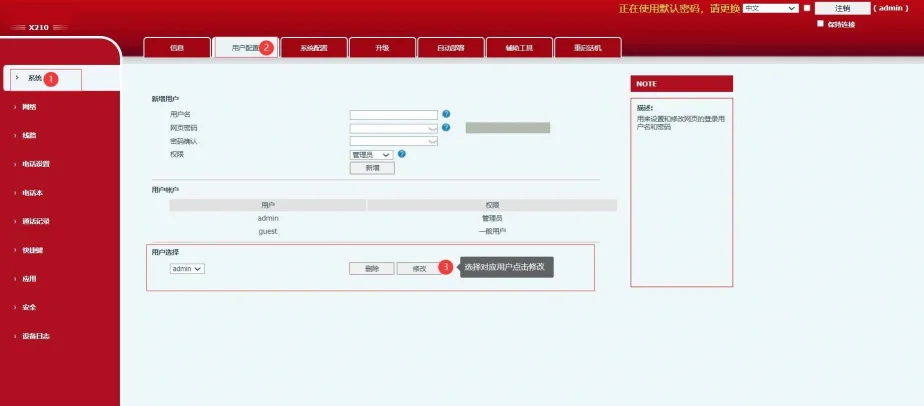
Fill in the required information as prompted on the page, then click “Apply” to submit the changes. The setup will then be completed.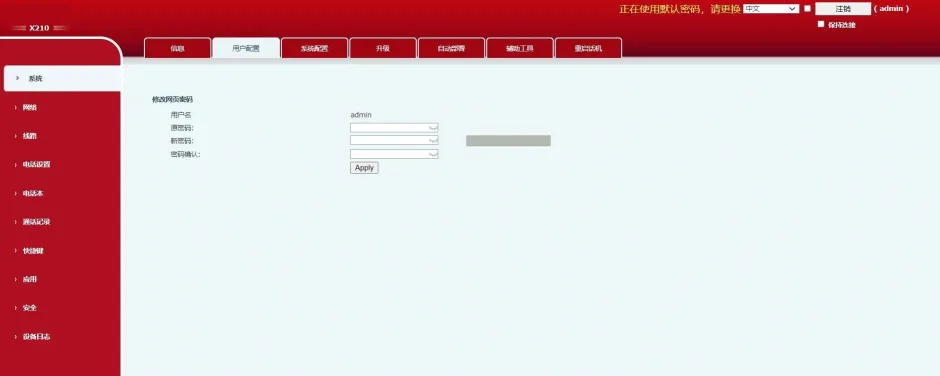
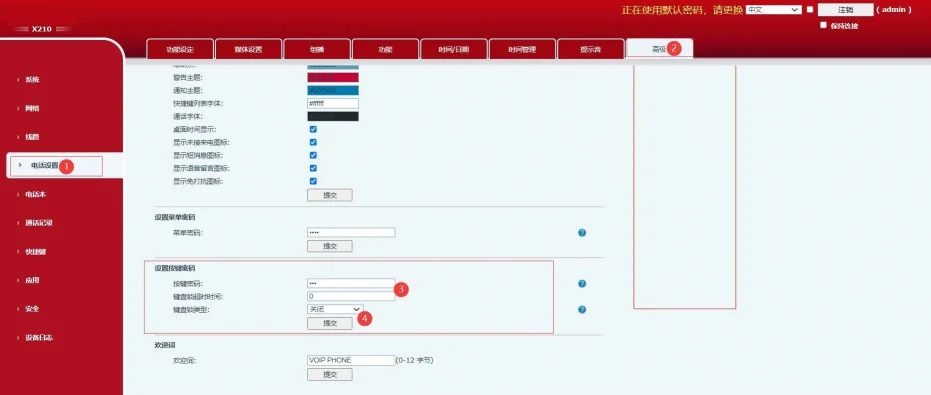
After entering the web interface, click “Phone Settings” - “Advanced”, then find the options “Set Menu Password” and “Set Keypad Password”. Fill in the required information according to the on-screen instructions, then submit the settings to complete the configuration.