Learn how to configure video preview on indoor monitors and IP phones by retrieving the RTSP stream from an IP camera or video door phone and assigning it to a DSS key for one-touch viewing
Indoor monitors and IP phones with video decoding capability can be used to preview video from an IP camera or a video door phone.
Bi51W / Bi52W / Bi53W / Bi56A / BX6U / BX3V / BX210 / BX210i / BX7C / BX7A / BV65 / BV67.
This document is intended for any user who needs to configure and use the video preview function.
① Get the IP address of the door phone device.
For Bi30, Bi31S, Bi33V, and Bi33VF: when the device is in standby mode (about 30 seconds after power-on), press and hold the # key for 3 seconds, and the device will announce its IP address.
For i32V: when the device is in standby mode (about 30 seconds after power-on), press and hold the speed-dial key until you hear a prompt tone, then release it and press it once again quickly. After about 3 seconds, the device will announce its IP address.
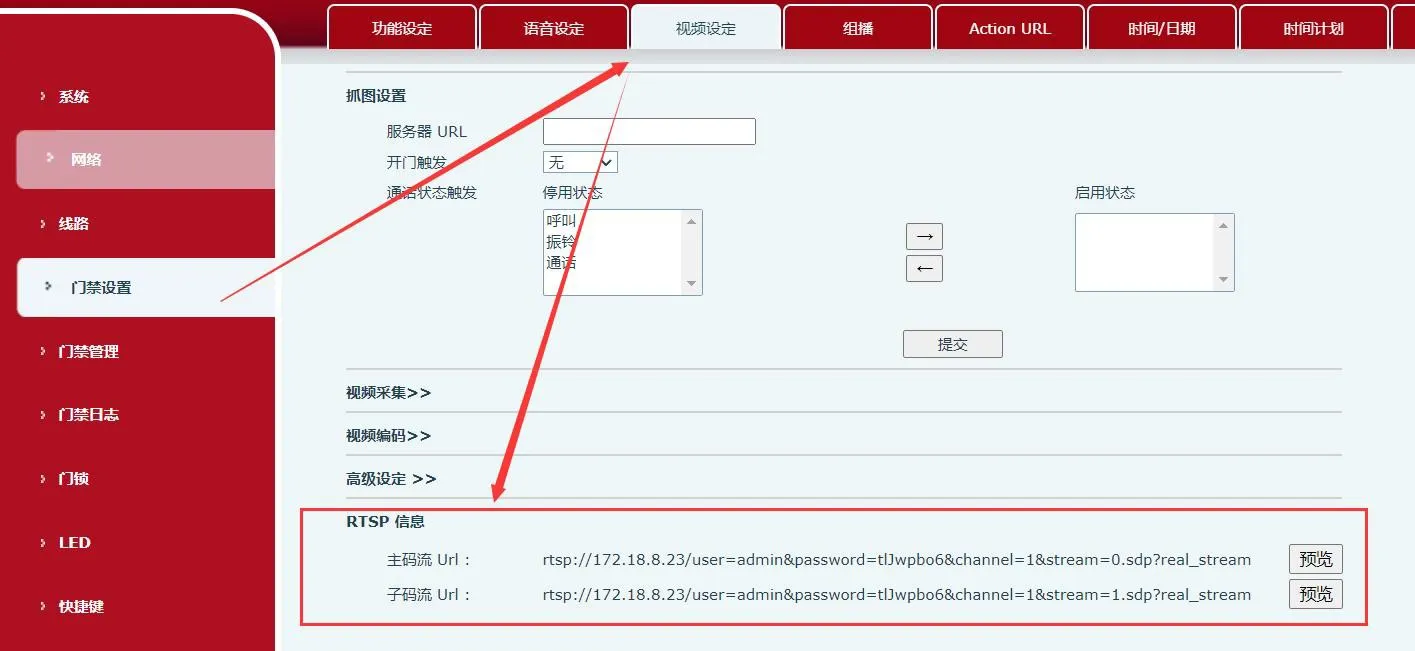
② Enter the device IP address into a web browser to access the web interface. The default username and password are admin. In the web interface, go to Access Control Settings → Video Settings to obtain the RTSP stream URL of the door phone.
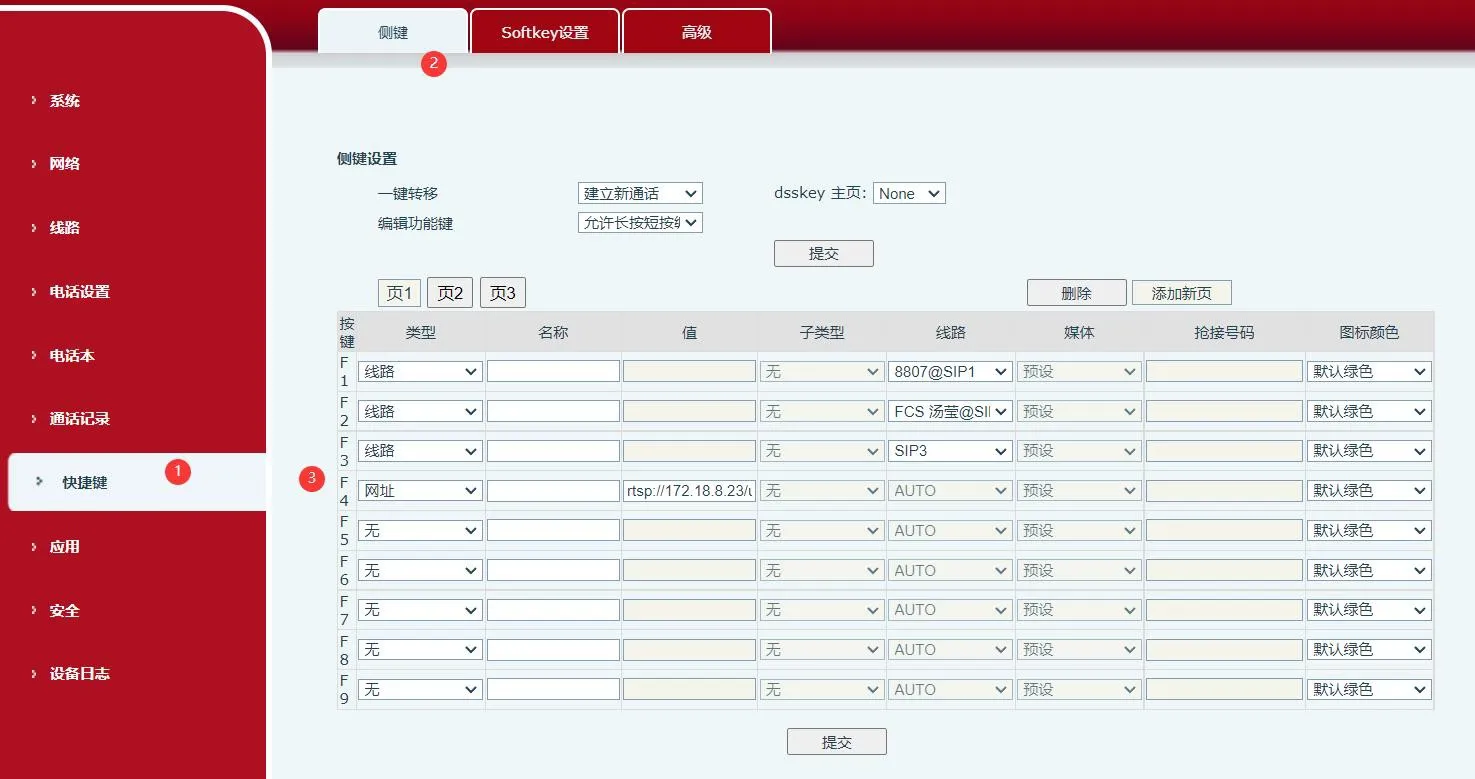
③ Log in to the web interface of the indoor monitor or IP phone. The default username and password are also admin. Then go to Function Key → DSS Key.
④ Configure the DSS key as follows: set the key type to URL, then paste the RTSP address into the Value field. After saving the setting, press the configured DSS key on the phone or indoor monitor to start video preview.