
Learn how to use the built-in Ping tool on a phone to test network connectivity to a PBX, time server, or website, and understand packet loss results for quick communication troubleshooting.
This feature is used to test whether the phone can communicate properly with a specified device or destination, such as a PBX server, a time server, or an internet host.
Supported products: all phone models.
Supported firmware: all firmware versions for the supported models.
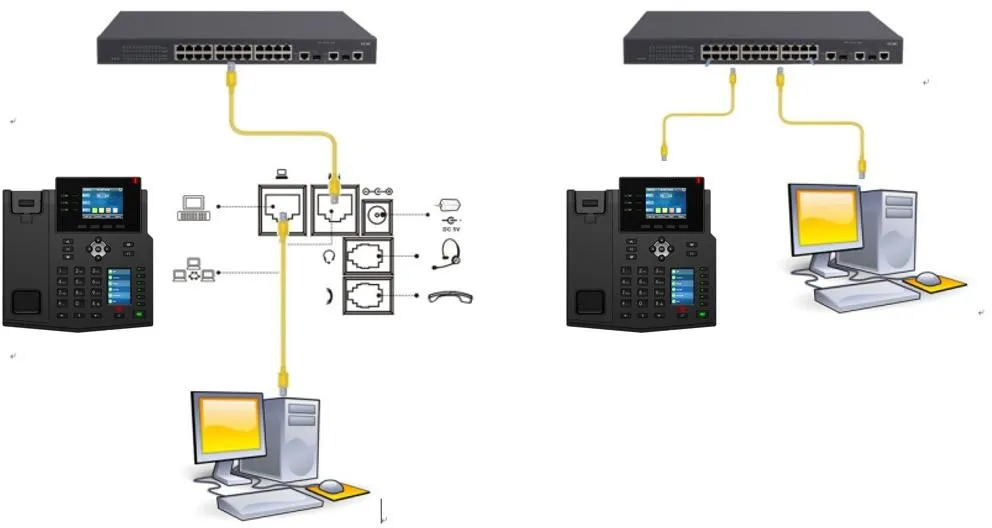
① One phone connected to a switch and able to obtain an IP address automatically.
② One configuration PC connected to the same switch, with network communication between the PC and the phone confirmed.
1. Locate the Ping function on the phone.
Go to Menu --- Applications --- Ping.
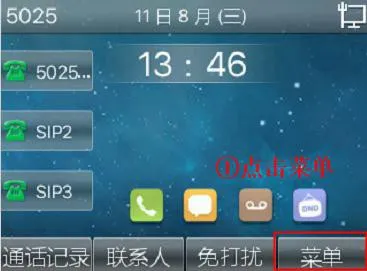
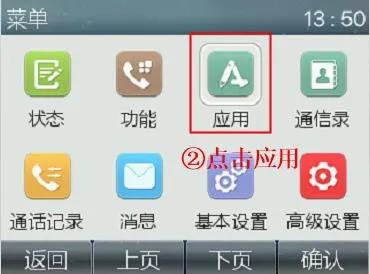
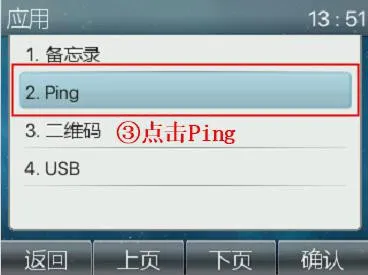
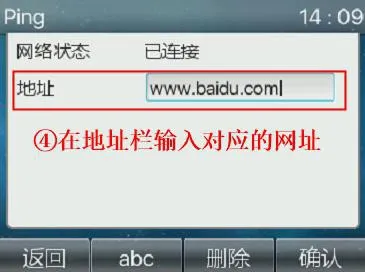
2. Enter the target address or domain name you want to test.
The example below shows how to check whether the phone can communicate with the Baidu server at www.baidu.com.
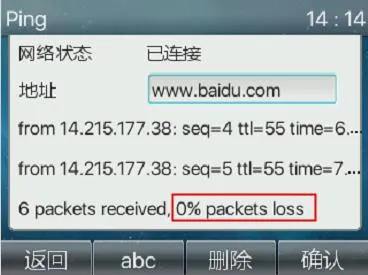
0% packet loss means the packet loss rate is 0%, which indicates that the phone can communicate successfully with the target server.
100% packet loss means the packet loss rate is 100%, which indicates that the phone cannot communicate with the target server.
