
IntroductionOverviewWithin the same interconnected local area network, two SIP i
Within the same interconnected local area network, two SIP industrial phones can communicate directly with each other through the IP direct dialing function without registering to a PBX.
This applies to all of our SIP industrial phone models. (This article uses the X5U and X3S as examples.)
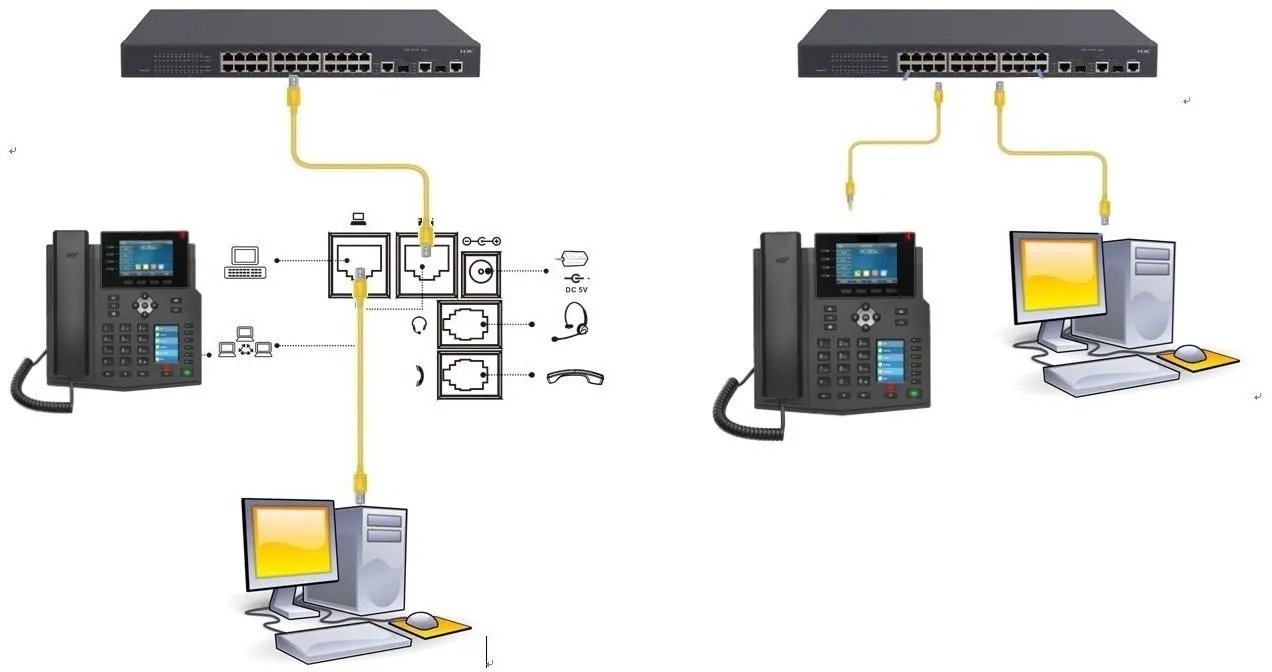
① Two SIP industrial phones connected to a switch and able to obtain IP addresses.
② One configuration PC connected to the same switch, with network connectivity to both SIP industrial phones.
On the LCD screen of the SIP industrial phone, tap “Menu” — “Status” to view the IP address of the SIP industrial phone.
Log in to the SIP industrial phone web interface. Open a browser on the PC and enter the IP address of the SIP industrial phone in the “address bar”.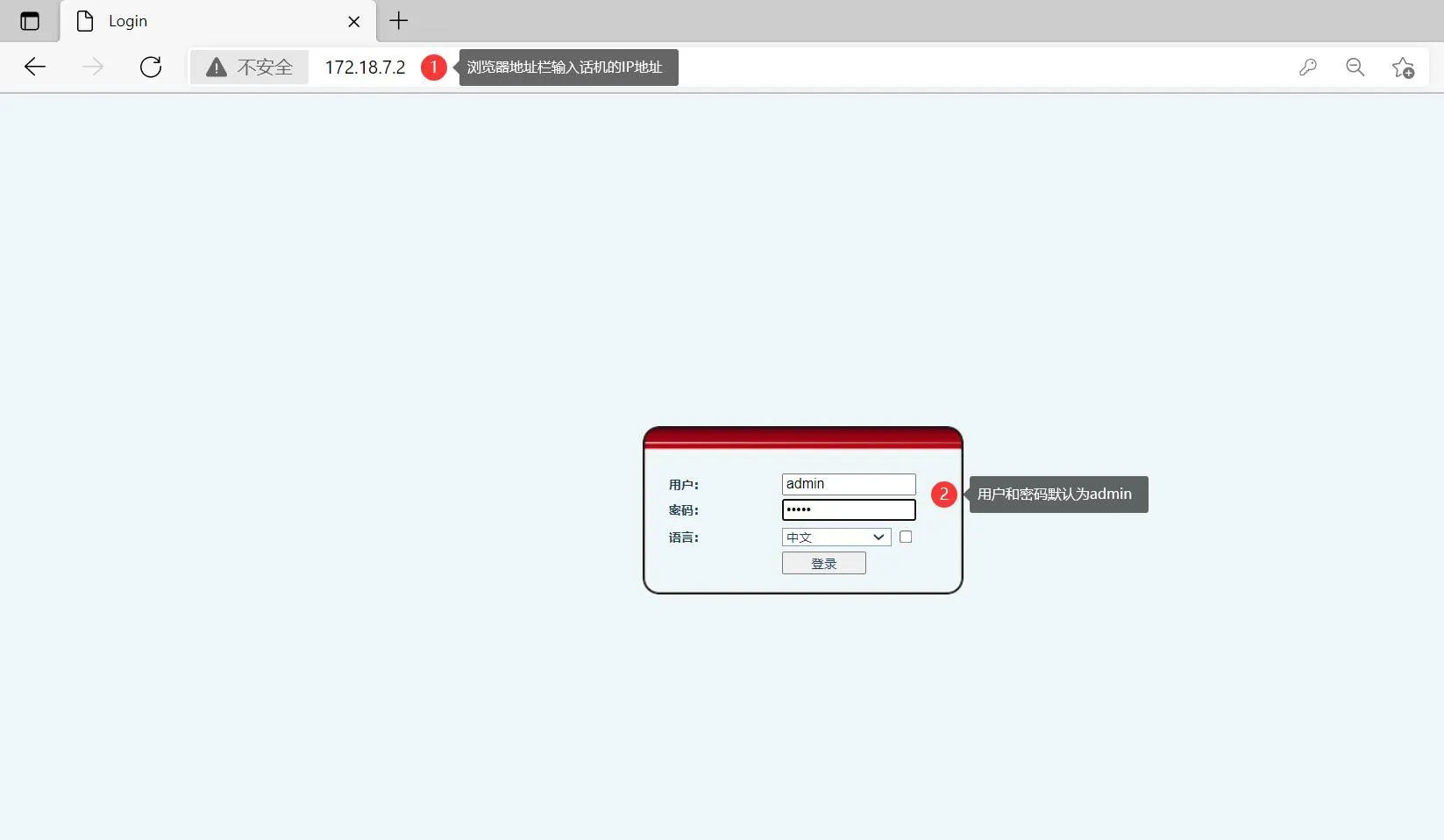
In the web interface, go to “Line” - “Basic Settings” - uncheck “SIP Invite Restrict”, then click “Submit”.
Note: This setting applies to: X1 / X2C / X2P / X3S / X4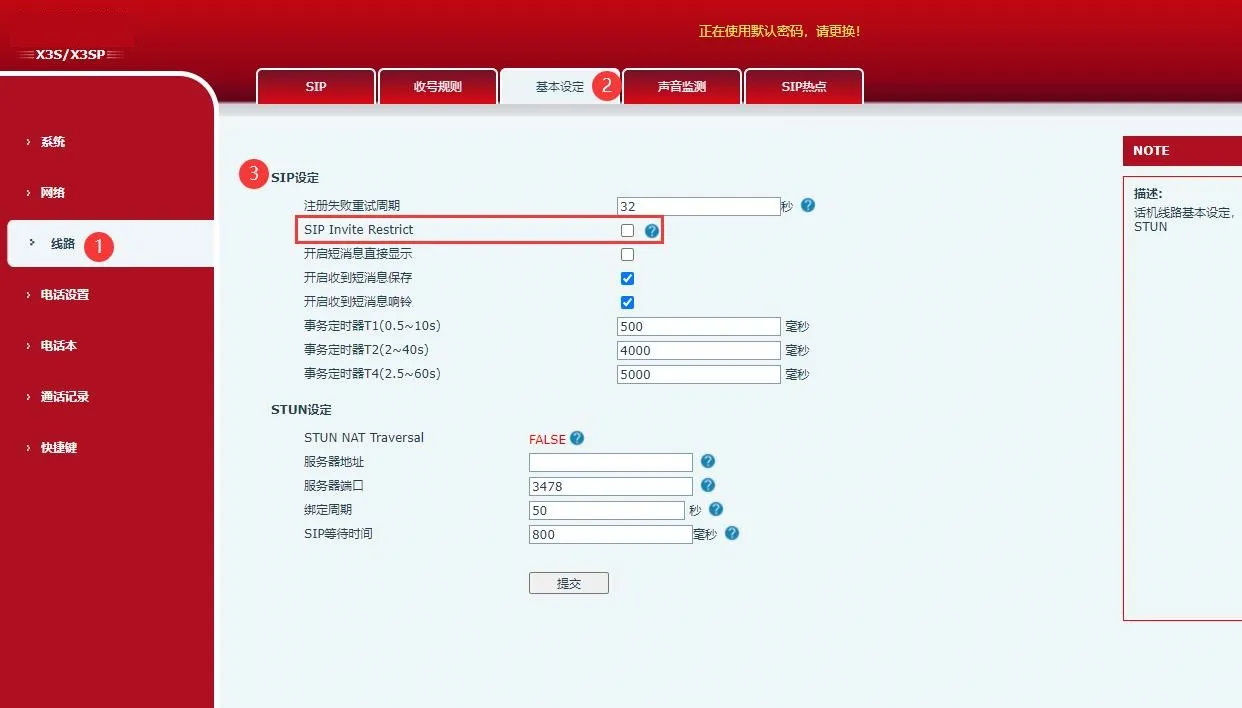
In the web interface, go to “Line” - “SIP” - “Global Settings” - uncheck “Strict UA Match”, then click “Submit”.
This setting applies to: X3U / X4U / X5S / X5U / X6 / X6U / X7C / X7 / X7A / X210 / X210i / X3V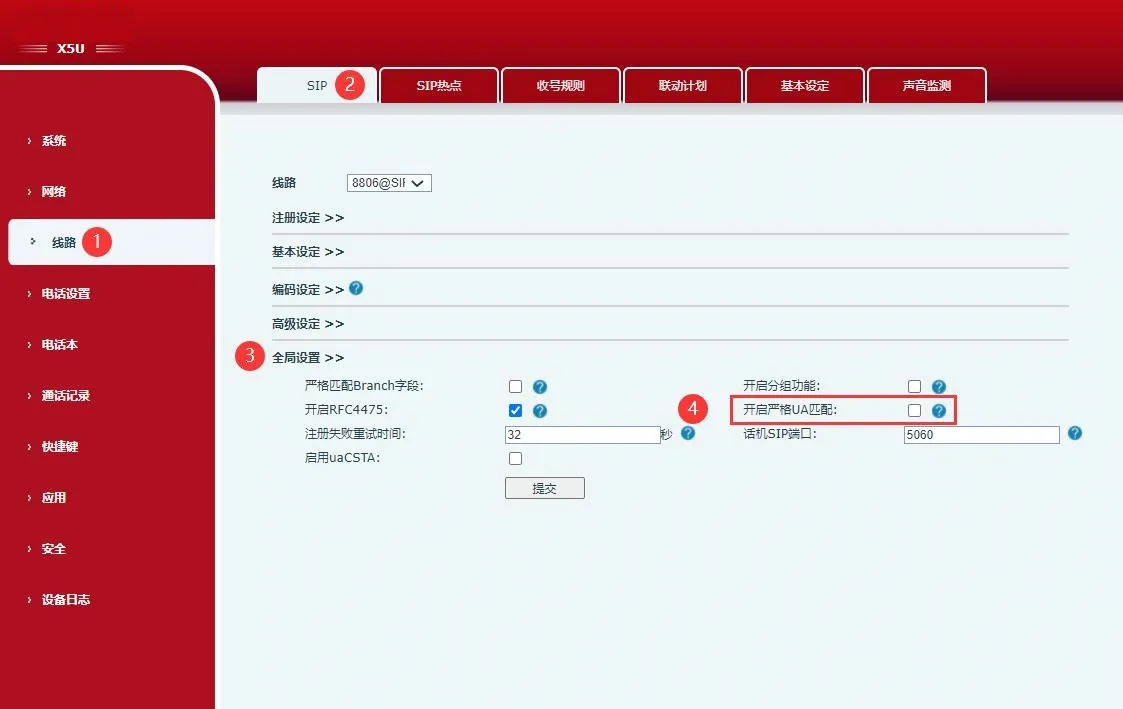
In the web interface, go to “Line” - “SIP” - “Basic Settings” - check “Allow Unregistered Outgoing Calls”, then click “Submit”.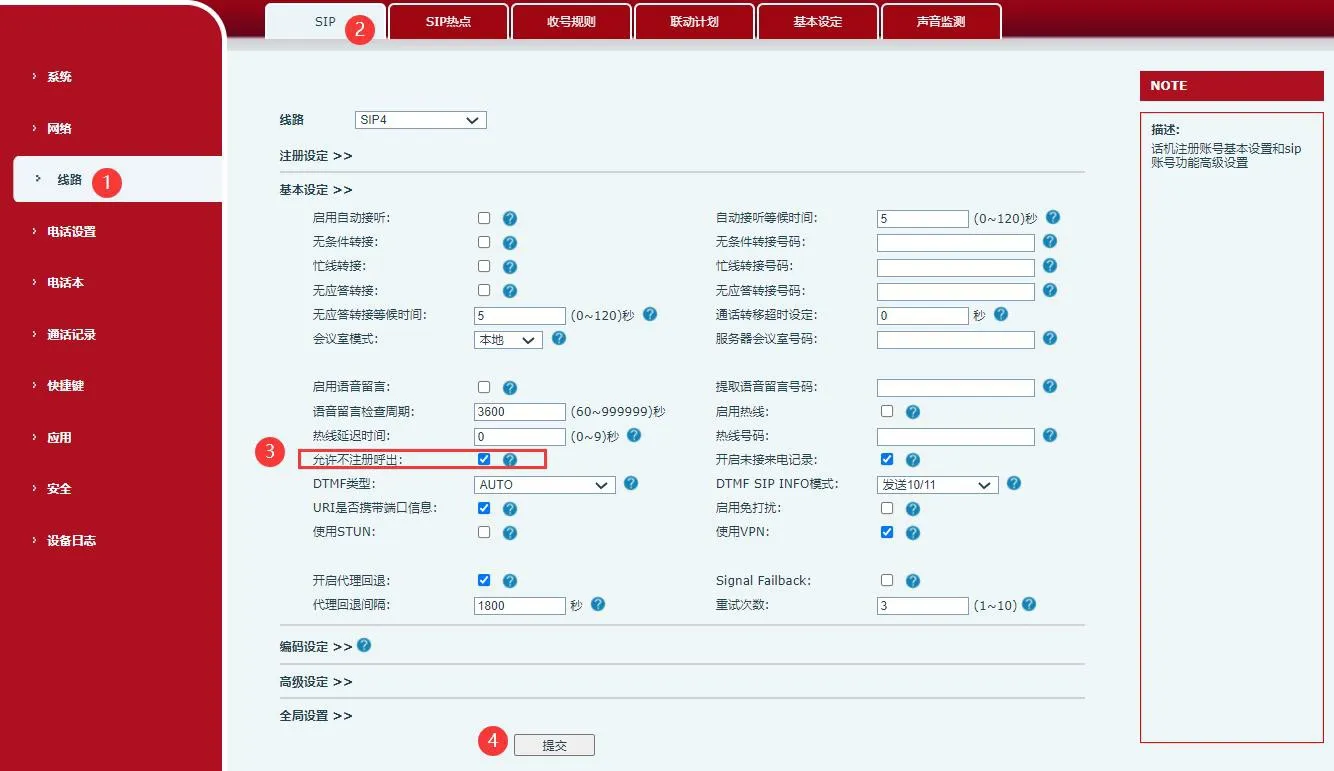
After that, enter the destination IP address directly on the SIP industrial phone to place the call.
For example, if phone 172.18.7.5 calls 172.18.7.8, replace the dots in the IP address with “*” when dialing on the phone.
Log in to the SIP industrial phone web page and go to “Line” - “Dial Rules”. Configure the settings as shown below. After the configuration is completed, you only need to dial 232 to call the device with IP address 172.18.7.8.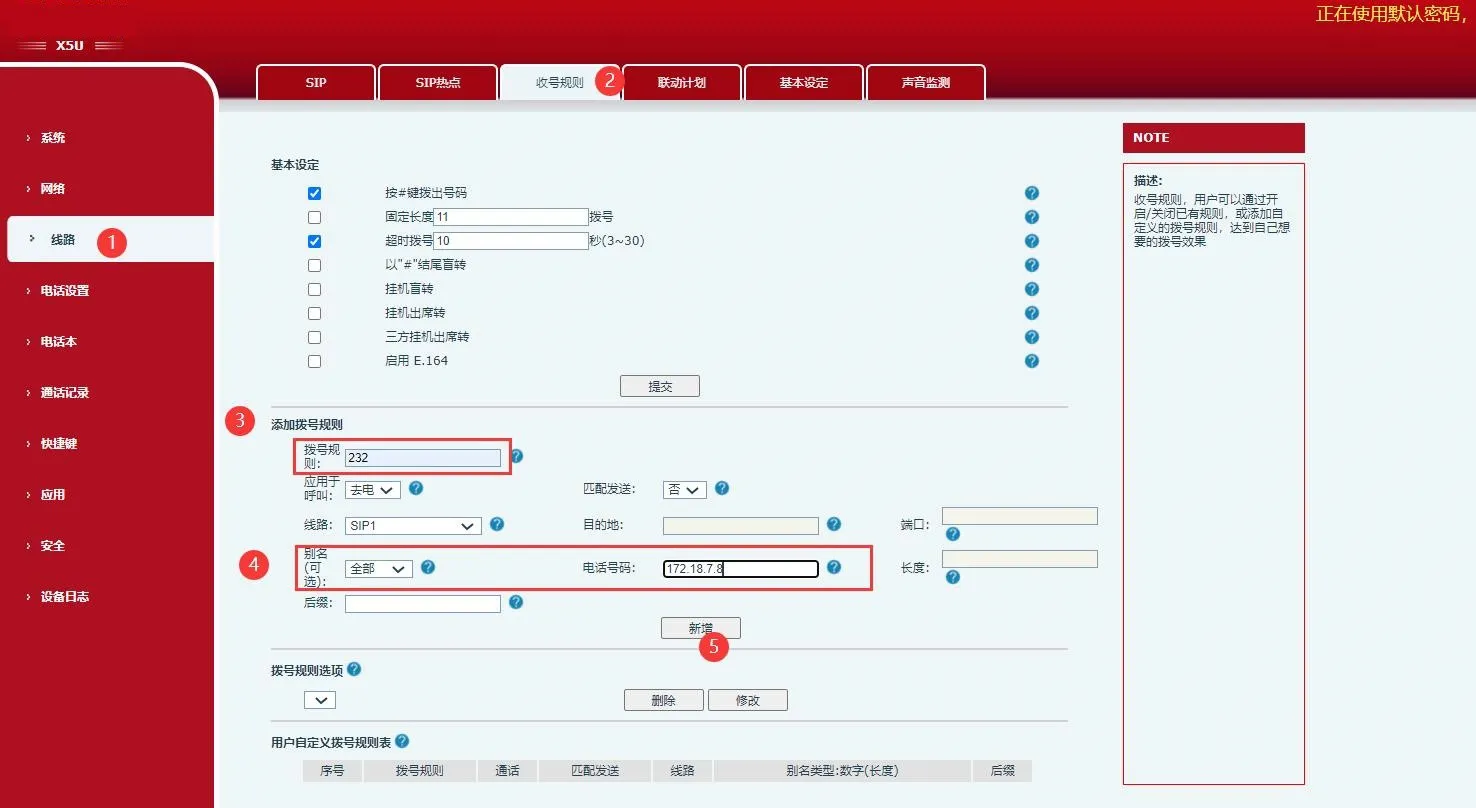
Log in to the SIP industrial phone web interface and go to “Function Key” - “Function Key” - “Function Key Settings”.
Set DSS KEY 1 with the following parameters: Type = Memory Key, Name = Custom, Value = the IP address of the target SIP industrial phone, Subtype = Speed Dial, Line = Custom. Then click “Submit”.
After the configuration is completed, press the corresponding DSS key on the SIP industrial phone to call the target SIP industrial phone by IP address.
Note: This function can only be used on SIP industrial phones that support DSS keys. Some models, such as the F52H, do not have DSS keys.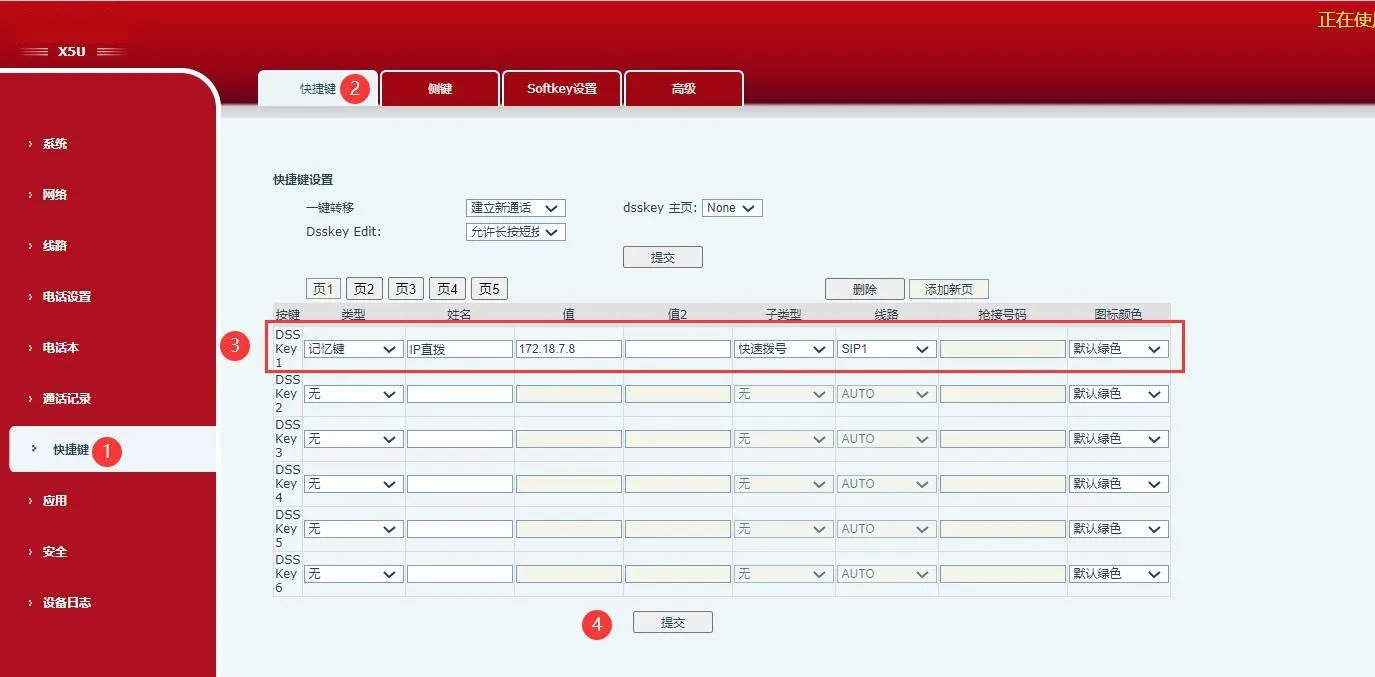
Note: No matter which IP direct dialing method is used, you must first disable SIP Invite Restrict (or Strict UA Match on some models) and enable Allow Unregistered Outgoing Calls, as described in Method 1 above.
