Learn how to configure call and paging priority on the BK-DAB-PA3 broadcast gateway so live SIP calls can interrupt active broadcast audio in server-based paging applications
This guide explains how to use the call and paging priority feature of the BK-DAB-PA3 broadcast gateway in SIP server-based paging applications. By default, when the device is playing broadcast audio, an incoming call cannot interrupt the current playback. In this situation, you can use the call and paging priority settings to allow live calls to break into an active broadcast. The following sections explain how to configure and use this feature.
BK-DAB-PA3
Connect the PC, the BK-DAB-PA3, and the SIP server to the same switch so that the PC, the SIP server, and the device can all communicate with each other over the network. The connection example is shown below.
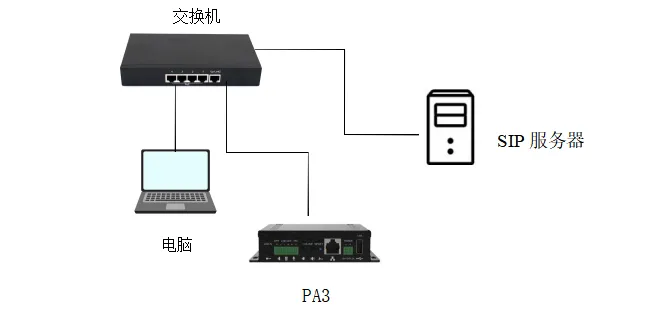
The call and paging priority feature determines whether the device should respond to a live call first or continue giving priority to the broadcast stream. In many paging applications, it is necessary to insert a live call while broadcast audio is playing. This can be achieved by adjusting the priority settings.
1. After obtaining the IP address of the BK-DAB-PA3, log in to the device web interface and go to Intercom Settings —> Multicast, as shown below:
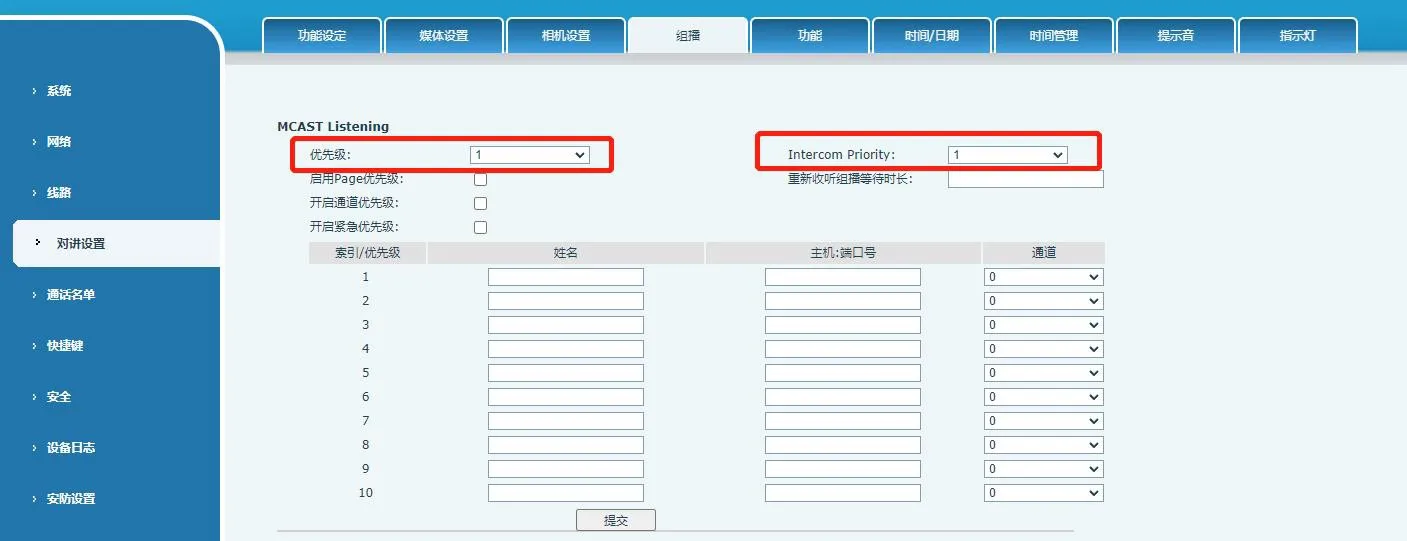
2. On the Multicast page, you will find the Priority and Intercom priority options. Their functions are as follows:
Priority: defines the priority level for normal calls. Levels range from 1 to 10. The smaller the number, the higher the priority.
Intercom priority: defines the priority level for broadcast or paging audio. Levels also range from 1 to 10. The smaller the number, the higher the priority.
In many installations, a live call cannot interrupt an ongoing broadcast by default. In that case, adjusting the call and paging priority settings can solve the problem. The steps below explain how to configure the device so that a live call can break into a broadcast.
1. Log in to the BK-DAB-PA3 web interface and go to Intercom Settings —> Multicast. Set the number in the Priority field lower than the number in the Intercom priority field. Since a smaller number means a higher priority, this gives live calls priority over broadcast audio, as shown below:
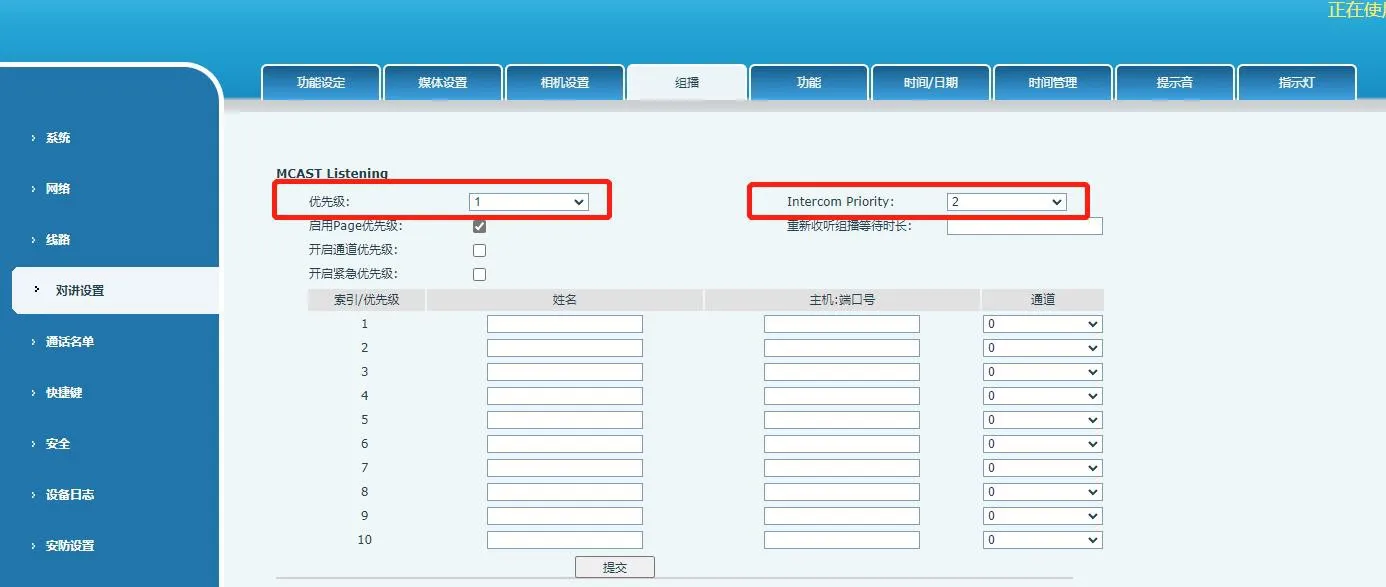
2. After adjusting the priority values, click submit to save the configuration. Once this is done, live calls will be able to interrupt the broadcast stream.
3. Test example with the Yunyi SIP server:
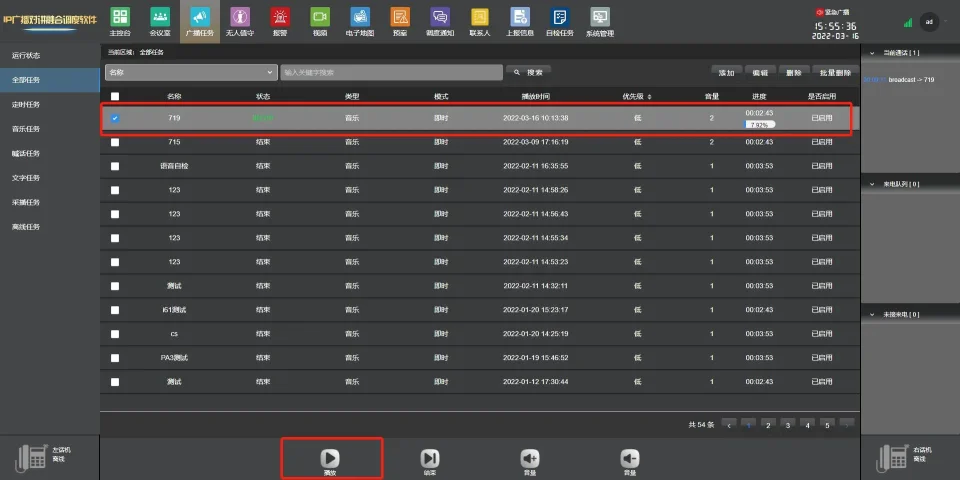
Register the BK-DAB-PA3 to the Yunyi SIP server using account 719. Then open the broadcast task on the Yunyi server and let the PA3 play SIP broadcast content, as shown below:
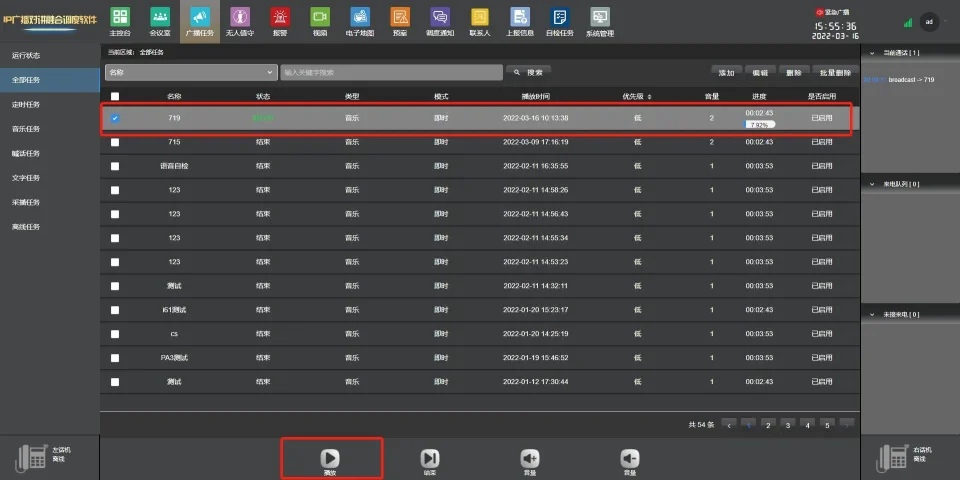
4. At this point, place a call to the BK-DAB-PA3 from another device. The BK-DAB-PA3 will answer the call and interrupt the broadcast audio. After the call ends, the broadcast content will resume automatically.