touchpoint

In addition to terminal devices, all personnel, places, and things connected to the network should also be considered.

View Details

resource

Understand best practices, explore innovative solutions, and establish connections with other partners throughout the Baker community.

×

touchpoint

touchpoint

In addition to terminal devices, all personnel, places, and things connected to the network should also be considered.

Learn more

resource

resource

Understand best practices, explore innovative solutions, and establish connections with other partners throughout the Baker community.

Contact Us
How to Upgrade the Phone Firmware? (Web Method)

Introduction

Overview

To fix bugs or add new features, the phone may need to be upgraded to a newer firmware version.

Applicable Models

Applicable products: all phone models from our company
Applicable versions: all firmware versions supported by the corresponding models

Required Tools

① One BX4U phone connected to a switch and able to obtain an IP address automatically.
② One configuration PC connected to the same switch, with network access to the phone.
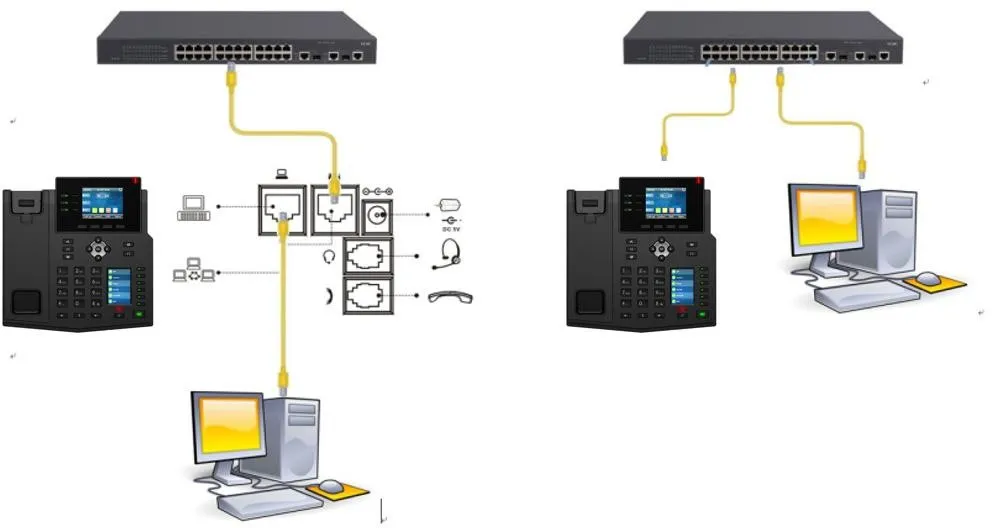
Connection Diagram for the Phone and PC

Phone and PC connection diagram

Solution

Download the Required Firmware File

Log in to the official website and download the correct firmware version for your phone.
Notes: ① The firmware package is provided as a compressed file and does not need to be extracted.
           ② The upgrade file must be in .z or .zip format.
           ③ If the required version is not available on the official website, please contact technical support.

Check the Phone IP Address

On the phone LCD screen, tap “Menu” — “Status” to view the phone IP address.
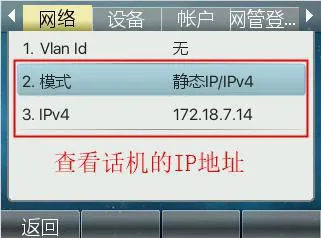
Check the phone IP address

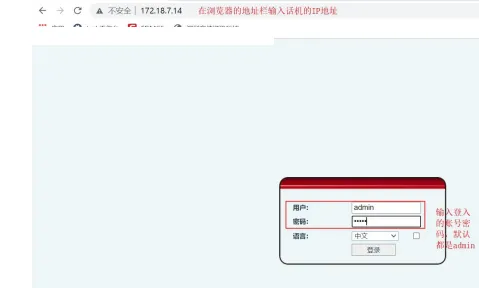
 Log In to the Phone Web Interface

Log in to the phone web interface

 Upgrade the Phone Firmware

Log in to the phone through the web page, then go to “System” -- “Upgrade” -- “Software Upgrade”. Select the required firmware file and click “Upgrade”. Please note that the upgrade file must be in .z or .zip format.
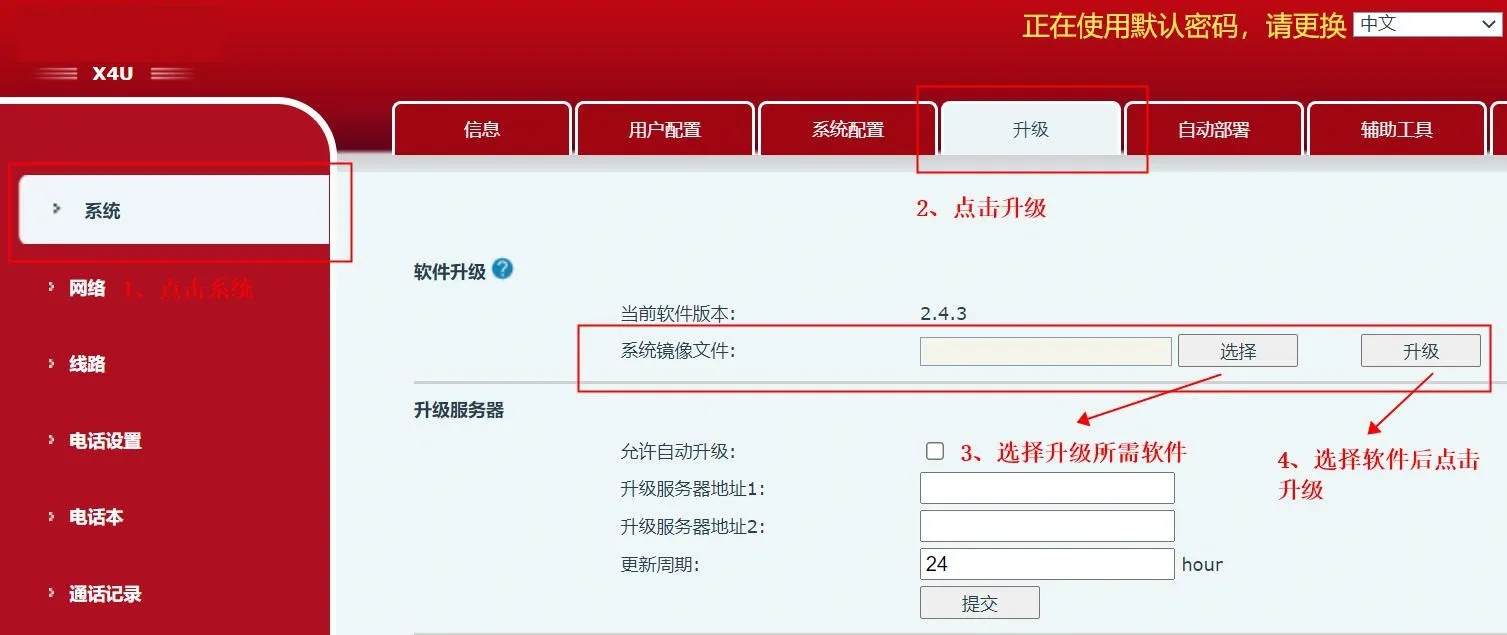
Upgrade the phone firmware

catalogue
Professional industrial communication manufacturer, providing high reliability communication guarantee!
Cooperation Consultation
customer service Phone