
This guide explains how to configure speed dial via an external button connected to the input port of BHP-SOS series intercom devices. It covers supported models, preparation tools, wiring connection, and detailed WEB configuration steps for DSSkey and input port binding.
When using the device, if you need to add a button to the input port for speed dialing, you can refer to the installation and configuration method described in this document.
BHP-SOS11 / BHP-SOS12 / BHP-SOS16 / BHP-SOS18S
① One device of BHP-SOS11/BHP-SOS12/BHP-SOS16/BHP-SOS18S, one PoE switch (or DC power supply), connect the device to the switch.
② One debugging computer connected to the same switch to ensure network connectivity between the computer and the device.
③ One button connected to the input port of the device.
Connect the BHP-SOS11/BHP-SOS12/BHP-SOS16/BHP-SOS18S to the switch, and connect the computer to the same switch to ensure network communication between the computer and the device. The connection diagram is shown in Figure 1.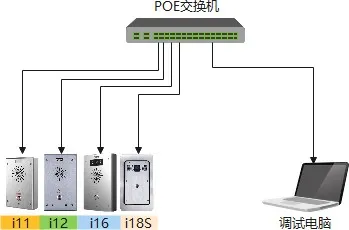
Figure 1
Connect the button to the input port of the device, as shown in Figure 2.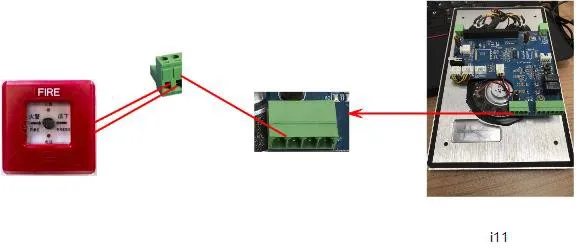
Figure 2
① After obtaining the device's IP address, enter the IP address in a browser to access the device's web interface. Then navigate to the Shortcuts (DSSKey) page for configuration, as shown in Figure 3.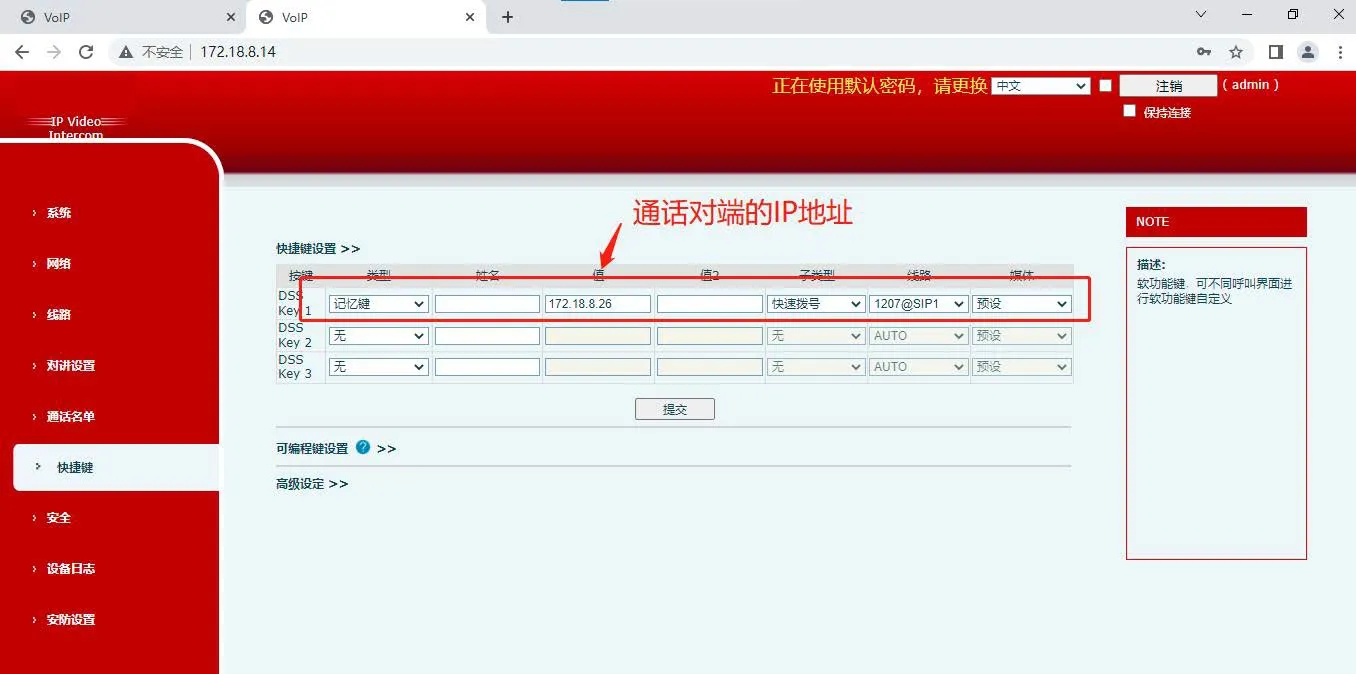
Figure 3
② Go to the Security Settings - Input Port Settings page, and bind the input port with the connected external button to the shortcut (DSSkey) configured in Figure 3, as shown in Figure 4.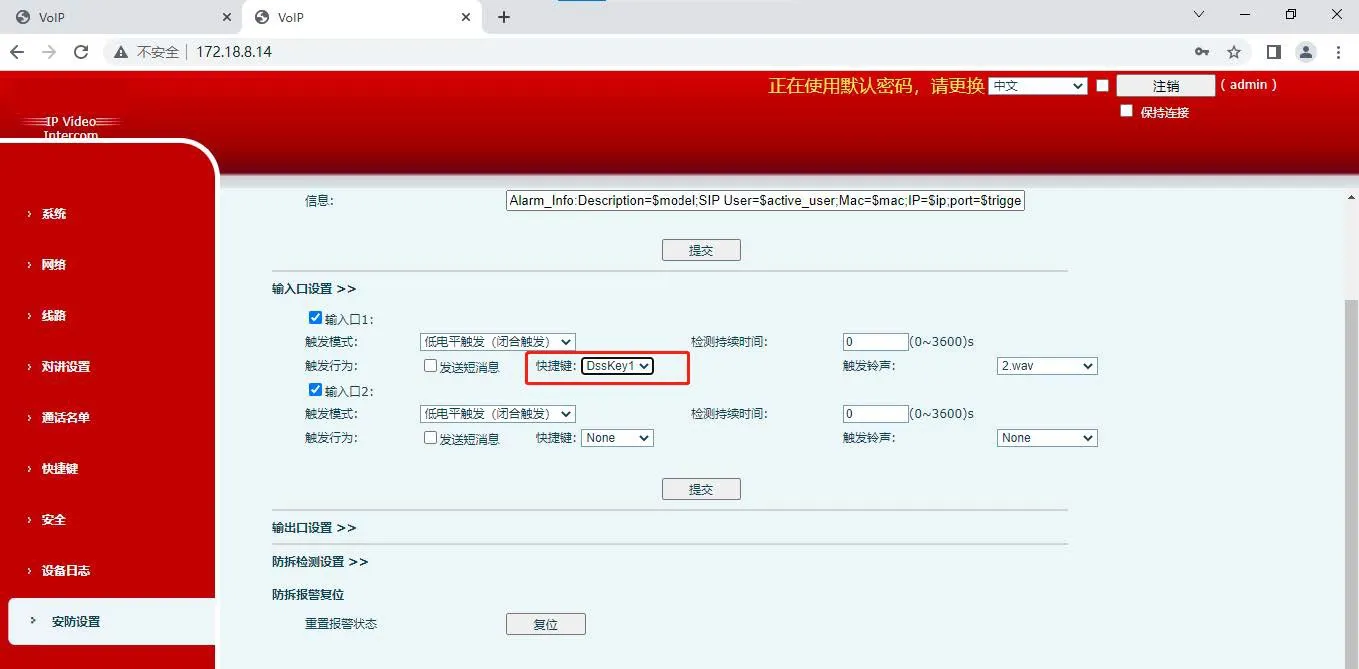
Figure 4
