IntroductionOverviewUnwanted or unidentified calls may occasionally ring on the
Unwanted or unidentified calls may occasionally ring on the phone. To prevent these calls from being received, the phone can be configured to reject anonymous incoming calls.
This applies to all of our phone models.
This document is intended for users who need to configure the phone to reject anonymous calls by using the built-in firewall and related call control settings.
1. Log in to the phone's web interface, then go to “Security” -- “Network Firewall” -- “Firewall Settings”. Set “Input/Output” to Input, set “Deny/Allow” to Allow, keep the “Protocol Type” as the default value, enter 0-65535 in “Source Port Range”, enter the server IP address in “Source Address”, and enter the subnet mask corresponding to the server IP in “Source Subnet Mask”. Then click “Add”. Under “Firewall Rule Settings”, check “Enable Input Rules” and submit the configuration.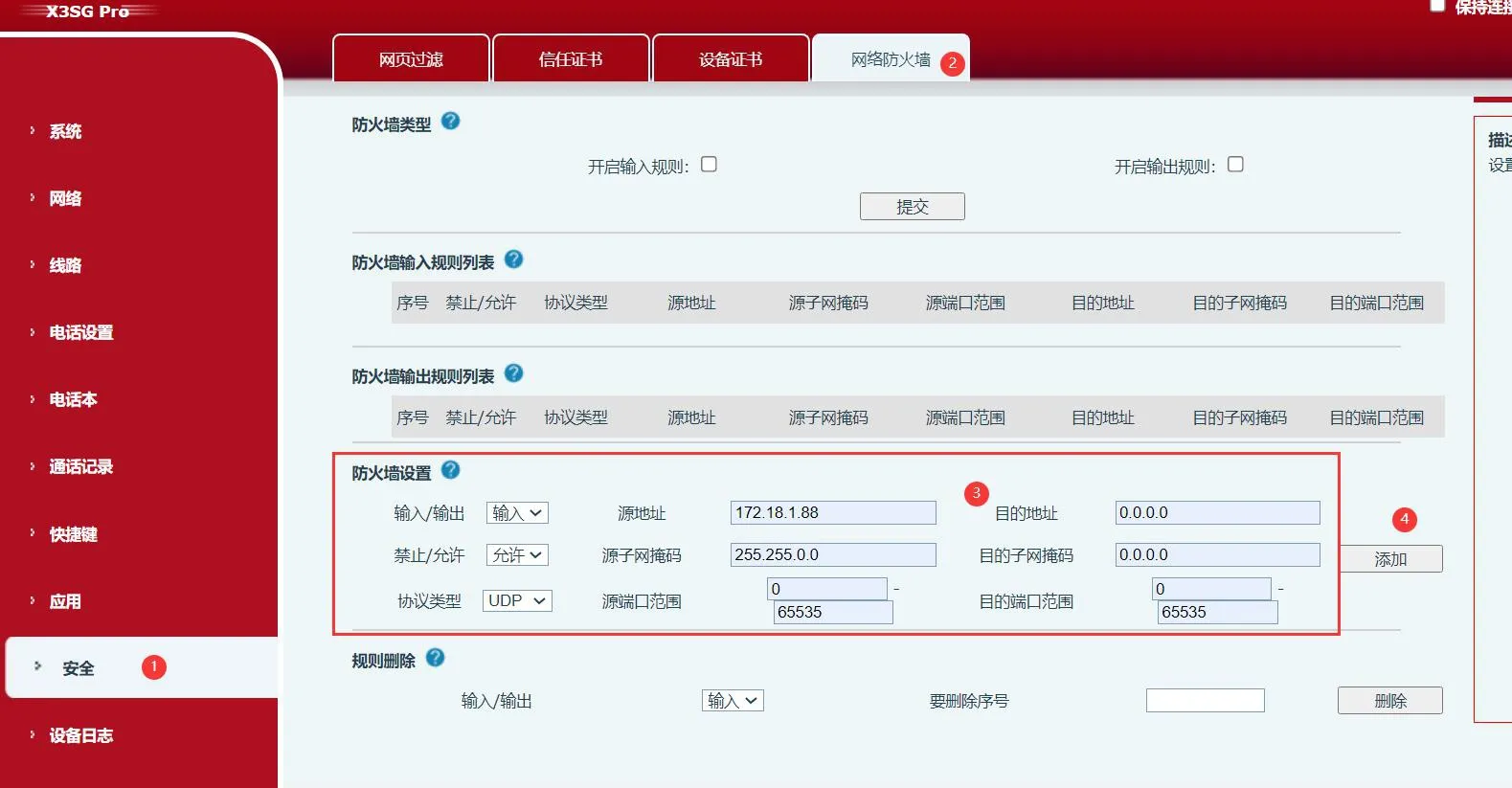
2. In the same location, add another rule to block traffic from any IP address other than the server IP. This prevents all non-server devices from sending data to the phone. Configure it as shown below: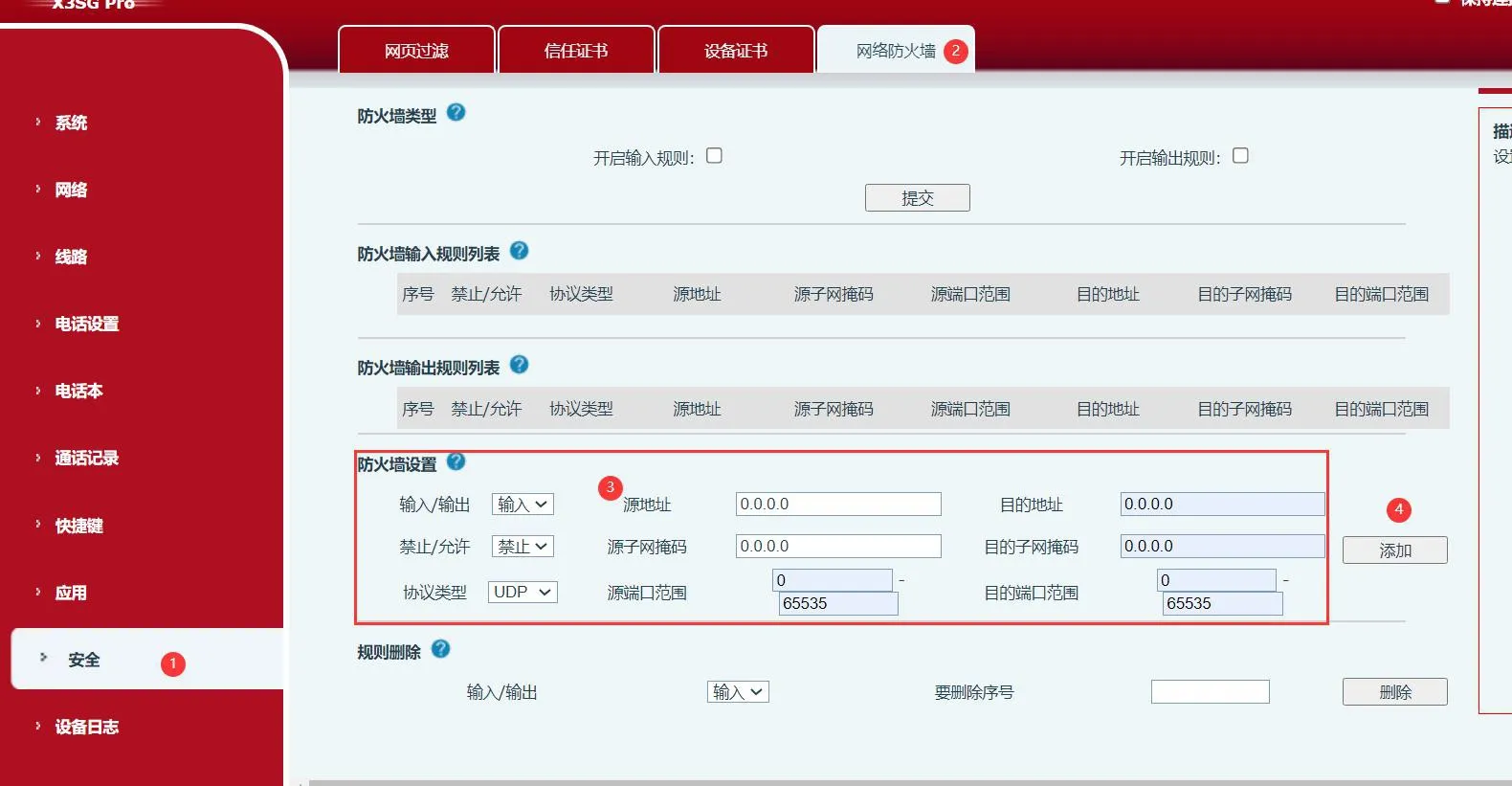
Note: After completing the two settings above, only the device with IP address 172.18.1.88 (the PBX server) will be allowed to send data to the phone. Other hosts will not be able to send data to the phone, which means only PBX-originated traffic will be accepted.
1. Log in to the phone's web interface, then go to “Line” -- “SIP” -- “Global Settings”, and check “Enable Strict UA Matching”.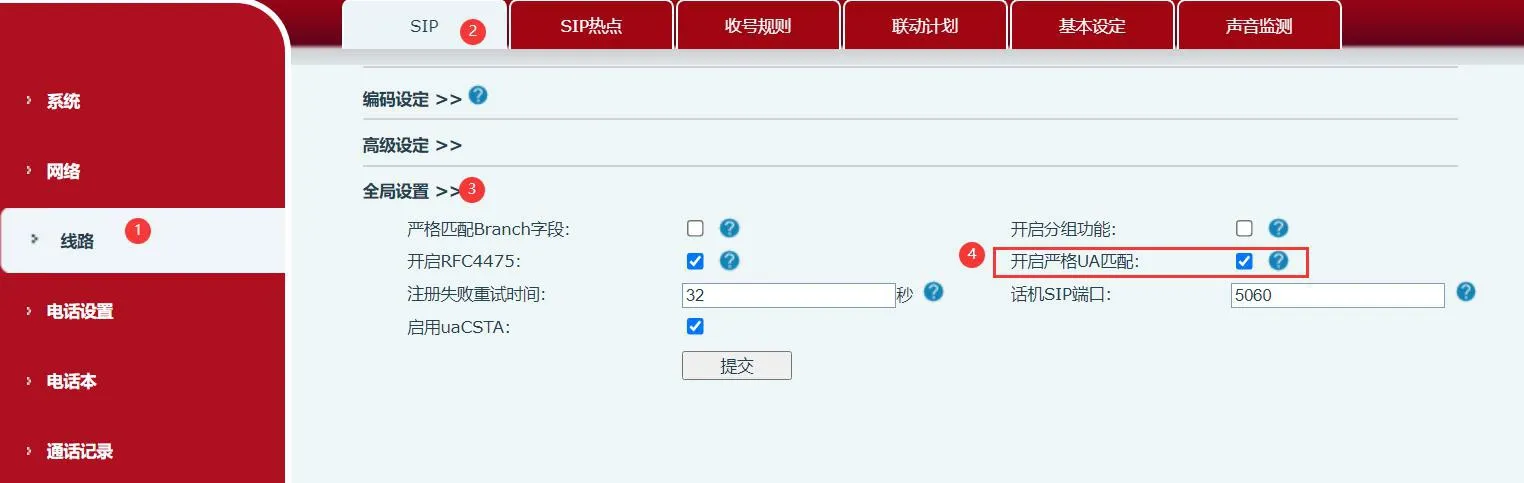
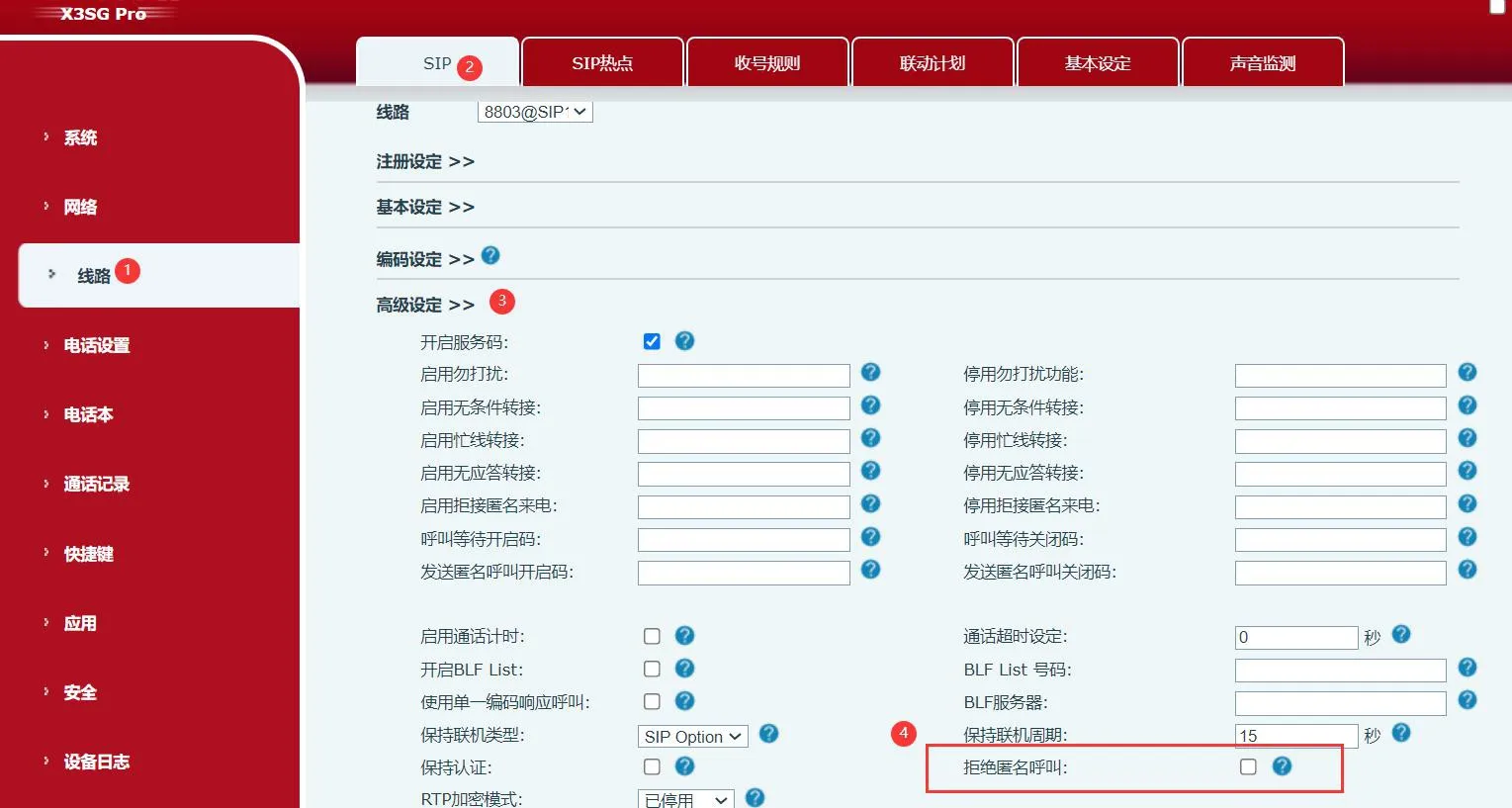
2. Log in to the phone's web interface, then go to “Line” -- “Advanced Settings” -- check “Reject Anonymous Calls”, and submit the configuration.