Learn how to register a SIP account on a BX4U phone from the LCD screen or web interface, including required settings, login steps, and how to confirm successful registration status.
To make and receive calls, the phone must be registered with a SIP account.
Supported products: all phone models.
Supported firmware: all firmware versions for the supported models.
This guide is intended for users who need to register a SIP account on the phone.
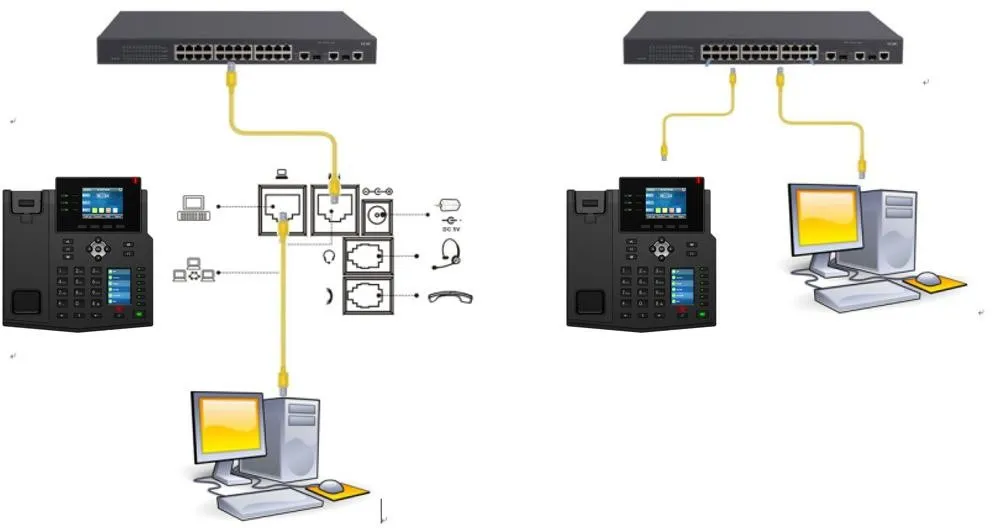
① One BX4U phone connected to a switch and able to obtain an IP address automatically.
② One configuration PC connected to the same switch, with network communication between the PC and the phone confirmed.
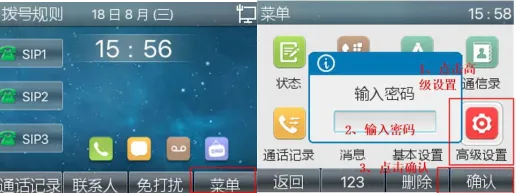
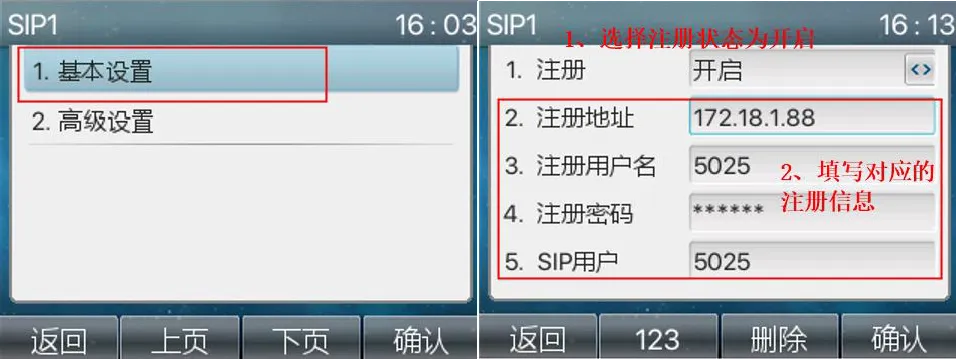
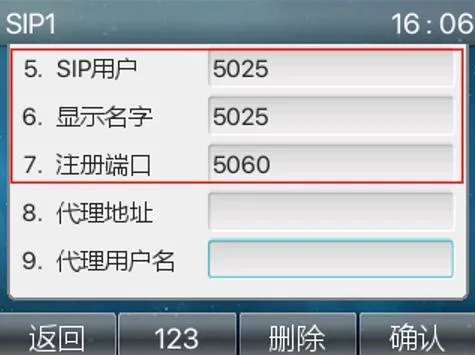
1. On the LCD screen, go to Menu -- Advanced Settings (default password: 123) -- Account -- SIP1 -- Basic Settings. Then enter the server address, server port, SIP username, authentication username, authentication password, and display name, as shown below in Figures 1 to 7.
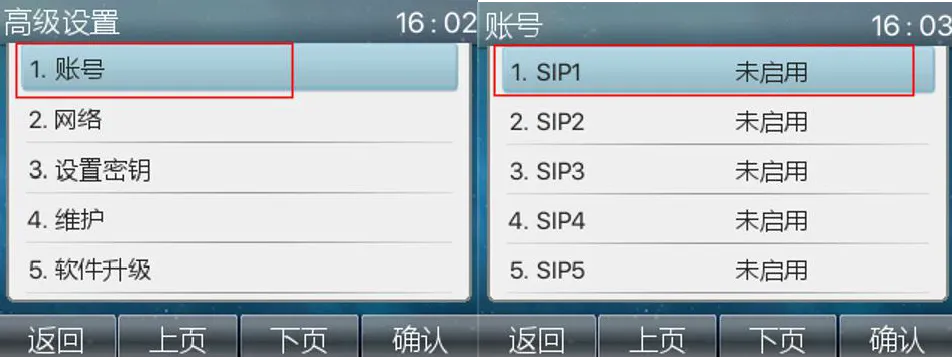
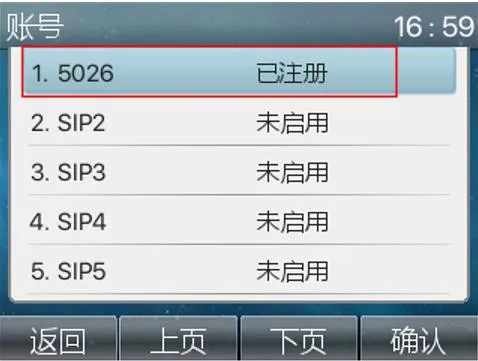
2. Check the registration status. Go to Menu -- Advanced Settings (default password: 123) -- Account, then confirm that the line status shows as registered.
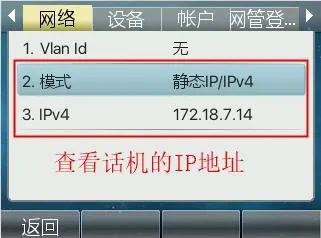
1. Check the phone IP address. On the phone LCD screen, go to Menu — Status to view the current IP address.
2. Log in to the phone web interface. On the PC, open a browser and enter the phone IP address in the address bar.
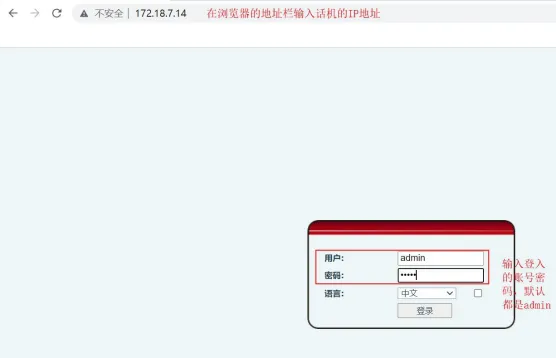
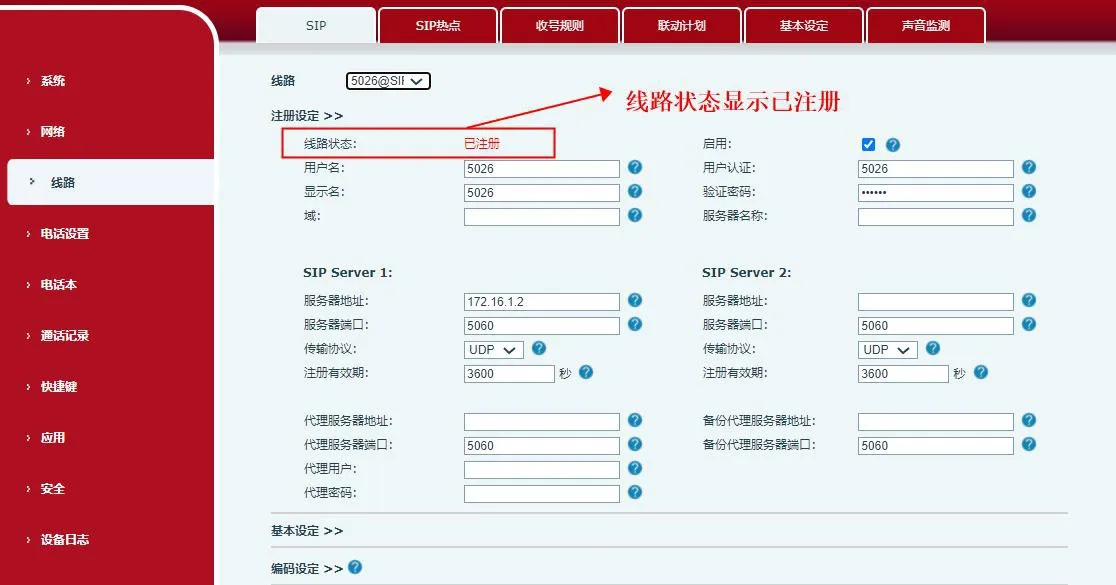
3. In the web interface, go to Line -- SIP -- Basic Settings. Enter the SIP account information, password, port, server address, and other required details. Enable the line and click submit, as shown below.
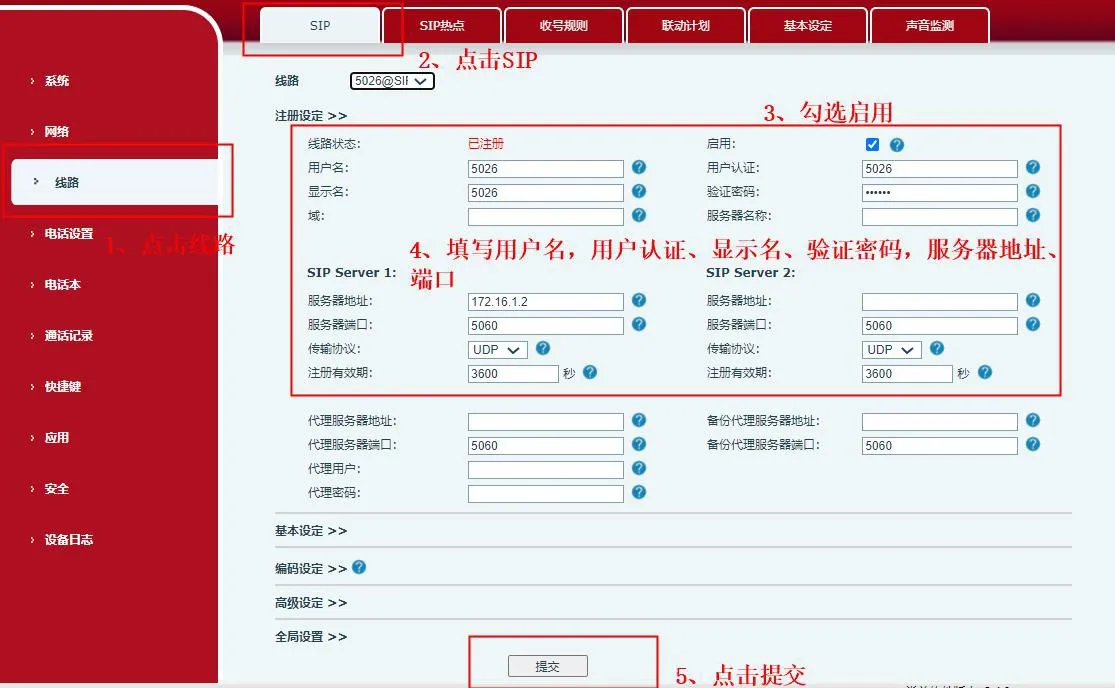
4. Check the registration status. On the Line page, verify that the line status shows as registered. Once the line is registered successfully, the phone is ready to make and receive calls.