Learn how to register a SIP account on an indoor SIP door phone or video intercom, with network setup, required devices, web configuration steps, and SIP registration menus for i53W and i16V models.
To enable both incoming and outgoing calls on industry devices, a SIP account must be registered on the device.
Industry devices. The i53W and i16V are used as examples in this guide.
① One i53W, one i16V, and one PoE switch (or a DC power supply). Connect the devices to the switch.
② One PC for setup. Connect the PC to the same switch and make sure the network between the PC and the devices is reachable.
Connect the i53W and i16V to the switch, and connect the PC to the same switch as the devices. Make sure the PC and the devices can communicate over the network, as shown in Figure 1.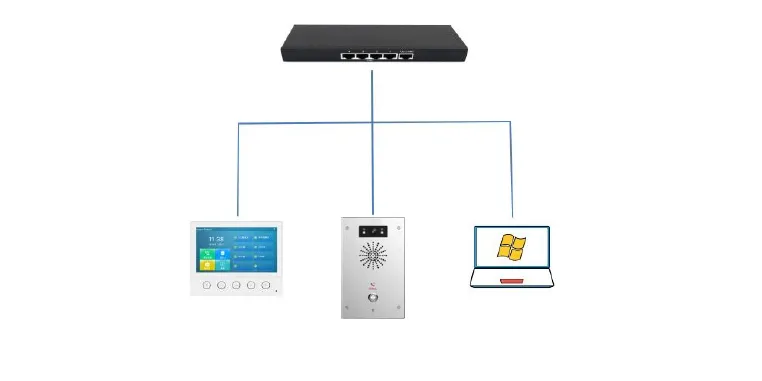
Figure 1
Indoor SIP door phone:
Log in to the indoor SIP door phone web interface, go to Line --- SIP --- Registration Settings, enter the required account information, and submit the configuration to complete registration.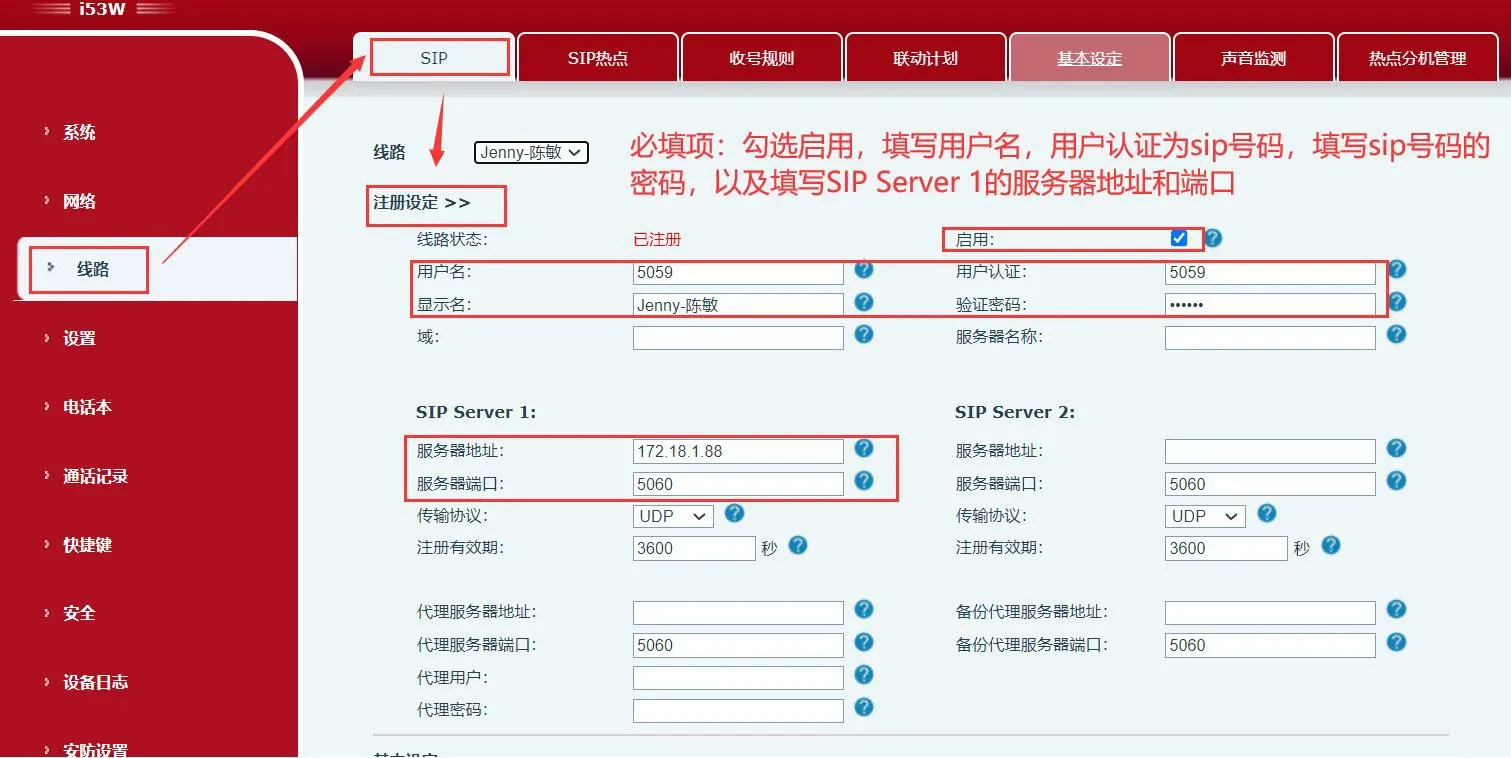
Intercom:
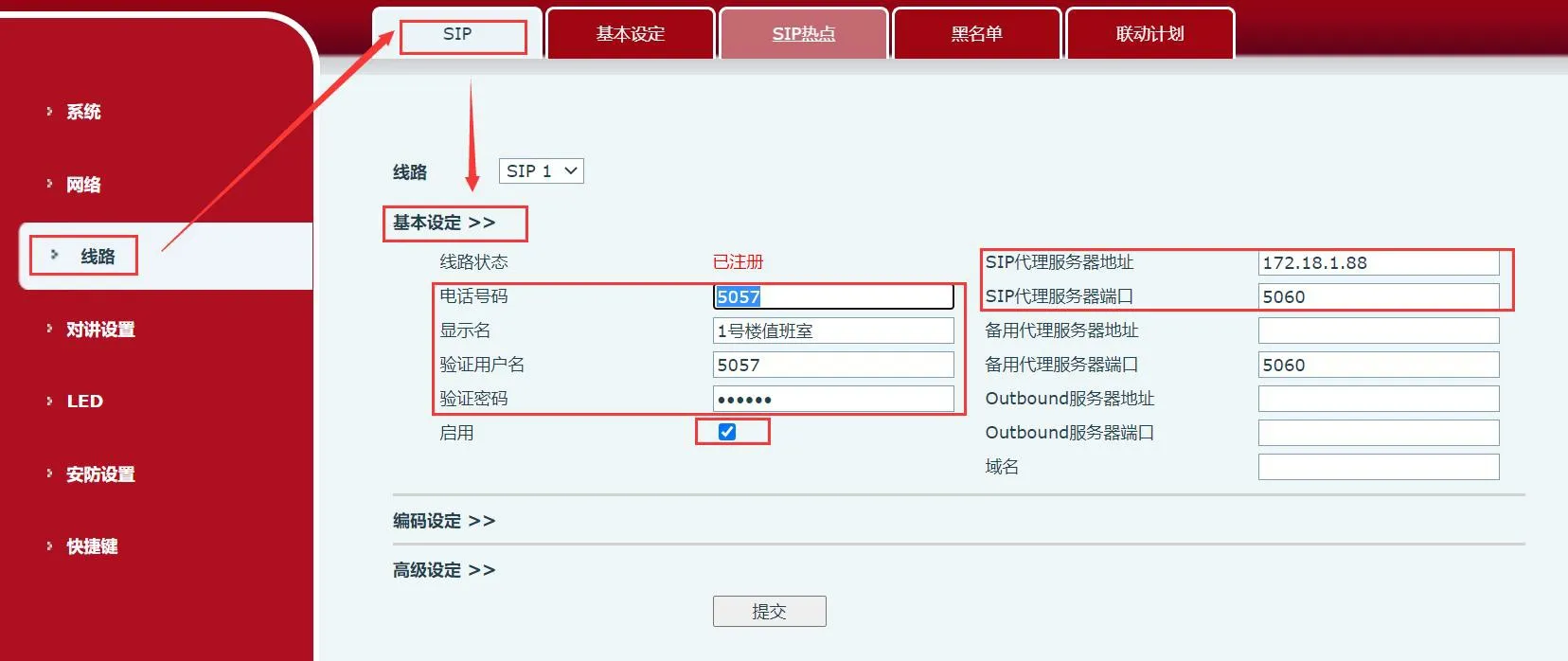
Log in to the intercom web interface, go to Line --- SIP --- Basic Settings, enter the required account information, and submit the configuration to complete registration.