touchpoint

In addition to terminal devices, all personnel, places, and things connected to the network should also be considered.

View Details

resource

Understand best practices, explore innovative solutions, and establish connections with other partners throughout the Baker community.

×

touchpoint

touchpoint

In addition to terminal devices, all personnel, places, and things connected to the network should also be considered.

Learn more

resource

resource

Understand best practices, explore innovative solutions, and establish connections with other partners throughout the Baker community.

Contact Us
How to Register a SIP Account from the Phone Screen?

Introduction

Overview

To use the phone normally, you need to complete SIP account registration directly from the phone screen.

Applicable Models

This guide applies to all of our phone models. The BX4U is used here as an example.

Prerequisites

① One phone connected to a switch and able to obtain an IP address automatically.
② One configuration PC connected to the same switch, with network communication between the PC and the phone confirmed.
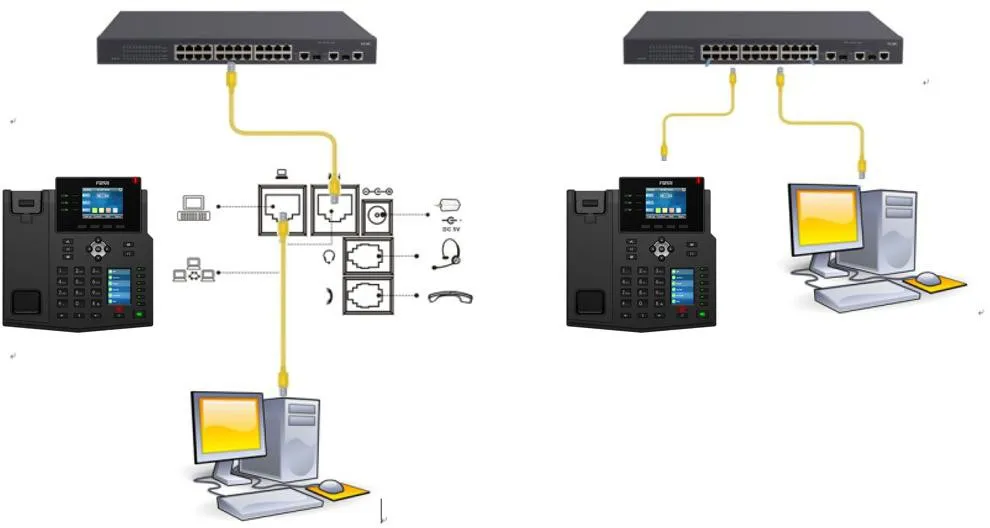
Phone and PC Connection Diagram

Phone and PC connection diagram

Procedure

Power On the Phone and Enter the Settings Menu

The phone startup screen is shown below:
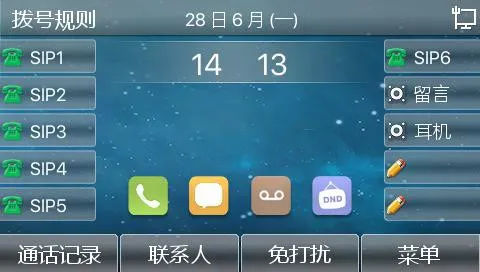
Phone startup screen

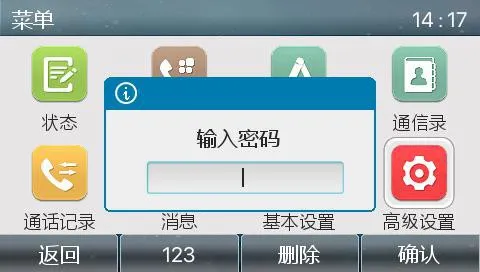
Go to MenuAdvanced Settings, then enter the password. The default password is 123.
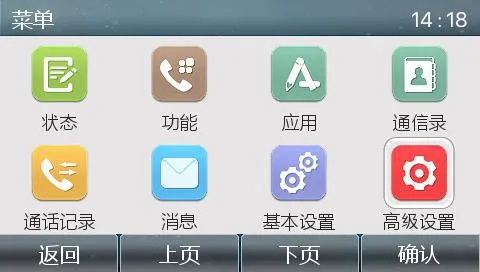
Phone menu screenPhone advanced settings screen

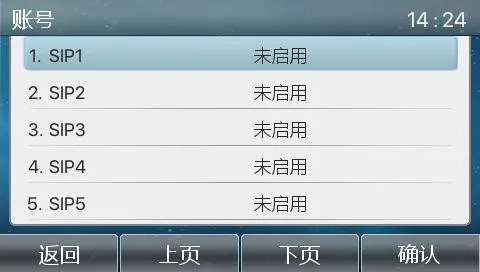
Open the Account Settings Menu

Phone account settings screenPhone account settings menu

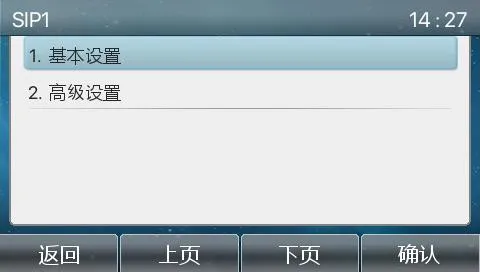
Select the Line to Be Registered and Enter Basic Settings

Phone basic settings screenSIP registration screen

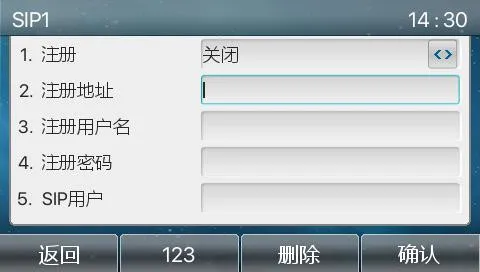
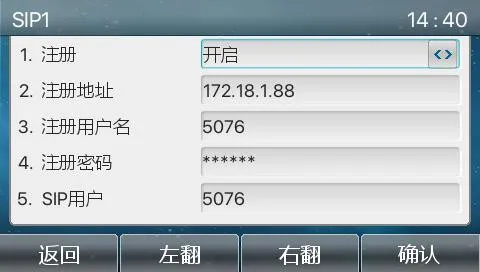
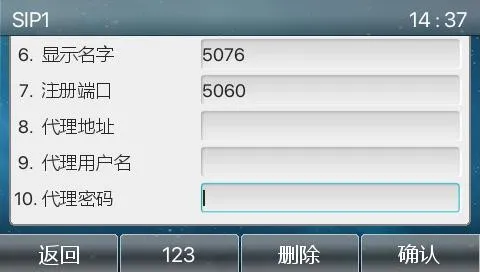
Enter the Registration Details in Order

Entering SIP registration informationCompleting SIP registration parameters
Note: 1. Registration must be set to enabled.
       2. The following fields are required: server address, registration username, registration password, SIP user, and port number.
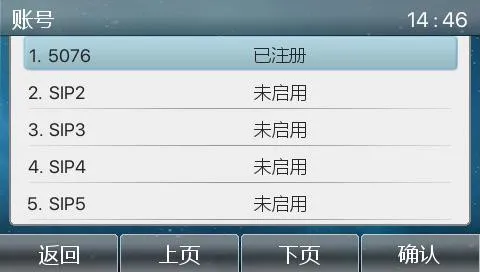
Successful Registration Display

Successful SIP registration status
Note: If registration does not succeed, check whether each field was entered correctly, whether the settings were saved, and whether the username and password are correct. If the account still cannot register, refer to the SIP registration failure troubleshooting guide for further diagnosis.

catalogue
Professional industrial communication manufacturer, providing high reliability communication guarantee!
Cooperation Consultation
customer service Phone