Learn how to resolve cases where a SIP phone shows registered but the PBX still reports the extension as offline by adjusting the registration interval and enabling SIP OPTIONS keep-alive.
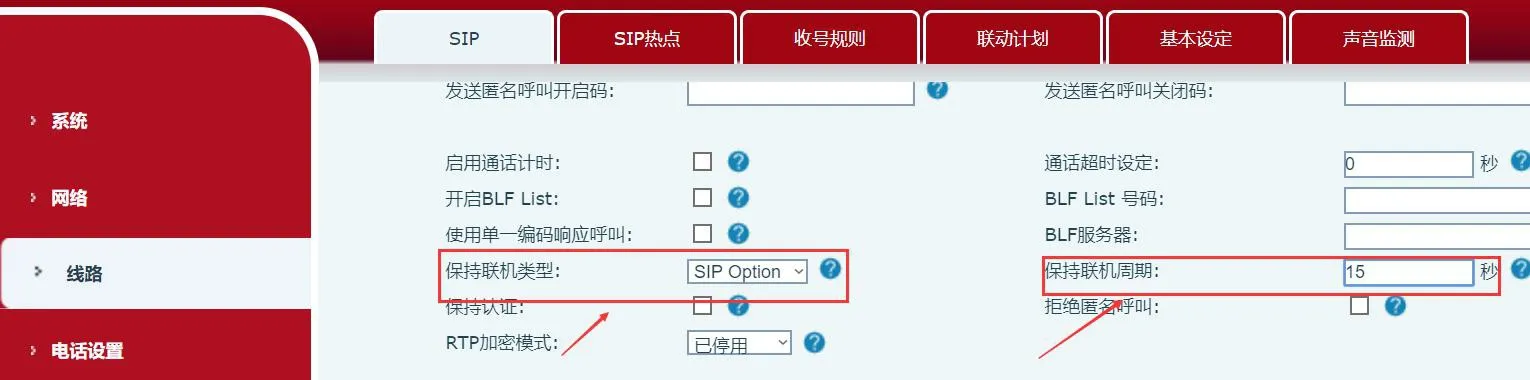
In some environments, the phone shows the SIP line as registered, while the PBX still reports the extension as offline. This issue is often related to router or NAT behavior. To improve status synchronization, try changing the phone keep-alive type to SIP OPTIONS and set the keep-alive interval to 15 seconds.
Supported products: all phone models.
Supported firmware: all firmware versions for the supported models.
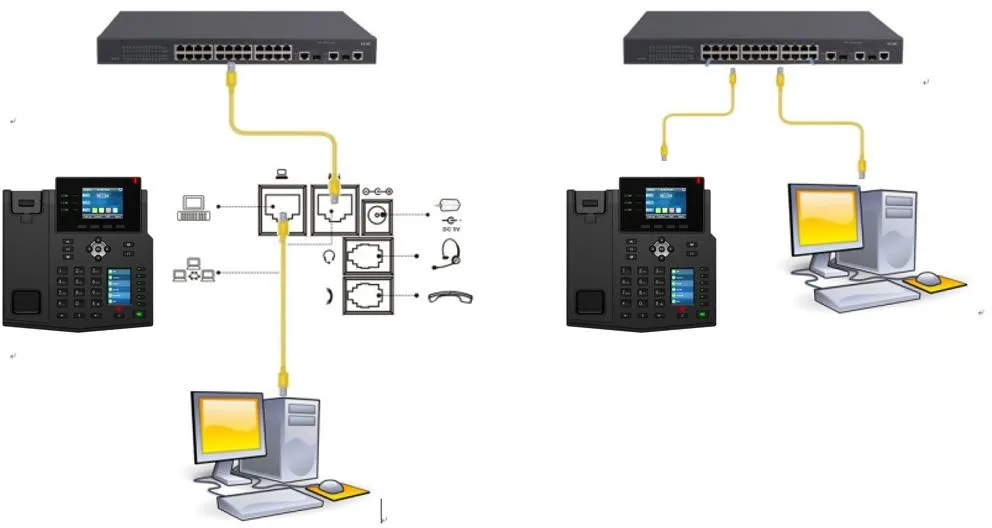
① Two BX4U phones connected to a switch and able to obtain IP addresses automatically.
② One configuration PC connected to the same switch, with network communication between the PC and the phones confirmed.
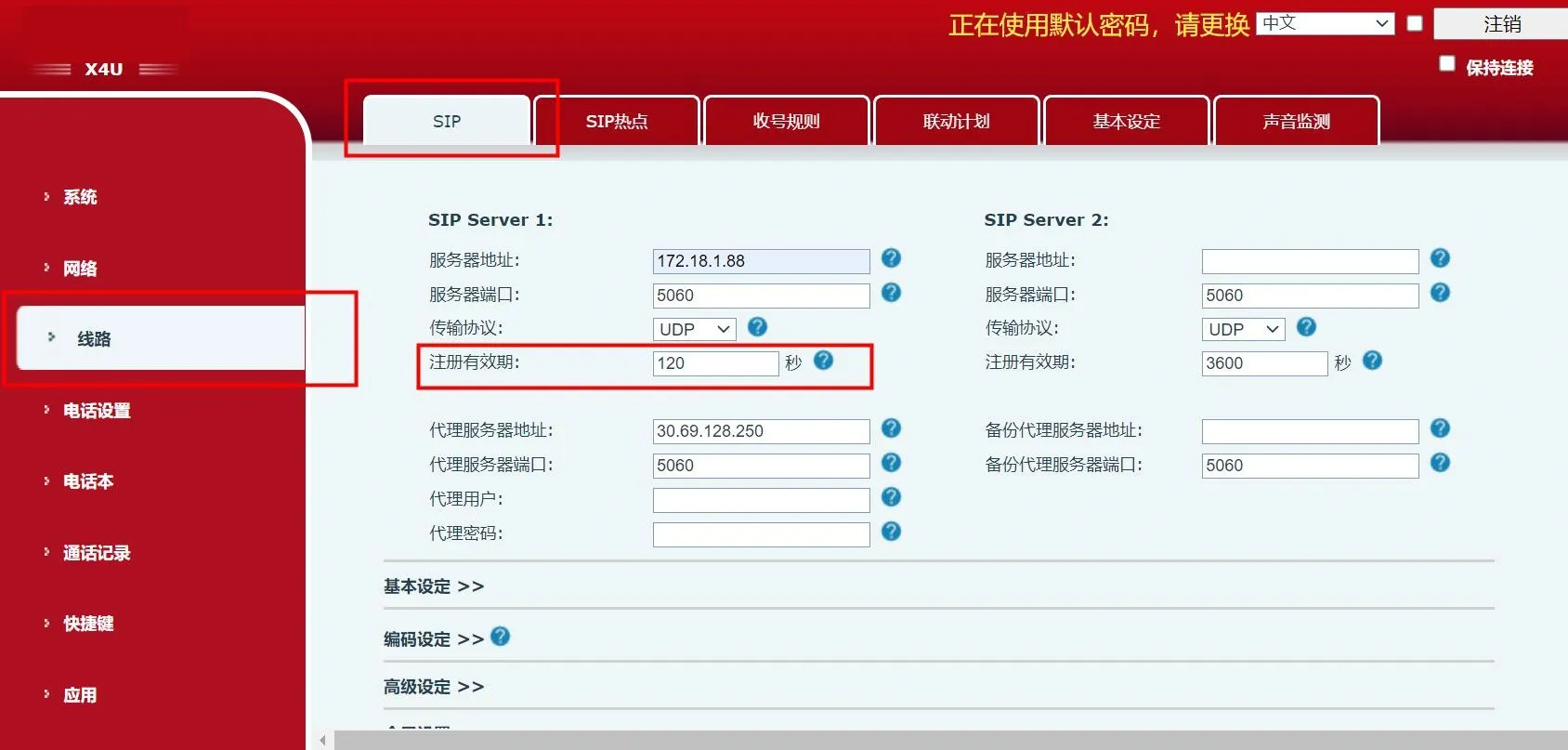
Log in to the phone web interface, then go to Line - SIP. Change the registration expiry time to 120s or 300s, then click submit.
1. Log in to the phone web interface.
2. Go to Line - SIP - Advanced Settings.
3. Set Keep-Alive Type to SIP OPTIONS, and set Keep-Alive Interval to 15s.
4. Click the Submit button at the bottom of the page.