
Learn how to export a phone configuration file from the web interface for troubleshooting, bulk deployment, firmware upgrades, and parameter review or modification across supported models.
① Troubleshooting
② Preparing configuration files for bulk phone deployment or upgrade
③ Reviewing or modifying phone parameter settings
Supported products: all phone models.
Supported firmware: all firmware versions for the supported models.
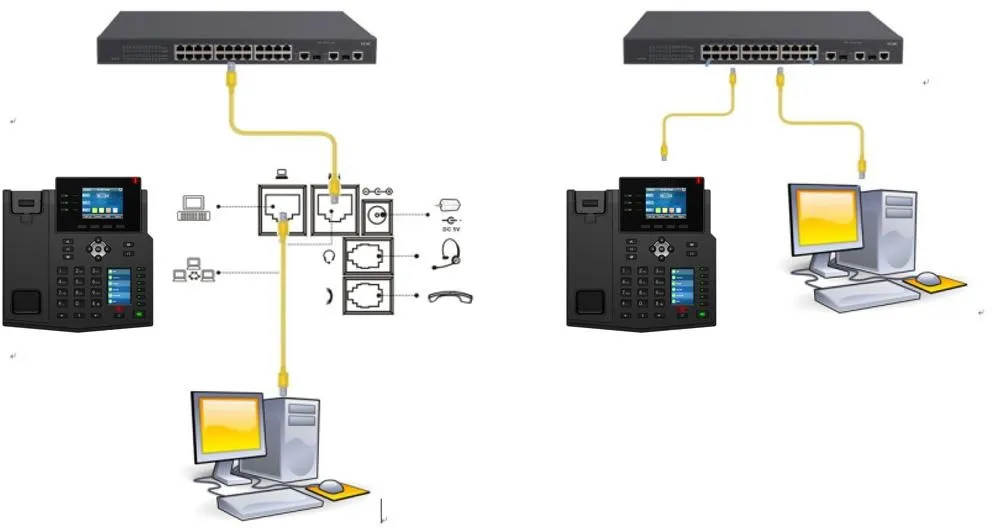
① Two BX4U phones connected to a switch and able to obtain IP addresses automatically.
② One configuration PC connected to the same switch, with network communication between the PC and the phones confirmed.
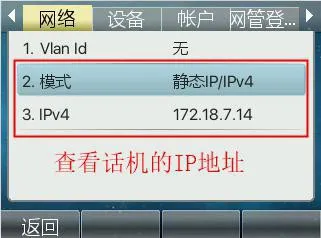
On the phone LCD screen, go to Menu — Status to view the current IP address of the phone.
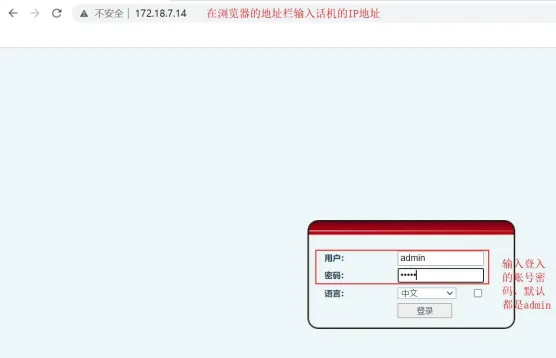
Open a browser on the PC and access the phone web interface using the phone IP address.
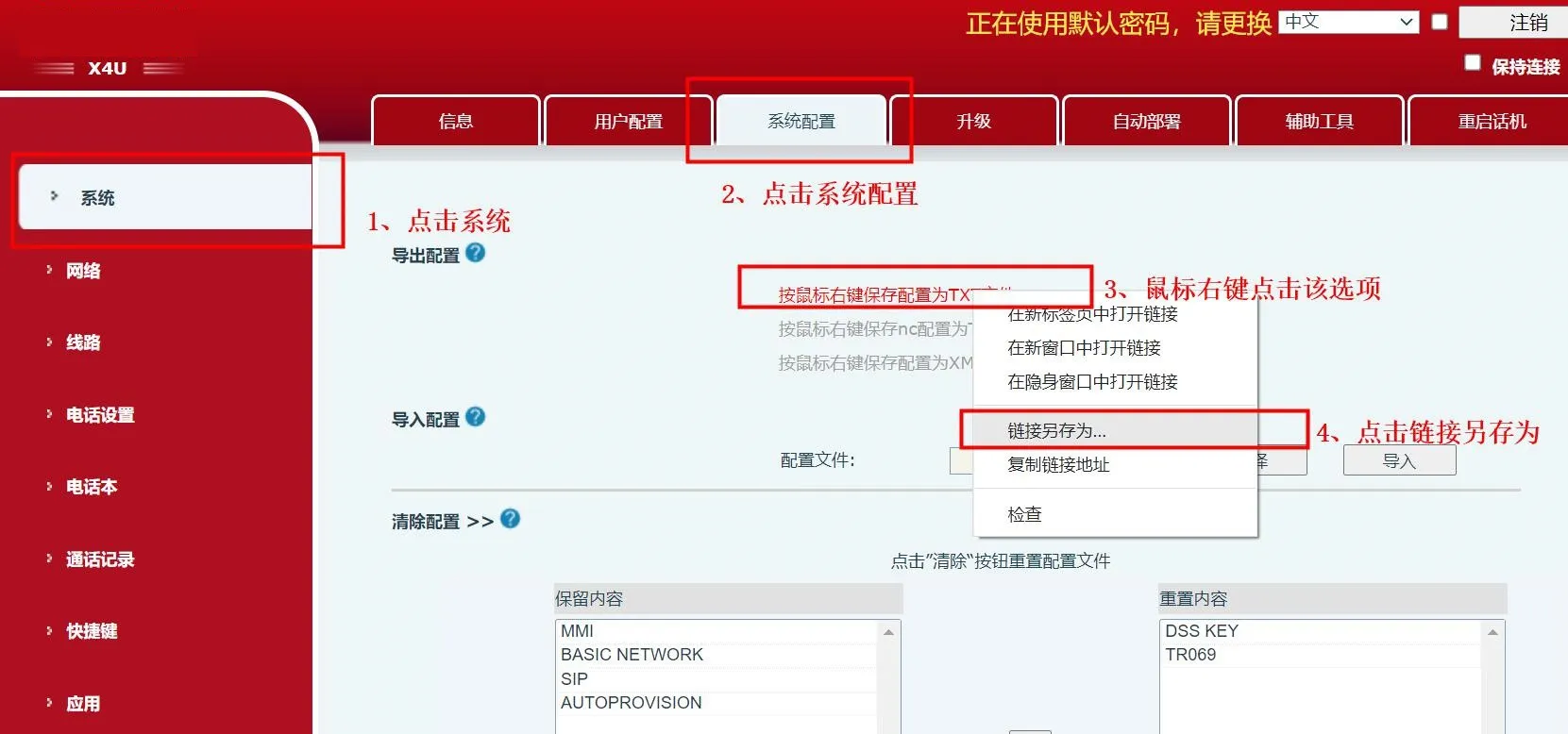
After logging in to the phone web interface, go to System -- System Configuration. Then right-click the configuration export link and save the file as a TXT file. Choose Save link as and save the file as config.txt.
```
