
IntroductionOverviewThis document explains how to create and import a custom rin
This document explains how to create and import a custom ringtone.
At present, the phone models that support custom ringtone upgrades include BX3S,BX7, BX7C, BX210, BX210i, BX4U, BX5U, BX6U, BX7A, and BF600S. Among them, BX7A and BF600S are based on the Android system, so any MP3 file can be imported as a custom ringtone. The other models currently support importing one custom ringtone file.
The ringtone file formats supported by the X3S are:
8K/16K 16-bit linear samples; 8K/16K 8-bit u/A-law samples
Description:
Sample rate: 8K/16K
Resolution: 16-bit / 8-bit
Format: Linear / u / a-law (*.wav)
The maximum file size is 500 KB. If the file exceeds this limit, the phone will automatically truncate it.
The ringtone file formats supported by the BX7, BX7C, BX210, BX210i, BX4U, BX5U, BX6U, BX7A, and BF600S are:
Sample rate: 8K/16K
Resolution: 16-bit
Format: *.wav
The file length should be about 30 seconds and smaller than 256 KB.
1. Install audio editing software such as CoolEdit.
2. Open the audio file you want to edit by clicking “File Open”.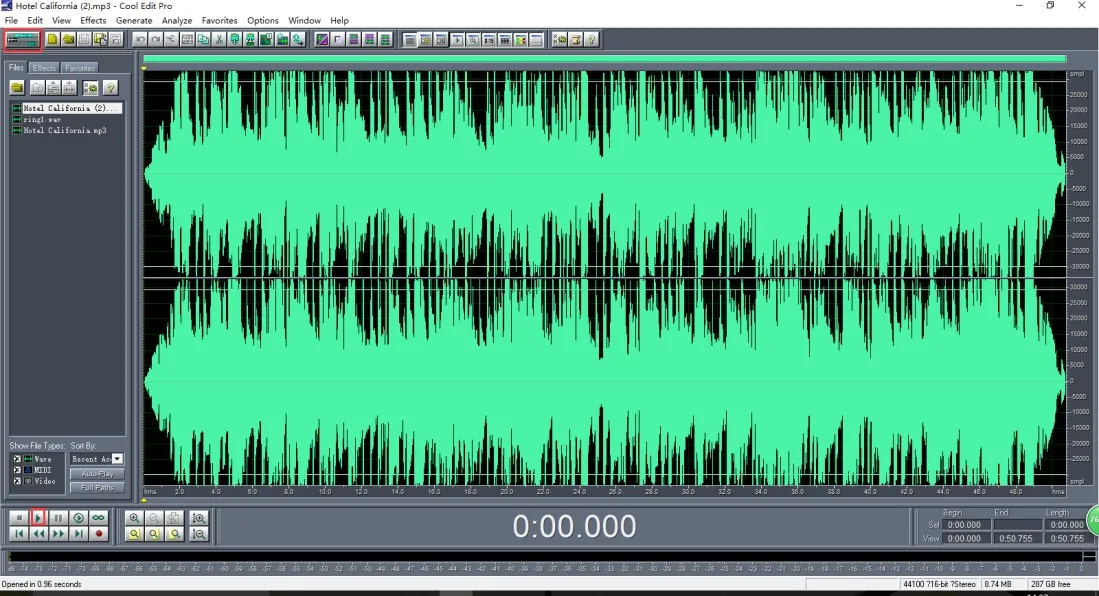
Click the Play button to preview the music file.
3. Select the music segment you want to extract and press Ctrl + C.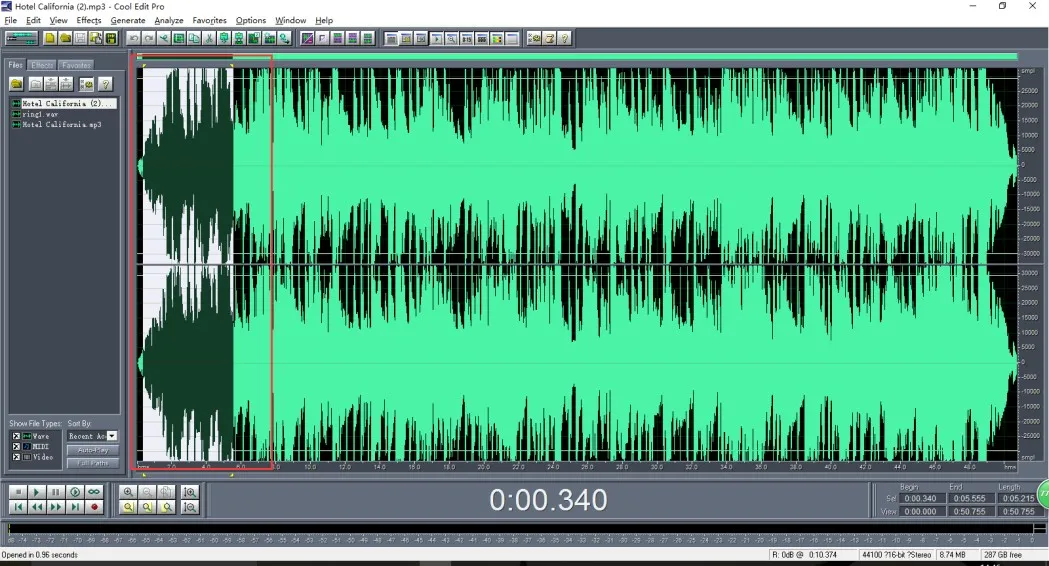
To select a segment, left-click the starting position with the mouse, drag forward until the end of the audio segment you want, and then release the mouse. The selected segment will be highlighted.
4. Create a new file and paste the copied audio segment.
Click File New and use the following settings for the new file:
Sample Rate: 16000
Channels: Mono
Resolution: 16-bit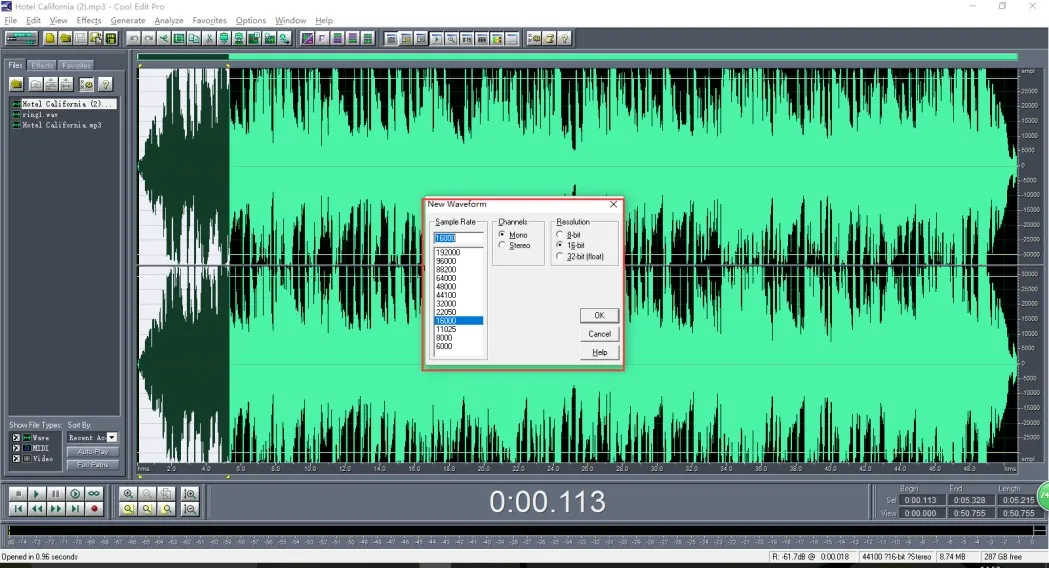
After clicking OK, press Ctrl + V to paste the audio. You can preview it again to confirm that the correct audio segment has been selected.
5. Export the file.
Click File Save As.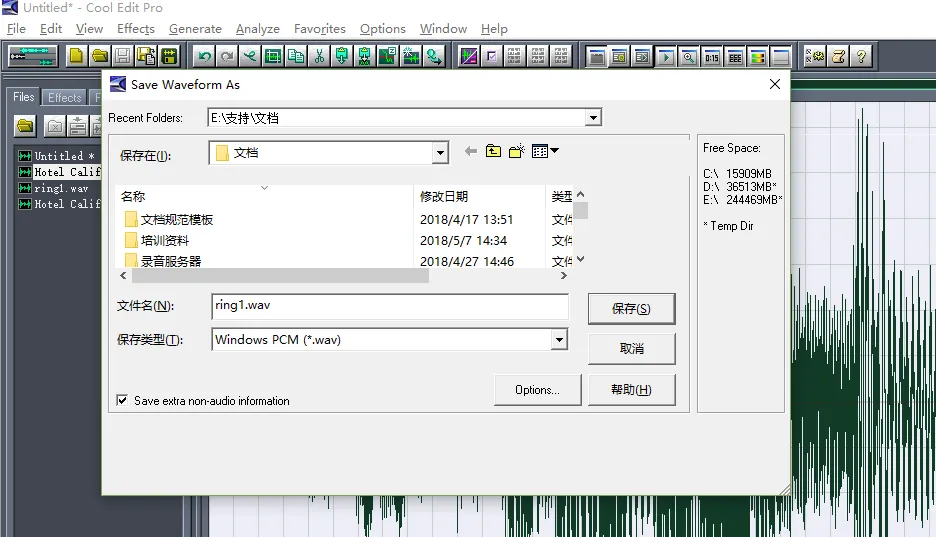
File name: It is recommended to save it as “ring1.wav”.
Save as type: Windows PCM (*.wav)
The BX3S does not have a dedicated custom ringtone upgrade interface, so the ringtone file can be uploaded through the software upgrade page.
The BX7, BX7C, BX210, BX210i, BX4U, BX5U, BX6U,BX7A, and BF600S support ringtone upgrades on the ringtone upgrade page.
1. Set a ringtone for a specific line.
Go to Line ---- SIP Advanced Settings, then set Ring Type to Music 1.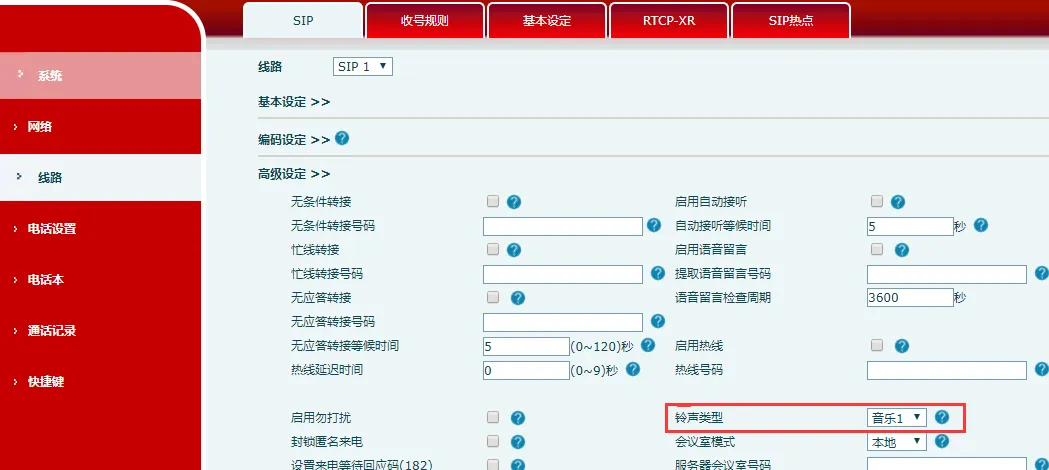
2. Set a ringtone for all lines on the phone.
Go to Phone Settings ---- Voice Settings, then set Default Ring Type to Music 1.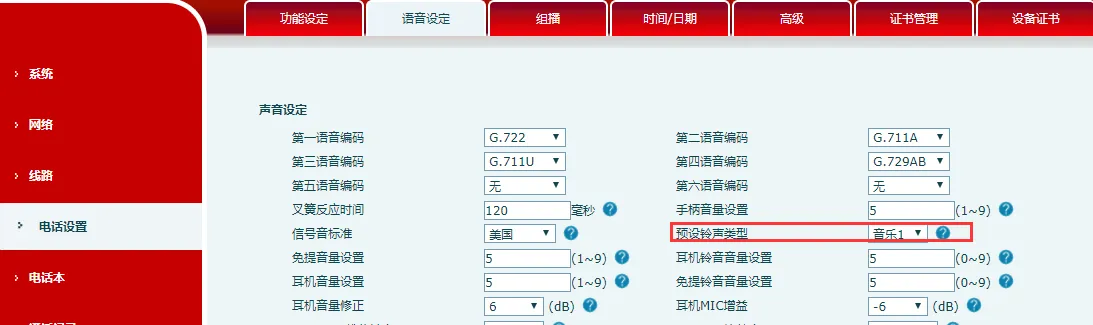
If the line advanced setting is set to “Default”, that line will use the ringtone defined in “Default Ring Type”.
