
Learn how to upgrade i51W, i52W, i53W indoor door stations using POST mode. This guide covers prerequisites, connection diagrams, entering POST mode via answer key, accessing the web interface at 192.168.1.179:8080, and firmware upgrade steps.
The i5xW series indoor stations may require firmware upgrades to meet specific needs or fix certain bugs. The following details how to upgrade i5xW series indoor stations in POST mode.
i5xW series indoor stations: i51W, i52W, i53W.
① One i5xW series indoor station (taking i52W as an example here), one PoE switch (or a DC power supply). Connect the device to the switch.
② One computer for debugging, and connect the computer to the same switch, ensuring the network between the computer and the device is reachable.
① Connect the i52W to the switch, and connect the computer to the same switch. Ensure the network between the computer and the switch is reachable. The connection diagram is shown in Figure 1.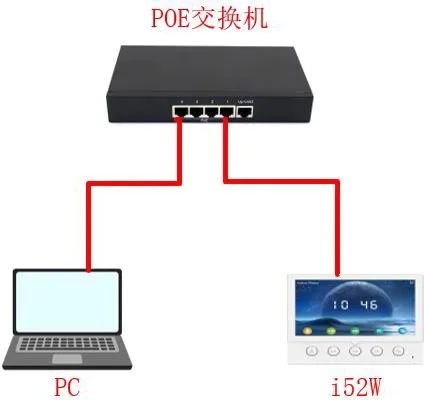
Figure 1 Device and Computer Connection Diagram
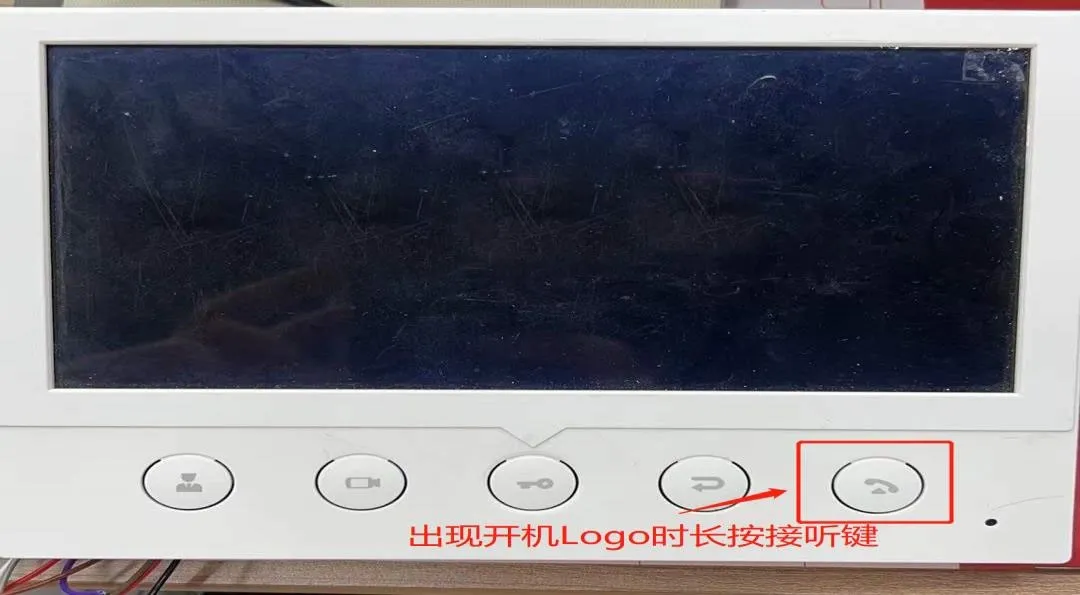
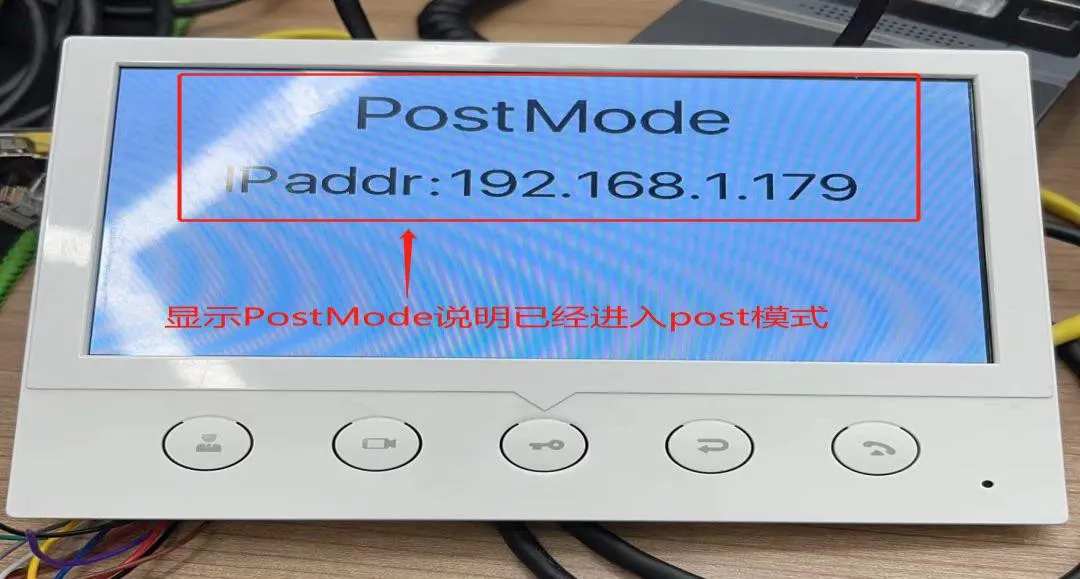
After the device enters POST mode, configuration is required through the POST web interface. The detailed steps are as follows.
(1) Access the POST web interface: Enter http://192.168.1.179:8080 in the browser to open the POST web interface.
(2) Perform the upgrade: In the POST web interface, select "Upgrade Software", then choose the corresponding firmware file, and click "Upgrade" to start the upgrade, as shown in Figure 4.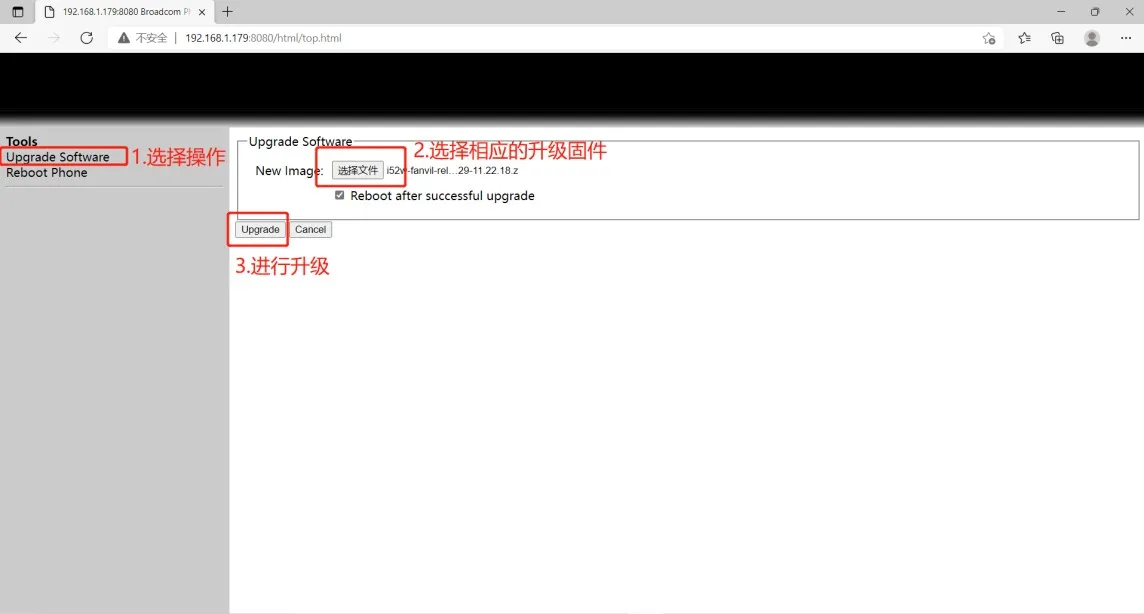
Figure 4 POST web interface configuration
(3) Wait for the upgrade to complete; the device will restart automatically.
(4) Check if the firmware version has been upgraded to the target version. If not, you can re-upgrade; if yes, the upgrade is successful.
The above describes the POST upgrade process for the i5xW series indoor stations.
